


Apple’s Mac Mini is Now Three Years Old, No Refresh Date in Sight
Today marks the third anniversary of the last update of the Mac mini, Apple’s most affordable and compact desktop computer. The Mac mini was refreshed on October 16, 2014, and since then, the machine has seen no additional updates.
The Mac mini is positioned as a “bring your own” machine that comes without a mouse, keyboard, or display, and the current version is still running Haswell processors and integrated Intel HD 5000/Intel Iris Graphics.
Pricing on the Mac mini starts at $499 for the entry-level base configuration, making it far more affordable than the iMac, which starts at $1,099 for a non-4K 21-inch version.
With the 2014 refresh, fans were disappointed as Apple ceased offering a quad-core processor option and support for dual hard drives, features that have not returned.
At this point, it’s not clear if and when Apple will introduce a new version of the Mac mini. Prior to the 2014 refresh, the Mac mini was updated in 2006, 2007, 2009, 2010, 2011, and 2012, so it’s never before gone three years sans update.
Many Apple customers are eagerly awaiting a new Mac mini, including businesses that rely on the machine, like Brian Stucki’s MacStadium.
When Apple announced plans for a modular Mac Pro, Apple marketing chief Phil Schiller said the Mac mini “is an important product” in the company’s lineup, suggesting Apple doesn’t have plans to abandon the machine. He declined to offer up any information on a potential refresh, though.
Aside from a single rumor from Pike’s Universum hinting at a new high-end Mac mini with a redesign that “won’t be so mini anymore,” we’ve heard no details at all about work on a possible Mac mini refresh.
If a new Mac mini is in the works, though, it could use either Seventh-Generation Kaby Lake chips or Eighth-Generation Kaby Lake Refresh chips, both of which are available now.
The Mac mini typically uses the same 15W U-series chips that are found in the 13-inch MacBook Pro. With Intel’s Eighth-Generation chips, the U-series all feature four cores, so should a future Mac mini adopt Kaby Lake Refresh chips or later, quad-core performance will return.
Given that it’s October and there are no rumors, it’s not likely we’re going to see a Mac mini refresh in 2017, but sometime in 2018 is fair game.
Related Roundup: Mac miniBuyer’s Guide: Mac Mini (Don’t Buy)
Discuss this article in our forums
Asics wants to microwave you a custom, crazy-colored pair of sneakers
Why it matters to you
Getting a customized pair of sneakers from Asics could take no more than 15 seconds thanks to a new microwave.
Getting voted best dressed is a lot harder when you’re wearing the same thing as everyone else around you. Luckily, Asics is here to ensure that you never commit such a fashion faux pas again. For its next trick, the athletic company is unveiling a new giant microwave intended not for your culinary pleasure, but rather for your customization needs. In just 15 seconds, these large microwaves will be able to “bake” a pair of custom soles for eager customers, giving them the ability to customize their footwear on-site in stores.
To make use of the new microwave technology, prospective buyers need only select the colors of their sneaker soles (which is to say, both the midsole and the upper). Then, colored pellets will be microwaved into a mold, and when all is said and done, the result will be a unique sole customized to your distinct color preferences. Thanks to the pellet-based system, you can choose an amalgam of colors, resulting in a color-blended sole. This, if nothing else, will certainly ensure that you really have a one-of-a-kind creation.
The new technique was developed in partnership with Taiwan’s Tayin Research and Development Company and in addition to being highly customizable, is also said to be quite sustainable. After all, customers are creating exactly what they want when they want it, which could cut down on wasted inventory. Plus, this new method is said to cut down on the company’s current midsole-construction technique’s power consumption by nearly 90 percent.
While other brands give their buyers the option of personalizing their products, very few of these opportunities are offered in-store, not to mention at such a quick turnaround. So while you can send in your requests for a unique pair of Nikes or get your Adidas‘ 3D-printed, neither option offers quite the same level of speed or customization as Asics.
Currently, we’re only able to see a sneak peek of the technology, as Asics is still putting the finishing touches on its microwaves. But hopefully, we will soon be able to experience these machines in person.
Giant art installation displays 3D selfies on an enormous 850,000-LED ‘head’
Why it matters to you
Ever wanted to see a 14-foot-high, 3D image of your face on a giant LED screen shaped like a human head? Now you can.
Love it or hate it, but selfies are a pretty potent part of today’s popular culture. To some, they’re a symbol of a narcissistic generation in love with presenting an idealized image of their lives on social media. To others, they’re a reminder of our surveillance society, and how our identity is used to sell us products.
These conflicting ideas form the basis of an intriguing new exhibition by artist and Columbus College of Art and Design professor Matthew Mohr. Working with the Boston company Design Communications Ltd., Mohr has created an impressive art installation that is currently on display at the Greater Columbus Convention Center atrium in Columbus, Ohio. “As We Are” is a three-dimensional, 14-foot head-shaped sturcture consisting of 850,000 LED lights that are capable of displaying a giant 3D image of a person’s head. Inside the structure is a photo booth, featuring 29 cameras that take people’s photos, and then stitch the pictures together into a 3D model to create giant selfies.
“Everyone is welcome to stop by and have their photo taken inside the photo booth,” Mohr told Digital Trends. “After the image is processed, they can then step out and see their face displayed on the giant head. The magnification and amplification of your head in a public space speaks to the presence of social media and the way that identity is changing in society. It’s a fun experience for many people, while also being quite intense for others. It’s quite something to see your face 14-feet high, and to realize that this is how you move through the world.”
The head sets a precedent for a new kind of selfie, and can store up to 100,000 portraits locally, plus more in the cloud. These are cycled through continuously, with a focus on highlighting diverse faces. Mohr said he hopes to develop the work in the future by utilizing sound elements and facial recognition. “There’s a lot of future work planned,” he said. “This is part of an evolving platform. It’ll be around for the next 7 to 10 years, and we plan to do a lot of work building on it.”
Color us intrigued. Hey, it’s not every day that you get to become a statue!
Huawei Mate 10 Pro vs. Samsung Galaxy Note 8: Which is better?
Huawei, the world’s second-largest smartphone maker, turned heads last year with the top-end Mate 9. But it has outdone itself with the Mate 10 Pro, the undisputed flagship of the China-based company’s Mate 10 armada. It has an edge-to-edge screen, Huawei’s powerful new Kirin 970 processor, dual cameras, and AI-powered software that blows away much of the competition.
But the Mate 10 Pro isn’t the only flagship on the market. It’s competing with Samsung’s Galaxy Note 8, a stylus-touting, Bixby-sporting smartphone with a curved screen and support for Qi wireless charging.
So in the end, which high-end handset comes out on top? Here’s how the Huawei Mate 10 Pro and Galaxy Note 8 compare.
Huawei Mate 10 Pro
Samsung Galaxy Note 8
Size
154.2 x 74.5 x 7.9 mm (6.07 x 2.93 x 0.31 inches)
162.5 × 74.8 × 8.6 mm (6.40 × 2.95 × 0.34 inches)
Weight
178 grams (6.28 ounces)
195 grams (6.88 ounces)
Screen
6-inch OLED
6.3-inch Super AMOLED
Resolution
2160 x 1080 (402 ppi)
2960 × 1440 (522 ppi)
OS
Android 8.0 Oreo
Android 7.1.1 Nougat
Storage
64GB, 128GB
64GB (U.S.) 128, 256GB (International)
MicroSD card slot
Yes
Yes
NFC support
Yes
Yes
Processor
Huawei Kirin 970
Qualcomm Snapdragon 835 (U.S.), Samsung Exynos 8895 (International)
RAM
4GB/6GB
6GB
Connectivity
LTE (Cat 18), GSM, CDMA, HSPA, EVDO, 802.11a/b/g/n/ac Wi-Fi
LTE, GSM, CDMA, HSPA, EVDO, 802.11a/b/g/n/ac Wi-Fi
Camera
Dual 20-megapixel monochrome and 12-megapixel RGB rear, 8-megapixel front
Dual 12-megapixel rear, 8-megapixel front
Video
Up to 4K at 30 fps
Up to 4K at 30 fps, 720p at 240 fps
Bluetooth
Yes, version 4.2
Yes, version 5.0
Fingerprint sensor
Yes
Yes
Other sensors
Accelerometer, barometer, gyro, geomagnetic, proximity
Accelerometer, barometer, gyro, geomagnetic, heart rate, proximity, iris, pressure
Water resistant
Yes, IP67 rated
Yes, IP68 rated
Battery
4,000mAh
Fast charging
3,300mAh
22 hours of talk time, 13 hours of internet, 16 hours of video playback, and up to 74 hours of audio playback
Fast charging, wireless charging (Qi standard)
Charging port
USB-C
USB-C
Marketplace
Google Play Store
Google Play Store
Colors
Midnight Blue, Titanium Gray, Mocha Brown, Pink Gold
Midnight Black, Orchid Gray, Maple Gold, Deep Sea Blue
Availability
November
AT&T, Verizon, Sprint, T-Mobile, Unlocked
Price
Around $945
$930
DT review
Hands-on
4 out of 5 stars
Specs
The Mate 10 Pro and Galaxy Note 8 don’t look much alike on the outside, and it’s pretty much the same story under the hood.
Huawei’s flagship has the Kirin 970, the company’s all-new homegrown system-on-chip, inside. It’s 50 percent more energy-efficient than the Kirin 960 and crunches numbers 25 percent faster, Huawei says, though it remains to be seen how that performance translates to the real world.
The Note 8, on the other hand, packs Qualcomm’s Snapdragon 835 system-on-chip, the same chip in flagships like the LG V30 and HTC U11.
So how do the two CPUs measure up? Benchmarks are hard to come by, but they don’t seem all that different on paper. Both the Kirin and Snapdragon have eight cores, four that handle background tasks and four that spin up for processor-intensive apps. In the Mate 10 Pro and Galaxy Note 8, both are paired with 6GB of RAM, though the 64GB Mate 10 Pro ships with 4GB.
But the Kirin 970 has a few key advantages over Qualcomm’s silicon. A dedicated neural processing unit (NPU) accelerates AI applications up to 2.6 times faster than Huawei’s last-gen chip, and integrated support for Cat. 18 LTE means the Kirin can download at speeds of up to 1.2Gbps. (The Snapdragon 835 tops out at Cat. 16 and 1Gbps). It’s also the world’s first chip to support dual 4G SIM support and dual VoLTE connections, Huawei says.
While the Mate 10 Pro might have a better processor, it falls short in other areas. Unlike the Galaxy Note 8, which is available in 64GB, 128GB, and 256GB models (all with MicroSD card readers), the Mate 10 Pro comes in nonexpandable 64GB and 128GB sizes. The Mate 10 Pro doesn’t have a 3.5mm headphone jack — you’re stuck with a USB-C-to-3.5mm adapter if your headphones don’t have a digital plug. Unfortunately, the Mate 10 Pro supports an older version of Bluetooth, version 4.2, compared to the Note 8’s faster (2x), longer-range (4x) Bluetooth 5.0.
So which phone wins the specs battle? It’s a close call, but the Note 8 comes out slightly ahead. It might not have the Mate 10 Pro’s AI chip or superior download speeds, but it has more storage options, a headphone jack, and the newer, faster version of Bluetooth.
Winner: Galaxy Note 8
Design and display
Julian Chokkattu/Digital Trends
Aesthetically, the Mate 10 Pro and the Note 8 don’t share much in common.
The Mate 10 Pro’s all-glass front panel is dominated by an edge-to-edge FullView screen with narrow top, bottom, and side bezels. It’s 6 inches in length and 2160 x 1080 pixels in resolution (FHD), and it’s OLED, which means it can produce deeper blacks and brighter colors than most.
It’s a bare bones design besides. Above the screen is an earpiece and a front camera, and there’s nothing on the Mate 10 Pro’s curved silver sides save a power button, a volume rocker, a dual SIM card slot, and a USB-C port.
The Mate 10 Pro’s minimalism stands in contrast to the Note 8’s curves. Samsung’s flagship has a 6.3-inch 2960 x 1440-pixel AMOLED screen that’s similarly edge-to-edge, but sloped on either side. It, like the Mate 10 Pro’s screen, is HDR-compatible (high dynamic range), meaning it can output a truer-to-life color gamut and higher contrast in supported apps like YouTube and Netflix,
The Note 8’s top and bottom bezels are just as narrow as the Mate 10 Pro’s, and like the Mate 10 Pro, the Note 8 keeps inputs simple with a power button, volume rocker, and USB-C connector. One notable difference is the Bixby button, which launches Samsung’s digital assistant.
Around back, the Note 8 squeezes two camera sensors, a camera flash, and a fingerprint reader into a horizontal module near the phone’s top. We’re not fans of the Note 8’s sensor placement, which makes it both difficult to reach and easy to smudge. The rear cover’s reflective glass also tends to be a bit of a fingerprint magnet.
The Mate 10 Pro’s rear, in contrast, has a gorgeous two-color finish. A reflective band near the top — a stylistic carryover from the Mate 9 Porsche Design — highlights the dual camera module, which is arranged in a cross-shaped pattern. There’s a flash on the right, a laser autofocus module, and a fingerprint sensor in the middle.
The two phones are pretty evenly matched when it comes to durability. The Note 8 is IP68 rated to withstand 5 feet of water for 30 minutes, and the Mate 10 Pro is IP67, which means it can survive 3.5 feet of water for the same length of time.
There’s no question about it: Both the Mate 10 Pro and Note 8 have durable designs that stand out in a crowded field. That said, the Note 8 has more to recommend it (despite its plainer rear). A higher-resolution screen, superior waterproofing, and a curved front panel that’s as functional as it is visually stunning are enough to win the Note 8 the design round.
Overall: Galaxy Note 8
Camera
Julian Chokkattu/Digital Trends
The Mate 10 Pro and Note 8’s rear cameras both have dual sensors, but that’s about all they share in common.
Huawei partnered with Leica to co-engineer the Mate 10 Pro’s rear snapper. It consists of an optically stabilized 12-megapixel RGB sensor and a 20-megapixel monochrome sensor, both of which have SUMMILUX-H lenses and a f/1.6 aperture — the world’s largest, according to Huawei. There’s a dual ISP and laser autofocus on-board, plus software that takes full advantage of the Mate 10 Pro’s hardware. An iPhone 7 Plus-like Portrait Mode filter generates a bokeh effect by combining the two sensors’ imaging data, and a monochrome mode snaps a black-and-white picture using the Mate 10 Pro’s 20-megapixel sensor.
That’s just the tip of the iceberg. Thanks to the Mate 10 Pro’s Kirin 970 chip, the camera’s imbued with AI smarts. New Real-Time Scene and Object Recognition help it understand what’s in front of it and adjust camera settings accordingly. AI Motion Detection enhances the sharpness of images, and photo-taking apps that tap into the NPU benefit from accelerated image processing. (Huawei says it can process 2,000 images per second.)
The Galaxy Note 8’s rear camera, which comprises an f/1.7-aperture wide-angle lens and an f/2.4-aperture telephoto lens (both 12-megapixels and optically stabilized), works a little differently. There’s a monochrome mode, but it’s software-based — the Note 8’s sensors are both RGB. The Note 8’s bokeh filter, Live Focus, lets you adjust the focus before or after you snap a pic. And Samsung’s Dual Shot taps the phone’s wide-angle lens to capture a close-up and a wide-angle shot simultaneously.
Despite the differences in picture-taking capabilities, it’s an even playing field between the Mate 10 Pro and Note 8 when it comes to selfies and videos. Both can shoot in 4K at 30 frames per second, and both have 8-megapixel front cameras.
If we had to choose an overall winner between them, though, it’d be the Mate 10 Pro. Its rear camera’s incredibly low aperture should translate to great low-light performance, and its true monochrome camera has no equal on the Note 8. To be fair, the Note 8’s dual optical image stabilization might result in smoother shots, but it’s a minor price to pay for the Mate 10 Pro’s AI photography smarts.
Winner: Mate 10 Pro
Battery life and charging
Julian Chokkattu/Digital Trends
Both the Note 8 and Mate 10 Pro have big batteries, but the Mate 10 Pro’s is bigger.
The Huawei’s flagship has a 4,000mAh battery as opposed to the Note 8’s 3,300mAh battery, and while 700mAh might not sound like a lot, the Note 8’s higher-resolution screen puts it at a disadvantage. The Note 8 lasts about a day on a charge compared to the Mate 10 Pro, which Huawei claims can last two full days.
Both phones charge quickly. The Mate 10 Pro supports Huawei’s SuperCharge 4.5V/5A spec, which juices the battery up to 58 percent after just 30 minutes of charging. It’s a bit quicker than the Note 8’s Adaptive Fast Charging technology, which takes about an hour to fully recharge the battery.
Another notch in the Mate 10 Pro’s plus column is TÜV Fast-Charge Safety Certification for the phone’s battery and power adapter, a “world’s first” according to Huawei. That bodes well for its longetivity.
But the Note 8 has a leg up in wireless charging, which the Mate 10 Pro doesn’t support. Samsung’s phone is compatible with any Qi-certified charging docks on the market, including the company’s own Fast Charge Wireless Pad.
Despite the Mate 10 Pro’s lack of wireless charging, its massive battery and speedy charging tech beat out the Note 8’s own. It easily wins the power round.
Winner: Mate 10 Pro
Software
Julian Chokkattu/Digital Trends
Given the Mate 10 Pro and Note 10’s hardware differences, it’s not terribly surprising that the software isn’t alike, either.
The Mate 10 Pro runs the latest version of Huawei’s Emotion UI (EMUI), version 8.0, and it’s a substantial improvement over the previous generation. It’s based on Android 8.0 Oreo, and it taps the phone’s NPU to optimize performance and serve up contextually relevant suggestions on the fly. (At night, for example, it might recommend you enable the Mate 10 Pro’s low-light mode.)
That’s not all there is to EMUI. In landscape mode, it divides the phone home screen’s shortcuts into easy-to-access columns. When the Mate 10 Pro is plugged into a monitor, it launches a “desktop-like experience” that’s optimized for the larger screen.
The Note 8, on the other hand, ships with TouchWiz, Samsung’s own brand of Android. It’s based on the older Android 7.1.1 Nougat, and ships with support for the Galaxy Note 8’s face-scanning sensors, Samsung’s Bixby assistant, and a dock (the Dex Station) that transforms the phone into a functional desktop replacement.
But the Note 8 has something the Mate 10 Pro doesn’t: Stylus support. Screen off memo lets you sketch and write notes on the Galaxy Note 8’s screen without having to switch it on, for instance, and Smart Select generates real-time GIFs. Air Command pulls up a list of app shortcuts when the S Pen is removed from its slot, and Magnify turns the S Pen into a digital magnifying glass, enlarging text and images around its tip.
The Note 8 and Mate 10 Pro’s features are tough to compare and it won’t get any easier once Samsung updates TouchWiz to Android 8.0 Oreo later this year. But it’s largely a matter of personal preference: If a stylus is more your style, you’ll prefer the Note 8. If AI-powered recommendations sound more appealing, then you’ll favor the Mate 10 Pro.
Winner: Tie
Pricing and availability
Julian Chokkattu/Digital Trends
Huawei has yet to announce U.S. pricing or release details for the Mate 10 Pro, but we’re expecting it to be expensive. The European price is 800 euros (about $945), but it may end up being cheaper when it does go on sale Stateside. It will likely be offered unlocked at various retailers and direct from Huawei, but, like the Mate 9, it may not be picked up by carriers.
The Note 8 starts at $930 for 64GB and is likely to be available from more places. It’s on sale at Verizon, AT&T, T-Mobile, and Sprint in the U.S., plus a host of online and brick-and-mortar retailers.
Huawei says the 64GB and 128GB Mate 10 Pro will be available in more than two dozen countries when it launches in mid-November, including France, Germany, Italy, Japan, Poland, Thailand, and the U.K. But the U.S. won’t be one of them.
It’s difficult to call the availability and pricing category until we know what the Mate 10 Pro will cost in the United States, but going on the European pricing, the Note 8 wins this round.
Winner: Galaxy Note 8
Overall winner: Note 8
There’s no two ways about it: The Mate 10 Pro is a fantastic smartphone. Its monochrome-and-RGB rear camera, AI-accelerated software, and gigantic battery put it in a league of its own. But the Note 8 is no slouch. It has dual cameras, too, plus a better screen, wireless charging, a stylus, and wider availability.
So which is worth your money? It’s a close one, but we’re tempted to say the Note 8. A little under $1,000 nets you an eight-core processor, expandable storage, a headphone jack, and wireless charging. Sure, the Mate 10 Pro has better cameras, battery life, and AI-powered apps, but it can’t match the Note 8’s curved screen, iris scanners, and S Pen stylus features. Samsung’s flagship is the better overall buy.
A wearable soap and a smart necklace win the UNICEF design challenge
If there’s one accusation the tech industry has been subjected to time and time again, it’s that many of the products and ideas that emerge from Silicon Valley don’t really solve a pressing need. They often involve first-world solutions to first-world problems, making their applicability to countries that could most benefit from innovation a bit questionable.
But thanks to UNICEF’s Wearables for Good challenge, this accusation has been tackled head-on, and solved by some pretty impressive winners. “A wearable soap that helps limit the spread of infectious viruses by encouraging hand washing,” and a digital necklace that stores electronic health data to track child immunization, took top honors at the UNICEF, ARM, and Frog “Wearables for Good” Design Challenge.
SoaPen is an ingenious “soap-crayon that encourages the habit of handwashing among school children” particularly between the ages of 3 and 6. Capitalizing upon children’s love of drawing (especially on themselves), the soap can actually be used as a marker for the skin, allowing parents or teachers to “clearly draw out critical cleaning areas on the child’s hand.” And of course, to get the marks to disappear, the child must “enthusiastically engage in handwashing — awaiting the visually clear reward of unmarked hands.”
“We believe that a serious problem can be solved through a simple and fun solution,” said Shubham Issar, one of SoaPen’s founders. “Our focus is to reduce infant mortality rates and the spread of disease by promoting the habit of hand washing with soap among children. SoaPen taps into the power of the two-directional awareness flow between adults and children all over the world, with the aim to reach as many hands as fast as possible!”
And now, SoaPen is hoping to reach an even greater audience by way of its Kickstarter campaign. Seeking $25,000 for planned U.S. production, the SoaPen team hopes to bring sanitation education (and fun) to more children. Packs of SoaPens can be purchased beginning at $16, or you can choose to donate a few of these clever kid-friendly gadgets with a greater contribution.
UNICEF’s second award winner was the Khushi Baby necklace, “a data-storing necklace that provides a two-year personal immunization record for children.” By making use of near-field communication (NFC), Khushi baby is able to transmit and receive information by way of a smartphone (capitalizing on the fact that smartphone adoption rates are rising even in developing countries). The data stored in the necklace can be synced to cloud technology, which then allows it to be utilized by health officials who can see relevant information displayed on a dashboard.
“Khushi Baby want to ensure that all infants have access to informed and timely health care by owning a copy of their medical history,” said team member Ruchit Nagar. “The Khushi Baby system enables access to culturally appropriate wearable digital medical records, even in the most remote and isolated areas. At its core, Khushi Baby functions as a key to connect those in need of services to a digitally integrated community.”
Update: You can now find the SoaPen on Kickstarter.
Oddball tech-art project lets you ‘become’ a self-driving car using VR
Why it matters to you
This unorthodox go-cart clues you in on how a self-driving car views the world.
Chances are that, if you haven’t already been in a self-driving car, you’ll get the opportunity to be driven by one in the next few years. But how exactly does this technology, which you’ll be expected to put your trust in, view the world? A new project created by researchers in Germany sets out to answer that very question.
What the folks at Moove Lab and Meso Digital Interiors have created is a vehicle which looks a little bit like a lying-down box cart, and that is equipped with the genuine components that go into a real-life autonomous car. The human pilot wears an Oculus Rift headset, which displays the data gathered from the vehicle’s sensors, and uses this information to control the vehicle by steering it. In essence, it’s a trust exercise designed to give humans the unique opportunity to experience what it would be like to be a self-driving car.
“The project started with the question: ‘how do self driving cars see the world?’” Joey Lee, one of the creators who helped conceive of the project, told Digital Trends. “We wanted to know what it means to see the world through sensors and data, and how that type of sensing informs technologies like artificial intelligence. Since our lab works primarily by making projects that help us express these questions in more tangible ways, we thought about how we might hack together technologies like VR and A.I. to create a more accessible entry point into these topics.”
The main view users see while wearing the VR goggles is one taken from a 3D depth camera, which uses stereoscopic imaging to map the landscape in real time. A video camera on the back of the buggy also lets the driver see in reverse, while a lidar sensor works out the proximity of nearby objects by bouncing light off them. All of this data is fed back to the driver for use in making his or her decisions.
It’s a totally different experience to the way drivers usually see the world, and Lee said that people responded to it in varying ways. Some were excited by the experience of sensing their way through the environment using data, while others found it too intense — which isn’t altogether surprising given the circumstances.
“The interesting responses were with those that tested the boundaries of the vehicle, assuming that any ‘accidents’ they caused could be blamed on the programming of the car, rather than to take responsibility on their own,” Lee said. “On the flip side, others drove much more carefully when equipped with the VR headset. The responses were diverse.”
Put your dusty, old CD player to use with this $8 Mpow phone mount
Stop listening over and over to that same CD you made for a road trip in the 90s.
Is this deal for me?
This Mpow CD player phone mount is down to $7.99 with code 2ILMROQV through seller Patozon on Amazon. That’s $2 off its average price and as much as $4 better than the other colors like Tiffany Blue.

Chances are if you do still have CDs in your car, it’s probably just because you forgot you put them under your seat. This phone mount will sit in that dusty CD player slot and let you go hands-free with your smartphone.
Features include:
- Universal fit compatible with iPhone 7/7P/6s/6P/5S, Galaxy S5/S6/S7/S8, Google, LG, Huawei, and more
- Insert the cradle in the CD slot and once it is properly installed this cradle will stay firm. May cover face of the stereo.
- Three side grips designed to hold the cell phone tightly. It locates the phone in a much more convenient place to see/touch than the dashboard mounted solutions.
- Set your phone in and squeeze the sides in and they stay put. There’s a little button on the side that you press to release the sides and your phone pops out.
- Adjustable for angle of view. The phone holder revolves 360 degrees and pivots to various angles.
- This product could hold your phone in a case or without a case. If the product could not hold your phone well please remove the case
TL;DR
- What makes this deal worth considering? – This is a great low-cost solution to hands-free communication in your vehicle. If you wanted a way to mount your phone, and you’ve got a CD player just collecting dust, this is your solution.
- Things to know before you buy! – Remember this deal only works from seller Patozon, and the code only works on black. Grab a 2-port car charger so you can keep your phone juiced up while it’s mounted in your car.
See at Amazon
More from Thrifter
- Amazon Prime Student is now available as a $5.49 monthly subscription
- The hottest toys of the upcoming holiday season
For more great deals be sure to check out our friends at Thrifter now!
These SanDisk microSD cards are deeply discounted for only a few more hours
Storage for phones, drones and more, oh my!
Is this deal for me?
In a world where we stream more media than we consume, one may think that local storage is not as important as it once was. That couldn’t be further from the truth, though. With companies like Spotify, Netflix and others allowing you to save your favorite media for offline access, having enough storage space is even more important now than it was.
As part of its Gold Box deals of the day, Amazon is offering big discounts on SanDisk microSD cards, dropping the prices to near historic lows on most of them. Whether you just want a smaller 32GB card to add to your Amazon Fire Tablet, or want 200GB to add to your phone, this deal has you covered.

- SanDisk Ultra 32GB – $11.19 (Normally $14.49)
- SanDisk Ultra 128GB – $36.99 (Normally $44.99)
- SanDisk Ultra 200GB – $62.99 (Normally $76.99)
These microSD cards are just a small part of a larger one-day SanDisk sale that’s going on over at Amazon. Be sure to check out the whole sale and stock up on what you need today!
TL;DR
- What makes this deal worth considering? – These are some of the lowest prices we’ve seen on these microSD cards. Odds are some holiday gifts you’ll buy this year will need a microSD card to make them work properly, so grab one while it’s discounted.
- Things to know before you buy! – This is a daily deal. That means it is here today and gone tomorrow. Be sure to check out all the options, and stock up on the ones that you need.
See at Amazon
‘Doom’ arrives on Nintendo Switch November 10th
Turns out that you won’t have to wait too long to raze some Hell on your Nintendo Switch. That’s because Doom will be released this November 10th, only a few short weeks from now. How’s it look? Based on the video below, good and it seems to play just as fast, but it’s a little soft/hazy compared to the PC, PlayStation 4 and Xbox One versions. That’s to be expected though, because the Switch is running on a standard NVIDIA Tegra X1 chip versus the PS4’s and Xbox One’s AMD Radeon processors. What’s impressive is that the game’s fancy lighting tricks appear to be intact. However, the video doesn’t indicate if the game footage was captured during handheld mode or in TV mode.
Those other versions also target 60 frames per-second for gameplay, versus the Switch’s 30 FPS. But you can’t exactly stuff those consoles into a messenger bag and play them on a cross-country flight, so it’s a matter of what’s important to you.
The Switch port is being handled by developer Panic Button, which is also working on the console’s version of Rocket League, among other projects. A recent Wall Street Journal report stated that Nintendo has been actively courting developers who’ve traditionally eschewed the company’s hardware. It’s apparently an attempt by Nintendo to distance itself from the “family only” reputation that its earned. Which would explain Bethesda bringing Doom, The Elder Scrolls V: Skyrim and Wolfenstein II: The New Colossus to the platform.
For Nintendo to keep doing that, though, it needs some incentive. The GameCube, Wii and Wii U all had M-rated games, but lackluster sales killed them off in pretty short order. If people want to slay demons or kill Nazis on Switch, they’ll have to open their wallet as a sign of encouragement.
Etched in the Slayer’s Testament lies an ancient prophecy: “DOOM shall arrive on Nintendo Switch November 10th!” pic.twitter.com/rOLwC7cyio
— DOOM (@DOOM) October 16, 2017
Source: Nintendo (YouTube)
Amazon Fire HD 10 review (2017): A $150 tablet that’s actually good
It’s hard to get excited about an Android tablet in 2017. Samsung is still trying to take on the iPad with its premium Galaxy Tab S lineup, and there are countless slates from other companies that seem more obligatory than innovative. Mostly it boils down to one thing: Google hasn’t done much to make Android tablet-friendly. That makes Amazon’s newest Fire HD 10 tablet all the more special. It features a great 10-inch screen, it’s fast enough to run plenty of apps, and, most important, it costs just $150.
Hardware
From the beginning, Amazon took a different route with its Fire tablets. They use Android at their core, but they feature a custom “Fire OS” that puts all of the shopping giant’s services front and center. In a way, they’re basically digital Amazon catalogs, allowing you to easily shop and catch up on the latest Prime Video shows. While the company dabbled in the high-end arena with its Fire HDX line, it eventually shifted focus entirely to inexpensive tablets. They’re not exciting, but they’re ideal for people who want a cheap and easy-to-use slate that can run the occasional Android app.
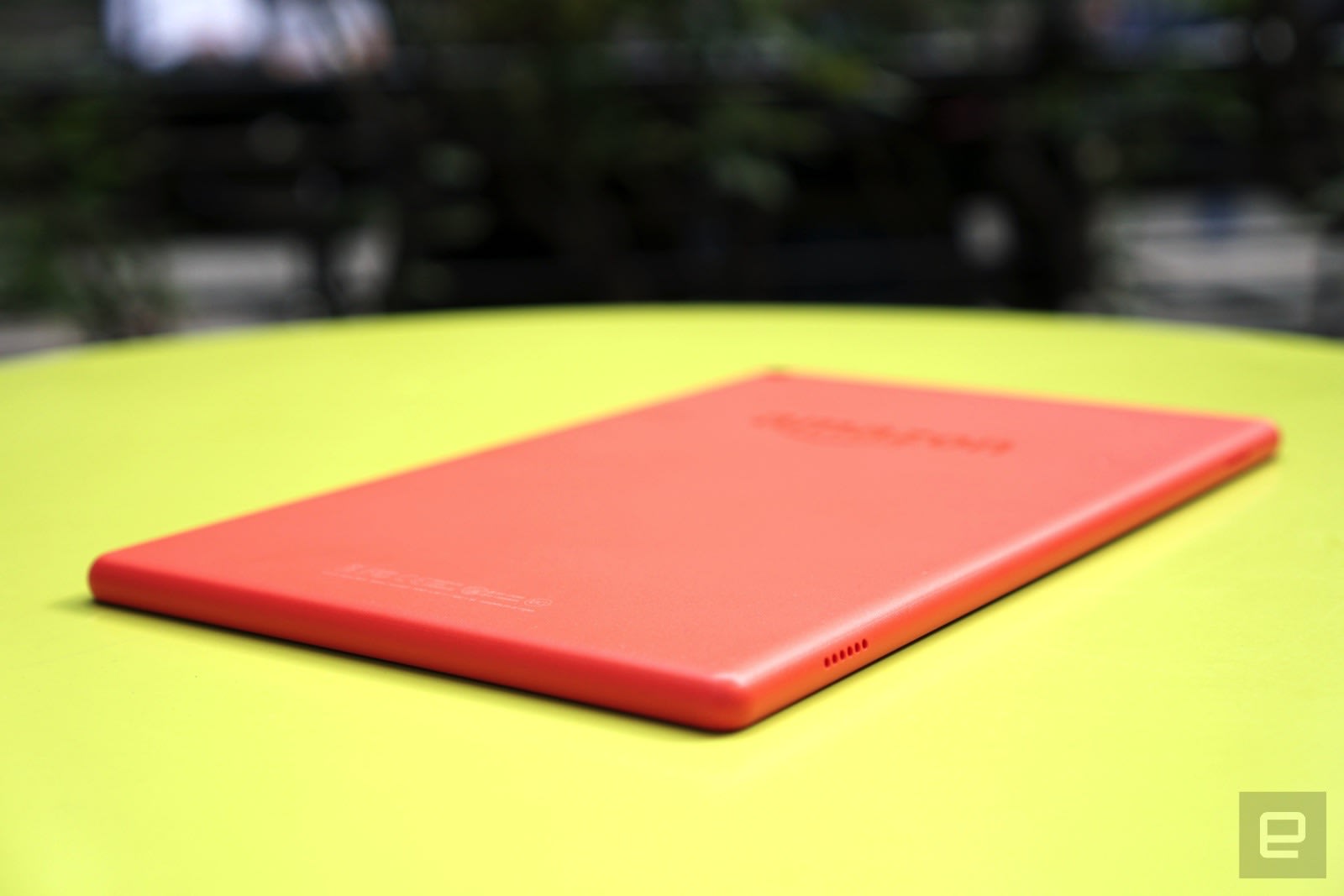
In that vein, not much has changed with the new Fire HD 10. It has the same overall design as the 2015 model, with a plastic body and large bezels around the 10.1-inch screen. Notably, there’s no aluminum case, like there was with last year’s entry, but that makes sense, since Amazon was clearly trying to cut costs. At 9.8 millimeters thick, the Fire HD 10 isn’t exactly slim, but its rounded edges make it easy to hold. It’s only a tad heavier than the 9.7-inch iPad, clocking in at 1.1 pounds.
 I don’t expect much from a $150 tablet, but the Fire HD 10 surprised me — first, with its sturdiness. The plastic case didn’t flex when I tried to bend it, and there weren’t any any noticeable creaking noises either. It feels like something that could take a tumble with ease. That makes it particularly well suited to children and the chronically clumsy. It’s odd that Amazon didn’t make an extra-strong “Kids Edition,” even though it did for the smaller Fire 7 and HD 8. Those are more expensive than the standard versions, but they come with protective cases and, most important, a two-year warranty against all sorts of damage.
The most immediate upgrade is the Fire HD 10’s 1080p screen (224ppi), which is a solid bump up from the 720p (1,280 x 800–pixel) display of its predecessor. Under the hood, it packs in 2GB of RAM (twice as much as before), as well as a 1.8GHz quad-core processor, which Amazon claims is 30 percent faster than the last model’s. The tablet also includes 32GB of storage, and you can add an additional 256GB via the microSD slot.
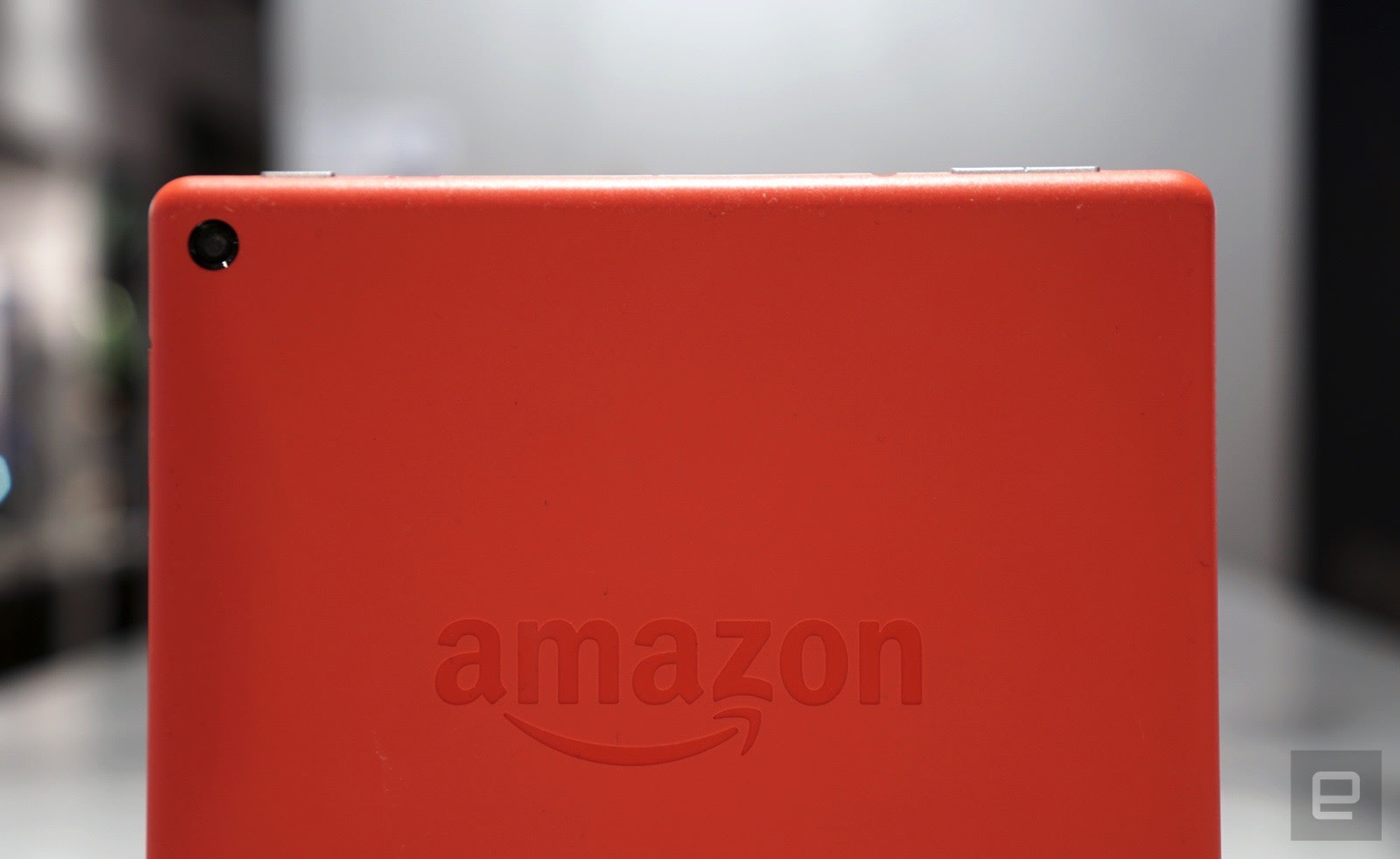
The Fire HD 10 features two stereo speakers, as well as Dolby Atmos for headphones, which helps to make surround-sound audio more immersive. Amazon also included a 2-megapixel camera on the rear, which is a laughably low resolution for a front-facing camera these days, let alone a primary shooter. There’s also a front-facing VGA (640 x 480 pixels) camera that feels like a blast from the past. It’s been more than a decade since I last saw such a low-res camera on anything. Beyond that, the HD 10’s hardware is fairly straightforward. It still charges over micro-USB — you’ll have to wait a bit longer for Amazon to jump on the USB-C bandwagon.
Software
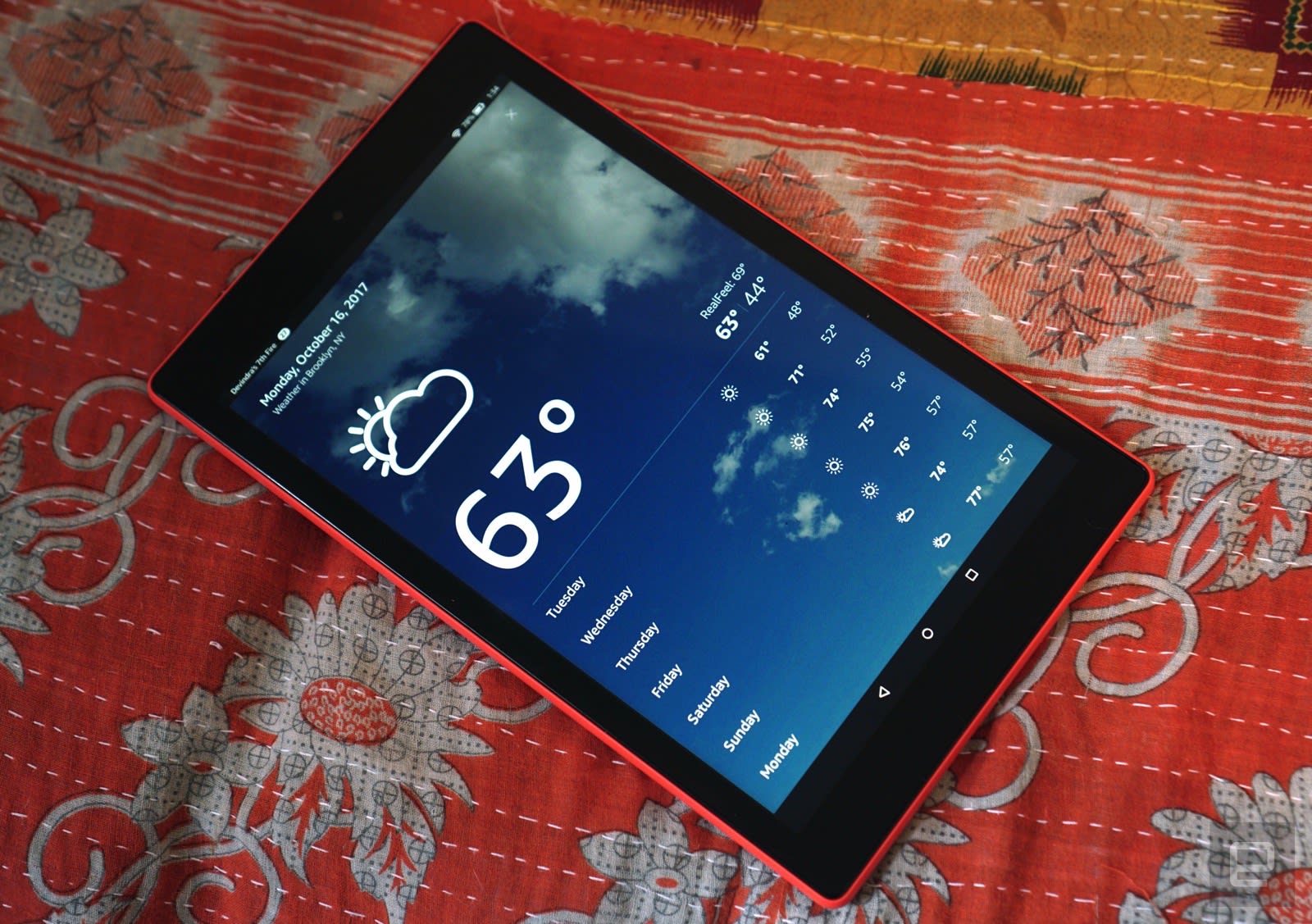
While we’ve seen Alexa in the Fire HD 8 before, the new Fire HD 10 is Amazon’s first tablet to offer completely hands-free communication with its virtual assistant. Instead of pressing a button to issue commands, you can simply say “Alexa” out loud, even when the tablet is asleep. It works much like Amazon’s Echo devices, except you also get some on-screen feedback in addition to the assistant’s voice responses.
Aside from the addition of hands-free Alexa, Amazon’s Fire OS hasn’t changed much. It’s still broken down into several columns: “For You,” which directs you to Kindle and Prime Video content in your library; “Home,” where all of your apps live; and sections for books, videos, games, apps, Audible and newsstand content. And, of course, there’s also one category dedicated to shopping on Amazon. It’s all fairly straightforward, though the huge variety of sections can be intimidating at first.
In use

Devindra Hardawar/Engadget
I’ll admit, I typically dread testing out Amazon’s tablets. They’re not bad, especially given their low prices, but they’re much slower than the gear I normally use. Not so with the Fire HD 10. It’s the first inexpensive Amazon tablet that’s fast enough to keep up with my needs. That’s mostly because the company has finally moved beyond a paltry 1GB of RAM. But I also appreciated having some extra CPU horsepower under the hood.
It didn’t matter whether I was scrolling through Twitter feeds, browsing demanding websites, playing Amazon Prime movies or hopping between apps — the Fire HD 10 handled it all without slowing down. Surprisingly, the stereo speakers sound great, even at high volumes. The tablet can even run some games decently, though it would stutter with anything graphically demanding. While the tablet has received a huge performance boost, its GPU is still underwhelming.
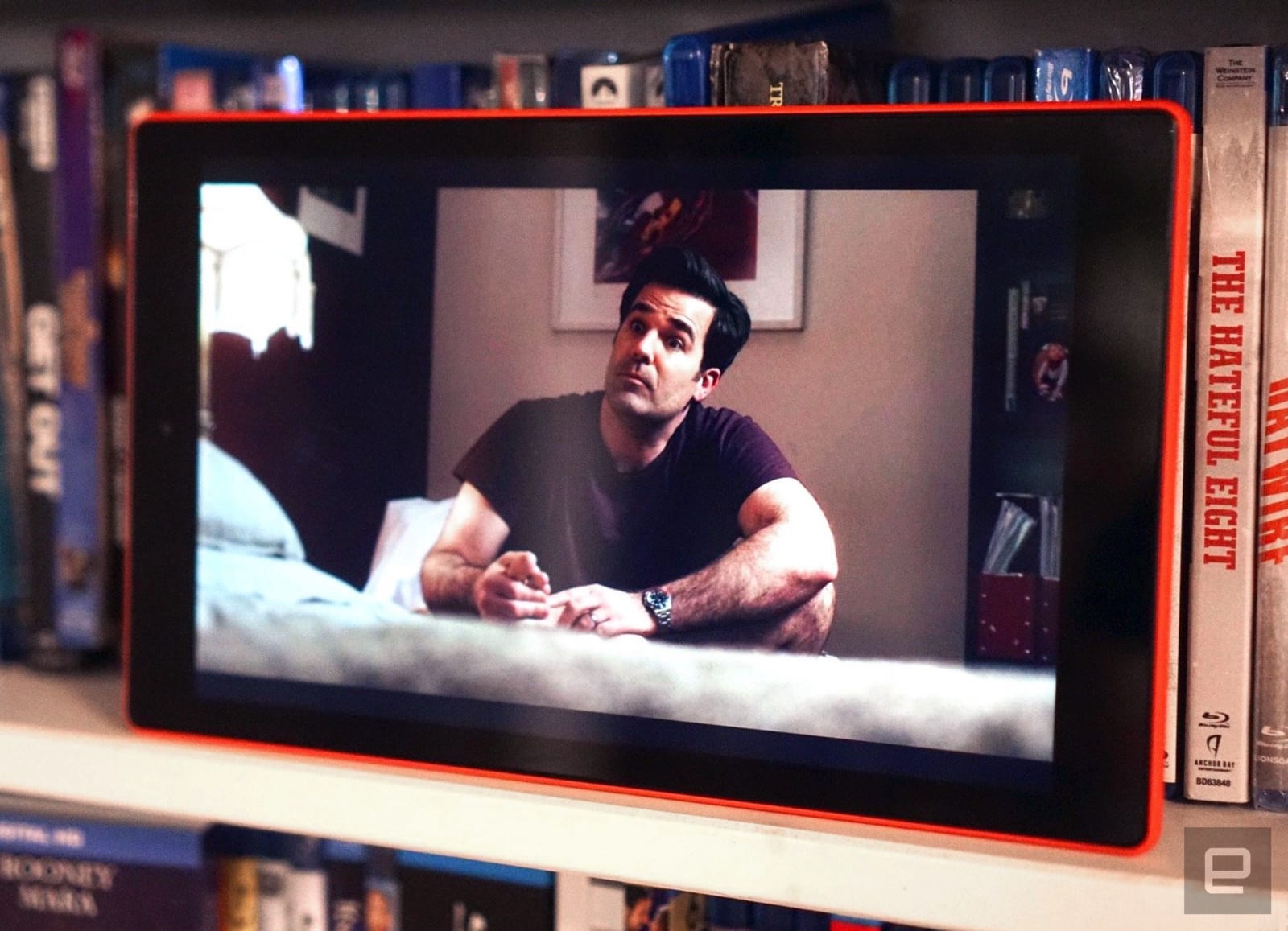
Really, though, the biggest improvement you’ll notice in the Fire HD 10 is its 1080p screen. That might not sound very exciting these days, but it’s a significant leap for Amazon. The higher resolution makes videos and photos much clearer than before, and the improved brightness makes everything pop. It’s also sharp enough to display text clearly, which is ideal for Kindle books. Sure, the screen doesn’t hold a candle to the insanely bright OLED displays Samsung is using in the Galaxy Tab S2 and S3, but they’re also far more expensive.
If you haven’t been bitten by the Amazon Echo bug yet, the Fire HD 10’s Alexa integration will give you a taste of what you’ve been missing. You can ask the virtual assistant to do things like tell you the weather, set timers and relay the latest news. But it also takes advantage of the tablet’s screen to display cards with more information. For example, when you ask about the weather, you also get a preview of what’s to come over the next few days. Alexa can also start playing a video or song on Prime services at your request — unfortunately, that doesn’t work for other platforms like Netflix. The tablet has only one microphone, but it managed to hear my voice requests most of the time, even in noisy environments.
Compared with other Android tablets, Amazon’s interface feels far more refined, despite being a bit cluttered. You’re never more than a few swipes away from a new TV show to binge, a book to read or a pair of Cole Haan boots. It’s a consumption machine, for better or worse. The Fire HD 10 lasted nine hours and 45 minutes while playing a downloaded HD video on loop. That’s pretty close to Amazon’s 10-hour battery life claim.

While you can install popular Android apps on the Fire HD 10, like Netflix, Evernote and Spotify, Google’s services are noticeably absent from Fire OS. That means no Gmail, no Google Maps and no Google Calendar. Of course, that’s been the case with all of Amazon’s tablets, but that doesn’t make it any less frustrating. You can, of course, use the built-in email app and Amazon’s Silk browser, but they’re no match for native Android Gmail and Chrome. There are also ways to hack the Fire HD 10 and install Google’s services, but that’s not something that’ll help mainstream users.
Given just how much Amazon had to customize Android for Fire OS, there’s little chance Google would ever grant access to its apps. But since Android slates have been in a death spiral over the past few years, it’d be wise for Google to work more closely with the one company that’s built successful tablets on its platform. Let’s face it: The search giant needs to do more than just shove Android apps into Chromebooks.
Pricing and the competition
In addition to the standard 32GB Fire HD 10 for $150, there’s a 64GB model going for $190. You can also remove Amazon’s special-offer ads on both for an additional $15. While there are plenty of cheap Android tablets on the market, there aren’t many I’d actually recommend. Even Google has given up on its Nexus tablet lineup (a shame, because the Nexus 7 was great).
Consequently, Amazon basically competes with itself when it comes to low-end slates. The new Fire HD 8 starts at $80, with 16GB of storage, and the svelte Fire 7 goes for just $50, with 8GB. If you’re worried about the portability of the HD 10, the 8-inch model might be a solid compromise.
If you want something even more powerful, with a wider assortment of apps (including Google’s), then it’s worth looking at Apple’s newest iPad. It’s just $329 and features a much better screen and superior hardware. Of course, that means hopping over to iOS, but your only other alternative in the Android arena is the Galaxy Tab S2, a two-year-old slate that still sells for $300. It has a gorgeous screen and it’s incredibly thin, but its aging hardware doesn’t seem like a good investment today. (If you find it on sale, though, it’s worth a close look.)
Wrap-up
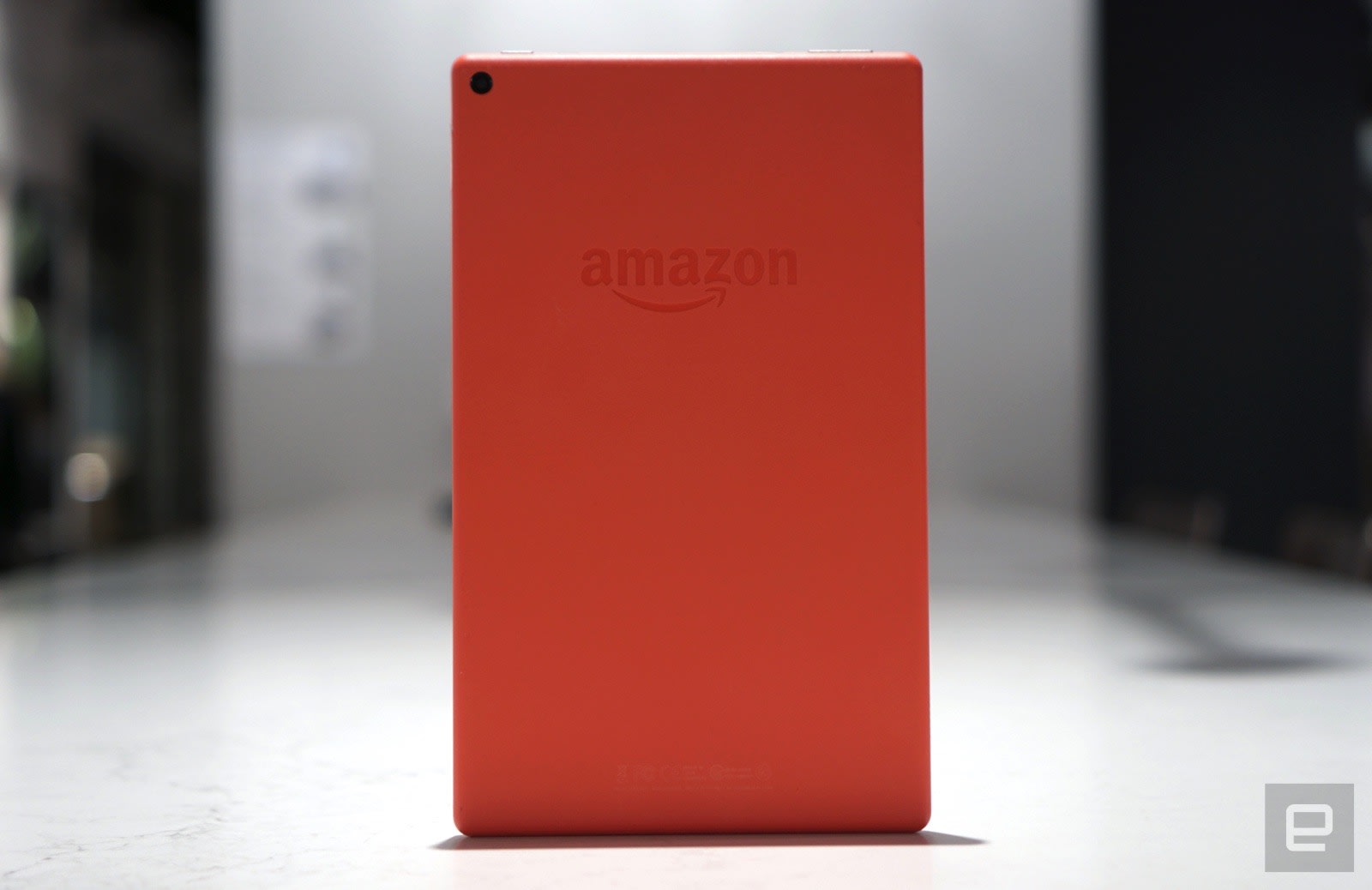
The Fire HD 10 is a glimmer of hope in the barren Android tablet wasteland. It fixes everything we didn’t like about the last model, while dropping down to an incredibly low price for a 10.1-inch slate. It’s just a shame that such a well-crafted Android device can’t run Google’s services. As it stands, though, the Fire HD 10 is still the cheap slate to beat this year.
 AIVAnet