


Amazon’s Alexa can create lists for virtually anything
Amazon’s Alexa may boast tens of thousands of skills, but there’s probably a handful you keep coming back to. If you’re the adventurous type, you might use it to find baby-making tunes, brush up on Eurovision trivia, or play a tickling game. Everyone else, it seems, sticks to its most popular trick: creating lists. And, now Amazon is giving you the power to tally absolutely anything.
The company is expanding Alexa’s shopping and to-do list functions to include custom lists. So, you’ll be able to compose lists for different stores, like Walmart and (if Amazon has its way) Whole Foods. Plus, you could make specific lists for your travels, family members, and even holidays. Once you’re done, your list will be saved to the Alexa mobile app — plus, you can now use Alexa skills to sync all your new lists with select third-party apps too (including Any.do, AnyList and Cozi).
The feature is currently rolling out and will be available to all Echo devices over the next few days.
Via: TechCrunch
Adobe Announces Updates Across its Creative Cloud Lineup
At its annual Adobe MAX Creativity Conference, Adobe today announced a range of updates that are being introduced to its Creative Cloud software.
Three Adobe apps that have been available in a beta capacity are officially launching, including Adobe XD CC for user interface design, Adobe Dimension CC for 2D to 3D compositing, and Adobe Character Animator CC for 2D character animations.
Adobe is also introducing a new Lightroom CC app that includes a built-in cloud storage feature, and it is announcing feature updates for Photoshop CC, InDesign CC, Illustrator CC, and Premiere Pro.
“Adobe continues to lead the creative revolution, driving modernization and innovation that will accelerate the creative process across all platforms and devices,” said Bryan Lamkin, executive vice president and general manager, Digital Media at Adobe. “Today, we unveiled a new generation of Creative Cloud, with a wide spectrum of capabilities–from new experience design, 2D animation and 3D rendering apps to an all-new, cloud-based photography service. These tools enable creative professionals and enthusiasts to express themselves and reach their full creative potential anytime, anywhere, on any device.”
Photoshop CC is gaining 1,400 new brushes from Adobe’s acquisition of KyleBrush.com, and Adobe is introducing new tools and tutorials that are designed to make it easier for first-time Photoshop users to learn how to do basic tasks in the app, which are available in a new Learn Panel.

Adobe is integrating the Lightroom cloud catalog into Photoshop for quicker access to Lightroom photos, there are new tools for editing 360 spherical panoramic images, and new Range Masks make it easier to make local adjustments with fine control.
Photoshop CC also features improved brush preset management tools, automatic brush stroke smoothing, better select and mask tools, a new Curvature Pen tool, improvements for painting performance, and a symmetry painting experience for creating mirrored brush strokes along a symmetry axis.

Illustrator CC features an updated Essentials workspace with a new Properties Panel that offers up dynamic access to controls and better panel organization for less clutter on the workspace. It also includes support for more artboards (up to 1,000), an option to disable Zoom to Selection, support for variable fonts, and global color swatches.
InDesign CC includes supports for endnotes and annotations, enhancements to object-styles, paragraph borders, and an option to manage text in Creative Cloud Libraries.
Updates for Premiere Pro CC and After Effects CC that were detailed earlier this year at NAB are also launching today.
Adobe Stock, Adobe’s collection of professionally created images and videos, is being updated with new motion graphics templates for Premiere Pro and After Effects, and TypeKit is using Adobe Sensei technology for a new feature that lets users search for fonts using a photograph.
These are just a handful of the new features Adobe is introducing today. Details on all of the updates debuting across Adobe’s range of apps can be found on the Adobe website.
Adobe is planning to raise the price of its Creative Cloud plans in North America in the near future. Starting on March 1 or when a contract is up for renewal, pricing across all plans will increase. The Adobe CC plan that provides access to all apps for individuals, for example, will be priced at $52.99 instead of $49.99 going forward. Pricing information is available on Adobe’s Creative Cloud membership site.
Tag: Adobe
Discuss this article in our forums
Apple and GE Partner to Bring Powerful Industrial Apps to iPhone and iPad
Apple and GE today announced a new partnership that will provide developers with the tools to make their own powerful industrial apps.
The two companies unveiled a new software development kit for iOS that will give developers the ability to make iPhone and iPad apps that use analytics from GE’s industrial “Internet of Things” platform Predix.
For example, a Predix app can notify workers on their iPhones of a potential issue with equipment, such as a wind turbine, and allow them to collaborate with remote teams when performing inspections and repairs, collecting relevant data instantly.
Apple said these industrial apps will “close the information loop” faster and thereby increase cost savings and minimize unplanned downtime.
“GE is an ideal partner with a rich history of innovation across the industrial world in areas like aviation, manufacturing, healthcare and energy,” said Apple CEO Tim Cook. “Together, Apple and GE are fundamentally changing how the industrial world works by combining GE’s Predix platform with the power and simplicity of iPhone and iPad.”
“The partnership between Apple and GE is providing developers with the tools to make their own powerful industrial IoT apps,” said GE CEO John Flannery. “Our customers increasingly need to arm their workforces through mobility. Working together, GE and Apple are giving industrial companies access to powerful apps that help them tap into the predictive data and analytics of Predix right on their iPhone or iPad.”
GE also said it will standardize on iPhone and iPad for mobile devices, and promote Mac as a choice for its global workforce of more than 330,000 employees. In turn, Apple said it will promote GE’s Predix as the industrial “Internet of Things” analytics platform of choice to its customers and developers.
The new Predix SDK for iOS will be available to download on Thursday, October 26, and Predix apps will be available on the App Store.
Tag: GE
Discuss this article in our forums
Adobe Turns Lightroom CC Into a New Cloud Photography Service
Adobe’s annual Adobe MAX conference kicks off today, and the company is introducing a whole slew of updates to its Creative Cloud platform. Among those updates is a new version of Adobe Photoshop Lightroom CC, which is now a full cloud-based photography service.
Lightroom CC has been available cross-platform for some time now with a dedicated Mac app and an iOS app, but with the new cloud service, Adobe is aiming to make editing and organizing photos simpler for both professionals and enthusiasts across multiple devices.
The new version of Lightroom CC continues to offer the same image editing capabilities that have been available in previous versions of Lightroom, but there’s a new streamlined user interface with quick adjustment tools and presets that are quicker and easier to use.
All content is stored in the cloud, with Adobe providing users with up to 1TB of storage space that includes support for RAW images.

Full resolution photos stored in Lightroom can be edited on any device using the Lightroom CC app for Mac, the iOS app, or the web interface. Lightroom backs up all photos and keeps edits synced across devices.
Lightroom CC supports Adobe Sensei machine learning technology, which is able to recognize objects and people in photographs to make searching for and finding content simpler. Keywords are automatically applied to photos based on content.
Sharing tools make it simple to share Lightroom CC content directly to social networks, and there’s an option to create Lightroom web galleries to showcase multiple photos at once. Lightroom CC also supports integration with Adobe Portfolio.

On iOS devices, the updated Lightroom CC app features the same Adobe Sensei search technology, and it offers an enhanced iPad layout and support for the iOS 11 Files app.
With the launch of the new cloud-based Lightroom CC app, Adobe is not eliminating the previous version of Lightroom. The older non-cloud version of Lightroom, which will continue to focus on a more traditional desktop-first workflow, has been renamed to Lightroom Classic CC. Lightroom Classic CC is also getting several new updates. It is gaining an enhanced Embedded Preview workflow for scrolling through large sets of photos faster than before, and new editing capabilities like a new Color Range and Luminance Masking feature.
With the launch of the Lightroom CC Cloud Photography service, Adobe is introducing new pricing plans. The Lightroom CC Cloud service with 1TB of storage plus Photoshop CC and access to Lightroom for mobile and web is priced at $19.99 per month. For existing Photography subscribers, Adobe is dropping that price to $14.99 per month for the first year.
Adobe is adding Lightroom CC to the existing Creative Cloud Photography plan and providing current subscribers with 20GB of storage space. The plan will continue to cost $9.99 per month and includes Lightroom CC, Lightroom mobile, Lightroom web, Lightroom Classic, and Photoshop CC.
A standalone Lightroom CC plan is available for customers who don’t need Photoshop access. It includes 1TB of storage and access to the mobile and web apps for $9.99 per month. For mobile only users, there’s a Lightroom Mobile plan for iOS that offers 100GB of cloud storage for $4.99 per month.
More information about Adobe’s New Lightroom CC Cloud Photography service can be found on the Adobe website.
Tag: Adobe
Discuss this article in our forums
Apple Continues Rolling Out Indoor Maps of Airports in iOS 11
Apple Maps now provides indoor maps of six additional airports in the United States, as the new feature continues to roll out in iOS 11.
The recently added airports include O’Hare International and Midway International in Chicago, McCarran International in Las Vegas, Miami International, Minneapolis–Saint Paul International, and Oakland International.
The feature has also been available for Philadelphia International Airport and San Jose International Airport since iOS 11 was in beta.
When searching for these airports, Apple Maps users can tap “look inside” or simply zoom in to view terminals, boarding gates, security checkpoints, airline check-in desks, baggage claim carousels, information kiosks, restrooms, stores, restaurants, parking garages, and even escalators, elevators, and stairs.

It is even possible to browse by floor, or search for shops, food, drinks, or restrooms in a specific terminal. Tapping on a restaurant, for example, brings up a detailed place card with photos, hours, and additional information.
Apple software engineering chief Craig Federighi previewed Apple’s indoor maps at its Worldwide Developers Conference in June. Skip to around the 1:07:50 mark of Apple’s WWDC 2017 keynote video to watch.
Apple said indoor maps will also be available at several other major airports, including Los Angeles International, JFK and LaGuardia in New York, San Diego International, Toronto Pearson International, Vancouver International, Heathrow and Gatwick in London, and Amsterdam Airport Schiphol.
Apple is also adding indoor maps to shopping malls, making it easier to find the exact location of stores, restaurants, restrooms, escalators, elevators, and stairs on each floor. Users can also filter stores by categories such as clothes, shoes, accessories, beauty, food, and drinks, with detailed place cards for each.
A few shopping malls currently supported include Westfield’s Valley Fair in San Jose and the San Francisco Centre.
(Thanks, Abel La O Fernandez!)
Tag: Apple Maps
Discuss this article in our forums
Blackberry KEYone available for just $499 from Amazon and Best Buy
On sale between now and 11:59 PM CT.
TCL’s BlackBerry KEYone is not a perfect phone, but compared to all of the flat slabs of metal and glass we’ve seen throughout the year, it’s definitely one of the most eye-catching. The KEYone’s physical keyboard and utilitarian design harken back to a bygone era, and if you’ve been wanting to relive the BlackBerry glory days but have been waiting for the right time to jump on a KEYone, your day has finally come.

The KEYone’s regular retail price of $549 has never been outrageous, and when compared to handsets like the Pixel 2 XL and Galaxy Note 8 that cost dangerously close to $1000, it’s considerably lower price tag makes it a much more justifiable purchase. However, thanks to a flash sale that’s available between now and 11:59 PM CT, you can pick up the KEYone for just $499.
This deal is available at Amazon and Best Buy (both online and in-stores), and both outlets will carry the GSM and CDMA unlocked variants so you can use the KEYone no matter what carrier you’re subscribed to.
For more info or to purchase the KEYone during this limited sale, check the links below.
See at Amazon See at Best Buy
BlackBerry KEYone
- BlackBerry KEYone review
- KEYone vs. Priv: Battle of the BlackBerry keyboards
- BlackBerry KEYone specs
- The latest KEYone news
- Join the discussion in the forums
Amazon
Best Buy
BlackBerry Mobile
Gmail: Everything you need to know

It’s time to take control of Gmail.
With over a billion monthly active users, Gmail is one of the most popular email clients around. The service has come a long way from its inception in 2004, and is continually adding new features and better spam prevention. If you’re new to Android, or if you’re just are looking for ways to get the best out of Gmail on the platform, read on.
Gmail is a part of Google Mobile Services, a collection of apps and APIs that are pre-installed on every Android phone certified by Google. If you have an Android phone that has the Play Store pre-installed, you’ll also find Chrome, YouTube, Maps, Photos, Hangouts, and Play Music and Movies available out of the box.
Before we begin, you should enable two-factor authentication for your Google account if you haven’t done so already. Security breaches are inevitable, and having an added layer of protection for your email account makes all the difference in the world. Already set up two-factor authentication? Let’s take a look at what Gmail has to offer on Android.
- How to send email using Gmail
- How to format emails and add emojis in Gmail
- How to add attachments in Gmail
- How to add a secondary Google account in Gmail
- How to add an Outlook or Yahoo Mail account in Gmail
- How to merge inboxes in Gmail
- How to adjust preview settings in Gmail
- How to add a signature in Gmail
- How to prioritize your inbox in Gmail
- How to mute emails in Gmail
- How to archive or delete emails in Gmail
- How to recover deleted emails in Gmail
How to send email using Gmail
Open Gmail from the home screen or app drawer.
Select the floating action button (circular button with a pen icon in the bottom right corner) to compose a new mail.
Enter the recipient’s email address in the To field.

Use the downward arrow symbol to see Cc and Bcc options.
Enter the subject and body of the text.
Tap the arrow button to send the email.

How to format emails and add emojis in Gmail
Google added rich text formatting in Gmail for Android earlier this year, giving you the ability to add text colors and underline, italicize, and bold text. And yes, you can also send emoticons within an email.
Select the desired text with a quick double tap.
Tap the Format button from the action menu.
Select from bold, italics, or underline. You can also change text color and background.

To add emoji, tap the emoji button.
Select your desired emoji and add it to the text.

How to add attachments in Gmail
With Gmail, you can attach local files — including documents, photos, or videos — or send files stored on Box, Dropbox, Google Drive, and other cloud storage services. Local attachments are limited to 25MB, and for anything larger than that you’ll have to upload the file to Drive first. Doing so lets you share files up to 10GB in size.
Select the floating action button to compose a new mail.
Tap the attach button to select files.
Choose Attach file to insert local files or use Insert from Drive to attach Drive files as links within the mail.

Using the Attach file option is straightforward. Select the file from the menu to embed it in the mail.
Insert from Drive follows a similar flow.
Once you select the attachment, you’ll see a preview at the bottom of the mail.

How to add a secondary Google account in Gmail
Tap the hamburger menu on the top left corner.
Select the arrow next to the account name.
Tap Add account.

In the set up email section, select Google from the list of services.
Enter your Account email ID and password.
If you’d like to create a new account, select Or create a new account.

You can also add a secondary Google account by heading into your device’s settings:
How to add a secondary Google account on your phone
How to add an Outlook or Yahoo Mail account in Gmail
Gmail also allows you to add email accounts from third-party services like Outlook, Yahoo Mail, Exchange accounts, or your own mail server.
Tap the hamburger menu on the top left corner.
Select the arrow next to the account name.
Tap Add account.
Select your desired email service from the list.
Add your email ID and password.

How to merge inboxes in Gmail
If you have two or more email accounts on the same device, you can see all emails in a single view.
Tap the hamburger menu on the top left corner.
select All inboxes.
All your emails will be displayed chronologically in the All inboxes view.

How to adjust preview settings in Gmail
If you’re using a device with limited screen real estate, or would like to see more text in the email preview, you can disable sender images.
Tap the hamburger menu on the top left corner.
Go to Settings.
Select General settings.

Deselect the Sender image checkbox.
Now you’ll be able to see more preview text in your inbox.

How to add a signature in Gmail
Tap the hamburger menu on the top left corner.
Go to Settings.
Select the account for which you want to add the signature.

Tap the Signature field.
Enter the desired signature text.
The signature text will be added at the bottom of every email.

How to prioritize your inbox in Gmail
Tap the hamburger menu on the top left corner.
Select Priority Inbox.
Emails that are directly addressed to you will be surfaced above promotional messages.

You can also mark emails manually to let Gmail know that they’re valuable to you. That way, upcoming mails will be sent to Priority Inbox.
Long press anywhere on a mail or select the sender image to show the action menu.
Tap the three dots in the top corner to bring up the menu options.
Select Mark as important. Doing so will change the priority of the email.

How to mute emails in Gmail
If you’re part of a mail chain that is getting out of hand, you can mute the conversation. Doing so moves the mail thread to the archived section, and you won’t be notified of any incoming messages in the chain. The mail will still be marked unread.
Long press anywhere on a mail or select the sender image to show the action menu.
Tap the three dots in the top corner to bring up the menu options.
Select Mute.

How to archive or delete emails in Gmail
Long press anywhere on a mail or select the sender image to show the action menu.
Select the archive icon to archive an email.
Select the delete icon to move it to the trash.

You can archive or delete multiple emails in one go. After selecting a mail, press the sender image for subsequent mails you wish to move to the trash or archive. You can also use quick actions to delete or archive a mail by swiping left or right on the mail. To select the default action for the swipe gesture, do the following:
Tap the hamburger menu on the top left corner.
Navigate to Settings.
Select General settings.
Tap Gmail default action.
Select between Archive and Delete.

How to recover deleted emails in Gmail
If you’ve deleted a mail by mistake, you can recover it by navigating to the trash.
Tap the hamburger menu on the top left corner.
Navigate to Trash.
Select the mail by a long press action.

Tap the three dots in the top corner to bring up the menu options.
Select Move to.
Choose Inbox to move the deleted mail back to your inbox.

Your turn
That’s a quick look at what Gmail has to offer on Android. Interested in knowing more? See how to search your mailbox using various parameters, use labels and filters effectively, add aliases to Gmail, and more in our Gmail productivity guide. In the meantime, let us know what tricks you rely on to manage your inbox.
Gmail: Boost your productivity with these tips and tricks
Update: This post was last updated in October 2017 with details on new Gmail features.
Everything wrong with Google’s Pixel 2
The Pixel 2’s got some issues.
Let’s talk about the Pixel 2. It’s Google’s latest flagship for 2017, and there’s a lot to like about it. The Pixel 2 has an industry-leading camera, top-notch performance, rock solid battery life, and some of the best software you’ll find on any Android phone to date. We could go on and on here, but listing the positives about Google’s Pixel 2 is easy.
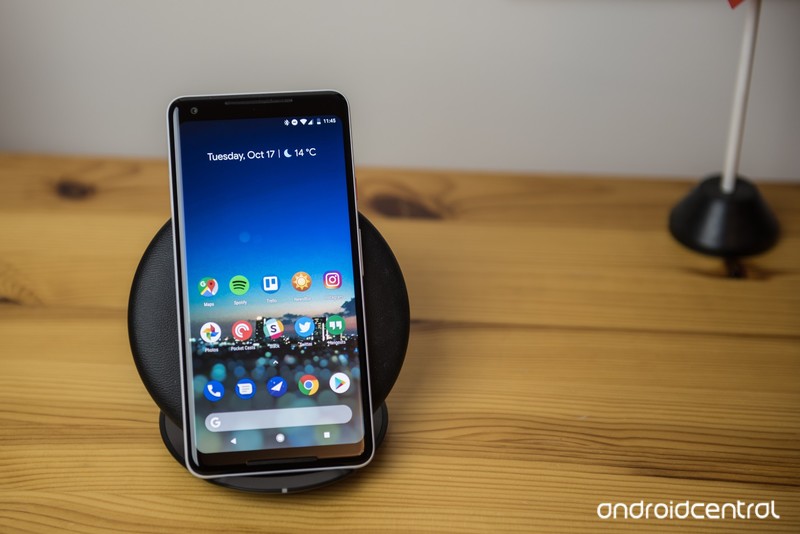
Something that’s not so easy? Admitting it has issues. Despite the Pixel 2 arguably being the best Android phone on the market, that’s not to say it’s without its own set of quirks.
Both the Pixel 2 and Pixel 2 XL share a few drawbacks compared to other flagships that are available, and our forum users have been quick to point them out.
Wiley_11
10-16-2017 09:15 PM“
Lack of wireless charging.
Reply
dov1978
10-17-2017 07:15 AM“
No wireless charging
No dark mode/theming
Poor manual camera settings
No 2nd camera (portrait mode should suffice)Sure they’re minor issues but they’ll probably become more and more frustrating over time.
Reply
Along with these complaints, there are quite a few people that also have some issues with the Pixel 2 XL specifically.
erojas388
10-18-2017 05:50 AM“
Just cancelled my 2 xl pre-order. Sucks because I really like the phone but I just could not get used to that screen. I tried 2 display models and 1 retail and there is no difference whatsoever. It feels like a downgrade from my u11. If the screen doesn’t matter to you then you’ll be getting a great phone. Unfortunately I just cannot spend $1000 on a phone that has a screen that looks identical…
Reply
cyndie1030
10-16-2017 08:37 PM“
I changed my order from a 2 XL to the regular 2 because of the posts from folks looking at them in the Verizon store and saying they looked weird, felt top heavy, flimsy feel, washed-out screen (saw photos of that), and then I started noticing how the rounded screen looked weird where it met the edges. I think I’ll be happy with the 2. Great screen, same pure Android experience and great camera.
Reply
quelquehomme
10-16-2017 08:48 PM“
Lack of wireless charging and the 2:1 display.
Reply
We know not everyone has gotten a chance to go hands-on with the Pixel 2 just yet, but whether you have or haven’t, we want to know – what don’t you like about the Pixel 2/Pixel 2 XL?
Join the conversation in the forums!
The Morning After: Wednesday, October 18th 2017
Welcome to the mid-week Morning After. There’s no lack of hardware today, with new Microsoft laptops, Pixel 2 reviews, a smart Sonos speaker and much more. And robot battles.
So long, wobbly fulcrum hinge. Hello, 15-inch beauty.
Surface Book 2 hands-on: The sequel we’ve been waiting for

The Surface Book 2 sounds like it may fix all of the issues we had with the original model (as well as last year’s refresh). It has a stronger hinge, so no more screen-wobble as you’re typing, and it’s (predictably) more powerful than before. Microsoft also added a 15-inch model, making the Surface Book 2 even more of a competitor to Apple’s MacBook Pro line.
The company says the updated model will ship on November 16th but is still being coy about pricing. The Surface Book 2 starts at $1,499 for the Core i5 13-inch model with integrated graphics and $2,499 for the 15-inch model. If you want a Core i7 and a dedicated GPU, be prepared to shell out much more.
Second time’s the charm.
Pixel 2 and 2 XL review: Google’s best phones get even better

Here’s our verdict on Google’s second attempt at home-made smartphones. Rather than build two identical Pixels this year, Google decided to make its new small smartphone a little more conservative. But make no mistake: the Pixel 2 is still an incredibly fast phone, and a clean build of Android 8.0 Oreo combined with Google’s intelligent features make the device incredibly capable. And its camera? Just fantastic. Because of its more traditional design and smaller battery, though, the Pixel 2 doesn’t make as strong an impression as the Pixel XL. Still, if you’re looking for a first-rate Android phone that won’t make your hands cramp, you’d do well to start your search here.
That gap, though.
ZTE Axon M hands-on: a new hope for dual-screen phones

ZTE is still trying to make dual-screen folding smartphones a thing. However, now that Android supports multi-window apps, the company expects it will get enough buy-in from developers to create a phone that people will actually find useful. The Axon M will be an AT&T exclusive when it arrives in the US next month for 30 monthly payments of $24.17. Reviews Editor Cherlynn Low tried out the Axon M and while she wasn’t completely won over, it was at least a little compelling.
If you want clearer music than other smart speakers…
Sonos One review: The best-sounding smart speaker you can buy

According to Nathan Ingraham, the Sonos One offers significantly better music quality than your average Bluetooth or smart speaker without breaking the bank and includes the full Alexa experience. That means it’s the first Sonos you can control with your voice. It’s also a great first step into a multi-speaker setup for your home. The voice controls may have a few bugs to work out, and Spotify isn’t available with full voice control just yet, but more services and features will be added over time — there’s no reason not to dive in now.
The “world’s most powerful detachable.”
HP ZBook X2 hands-on

HP’s latest convertible has a 14-inch 4K display, texturized screen and a stylus that doesn’t need a battery. If you need it in laptop form, there’s a full-size keyboard to snap on, but that makes it heavier than a MacBook Pro. The ZBook X2 is made for Adobe-suite-using professionals; however our limited hands-on time didn’t quite prove its worth as an alternative to devices like a Wacom, iPad Pro or Surface Pro — even if it is more powerful. Still, those interested can check out the $1,749 ruggedized device when it starts shipping in December.
Instead of portability or power — why not have both?
Razer upgrades the Blade Stealth laptop with a quad-core processor

Razer has released a version of its 13-inch ultraportable with a quad-core eighth-generation Core i7 processor (namely, the 1.8GHz i7-8550U) inside rather than the usual seventh-gen dual-core chip. There’s also a new Core V2 external GPU housing that’s better at managing device bandwidth and different types of graphics cards. The quad-core Blade Stealth is available now for $1,700, while its Core V2 partner will go on sale “soon” for $500.
It’s all math.
Intel aims to conquer AI with the Nervana processor
Thanks to its purchase of Nervana, the deep learning chipmaker, Intel will ship its first purpose-built AI chips by the end of 2017. The Nervana Neural Processor family (NNP) is ASICS designed to do the matrix multiplication and convolutions necessary for deep learning programs instead of general CPU tasks. Of course, others like NVIDIA, Qualcomm, Google and IBM are already off and running in the artificial-intelligence hardware field, so we’ll see if this purchase pays off well enough for Intel to take the lead.
But wait, there’s more…
- Google’s second-gen Daydream VR headset is all subtle improvements
- Niantic CEO: AR will reach full potential ‘when we get the glasses’
- Google Calendar for web gets a much-needed makeover
- Volvo’s performance brand launches a 600HP plug-in hybrid
Sainsbury’s gets serious about one-hour deliveries in London
For more than a year, Sainsbury’s has offered customers in a small section of London access to “Chop Chop,” its one-hour grocery delivery app. Shoppers in Wandsworth helped develop the service, before it was rolled out between Wimbledon and the West End. Trials at its Pimlico and Wandsworth stores appear to have proved successful, because today the company has extended deliveries to five more London boroughs, ranging across Zones 1 and 2.
Sainsbury’s says it has added 70,000 more London postcodes to its catchment area, allowing it to reach over 1.7 million people. Customers in Barnet, Camden, City of London, Ealing, Hackney, Hammersmith & Fulham, Islington, Kensington & Chelsea, Lambeth, Southwark, Tower Hamlets and Westminster can now plug their postcode into either the iOS or Android app to order up to 25 items.
Like Amazon’s Prime Now, Sainsbury’s charges a flat fee for each delivery made. For £4.99, the supermarket will deploy a motorcycle or bicycle rider, similar to Deliveroo, who will ensure those 25 items are delivered within 60 minutes (if there’s an available slot).
Via: Sainsbury’s
Source: Chop Chop
 AIVAnet