


Facebook Messenger now allows you to send and receive money via PayPal
Messenger + PayPal = ❤
Facebook Messenger is chock full of features, and while some of them are arguably quite useless, there are others that can prove to be quite handy at times. Messenger users have been able to send money to one another since as far back as 2015, and that feature is now expanding to allow people to send and receive money using their PayPal account.
Sending money via Messenger was previously handled by linking a debit card or bank account to your Facebook account, and while there isn’t anything wrong with this implementation, the ability to alternatively use your PayPal funds is a nice touch for those that are heavily reliant on PayPal’s services.

To use PayPal when sending money in Messenger, just tap the blue plus icon and then the Green button titled “Payments” like you normally would. From here, you can choose to send or deposit money you’ve received to your PayPal account. The integration is dead simple, and it’s one we’re glad to see.
You’ll be able to use your PayPal account to send money to either one person or to a group of people (a feature that was added earlier this year), and it’s available to use starting today (October 20) for users in the United States.
In addition to this, PayPal is also launching its own Messenger bot that people will be able to interact with to check their account balance, report unauthorized charges, change their password, and plenty more.
Android Pay now lets you pay with a PayPal account
How to remap Active Edge on the Pixel 2 using Button Mapper
Well, that was fast.

One of the Pixel 2’s most interesting features is Active Edge – the ability to squeeze the sides of the phone to prompt the Google Assistant. I’ve personally been finding Active Edge quite useful, but for those that aren’t heavy Assistant users or simply want the function to do something else, there’s now an app that allows you to remap Active Edge to do whatever you’d like.
The app is called Button Mapper, and while it can also be used for changing the functionality of your volume rocker and Bixby button if you own a Galaxy S8/S8+ or Note 8, the recent v0.53 update just added support for the Pixel 2’s Active Edge.

Active Edge is built into the Pixel 2’s SystemUI, and as such, the remapping process requires a bit more work on your part than just a couple taps on your screen. After downloading Button Mapper and opening it up, you’ll want to select Active Edge and toggle on the Customize option. Doing this will display a pop-up message on your screen that asks you to punch in an adb command on your computer.
You’ll need to have USB debugging enabled on your Pixel 2 through Developer Options, and once you have this turned on, you’ll then have to connect your Pixel 2 to your computer’s USB port.
Assuming you already have adb installed on your machine, you’ll want to open up a command line and type in adb shell sh /data/data/flar2.homebutton/keyevent.sh. A new pop-up will then appear after the command is completed asking you to restart the application. Tap the Ok button, Button Mapper will restart itself, and you’ll be good to go.


With this all done, you’ll now be able to use Active Edge on your Pixel 2 to take a screenshot, open up the power menu, bring up your recent apps, toggle your flashlight on, open up any app you’ve got installed on your phone, and much more. However, there’s a small catch.
Although Button Mapper does technically allow you to control the functionality of Active Edge, it doesn’t necessarily stop Google Assistant from popping up when you do so. You can find all of the technical details at XDA Developers, but basically, Button Mapper detects when the Assistant is about to pop up and then performs your desired action instead. To ensure that you don’t accidentally see the Assistant open, Button Mapper forces you back to your home screen if you aren’t already there before performing your custom action when using Active Edge. You can turn on an experimental mode that will perform your Active Edge function without first sending you back to your home screen, but be aware that it’s still fairly buggy.
Although this isn’t a perfect solution, we know that a lot of you will still be happy to at least have some way to gain some control over what Active Edge does. If you want to give Button Mapper a shot, check it out in the Google Play Store.
Google Pixel 2 and Pixel 2 XL
- Pixel 2 FAQ: Everything you need to know!
- Google Pixel 2 and 2 XL review: The new standard
- Google Pixel 2 specs
- Google Pixel 2 vs. Pixel 2 XL: What’s the difference?
- Join our Pixel 2 forums
Google Store
Project Fi
Verizon
Best Buy
Mate 10 Pro scores one point less than Pixel 2 in DxOMark test
Huawei’s Mate 10 Pro is a worthy contender to the unstoppable Pixel 2.
There are a lot of reasons to like the Pixel 2, but for a lot of people, the biggest one is the phone’s fantastic camera. The Pixel 2’s camera is exceptionally good, and Google proudly announced that it received a score of 98 from DxOMark during the unveiling for the phone on October 4. That’s the highest score DxO has ever handed out to a phone, but that’s bound to change at one point or another.

DxO recently put the Huawei Mate 10 Pro through its paces and ended up giving the phone a score of 97 – just one point less than the Pixel 2.
Although the Mate 10 Pro got an overall score of 97, that doesn’t mean it’s exactly one point worse than the Pixel 2 (whatever that would mean in the first place).
Final DxOMark scores are a combination of a lot of different things, including separate scores for exposure and contrast, color, texture, noise, and a bunch of other factors. Photo and video performance are also broken up into two different categories, and different weights are placed on each factor for both photo and video.

Taking a look at the Mate 10 Pro, DxO gave the phone a 100 for its photo output and 91 for video; comparatively, the Pixel 2 scored a 99 and 96 respectively. The Mate 10 Pro scored very high marks for its exposure and contrast, color, and autofocus in both photos and videos, and it even beat the Pixel 2 in regards to bokeh portrait shots, noise, artifacts, and zoom.
We don’t advise basing your buying decisions solely on DxoMark rankings, but they do offer a detailed look into just what a smartphone camera has to offer.
If you want to read through DxO’s entire findings, you can check out their Mate 10 Pro review here.
Huawei Mate 10
- Huawei Mate 10 + Mate 10 Pro preview
- Huawei Mate 10 series specs
- Join the discussion in the forums
- More on 2016’s Mate 9
Flagship Material
It’s a full house this week on the show, but Daniel Bader, Alex Dobie, Andrew Martonik, Jerry Hildenbrand, and Russell Holly deliver a tight 70 minutes of insight into Google’s Pixel 2 and Pixel 2 XL. Is the display on the XL as bad as some reviewers have said, or are expectations out of whack because the screens on recent Samsung phones are just so good? One thing is certain—the FUD machine is running at full throttle.
The crew also talk about the usefulness of the squeeze function as well as the design, materials, and components used by Google. Alex also delivers a taste of what’s to come with the Huawei Mate 10. There will be two different versions of the phone. At this point it’s unclear which ones will be available where, but we do know that Huawei’s SoC is a monster!
Show Notes and Links:
- Google Pixel 2 and Pixel 2 XL review
- Let’s relax about the Pixel 2 XL display
- Which material is best for smartphones?
- The Pixel 2 doesn’t support wireless charging, and that’s heartbreaking
- Huawei Mate 10 preview
Podcast MP3 URL: http://traffic.libsyn.com/androidcentral/androidcentral357.mp3
Tech companies unite to fight for Dreamers
In September, President Trump announced that he would phase out the Deferred Action for Childhood Arrivals (DACA) program, which offers protections to undocumented immigrants who came to the US at a young age. This week, Reuters reported that Google, Facebook, Microsoft, Amazon, IBM and other large tech companies plan to lobby Congress to pass legislation that will continue to protect these so-called Dreamers. The total number of companies involved is around two dozen, though that could change before the coalition launches.
After the president announced his decision, tech company executives expressed their disappointment in numerous ways, including on Twitter and via email. Hundreds of CEOs signed an open letter from pro-immigration group FWD.us (co-founded by Mark Zuckerberg) urging the president to continue the program.
It’s likely that some action will happen on the DACA front as the holidays approach. In December, Congress will hopefully pass a spending bill (or face a US government shutdown). Reuters reports that Democrats may use this opportunity to pass legislation to protect Dreamers, trading their votes to avert a shutdown in exchange for promised protections.
Via: Business Insider
Source: Reuters
YouTube Red’s next show is a Tinder dating comedy
YouTube Red, the company’s premium service, has a built up a stable of original programming, but for the most part they don’t resemble traditional TV shows. Now, YouTube is trying a different tactic. The company has greenlighted Swipe Right, a comedy series starring Carly Craig (American Housewife), Deadline reports. It’ll focus on one woman’s mission to date her 252 Tinder matches — and of course, for full hilarity, she’ll get some help from her married sister and widowed mother (who’s also dating online). It sounds like a typical comedy setup for the Tinder age, but it’s also the sort of multi-generational comedy YouTube Red needs to appeal to more people.
Swipe Right, which is co-created by Craig and Daniel Reisinger, will premiere on YouTube Red next year. Robin Schiff (Romy & Michele’s High School Reunion) will serve as the showrunner. Given that there are already several Swipe Right projects listed on IMDB, I also wouldn’t be surprised if the show ends up getting rebadged before its premiere.
Source: Deadline
Adobe’s Scribbler AI automatically colorizes any portrait
Finally! Adobe has devised a method of adding a touch of color to black and white images without all the dimension-jumping time travel (looking at you Pleasantville). At the company’s Adobe MAX 2017 event on Thursday, research scientist Jingwan Lu demonstrated Project Scribbler, an AI-driven program that can not only add color but also shading and image texture to grey-scale pictures in just seconds.
Scribbler leverages Adobe’s Sensei deep learning platform to automatically touch up images. Researchers trained the program on the various bits and pieces of the human face using tens of thousands of images, some monochromatic, others accurately colored. By comparing the two types of images, the program was able to work out the appropriate areas to color in (ie, not the teeth).
There are still limits to what Scribbler can do. For example, it can only currently handle painting faces, not entire bodies or scenes. Still, this technology should prove a boon to illustrators and editors who would otherwise spend hours accurately tinting these images. Scribbler is still in development as a standalone program, like the Adobe VoCo tool, and has yet to be integrated into any of the company’s Creative Cloud apps as of yet.
Via: 9to5 MAc
Source: Adobe
FAA proposes ban on large electronics in checked baggage
While most of us probably keep our laptops and other large electronics in our carry-on bags, the Federal Aviation Administration (FAA) still wants to avoid the risk associated with exploding lithium-ion batteries in the cargo hold of passenger aircraft. According to an official FAA document uploaded by PetaPixel‘s Michael Zhang, the agency is proposing a ban on large personal electronics (anything bigger than a cell phone) in checked baggage.
The FAA conducted 10 tests of laptops inside of suitcases. A heater was set against the lithium ion cell to force the battery to overheat. In one of the tests, a can of aerosol dry shampoo was in the suitcase. The currently permitted shampoo ignited from the overheating battery and caused a fire that could not be extinguished by a cargo-hold fire suppression system typical of most airlines. Other tests found similar results with other “dangerous goods” like nail polish remover, hand sanitizer and rubbing alcohol.
While banning this particular combination of items in checked baggage would be the logical next step, the FAA writes that doing so would confuse passengers even more. “We believe that it would be difficult for passengers to understand and correctly meet requirements that vary based on the specific content of their checked baggage,” the FAA said in the document. “Complexity increases the likelihood of non-compliance and continued presence of the risk.” Requiring that these items be carried on in airplane cabins remains the simplest method, according to the FAA. Cabin crews are more effective than automated cargo systems at stopping any fires from spreading, says the FAA.
The agency presented its results and recommendation to the ICAO Multidisciplinary Cargo Safety Group that met in Paris in July. Members of the group agreed to revisit the guidelines around large electronic devices, with plans to ban them from checked baggage altogether. The current document was presented to the Dangerous Goods Panel, a multi-national working group that tells governments what provisions to introduce into national legislation. The proposed ban is set to be discussed this week and next. We’ve reached out to the FAA for more details and will update this post when we hear back.
Via: PetaPixel
Source: FAA, uploaded by PetaPixel
Wireless charging will make drones always ready to fly
Drones are great until you realize running all those propellers, a camera, GPS and other assorted technology bits are a real drain on the battery. If you’re just using one for images it’s not too big of a deal. But if you’re using one for surveying, security or delivering burritos, swapping out batteries all the time can be a huge pain and time suck. Fortunately, there’s a new wireless charging landing pad on its way.
The WiBotic PowerPad is a three-foot by three-foot landing station that comes with an onboard charger that can be attached to pretty much any drone according to the company. The company says the weather-resistant platform can be mounted pretty much anywhere and can help alleviate the need to handle drones that run automated flights on a regular basis.
The PowerPad also can serve as a waypoint for long-distance flights. If a drone needs to survey a large plot of land, it can stop and recharge at regular intervals on distributed platforms. No word on pricing or when the pad will be available, but there are sure to more than a few companies interested in reducing the time they spend swapping batteries while gathering data about battery health in the drones they have deployed.
WiBotic PowerPad for Drones from WiBotic Inc. on Vimeo.
Via: Geek Wire
Source: WiBotic
Apps and gadgets for the ‘Blade Runner’ future we didn’t ask for
Punks, monks and Harrison Ford running scared through a poisonous cityscape were just a few of the details that made the original Blade Runner feel like its environment was a standalone character in the film. It felt as alien and familiar as the way we live today, with an environment turning against us, a government that couldn’t care less, and a corporate ruling class that would make the Tyrell Corporation jealous.
The dystopian world of Blade Runner felt like it had naturally come to be. Unlike the version of Blade Runner we seem to be living in now, which feels like someone threw a switch at New Year’s, and surprise, we’re living in hell. Suddenly we have to catch up to living in dystopian fiction really fast, lest we die from fires, hurricanes, connected Nazis or nuclear war. So it’s probably best that we use every bit of tech to our advantage so we make it to the next noodle bar, as it were.
Roy Batty’s survival kit

Despite the best efforts of our federal government to deny it, climate change is real and the planet has had enough of our foolishness. From hurricane destruction to extreme heat and cold, everyone needs to plan for a local disaster — at the very least. The way things are now, with fires and floods, and even hurricanes hitting Ireland, it seems like we need to prepare for everything. But not everyone can afford a survival pod.
Survival kits start with the basics: A “go bag” to keep by the exit, a kit (or extra supplies) for staying in your house, and an off-site stash in case you have to literally run from disaster (such as a “car kit”). Pick one, or all three if you have the luxury. The American Red Cross has a good starting list, while the Disaster Supply Center has a multitude of readymade kits.
Now that we’re living in a Blade Runner future on Krack, we’ll have to fill in the details of true life in a future gone wrong. Like many in Northern California, this past week set a record for locals comparing life in San Francisco to existing in the film itself. That had a lot to do with the fires, which have us investing in daily-wear face masks and conditioned to air quality worse than Shanghai. We realize that we’re just catching up with the rest of the world in so many ways in terms of life with poisoned air.
Prep your cyberpet
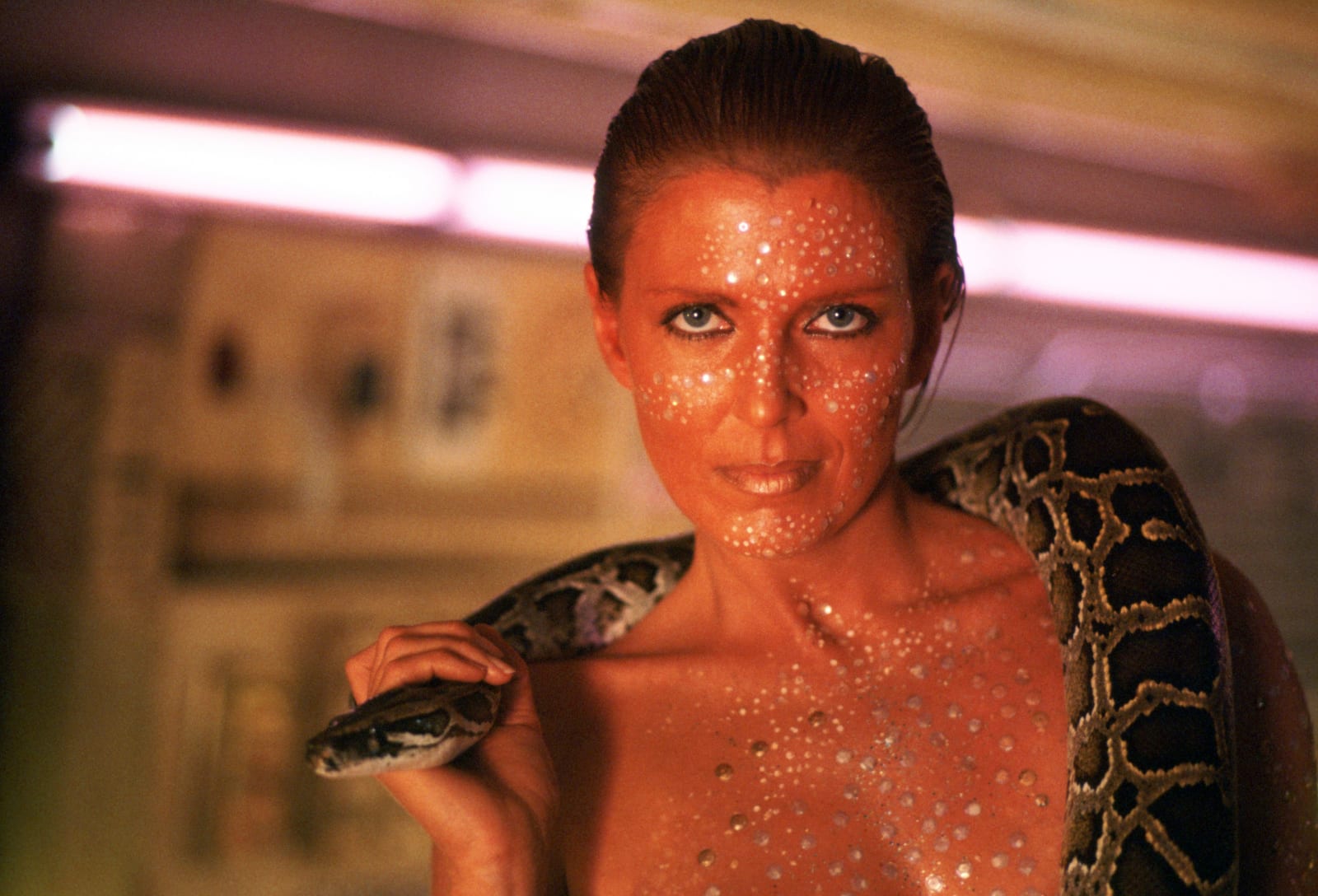
As Pris surely knew, real animals are rare in Blade Runner’s universe. Animals were the first to start dying of the pollution which pushed humans Off-World. From fires to dust to gale-force winds, or bombs, your kit needs a face mask with N95 and N100 ratings.
Sure, you can get any old thing at the hardware store or Amazon, but this is the future. You can take advantage of living in a time when even product designers are allergic to everything, and get an air mask fit for a city dweller. In many instances, these nouveau air-pollution masks are better than what you’ll get in that prepper survival kit.
Great daily use (or temporary daily use) masks that look good are now a competitive market. For the Cal Fires, a number of SF locals grabbed a Vogmask off Amazon for getting around town. Other recommended masks that will make you actually want to wear it are those from Airinum and the Cambridge Mask Co.
If Pris had survived her encounter with Deckard, she’d surely have an animal companion — and the gear to make her darling doggo or kitteh ready for anything. For starters, she’d make sure that sweet little manufactured beast stayed far away from any actual blade runners with GPS tracking. One option is the Whistle Pet Tracker; internet famous travel cat Willow stays connected with the Tabcat tracker and a long-range (no cell service needed) MarcoPolo Tracking System.
Pris would also have a Pet First Aid Kit, certainly, but for the oppressive heat in a climate gone wrong, she’d own a swamp cooler pup jacket or a canine cooling harness. Or like me, she’d have read about the woman fleeing the Cal Fires who put her 80-lb pit bull in a backpack and bicycled to safety, and would want a quick escape solution — like a U-Pet escape pod.
Off-World isn’t yet an option
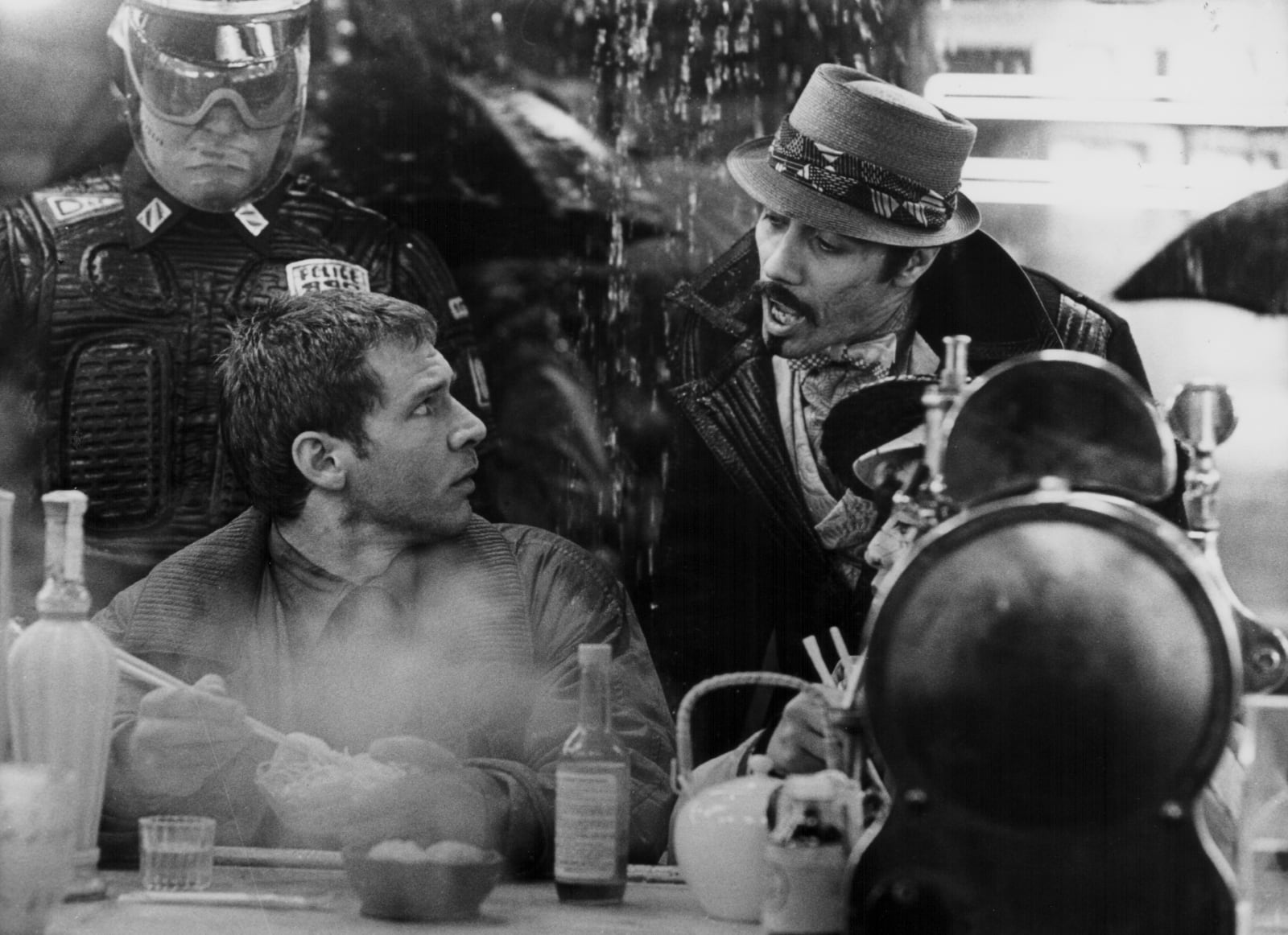
Fire is one thing, but looking at recent events, everyone will probably need waterproof everything. When you can, get a waterproof (or water-resistant) case for all your devices, or try to invest in the newest versions of things like the Kindle, which is now waterproof.
Harrison Ford’s character Deckard drank whiskey — Johnny Walker Black Label, to be precise — so that’s one way you might be able to avoid the poisonous drinking water of our collective future. For those who may find this impractical for daily applications, a top-end water filtration device is the gadget you want. The most advanced consumer model is the MSR Guardian™ Purifier, but day trippers living in the future-now will want a handheld UV water purifier like the SteriPen.
Your biggest asset in a dystopian climate change emergency might just be your backups. You can make your backup with a reputable cloud service, like Crashplan or iCloud. But to be safe from today’s security threats, you should have a secure backup hard drive that you keep at home (or in another safe place) and one that you can grab and go.
This portable drive can hold copies of everything you might have to leave behind, from family photos to scans of your passport. It should also be waterproof, shock-proof, and password protected. The gold standard for this type of external hard drive is IOSafe, which claims to also be fireproof. For a small drive to keep in a bag, in case the replicant hunters come looking for you or a hurricane strikes out of nowhere, consider a Silicon Power drive, with small versions storing up to 4TB.
Power will be a concern, no matter if you’re in a sci-fi climate disaster future or just on the go in our Blade Runner day-to-day lives. For those who are oppressed by the sun, solar chargers are now easy to use and take everywhere with you. Adafruit’s DIY solar charger tutorials will have your devices constantly charged, and can help you keep others charged as well.
If your modern-day Blade Runner experience doesn’t include DIY tinkering, the American Red Cross FRX3+ All Purpose Weather and Radio Charger has it all. It includes a NOAA AM/FM weather alert radio, LED flashlight, a charger via its USB port, and it stays powered for a week when fully charged via hand crank, its solar panel, or its 2600 mAh rechargeable battery.

Alcon Entertainment
Apps for humans and replicants alike
One of the apps that made day to day living safe in the Bay Area over the past two weeks was AirVisual’s air quality app. More immediate than local alerts, it let us know when we needed to wear masks to go to the grocery store, and when we’d expect to get a break with some fresh air.
That said, many were stuck inside worrying how fast we were dying from the air in our apartments. That’s where the AirVisual Pro would come in handy, showing inside air quality as well as that outside our doors. Yet, inside is really where it counts in polluted dystopias like ours, which is why an air purifier is probably the “coolest” gift anyone can give in this coming holiday season. For the most tech-inclined, Dyson’s pricey hot-cool air purifier is definitely the Cadillac of purifiers, and comes with its own app to help you monitor your space.
Radiation wasn’t an influence on the original Blade Runner’s storytelling, but it might be in ours. In case our dystopia takes a Fallout 4 turn, Idaho National Laboratory scientists created an Android app for detecting radiation — and they tested it on several different smartphone models (Samsung Nexus S, Samsung Galaxy Nexus, Samsung SIII and LG Nexus 4).
The CellRAD app wasn’t released to the public, but a similar app called Radiation Alarm works on the same functionality. It uses an Android’s camera app to detect gamma radiation, as long as you follow the instructions closely (and keep the camera covered to get a reading).
There are apps I wish I’d had before the fires, and apps I’ve found that make me glad I’m installing them now. Climate change has made Weather alert apps completely invaluable. Weather Underground, Weather Channel, AccuWeather, RainAware, and Hurricane by the American Red Cross would’ve helped me decide to get an air purifier in time, and will probably save me and my replicant cat before the next disaster.
It’s too bad that IBM’s mesh network weather alert app isn’t available in America yet, but I’m setting an alert to download it when it can help us out. This will negate the need to have cell service to get alerts, and I wonder how many lives it might’ve saved this year so far.
Should hurricanes hit San Francisco, or if Deckard comes looking for me and my friends, I’ve now got the Red Panic Button. This app sends email, text, and GPS coordinates to trusted contacts in the event of an emergency, as well as notifying 911. The “ICE” app (In Case of Emergency) from American Red Cross keeps an unlocked medical alert on the lockscreen of my phone, just in case.
While we’re on the subject, the American Red Cross has its problems, but the apps they provide are invaluable. Those include a Shelter Finder app, a hurricane/wildfire/earthquake app, and their first aid apps. The medial aid apps come in both human and pet versions, and they are stored offline should you end up without cell service and need to save a fellow replicant’s life.
Some might say that Blade Runner was just a movie. But for the rest of us, it’s suddenly a way of life, and also a guide to survival. Hopefully this little guide helps, too.
Images: Stanley Bielecki Movie Collection/Getty Images (Rutger Hauer as Roy Batty); Sunset Boulevard/Corbis via Getty Images (Joanna Cassidy as Zhora Salome with Snake); Stanley Bielecki Movie Collection/Getty Images (Harrison Ford and Edward James Olmos as Deckard and Gaff); Alcon Entertainment / Blade Runner 2049 (Weather display)
 AIVAnet