


Google’s $20 USB-C to 3.5mm headphone adapter is now $9
THANK YOU
When Google announced the Pixel 2 on October 4, one of the biggest complaints that fans and customers had was with the company’s decision to remove the 3.5mm headphone jack. Google is one of many companies making the push to Bluetooth and USB Type-C audio solutions, and in an effort to make the transition a bit smoother, Google includes a USB-C to 3.5mm headphone jack adapter in the box with every Pixel 2 and Pixel 2 XL.

Although adapters/dongles are never preferable, this is still appreciated on Google’s part. However, as anyone that uses phones, laptops, or other gadgets that are really pushing the USB Type-C lifestyle knows, adapters can be very easy to lose.
As such, when the Pixel 2 was added to the Google Store for preorder, another item popped up as well – a USB-C to 3.5mm adapter that you could purchase in case you want an extra one or ever lose the included one with the Pixel 2. The price? Twenty freaking dollars.
Google’s unnecessarily high pricing for the adapter was quickly met with a bit of justified outrage, and likely due to all of the backlash, the price has been dropped from $20 to just $9.

The new price is much more reasonable than what was previously being asked, and we can only hope that not too many people purchased one of these prior to the change.
See at Google Store
Google Pixel 2 and Pixel 2 XL
- Pixel 2 FAQ: Everything you need to know!
- Google Pixel 2 and 2 XL hands-on preview
- Google Pixel 2 specs
- Google Pixel 2 vs. Pixel 2 XL: What’s the difference?
- Join our Pixel 2 forums
Google Store
Project Fi
Verizon
Grab this 6ft LED light strip for just $6 to improve any home media display
Reduce eyestrain and class up your home media display.
Is this deal for me?
JackyLED’s 6.6-foot backlight strip is available for just $6 on Amazon when you enter promo code S7VUUUSU at checkout. That saves you $9 off this item’s regular price.

This 6.6-foot light strip features 60 multicolored LEDs, 20 different modes and 20 static colors to keep your display looking fresh. Having one of these strips behind your tv can seriously reduce strain on your eyesight because it improves the stark contrast ratio between your tv and the wall behind it.
This product best fits televisions sized between 24 and 60 inches. With its adhesive backing, you can easily stick the light strip where you need it without having to buy any extra tools or products.
TL;DR
- What makes this deal worth considering? – $6 is one of the best prices we’ve seen on one of these TV backlight strips in a while. And technically, you can use it wherever you like! Try it behind your computer monitor or in your bathroom as a night light.
- Things to know before you buy! – This product’s controls are all on the end of the light strip. You can buy a version of this product that comes with a wireless remote from JackyLED for $14.99.
See at Amazon
More from Thrifter:
- Discover the hottest holiday toys of 2017
- Amazon Prime Student is now available as a $5.49 monthly subscription
For more great deals be sure to check out our friends at Thrifter now!
Tomorrow’s firefighters will have near-superhuman abilities
Firefighting gear has evolved continuously since the 1600s to keep pace with the challenges that firefighters face, such as the numerous blazes that are currently ravaging Northern California. During the colonial days, structures routinely burned to the ground because firefighters simply lacked the necessary protection (any protection, really) to enter buildings and fight fires from the inside.
The development of the first helmet in the 1730s, self-contained breathing apparatus (SCBA) in 1863 and the telescoping ladder in the 1880s helped make the job safer. Though it wasn’t until the 1980s that modern Nomex- and Kevlar-impregnated gear became common. Today, however, the firefighting community is going through a technological revolution that could grant tomorrow’s firefighters near superhuman abilities.
A firefighter’s gear — known as Personal Protection Equipment (PPE) — consists of a helmet, hood, pants, coat, gloves, boots and SCBA. The outfit typically weighs around 40 pounds. Adding a thermal camera, light, radio, Halligan bar and axe increases that figure to around 75 pounds. On top of that, firefighters are expected to climb multiple flights of stairs and carry or drag fully grown adults out to safety. Dragging all that weight around takes a significant physical toll on first responders, which is why Melbourne-based designer Ken Chen of Monash University designed a powered exosuit to help lighten the load.
“Each year, an estimated 15,500 high-rise structure fires cause 60 civilian deaths, 930 injuries, and $252 million in property loss,” Chen told the Daily Mail in 2014. “High-rise buildings can hold thousands of people well above the reach of fire department aerial devices, once the fire is above the operational reach of aerial ladder or elevating platforms the chance of rescuing victims is near zero.”
Chen’s solution is an exo-suit concept that firefighters strap on over their PPE and can support up to 95 Kg (209 lbs). Like Hyundai’s recently-developed “power loader” exosuit, Chen’s design would transfer any load directly to the ground, relieving the physical strain of the wearer. Unlike Hyundai’s device, Chen’s doesn’t appear to have gotten off the drawing board just yet.
The water-propelled Dolphin jetpack, however, is real. And it is spectacular. It’s designed to help Dubai Civil Defence forces quickly move through the city’s network of waterways, avoiding the often gridlocked roads. The pack is attached to a jet ski which the firefighter rides to the scene of the fire, straps on the jetpack and uses the surrounding supply of water to lift himself above the flames and douse them.
The Dolphin is a clever solution for a city that’s suffered a spate of high-rise fires in the past five years, including a 2015 blaze at the 63-story Address Downtown hotel, but unfortunately isn’t much use against structural fires any distance from open water.
Now, you’d think that a fire’s most dangerous aspect would be the flames themselves. Nope. It’s actually the smoke, which can disorient and disable victims within minutes as well as obscure the view of firefighters as they move through the building. Many fire companies already employ handheld thermal imaging systems but you generally want to keep your hands free when running around inside a burning building.
That’s why UK-based Design Reality created the Sight on behalf of Scott Safety. It’s a thermal camera that mounts onto the side of the mask and projects a display onto the visor. This way every firefighter entering a structure fire has easy access to this data, rather than just the camera-wielding team leader. The 8.5-ounce device works for four hours on a set of standard AAA batteries.
Some of the most important work is done prior to ever stepping foot in a flaming inferno. The more information a firefighter has upon arrival, the better. This could be data on the building’s layout and orientation, whether there are flammable materials stored within, or the number of occupants (both human and non-human).
Virtually all of this data is available through city agencies like the building inspector or the Planning Department, but it’s often locked away in each different databases. Collaboration and data sharing is key, and New York City’s FireCast 2.0 system is the concept’s poster child. It takes the various pieces of data from NYC’s multitude of city agencies, mashes it into a central database and provides detailed information on all 330,000 structures within the city’s limits. When combined with on-the-ground data collection from body-worn sensors or UAVs, firefighters will be able to know exactly what they’re walking into.
As for actually fighting fires, first responders could soon wield a futuristic arsenal of extinguishing devices including freeze grenades, high-pressure water lances, and wands that knock down flames with electricity and sound. Take the FIT-5 from ARA Safety for example, this 10-pound canister is filled with potassium bicarbonate, which absorbs heat and interferes with the chemical process that produces flame. When thrown into an enclosed area, the heat ruptures the canister causing the potassium powder to escape and extinguish the flames. The $1,300 devices aren’t foolproof however.
“It can’t be a free-burning fire where it’s vented through the roof and the windows are all blown out because the powder has to be contained for it to work,” Port Jervis, NY Fire Chief Joseph Kowal told Fire Apparatus Magazine in 2009. “like in a basement fire or an attic fire.”
For structural fires that are too dangerous to enter, there’s the PryoLance. This device looks and operates like a cross between the water wands at self-service car washes and a water jet cutter. This thing is strong enough, and designed specifically, to bore a tiny hole through exterior walls and then blast a fine mist of water into the inferno.
“By using the Lance to penetrate through the outer structure in very quick time and allowing the ultra-high pressure water mist to flow directly into the thermal column,” the company’s website reads, “the ‘gas cooling’ effect will bring the interior temperatures down to well below flashover conditions.” What’s more, since the high pressure system increases the surface area of each water droplet it sprays (which drastically increases its ability to absorb heat compared to regular fire hose spray), the Lance can knock down flames faster and with less liquid than conventional methods.
But high pressure water is just the start. A pair of engineering students at George Mason University, Seth Robertson and Viet Tran, have developed a fire extinguisher that fights fires with low frequency sound waves. It’s similar to tests that DARPA carried out in 2012 but in a portable device. It focuses 30 and 60 Hz sound into a sonic beam that separates burning material from the surrounding oxygen, immediately destabilizing the chemical reaction that produces the flames. The 9Kg prototype only cost $600 to create and remains under development.
A team from Harvard has gone one farther and developed a wand that can disrupt fires at the molecular level with beams of electricity. Running off a 600-watt amplifier, the wand focuses the electric current into a beam. The researchers aren’t 100 percent sure why the the system is effective but they believe that since carbon soot is easily imbued with an electric charge and strongly responds to electrical fields once it is, hitting flames with the beam current “shakes” the combustion reaction loose. It’s the same basic idea as the sound cannon, just leveraging a different bit of physics to work.
Of course, it’s even better to keep firefighters out of harms way in the first place. Enter, the robots. The TAF20 and TAF35 from EMI Controls are equal parts remote-controlled bulldozer and water cannon. A ring of nozzles surround a central turbine and shoot atomized particles of water or fire-retarding foam into the air column. This produces a fine mist that can travel 60 to 90 feet but is fine enough to not hurt firefighters if they walk into the stream. The machine’s 64HP motor produces enough power to easily push vehicles out of its way and it’s 500 meter control tether, which keeps its operator away from the immediate danger zone, make these robotic heros ideal for tackling tunnel fires.
These are just a few of the high tech responses to the challenges of 21st century firefighting. In the coming years we can expect thermal imaging-equipped drones to become ubiquitous tools and robots to assume more first responder responsibilities — especially in the most dangerous of situations. And until we put climate change in check, you can bet that we’re going to face more devastating fires like the ones currently raging in Northern California, not less so the firefighters of tomorrow will need as much help as they can get.
Steve Wozniak just created his own online university
Apple cofounder Steve Wozniak has just launched Woz U, a new digital institute designed for those eyeing a career in the tech industry. “Our goal is to educate and train people in employable digital skills without putting them into years of debt,” Wozniak said in a statement. “People often are afraid to choose a technology-based career because they think they can’t do it. I know they can, and I want to show them how.”
As of now, Woz U only has online programs geared towards software developers and computer support specialists, but programs for data science, mobile application and cyber security are set to be available next year. And Woz U plans to build physical campuses in over 30 cities around the world. Other offerings from the institute include Woz U Education, which provides K-12 schools with STEAM programs, Woz U Enterprise that will help businesses recruit and retrain employees on new technologies and Woz U Accelerator — a 12 to 16 month program launching in 2019 aimed at identifying and developing elite talent. There’s also a mobile app that will help prospective Woz U students figure out which tech path best fits them.
“My entire life I have worked to build, develop and create a better world through technology and I have always respected education,” Wozniak said. “Now is the time for Woz U, and we are only getting started.”
Via: TechCrunch
Source: Woz U (1), (2)
Google Home Mini review: Taking aim at the Echo Dot
They say imitation is the sincerest form of flattery. If that’s true, Amazon must be tickled pink right now. The obvious inspiration for last year’s Google Home was the Amazon Echo, and it’s just as obvious that the new Google Home Mini is taking cues from the Echo Dot. To be fair, it’s a logical strategy: by packaging all of Alexa’s features into a smaller and cheaper package, Amazon expanded the Echo ecosystem and made it easier to blanket your house with voice-activated assistants.
Google is now doing the same, right down to the price. The $49 Home Mini does almost everything the larger Home does, at a price that makes the idea of buying three or four to place around the house a lot more palatable. For that to be worthwhile, though, the Google Assistant /and/ the Home Mini hardware both need to seamlessly integrate themselves into your home and make your life easier.
Hardware
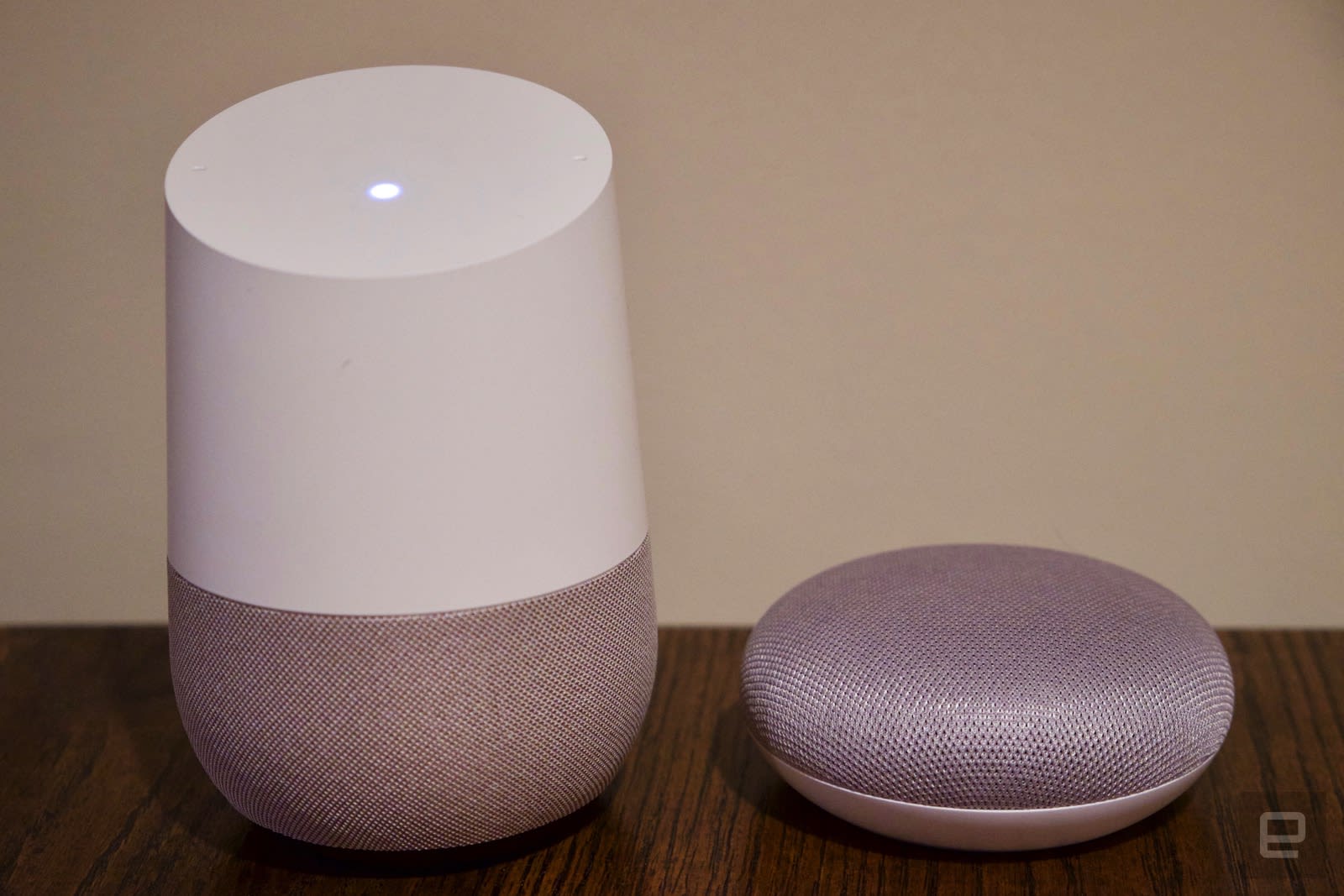
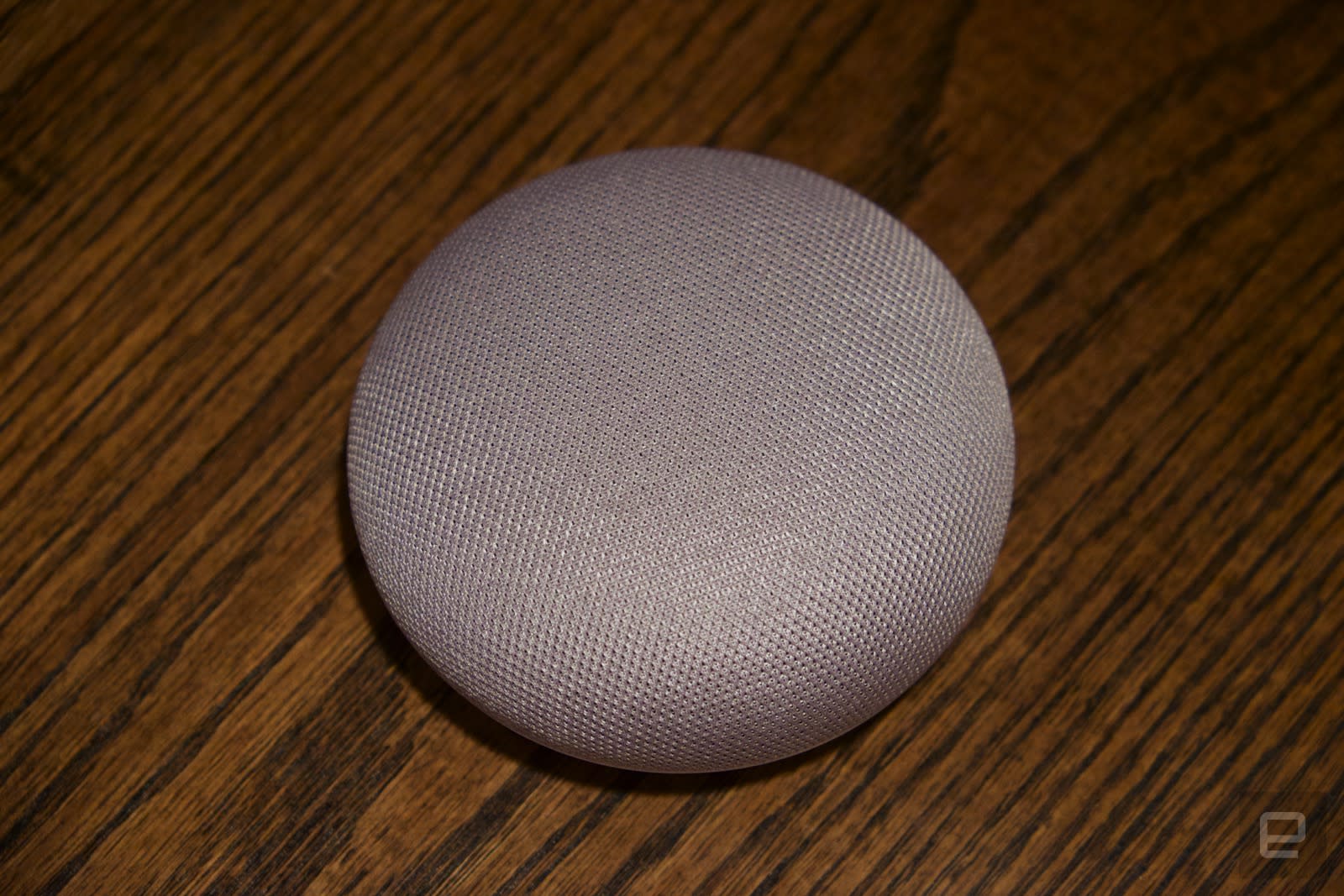
Google describes the Home Mini hardware as a donut, and that’s not a bad comparison. It’s about the same size as my favorite pastry (though there’s no hole in the middle). To me, it looks more like someone turned the original Google Home upside-down and flattened it. Instead of having a white top and a colored bottom, the Mini offers the opposite. But the top of the Mini is made of a new fabric that Google designed specifically for its pair of new smart speakers (the Mini and its giant brother the Home Max). The soft look of the light grey fabric and the Mini’s rounded corners make this a much friendlier gadget than the Echo Dot, and one that be happy to put just about anywhere in my house.
The company says it designed the fabric to be both acoustically and visually transparent so you can see the Mini’s four status lights when it’s listening and “thinking.” Those lights are much less gaudy than the Echo Dot’s bright LED ring, but they’re also not quite as good at showing you when the Home is in use. As for the fabric top, one potential downside is that it could get dirtier than a standard plastic shell and won’t be as easy to clean. There’s also no way to change out the top, unlike the bigger Google Home, which has a swappable base.
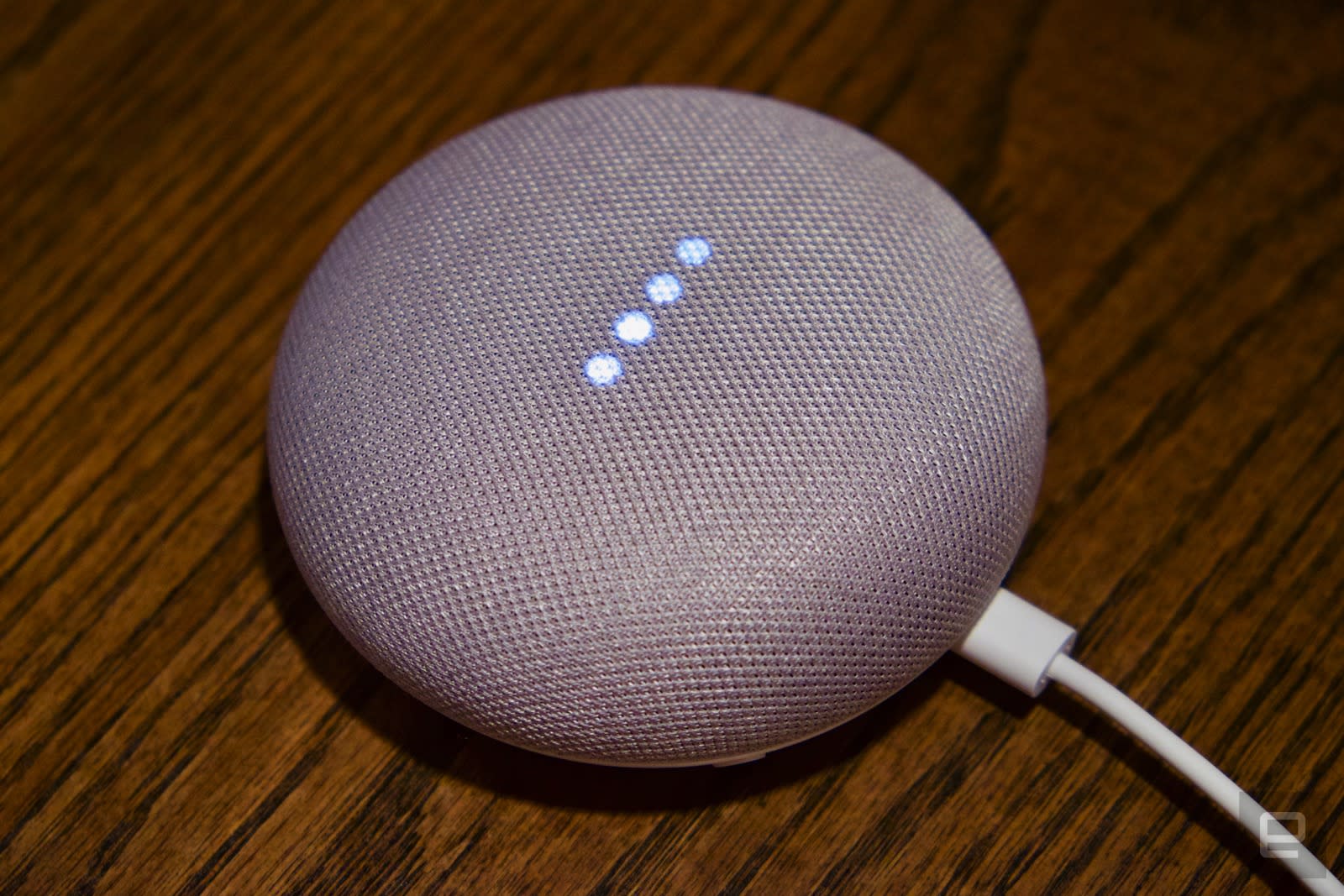
That said, I don’t think the Home Mini will get too grimy, because I rarely needed to touch it. Tapping the left and right sides of it turns the volume up or down, but it’s just as easy to do that with a voice command. Until a few days ago, you could also tap and hold on the center of the Home Mini to activate the Google Assistant, but Google just permanently disabled this feature. A few Home Minis were suffering from a bug where their touch panels activated inadvertently — this meant the device was able to record audio and transmit it to Google without a user’s consent, a privacy nightmare in the making.
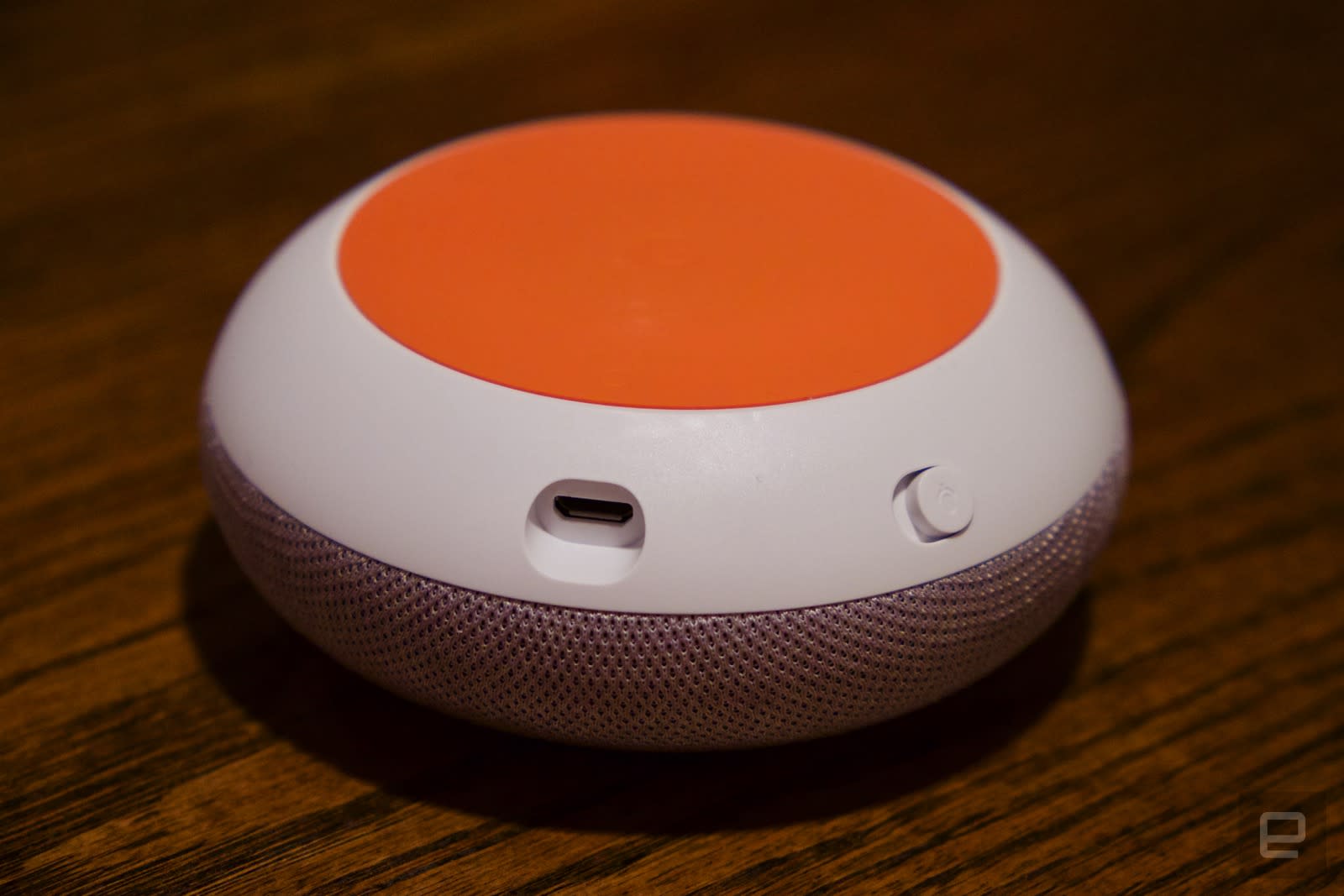
Google acted quickly in disabling the feature, and a review of all the voice commands the Home Mini sent showed no unusual activity for me. I believe that Google has fixed the issue, but it’s still something to be aware of if you’re on the fence about having a voice assistant in your house. For extra privacy, you can mute the device’s microphone with a switch on the back. Once muted, the four lights on the top of the Home Mini light up in orange. It’s a bit less elegant than the button found on the larger Google Home, but it does the job.
Setup
Setting up the Home Mini is identical to setting up the full-size Home. You plug it in, and the Google Home app walks you through the rest. Punch in your WiFi credentials, assign it to a room and you’re ready to roll.
But to get the most out of a Google Home, you’ll want to to customize a few things. In the Home app, you can sign into various music and video services including Spotify (free or premium), Pandora, TuneIn or IHeartRadio so that you can tell the Home Mini to play your streaming library. If you use Google-owned services like Play Music and YouTube, they’ll be automatically set up. Supported video services include CBS, the CW (both added over the last year) and Netflix.
You can also customize “My Day,” a daily briefing that tells you what’s on your calendar, what your commute is like, what the weather in the area is like, all pulled from your Google account. It also can follow that up with a quick news program, so it’s worth taking a minute to pick your favorite sources. Options include “traditional” news like Bloomberg, NPR and the Wall Street Journal, but you can also get programs focused on specific topics like technology and sports.
In use
Once you’re all set up, you can start asking the Home Mini questions and the Google Assistant will answer based on the company’s massive knowledge graph. You can also ask it to give you just about any info you’ve stored in your Google account, like calendar appointments, reminders and your commute, but there’s a bit caveat. It only works with personal Google accounts; G Suite is not supported. That’s crazy, particularly a year after the first Home arrived. Even Amazon supports G Suite calendars on the Echo! As someone who uses his work calendar much more than the personal one, I’d really like the Mini to work with G Suite accounts.
The Home Mini can stream audio, video or images from Google Photos to any Chromecast-enabled device (including another Google Home). Controlling audio and video was one of my favorite features with the original Google Home and that’s still the case here. The speaker is too small for dedicated music playback (more on that later), but I used the Mini to cast music and video to various speakers and TVs in my house with no issues.
Additionally, there’s a ton of other services you can talk to across categories like education, productivity, entertainment, games and trivia, news and more. They’re similar to Alexa’s skills, but you don’t have to “enable” these. You can just say, “OK Google, talk to the Wall Street Journal” to get whatever info the publication has posted recently. The best place to see everything you can ask the Google Assistant is currently in the official Assistant app, not the Home app you use for setup. That was a little confusing, but once I had both installed it was pretty easy to learn more about what the Home Mini was currently capable of.
Other features include getting step-by-step recipe directions from the Food Network, Dominos pizza delivery, calling an Uber, making a reservation with OpenTable and more. Naturally, the Home Mini can connect to a variety of smart home devices, as well. Google says that Home supports 1,000 devices from “more than 100” home automation partners. And you can use IFTTT to build your own custom actions, as well. One of the nicer things about the Google Assistant is that you don’t need to sign in or set up much before you start using these actions — I asked the Mini to make me a reservation for dinner tonight and went through the process without having to go back to my phone, which is how it should be.
What’s changed
That said, there are some differences to note about the Home Mini compared to the original, almost all of which come down to one thing: audio quality. Obviously, the much smaller Mini has a much smaller speaker, and that makes a huge difference for audio playback. It works fine for voice responses, alarms, timers and the like, but it’s not something you’ll want to use for music. The bigger Google Home doesn’t have outstanding audio, but it’s definitely better than your laptop speakers or most cheaper Bluetooth speakers. The Mini, on the other hand, is severely lacking in the bass department and generally lacks the clarity you’d want for listening to music.
For $49, that’s totally excusable, but it’s something worth being aware of. For what it’s worth,, the Mini absolutely outclasses the Echo Dot in audio quality. The Dot sounds tinny and hollow when Alexa speaks to you, and music playback is even worse. I compared the same songs across both devices and the Dot consistently came up short, without even a hint of a bass. I personally wouldn’t want to use the Home Mini for music outside of a few limited circumstances — I could see putting on a few songs while cleaning up the bedroom, for example, but for any longer listening session I’d rather just pop in some headphones than keep the Mini playing. Your milage may vary, of course — if you listen to a lot of audio through your phone’s speaker, the Mini will be an improvement.
The Mini’s tiny design also affects microphone performance. The Google Assistant hears me just fine, but voice calling is another story. When I called a few friends with the Mini, they all said that I sounded terrible. At least I could hear things fine on my end. This isn’t just a problem with the WiFi calling protocol that Google is using, either. I called the same people on the full-size Google Home and everyone said things sounded significantly better. If you were going to buy a Home product with the intent of using it as a voice-activated speakerphone, you’ll be better off springing for the larger model.
In addition to voice calls, new Google Assistant features including adding calendar items and reminders (something that really should have been there day one). Voice Match, which lets multiple users get personalized responses from the Home, was probably the biggest and most useful addition so far. If you want to try shopping with your voice, Google Express now lets your order products from giant retailers like Walmart and Target.
Google also announced a number of new features when it unveiled the Home Mini last week; unfortunately some of the most notable ones aren’t live yet. Users can build “routines” that stack a few actions together the way the “my day” briefing gives you a handful of different pieces of info. Saying “good morning” could turn on lights, set your thermostat, turn on the coffee pot and tell you what’s first on your calendar (provided you have the right smart devices to do those things, of course).
Another new feature will let you use the Home devices as an intercom — you’ll be able to “broadcast” a message from the Google Assistant (on your phone or through Google Home) to all other Home devices in the house. The Home also lets you send info from it to your phone if you need to see something visual, like directions.
The competition
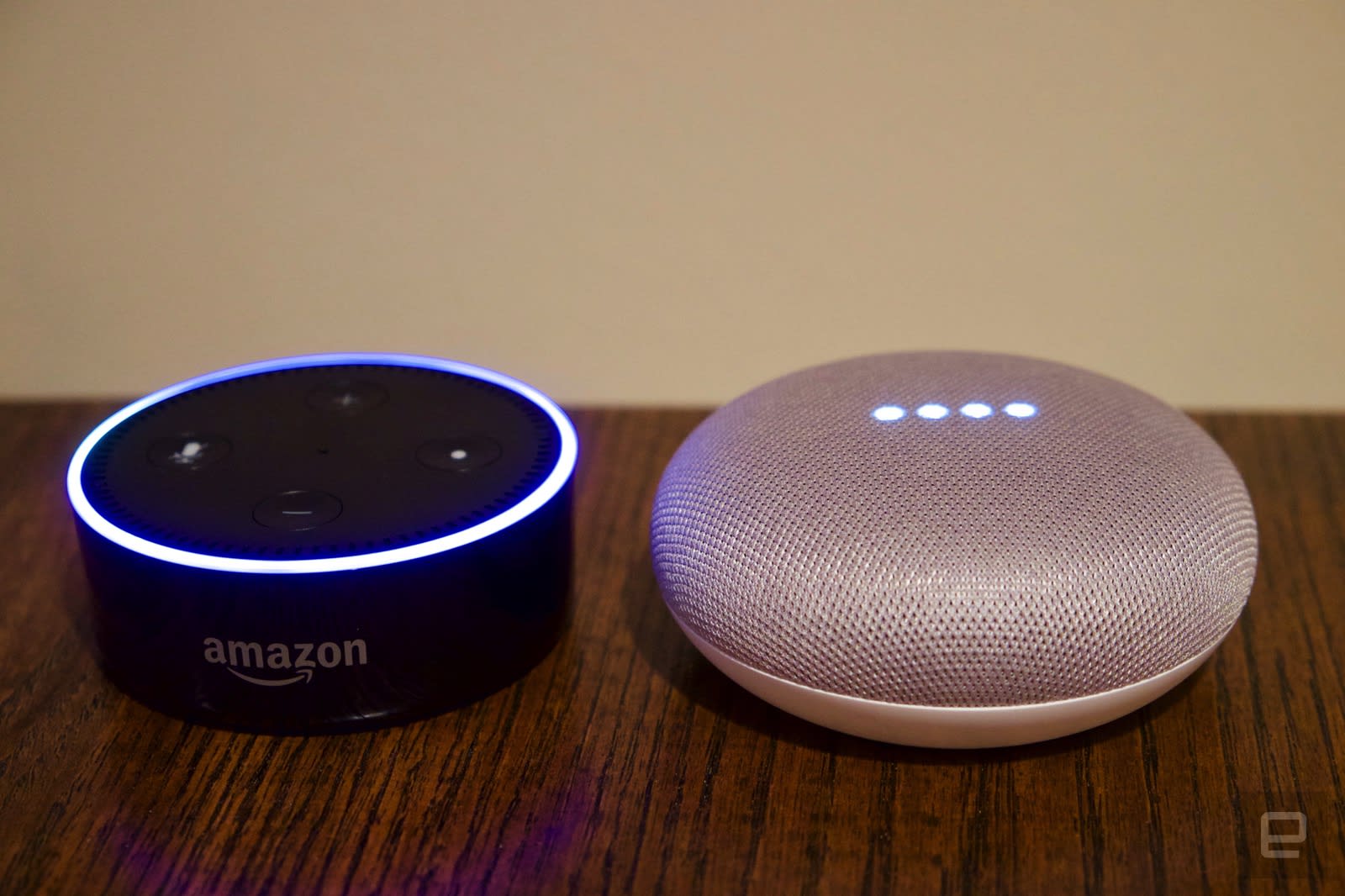
The question everyone will have to ask when considering the Home Mini is how it compares to the Echo Dot. The Mini beats the Dot in terms of audio quality, and I personally prefer its looks. But the Dot still has broader third-party support, with 20,000 “skills” and more added every week. The real question is whether Google supports the smart home products and features that you need, and at this point the Home Mini can control a wide variety of smart home devices. Amazon’s head start and the fragmented nature of the smarthome device market gives the Echo a lead, but I’m no longer convinced that going with Amazon is a must to have the best smarthome experience.
If you’re deep in Google’s ecosystem and prefer using its products and services, the Home Mini is a natural choice — provided you don’t rely heavily on a G Suite account, in which case the Echo is still somehow a better option.. And Google’s implementation of voice calling is much better, but the Mini’s terrible call quality negates that advantage
Wrap up

There’s no doubt that Google Home’s capabilities have improved significantly over the last year. I called the original device “little more than a toy” last year, but now it’s a legit competitor to what Amazon’s Echo and Alexa. The Echo might technically have a lead in compatible devices, but I’d urge you to do some research before committing to a smart speaker — chances are good that the Home Mini can do what you need it to.
Google’s undeniable advantage comes from the amount of info Google has about both the world and your own activities. Its knowledge graph is unrivaled, and Google is very good at answer any query you might have. As for the hardware itself, the Home Mini has a better speaker, a more attractive appearance and superior voice-calling features — it’s just too bad that the microphones don’t offer better call quality. Google has done a strong job closing the gap between the Assistant and Alexa over the last year — as long as the Home Mini works with devices and services you use, it’s well worth a look.
Google Assistant can finally control Chromecast from your phone
Google’s Assistant app is capable of lots of things, but before today, controlling a cast session by voice wasn’t really possible. Android Police reports that now the mobile app can do so, and you can even specify which Chromecast in your house is the target. Adjusting the volume, skipping or repeating tracks and tasking Assistant to play Urfaust’s latest on your Chromecast Audio while you beam a Minecraft video to the kids’ room all can be done with a simple voice command now — and all without a Google Home. On our iPhone with the Assistant app it worked as you’d expect, but Android Police says its devices weren’t working just yet; the publication received tips from readers about the functionality prior. Are you having any luck? Let us know in the comments.
Source: Android Police
Oculus’ standalone headsets point to a changing VR landscape
2016 was the year that VR went mainstream. The Oculus Rift finally shipped to consumers, as did the HTC Vive and the PS VR. But even as the VR industry is finally starting to take off, it’s already beginning to splinter. Before, we had phone-based VR the likes of Samsung’s Gear VR and Google’s Daydream, and then higher-end PC models like the Rift and the Vive. Now, the standalone VR headset is emerging as a category unto itself. And it stands to make the VR landscape a lot more accessible — and possibly more divisive — than ever before.
The idea of standalone VR headsets is not a new one. Intel explored the field with Project Alloy for a while before killing it earlier this year, Alcatel made one that didn’t quite take off and Google announced it’s working with standalone Daydream headsets from HTC and Lenovo too. But it’s Oculus — the pioneer of modern VR — that is the first to come out swinging with two different kinds of standalone VR headsets, one of which will be available to consumers early next year.
The latter is the Oculus Go, and it was the highlight of this year’s keynote at Oculus Connect 4. It’s attractively priced at $199 and shares the same DNA as the Gear VR — apps for the Gear VR should be compatible with the Go. The Go features a “fast-switch LCD” with WQHD 2560×1440 resolution that’s apparently better than OLEDs. It also has built-in audio so you don’t need headphones.
Will Smith, the CEO and founder of FOO VR — a company that builds talk shows in VR — was enthusiastic about the Go’s price. “$200 is fantastic. It makes VR so much more accessible and so much more compelling.” Also, as an iPhone user, he says the idea of a standalone headset is much more attractive than having to buy a Samsung phone on top of the Gear VR.
Sam Watts, a director of immersive technologies for MakeReal, a VR company based in the UK, was equally positive. “The price is just about an impulse buy,” he said. “You don’t need to buy a phone to use it, and as a developer, it’s nice to not have to worry about the ‘phone parts’ of the phone interfering with the experience.”
“An all-in-one, untethered, headset like this is the future,” Watts continued. “It’s a good step to wider adoption.” He also likes that the Gear VR and the Go will be software-compatible — Oculus has said the Go is also powered by Android — so it’s much easier for the same apps to work on both headsets.

Yet, the Go isn’t the only standalone headset that Oculus is working on. It’s also developing Project Santa Cruz, which is much more powerful than the Go. We had a chance to try it out at Oculus Connect 4, and the experience is much more akin to the Rift — with 6DOF (degrees of freedom) controllers and full positional tracking. The Go, by contrast, only has a 3DOF controller and orientation tracking like the Gear VR.
It seems that standalone headsets like Santa Cruz are the future of VR; untethered yet powerful. And while Go is less capable, having a cheap VR option is good too. Phone-based and PC-tethered VR already seem like they could get outdated in the next few years. Suddenly, though, it seems that Oculus has a divisive product portfolio on its hands.
But it’s early days still for VR. “Mobile drop-in, phone-based VR is going to be persistent,” said John Carmack, Oculus’ CTO, on the Oculus Connect 4 stage. “Standalone will probably take over and be a dominant form, but cell phone based VR will still have the largest number of users.” This, he said, is because phones will improve exponentially over time, and will probably drop in price. The Galaxy Note 8 of today will probably be very affordable in the future. “A cheap phone playing VR applications will still have significant value to users […] I don’t expect Go to do Samsung-like [sales] numbers.”

Watts remains enthusiastic too. “It’s great to have options,” he said. “These headsets have the same ecosystem, really. The cheap option lets you take a small bite of VR, and if you like it, you can upgrade, and still keep all your apps.”
“My guess is that the Go and the Santa Cruz will be one headset eventually,” said Smith, adding that Oculus will probably have just one standalone option in the future. Carmack seems to hint at the same, saying on stage that he thinks the two products will converge some day. Still, that’ll likely take a few years. While Santa Cruz is much more capable, the cost of making it right now is just too high. “$199 is a super power for Go,” Carmack continued. “It’s unlikely that we can throw all the other [high-end features] in at once.”
Besides, Carmack thinks, there’s still room for low-end VR. “You don’t need 6DOF for watching 360-degree videos,” he said, adding that Go and GearVR are for much more passive VR experiences.
Oculus won’t be the only one offering all-in-one headsets. As mentioned earlier, Google is working on standalone Daydream devices with the help of HTC and Lenovo. There’s room for independent companies to come forward with their own solutions too. Yes, the VR landscape will shift and split. But that could be a good thing.
“As with all tech, good things come to those who wait,” said Watts. “You just have to sit and be patient.”
Alphabet may have spun out Project Loon into its own company
Project Loon might be a strange project with a wacky name, but apparently Google’s parent company Alphabet believes in it. It appears as though the project, which began as a part of Google and was upgraded to Alphabet X’s innovation lab, has been spun out into a company of its own. Business Insider first noticed the organization was listed as “Loon Inc.” in a recent FCC filing. This signals that Alphabet may be ready to allow Loon to operate as its own corporation. We’ve reached out to the Project Loon media team for comment.
The project aims to provide high-speed internet to areas that don’t currently have access to it using self-navigating balloons. While this concept may seem a bit absurd, Alphabet has had success with Project Loon. The FCC filing in question was to assist in relief efforts in Puerto Rico — the regulatory organization granted an “experimental license” last week, allowing Project Loon to provide emergency LTE service to the devastated island. The company is currently working on integrating with Puerto Rico’s local networks.
Alphabet has a history of spinning out successful companies from under its umbrella, such as Waymo, Nest and Access. If they are indeed setting up Loon as its own company, it shows great faith in the product, despite the fact it’s only been used and tested in a limited number of places.
Via: Business Insider
Source: FCC
Sprint’s Safe and Found combines parental controls with location info
While all major cell providers have some sort of parental control app like AT&T’s Smart Limits or Verizon’s FamilyBase, Sprint may have leapfrogged them all with even more features. The company just announced Safe & Found, a new service that adds in real-time location, geo-fencing capabilities, an SOS button and a way to find, lock and wipe any phone if lost or stolen. The service is available now for iOS and Android users for $7 per month. You can get a free 15-day trial to check it out, too.
If you’ve used an app like Life360, the new Sprint service will seem familiar. You can find any enrolled family member on a map in real time, create geo-fences to let you know when someone comes into or leaves a geographical area, and even check in so your family knows where you’re at. Safe & Found provides all the regular parental controls, too, like restricting phone usage to specific numbers and/or certain times of the day. Like Apple’s Find My iPhone, Sprint’s service also gives you the power to not only find a lost or stolen phone but to also lock and wipe it of personal data remotely. The addition of an emergency alert that will send an SOS to all family phones seems like a pretty handy feature, too.
The app is available on both iOS and Android app stores, and while there are many devices in the marketing images, the app is strictly for phones running iOS 9 and up or Android Jelly Bean and later. Sprint confirmed that you can use a computer and web browser to monitor family member locations and set application permissions on any Safe & Found devices. Smartwatches will get notifications from the app only if set up on the phone in the regular way.
Source: Sprint
The future of surveillance is hidden in airport ads
Public anonymity is quickly becoming a thing of the past. Coming soon to an airport in Dubai is an artsy, colorful video security and customs tunnel that scans your face, adds you to a database, indexes you with artificial intelligence, and decides if you’re free to leave — or not.
By the end of summer 2018, Dubai International Airport’s Terminal 3 will have replaced its security clearance counter with a walkway tunnel filled with 80 face-scanning cameras disguised as a distracting immersive video.
Travellers’ eyes will roam the enclosed tunnel and its virtual shimmering aquarium as they head to their gate, while their biometric data is seamlessly collected, compared, and stored …. somewhere, under unknown terms and conditions. According to officials presenting the security and customs tunnel at the 37th Gulf Information Technology Exhibition (GITEX) Technology Week at the World Trade Centre in Dubai, its video shows will not be limited to chicken of the sea. The airport plans to also distract its very captive audience with desert scenes, majestically galloping white horses, or … advertisements.
“The fish is a sort of entertainment and something new for the traveller but, at the end of the day, it attracts the vision of the travellers to different corners in the tunnel for the cameras to capture his/her face print,” Major Gen Obaid Al Hameeri, deputy director general of Dubai residency and foreign affairs, told press.
Travellers are expected to “register” their faces at kiosks throughout the airport so they may travel. The tunnel will replace the terminal’s security control desk. “At the end of the tunnel,” The National reported, “if the traveler is already registered, they will either receive a green message that says “have a nice trip” or, if the person is wanted for some reason, a red sign will alert the operations room to interfere.” You can watch a video of their reporter’s walkthrough here.

Australia is currently considering the same thing, where passengers are filtered through a tunnel that seamlessly captures their biometrics (facial scanning) as they go through the airport.
The “virtual aquarium tunnel” was four years in the making, and debuted this week at GITEX. Other stars of the GITEX innovation conference included a flying autonomous taxi and drone motorcycle for police. This year the theme at GITEX is “Re-Imagining Realities” with a focus on smart cities.
When surveillance becomes “look at the pretty fish”
The best dystopian fiction frightens because it shows us our future in a hideous funhouse mirror; we know it’s based on reality yet its contortions are too despotically insane to seem possible. Such was the vibe in the sci-fi film Minority Report, and its memorable scene of Tom Cruise continually being recognized and served intrusive, personalized ads as he’s desperately trying to escape a smart city of the future. To avoid the intertwined systems of intrusive, tailored advertising based on his identity and having his movements tracked and sent to police, he gets surgery from a black market doctor.
Maybe, like today’s social media sites like to tell us, the science fiction dystopia of Minority Report was just trying to make his advertising experience better. But considering that the Dubai International Airport is already talking about its security scanner as an advertising surveillance tunnel, it feels like science fiction is letting our current world off the hook by comparison.
You have to wonder where this is leading, all dystopian things considered. I mean, are they being considered? We know that Facebook, ever servile in its advertising greed, has created the world’s largest database of biometric identity by way of its nonconsensual facial recognition program performed on all its users. And this is where we have the first clear instance of law enforcement and advertisers mingling in a facial scanning, AI-run security network. And that, according to Major Gen Obaid Al Hameeri, surreptitious retinal scanning will be added to the 80-camera tunnels in the near future.
It’s scary because dystopian science fiction was supposed to be cautionary tales. Blade Runner was meant to be far-out sci-fi about the brutal contradictions of identity ownership and creating a disposable, trackable working class.
Yet here we are. Even one of the inventors of facial recognition is agonizing about his Frankenstein monster. “It pains me to see a technology that I helped invent being used in a way that is not what I had in mind in respect to privacy,” said Joseph Atick, who helped create facial recognition in the 1990s.

“I can no longer count on being an anonymous person,” he told Daily Beast, “when I’m walking down the street.” Atick has called for regulations to protect the privacy of citizens, because without it Americans are left with “a myriad of state laws,” he said. “And state laws can be more easily manipulated by commercial interests.”
We don’t know who the airport’s officials are that will be accessing the facial recognition data, what database sharing is in the background, or what safeguards will be in place to prevent misuse. Dubai’s government arms are also no stranger to being hacked.
Maybe a 15% chance of cavity search
On one hand, the point of the aquarium surveillance tunnel, they tell us, is to streamline the security experience — to make it “smarter.” It’s not like travelers will have a choice in the matter, but the rubric is that security and convenience outweigh privacy and personal security in the heat of the moment every time. The TSA is living proof of that; good luck finding an American that will tell you the TSA is convenient and efficient. Though when it comes to data security, when last we checked, the TSA was failing spectacularly at that, too.

Half the people I’ve talked to about the aquarium tunnel are profoundly excited about this futuristic convenience. Security professionals one and all, they are not deterred by the lurid bait-and-switch attention for surveillance aspect. Nor are they disturbed by the implications of inevitable database security madness that will surely ensue, or troubled by questions of accuracy (the FBI’s face recognition is only 85% accurate and has trouble with black faces).
Are they jaded after riding from breach to breach, year after year, watching the effects of companies collecting our information only to squander it by giving it less importance than happy advertisers? Or are they just yearning for cities of the future and their magical conveniences?
I can’t fault them for either reasoning. Yet I still can’t shake the sense that Philip K. Dick, he of the Minority Report and the Blade Runner, was trying to tell us something.
Images: AFP Photo / Giuseppe Cacace (Tunnel); Matt Brian/Engadget (Facial recognition); REUTERS/Bob Riha Jr (TSA)
 AIVAnet