


Is metal really a better material than plastic on phones?
Metal and glass might look nice, but phones made out of plastic were never really bad in the first place.
As any follower of the smartphone industry knows, we’re living in an age where OEMs are striving for all metal and glass designs in favor of cheaper materials, such as plastic. This is a trend we’ve seen from Samsung, LG, Google, and plenty others, and while glass and metal might subjectively be more attractive than plastic, are these materials really any better in day-to-day use?

One user on our forums shared his thoughts on how he wished Google had released an updated version of the Nexus 5 in favor of the Pixel 2 that we currently have, and this sparked a discussion of metal/glass vs. plastic when used on phones.
Here’s what some people had to say:
maxburn
10-08-2017 09:12 AM“
The black Nexus 5 soft touch plastic was fantastic, we need to bring this back. So much better than aluminium.
The 5 is a legend, the peak of the Nexus line IMO.
Reply
ultravisitor
10-08-2017 12:56 PM“
I hate that we have to have breakable phones now because people think plastic is cheap. Sure, it can be cheap–like the ugly shiny plastic that Samsung used to use–but it can also look very nice and be very practical.
Reply
Zendroid1
10-09-2017 10:30 AM“
I just don’t get why people equate cheap with plastic? Some of the most beautiful and even high end products in the world are made out of plastic.
Reply
Plastic seems to be the favorable material for most people, but there are still some users that like the move to metal/glass.
bhatech
10-09-2017 08:19 PM“
Meh the Nexus 5 looked and felt cheap, I’m happy with current crop of flagships which have more modern and much better build than few years back.
Reply
AustinIllini
10-09-2017 11:24 AM“
Generally in engineering plastic is functional, not particularly stylish or high end. Whether it’s headphones, cars, phones, or anything else, plastic is a very pedestrian (albeit necessary) material choice and no one really wants it on a $650+ phone
Reply
Now, we pass the question on to you – Do you prefer phones made out of plastic or metal/glass?
Join the conversation in the forums!
How to convert your DVDs to enjoy on the Huawei Mediapad M3

Rip your own DVDs and you won’t have to worry about Wi-Fi or the cloud!
There are a lot of Android tablets that have an amazing screen. The Huawei Mediapad M3 is a great example. A 2560×1600 display is awesome for a lot of things, but it’s really great for watching movies. It’s like holding a cinema in your hands.
There are also a lot of movies to watch! Places like Netflix, or Google Play Movies or HBO are filled with movies you can stream or download, but a lot of us have movies on disc. While you can attach some portable DVD players to the USB port on some tablets, that’s a pain to set up and makes for another thing to carry around. There’s an easier solution. Rip the movies you already have so you can watch them on your tablet. And the easiest and best way to do it is absolutely free.
Handbrake
If you have done any searching about ripping DVDs for Android, you’ve seen people talk about Handbrake. It’s a free, open-source program for Windows, Mac or Linux that can convert video from one format to another. There are a ton of options if you’re the type who likes to fiddle with things, but it has a built-in setting to take a DVD (either an actual disc or an image of one) and convert it into a file that plays on your Android. It also works great!

To get started, you need to install Handbrake on a computer. A faster computer is better, but it will work on almost any PC or laptop. Unfortunately, it doesn’t work on a Chromebook unless you’ve installed Linux on it.
Your computer will need a DVD drive. Since the people who make laptops would rather they be thin than have a DVD drive built-in, you might need to pick up an external USB DVD drive. The good news: they’re cheap! There are plenty to choose from, and I can recommend LG’s Super Multi Ultra Slim Portable DVD Writer Drive. It has a ridiculous name but a low price, and I use one with my MacBook Pro because it was $50 cheaper than the one from the Apple Store. You can snag it, or any of the hundreds of other models, at Amazon.
See at Amazon
Next, you need to download and install Handbrake. You’ll find a bunch of different websites that you can get it from but stick with the official site because most of the others have added garbage programs in the installer. Nobody wants or needs browser toolbars or ad filled video players. Once it’s downloaded, you install it like any other program.
Download Handbrake from its official site
Now you need a DVD. And you need to know that the companies who distribute movies think copying a DVD you paid for shouldn’t be legal. I think those companies need to stay out of my business and can stuff it if they think they get to tell me what to do with things I paid for.
I can’t decide what you think, so I’m just telling you that a guy in a $1,000 suit might say you’re stealing if you copy a $15 DVD you bought. You can also use a copy of a DVD (the ones with folders and a bunch of files) or a previously ripped DVD video. I don’t want to know where or how you got those, but they work just as well as the original.

Now the easy step-by-step:
Put the DVD in the drive, and close any video player that might have opened.
Open Handbrake. On the screen, you see when it starts, it asks you for a source file. That’s your DVD.
On the right side of the Handbrake window is a list of presets to transcode the DVD into playable formats. Scroll down and you’ll see several presets for Android.


Choose the quality you want your copy to use. I suggest you use 1080p at 30 fps. The copy will look almost as good as the original does with this setting.
In the middle of the Handbrake window, you need to tell the program where to save the copy. Click the Browse button and choose a place on your computer. This is just like saving any other file so you can save it anywhere.


At the top of the Handbrake window is a Green play button that says Start Encode. Click it.
Wait while Handbrake converts your DVD into a movie you can watch on your tablet.
There are a few things you should know. For starters, this might take a while. Some of it depends on the computer you’re using and how powerful it is, but it just takes time to go through every frame of a video and convert it to another format. You can still use your computer while Handbrake is doing its thing, but if you try something like playing a game or working with big files in Photoshop, you can cause Handbrake to error out.
For reference, I used my gaming rig to test things. An 84-minute DVD (Cloverfield, if you’re curious) took about 18 minutes from start to finish. The computer has an overclocked Intel Core i7, 32 GB of RAM, and two NVIDIA 980Ti video cards. A better computer will be able to transcode a DVD a little faster, and a computer with specs that aren’t as good will take a little longer. But don’t worry, even something like a MacBook Air will be able to do this. It will just take five or ten more minutes.


There’s a setting in Handbrake that tells the computer what to do when the transcoding is finished. You can set it to shut everything down so you can go do other stuff while it’s working. When you come back you’ll have a copy of your DVD to play on your tablet and your computer will be shut off.
Handbrake also has a ton of settings. If you use one of the Android presets, you don’t need to touch any of them. Unless you want subtitles, that is. Before you start encoding, click the tab in the center of the Handbrake windows that says Subtitles and look through the dropdown list to see what choices your original DVD offers. Choose one and you’re good to go.
All that’s left is to copy the new video file to your tablet or an SD card so you can watch it with your favorite video player!
See at Amazon
Huawei Mediapad M3 vs. Mediapad M3 Lite: Which should you buy?
ZTE Blade Force launches on Boost Mobile for $130
Available now on Boost Mobile for $130, the ZTE Blade Force offers HPUE connectivity, a 5.5-inch HD display, Snapdragon 427 processor, Android Nougat, and more.
Devices like the Google Pixel 2 XL, Samsung Galaxy Note 8, and LG V30 might be the hottest and flashiest Android flagships on the market, but they’re also some of the most expensive. If you’re looking to pick up a new handset that does everything you ask it to and won’t cost an arm and a leg, the all-new ZTE Blade Force just might be for you.

On the front of the Blade Force is the phone’s 5.5-inch IPS display. The 1280 x 720 resolution certainly isn’t the highest around, but it should be perfectly serviceable for browsing Twitter and watching YouTube videos. That activity will be powered by a Qualcomm Snapdragon 427 processor and 2GB of RAM, and to get you through a full day of use, there’s a 3,000 mAh nonremovable battery.
There’s also an 8MP rear and 5MP front-facing camera, 16GB of storage that can be expanded up to 128GB, 3.5mm headphone jack, Bluetooth 4.2, and Android 7.1.1 Nougat.
In addition to all of the above specs, the ZTE Blade Force also features something called “High Performance User Equipment” (or HPUE for short). Sprint introduced HPUE last December as a way for extending its 2.5GHz coverage by up to 30-percent compared to phones without this tech, allowing for a stronger signal wherever you go.


The ZTE Blade Force is available for purchase starting today (October 10) for $129.99 from Boost Mobile.
ZTE first introduced its popular Blade series into the U.S. earlier this year with the remarkably good V8 Pro, and although the Force may not be quite as impressive as the V8 Pro from a specifications point of view, it still manages to offer a compelling package for not a ton of cash.
See at Boost Mobile

Deal: Get the Chromecast Ultra at Meijer for $35 (50% off)
Meijer is slashing the price of the Chromecast Ultra from $69 down to just $35, but there’s no word on how long the deal will last.
Everywhere you look, it seems like the phrases “4K” and “HDR” are being thrown out like there’s no tomorrow. Televisions and media streaming boxes are all jumping on the 4K train, but these gadgets tend to be quite pricey.
Google’s Chromecast Ultra is one of the more affordable products for getting ultra-crispy videos streamed right to your TV, and although the regular price of $69 USD is already quite affordable considering what the little gadget can do, it’s currently on sale for just $35.

This deal is available in-stores only at Meijer, with branches scattered throughout Illinois, Indiana, Kentucky, Michigan, Ohio, and Wisconson in the U.S.
The Chromecast Ultra might not be as robust or feature-rich as devices like the NVIDIA Shield TV or Roku Ultra, but being able to cast 4K Ultra HD and HDR content to your television for just $35 is a steal – especially when you consider that this is the same MSRP for the regular Chromecast.
There’s currently no word as to how long this deal will last, so if you happen to live in an area near a Meijer location, be sure to check and see if any are in stock at your local store before heading out to buy one (or two).
See at Meijer
Get Zippo lighters, fuel canisters, and the inevitable emergency fire kit on sale today only
Are you Drew Barrymore? Cause you’re starting a fire in my heart!
Is this deal for me?
Amazon’s Gold Box deal of the day features a selection of Zippo products up to 25% off, including classic lighters like the Zippo Chrome lighter for $7.55 and accessories like the Zippo 12-hour hand warmer for $9.75.
The lighters normally sell between $10 and $11, and they have sold as high as $13 recently. The Satin Chrome lighter, for example, hasn’t sold below $8 since 2015, which makes this a great deal.

Here’s a few of the products discounted during this sale:
- Satin Chrome lighter for $7.55 (from $10.54) – Street Chrome is the only other color also on sale
- Paracord Pouch for $10.97 (from $15)
- Street Chrome Lighter and Paracord Pouch set for $17.34 (from $22)
- 12-hour Hand Warmers for $9.75 (from $13)
- Key-ring Fuel Canister for $6.79 (from $9) – This is an add-on item, which means you need an order of $25 or more to get this price
- Emergency Fire Kit for $8.96 (from $12) – For the inevitable
TL;DR
- What makes this deal worth considering? – Zippo products are really popular and are known for quality, so it’s extra special to also find them going for such low prices.
- Things to know before you buy! – Only you can prevent forest fires. Also, you can buy this Zippo lighter fluid for $6.24 to refill empty containers for any of the products above.
See at Amazon
More from Thrifter
- How to prevent your kids from making purchases with Alexa
- How to save money using Target’s Cartwheel coupon service
For more great deals be sure to check out our friends at Thrifter now!
Google paid $7.2 billion last year to have its apps installed on your phone
Of the $19 billion Google spent in total traffic acquisition costs last year, $7.2 billion went towards mobile products.
Google is one of the most well-known companies in the world, but even so, the search giant still pays a nice chunk of cash each year to maximize profits and visibility as much as possible. Money that Google pays to have Google-served ads on websites, the default search engine on iOS, and Google apps preinstalled on Android phones is referred to as “traffic acquisition costs”, and the company pays $19 billion each year for it.
That’s no small amount of money by any means, and it’s steadily growing for Google’s total Internet properties. Money spent on traffic acquisition costs was around seven-percent in 2012, but now in 2017, it’s reaching up to eleven-percent.

These costs naturally go up as Google’s traffic increases, and when looking at mobile-centric partners, Google has already paid $7.2 billion in the past year (three times more compared to what it paid in 2012) to ensure that its name is consistently represented across smartphones, tablets, etc.
What exactly does that $7.2 billion go towards? Owners of virtually any Android phone know that the Google search bar is typically set at the top of the home screen by default and that an assortment of Google’s many first-party apps are preinstalled out of the box, including the likes of YouTube, Photos, Duo, etc. These are things that come as a result of those fees paid by Google, and it helps to keep the company’s search platform and many services in front of users eyes from day one.
A lot of money goes into crafting what you see on your phone as soon as you take it out of the box.
When a company like Samsung or LG wants to add the Play Store onto their Android devices, they have to voluntarily agree to install other Google apps on their phones in order to do so. This is how things have been for years now, but antitrust authorities in Europe are currently investigating to determine whether or not Google is abusing the power it has over these companies with its ownership of Android.
It’ll more than likely take years before a final verdict is reached on this matter, but even before it does, this has the chance to further increase fees that Google pays to have its search bar on home screens and have so many of its apps preinstalled from day one.
These rising costs don’t’ seem all that surprising as Google continues to increase in popularity and size, but in any case, it’s still interesting to better understand just how your smartphone came to be. You might not have thought too much about what apps were installed on your Galaxy S8 or LG G6 when you powered it on for the first time, but Google paid billions of dollars to ensure that certain elements were in place upon turning that screen on.
Just some nice food for thought for your Tuesday morning.
Google is spending $1.1 billion to hire HTC’s best smartphone talent
How to request a refund on Gear VR games

If you don’t like that new Gear VR game, just request a refund!
Gear VR gives you access to tons of greats games and experiences available for download. Let’s face it though, not every game is fun for every player. Previously if you purchased a game, and it was a dud, you were stuck with that purchase whether you wanted it or not. However, Oculus has recently introduced a new refund policy which makes it easy to request a refund. We’ve got all the details for you here!
Read more at VRHeads
It’s time to give in and pick up a Google Home for just $90
Ok, Google. Let’s save some money.
Is this deal for me?
Google’s connected smart speaker, the Google Home, is a great device but not everyone saw the value of the $129 price tag. We’ve seen a few deals on it, but mainly as part of packages that still had you spending more than you wanted.
Right now you can pick one up for $89.99 at Rakuten when you use the coupon ALT18. This is within a few dollars of the lowest price we have ever seen, which was only for a few hours thanks to a coupon at Lowes. Google is still selling the speaker for $109.

With the Google Home, you can complete Google searches, use voice commands to control your connected smart home gadgets, listen to music, cast videos to your Chromecast and much more. If you’ve been considering picking up a Google Home, this may be the deal to set you over the edge.
TL;DR
- What makes this deal worth considering? – This is one of the best prices we’ve seen on the Google Home by itself. This deal is better than Costco’s current 2 for $200 promo, so don’t miss it.
- Things to know before you buy! – Google recently announced the Google Home Mini, which makes a great complementary product to this one. Pre-order one today.
See at Rakuten
More from Thrifter
- How to prevent your kids from making purchases with Alexa
- How to save money using Target’s Cartwheel coupon service
For more great deals be sure to check out our friends at Thrifter now!
Best Wireless Charging Pads for LG V30
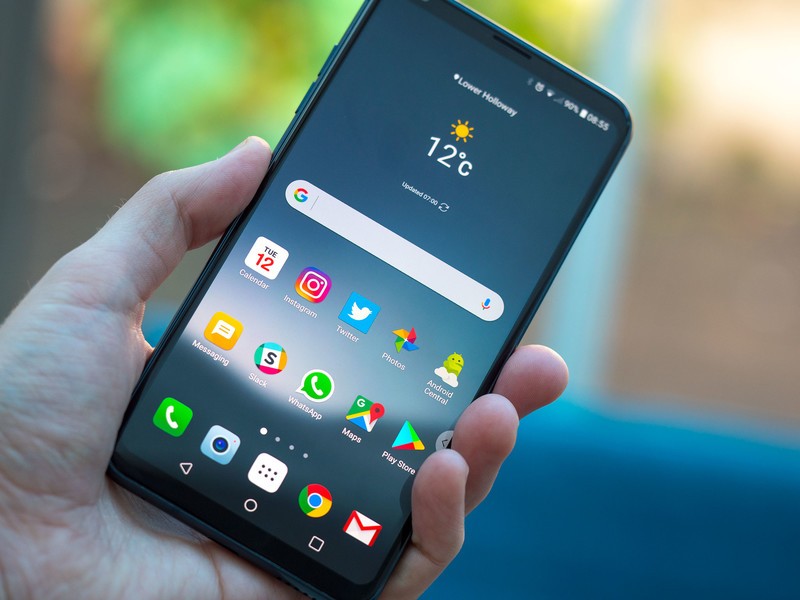
What’s the best charging pad for LG V30?
The LG V30 supports wireless charging. Simply place your V30 on a Qi wireless pad and your phone will start charging instantly.
LG doesn’t have fast wireless charging like Samsung’s phones, but it’s still convenient to not deal with wires when topping up your phone’s battery. Here are some of the most reliable wireless chargers.
- Samsung wireless charging pad
- Spigen Qi wireless charging stand
- Aukey wireless charging pad
- Seneo Qi wireless charging stand
Samsung wireless charging pad
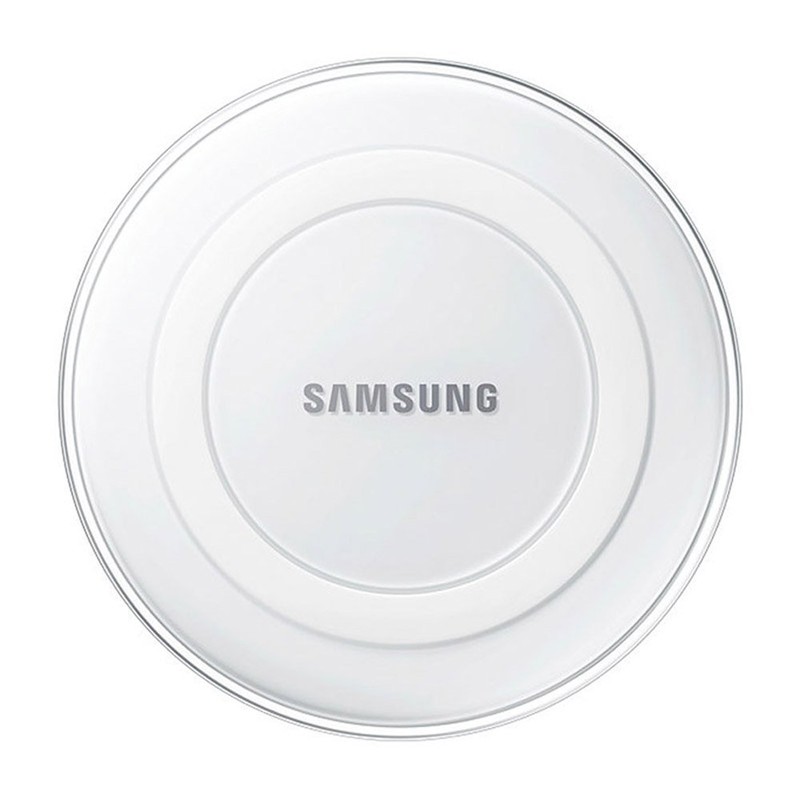
Samsung’s $23 wireless charging pad is the most popular wireless charger on Amazon, with over 8,000 reviews, 70% of which are 4- or 5-star.
These charging pads look like mini-UFOs and are Fast Charge-compatible for devices that support it such as the Galaxy Note 8. It also comes with a Samsung 2A wall charger — always great — and comes with a standard one-year warranty.
See at Amazon
Spigen Qi Wireless Charging Stand
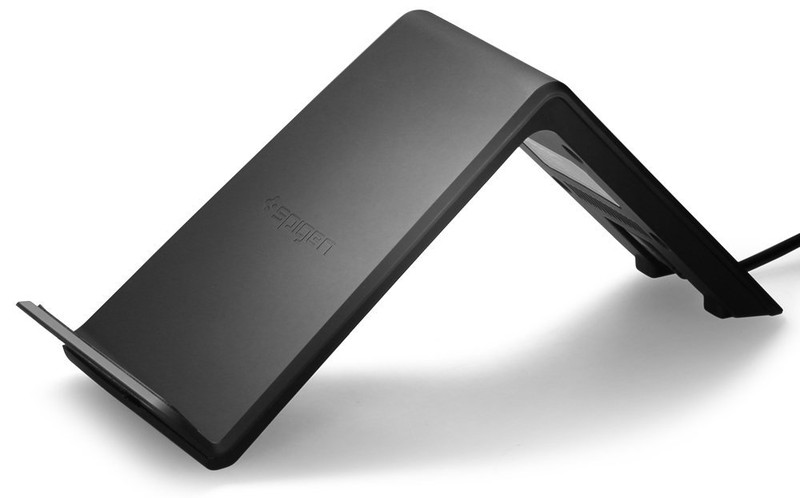
Spigen is one of the best accessory makers, and its Qi Charging Stand is a fine example to back that claim.
This charging stand is angled so you are still able to see your display easily while your phone is charging. If you need a way to quickly top off your phone on your desk or a new place to keep it safe on your nightstand, this may be the choice for you. Pick yours up for under $30 at Amazon.
See at Amazon
Aukey wireless charging pad
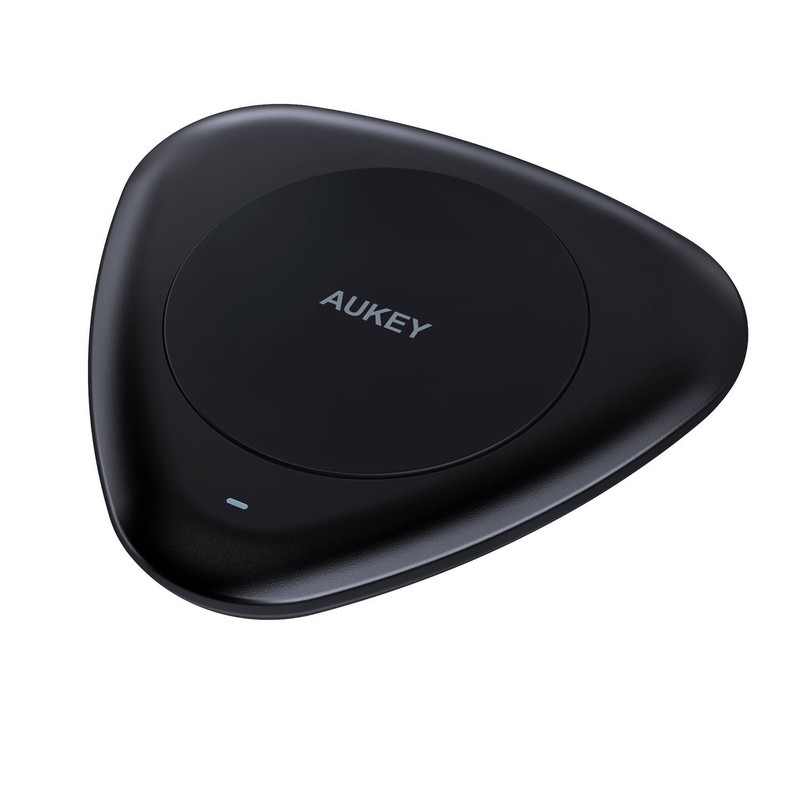
Aukey’s wireless charging pad for Qi-enabled devices is sleek and minimalist, which might jive well with your personal tastes. It’s an updated version of Aukey’s coaster-sized charger, and has a pretty stylish and minimalist look to it and won’t take up much space on your desk or nightstand. And unlike other options on this list, it actually uses a USB-C cable to supply power which should make for more an efficient energy transfer.
You can get one for your home or office for just $25.
See at Amazon
Seneo Qi wireless charging stand
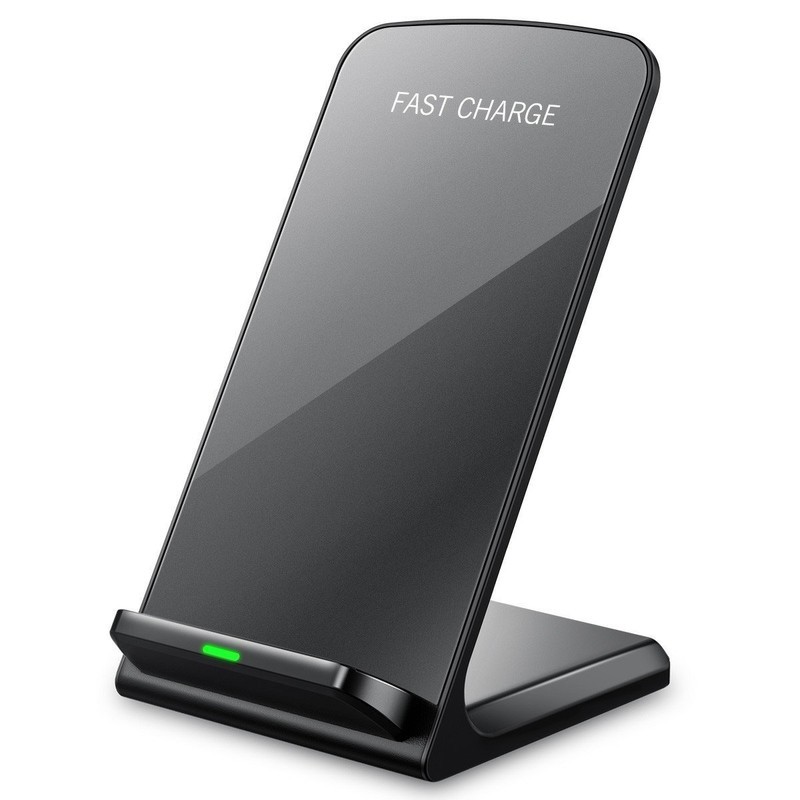
Seneo’s wireless charging stand features a couple cool features such as LEDs to notify you when your phone is charging or if there’s anything blocking the connection between your phone and the charging coils. Other key features are its minimalist inclined design and its price — only $20 on Amazon.
It’s available in your choice of black or white.
See at Amazon
Are you done with wired charging?
Do you find wireless charging pads to be convenient? Which is your favorite to use? Let us know in the comments below.
LG V30
- LG V30 review: The no-BS flagship
- Top LG V30 camera features
- Full LG V30 specs
- LG V30 vs. G6 vs. GS8
- The V30 is the first phone to support 600MHz spectrum
- Join our LG V30 forums
Mitsubishi’s turn signals of the future are projected on the road
Mitsubishi’s experimental Safe and Secure Lighting system takes turn signals to the next level. Instead of tiny blinking lights, it uses big road-surface projections coupled with car displays to inform pedestrians and other vehicles what you’re going to do. If you’re reversing the car, it projects big illuminated arrows pointing backwards. When you’re ready to step out after parking, the rear glass shows a stop sign and the door projects a signal that clearly states you’re going to open it. The best thing about it is that it automatically activates based on your actions. Unfortunately, the current version doesn’t seem to have illuminated signals for right or left turns yet.

Mitsubishi developed the system in an effort to prevent pedestrian fatalities, which frequently occur at night. Further, it believes the large, illuminated signs could help communicate the actions of self-driving vehicles that could be hard to interpret — after all, people won’t switch to autonomous cars all at once. The automaker plans to refine the system even further, so someday you might not have have to bother with remembering to use your turn signals. For now, though, Mitsubishi will exhibit the system’s current version on an electric EMIRAI 4 concept car at the Tokyo Big Sight exhibition from October 27th to November 5th.
Source: Mitsubishi

