


Here’s how one chef is encouraging diners to ditch their phones at the table
Why it matters to you
The idea of not looking at your phone during an entire meal may send a shiver down your spine, but this New York chef recommends trying it.
Restaurants can be quiet places these days. The sight of an entire table of diners gazing not at their lovingly prepared meals but instead at their message-giving smartphones is an increasingly common one that’s led some restaurateurs to take matters into their own hands.
Take the naked restaurant in London, for example, where, as its name suggests, diners had to dine in the buff, forcing them to leave their tech at the door, though it’s possible some sneaky diners slipped their device into an accommodating crack or fold.
Then there was the Israeli eatery that offered diners a whopping 50 percent discount if they switched off their phones during their visit because the owner wanted nothing more than for them to “enjoy the food and enjoy the company.”
Laupicarde/Instagram
And how can we forget Phone Stack, a restaurant game that punished the first person to grab their phone by forcing them to pay for the entire table at the end of the meal.
The latest effort aimed at getting diners to engage with one another rather than with their handsets comes from award-winning chef Marco Canora. Based at Tuscan-American restaurant Hearth in Manhattan, Canora has placed special boxes on each table. On the box reads a note: “Open me!”, while inside it another says, “We’d like to invite you to unplug during your meal here at Hearth. Feel free to use this box to put your phone away and connect with your fellow diners.”
Discussing the novel idea with dining guide Eater, Canora said, “If there’s one time in the 24 hours in your day that’s a time to engage with the person you’re with, it makes sense to me that it’s around the dinner table.”
The chef originally thought about offering to take phones from diners before seating them, but ditched the plan because of what he described as “decision fatigue” among many city folks. Giving your phone up at the door might also be a step too far for many tech-addicted diners, with a box on the table an altogether more acceptable solution (because you can grab it any time, y’see).
Canora told Eater that about 60 percent of diners are using the boxes, though he’s keen to point out that diners don’t need to feel bad if they ignore them.
“If you want to do it, you can do it; if you don’t want to do it, don’t,” the chef said, adding, “It’s just a box on the table that’s there if you want it.”
Need to know how to convert a PDF into an Excel document? Try these methods
Just because your co-worker sent you a PDF file instead of the Excel document you wanted, doesn’t mean you have to stick with it. In this guide, we’ll teach you how to convert a PDF into an Excel document in a few quick and easy steps. We’ll even teach you a few different ways to do it.
If you don’t want to go to the trouble of converting the PDF (whether password protected or not) and would rather just edit it as is, we have a guide to the best PDF editors too.
Adobe Acrobat DC – Premium app conversion
As one of the world’s premier PDF reading and editing applications, one of the more popular methods for converting a PDF into an Excel file is to use Adobe Acrobat DC. As fully featured as it is though, it is a paid for, premium application. Fortunately, there is a free trial, so if you’re just looking to do a one-off conversion, this method works great.
Step 1: Download Adobe Acrobat DC’s seven-day trial and install it.
Step 2: Open the software and select the “Tools” tab.
Step 3: Click the “Export PDF” icon.
Step 4: Click “Select a file” and choose the PDF you want to convert from the resulting window. Then, select “Spreadsheet” from the list of export options and decide whether you want an “Excel Workbook” (.xlsx), or “XML Spreadsheet 2003” (.xml) format.
Step 5: If you want to adjust your eventual Excel document’s settings, click the gear icon on the right-hand side of your selection. You can choose how many worksheets are created, as well as what symbols were used as data separators.
Step 6: When happy with your settings, click the blue “Export” button.
Step 7: Decide where you want to save your new Excel document. Either pick one of the “Recent Folders” on show, or click the blue “Choose a Different Folder” button. In the resulting pop-up file browser, click “Save.”
Depending on the complexity of your data set and the speed of your computer, you may have a short wait while the conversion takes place. Once completed, the new Excel document will automatically open. You’ve now officially converted your PDF to an Excel document.
Tabula – Free app conversion
The issue with using Adobe Acrobat DC to convert a PDF into an Excel document is that eventually, you have to pay for the privilege. If you want a more long-term solution that doesn’t mean breaking out your credit card, Tabula is a popular free alternative that runs from within your browser. It doesn’t change your PDF into an Excel document itself, but it extracts the PDF’s data into a format that Excel can read without difficulty.
Step 1: Download Tabula and run its installer. Don’t be concerned about the Command Prompt window that appears, that’s part of the process.
Step 2: Run the Tabula application and it will open a new window in your web browser of choice. If it doesn’t, do it yourself and input “http://127.0.0.1:8080/” into the address bar and hit the “Enter” key.
Step 3: Click the “Browse” button and select the PDF you want to convert. Then click “Import.”
Step 4: A processing bar will then appear. Wait for it to complete the importing process.
Step 5: Either manually select the content you want to extract from the PDF by clicking and dragging boxes around it, or use the “AutoDetect” tables button to have it find tabled data automatically. Once you’re happy with the selection, click the green “Preview & Export Extracted Data” button.
Step 6: Select your chosen export format using the drop-down menu — the default “CSV” should be fine for most — and then click the “Export” button.
Your PDF data has now been extracted and saved into its own file. You can now open that in Excel, and edit it at your leisure.
PDFtoExcel.com – Free online conversion
If you can’t install applications on your system, or would simply rather a remote server did the brunt of the work for you, you can convert a PDF to an Excel document online instead. Although there are a number of online converters out there, our favorite is PDFtoExcel.com because it’s free, has a clean interface, and does its job quickly.
It’s important to note that although PDFtoExcel does pledge to remove all files within six hours of upload and doesn’t look at the contents of your files, you are still sending them to a remote server. If you’re working with important data, consider a local conversion solution instead.
Step 1: Open a browser window and go to PDFtoExcel.com.
Step 2: Click the “Upload” button and select your chosen PDF, or drag and drop it onto the designated area.
Step 3: You’ll see a progress bar appear for the upload itself, followed by another for the conversion process. If you are working with a large PDF and/or dataset, those steps may take a little while, but overall the process should be swift. Once complete, click the “Free Download” button.
That’s it! Your PDF is now converted to an Excel document (.xlsx), which you can open and edit in Excel to your heart’s content.
Now that you have an Excel document to work with, check out our guide on some handy Excel tips and tricks for the Microsoft Office application.
26 major iPhone 6 problems and what to do about them
Apple finally went big with the iPhone 6 and 6 Plus, bowing to peer pressure and outfitting its iconic phones with a larger touchscreen. The svelte iPhone 6 and 6 Plus have sold like hotcakes in the time since their debut in late-2014, even since the release of the next-gen iPhone 8 and 8 Plus. Plenty of people have enjoyed their iPhone 6, but, sadly, many problems have arisen over the years. If you’ve run into any iPhone 6 problems, then you might find the answer you need right here.
Problem: iPhone shuts down on its own, or awful battery life
In 2016, Apple started a free battery-replacement program for iPhone 6S units that would shut down unexpectedly. People had complained that their iPhones would just turn off if they dipped below 30 percent battery life.
Apple hasn’t announced any such recall for the iPhone 6, but an increasing number of people have been complaining about their iPhone 6 smartphones shutting down on their own after dipping below 40 percent. Others have complained about very bad battery life.
Potential solutions:
- If you’re experiencing bad battery life, we recommend that you follow our iPhone battery tips to make your iPhone battery last longer.
- If you’re one of the unlucky owners of an iPhone 6 who is experiencing shutdowns, we are sorry to say that there is no replacement program for the iPhone 6, as there is for the iPhone 6S. We recommend that you visit your local Apple retail store or contact Apple directly on the phone. You may have a hardware issue.
- Battery performance will deteriorate over time, so it may be worth looking into getting a battery replacement. Apple offers a replacement service for $79.
Issue: iPhone is slow or lagging
There have been a few reports of iPhone 6 and 6 Plus handsets becoming sluggish, particularly after receiving an update. If you find that there are delays when tapping or swiping, or perhaps apps take a few seconds longer to open than they once did, then there are a few things you can try.
Potential solutions:
- Begin by restarting your iPhone. Press and hold the Sleep/Wake and Home buttons simultaneously, until you see the Apple logo.
- If that doesn’t help, then try performing a factory reset and restoring your device from a backup.
Glitch: GPS not working
Quite a few people have run into an issue with the GPS function in the iPhone 6. They might be using Apple Maps, Google Maps, or any other app that employs the GPS, but find that it’s inaccurate or very slow to update. That said, it may still work fine when they’re connected to Wi-Fi.
Potential solutions:
- Check in Settings > Privacy > Location Services and make sure Location Services is toggled on at the top. Then, check the rest of the settings and ensure nothing important has been toggled off.
- If you have a case on your iPhone, then remove it and test the GPS again.
- You may want to try resetting your network settings via Settings > General > Reset > Reset Network Settings. Keep in mind, however, that you will have to re-enter some passwords and set up your network connections again after this.
- There’s a chance that your hardware is failing, in which case replacing the antenna or the cable connecting it to the logic board will resolve the issue. This has worked for some people, but not everyone.
- You could try going into an Apple Store, but the employees may suggest that you buy a new iPhone.
Problem: iPhone screen freezes
Some iPhone 6 and 6 Plus users have found that their device’s display becomes unresponsive when using apps. The problem has been reported on the Apple forums many times, and we’ve seen the same issue reported back in iOS 9.3.1. The issue has been known to occur multiple times in a single day.
Workarounds:
- Use the lock button to turn the screen off and on again.
- Hold down the Sleep/Wake and Home buttons until you see the Apple logo appear to reset your iPhone.
- Factory reset and restore your device as a new phone, or restore it from a backup.
Potential solutions:
- If none of the aforementioned workarounds fixes the problem, consider contacting Apple or going to an Apple Store. The problem may be with the hardware, not the software.
Problem: Can’t send or receive iMessages and texts
Some users are struggling with an issue where a contact or multiple contacts are unable to receive iMessages and texts from an iPhone 6 or iPhone 6 Plus user, though they can still receive texts from other contacts. Some people are unable to send text messages, and for others, iMessages don’t appear to go through properly. This problem has cropped up in various versions of iOS, including iOS 10.
Potential solutions:
- Turn iMessage off and back on, or turn iMessage off to see if texts can be sent and received.
- Make sure the contact is not on your block list. To do so, go to Settings > Phone > Call Blocking & Identification, and confirm that the user is not on any block list.
- If you have an old iPhone or another iOS device that you sometimes use for iMessages, try toggling iMessages off there and sign out of your Apple account. You can sign out by going to Settings > Messages > Send & Receive and tapping on your Apple ID, then choose Sign Out.
- Delete your current conversation with the problem contact(s) and start a new one.
- Delete and re-enter said contact(s).
- Simultaneously hold the Sleep/Wake and Home buttons to reset your device.
- Try going to Settings > General > Reset > Reset Network Settings. You will have to re-enter some passwords and set network connections up again after this.
- You could try a factory reset of your iPhone.
- Contact Apple Support, or take your device to an Apple Store to get it checked out.
Problem: Unable to update to iOS 11
Every time a new iOS version rolls out, some users have trouble with the update, as discussed on this thread in the Apple forums.
Potential solutions:
- If you’re doing an OTA (Over The Air) update through WiFi, you will need around 1.5GB of free storage on your device. If you’re having issues with the OTA update, check out Apple’s over-the-air help page for more information.
- Make sure that Wi-Fi is on and go to Settings > General > Software Update on your iPhone.
- If you can’t update directly on your iPhone, then try plugging into your PC or laptop. Make sure you’re using the latest version of iTunes, which is 12.7 at the time of writing.
- If it doesn’t work, then hold down the Sleep/Wake and Home buttons together on your iPhone 6 while it’s still connected to your computer. Wait until you see the recovery screen — you should see the Apple logo and then the iTunes icon with the cable. Choose the Update option on your computer when it appears.
- If met with an error code, check Apple’s detailed support page on what the different error codes mean and what to do.
- Contact Apple Support, or take your device to an Apple Store.
Trademark filings reveal LG may be working on its own in-house processor
Why it matters to you
LG’s own mobile processors could mean faster LG phones, with more custom features in the future.
LG has filed for two new brand name trademarks with the European Intellectual Property Office, but neither is related to smartphones, televisions, or white goods. At least, not directly. Instead, the trademarked names are processors, the Kromax and the Epik. The descriptions are very vague, referring to them only as “Chips” and “Multiprocessor Chips,” and there’s no indication what devices these processors may end up powering.
LG produces a wide range of products, making it possible the Kromax and Epik chips could end up powering a refrigerator; but it’s entirely possible these chips are destined for use inside a smartphone. LG has dabbled with making its own processor in the past, called the Nuclun, which wasn’t a success. It powered a single model, the LG G3 Screen — yes, it was that long ago — and wasn’t designed to take on the fastest chips from Qualcomm at the time. While rumors then spread of a more powerful Nuclun 2 processor, the chip itself was never released.
This may be because LG’s plans changed. In August 2016, LG and Intel announced a collaboration where it would, “produce a world-class mobile platform based on Intel Custom Foundry’s 10nm design platform.” At the same time, Intel and ARM announced they would would together on the development of an ARM system-on-a-chip based on Intel’s 10nm process. Could the Kromax and the Epik be the result of LG, Intel, and ARM all coming together?
Not only is it possible, it also makes sense. When LG released the LG G6 earlier this year it included the Qualcomm Snapdragon 821 processor inside, and not the newest Qualcomm Snapdragon 835, due to a lengthy wait time on the chip, because Samsung had a hold on the earliest shipments for use in the Galaxy S8. LG eventually used the Snapdragon 835 in the LG V30. Samsung has its own processor line, the Exynos, which is used in some internationally launched Galaxy phones and tablets. It also licenses them out to other brands, such as Meizu.
If the Kromax and Epik are future LG smartphone processors, the company could avoid having to settle for an older processor again in the future, should similar industry deals get in its way. An Intel/LG chip built using the 10nm process would be comparable to the Snapdragon 835 and the Samsung Exynos 9 8895, and provide LG with more ways to differentiate and customize its devices.
Xiaomi is launching the Mi Mix 2 in India on October 10
Xiaomi’s latest bezel-less phone is coming to India exactly a month after its global unveil.
Xiaomi said that it would bring the Mi Mix 2 to India as soon as possible, and the company is doing just that. The company has sent out invites to the media for an event on October 10, where it will launch the Mi Mix 2 in India.

Xiaomi’s latest bezel-less phone retains the overall design of the first-generation Mi Mix, offering an all-screen front with extremely slim bezels on three sides and a ceramic back. As is befitting a Xiaomi flagship, the Mi Mix 2 is packing the latest internal hardware in the form of a Snapdragon 835 SoC, 6GB of RAM, 64GB of storage, 12MP camera, 5MP front shooter, and a 3400mAh battery with Quick Charge 3.0. The screen itself is a 5.9-inch Full HD+ panel with a resolution of 2160 x 1080, and the Mi Mix 2 runs the latest build of MIUI 9 based on Android 7.1.1 Nougat out of the box.
- Read: Xiaomi Mi Mix 2 review
- Xiaomi Mi Mix 2 vs. Samsung Galaxy S8+
It’s no coincidence that Xiaomi is launching the Mi Mix 2 in the country a mere month after its global debut. The Chinese manufacturer is looking to take full advantage of the festival season to kick off sales of its latest bezel-less phone, which will be its first flagship phone to hit the subcontinent in over a year and a half.
We’ll know about the pricing next week, but it should be around the ₹35,000 figure. One of the main reasons for Xiaomi’s success in 2017 is aggressive pricing, and that’s likely to continue with the Mi Mix 2. What do you guys think is a good price for Xiaomi’s latest bezel-less phone? Let us know in the comments below.
Selling your Android phone: Everything you need to know
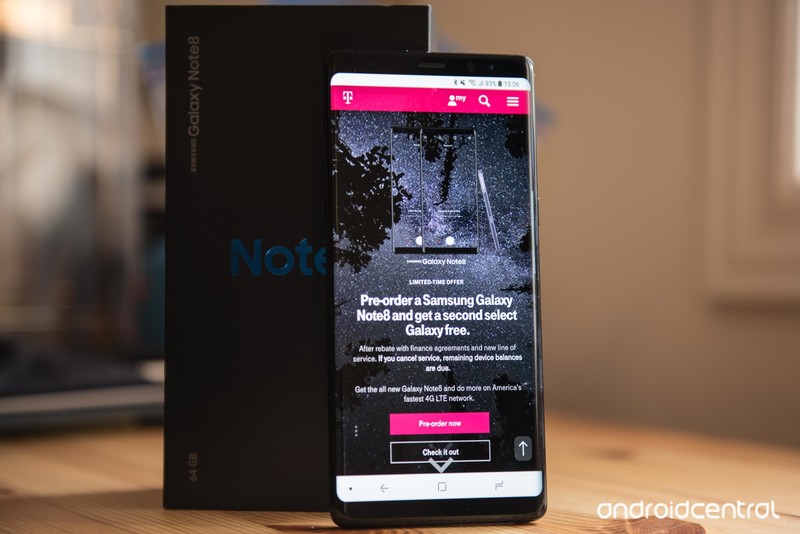
How do I sell my Android phone or tablet for the most amount of money? With these tips and tricks, you’ll get the best return!
So a new Android phone has caught your eye — maybe the new Samsung Galaxy Note 8 — and you want to get on the boat as soon as possible. You’ll need to sell your old phone in order to make up some of the money you’re spending on that new device, but luckily there are a wealth of options available. We’re going to get you through some of the best practices out there for preparing your Android phone or tablet for sending off, and some places for sale that would best suit your needs.
Remove SIM and SD cards
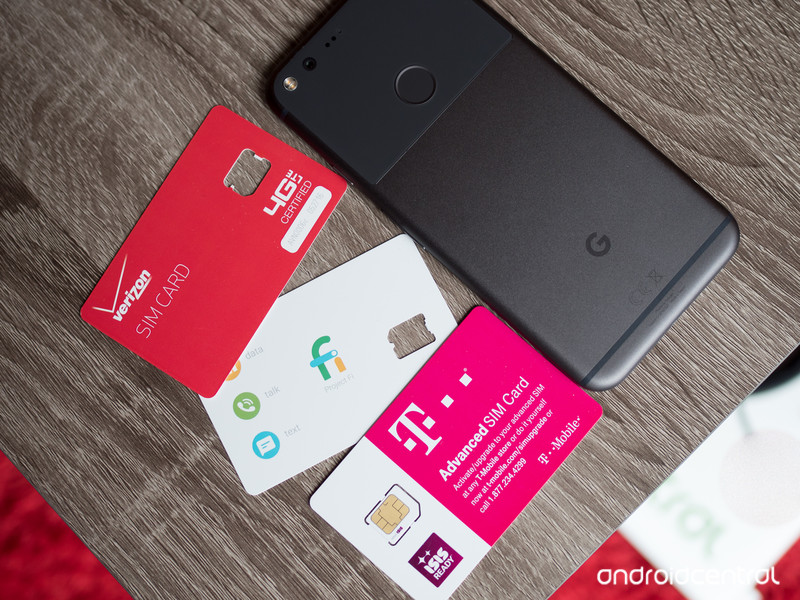
First up, you’ll want to take out the SIM card and SD memory card from your phone. These are important pieces of hardware that you don’t want to leave in your phone when you ship it off to your buyer. Your SIM card is what enables your phone to take calls at your number and is associated with your data plan. You’ll need it for your new phone, anyway. Often you’ll need a paperclip or similarly slim poking implement to open a SIM card tray, but sometimes it will be behind the rear casing of your phone by the battery. The exact method will vary by device.
Not every phone or tablet will have an SD memory card slot, but you’ll often find them alongside your SIM card slot. Memory cards will often store your photos and music, though the device itself has its own storage too. Use either your phone’s native file manager or a third party one (I like Astro to look in the folder where downloads, music, and photos may have been saved. From there, you should be able to copy them to your SD card before taking it out. You’ll want to check to make sure all of your important files are saved, so be sure to back up your data as well.
Back up data
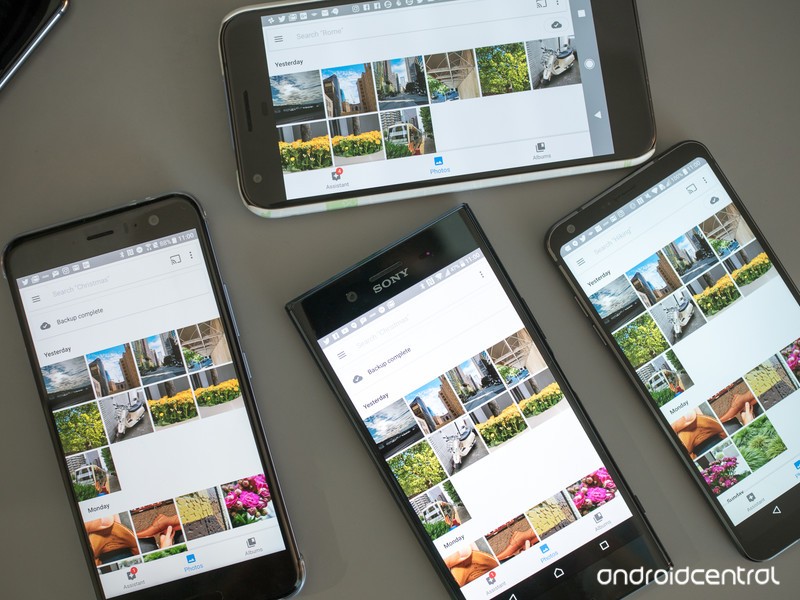
Assuming your data is associated with your Google account, your contacts, calendar, and e-mail will already be fully backed up in the cloud. That means as soon as you fire up your new phone, that important information will be there as soon as you log into your Google account. Many manufacturers will offer their own similar cloud backup utility that encompasses contacts and calendars. More storage-intensive content such as music and photos can be backed up wirelessly with Google Drive, or third parties like Flickr and Dropbox.
Your Google account, your contacts, calendar, and e-mail will already be fully backed up in the cloud.
If you’d rather not go through the cloud, your device manufacturer should have desktop software that would allow you to back up your data with a USB cable. Again, that process will vary by who made your phone or tablet.
More: Backing up your Android phone: the ultimate guide
Make sure you also sign up for Google Photos to back up your photos!
Unlock your phone
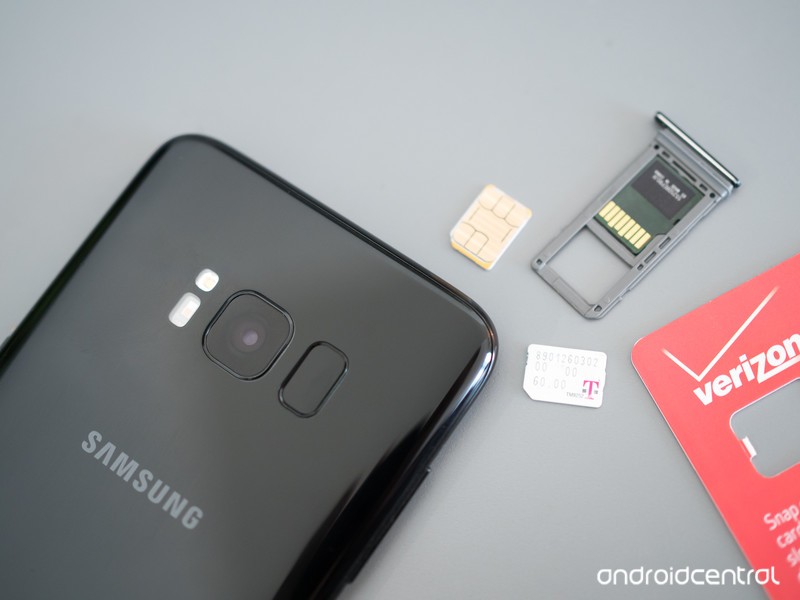
Strictly speaking, this part is optional though it certainly adds value. Unlocking your phone means SIM cards other than those of the original carrier can be used. Now, this doesn’t necessarily mean the phone’s antenna will necessarily play nice with the new network, but unlocking at least gives it a chance to try. In the U.S. this is only really of interest to T-Mobile and AT&T customers but is quite important to international sellers and buyers.
Everything you need to know about unlocking your phone
So where do you go to unlock your phone? Your current service provider may be willing to do it after some wrangling. You can go with an online service too, like CellUnlocker.net. Cost is usually in the ballpark of $15 to $25, depending on phone model. The unlock is accomplished by generating a code based on your IMEI number. Your IMEI number can be found under Settings and About device, or by entering *#06# in the phone dialer.
Unlocking your phone often adds value to your phone, since it can work on other carriers around the world.
Once you’ve received an unlock code from your service provider or third-party unlocker, put a different SIM card into your phone, and you’ll be prompted to put in that code. Be careful, you only get so many tries before you’re locked out entirely from your phone.
Factory reset
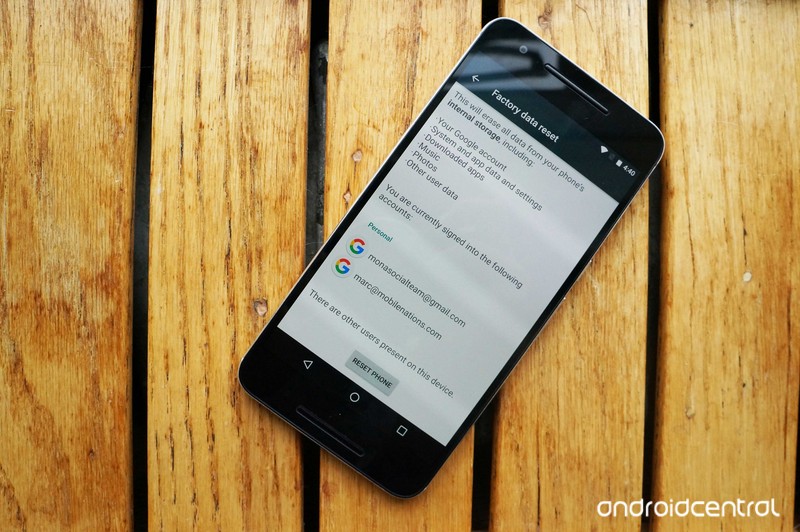
Once you’re sure your data is safe and secure, you’re ready to wipe it clean. The first thing you’ll want to do is turn off Factory Reset Protection (FRP), which is an extra security measure in case your phone or tablet gets stolen and the thief simply does a factory reset on it. FRP can be disabled by removing your Google accounts from the phone or tablet. Jump into Settings and find Accounts. You’ll see a list of various accounts you’ve set up on the device, but you want to tap on Google. Here, you’ll see your Google account(s), where you can tap on them, and see more settings to remove them permanently.
In the Settings section for most phones, you’ll find under Settings an option for Backup and Reset. If it’s not immediately visible, the settings menu should have a search bar to help you. You’ll want to double and triple check to make sure all of your important information has been recovered from the phone, because after this there’s no going back.
Gather accessories
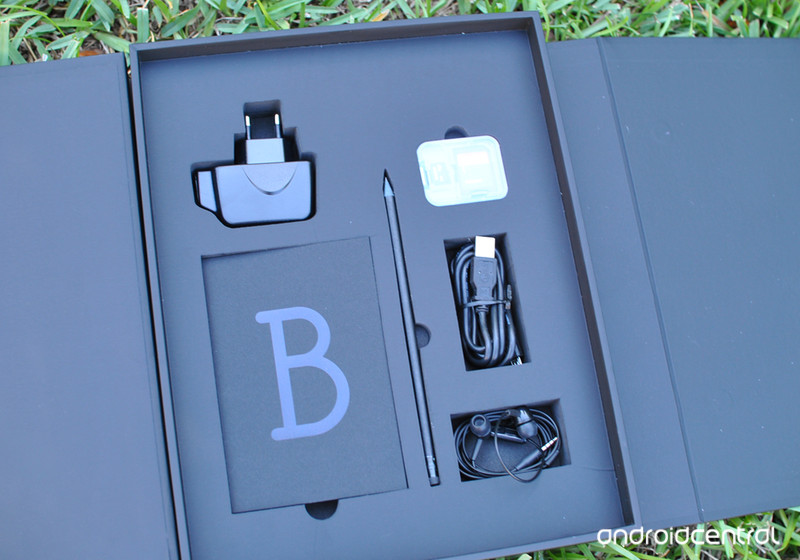
With your phone wiped clean, you’ll want to get all of the miscellaneous odds and ends you have lying around. If you still have the original box, receipt, and warranty, those are all good to include. Original USB cable, wall charger, and headphones are nice bonuses. If you want to put the real icing on the cake and increase your chance of sales, include any relevant third-party accessories. The case, in particular, you won’t have much use for after this anyway.
If you still have the original box, receipt, and warranty, those are all good to include. Cables and chargers are good, too!
Clean device and take pictures
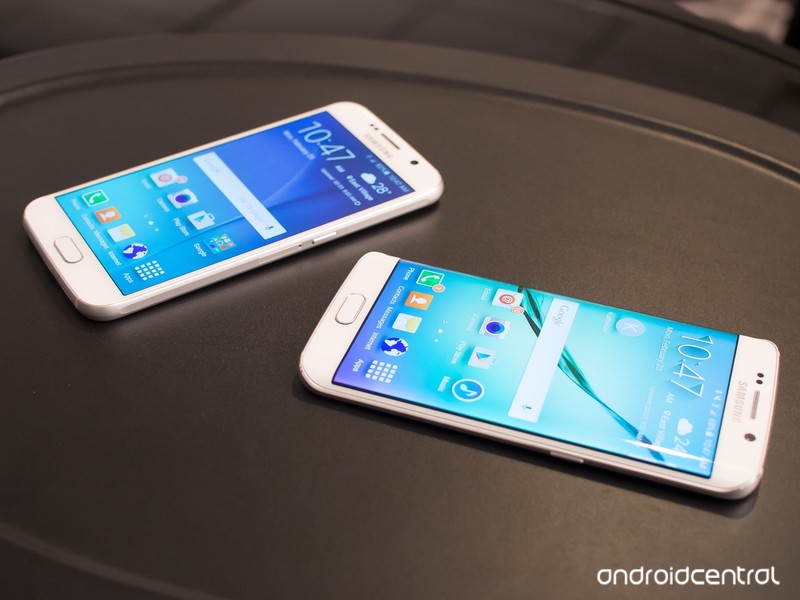
Give your phone or tablet a good wipe down with a microfiber cloth, and get ready to take some pictures. Use a proper camera (i.e. not another phone) with a tripod, if you have one. Your top priority for taking pictures is good lighting. A lamp will cast a lot of shadows, but if you have a cool-toned halogen overhead light in the house somewhere, that should provide a nice even look.
Keep the background clean. Even if you’re just putting the phone on a white piece of paper, that’s fine. Get multiple angles, and if there are any particular scuffs or shows of wear, photograph them; being deceptive about the state of your phone will lead to poor feedback or outright refunds, depending on how you’re going about selling.
Sell your device
With your phone wiped, cleaned, and the accessories all boxed up, you’ve got to figure out where to sell. Your venue of choice will often decide how much of a return you’ll get.
Sell via carrier trade-in

Finding a buyer can be a hassle, but all major U.S. carriers will offer you credit for your old phone. A resurgence in many guaranteed upgrade plans actually requires you to hand your old phone back before being able to snag a new one. Though this is a pretty convenient solution, especially if you intend on sticking with your carrier for your next phone, the actual return on your phone will likely be less than other venues for sale.
- Verizon trade-in
- AT&T trade-in
- T-Mobile trade-in
- Sprint trade-in
Sell via Amazon trade-in
Amazon’s trade-in service applies for just about every type of phone, tablet, and electronic product. Amazon will pay for shipping your device out to them, but you’ll get paid with an Amazon gift card rather than proper cash, but that might not be an awful thing if you can find your next phone on Amazon (and you probably can). If you just want some cold, hard cash, or already have your next device ready to go, this route might not be for you.
Sell on Amazon
Sell via eBay
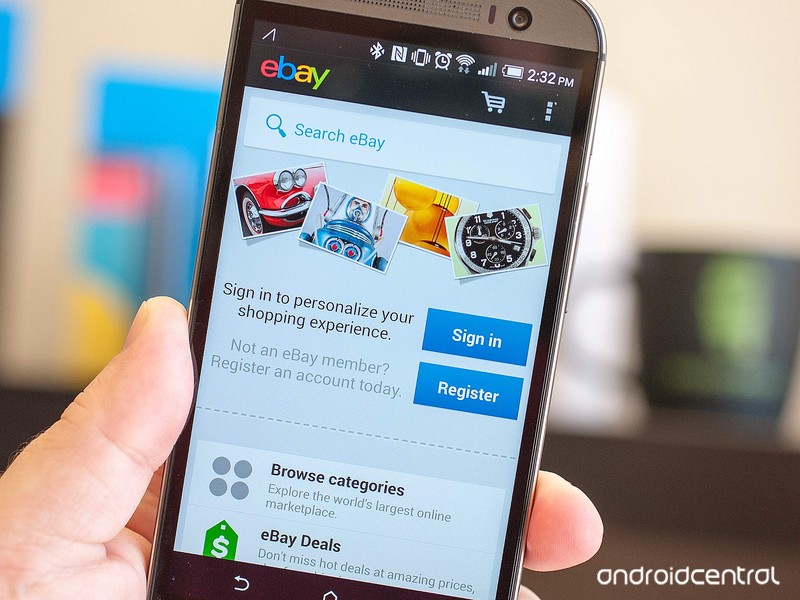
eBay is a massively popular way to sell your stuff. A rating system vets sellers, and you can pay in a number of secure ways. You’ll need to deal with additional fees and the hassle of shipping, but a much wider audience will see your device for sale here than just about anywhere. There are a few things to keep in mind before jumping onto eBay.
- Only ship to the confirmed PayPal address, if that’s how you’re getting paid. This ensures you keep PayPal Seller Protection.
- Price competitively. It’s easy to check other sales of the same item and see how much they’ve sold for. With a larger seller pool, it’s easy for buyers to find cheaper options.
- Be honest about the condition of your Android device. Shipping an item in the condition it wasn’t described as can earn you a poor review, and potentially lead to the buyer getting their money back.
- Use accurate keywords in the title and description. That means full market name, model number, carrier branding, memory denomination, and a mention of accessories included.
- Mention shipping details in your description. Usually the faster the shipping the better, even if it bumps up the cost of the device, and insurance isn’t a bad idea. Communicate regularly with your eventual buyer about the shipping status of the device.
- Avoid low-feedback buyers. Odds are it’s for a reason, and you can often drill down into their feedback profile to see any previous altercations a buyer has had on eBay.
Sell on eBay
Craigslist
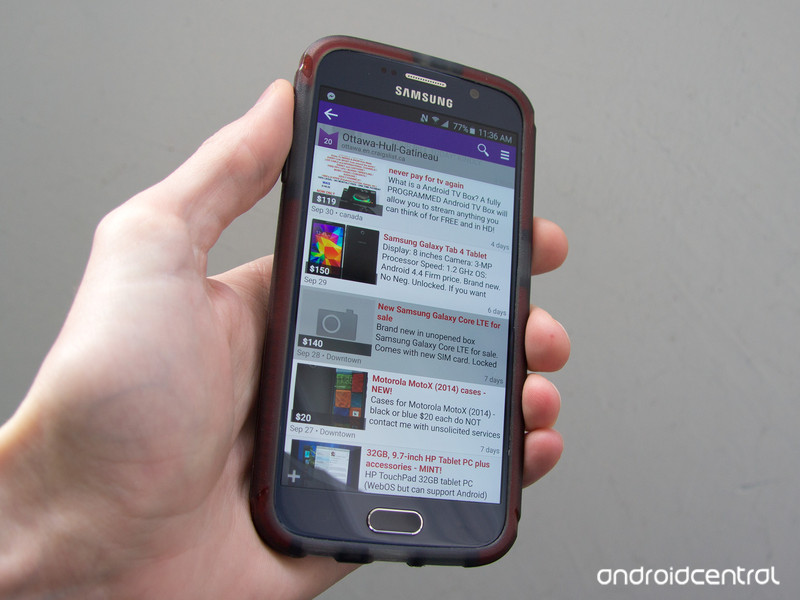
Use Craigslist to sell your Android device locally, which cuts out the issue of shipping. Any potential buyer will want to check out the condition of your phone in person before handing over any money. Some sellers might not be comfortable meeting strangers and taking their money, but it’s fairly common occurrence. So long as you follow some simple guidelines, everything should go fine.
- It should go without saying, but don’t post your home address in the public Craigslist ad.
- Price competitively by monitoring how much similar devices are selling for. You’ll have a hard time moving yours if potential buyers know they can get a better deal.
- If interested buyers want to call on the phone, consider using Skype or a temporary phone number to maintain privacy.
- Meet in a public place during the daytime. Most buyers are going to be perfectly normal and friendly, but better safe than sorry. Some local police departments have set up monitored Craigslist exchange spots. If this is idea, you can search for a save deal zone near you.
- Shipping internationally or getting offers that are absurdly higher than your asking price are signs of a scam. Hold off for a legit offer.
Sell on Craigslist
Swappa
Swappa is a dedicated mobile device marketplace with established quality assurance. Buyers pay a $10 fee in the U.S., but what they’re buying is inspected and vouched for by Swappa. They even do a check to make sure there isn’t an outstanding balance on the device. The prices are decent, to boot.
Sell on Swappa
Gazelle
Gazelle is similar to Swappa, though they’re ultimately trying to do the selling for you rather than pairing you up with a buyer. They’ll buy your phone painlessly, though you won’t get as good of a price as you might from other services.
Sell on Gazelle
Friends and family
People you already know may be in the market for a new device and be willing to pay up-front for one. Assuming you’re on good terms with a buyer you already know, you can count on getting a good price, plus it’s convenient being able to hand off the phone to someone you might already see regularly anyway. Of course, you also get the warm-and-fuzzy feeling of knowing your well-loved phone is going to a good home.
Android Central forums
We have a whole forum dedicated to wheeling and dealing in used devices. Check in with our community members that are interested in buying, and you may have a sale before you know it. You can also check out our general help forums if you’ve got questions about how to go about selling your Android device.
Visit the Android Central Marketplace
Visit the Android Central General Help forums
Update, October 2017: This post has been updated with all the latest information on how to sell your Android phone!
The Morning After: Wednesday, October 4th 2017
We’re just a few hours away from meeting Google’s new Pixels — check the liveblog here at 12 PM ET / 9 AM PT. Until then, catch up on all the other news, including Tesla’s big-rig leak, and the bad news about Yahoo’s 2013 security breach.
And ‘Halo Recruit’ is coming to mixed reality.
Samsung shows off its Windows Mixed Reality headset

Microsoft had big news to reveal about its “mixed reality” efforts, including Samsung’s $499 HMD Odyssey headset, which comes with high-quality headphones and an impressive AMOLED screen. To make the most of that picture quality when the next Windows update arrives, gamers may want to check out Halo Recruit. It’s a new arcade experience built just for VR and yes, we tried it.
Gotta start somewhere.
How Google’s smartphones have evolved since 2007

Before we see the new Google smartphones, let’s take a look back at what came before. Chris Velazco recaps the company’s mobile history, from Sooner to G1 to Nexus and everything in between. Remember when phones had trackballs?
Quick update.
Yahoo’s 2013 hack impacted all three billion accounts

Remember last year, when Yahoo announced that in 2013 hackers stole a ton of info from one billion user accounts? Verizon announced that after further investigation it has revised that number — turns out hackers snagged info from all three billion accounts that existed at the time.
Can TouchID read a green thumb?
The Grow planter is the ultimate no-fuss gardening kit

For $200, Grow is offering a connected planter, soil and even seeds. This system is meant to be outdoors and should make growing your own salads easy, by letting its app and sensors monitor water levels, light, humidity and temperature, so you know just what to do.
RIPFormer Intel CEO Paul Otellini has passed away at 66

Paul Otellini, Intel’s previous CEO, died in his sleep on Monday. Otellini served as Intel’s fifth chief executive from 2005 through 2013 and leaves behind a legacy of the company’s dominance in x86 processors.
The dog ate it.
Former Equifax CEO blames breach on one IT employee
Now-former Equifax CEO Richard Smith spoke to the House Energy and Commerce Committee and explained how his company leaked all that info. A technician didn’t apply a patch, and an automated scan missed the vulnerability. And now the social security numbers for 145 million people are out there forever.
But wait, there’s more…
- Tesla’s electric big rig spotted in the wild
- ‘Overwatch’ Halloween bash begins on October 10th
- North Korea now has a second internet link through Russia
- A hyperloop route may zip between Kansas City and St. Louis
EU: Amazon must pay back €250 million in unfair tax benefits
The European Commission says that Amazon received tax benefits from member country Luxembourg that totalled around €250 million. Under EU State aid rules, this is illegal and the country has been told it must recover this sum. Amazon was able to pay substantially less tax — the commission says the company was paying four times less than other local companies.
Commissioner Margrethe Vestager said: “Following an in-depth investigation launched in October 2014, the Commission has concluded that a tax ruling issued by Luxembourg in 2003, and prolonged in 2011, lowered the tax paid by Amazon in Luxembourg without any valid justification.”

Amazon moved its profits from a group that is subject to tax in Luxembourg to one that wasn’t, resulting in a substantially lower tax bill. The shell company had no offices or staff, but was used solely for evading tax. The antitrust regulator says this let Amazon avoid taxation on three quarters of the profits it made from all Amazon sales in the EU.
Amazon sent Engadget this statement:
“We believe that Amazon did not receive any special treatment from Luxembourg and that we paid tax in full accordance with both Luxembourg and international tax law. We will study the Commission’s ruling and consider our legal options, including an appeal. Our 50,000 employees across Europe remain heads-down focused on serving our customers and the hundreds of thousands of small businesses who work with us.”
There are no EU fines here. The rules outline that the country needs to recover the sum of benefits to “remove the distortion of competition created by the aid”. The Commission has worked out the difference between what the company paid in taxes and what it should have without Luxembourg’s tax ruling — around €250 million, plus interest. The onus is now on the tax authorities of Luxembourg to determine the precise amount of unpaid tax. Vestager suggests that Amazon will have to repay these benefits to Luxembourg.
.@amazon tax benefits in Luxembourg are illegal under our common European rules on state aid. Amazon to repay benefits worth around €250 mio
— Margrethe Vestager (@vestager) October 4, 2017
The European Commission’s findings follow its recent investigation into Google’s shopping listings — and the resulting record fine. There were also more developments today in its tax dealings with Apple and Ireland.
Europe takes Ireland to court over Apple’s $14.5 billion tax bill
The European Commission has announced that it will refer Ireland to the European Court of Justice for not collecting back taxes that it is owed by Apple. More than a year after a sweetheart deal between Ireland and the iPhone maker was ruled illegal, the country has dragged its feet in asking Tim Cook for the cash. Tired of waiting around, Commissioner Margrethe Vestager (pictured) has referred the nation to the continent’s highest court, which can then impose fines for non-compliance.
The backstory here is that the European Union wants to create a functional free and open market that allows competition to flourish. But some nations, looking to host big name companies, could be tempted to either give them a whopping tax break or actively fund their development costs. These deals, known as “state aid,” are known to distort the market and make the playing field far more uneven than it should be.
Back in 1991, Apple signed a deal with the Irish government that let it use a special tax loophole called the “double Irish.” It’s believed that Apple has used the loophole to store two thirds of its non-US profits inside this tax haven. The result is that Ireland essentially turned a blind eye to the better part of $14.5 billion that it would have been owed had the loophole not existed. The EU opened an investigation into the deal in 2013, and in 2016 demanded that Ireland collect the cash.
Ireland doesn’t feel that it’s doing anything wrong, and has appealed the decision of the court declaring the tax break as illegal. As The Independent points out, Ireland relies on foreign investment for many of its jobs, and doesn’t want to collect the cash for fear of alienating other businesses. That said, the country has pledged to collect the tax, but claims that it won’t be in a position to know how much it will ask for until March 2018. That’s not good enough for Vestager or the law, which says that EU states have just four months from the decision to get moving — meaning that Ireland should have sent a strongly-worded letter to Apple by January of this year.
The issue of Apple’s taxation is a contentious one, but the company has drawn ire even in the United States. In 2013, Senator Carl Levin penned a report examining that Apple managed to negotiate its global tax rate down to just two percent. In the US, it would have to pay at least 15 percent. Tim Cook, however, believes that Apple should only be taxed where its value is created — i.e. only at the company’s R&D sites in California.
In response, Ireland’s Department of Finance said that it is complying with its obligations, even if it doesn’t agree with the decision of the court. It feels that Vestager’s decision to hurry the process along is “extremely regrettable,” since parsing out $14.5 billion in tax is pretty complex. It’ll be interesting to see how this plays out, and how it effects Ireland’s relationship with the technology giant going forward.
Ireland has never accepted the Commission’s analysis in the Apple State Aid Decision.
However, we have always been clear that the Government is fully committed to ensuring that recovery of the alleged Apple state aid takes place without delay and has committed significant resources to ensuring this is achieved. Ireland fully respects the rule of law in the European Union.
That is why it is extremely disappointing that the Commission has taken action at this time against Ireland.
Irish officials and experts have been engaged in intensive work to ensure that the State complies with all its recovery obligations as soon as possible, and have been in constant contact with the European Commission and Apple on all aspects of this process for over a year.
It is extremely regrettable that the Commission has taken this action, especially in relation to a case with such a large scale recovery amount. Ireland has made significant progress on this complex issue and is close to the establishment of an escrow fund, in compliance with all relevant Irish constitutional and European Union law.
The work on the establishment of the escrow fund to deal with the unprecedented recovery amount will continue, notwithstanding the fact that Commission has taken this wholly unnecessary step.
Source: Europa, Ireland Department of Finance
Uber agrees to limit the power of its former CEO
Uber’s board members got together to vote on some big changes that will allow a significant investment to push through. In a statement, the ride-hailing firm said that the board “voted unanimously to move forward with the proposed investment by SoftBank and with governance changes that would strengthen its independence and ensure equality among all shareholders.” The changes they made to comply with the Japanese telecom titan’s request for a shift in governance structure includes removing special voting powers that come with certain types of Uber stock. Former CEO Travis Kalanick, for instance, owns a third of what’s called the Class B common stock, which had a 10-to-one voting power. Now each share equals to one vote only.
The new rules will reportedly make it hard for Kalanick to become the most powerful person in the firm again in more ways than one. According to Bloomberg, Kalanick and new Uber chief Dara Khosrowshahi are both barred from sitting as chairman of the board’s committees or subcommittees under the new rules. In addition, a new CEO would need to be backed by two-thirds of the board. Since another governance change involves the expansion of the board to 17 seats, two of which are meant to be occupied by Softbank, that wouldn’t be easy to accomplish.
In case Kalanick or any other former exec still garners enough votes to become the new chief, then investors will have the right to sell all their shares. That would give Benchmark Capital, the board member that became instrumental in Kalanick’s exit as CEO, will have an out in case the company founder gets his old position back. Aside from all these new rules that diminish the powers of its old chief, Uber has also agreed to go public by 2019. If it fails to do so, it will have to lift restrictions on shareholders from selling their stakes.
While the board vote represents a major development in the investment, the two have yet to finalize a deal. In case everything goes well, Softbank will begin by investing between $1 billion and $1.25 billion in Uber before buying stocks from existing shareholders. It ultimately wants to have a 14 percent to 17 percent stake in the company, so the ride-hailing giant might have to convince some people to let go of part of their shares if it wants Softbank’s money.
Source: Bloomberg, Axios, The New York Times, TechCrunch
 AIVAnet