


Casey Affleck’s production company signs Amazon movie and TV deal
Amazon’s foray into big-actor dramas paid off after the film it distributed, Manchester By The Sea, won awards, including a Golden Globe and Academy Award for its lead actor, Casey Affleck. Today, he seemingly repaid the favor by announcing that his production company Sea Change Media has signed an exclusive first-look deal with Amazon Studios.
The deal includes both TV and movies. Amazon Studios has been aggressively snatching up projects, from a Lucille Ball film starring Cate Blanchett to Guardians of the Galaxy director James Gunn’s Starsky and Hutch reboot. In its great effort to bet on bigger, better dramas to land the next Game of Thrones while transitioning into a full-fledged studio that develops its own projects, securing first-look rights for a creator like Affleck after his multiple wins for Manchester is a no-brainer. The last year wasn’t all celebratory for the star though as he settled out of court a lawsuit alleging sexual harassment.
Via: Variety
Source: Amazon
macOS High Sierra is well worth the upgrade
MacOS High Sierra was never meant to be truly transformative. As we covered in our preview of Apple’s new desktop OS, it’s mostly focused on refining its predecessor, last year’s Sierra. At the same time, it also lays the groundwork for bigger changes down the line. Since there’s not much you’ll actually notice, and barely anything has changed since we published our extensive preview, we won’t be doing a full review of the new OS. But with High Sierra officially launching today, it’s worth highlighting the handful of notable features.
A better Safari

Apple claims that Safari 11 in High Sierra is the world’s fastest web browser. My testing with the JetStream benchmark confirmed that it was faster than both Chrome and Firefox on my MacBook Air. Safari clocked in with a score of 176.8, while the other two browsers came in around 129 (and yes, higher is better). Even so, I still found myself relying on the other browsers most of the time. Some of Google’s services, like Hangouts, only work on Chrome. And Firefox is typically the browser I use for dealing with anything related to work (it’s helpful having two browsers open at once for managing multiple Google accounts). While Safari tended to load some sites faster, that wasn’t enough to make me switch over.
As for other tweaks, Safari 11 mutes auto-playing web videos by default, which should help bring some peace as more sites push unwanted video on their readers. You can also enable the cleaner “Reader” mode automatically for specific sites, or have it automatically turn on for every website that supports the feature. That’s something you can only do with Chrome through settings hacks, or by installing third-party extensions. Apple also claims Safari will let you browse the web for two hours longer than the other two browsers, as well as watch Netflix for four hours longer.
Photos upgrades
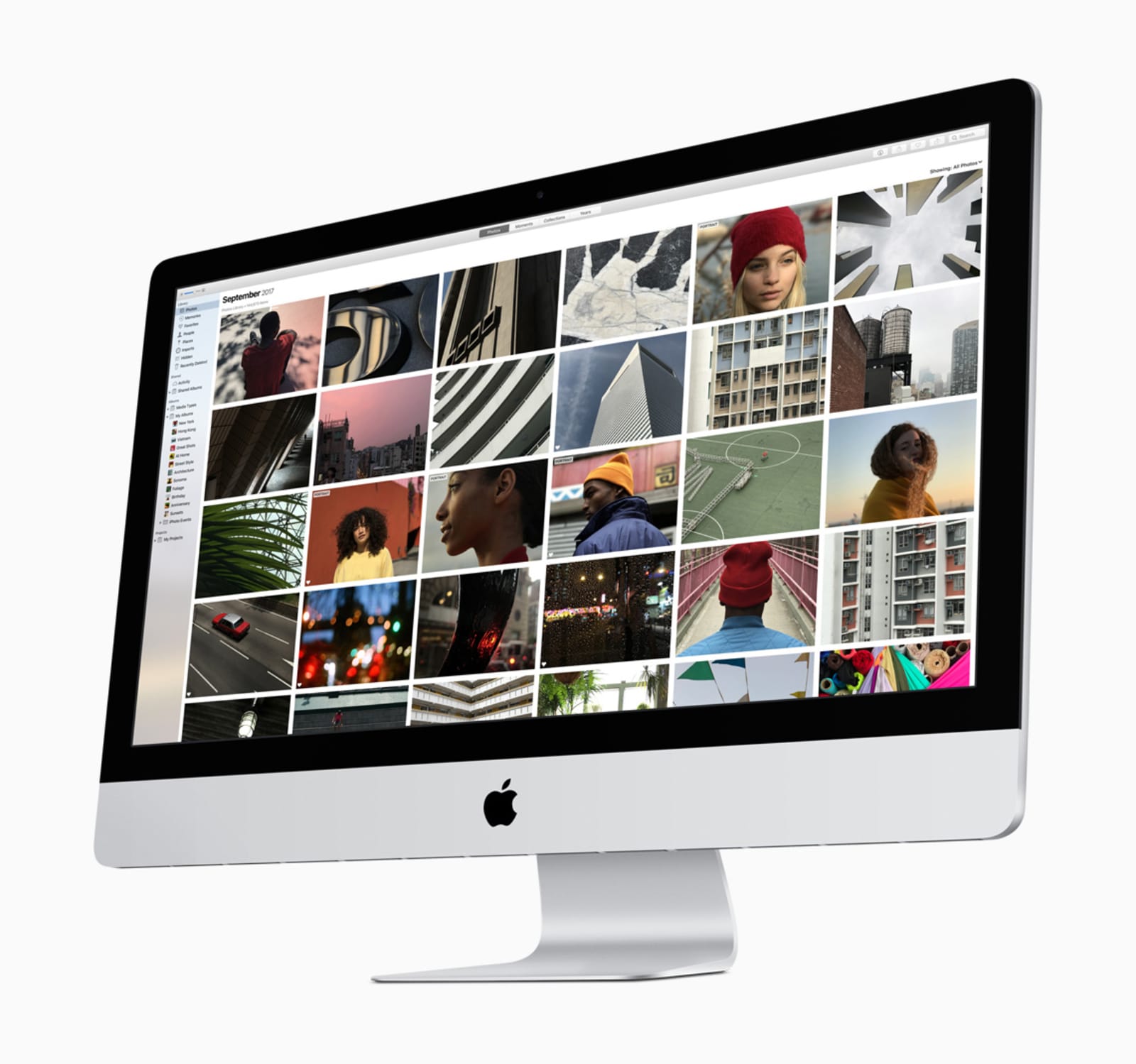
As we covered in our preview piece, the Photos app got a slew of tweaks. But after testing the OS for the past few months, I ended up appreciating the new Live Photos capabilities the most. Just like in iOS 11, you can now turn Live Photos into short animated clips that resemble GIFs. You can choose from Loop, which just repeats the clip; Bounce, which moves it back and forth in time; and Long Exposure, a unique effect that mimics the dreamy photos you can get by manipulating exposure settings on bigger cameras. They’re not groundbreaking effects, but they finally make Live Photos seem useful, rather than a waste of space.

All of other Photos upgrades from iOS 11 also show up in High Sierra. That includes smarter people recognition (which can sync across all of your iCloud-connected devices), more automatic Memories options, and a wider assortment of photo filters. Another helpful upgrade: Third-party companies can now create extensions for Photos, which allows you to do things like prepare photo books without leaving the app.
VR support

Thanks to Metal 2, Apple’s updated graphics API, MacOS can finally handle virtual reality. Right now, it’s limited to the HTC Vive using SteamVR — sorry, Oculus Rift fans. And, just like with typical games, not every title supports Macs yet. Sure, it’s very much early days for VR on Macs, but at least it’s possible now with High Sierra.
We didn’t have any beefy Macs to test out the OS’s VR capabilities, unfortunately. As we’ve noted before, figuring out which Macs can actually support VR is surprisingly confusing. But at least High Sierra also brings support for external GPU docks, which means you can conceivably upgrade any Thunderbolt-equipped Mac with faster graphics capabilities.
Metal 2 should also make High Sierra more efficient at rendering windows and typical UI elements, especially if you have a decent dedicated GPU. I didn’t notice much of a difference on my 2014 MacBook Air as I tested the new OS over the past few months.
Wrapping up
A few other points worth noting:
- Apple made a big deal about its upgraded Apple File System when it first announced High Sierra, but I didn’t notice much of a difference as I was testing the OS. Surprisingly, the company also dropped support for APFS on hybrid Fusion drives — at this point it only works on SSDs.
- Siri brings over its improved voice and DJ abilities that we first saw in iOS 11.
- You can now check on your airline flight status right from the Spotlight search bar.
We always knew High Sierra was going to be an iterative update for Apple, but I’m surprised by how few visible changes there are. It’s tough to tell you’ve even upgraded from Sierra unless you peek at your system’s settings. Together with a similarly humdrum iOS 11 update (unless you’re on an iPad), it seems like Apple was more focused on its new hardware this year than its software.
Snapchat’s new filters make your photo backgrounds look surreal
Snapchat is rolling out some new filters today that go beyond your face. Now, any time the app detects a sky in your picture, “Sky Filters” will show up in the filter carousel. They’ll allow you to switch the real sky out for something entirely different including a starry night, a sunset, one with a brewing storm or a sky with rainbows. The filter options will rotate daily.
Snap has been playing with augmented reality for a little while now. It’s recent offerings include World Lenses, introduced to Snapchat earlier this year, which let users place 3D objects within the real world image captured by their camera. And this month, Snapchat added 3D Bitmoji to its World Lens offerings. We’ll likely see even more advanced AR features in the future as Snap has spent quite a bit of money on its augmented reality technology and has bought a few useful companies along the way.
Some other recent Snapchat additions include extended video recording, backdrops and the Snap Map.
Sky Filters are rolling out today on both iOS and Android as Snapchat gears up for its sixth birthday.
Via: TechCrunch
North Korea claims Trump declared war with a tweet
Can you start a war with a tweet? Probably not, but that isn’t stopping North Korea from claiming otherwise. Foreign Minister Ri Yong Ho tells the media that President Trump “declared war” on his country with a Twitter post suggesting North Korea wouldn’t “be around much longer” if Ri’s thoughts echoed those of regime leader Kim Jong Un. That language gives North Korea “every right” to defend itself, Ri argues, including the right to shoot down bombers flying outside of its airspace. In theory, that means attacking if the US repeats the B-1B flight it performed as a show of force on September 23rd.
The talk doesn’t currently amount to much more than grandstanding when North Korea has used the “declaration of war” rhetoric before, and is likely fully aware that firing the first shot would amount to a death sentence. The language of the tweet certainly doesn’t suggest that an American first strike is imminent. However, this is the first time the North has used an internet post as a pretext for its bluster.
Also, the incident underscores the problems that can arise when political leaders post to social networks without any filters. Even an off-hand comment can spark a diplomatic row, and walking it back might not be as simple as deleting the tweet or issuing a quick apology.
Just heard Foreign Minister of North Korea speak at U.N. If he echoes thoughts of Little Rocket Man, they won’t be around much longer!
— Donald J. Trump (@realDonaldTrump) September 24, 2017
Source: BuzzFeed News
Apple drops Bing for Google on Siri and macOS searches
Apple has ditched Bing in favor of Google for results when searching the internet with Siri on iOS or Spotlight on macOS. It will finish rolling out this afternoon, according to TechCrunch, a switchover that was likely timed to sync with today’s release of MacOS High Sierra.
Google will provide general internet links and videos, but Bing will still give image search results for now. The switch likely came due to the search giant paying billions of dollars to remain the default engine on Apple’s devices, although the latter is just as interested in maintaining consistency and quality with user searches, TechCrunch pointed out.
Source: TechCrunch
In-flight Netflix will be available on more airlines in 2018
Netflix’s in-flight streaming is available through a few carriers around the world, but it’s far from a staple of air travel. More often than not, technological limitations will force you to download that new show before you leave home. It could be far more common going forward, though. Netflix is launching an initiative that will use its mobile device encoding technology to make Netflix accessible on aircraft that don’t always have the luxury of fast satellite internet access.
As you might have already surmised, mobile encoding uses far less bandwidth than what you get on the desktop. A “DVD quality” stream uses just 250Kbps, for instance. You won’t confuse that with a 4K HDR stream at home, but it’s good enough for a seat-back display or a tablet. And importantly, it won’t clog an aircraft’s WiFi network. You’d still need a reasonably fast connection to serve a large volume of passengers, but it beats having to limit access to just a few people or none at all.
Partnerships with airlines should kick off sometime in early 2018. Netflix isn’t naming specific allies, but it’s safe to say that this opens the door to carriers that couldn’t even consider the idea before. The big question is whether or not it’ll work as well in practice as it does in theory. This could be great for avoiding the mediocre movie and TV selections you frequently find on airlines, but it won’t help much if it renders airborne WiFi unusable the moment there’s a new Stranger Things season.
Google Home adds reminders to its voice-control repertoire
You can already use Google Home to order from Walmart, watch CBS All Access on your TV and hear daily news updates from former-VP Joe Biden. Now, Google has just updated Home with the ability to set reminders with your voice. The company confirmed to Engadget that (English) reminders would start rolling out Monday to the US, UK, Australia and Canada (French is coming soon).
Google Home users can now set one-off and recurring reminders (daily or weekly) and even set reminders for months down the road. Google Assistant also understands context – if you ask it to remind you to walk the dog at 6 while you get ready for bed, for example, it will know to set the reminder to 6 AM. Reminders you set on Google Home will also notify your Android phone, as long as it’s running Android M+. In addition, if you have more than one user on Google Home, you’ll only hear reminders for you.
Sure, Alexa has had this feature since June, and Apple’s Siri has done the same thing for years (though only on your iPhone), but it’s good for those who opted for Home instead of one of Google’s competitors. You can check out all the details on Google’s Home support page, including how to check and update your Android version on your phone, set up multiple Home users, setting and managing reminders and how to deal with reminder notifications on Home or your handset.
Via: Android Police
Pinterest’s Lens tech powers Target’s visual search tool
Pinterest gave us all access to its Lens tool last March. In May, the company added some new foodie options, including a way to find recipes based on photos of your meal. It’s basically a reverse image search that helps you shop for stuff you see on the crafty network. Lens has been pretty successful, too — so much so that Pinterest made Lens as important as Search in its mobile app. Now the company is expanding its visual search tool wia an exclusive partnership with tech-savvy retailer Target.
First, you’ll see the Lens-style visual search integrated into the Target registry system, and then it will show up in the main Target app itself. Taking a picture of something you want will lead to a connection with Target, which can then fulfill your retail needs via online or brick and mortar stores. “This Pinterest partnership quite literally helps us shorten the distance from when our guests have an idea to when they’re ready to make a purchase,” said Target’s Rick Gomez in a statement. He also notes that Target can take a look at what people are searching for via the new visual search tool and then plan to carry styles and products that people actually want to buy.
Source: Target
Lyft offers drivers 24/7 access to support services
Today, Lyft announced a few new features for its driver support app that are meant to make the process of getting help simpler and easier to navigate. First, the Lyft Driver app will now include a button that will allow drivers to quickly connect with the company’s new 24/7 over-the-phone support service. And Lyft is also rolling out phone and email support for Spanish-speaking drivers and adding Spanish-speaking team members to its on-call support team. Additionally, the company’s online help center has been tweaked to make sure drivers’ questions get answered more quickly.
These updates follow other recent changes aimed at make the driver experience better. Earlier this month, Lyft began allowing drivers to set a destination in the Driver app so that they could have the opportunity to pick up fares as they travel to where they need to be. Drivers can also now sign up in advance for scheduled pickups and a redesigned “Last Ride” button makes it simpler for drivers to let the app know that they’re done working. Lyft has also made new ride requests easier to notice for drivers with hearing impairments.
Lyft has been growing quite rapidly this year, overtaking Uber in growth, surpassing one million rides per day and, last month, expanding into 32 additional states. Improving the experience for its drivers only stands to help the company as it goes forward.
macOS High Sierra Vulnerability Allegedly Allows Malicious Third-Party Apps to Access Plaintext Keychain Data
macOS High Sierra, released to the public today, could be impacted by a major security flaw that could allow a hacker to steal the usernames and passwords of accounts stored in Keychain.
As it turns out, unsigned apps on macOS High Sierra (and potentially earlier versions of macOS) can allegedly access the Keychain info and display plaintext usernames and passwords without a user’s master password.
Security researcher and ex-NSA analyst Patrick Wardle tweeted about the vulnerability early this morning and shared a video of the exploit in action.
on High Sierra (unsigned) apps can programmatically dump & exfil keychain (w/ your plaintext passwords)🍎🙈😭 vid: https://t.co/36M2TcLUAn #smh pic.twitter.com/pqtpjZsSnq
— patrick wardle (@patrickwardle) September 25, 2017
For this vulnerability to work, a user needs to download malicious third-party code from an unknown source, something Apple actively discourages with warnings about apps downloaded outside of the Mac App Store or from non-trusted developers. In fact, Apple does not even allow apps from non-trusted developers to be downloaded without explicitly overriding security settings.
As demonstrated in the video above, Wardle created a proof-of-concept app called “keychainStealer” that was able to access plaintext passwords stored in Keychain for Twitter, Facebook, and Bank of America. Wardle spoke to Forbes about the vulnerability and said it’s actually not hard to get malicious code running on a Mac even with Apple’s protections in place.

“Without root priveleges, if the user is logged in, I can dump and exfiltrate the keychain, including plaintext passwords,” Wardle told Forbes. “Normally you are not supposed to be able do that programmatically.”
“Most attacks we see today involve social engineering and seem to be successful targeting Mac users,” he added. “I’m not going to say the [keychain] exploit is elegant – but it does the job, doesn’t require root and is 100% successful.”
Wardle has not provided the full exploit code for malicious entities to take advantage of, and he believes Apple will patch the problem in a future update.
As Wardle has not released the full exploit code, it has not been double-checked by MacRumors or another source, so full details on the vulnerability are not known just yet.
Apple has not yet responded to requests for comment about the potential vulnerability.
Related Roundup: macOS High Sierra
Discuss this article in our forums
 AIVAnet