


iPad users can now drag and drop to Pinterest, thanks to iOS 11
Why it matters to you
Pinning on an iPad just got even easier with new split-screen drag-and-drop options.
With new operating systems come new app features. Pinterest is launching a slew of new shortcuts powered by the new iOS 11 on Tuesday, September 19, the same day as the availability of iOS 11, alongside new features for the Pinterest-owned read later app Instapaper.
The first two updates are for iPad users — the updated split-screen options will allow for two new drag-and-drop shortcuts, with the Pinterest app open on one side of the screen and another app on the other. Pinners can now save new Pins by dragging and dropping a photo from Safari into an open Pinterest board on the other side of the split screen.
That same iPad split-screen function will soon make sharing pins easier. Users can now drag and drop pins to share with friends inside of a separate messaging app, such as iMessage. This shortcut is not quite available yet and Pinterest only says that the feature is coming “soon.”
The new iCloud Keychain will also help Pinterest users save a few seconds of their time and this feature is for both iPhone and iPad. With iCloud Keychain, password details can be saved, making your login time faster. The new shortcuts join a longer list of features designed to offer faster access to Pins — like favoriting the Pinterest app and adding Pinterest to the iOS share so that Pinterest appears in the sharing option from multiple apps. Pinterest is also keeping the touchscreen shortcuts intact, like pressing and holding to save a pin and swiping to see the next pin without going back to the search or home page.
The same three shortcut features are also coming to Instapaper, the Pinterest-like platform designed for saving articles, not images. Split-screen drag to save and drag-to-share features are also available in the latest version and those functions extend to sharing notes and article highlights too. Password autofill is also included.
Several of the updates inside iOS 11 are designed for quicker access, like a customizable control center and the drag-and-drop functionality. Apple users can expect third-party apps to begin integrating the new shortcut features and iCloud Keychain compatibility.
Get a lifetime subscription to Serpstat, a powerful SEO tool, for just $35
Companies that live online are all about Search Engine Optimization (SEO). Major search engines have a certain ranking formula, and if your site isn’t near the top of the list, chances are your traffic will suffer. That’s where optimization comes into play.
Instead of writing headlines and hoping for the best, proper SEO requires careful planning and analysis. Instead of laboring in front of a computer, there are platforms that can handle SEO automatically.

Right now, Android Central Digital Offers has a deal on a lifetime subscription to Serpstat, a cloud-based SEO platform that’s exactly the answer to your automation woes. Instead of the regular price of $2,280, you’ll pay just $35. That’s 98 percent off!
Serpstat can give you a list of the best keywords, can compare keywords with the competition, find keyword variations, analyze trends, and figure out what will work best to grow your traffic. The tool includes five modules:
- Global Rank Tracker
- Backlink Explorer
- Keyword Research
- Competitor Analysis Tools
- SEO Audit
If you’re ready to hand SEO over to an automated tool, Serpstat is it. Right now, at 98 percent off, there’s really no better time to invest.
See at Android Central Digital Offers
Moto X4 coming to Project Fi as first Android One device for the U.S., priced at $399

A couple of big milestones for Google today.
Google is making two big jumps today, expanding its Android One program to the U.S. and also releasing the first non-Nexus or Pixel device on its self-operated Project Fi phone service. Both firsts come from a single device, the new Moto X4, which in this case gets the special naming convention of the “Android One Moto X4.”
The designation is an important one, though, because the Android One Moto X4 has a different software setup than the standard Moto X4 announced back at IFA 2017. Motorola’s generally loved customizations are gone, replaced by Google’s slick an consistent Android One platform we’ve seen on many low-end devices and most recently in the nicer Xiaomi Mi A1. That means you get a Google-sanctioned, Pixel-like software experience with perks like guaranteed security updates — and Google says it will get Android Oreo before the end of the year.
The Android One Moto X4, priced at $399, will be a great addition to the lineup on Project Fi that has spent the last year only offering high-priced Google Pixels after the low-cost Nexus 5X dropped off of its store. With the new Pixel 2 and Pixel 2 XL rumored at high prices once again, it’s necessary that Google offers a lower-priced phone for its network — particularly for those looking to start multi-line plans.
More: Moto X4 hands-on preview
At the same time, this level of mid-range phone is far more likely to do well in the U.S. when compared to the much cheaper Android One devices offered elsewhere in the world. The Moto X4 has very capable specs, solid hardware, a good screen and a dual camera setup that looks intriguing for the price. People won’t necessarily be buying it as something they settled for, instead seeing it as a really good value — especially when paired with the often-inexpensive Project Fi service.
You’ll be able to pre-order an Android One Moto X4 on Project Fi starting today (we will update this article once the listing goes live), in either black or blue, and to sweeten the deal Google is also offering a new trade-in program for Nexus users that could save them up to $165 — plus an additional $50 in service credits if you buy before October 5.
Press release:
Project Fi welcomes Android One, with the moto x4
With Project Fi, we set out to make your wireless experience fast, easy and fair—with access to three national 4G LTE networks, and international roaming at no extra cost. But many of you have asked us for more options for high quality, affordable devices that work with Project Fi. We’ve heard you and we’re excited to launch our newest phone for Project Fi: The Android One moto x4.
We took some important steps with Android One earlier this month by expanding the program to bring fresh, secure software experience designed by Google to more high-quality devices no matter the price point. The launch of Android One moto x4 on Project Fi is the next step in our commitment to work with more partners and expand Android One to new places.
Packed with a pure Android experience, advanced hardware and great network connectivity, here’s a closer look at what you’ll get with the new Android One moto x4:
A software experience designed by Google
Like all Android One phones, Android One moto x4 runs a pure Android experience, with a clean software design and a carefully curated set of preinstalled apps to give you just what you need. For example, it comes optimized for the Google Assistant to help you get more done, and offers high-quality video calling with Google Duo. You’ll also get access to the latest updates from Android, such as Android Oreo before the end of the year. Android One moto x4 will also be among the first to receive an upgrade to Android P.
Powerful cameras and unlimited high-quality photo storage
The Android One moto x4 comes with three cameras. A 12MP + 8MP dual rear camera system lets you capture wide-angle photos and detailed portraits. The front-facing camera comes packed with 16MP and an adaptive low light mode. And with free high quality storage from Google Photos, you never have to worry about running out of space.
All day battery and ultra-fast charging
Power through the day and enjoy your favorite Android software features like battery saver. When you need to recharge, TurboPower™ charging makes it ultra fast: You can get up to six hours of power in just 15 minutes.
Top of the line security
The Android One moto x4 will receive timely security updates and built-in malware protection from Google Play Protect, working around the clock to keep your device, data and apps safe.
The Android One moto x4 is priced at $399, comes in Super Black and Sterling Blue, and is available only in the U.S. on Project Fi’s network for pre-order on the Project Fi website starting today. If you’ve got an older Nexus phone and want to trade it in for a new device, we’re making it easier than ever with our new trade-in program. We’ll give you up to $165 for select Nexus devices, and if you start your trade-in by October 5, you’ll earn an extra $50 Fi credit.

Top Galaxy Note 8 camera tips and tricks

The Galaxy Note 8 has one of the best camera systems out there. Here’s what you need to know about it.
It’s funny: the Galaxy S8 and S8+ have cameras that can compete with the best phones out there, but because they weren’t huge leaps in image quality, speed, and features from the Galaxy S7 they weren’t really given a lot of attention. That’s a shame, because despite having a single 12MP sensor, the Galaxy S8 series takes some of the best photos I’ve ever seen.
Given Samsung’s predilection for using its Note line to make sizeable improvements to its hardware, pushing the entire company forward into new territory, it would seem disappointing that on paper the Note 8 doesn’t do this. Sure, it adds a second sensor and optically stabilized telephoto lens, but do people really want to take photos at twice the distance, or kludgy portraits with artificial background blur?
Actually, yes. And the Note 8 does a tremendous job at both while maintaining the extremely high quality of photos and videos from its main sensor.
In fact, the Note 8’s cameras may be among the best across the Android ecosystem. Read on to find out why.
See at Samsung
The main camera speaks for itself

Even if the Galaxy Note 8 didn’t come with a second camera, it would still have a primary sensor that rivals the top phones on the market.
Samsung began using an updated 12MP Sony sensor with the Galaxy S8 series (contrary to early rumors that it reused the same sensor from the S7) which amounted to subtle improvements in most scenarios. The Note 8 builds on that with the same excellent pedigree and a few months of additional engineering. While most photos are going to be indistinguishable from the S8, there are minor improvements to be found in the speed at which the camera app opens, both from a cold open (upon, say, a phone restart) and when cached (after using it several times), thanks in large part to software improvements to the camera app and the additional two gigabytes of RAM.

This is the kind of shot you can expect from the Note 8 without trying too hard.
In our tests, the Galaxy Note 8 put out photos that were incredibly warm, rich in color, and sharp, with the software correctly choosing the shutter speed and exposure settings for a given scenario. Like the S8, the Note 8 is a camera that I consistently feel comfortable about shooting with, where I will likely get a good, usable shot most of the time. And in more challenging scenarios, the manual mode is among the best out there, with support for custom metering and autofocus points — things that are usually reserved for more expensive mirrorless and DSLR cameras.
Try Live Focus — it’s a gimmick, but a good one


Galaxy Note 8 (left) / iPhone 7 Plus (right)
I present to you two photos. The left was taken using Live Focus mode on the Galaxy Note 8; the right was taken using Portrait Mode on the iPhone 7 Plus. (Yes, there’s an iPhone 8 Plus coming out shortly, and we’ll take another look at the two phones then.)


You can tell that the iPhone’s Portrait effect is much more severe, blurring a considerable amount more of the background by default than Samsung’s. The good news is that the Note 8 allows for real-time adjustment of background blur, which is helpful when trying to find the right balance between realism and effect. On the other hand, even the heaviest of effect does not quite match the iPhone’s.
The iPhone’s Portrait Mode may look better to the average person, but it’s also a lot more artificial.
The Note 8’s Live Focus mode uses the secondary camera to create a true three-dimensional depth map that attempts to distinguish a foreground subject from the background; this isn’t dissimilar to having a camera lens with a very narrow depth of field that creates bokeh, except that this is artificial because the phone’s sensor is tiny and the lens is even tinier.
This is very cool stuff, and even though it’s Samsung’s first attempt at the thing, I think it’s done a great job overall. There are scenarios where the edges of the subject are a little … clipped … leading to some interesting results, but that doesn’t happen too often. And between the three photos above, while I like the iPhone 7 Plus’s results better, the Note 8 isn’t far behind — and Apple has a year of updates behind its belt (these photos were taken running the iOS 11 Public Beta).
Zoom in — really far
I’m not joking when I say that I hate digital zoom. It’s a bad tool and people should feel bad for using it. Obviously, I’m kidding, but the reality is that, when there’s no actual lens movement happening, digital zoom amounts to cropping.
Except on phones with telephoto lenses like the Note 8. Sure, the lens isn’t exactly telephoto, but it is about double the focal length of the primary camera, which allows for lossless photos at twice the distance, and considerable less loss at up to ten times the difference. See below.


Galaxy Note 8 @ 1x, 2x, 10x
In other words, you shouldn’t be afraid to zoom using the Galaxy Note 8, which may not happen a whole lot, but the results you get — say at a wedding, when everyone is craning to get that perfect shot — are sure to come out better than your friend’s single-camera device.


Galaxy Note 8 @ 10x (left) / iPhone 7 Plus @ 10x (right)
As an added bonus, here’s a comparison between the Note 8 and the iPhone 7 Plus at 10x. You can (hopefully) see the advantages of the improved sensor in the lower noise in the sky and the more-legible text of the billboard. Again, the iPhone 8 Plus is around the corner, but it’s nice to know that the Note 8 holds its own in this regard.
Take the slo-mo out for a spin
720p at 240fps. That’s what you can look forward to with the Galaxy Note 8’s slow motion (or slo-mo) mode. It’s quite an accomplishment, and the results are pretty stunning.
But Samsung also makes it pretty easy to find the slo-mo mode, and stupid easy to use, which is great. Better yet, there are extensive video editing features within Samsung’s Gallery app, which has silently improved over last year’s Galaxy models with nary a mention. It’s definitely worth exploring the editing features to make sure you’re getting best results you want from your video.
Take advantage of built-in photo-editing


Speaking of editing, there are even more features to improve your photos hidden in Samsung’s Gallery app. While basic features like rotation, cropping, and filters are available through the default editing suite, tapping the menu button and opening the photo in Photo Editor Pro lets you make fine changes to images, including the adjustment of the tone curve, specific colors, and backlight — modes that one would regularly see in professional editing suites like Lightroom.
And they’re quite good — I’ve improved many photos using Samsung’s Photo Editor Pro. I just wish they weren’t hidden away in a menu.
Don’t be afraid to take low-light shots

Note the subject matter on the left 😂
The Note 8 has a 12MP main camera sensor with a f/1.7 lens and a secondary 12MP sensor with a f/2.4 lens. Both are optically stabilized.
This means that you should be able to get a great photo in any lighting condition regardless of the presence of hand movement, or when you want to zoom in on something using that second camera. Some of my favorite low light shots ever have been taken on the Note 8 in recent days.
Having OIS on the second lens means that the Note 8 is more likely to let it take a shot in low light rather than default back to the primary lens with digital zoom.
Try the other modes

If you swipe right in the camera app, you get to try a few of the additional camera features long-time users of the Note series will be used to. From Food and Sports modes to Hyperlapse and the aforementioned Slow motion, they’re all there. But there’s one you may want to take advantage of every once in a while: Animated GIF.
If you don’t want to mess around with a third-party app that may or may not work properly, you can create a GIF from directly in the camera app. All you need to do is download the mode from the Galaxy Apps store, which requires a Samsung account login.
Make sure Quick Launch is enabled

The fastest and easiest way to quickly enter the Note 8’s camera app from anywhere — the lock screen, or any app — is Quick Launch. By default, you can quickly double-tap the power button on the right side of the phone to get to the camera, and because there is 6GB of RAM inside the phone, doing so should always be fast.
Enjoy it!

My pup, Zadie, captured using Live Focus.
Here’s a bonus: take lots of photos, and don’t be afraid to fill up that 64GB of storage (or, even better, your unlimited free Google Photos storage) with lots of images and videos you may not think you want. Because that’s how you become a better photographer over time.
If you have a kid (or a dog), or something else in your life you just love taking photos of, the Note 8 is going to be a great companion. While I love the wide-angle second camera in the LG V30, and I appreciate the monochrome sensor in the Huawei P10 Plus, I understand why people love the iPhone’s Portrait Mode, because something like it on the Note 8 has been a terrific addition to my photographic arsenal.
See at Samsung
Note 8 cameras: Everything you need to know
Samsung Galaxy Note 8
- Galaxy Note 8 review
- Complete Galaxy Note 8 specs
- Galaxy Note 8 vs. Galaxy Note 5
- Which Note 8 color is best?
- Join our Galaxy Note 8 forums
Verizon
AT&T
T-Mobile
Sprint
Best Buy
The $13 Seneo wireless charger has fast charging for Android smartphones
This is a great deal on a wireless charger that sits at an angle so you can still use the phone.
The Seneo fast wireless charger pad is down to $12.95 with code 42ZVWFUR on Amazon. The average street price for this charger is $19, so this code takes a nice chunk off the price.

Wireless charging is just one of those things that makes life just a bit easier. It’s not a perfect technology yet but dang it, it’s better than fishing around under the bed for the tip of the power cord just to drop it again. Features include:
- Seneo Qi fast wireless chargers save you time and free up space by eliminating “rat’s nests” of cords on or around your desk. Get rid of your power cords and grab a wireless phone charger to add extra simplicity and ease to your life.
- The fast charging mode is compatible ONLY with Samsung Galaxy Note 8, S8, S8 Plus, S7 Edge, S7, S6 Edge Plus and Note 5.
- For upcoming iPhone X, iPhone 8, iPhone 8 Plus and other Qi-enabled devices will charge at regular wireless charging speeds. Those phones without Qi-function need an additional Qi wireless receiver.
- Solid and Sleek; Easily answer emails, text messages, receive calls and whatever else you might need to do at office while your phone is charging; Excellent for watching videos from bed while phone charges on wireless charging station.
- Foreign Body Detection Function: Seneo wireless charger will turn into blue for 2 seconds when it connects to the power, and will turn into green and stays when it starts to charge the phone; The blue light will flash all the time and stop charging if there is foreign body on wireless charger stand, like magnetic pad, metal case and incompatible phone
If you’re using a phone with Quick Charging technology, get this Aukey QC 2.0 USB wall adapter to pair with the charger.
See at Amazon
More from Thrifter:
- How to get the most out of your Amazon Prime membership
- How to save money when driving
For more great deals be sure to check out our friends at Thrifter now!
The LOFT battery base lets you take Google Home anywhere
Google Home does Google Assistant better than anything else, and now you can untether it from the outlet.
Google Home is a wonderful little speaker with Google Assistant, but it’s tied to an outlet, so you can’t carry it around your home as you get your work done without having to unplug, replug, reboot, and re-connect whatever you were listening to. And yeah, you can get Google Assistant everywhere with your phone, but Google Assistant is more robust on Google Home than it is anywhere else, especially when it comes to music and playback controls.
And if this new battery-powered base by Ninety7 works even half as well as it claims, I want one, and I want it now.

LOFT for Google Home is essentially a third-party metal Google Home base, being held in place by magnets like the regular Home bases and charging with the same Google Home power adapter. LOFT is supposed to sport a six-hour battery life while off that original Google Home power adapter, which isn’t mind-blowing, but for a base this small, I’m not sure how much more you could squeeze in there.
As you can see, the LOFT isn’t a massive base, and its design blends quite well with Google Home, with a white base and a metal speaker grill that matches the original three metal Home bases offered by Google. The LOFT for Google Home is supposed to retail for $50, but it’s up for pre-order at $40 with free shipping. If you’re as interested as I am, hit the pre-order link below. Ninety7 has shipped a battery-powered speaker for the Echo Dot before, and is also offering pre-orders for a portable battery for the second-generation Echo Dot.
Pre-order LOFT for Google Home
Google Home
- Google Home review
- These services work with Google Home
- Google Home vs. Amazon Echo
- Join our Google Home forums!
Google Store Best Buy Target
Get accurate blood pressure results on your smartphone with the $64 QardioArm monitor
This blood pressure monitor works with your smartphone and can even help identify irregular heart beats based on the data!
The QardioArm wireless blood pressure monitor is down to $64.49 on Amazon. The street price normally fluctuates between $80 and $100. It has only dropped below $70 once before, making this a match for its lowest price ever.

The smartphone app itself does a ton of work, including setting up reminders for you, charting all your data, and emailing the important to data to your doctor. Other features include:
- QardioArm wireless blood pressure monitor syncs to your smartphone or tablet over Bluetooth with simple, one-step setup
- Automatic storage of every reading to track health over time
- Best electronic blood pressure system for adult men and women with high or low blood pressure who need quick and reliable results on a regular basis; FDA and doctor approved gauge
- The compact design of this digital blood pressure machine means you can use it anytime or anywhere; slide it in your pocket or purse for convenient BP monitoring away from home
- Use the free Qardio App to keep track of results on your favorite device; integrates with Apple Health for iPhone or iPad, Apple Watch, and Samsung Health for Android devices.
- Provides Irregular Heart Beat detection
- Share your data automatically with family, or send your results via email to the doctor from our secure, HIPAA-compliant cloud; pair with up to eight smart phones or tablets
The device has 3.8 stars based on 894 user reviews.
See at Amazon
More from Thrifter:
- 8 weird things you probably have in your house that sell on eBay
- How to save money when driving
For more great deals be sure to check out our friends at Thrifter now!
YouTube TV: The Ultimate Guide
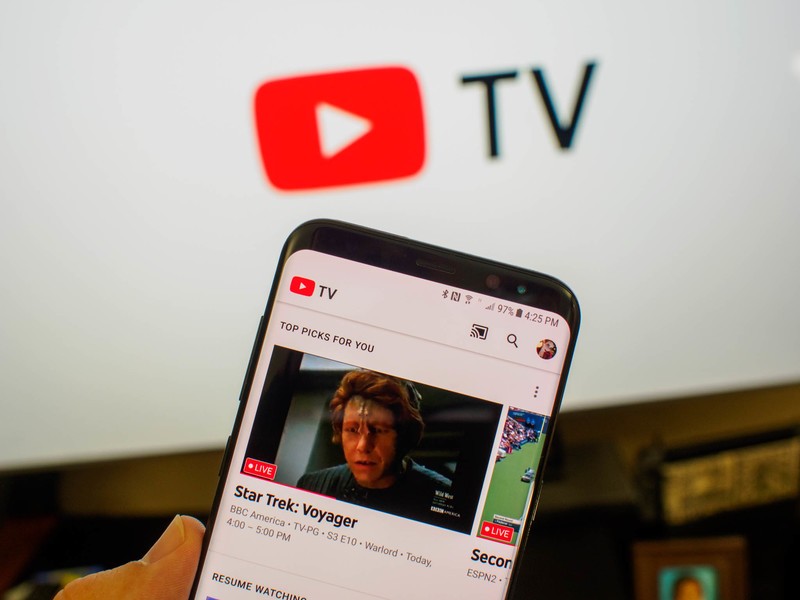
YouTube TV delivers a great package, and if you have questions, we have answers!
For those considering cutting the cord, YouTube TV is a viable option. If you live in the United States, anyway. We’ve got the details on everything you need to get the most out of this app, and everything that it offers. From details on the ins and outs of YouTube TV to how to troubleshoot issues, everything you need is here.
Everything you need to know about YouTube TV!
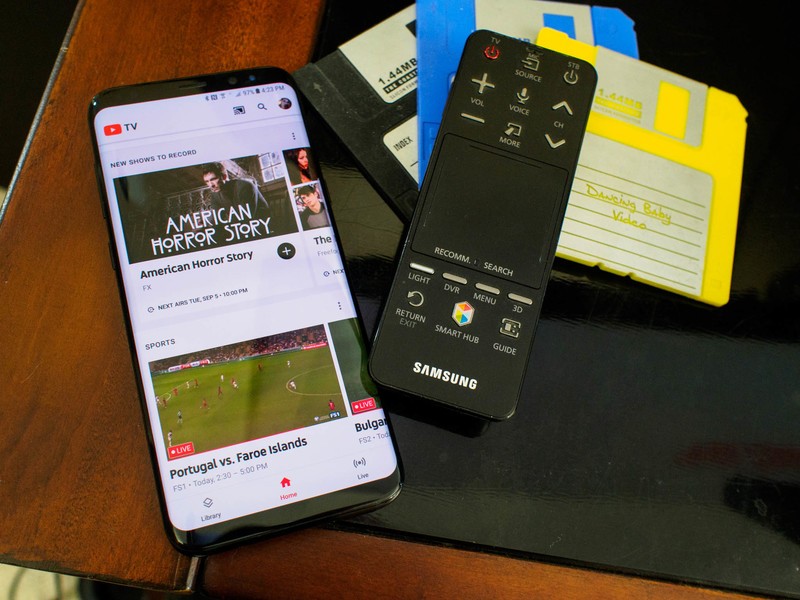
YouTube TV delivers a whole lot in a pretty smile package, with a sensible price tag attached. If you have questions about anything from price, to availability, the answer is hiding here.
Everything you need to know about YouTube TV
What channels are available on YouTube TV?
YouTube TV gets you access to tons of great programming, including region-specific channels in certain cities and media markets. Everywhere can access great channels like AMC, The CW, and even ESPN, but there are excellent sports specific channels available for certain media markets. Every channel currently available is listed out for you here!
What channels are available on YouTube TV
How to get set up with YouTube TV
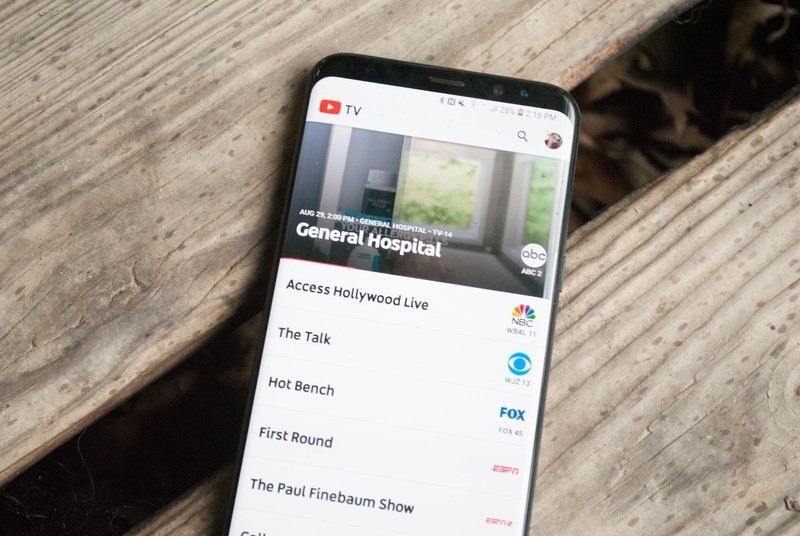
The first thing that you’ll need to know when you get started with YouTube TV. From connecting your account to figuring out how to stream your first show, we cover it all for you here!
How to get set up with YouTube TV
Where is YouTube TV available?
While much of the base programming available through YouTube TV is available everywhere, there are specific regions that will be able to access local programming. While the number of media markets currently available is still fairly small, it’s grown to over 30 markets already, and it’s only been a few months since the app became available.
Where is YouTube TV available?
How to find the shows you want to watch on YouTube TV
The sheer number of programs that are available to be watched, recorded, and rewatched is just a bit staggering. If you picked up a subscription in order to stay caught up on your favorite shows, then you’ll need to know how to find them. From searching out a specific show to adding it to your DVR list to finding programs on a specific network, we’ve got the details you want!
How to find the shows you want to watch on YouTube TV
How to get the most out of sports with YouTube TV
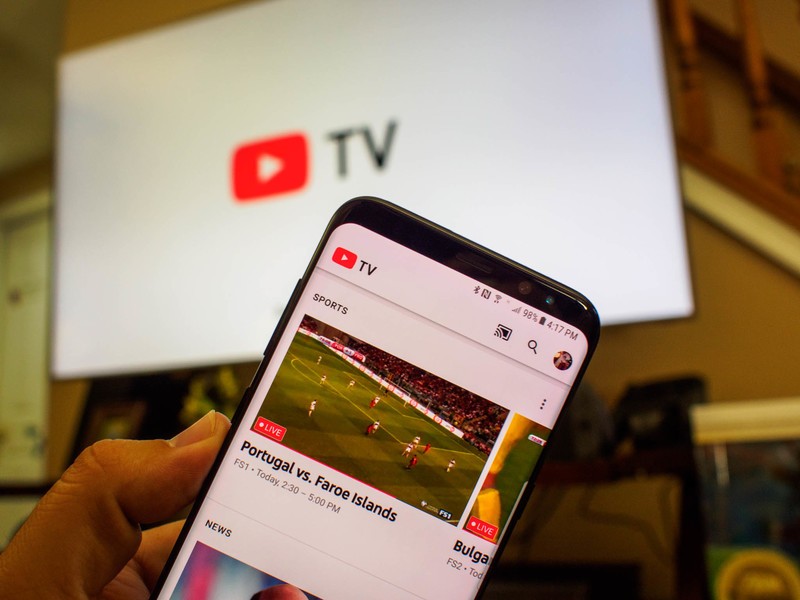
Football, Soccer, Baseball, Basketball, Hockey… There is a sport out there for every sports fan. Being able to stay caught up on the game, keep an eye on scores, and catch every appearance is key, and YouTube TV does an excellent job. It delivers everything the discerning sports fan needs to keep up, even when you’re on the go!
How to get the most out of sports with YouTube TV
How to DVR programs on YouTube TV
One of the best perks of YouTube TV is the ability to easily record your favorite shows and then watch them later at your leisure. Of course, in order to watch those shows later, you need to know how to record them. We cover everything from recording shows, to deleting shows from your DVR list, so that you can get to record your favorites without a problem.
How to DVR programs on YouTube TV
How to stream YouTube TV using a Chromecast
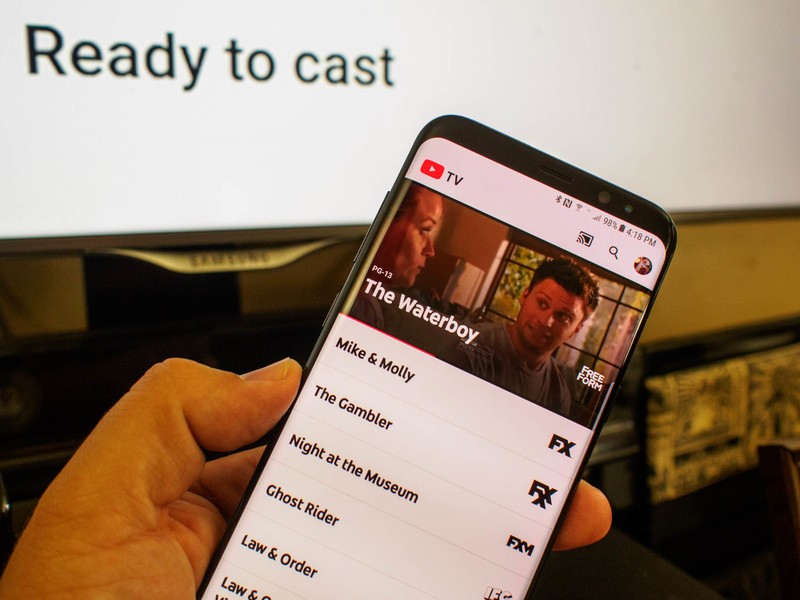
While YouTube TV lets you easily watch live and recorded television on your phone, computer, or tablet, you can also cast to your television. You’ll need a Chromecast, but once you do that, casting your shows right to the TV is easier than ever.
How to stream YouTube TV using a Chromecast
How to troubleshoot casting problems with YouTube TV
YouTube TV lets you go take advantage of your Chromecast to watch live and recorded tv from the app on your Television. However, there are a few unfortunate problems you may run into. If you’ve been having issues getting your Chromecast to work properly with YouTube TV then this is the place to figure out how to deal with it!
How to troubleshoot casting problems with YouTube TV
Questions?
Let us know in the comments below!
Nest announces a slew of new products including a connected doorbell

Nest wants to help you keep your own nest secure.
Nest has dipped into home safety before with its carbon monoxide detectors and home-monitoring cameras, but today, it’s upping its game to new levels. The Nest Security event debuted several new products that want to help you keep your home secure and safe. From newer, tougher cameras to a complete home security system, Nest had plenty of eggs hatching onstage, and each has its own purpose.
There was a lot to unpack in today’s announcement, so let’s get started:
Your first line of defense. Introducing Nest Cam IQ outdoor. Weatherproof. Tamper-resistant. And seriously sharp. #NestSecurity #NestEvent pic.twitter.com/HQVh8i78T7
— Nest (@nest) September 20, 2017
The Nest CamIQ Outdoor is a more rugged, weather-proof, and tamper-resistant security camera that can help alert you to intruders. The HDR camera adapts to changing lighting conditions and the camera has face-recognition software to help you tell if that’s your kid playing in the backyard or someone looking for some new toys in the tool shed. The IP66 rated camera retails at $350 by itself or $598 for a two-pack.
Know who’s knocking. Introducing the Nest Hello video doorbell. Coming early 2018. #NestSecurity #NestEvent pic.twitter.com/VmiIKQpu3P
— Nest (@nest) September 20, 2017
Nest Hello is a smart doorbell that lets Nest take clear aim at Ring’s little corner of the connected camera market. With 160 degrees of vision and a wedge to help set it according to your front door and front steps configuration, the Nest Hello can also ping you with photos of whoever walks up to your door, and if you subscribe to Nest’s subscription, it can send even more alerts with constant monitoring. Nest Hello will be available in 2018 for an unreleased price.
Tough on bad guys. Easy on you. Introducing the Nest Secure alarm system. #NestSecurity #NestEvent pic.twitter.com/ho0WcxnEpG
— Nest (@nest) September 20, 2017
Then we have the Nest Secure alarm system, with Nest Tag alarm disabler, Nest Detect home sensors for your windows and doors, and of course the Nest Guard alarm hub, which features the number pad for your alarm codes and motion sensors. The starter system (one Guard, two Tags, two Detects) costs $500, with additional Nest Tags and Nest Detect sensors being sold individually at $25 and $59 respectively. you can also bundle a CamIQ with the Nest Secure starter pack for $598. The whole system can also be controlled through the Nest app, and you can pay for a subscription for professional home monitoring through Moni, so that when your alarm triggers, it alerts more than just you.
Nest is making a serious push for home security with this system, and if you’re looking to keep your home and the people who live there safe, the Nest system sounds like a relatively easy-to-use, easy-to-control system.
Netflix’s ‘Punisher’ trailer shows us a haunted, murderous antihero
While the second season of Netflix’s Daredevil didn’t quite measure up to the first, Jon Bernthal’s take on antihero The Punisher was a standout addition. The streaming company wasted little time announcing the haunted criminal-killer would get a show of his own, but we’ve only really gotten teasers. Today, Netflix dropped The Punisher’s first full trailer, giving fans a glimpse of a family-friendly Frank Castle before the deaths of his wife and child set him on his criminal-slaughtering path.
At the beginning of Daredevil’s second season, viewers met a grizzled, world-weary Punisher eager to wipe crime off the streets with lethal force. Secretary-turned-journalist Karen Page bonded with the occasional antagonist, so it makes sense that she’ll appear in The Punisher. Otherwise, the series looks like it’s striking out on its own, departing from the tightly-woven Defenders mini-cinematic universe to tell Castle’s story.
The trailer portrays Castle tortured over the sins of his past, as his part in black ops CIA missions leads to the deaths of his wife and kid. With no street heroes in his way, it seems like The Punisher will kill his way to the truth. If you wanted a darker take on the antihero with a body count to match, this looks up your alley. Naturally, we still don’t have a solid release date, though we know it’ll be sometime in 2017, riling up speculation to whether Netflix will drop it early in October or wait til just before Thanksgiving.
Source: Punisher trailer (YouTube)
 AIVAnet