


Becoming a smart city takes more than sensors and buzzwords
Your city is dumb. The potholed streets, coin-operated parking meters, and drafty brick buildings many of us interact with every day haven’t changed much in a century. But it’s finally happening. From Oslo to San Diego, cities across the globe are installing technology to gather data in the hopes of saving money, becoming cleaner, reducing traffic, and improving urban life. In Digital Trends’ Smart Cities series, we’ll examine how smart cities deal with everything from energy management, to disaster preparedness, to public safety, and what it all means for you.
What is a smart city? Not even the people building them seem to know yet.
“Get 10 people in a room and ask what a smart city is, you’ll get 11 answers,” Bob Bennett, Kansas City, Missouri’s chief innovation officer, told Digital Trends. That might be true, but most involved in smart city projects agree on one thing: No one’s really there yet. “I think it’s the Wild West at this point, and smart cities mean something different to everybody,” said Jarrett Wendt, executive vice president of strategic innovations at Panasonic.
When asked for examples of smart cities (these are our four favorite smart cities), Bennett instead gave examples of smart silos: areas where certain cities are particularly thriving, though they may not tie into a bigger picture. Washington D.C. has great water analytics. Seattle is doing a lot right when it comes to environmental initiatives. San Diego has thousands of smart streetlights. Songdo, in South Korea, had the benefit of being built from the ground up as a smart city. Many of its lessons can’t necessarily be applied to cities trying to work with existing infrastructure.
Data sharing is crucial
Better parking, efficient lighting, improved traffic flow, smarter security, improved waste management, and disaster planning are all areas where technology can make an impact. “The biggest problems with these technologies,” said Munish Khetrapal, managing director of Cisco’s smarter cities and IoT department, “there’s a lot of fragmentation … You need a way to connect all these different standards and bring them all in a common, unified platform.”
“You need a way to connect all these different standards and bring them all in a common, unified platform.”
Having access to the data from — for example — your environmental sensors and connected trash bins is the first step; making sense of it is the next. But sharing that data and analysis is just as crucial. Arvind Satyam, Cisco’s managing director of smart cities and digitization division, gives the example of waste management and traffic departments working together. If the trucks are only picking up the bins that are, say, 70 percent full and above, the traffic management agency can use its real-time information to route them in the most efficient way.
There is a reason “every city has their own challenges,” said Blake Miller of Think Big Partners, a startup partnered with Cisco that’s working on making Kansas City smarter. Every city may have crime and congestion, but think about the weather differences between San Diego and Denver or the potential natural disasters facing Seattle and Kansas City.
Looking at neighboring cities
Yet even if they have different problems, CIOs and mayors should still be looking at their neighbors and beyond – what Sara Gardner, Hitachi’s CTO calls “looking sideways” — to see what’s working and what’s not. In Europe, 56 cities “built their own bad variations of the same service” complained Sascha Haselmayer, CEO of Citymart, in Anthony Townsend’s book Smart Cities: Big Data, Civic Hackers, and the Quest for a New Utopia. Some cities have tried to involve citizens, promoting contests for residents to build apps.
The problem tends to be that “geeks will build apps for getting bicycle directions, they’ll build apps for finding cocktail and coffee specials, not the kinds of things that working mothers need,” Townsend told CityLab. Ignoring these populations has dire consequences.
In Columbus, Ohio’s South Linden neighborhood, the infant mortality rate was twice that of New York City. “Without reliable transportation, it’s hard to make pre- and postnatal appointments,” said Vinn White, former deputy secretary at the U.S. Department of Transportation (USDOT), during a panel at Smart Cities Week (SCW) in Santa Clara. To win the 2015 Smart City Challenge proposal, the city suggested developing an on-demand ride service for pregnant women.
“A lot of people think about smart cities and they think about flying cars and futuristic skyscrapers and stuff like that.”
In order for cities to begin on the right track to becoming smarter, many stars need to align. The biggest factor is having leaders who are on board. Satyam cites Barcelona as a prime example; five years ago, he said, the government that was in place was not only willing to embrace technology but get different departments working together. “It’s not just about being smart in individual verticals, it’s about tying all these verticals together,” he said. When a city has a strategic goal in mind — becoming carbon neutral, like Copenhagen, for example — it requires collaboration across the board.
“Cities are big, huge moving ships that don’t move very quickly,” said Miller. Trying to rig everything together could mean that by the time everything’s in place, your brand new technology is on its way to becoming obsolete. For a city with “incredibly tight budgets,” said Bennett, there’s little room for failure.
Red tape can kill innovation
Sometimes funding isn’t the issue. “Procurement is a nightmare,” said Charles Brennan, CIO of Philadelphia, during a SCW panel. “I have less trouble getting money than I have spending it.” A startup may want to work with a city but might struggle to fill out 30-to-40-page forms required for consideration. City ordinances that haven’t kept pace with technology can also pose a problem. Austin, Texas was looking at installing smart kiosks around the city. According to the ordinance, “this smart kiosk is a sign,” said Ted Lehr, an IT data architect with the city. “It’s the only thing we can label it as.”
During the same SCW panel, he mentioned there might be pushback from the public with some of these initiatives. While Singapore or Dubai might unilaterally decide to implement technology, “we are doing it in a way that has to engage our public,” he said. Meanwhile, even cities with deep tech talent pools to draw from can come up short. “It’s hard for government to compete with the private sector,” said Kevin Burns, CIO of Miami. A few panelists suggested appealing to Millennials’ civic pride and desire to make a difference to get them to accept lower-paying jobs within the government.
Building new infrastructure
In addition to outdated infrastructure, cities that aren’t starting from the ground up have inefficient buildings to incorporate into the picture. “It’s not actually the age of building, it’s the age of infrastructure,” Scott McCormick, vice president of sales and business development for BuildingIQ, told Digital Trends in 2015 at a conference about San Jose’s future. The company uses analytics to double the efficiency of HVAC systems, as long as they’re not more than 40 years old. For newer buildings, the possibilities of smart buildings go beyond energy management. “The tenant, customer, and visitor experience is all integrated with the technology, and then all the back building facilities management is integrated as well,” Eric Simone, CEO of ClearBlade, told Digital Trends.
“Every city has its own challenges.”
That means a command center could give a building manager a picture of the HVAC system, lighting, security, and more. The heating and cooling could adjust based on the position of the sun. Visitors could have their faces scanned for security purposes, instead of having to check in at a desk. They’d get a notification on their phone, directing them to the proper elevator bank to get to their meeting. Sensors on windows, appliances, and elevators could help vendors and service people provide predictive maintenance – fixing a problem almost before it starts.
In an emergency, buildings could also communicate to provide crucial information. “The problem is for a project like this, for any big building, you’re going to have 47 different vendor platforms you now have to look at,” said Simone, who added that ClearBlade is the open, neutral platform that can tie it all together. These smart buildings are closer than you may think. The company is working on a project that should have its smart buildings up and running in three or four years. It’s a lot easier to implement IoT on a building level than a city level, he said.
The problem of security
Another element for cities to keep in mind is security. In April, Dallas’s sirens started blaring in the middle of the night, the result of a cyberattack. Much more disruptive and dangerous would be if control of a hydroelectric dam fell into the wrong hands, for example. Another concern is creating or worsening a digital divide, where parts of a city are left without access to the same technology — even something as simple as internet access — as the rest of the city.
Cities such as Kansas City are trying to close those gaps, but it’s not going to happen overnight. In 10 years, though cities could operate differently — but it’s not as if they’ll be unrecognizable. “It won’t look like Minority Report and it won’t look like The Fifth Element,” said Satyam. “A lot of people think about smart cities and they think about flying cars and futuristic skyscrapers, and stuff like that. We believe that cities won’t fundamentally look different in the next 10 years, but cities will be a lot more efficiently managed.”
That definitely sounds less cool (and less Big Brother-ey) but it could look something like this: You’re driving down the road, and there’s fog ahead. If the fog is backing up traffic really badly, your car will reroute you, but if it’s just reducing visibility, your car will automatically slow down and turn on the fog lights. Khetrapal sees a good outcome for smart cities that operate like this: “How can the city adapt and respond the citizen, versus how the citizen adapt and respond to the city?”
Going forward, every week, we will feature a new smart city. This week we’re also talking about San Diego. If you’re interested in learning another aspect of this, be sure to also read up on how autonomous cars may change cities and make them smarter.
Samsung working on a way to charge a smartwatch just by touching it to your phone
Why it matters to you
Short battery life is a big wearable tech problem, and Samsung may be addressing it on the rumored Gear S4.
After not getting wearables right for a while — see the original Galaxy Gear for evidence — Samsung really improved things with the Gear S2 and Gear S3, combining great design with a simple interface and that cool rotating bezel. Inevitably, rumors are gathering about a Gear S4 smartwatch, ready to replace the 2016 Gear S3. Here’s what we think we know about it.
While we’ve yet to see any leaked images or design hints about the Gear S4 (who knows, maybe it will be a pocket watch), Samsung may have been concentrating its efforts on that big wearable pain-point: better battery life. A patent filing in the U.S. suggests Samsung will use a special case to recharge a smartwatch, or other wireless charging device, on the move, simply by putting the two together. Extending battery life without using a larger battery or fewer features.
The patent describes a case, which looks like a regular folio case, with a wireless charging system inside and a USB Type-C connector that links it to the phone. Concentrating on the applications with the watch, it appears the two must be in contact with each other to activate charging. It may not happen over a distance, therefore the watch won’t charge when on your wrist, from a phone in your pocket. That’s a shame, but a restriction of inductive wireless charging systems. For real short-range wireless charging, we’ll have to wait until systems like Energous are perfected.
Battery cases are often bulky, and it’s not clear whether the system uses the phone’s battery, or one in the new case. The latter would be best, as it could charge up your phone too. If you buy a smartwatch, you’ll want to make use of it, which you can’t do if it’s out of battery. The use of GPS is also becoming more common on smartwatches, and it’s notoriously power hungry. Topping up the battery without the need to carry around another charger, or find a power outlet, after a run or other sporting event would be a definite benefit.
However, before we get too excited, it’s worth remembering patents are filed all the time, and not all end up becoming final products. This one doesn’t specifically mention the Gear S4; but the timing may be more than coincidental either. It also doesn’t provide solid detail about how the technology will work. It does sound viable though, and isn’t too futuristic. After all, the Gear S3 uses wireless charging now, through its own dock.
What else do we know about the Gear S4? Not much, but we can speculate the Tizen operating system will make a return, and about when we’ll get to see the device. The Samsung Gear S3 launched at the end of August 2016, but never went on sale before November. If Samsung stays with tradition, it may announce the Gear S4 at the IFA technology show in Berlin this September. We’ll keep you updated with all the rumors right here.
First OnePlus 5 update brings bug fixes, camera tweaks
OxygenOS 4.5.2 is now rolling out with bug fixes and stability improvements.
The OnePlus 5 will be going up for sale starting tomorrow, June 27, but if you were able to get your hands on one during the company’s “early drop” sales event, there’s an update waiting for your handset. The OxygenOS 4.5.2 update comes in at just 36MB, and has fixes for app installation issues, camera tweaks, Bluetooth, Wi-Fi, and network stability fixes, along with better third-party app compatibility.

For a majority of users, the update will be available as a day-one update, but if you already have the OnePlus 5, head to the phone’s settings to manually initiate the download. Haven’t yet figured out if you should pick up the OnePlus 5? Be sure to take a look at our detailed coverage.
OnePlus 5
- Complete OnePlus 5 review
- Reviewing our first OnePlus 5 photos
- OnePlus 5 specs
- Which OnePlus 5 model should you buy?
- Camera comparison: OnePlus 5 vs. Galaxy S8
- The latest OnePlus 5 news
- Join the discussion in the forums
OnePlus
The Amazon Echo is on sale for just $130 today
The Amazon Echo is at its lowest price all year.
The Amazon Echo is on sale for $129.99, a discount of $50 from its retail price of $179.99. That’s the lowest price we’ve seen on the full-sized Echo all year, and brings it to parity — at least from a price standpoint — with the Google Home.

The deal is valid on both the black and white color options of the Echo, and is applicable until 11:59 p.m. ET. In addition to giving you access to Alexa’s considerable skill-set, the Echo is a pretty good speaker in its own right. If you’ve been eyeing the internet-connected speaker, now’s the time to bite.
See at Amazon
For more great deals be sure to check out our friends at Thrifter now!
How to stop Alexa from buying things

These tips will make sure Alexa isn’t purchasing something when you don’t want it to.
Alexa can make your life easier in dozens of different ways, including ordering items off of Amazon for you. However, just because you’re asking about something doesn’t mean you actually want to purchase it. Since voice ordering is turned on by default when you set up your Amazon Echo, you may want to know how to add security when making purchases, or turn off voice purchasing entirely.
You can do it all right from the settings on your phone, and we’ve got the details for you!
- How to turn off voice purchasing
- How to add a confirmation code
How to turn off voice purchasing
Open the Alexa app on your phone.
Tap the menu button that looks like three horizontal lines in the upper left corner of the screen.
Tap Settings.

Tap voice purchasing.
Tap the button next to purchase by voice to turn off voice purchasing.

If you still want to be able to purchase stuff, but want to prevent others from doing it on your behalf, add a purchase pin code.
How to add a purchase pin code
Open the Alexa app on your phone.
Tap the menu button that looks like three horizontal lines in the upper left corner of the screen.
Tap Settings.
Tap voice purchasing.
Tap the text bar under require confirmation code and type in your 4-digit pin.
Tap save changes.

Have you turned off voice purchasing?
Has Alexa tried to buy things you didn’t want it to? Have you started using a confirmation code, or turned off voice purchasing altogether? Let us know about it in the comments below!
Amazon Echo

- Amazon Echo review
- Echo Dot review
- Top Echo Tips & Tricks
- Tap, Echo or Dot: The ultimate Alexa question
- Amazon Echo vs. Google Home
- Get the latest Alexa news
Amazon
Honor 8 Pro is launching in India on July 6, will be exclusive to Amazon
Honor’s flagship phone is landing in India on July 6.
The beastly Honor 8 Pro will be making its debut in India on July 6. The phone will be sold exclusively on Amazon India, and while there’s no information on how much it’ll cost, it is likely to be north of ₹40,000 if the UK pricing is any indication.

The Honor 8 Pro features a 5.7-inch QHD screen, and is powered by the Huawei Kirin 960 — which has four 2.4GHz Cortex A73 cores and four 1.8GHz Cortex A53 cores. It is available with either 4GB or 6GB of RAM, and has 64GB of storage along with a microSD slot. There are two 12MP cameras at the back, with a monochrome sensor aiding the primary RGB shooter, and a fingerprint sensor sits below the camera array. Other details include an 8MP front shooter, Wi-Fi ac, Bluetooth 4.2, USB-C, and a 4000mAh battery.
Read: Honor 8 Pro review: Killer flagship
Huawei’s previous offerings in the country — the Honor 8 and Huawei P9 — have largely failed to take off because of unrealistic pricing and delayed launches, but with the Honor 8 Pro, the manufacturer has a chance to turn things around. We’ll know more about Huawei’s upcoming phone next week, but if you’re interested, head to the link below to register your interest in the Honor 8 Pro.
See at Amazon India
Lenovo Flex 11 Chromebook review: Tough, durable and inexpensive
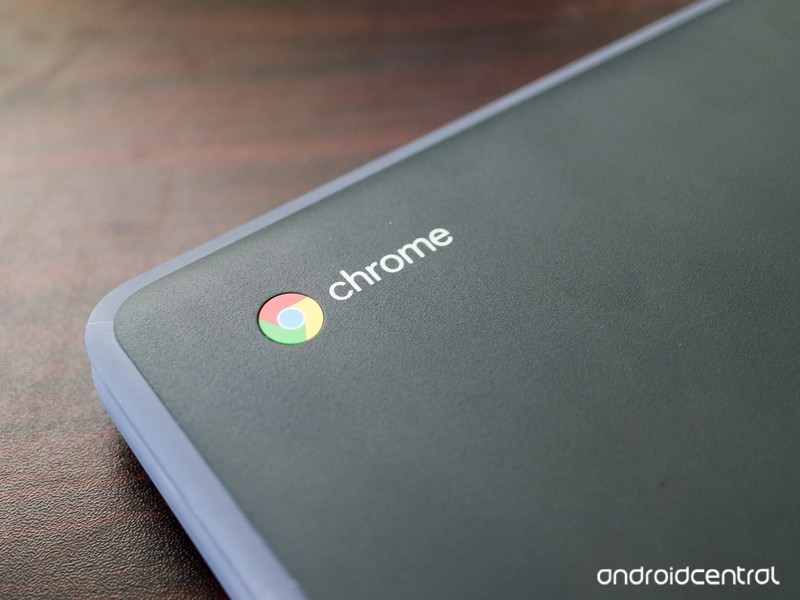
The Lenovo Flex 11 is one tough SOB.
The Lenovo Flex 11 Chromebook is a consumer version of Lenovo’s very solid Chromebooks For Education products. It’s built tough — rated to take a 2.4-foot drop and has a water resistant keyboard tray to keep spills out, but still comes in at a very reasonable $279.99. Finding a “rugged” Chromebook that’s not EDU branded and uber-expensive isn’t a common thing, so we were instantly interested.
After a bit of time with it, the strengths outweigh the drawbacks and we like the Flex 11. It’s not the most powerful Chromebook we’ve tried but it wasn’t made to be. It’s a decent, solid performer designed to take more abuse than most other products in its class.
We think the durability factor and low price make the Flex 11 a great Chromebook for kids or someone who tends not to treat his or her stuff all that respectfully. And while the body is pretty darn durable, the keyboard leaves a lot to be desired. Read on for our full take.
See at Lenovo
Tech specs
The Lenovo Flex 11 won’t win any performance awards, but it’s got a decent lineup of specs that keep its price under $300.
| OS | Chrome |
| Display | 11.6-inch 1366 x 768 IPS Touchscreen |
| Processor | MTK 8137C @2.10GHz |
| RAM | 4GB |
| Storage | 32GBFull-size SD card slot |
| Connectivity | 802.11 a/g/n/acBluetooth 4.0 |
| Ports | 1 USB-C1 USB-A (USB 3.0)HDMIKensington LockHeadphone/Microphone combo jack |
| Size | 11.65 x 8.11 x .8 inches |
| Weight | 2.9 pounds |
Overall hardware
Let’s address the elephant in the room: the Lenovo Flex 11 is not a pretty laptop. It’s not an ultralight aluminum model designed to be light and look good; instead it’s a polycarbonate machine designed to take a bit of a beating. It’s a uniform gray top and bottom, with a lighter gray rubber bumper around the edge of both the top and bottom of its clamshell body. Even the text is gray. I like gray, and I like subdued, muted things but even I have to say the Flex 11 isn’t a looker.
The way the Flex 11 is built clearly puts ruggedness over appearance.
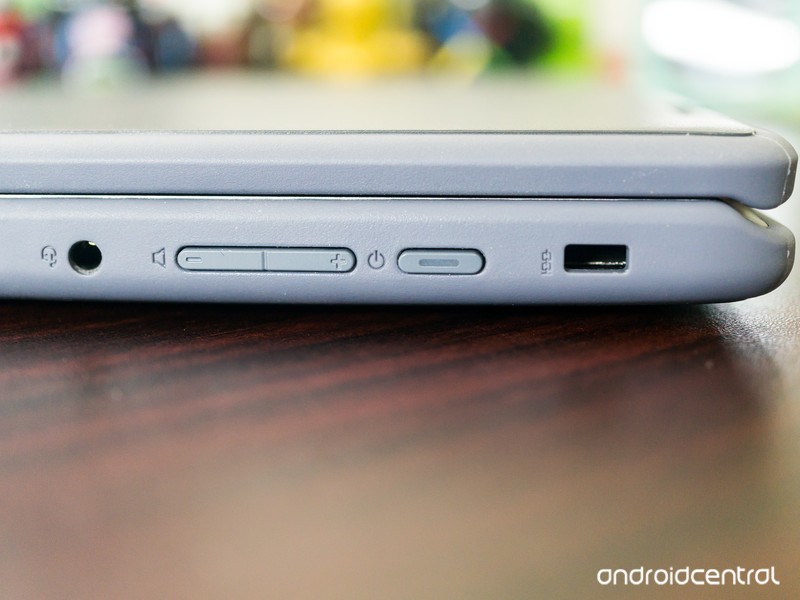
The body of the Flex 11 is solid. There’s no give if you push on the top of the lid, no wiggle when it’s flipped open, and no soft spot on the bottom inside of the bumper feet. The right side of the body holds the Kensington lock, power button, volume rocker and the combo headphone and microphone jack while the USB and HDMI ports are on the left along with a full-size SD card reader.
With the lid closed, the Flex 11 is bland but tough. I appreciate the fact that it’s tough and I know that others (especially those with younger kids) will, too. But I would like to see just a little bit of flash instead of the stoic gray. Order a cool sticker for this one if you decide to buy.
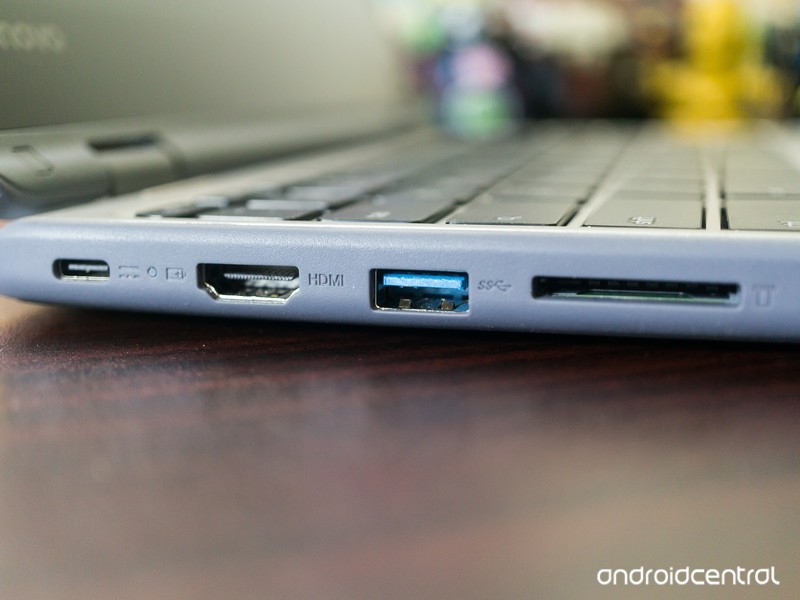
When you open the lid, you’re faced with a metal-finished keyboard pan and palm rest (gray metallic in looks only, it’s still plastic) with a standard island-style keyboard and trackpad. The keyboard is your normal Chromebook style, with Chrome keys replacing the function row and backspace. The display is surrounded by a rather wide bezel, though it’s black and under the glass rather than the same metallized plastic used for the keyboard pan. Again, everything is a testament to function, not form. This works better on the inside, as colors and extras by the way of logos or other markings can be a distraction.
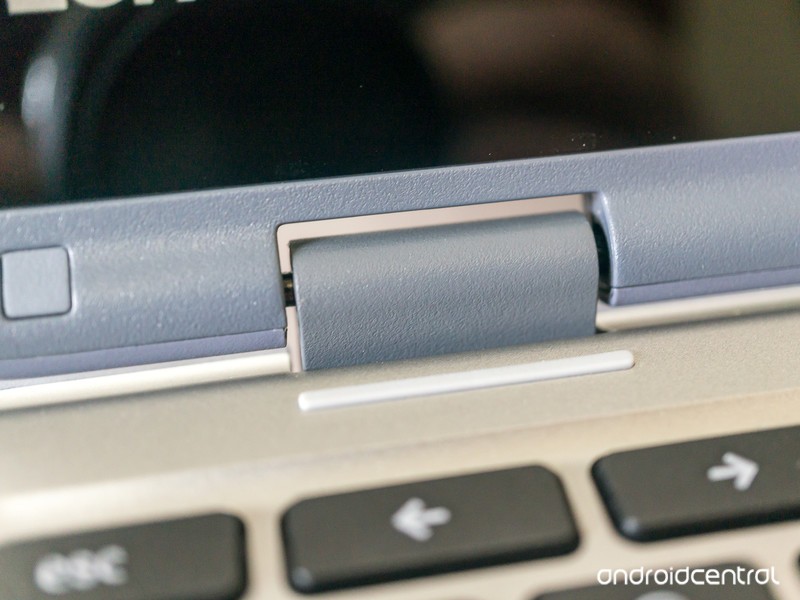
Even the hinges are built better than most others.
The 360-degree hinges mean you can flip the screen over and use the Flex 11 in tablet mode or flip it halfway and use it in easel or tent mode for watching a video. The hinges are solid, no matter the position of the screen. Satisfyingly so, even. Where some models will shimmy and twist with a little force when “tented”, the Flex 11 doesn’t. Again, a testament to what this model was designed to do — be more rugged than average.
Lenovo says the Flex 11 can survive a 2.4-foot drop. 2.4 feet is not very high, but it is about the height of a lap while sitting down or the top of a child’s desk. I’ve dropped it multiple times while closed and open onto a carpeted office floor as well as hardwood floors in my dining room, with no ill effect. I don’t suggest anyone try to manhandle or drop their own unit, but I’m satisfied with Lenovo’s claim of durability here. And of course, I was going to try dropping a review model that’s said to be able to withstand it because it would be unfair not to.
All in all, the chunky 3-pound Flex 11 isn’t much to look at. But it feels durable and solid and lives up to the claims of surviving a minor fall or two. Or twenty. I also went a bit above and beyond to see how well the Flex 11 would handle a bit of torture. Let’s just say that 80-pounds on the lid had zero effect on the operation and that Lenovo doesn’t suggest it should survive this. It’s tough. Very.
Display
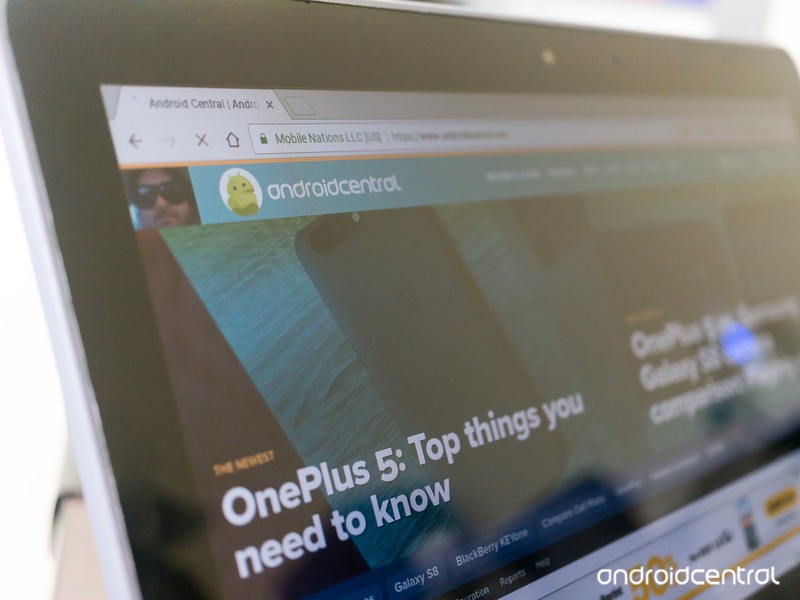
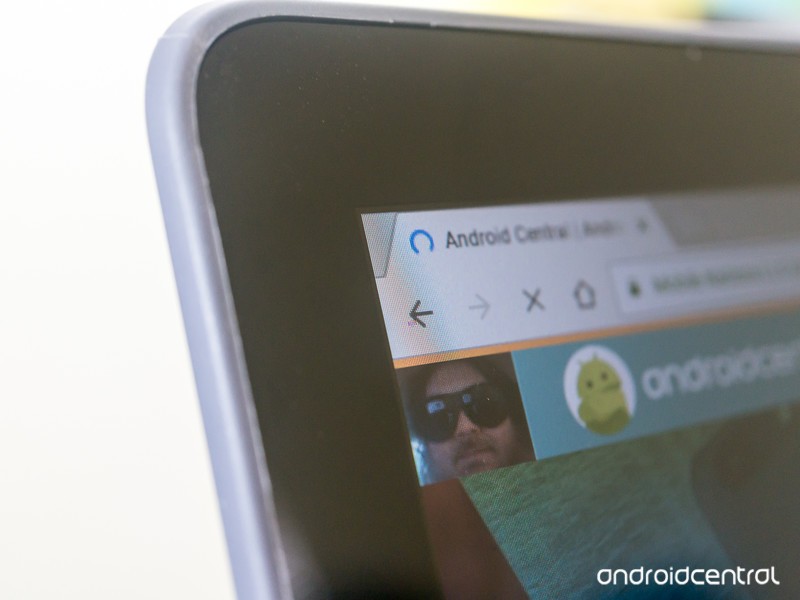
The 11.6-inch, 1366 x 768 display on the Flex 11 isn’t the best I’ve seen. It’s not terrible, but in an age of 1080p or higher displays on even a few budget models, seeing last generation’s 1,366-pixel resolution is never ideal. I understand that it’s standard for most laptops under $300, but that doesn’t mean I have to like it.
Most cheap laptops have a 1366 x 768 display. Still waiting for the budget-priced model that bucks this trend.
It’s also on the dim side which means colors don’t pop the same way they would on a brighter display. This is most evident when looking at dark shades layered on each other while watching a video. Dark blue struggles to stand out against black, for example, and it’s obvious when using the Flex 11 somewhere with plenty of ambient light. When you’re in a dark room or looking at a static image, you won’t notice it as much. This isn’t uncommon to see from inexpensive IPS displays but still needs to be mentioned.
The 10-point multitouch, however, is great. Touches register immediately, and multi-finger gestures like two-finger zooming or alt-clicking work flawlessly. Touch response rivals the Chromebook Pixel, which retailed for $1,100 more than the Flex 11 when it was available.
Overall, the display is acceptable when you factor in the sub-$300 price tag. I’m not knocking the Flex 11 for its screen because it compares favorably to other models in its class and has a touch screen as good or better than any other Chromebook on the market. It just doesn’t have any “wow” factor.
Keyboard and Touchpad

While the screen is fine, the keyboard is a little disappointing. Everything works and it works well, but the keys are very shallow and easy to press. I find that combination makes it difficult to type quickly and accurately with errant key presses or double letters being the result. If you hunt and peck with two fingers, you won’t have too many complaints but touch-typers or anyone who has Ms. Beacon’s proper form will struggle. My biggest complaint is that a laptop clearly designed for youngsters has a keyboard that would be bad to use when learning to type. I’m sure using the Flex 11 full-time would help us get used to the keyboard, but I never like having to “deal with” or “get used to” something that’s not great.

The trackpad is much better. It’s nice and smooth with just a hint of texture and has a very discernable edge where it’s recessed into the keyboard pan. Touch and tap gestures worked great, and if I had to find a complaint it would be that pressing/clicking the trackpad seems a little stiff. That could be the hardware itself, or it could be that I never click the touchpad and use tapping gestures instead so it seems stiff in comparison. Like the touch response, I was pleasantly surprised with how good the trackpad is on the Flex 11.
The keyboard is advertised as water resistant, with “innovative internal channels beneath the keyboard to divert liquid away from sensitive electrical components. It can handle up to 330 ml – about 1 cup – of liquid without damage.”


The Flex 11 handles spills just fine, but it’s not “waterproof.” Don’t treat it as such.
It passes that test with flying colors. I tested just under a full cup of tap water, and while it made a mess on the desk it had zero effect on the keyboard. I shied away from using any sticky liquids like soda or coffee, and wouldn’t recommend trying it.
In the end, one of the perks of using a Chromebook instead of a tablet is that you have a good keyboard. While the Flex 11’s keyboard is far better than anything you would find for an Android tablet or iPad, it’s not a great keyboard. It’s completely serviceable for most users, but I can’t ignore the issues.
Other features and performance
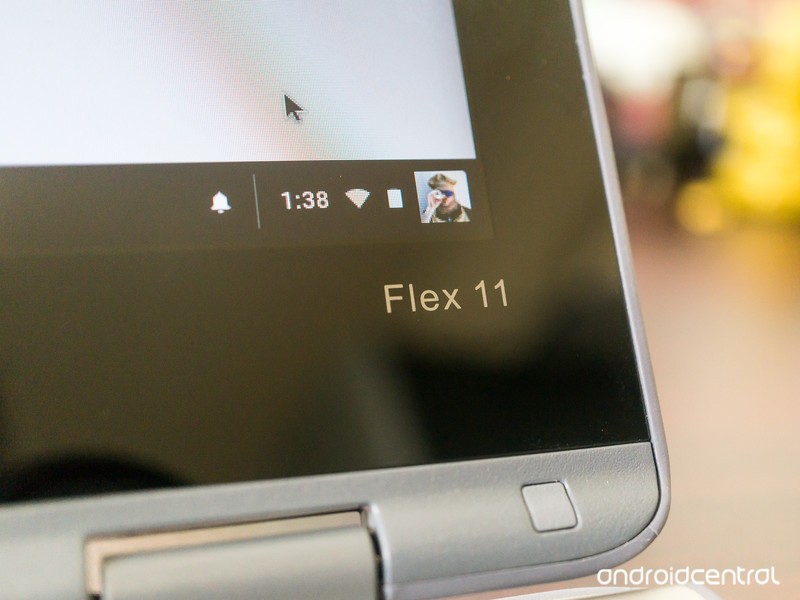
The Flex 11 uses a basic industry standard MediaTek ARM processor, bundled with 4GB of RAM. Not too long ago I would have told you to shy away from a Chromebook with an ARM processor, but times have changed. The performance is on par with every other laptop in its price range. You can have multiple Chrome tabs open and won’t hit the “lag wall” you see in some 2GB models. You can comfortably use 10-12 browser tabs before the system slows down or suspends any older tabs.
The MTK8137 CPU provides decent performance, but battery life could be better.
Full-screen HD video through YouTube and Netflix renders well, and outside the issues of dark colors as described above you won’t have any complaints provided you have the bandwidth to stream. The speakers are loud and bright, which is great for watching a video or listening to a podcast, but not optimal for music — there is the definite lack of bass response you find with most laptops. The 3.5mm combo jack provided better audio and should satisfy most users with typical headphones or headsets.
Connectivity was fine, with both Bluetooth and Wi-Fi having good range. It’s worth noting that the lack of 802.11 b in the specs is not a typo, and if you’re hanging on to ancient equipment that uses the “b” Wi-Fi standard you won’t be able to connect the Flex 11 to your network. Bluetooth connections from a phone, headset with microphone, headphones, and a portable speaker went without a hitch and performed well throughout the Bluetooth’s standard 33-foot range.
The battery life was a minor disappointment. Lenovo suggests up to 10 hours of life away from a charger, but that’s optimistic; seven or eight hours is a more realistic figure with “average” use. Most ARM Chromebooks have the same battery longevity, so this isn’t a problem. My issue is the way the battery drains while watching a video because it seems to deplete much faster and the device gets warmer than other Chromebooks with the same basic processor arrangement. The screen could be more power-hungry or there could be a difference in the device configuration, but it’s noticeable. You’ll have less juice in the tank after watching a video with the Flex 11 than you would with other similarly priced Chromebooks.
Seeing USB-C instead of a proprietary charging port is always a plus.
The battery charges via the USB-C port, which uses the standard power-delivery feature. With a USB-C to USB-C cable, you can charge your phone or anything else that also uses the USB-C PD standard.
On the flip side, standby times were off the chart. If you shut the lid and put your Chromebook away instead of shutting it down, you’ll appreciate coming back to a battery in the same shape it was in when you put it away. I saw a mere 2% loss in the battery indicator after 72 full hours of standby.
Android apps
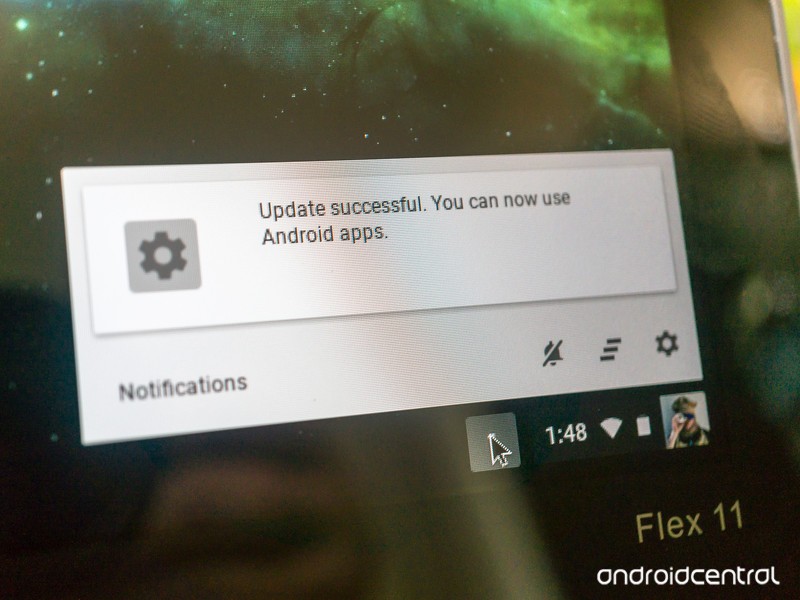
The Flex 11 has access to Google Play if you switch to the Chrome beta channel. The experience is the same as you’ll find on any Chromebook with Play Store access, with most Android apps working fine but not quite optimized for a bigger screen. Hopefully, being placed on the fast-track for Android means that when Android for Chrome is updated to 7.1 with better controls for sizing windows the Flex 11 should see the update soon after.
Today, the experience is as expected with none of the troubles recent Intel-based Chromebooks are having. It’s worth moving to the beta track and installing your apps to the 32GB of storage.
Should you buy it?
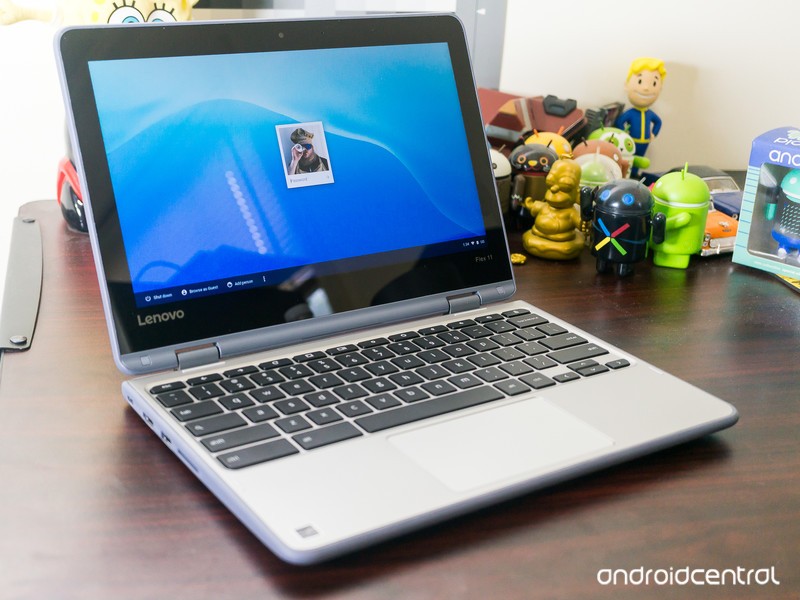
If you’re looking for a Chromebook that’s durable and a great fit for a youngster, the Flex 11 is the best buy. I wasn’t thrilled with the keyboard, and the display isn’t the brightest I’ve tested, but the overall package has plenty to make up for the shortcomings. If buying for a student with an interest in learning to type, I have to change my recommendation and suggest that you’ll simply need to spend more money for the Lenovo N23 Education model which provides a rugged frame and much better keyboard.
If you need something built tough, the Flex 11 is where you should start looking.
If you’re looking for a laptop that you can toss in your bag or on the back seat and not worry about bumps and bruises, the Flex 11 is also a good fit. There aren’t any other Chromebooks this durable in this price range. The performance is solid and outside of our keyboard niggles, you’ll be satisfied with how it works when you need it. The standby time is a great bonus here, too.
Of course if how your Chromebook looks is a factor or if you need something with a bit more power for tinkering you would be better served by something else.
I take a Chromebook with me most times I leave the house, and knowing that it can take a little more rough handling would put the Flex 11 on my radar if I were in the market for a new Chromebook.
Chromebooks

- The best Chromebooks
- Should you buy a Chromebook?
- Google Play is coming to Chromebooks
- Acer Chromebook 14 review
- Join our Chromebook forums
Nissan Qashqai (2017) review: Is the original SUV crossover still the best?
There’s barely a suburban street that doesn’t have a Qashqai, or a pair of Qashqai. There isn’t a school car park or supermarket without a brace of Qashqai. Nissan’s mini SUV is pandemic, having created the crossover category and now dominated it for 10 years.
It’s that success that’s caught the eye of the competition, so it’s no surprise to find that Nissan has updated the Qashqai as it fends off increasingly competitive SUV crossover rivals in the hottest segment on British roads.
In the fight to be the ultimate crossover there is no let up. Is the Qashqai still king?
Nissan Qashqai (2017) review: Design
The Qashqai was updated as recently as 2014, so this latest model isn’t such a drastic change from the model that comes before it. We’re happy with that, as the outgoing model carries an elegance in its design that some rivals are only just scrabbling to compete with. Look at the drastic rethinking of the new VW Tiguan, for example, which has taken time to come around to updating its style.
Pocket-lint
For this new Qashqai, the changes are mostly around the front with a new grille, bonnet and bumper, and a new “boomerang” daytime running light (for those models equipped with LED lights).
The slight oddity about the front is that the physical badge on some models is replaced by a plate that shows it graphically, although there’s a clever bit of design here. This new badge section allows Nissan to house the sonar behind it, part of the Intelligent Mobility suite that will give you things like crash avoidance and pedestrian detection. That means the sonar is invisibly integrated, rather than appearing as a blob somewhere else.
There’s also a design change on the underside of the car. At the rear there’s been some work on the aerodynamics, with a finned “vortex generator” panel at the rear. This is designed to alter the airflow as it exits the underside of the car and reduce the wind noise when driving.
In this model of car, equipped with the new top-spec Tekna+ trim, there’s quality details added to the exterior, like the satin silver door mirrors and roof rails. Look familiar? That’s what Audi does on its RS Q models. That’s no accident, as increasing quality is what Nissan is focusing on the new Qashqai.
Pocket-lint
Many of these details pour into the higher trim levels, looking to take the N-Connecta and Tekna models up a premium tier, while the Visia and Acenta remain fairly close to where they were before – and continue to offer the best value for money.
In our eyes it’s all good: the Qashqai is still one of the most attractive models in this class: it’s well-proportioned with its fun but practical mini SUV stylings, with a balance that looks just right. But there’s a lot more competitive choice appearing all the time – whether from Kia, Seat, VW or beyond – which is really the driving force behind these changes.
Nissan Qashqai (2017) review: An interior upgrade
Slip into the seats of the new Qashqai and there’s a familiar feeling. The interior layout remains very much as it did before, so there hasn’t been a huge change in design. Instead, Nissan again focuses on quality. In keeping with those vortex generators on the underside of the rear, there’s been a range of changes to reduce noise on the inside too.
Nissan
That’s noticeable on the road and comes in the form of better door seals, more sound deadening material in the engine bay and wheel arches, as well as thicker glass. The aim is to create an interior space that has a premium feel, somewhere that’s quiet and refined and, more importantly, able to compete with those increasingly sophisticated rivals.
Swap from the old Qashqai to the new and the experience is one of Qashqai+: it looks the same, it feels the same, but it’s slightly better. It’s a nicer cabin to ride and drive in.
The interior is made up mostly with soft-touch plastics and leather touch points – although this will vary depending on what trim level you opt for. Up at the new Tekna+ level, you’re looking at Nappa leather seats as standard – and comfortable they are too. There are newly designed seats for N-Connecta and above, again, with those top trim levels getting more of the luxury stuff, but all the models get a new steering wheel, which is probably the biggest single change on the interior.
The new steering wheel opts for a sportier D shape with a flatter bottom. Nissan says this is based on customer feedback, meaning it’s easier to slip into the driver’s seat (not that it was difficult before), but this is also a thicker steering wheel with new controls, designed to feel more premium.
Pocket-lint
Overall, the result of Nissan’s interior and exterior changes, as well as the introduction of this new Tekna+ trim level, means that there’s now a super quality Qashqai for those who might be considering hopping to a different marque. Fear not, Nissan has been listening and the Qashqai is now offers more options for more buyers. At the same time, that’s pulling the prices up, so that Qashqai again faces more competition from the likes of the new Seat Alteca or the Kia Sportage in being the school-run champion.
Nissan Qashqai (2017) review: Technology
The technology story is currently incomplete, as one of the changes coming to Qashqai is Nissan’s ProPilot system. This is a semi-autonomous option that will basically take care of your driving on the motorway or in slow moving traffic – thanks to a combination of lane sensing, adaptive cruise control and braking systems. That’s now scheduled as a 2018 option, but should see launch Europe-wide. We’re not sure which trims it will be an option for, we suspect N-Connecta and above.
- Driving with Nissan ProPILOT: Removing the legwork
Pocket-lint
Elsewhere, the technology story of the interior is very much as it was before. There’s a central 7-inch display (on N-Connecta and above) flanked by buttons to control major elements of your in-car experience, like music or navigation. The system in the new Qashqai is essentially the same as the previous version.
On the whole it’s ok, but this is one area that the Qashqai seems to have overlooked the mission to update to a premium experience – and not only in the black glossy surround. While major areas are covered, it’s not hugely connected: there’s no Apple CarPlay or Android Auto, instead opting for Nissan Connect (Google Play, iTunes), where you’ll have to install the app on your phone to enable some connected features on the display.
Those amount to the likes of Facebook, Trip Advisor and Eurosport, which seems to be the wrong emphasis. You don’t need those things in your car, whereas offering Spotify would be a real benefit. As a result, the infotainment system feels a little dated as it currently stands.
Pocket-lint
There is something to sweeten the deal, however, in the form of a new Bose sound system. This is an 8-speaker system comprising two front tweeters, four main drivers in the doors and two subs in the back. It actually sounds very good, offering plenty of clarity and performance at high volumes without distortion. Best of all, the Bose sound system is standard on the Tekna and Tekna+ models.
It’s worth noting that all grades of the Qashqai get Bluetooth and a USB socket as standard, as well as DAB radio. However, one of the new additions – the shark fin antenna – is again reserved for N-Connecta and above.
Nissan’s technology story isn’t just about your entertainment though. There’s also a lot of assistance on the road, from an effective lane departure system to cruise control and emergency braking. There’s speed sign detection so you can see the speed limit at a glance, as well as camera alerts.
Pocket-lint
Perhaps our favourite is the 360 camera. This is included on the N-Connecta and above, letting you hit the button for a view on all sides of the camera. It’s perfect for seeing how close to the kerb you are, or how well you’ve managed to park in that tight space. If you’re worried about driving a car bigger than a thimble then this is really useful aid.
Nissan Qashqai (2017) review: On the road
The 1.6-litre diesel model came paired with the Xtronic gearbox – a continuously variable transmission (CVT) autobox – for this review. It’s quiet and sophisticated, avoiding too much of the booming diesel noise thanks to that sound-proofing tech.
This is also a fairly spritely 130bhp diesel and there are options for front (2WD) or all-wheel drive (4WD), as well as 6-speed manual. The 1.5-litre diesel remains the most efficient with emissions at 99g/km CO2.
Pocket-lint
If you’re buying the Qashqai as an urban driver, then the 2WD automatic option is the one you’ll want to save all the gear shifting and give you the smoothest ride, although it comes at a premium over the manual.
We mentioned that it’s a CVT, meaning it’s a little slower in adjusting to changes, like needing more power coming out of a corner. At the same time, this is a crossover, most likely with a small family installed, in which situation the CVT transmission delivers what it’s supposed to – a smooth ride. The suspension does the same, soaking away bumps, but leaving you with a little more sway that fits the height of the vehicle. Similarly, the steering as standard is light: if you want it heavier, you’ll have to dive into the settings to add a little weight.
So what’s the final result? The Qashqai is perfectly comfortable and easy to drive. On this 1.6 model there’s enough power to keep you heading up hills when you’re loaded with a week’s worth of camping kit, but not so much power that you’ll be smiling from ear-to-ear once you’ve deposited your passengers.
In that sense, it’s perfectly suited to task. Pitched as an urban crossover and adopted as a family car across the country, the Qashqai continues to deliver what it’s good at.
Pocket-lint
Taken in the context of its new and most expensive premium tier, however, there’s fierce rivals from the likes of Audi with the Q2 and Q3, which offer a drive that’s a little more dynamic, while pushing a quality spec at similar prices.
Verdict
The 2017 Nissan Qashqai is a classic facelift update. There are some external updates that bring premium highlights – like the sharkfin antenna or the Tekna+ silver wing mirror covers – and interior plushness with better leather and great seats.
But in many ways, this update is all about the introduction of Tekna+, an option that gives many new features while also pulling the Qashqai up in price. The aim, no doubt is to appeal to higher spenders, but as the price rises, so does the competition, so careful selection in an increasingly competitive segment remains important.
Ultimately, however, the Qashqai continues to be exactly the car it’s meant to be: it needs to be a consideration for anyone looking for a family crossover. It’s nice to drive, it looks good and it’s hugely practical, but on the interior (apart from the nice new Bose sound system) there’s not a huge change from the last model.
Alternatives to consider
Pocket-lint
Seat Alteca
The Seat Alteca might not have the good looks of the Qashqai and in some ways its visually forgettable, but this is part of its charm. It’s understated and good at everything. It drives well, it’s competitively priced and offers plenty of spec. It’s also something of a surprise, which is why the Alteca could be a stealth hit: it’s a real Qashqai rival.
- Seat Alteca review
Pocket-lint
Kia Sportage
If there’ one car that’s starting to see the Qashqai effect on the UK’s roads, it’s the Sportage. Through refinement in design, a huge warranty and aggressive pricing, Kia has had a real impact on the roads, with the Sportage occupying the same space as the Nissan. It’s practical, affordable and you get a lot of tech for your money.
- Kia Sportage review
Pocket-lint
VW Tiguan
The dowdy days of the Tiguan are over; the redesign of VW’s small SUV is so drastic, it’s difficult to believe it’s the same car. If there’s a challenger for the Qashqai’s good looks, then it’s the new Tiguan. Propping up those looks is a lot of sophistication which really sees the Tiguan in a slightly higher tier in this new form.
- VW Tiguan review
Pocket-lint UK deals of the day: Rasberry Pi 3 Kit for £36.99 today
Welcome to Pocket-lint deals of the day were we scour the internet to find you the very best deals that are available in the UK today.
We will be regularly updating this page, so bookmark it and check back regularly to make sure you don’t miss out on some of the best tech deals online.
Pexels
Tech and Gadgets
- NeeGo Raspberry Pi 3 Kit – reduced from £100 on Amazon today to £36.99.
- Oral-B Smart Series 4000 Electric Rechargeable Toothbrush – £39.99 on Amazon.
- Pebble 14 mm Time Round Smartwatch – Silver/Red – £59.98 on Amazon.
- Logitech MX Anywhere 2 Mouse is reduced on Amazon today from £69.99 to £36.99.
- Lenovo 65CDGAC1UK ThinkVision X24 OLED FHD Monitor has been reduced from £179.99 to £119.99 on Amazon.
- HP Pavilion x360 15-bk150sa 15.6-inch 2 in 1 – Silver laptop is £499.00, saving you £150 off on Currys.
- Microsoft Universal Foldable Bluetooth Keyboard is £32.99 today reduced from £99.99 on Amazon.
Pexels
Games
- Xbox Live 3 Month Gold Membership and Rocket League for free – £14.99 on Amazon.
- Sony PlayStation VR – £317.99 on Amazon.
- Mortal Kombat XL (PS4) – £12.49 on Base.
- Dead by Daylight (PS4) – £19.99 on Amazon.
- Yakuza Kiwami Steel Book Edition (PS4) – £23.85 on Base.
- 8BITDO NES30 Pro Wireless Bluetooth Controller Dual Classic Joystick YIKESHU For Android Gamepad – £28.45 on Amazon.
- Rime (PS4 & Xbox) – £17.49 on Argos.
- Need for Speed: Most Wanted (PlayStation Vita) – £7.49 on Base.
- Deus Ex: Mankind Divided Day One Edition (Xbox One) – £8.64 on Amazon.
- Tom Clancy’s Ghost Recon Wildlands Inc The Peruvia PS4 – £26.86 on ShopTo.net.
- Prey (PS4) – £22.85 on Base.
Pexels
Audiovisual
- HISENSE H49M3000 49″ Smart 4K Ultra HD HDR LED TV – £369.00 on Currys.
- LG 43UH603V 43 inch Ultra HD 4K Smart TV – £379.00 on Amazon.
- Philips 55PUS6401 55 Inch SMART 4K – £499.00 on Amazon.
- Hisense 55M7000 4K TV – £599.00 on John Lewis.
Pexels
Phones
- Google Pixel 32GB Black with 5GB data – £25.00 upfront cost £27.99 per month £696.76 total cost over 2 years at Mobiles
- Diamond X 4G Andorid 6.0 – £75.68 on Amazon.
- Apple iPhone 7 256GB in red – £779.00 on John Lewis.
- Bush Spira D3 – £99.95 on Argos.
Pexels
Entertainment
- Heroes complete box set in Blu-ray is £17.99 using code BINGE10 on Zavvi.
- John Wick 2 – £19.99 on Zavvi.
- Rogue One: A Star Wars Story Blu Ray – £15.00 on Amazon.
The Morning After: Monday, June 26th 2017
It’s Monday morning, and we’re talking about how tweets are now official presidential statements, the problem with the console wars and Snapchat Specs made for underwater.
The importance of cross-platform play.‘Rocket League’ will die without cross-console multiplayer

All online games eventually die. But the difference between the original version of World of Warcraft and, say, Call of Duty: Ghosts is that WoW was more of a service on an open system (PC). Players could gradually migrate to its annual expansions and still be a part of the overall population. When it comes to Rocket League, developer Psyonix’s Jeremy Dunham has a way to fix these fractured player bases: opening up cross-platform multiplayer. “We’re not trying to build six Rocket Leagues,” he said. “We’re not looking forward to when Rocket League 2 and 3 and 4 are coming out. Rocket League is the game we’re gonna keep updating. It’s important to us to keep that going, cross-generation, across multiple platforms, without sacrificing anything.”
The White House claims Trump’s tweets are an official response to a federal committee’s inquiry.
In 2017, tweets are official presidential statements

Still not sure a tweet counts as an official response to a federal inquiry? Well, the White House has reaffirmed that it is. As reported by Reuters, the White House sent a letter to the House of Representatives Intelligence Committee claiming that a pair of Trump tweets on Thursday were the president’s official word on the matter.
A university in the Netherlands is building a special cycling bridge.
A 3D-printed bridge using reinforced concrete

Researchers there have started manufacturing parts for a 3D-printed cycling bridge using reinforced concrete. When finished, it’ll apparently be the first bridge to use 3D-printed reinforced concrete (but not the first 3D-printed bridge using other materials — or even concrete itself.) There’s an environmental impact, too: 3D printing will seriously cut down the CO2 emissions made by concrete-cement production. The 3D printer also offers more design freedom, fabricating shapes that are much harder to produce with a mold.
No, those ‘healing stickers’ aren’t made of NASA tech.Ex-NASA scientist calls Goop’s ‘healing stickers’ a load of BS

Gwyneth Paltrow’s lifestyle website, Goop, tends to promote all kinds of nonsense. One of its latest recommendations, wearable stickers by a company called Body Vibes, is pretty hard to turn a blind eye to, though, because its creators claimed that it uses NASA technology. Goop wrote that the body stickers are capable of rebalancing “the energy frequency in our bodies,” since they’re made of the “same conductive carbon material NASA uses to line spacesuits” to “monitor an astronaut’s vitals during wear.” Except, as a NASA rep told Gizmodo, that’s not true — at all.
Snapchat teams up with cruise ship for underwater footage.
Custom Snapchat Specs can take snaps under the sea

Spectacles have made sharing marginally exciting videos on land via Snapchat easier. It also helps that you no longer need to hunt down a vending machine to snag a pair in the US. But a partnership between the social network and Royal Caribbean cruise lines will make it easy to capture footage under the sea. The SeaSeeker can record video for up to 30 minutes underwater, at depths up to 150 feet, making it perfect for scuba and free-diving.
But wait, there’s more…
- Facebook, not presidential ambition, is why Zuckerberg’s on tour
- WhatsApp is becoming a top news source in some countries
- Recommended Reading: Apple’s original television aspirations
 AIVAnet