


Here’s how to check for old 32-bit apps that won’t work with iOS 11
Apple unveiled iOS 11 at WWDC, giving us a taste of what’s to come with the latest iteration of iOS. From the new Control Center to various drag-and-drop components, iOS 11 looks to bring a lot of features and enhancements to the company’s popular mobile platform. The bad news, however, is that not all of Apple’s mobile devices — and older apps — will be able to run iOS 11.
If you recently downloaded an app and saw a message after you opened it telling you that the app will not work on future versions of iOS, they weren’t joking. Apple will drop support for all 32-bit devices and apps when iOS 11 officially lands in the fall. If you’re running any 32-bit apps, they won’t work once you update to iOS 11. So how do you figure out if your favorite app utilizes 32-bit architecture? Here’s an easy, step-by-step guide on how to check.
Checking for 32-bit apps
Step 1: Go to Settings > General > About.
Step 2: Tap Applications.
Step 3: If you have any 32-bit apps, they will show here. If nothing happens when you tap Applications, then that means you have no 32-bit apps installed on your iPhone or iPad. If you see any apps listed here, we suggest you find another app that essentially does the same thing. These 32-bit apps aren’t likely to be updated, and once you update to iOS 11, they will stop working.
What about my iPhone or iPad?
Just like apps, if you’re holding on to an older iPhone or iPad, you will not be able to run iOS 11. Apple’s upcoming operating system will only support 64-bit devices, which is why 32-bit apps simply won’t work. Before you begin to panic, however, let’s see if your device made the list of supported devices.
iOS 11-supported iPhones:
- iPhone 7 and 7 Plus
- iPhone 6S and 6S Plus
- iPhone SE
- iPhone 5S
iOS 11-supported iPads:
- iPad (5th Generation, 2017 model)
- iPad Air 2
- iPad Air
- iPad Pro (12 , 10.5, and 9.7-inch models)
- iPad Mini 2 and later
iOS 11-supported iPods:
If you happen to have a 6th-gen iPod touch, then you’re in luck — you’ve made it to the list as well.
If you’re an owner of an older, 32-bit device that didn’t make the cut, 2017 will be an important year for you. If these older iOS devices are not the ones you primarily use on a day-to-day basis, then you can re-purpose them and turn them into a variety of convenient smart home gadgets. But what if you still rely on the old device?
Having the latest version of an operating system is not just important for all the nifty features that come along with it, but also for your security. As an operating system gets updated, all the security holes and vulnerabilities get fixed. Such being the case, this may be the year when those of you with older iOS devices have to jump ship and opt for a newer device. Now you just have to choose the platform you want to go with this time around.
A.I. email assistant Astro integrates Slack, Amazon Alexa to organize emails
Why it matters to you
With the integration of Slack and Amazon Alexa, Astro can help you keep your email inbox organized through just a single app.
Astro — an email assistant that brings both Gmail and Office 365 together into one app — officially rolled out integrations with Slack and Amazon Alexa, giving you more ways to incorporate email into your everyday life (regardless of how much you’re avoiding answering them).
Astro offers common email features to help manage your inbox, including reminders to answer them at a later time. It also tracks which emails have been opened and schedules others. But the main difference between Astro and other email clients is that it uses AI to track your behavior for a more personalized and tailored experience.
The app also includes Astrobot, which acts as your personal, built-in email assistant. It sends you reminders, detects questions from your emails, and offers insights on suggested emails to get rid of.
With the integration of Slack, Astro now sends your emails in the form of a direct message between you and Astrobot. The interface gives you options to reply, archive, or delete emails without having to exit the messaging platform. You can also interact with the bot by asking it to remind you to answer emails later or schedule phone calls.
Although you can’t send messages to Slack through the Astro app, you can search to find results that combine both your email and Slack history, as well as send emails to a Slack channel or a direct message.
For Amazon Alexa users, the integration acts no differently in decluttering your emails except that it’s hands-free. By downloading Astrobot through Amazon, it can comb through any junk mail and read priority or starred emails to help save time. Even though the bot doesn’t offer custom replies just yet, you can still respond to emails through short phrases on the list of quick replies like “Be there shortly.”
When Astro launched in March, it first set out to dissolve the tricky interface and confusing buttons found in most modern email apps. By adding Slack and Amazon Alexa, Astro is clearly working on integrating software and products used specifically to improve work flows and keep people more organized. The app is free to download and currently available on iOS and Android.
Instagram’s biggest users don’t properly label sponsored posts, study shows
Why it matters to you
Users should take note that Instagram posts promoting a product may not always be properly labeled as a sponsored post.
Sure, Instagram has its own advertising option, but marketing from “influencer” profiles is a billion dollar industry. It’s also an industry that does not always follow the rules, according to a recent study from Mediakix. An analysis of Instagram’s 50 accounts with the most followers showed that only seven percent of the posts followed the Federal Trade Commission guidelines.
Tracking the top 50 accounts over the course of one month, 30 of which used sponsored posts, 93 percent did not appear to be compliant with the FTC guidelines. The organization says that whenever a post is the result of some sort of material connection — such as a free product or payment — the post must clearly be labeled as an advertisement. The FTC says both #ad and #sponsored as well as text labels like “sponsored by” are fine, but some brands use a less clear tag such as #sp. The label is also supposed to appear close to the post, not buried in the middle of a long list of hashtags.
The study only considered the top 50 Instagram influencers, a little over half which use sponsored posts. The profiles combined have 2.5 billion followers, seeing an average of 45 posts from each account every month. Around seven percent of those posts were sponsored, but the study showed out of that seven percent, 93 percent did not appear to be FTC-compliant.
The advertisers sponsoring the posts were largely made up by fashion brands at around 61 percent. Travel followed as the second biggest category, making up eight percent of sponsored posts, while food and drink, miscellaneous, apps, beauty, automotive and electronics are an even smaller piece of the pie.
“It’s easy to write off infractions as ‘just hashtags,’ but these disclosures may have profound and far-reaching effects on consumers and the influencer marketing industry,” Mediakix wrote. “Instagram and other social media platforms are seeing more activity from advertisers, which means that users’ feeds are seeing more native advertising and sponsored influencer content than ever before.”
The marketing company noted that earlier studies have shown that many users actually do not mind sponsored posts, particularly younger users.
The Anova Nano Precision Cooker is now available for pre-order for under $90

Update: The Anova Nano Precision Cooker is now available for pre-order, and if you act fast, you can get it for under $90.
You may not have a Michelin star (yet), but that doesn’t mean you can’t cook as though you do. And while equipping your kitchen with the tools to make a five-star meal may have once been outside your budget, that’s no longer the case thanks to the Anova and its newest product, the Anova Nano. This little device aims to make sous vide cooking accessible to home cooks everywhere, and will have a price tag of just $99. That’s less than half the cost of a one-person meal at Le Bernardin.
The new Anova Nano is now available for pre-order at the special price of $90 ($10 less than MSRP), and builds upon the company’s previous larger (and more expensive) offering. The Nano promises to be just as effective as the original Anova Precision Cooker, but a lot more accessible. “Since day one, we’ve believed that everyone should have the ability to cook like a pro with access to easy-to-use, pro-level cooking tools,” said Anova Culinary CEO and Co-founder Stephen Svajian. “We’ve seen competitors enter the market with cheaper products, but we are committed to maintaining quality and precision at a reasonable price. We will not sacrifice quality, ever.”
Along with the new Nano, Anova is also debuting a new and improved Anova Culinary App, which comes with new MultiStep and MultiCook features. The former allows you to tell the Nano to raise or lower the cooking time and temperature for different parts of your meal, whereas the latter allows you to keep tabs on multiple Anova Precision Cookers at the same time.
“Precise temperature control is key to sous vide cooking. That’s why we’ve engineered the Nano with the same level of quality and precision that you’ve come to expect from Anova to ensure that your steak is done exactly how you like it every time, no exceptions,” Said John Van den Nieuwenhuizen, Vice President of Design at Anova Culinary. “The Precision Cooker Nano is super-compact, Bluetooth-enabled, and provides users with precision down to the tenth of a degree.”

A technique commonly found in the world’s best restaurants, sous vide cooking, which translates literally as “under vacuum” in French, allows you to cook your food evenly at a precise temperature, delivering “super-juicy, flavor-packed results from edge to edge, every time,” Anova promises. And with the device maker’s products, cooking sous vide is easier than ever — simply attach the Anova to a pot of water, place your food items in a sealable bag, then set the time and temperature. You’ll be notified when your meal is ready by way of the companion smartphone app.
Ultimately, Anova spokeswoman Jordan Houston noted, “[The Nano is] something people can start off with and explore,” and will likely serve to pique customers’ interest in more advanced cooking techniques.
So if you’ve been looking for a way to spice up your dinner parties this new year, you may want to consider adding a new technique and new tool to your kitchen with the Anova Nano.
Using a heatsink can help with Daydream overheating

A heatsink can help with overheating problems.
Nobody wants to deal with problems when they are in the middle of an awesome VR game, but unfortunately from time to time they do occur. One of the most common issues for VR headsets that run off of a phone, is overheating. Your phone ends up working too hard and heating up too much, and when it hits a certain point, it will turn itself off, booting you out of VR in the process. Thankfully, there is something you can do to help this problem.
Read more at VRHeads.com
How to use a Google Play gift card

Google Play is not only the largest app store in the world but also a music subscription service, a bookstore, and a video store. Google Play gift cards make an excellent gift (hence the name), but that’s not the limit of their use. Since Google restricts underage user accounts from Google Wallet, Google Play gift cards might be the only way for your munchkins to purchase content. Here’s where to find them and how to use them.
Google Play gift cards are available in brick and mortar stores in a plethora of countries. Here in the United States, they are available at Target, Walmart, Walgreens, CVS, GameStop, and a host of others you can find right here. Google Play gift cards start at $10 and are available in amounts up to $100.
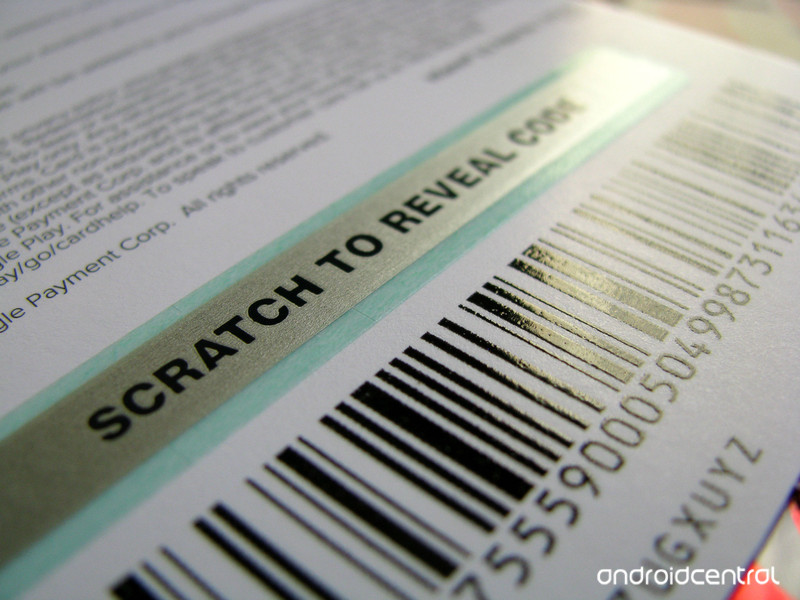
How to use a Google Play gift card
Once you have a gift card, you have to get that code hiding under the silver foil into your account. Here’s how:
Open Google Play on your phone or computer.
Tap or click the three-line menu button in the top left corner of the screen.
Tap Redeem.

Input the 16-digit code found under the SCRATCH TO REVEAL CODE strip on the back of your gift card.
Tap Redeem.
Tap Confirm .

Once you accept that this is indeed the intended account, the card’s amount is added to your balance as Google Play credit. As a small reminder, Google Play gift cards cannot be used towards physical items like devices and accessories in the Google Store; they are only available for digital purchases of digital goods in the Google Play Store.
While we wish that you could send Google Play gift cards through an email, which Google Play removed recently and which other major online stores like iTunes and Amazon have allowed practically since their inception, anything that lets us avoid directly putting our credit card into our kids’ IAP-riddled accounts is welcomed.
Questions?
Let us know in the comments below.
Everything we know so far about Skyrim VR

What do I need to know about Skyrim VR?
A surprise trailer for Skyrim VR was shown during the Sony presentation at E3 2017. Arriving on the heels of the Fallout 4 VR trailer, many fans were left with a bunch of questions regarding Bethesda’s move to take their beloved fantasy RPG into VR. To help spread the word, here’s everything we know so far.
Read more at VR Heads!
How many Pixels has Google actually sold since its debut?
The sales number remain a mystery to all of us, though there are a few theories floating around.
With all the fervent rumormongering regarding the next batch of Pixel smartphones, it seems an appropriate time to take a look at several of the theories making the rounds about how many millions of Pixel and Pixel XL units Google has actually sold.

The phone launched eight months ago and has remained a strong seller at Verizon, where it was marketed as an exclusive (it’s not; it’s also sold unlocked in the Google Store). Regardless, that was certainly a winning strategy, as 7.5% of all phone activations on Verizon late last year was for a Pixel or Pixel XL. (Sadly, thanks in part to a disjointed marketing strategy, other carriers only ranked in at 2%.)
So, we know the phone is selling relatively well with the help of the carrier that was heavily marketing it as an exclusive. But how well did it sell for Google? According to Ars Technica, it just barely hit a million units:
Unlike just about every hardware manufacturer on Earth, Google doesn’t share official sales numbers for the Pixel phones, choosing to bundle the income under Alphabet’s “Other Revenues” during earnings reports. We do have one very solid signal for Pixel sales, though: the Play Store, which shows install numbers for apps. If there was an app that was exclusive and install-by-default on the Pixel phones, like say, the Pixel Launcher, the install number would basically be the number of sold activated phones.
This calculation is complicated by the fact that Google Play doesn’t show exact install numbers; it shows installs in “tiers” like “100,000-500,000.” So most of the time, we won’t have an exact Pixel sales number—except when the Pixel Launcher crosses from one download tier to another. So guess what just happened? The Pixel Launcher just crossed into the “1,000,000-5,000,000” install tier (you can see some third-party tracking sites, like AppBrain, still have it listed at 500,000). So for this one moment in history, eight months after launch, we can say Google finally sold a million Pixel phones.
Since there aren’t any official sales numbers offered by Google (or Alphabet, as it were), the guesstimate is based on the number of downloads of the Pixel Launcher in the Play Store. The result paints a rather grim picture, however, which didn’t seem to be the case when we initially pored over Verizon’s Q3 2016 finance reports:
Let’s look at Verizon’s Q3 2016 earnings report, where we can see it activates roughly 8 million phones per quarter. If you assume Verizon activates a similar number in Q4, that’d average out to 600,000 Pixels activated at Verizon in the first three months…
Last year, the company had a record of activating roughly 8 million phones a quarter. If we assume Verizon maintained a consistent number of Pixels activated per quarter — 7.5% of 8 million, which makes it about 600,000 units — then that puts the number at close to two million units since the initial debut. The result then gives less credence to the idea that only a measly million units were sold.
Overall, we don’t know how Google actually calculates its hardware sales numbers, but we certainly can’t make the inference based on how many times an app was downloaded or installed. There are many factors that play into that particular number, anyway, not to mention that side-loading is a heavy practice in the Android world, which can mess with those results.
What we do know is that Google still has a long journey ahead of it before its branded smartphones sell as well as Apple’s iPhones. There are sure plenty of Android users in the world, but only a small fraction of them are on the Pixel or Pixel XL.
Google Pixel + Pixel XL
- Google Pixel and Pixel XL review
- Google Pixel XL review: A U.S. perspective
- Google Pixel FAQ: Should you upgrade?
- Pixel + Pixel XL specs
- Understanding Android 7.1 Nougat
- Join the discussion in the forums!
Google Store
Verizon
Google’s new Local Guides points system makes leaving reviews worth your time
Whether you’re a traveler or a homebody, the Google-led app rewards handsomely for leaving recommendations.

Google Local Guides were introduced in 2014 to help foster a giant community of local reviewers who just know where all the best stuff is. When you sign up to be a Local Guide, every contribution helps you rack up points towards unlocking other elements of the service inside Google Maps. Over the next few days, Google will introduce a new points system to Local Guides to help unlock other types of goodies and hopefully encourage the proliferation of more reviews.
Certain kinds of contributions that have a higher impact for Google Maps users—like being the first to add a place to the map or leaving a review—earn you more points. In addition, Local Guides now earn points for rating places and checking facts from other community members. All points earned are shown immediately after each contribution, and are visible in the “contribute” tab.
Google has also added five new levels to Local Guides, in addition to adding badges for those who are heavy contributors.
We’ve added five new levels to Local Guides, bringing the total number from 5 to 10. For levels 4-10, we’ve designed unique badges, giving guides at higher levels a new way to be recognized for their contributions, and helping users quickly identify the Local Guides who contribute the most. These badges will appear next to each Local Guides’ profile picture in Google Maps.
If you’re a Level 2 Local Guide, you can enjoy early access to the new features. In select countries, Level 4-10 Local Guides can redeem a three-month Google Play Music subscription and 75% off digital rentals in the Play Movie store.
Far Cry 5 gameplay preview: Politically charged and unflinchingly brutal
Far Cry is back with a bang. The fifth game in the main series is a politically charged and unflinchingly brutal first-person game, set in fictional present-day Montana.
And it’s rather brilliant.
That’s perhaps no surprise, as when Far Cry is at its best, it’s one of those unstoppable games. The sheer unpredictable evil of lead villain Pagan Min in Far Cry 4 will live on in our minds for years to come. And with only Far Cry: Primal to sate appetites in 2016, it felt as though that raw, evil core always at the heart of Far Cry’s bad-guys had been somewhat washed away.
In Far Cry 5 it’s a return to form: the setting alone, “Hope County”, has political resonance in modern day America. It’s been overrun by a cult, The Project at Eden’s Gate, led by the so-called Father, who is hell-bent on using his political facade to rule.
You play Joseph Seed, one of the resistance, whose job it is to liberate the local community from the cult; a group that will stop at nothing, it seems, to pursue power. The forced baptisms (slash drownings) and litany of bodies are clear evidence of that.
- Best Xbox One games to look forward to in 2017 & 2018
- Best PS4 games to look forward to in 2017 & 2018
Our game begins with the goal of overthrowing a town. Before diving into first-person combat – patriotic stars ‘n’ stripes baseball bat in hand – we get to select from one of three support characters: Nick, a pilot who can rain down a hail of bullets; Grance, a sniper who can be positioned for long-stance head-shots; and Boomer, a dog, who can wander the town undetected, tag enemies on the fly and be used as an attack dog too. We choose Nick, having watched the previous two players use the other two characters.
Ubisoft
From the off, Far Cry 5 goes to show how play style affects the game. Stealth is a real important factor in the game. Although, try as we might to crack skulls and stay out of sight, it’s not long before we’re seen and all hell breaks loose. Then it’s a change of tactics: run, shoot like mad, lob dynamite and cross fingers that you’ll be able to hide out of sight successfully until things settle. Backup rolls into town in cars, so we aim our sights onto an explosive gas tanker and get Nick to fly in and watch the fiery results with glee.
Far Cry 5 is one of those games that is wide open to play styles. Mastering its stealth, but being quick enough to engage its combat system to remain undetected is the best way. But if you’re feeling nutty, then a bit of body armour, some fast legs and heavy weaponry can get the job done in extra loud fashion. Or, if you’re feeling particularly heinous then a ride-on combine harvester can take your foe down in, well, a bloody horrible mess.
- E3 2017: All the games and major announcements that matter
Of course, we’ve only seen a smidgen of the expansive world on offer – something that fans have been calling into question, given real Montana’s relative flatness. Not to worry: in this fictional world there are planes to fly, cars to drive, mountains to traverse and plenty more secret nuggets besides, we’re sure. The usual character building will strengthen your ability to progress too.
Ubisoft
After some hectic running around, making the most of rooftops, lots of healing when in the bushes, and melee attacks, we managed to overthrow the town. It’s rewarding to play the beacon of hope in such a messed up world… a message that, we’re sure, will resonate with many in today’s twisted world.
A pan shot finishes off our experience, passing the Spread Eagle bar. So long as you know what you’re fighting for, eh? God bless America.
Far Cry 5 will be released on February 27 2018 for PS4, Xbox One and PC.
 AIVAnet