


How to stop Alexa from buying things

These tips will make sure Alexa isn’t purchasing something when you don’t want it to.
Alexa can make your life easier in dozens of different ways, including ordering items off of Amazon for you. However, just because you’re asking about something doesn’t mean you actually want to purchase it. Since voice ordering is turned on by default when you set up your Amazon Echo, you may want to know how to add security when making purchases, or turn off voice purchasing entirely.
You can do it all right from the settings on your phone, and we’ve got the details for you!
- How to turn off voice purchasing
- How to add a confirmation code
How to turn off voice purchasing
Open the Alexa app on your phone.
Tap the menu button that looks like three horizontal lines in the upper left corner of the screen.
Tap Settings.

Tap voice purchasing.
Tap the button next to purchase by voice to turn off voice purchasing.

If you still want to be able to purchase stuff, but want to prevent others from doing it on your behalf, add a purchase pin code.
How to add a purchase pin code
Open the Alexa app on your phone.
Tap the menu button that looks like three horizontal lines in the upper left corner of the screen.
Tap Settings.
Tap voice purchasing.
Tap the text bar under require confirmation code and type in your 4-digit pin.
Tap save changes.

Have you turned off voice purchasing?
Has Alexa tried to buy things you didn’t want it to? Have you started using a confirmation code, or turned off voice purchasing altogether? Let us know about it in the comments below!
Amazon Echo

- Amazon Echo review
- Echo Dot review
- Top Echo Tips & Tricks
- Tap, Echo or Dot: The ultimate Alexa question
- Amazon Echo vs. Google Home
- Get the latest Alexa news
Amazon
Honor 8 Pro is launching in India on July 6, will be exclusive to Amazon
Honor’s flagship phone is landing in India on July 6.
The beastly Honor 8 Pro will be making its debut in India on July 6. The phone will be sold exclusively on Amazon India, and while there’s no information on how much it’ll cost, it is likely to be north of ₹40,000 if the UK pricing is any indication.

The Honor 8 Pro features a 5.7-inch QHD screen, and is powered by the Huawei Kirin 960 — which has four 2.4GHz Cortex A73 cores and four 1.8GHz Cortex A53 cores. It is available with either 4GB or 6GB of RAM, and has 64GB of storage along with a microSD slot. There are two 12MP cameras at the back, with a monochrome sensor aiding the primary RGB shooter, and a fingerprint sensor sits below the camera array. Other details include an 8MP front shooter, Wi-Fi ac, Bluetooth 4.2, USB-C, and a 4000mAh battery.
Read: Honor 8 Pro review: Killer flagship
Huawei’s previous offerings in the country — the Honor 8 and Huawei P9 — have largely failed to take off because of unrealistic pricing and delayed launches, but with the Honor 8 Pro, the manufacturer has a chance to turn things around. We’ll know more about Huawei’s upcoming phone next week, but if you’re interested, head to the link below to register your interest in the Honor 8 Pro.
See at Amazon India
Lenovo Flex 11 Chromebook review: Tough, durable and inexpensive
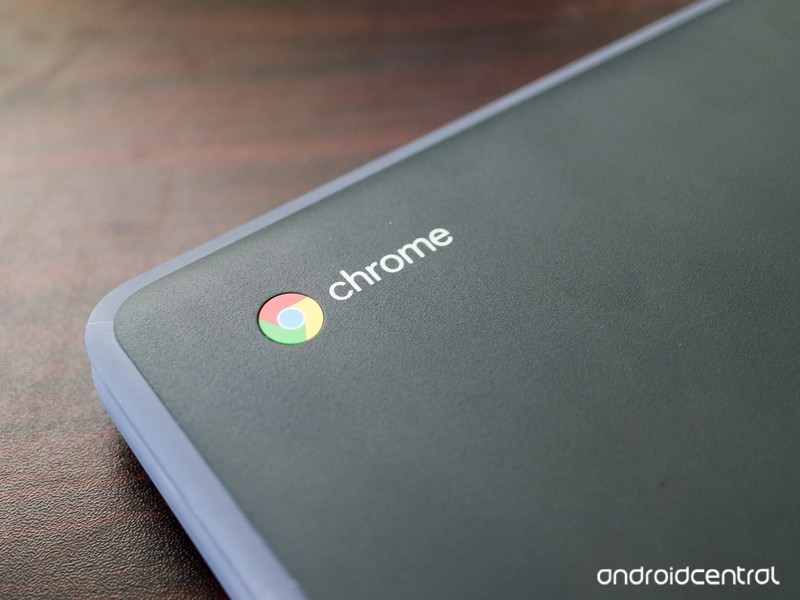
The Lenovo Flex 11 is one tough SOB.
The Lenovo Flex 11 Chromebook is a consumer version of Lenovo’s very solid Chromebooks For Education products. It’s built tough — rated to take a 2.4-foot drop and has a water resistant keyboard tray to keep spills out, but still comes in at a very reasonable $279.99. Finding a “rugged” Chromebook that’s not EDU branded and uber-expensive isn’t a common thing, so we were instantly interested.
After a bit of time with it, the strengths outweigh the drawbacks and we like the Flex 11. It’s not the most powerful Chromebook we’ve tried but it wasn’t made to be. It’s a decent, solid performer designed to take more abuse than most other products in its class.
We think the durability factor and low price make the Flex 11 a great Chromebook for kids or someone who tends not to treat his or her stuff all that respectfully. And while the body is pretty darn durable, the keyboard leaves a lot to be desired. Read on for our full take.
See at Lenovo
Tech specs
The Lenovo Flex 11 won’t win any performance awards, but it’s got a decent lineup of specs that keep its price under $300.
| OS | Chrome |
| Display | 11.6-inch 1366 x 768 IPS Touchscreen |
| Processor | MTK 8137C @2.10GHz |
| RAM | 4GB |
| Storage | 32GBFull-size SD card slot |
| Connectivity | 802.11 a/g/n/acBluetooth 4.0 |
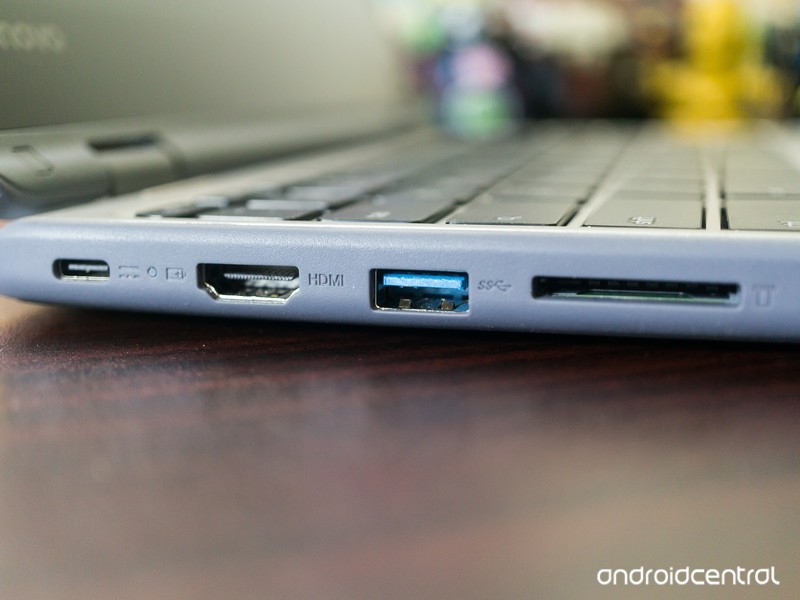
| Ports | 1 USB-C1 USB-A (USB 3.0)HDMIKensington LockHeadphone/Microphone combo jack |
| Size | 11.65 x 8.11 x .8 inches |
| Weight | 2.9 pounds |
Overall hardware
Let’s address the elephant in the room: the Lenovo Flex 11 is not a pretty laptop. It’s not an ultralight aluminum model designed to be light and look good; instead it’s a polycarbonate machine designed to take a bit of a beating. It’s a uniform gray top and bottom, with a lighter gray rubber bumper around the edge of both the top and bottom of its clamshell body. Even the text is gray. I like gray, and I like subdued, muted things but even I have to say the Flex 11 isn’t a looker.
The way the Flex 11 is built clearly puts ruggedness over appearance.
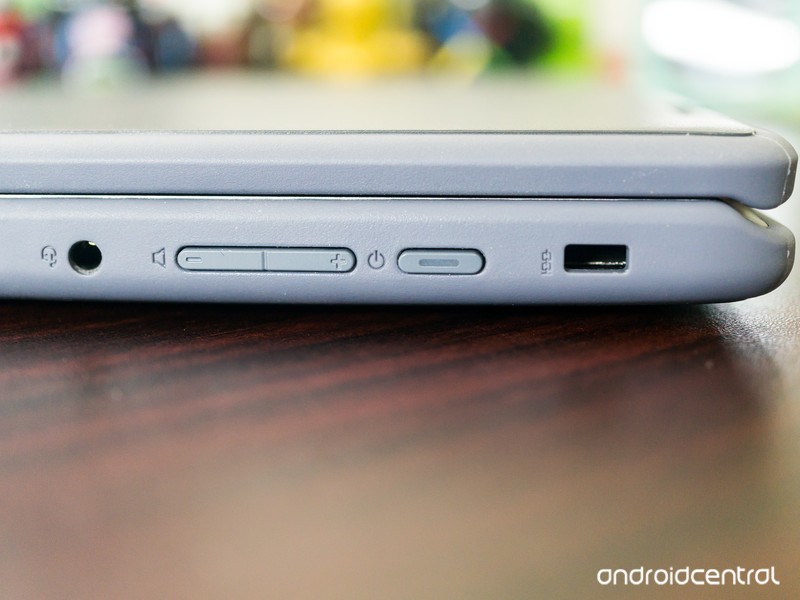
The body of the Flex 11 is solid. There’s no give if you push on the top of the lid, no wiggle when it’s flipped open, and no soft spot on the bottom inside of the bumper feet. The right side of the body holds the Kensington lock, power button, volume rocker and the combo headphone and microphone jack while the USB and HDMI ports are on the left along with a full-size SD card reader.
With the lid closed, the Flex 11 is bland but tough. I appreciate the fact that it’s tough and I know that others (especially those with younger kids) will, too. But I would like to see just a little bit of flash instead of the stoic gray. Order a cool sticker for this one if you decide to buy.
When you open the lid, you’re faced with a metal-finished keyboard pan and palm rest (gray metallic in looks only, it’s still plastic) with a standard island-style keyboard and trackpad. The keyboard is your normal Chromebook style, with Chrome keys replacing the function row and backspace. The display is surrounded by a rather wide bezel, though it’s black and under the glass rather than the same metallized plastic used for the keyboard pan. Again, everything is a testament to function, not form. This works better on the inside, as colors and extras by the way of logos or other markings can be a distraction.
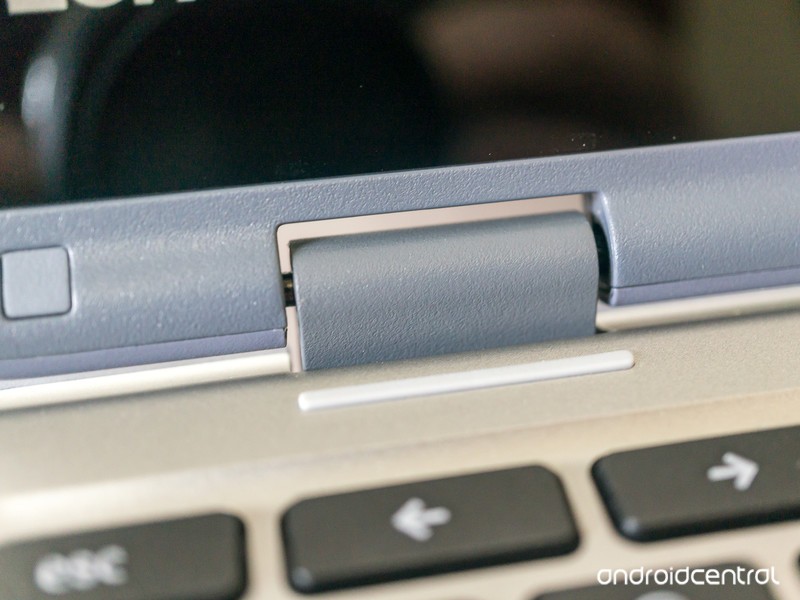
Even the hinges are built better than most others.
The 360-degree hinges mean you can flip the screen over and use the Flex 11 in tablet mode or flip it halfway and use it in easel or tent mode for watching a video. The hinges are solid, no matter the position of the screen. Satisfyingly so, even. Where some models will shimmy and twist with a little force when “tented”, the Flex 11 doesn’t. Again, a testament to what this model was designed to do — be more rugged than average.
Lenovo says the Flex 11 can survive a 2.4-foot drop. 2.4 feet is not very high, but it is about the height of a lap while sitting down or the top of a child’s desk. I’ve dropped it multiple times while closed and open onto a carpeted office floor as well as hardwood floors in my dining room, with no ill effect. I don’t suggest anyone try to manhandle or drop their own unit, but I’m satisfied with Lenovo’s claim of durability here. And of course, I was going to try dropping a review model that’s said to be able to withstand it because it would be unfair not to.
All in all, the chunky 3-pound Flex 11 isn’t much to look at. But it feels durable and solid and lives up to the claims of surviving a minor fall or two. Or twenty. I also went a bit above and beyond to see how well the Flex 11 would handle a bit of torture. Let’s just say that 80-pounds on the lid had zero effect on the operation and that Lenovo doesn’t suggest it should survive this. It’s tough. Very.
Display
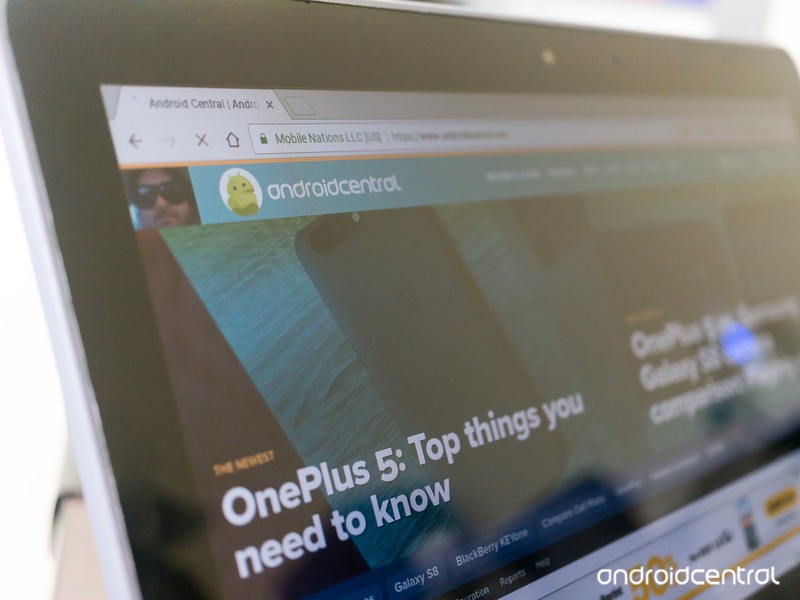
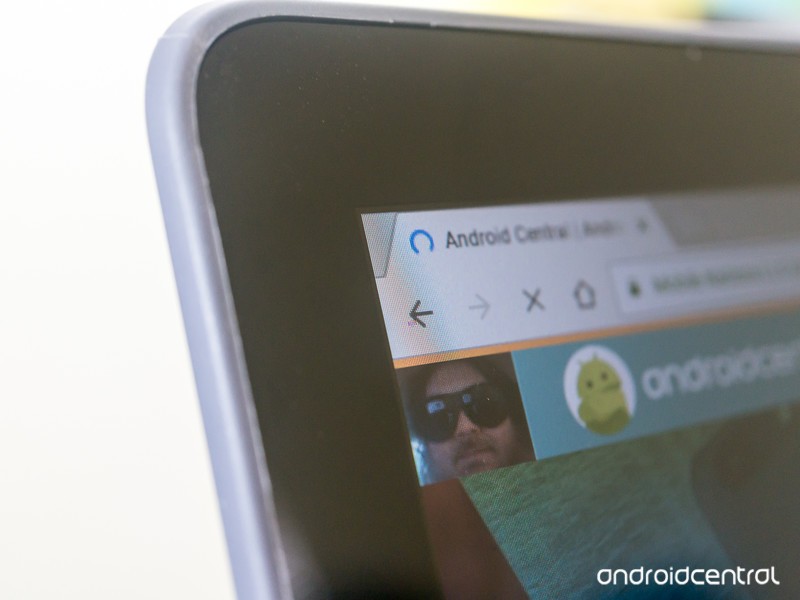
The 11.6-inch, 1366 x 768 display on the Flex 11 isn’t the best I’ve seen. It’s not terrible, but in an age of 1080p or higher displays on even a few budget models, seeing last generation’s 1,366-pixel resolution is never ideal. I understand that it’s standard for most laptops under $300, but that doesn’t mean I have to like it.
Most cheap laptops have a 1366 x 768 display. Still waiting for the budget-priced model that bucks this trend.
It’s also on the dim side which means colors don’t pop the same way they would on a brighter display. This is most evident when looking at dark shades layered on each other while watching a video. Dark blue struggles to stand out against black, for example, and it’s obvious when using the Flex 11 somewhere with plenty of ambient light. When you’re in a dark room or looking at a static image, you won’t notice it as much. This isn’t uncommon to see from inexpensive IPS displays but still needs to be mentioned.
The 10-point multitouch, however, is great. Touches register immediately, and multi-finger gestures like two-finger zooming or alt-clicking work flawlessly. Touch response rivals the Chromebook Pixel, which retailed for $1,100 more than the Flex 11 when it was available.
Overall, the display is acceptable when you factor in the sub-$300 price tag. I’m not knocking the Flex 11 for its screen because it compares favorably to other models in its class and has a touch screen as good or better than any other Chromebook on the market. It just doesn’t have any “wow” factor.
Keyboard and Touchpad

While the screen is fine, the keyboard is a little disappointing. Everything works and it works well, but the keys are very shallow and easy to press. I find that combination makes it difficult to type quickly and accurately with errant key presses or double letters being the result. If you hunt and peck with two fingers, you won’t have too many complaints but touch-typers or anyone who has Ms. Beacon’s proper form will struggle. My biggest complaint is that a laptop clearly designed for youngsters has a keyboard that would be bad to use when learning to type. I’m sure using the Flex 11 full-time would help us get used to the keyboard, but I never like having to “deal with” or “get used to” something that’s not great.
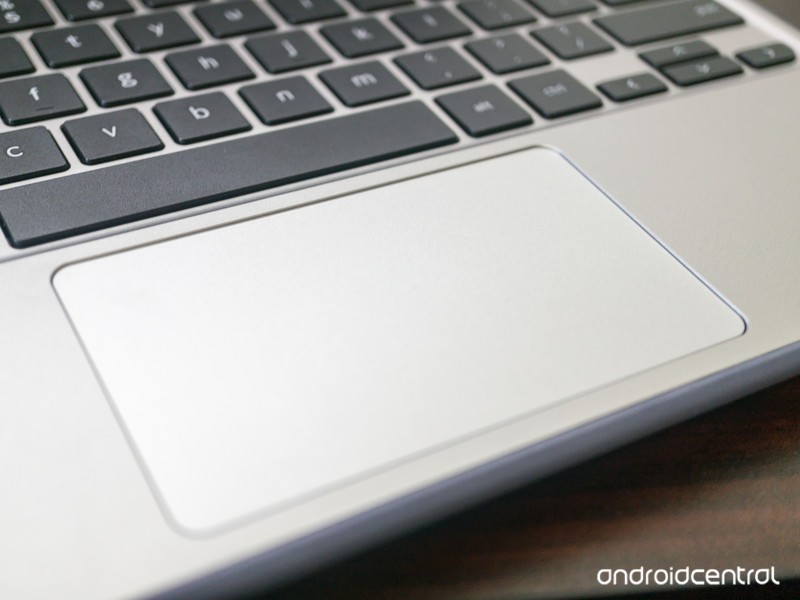
The trackpad is much better. It’s nice and smooth with just a hint of texture and has a very discernable edge where it’s recessed into the keyboard pan. Touch and tap gestures worked great, and if I had to find a complaint it would be that pressing/clicking the trackpad seems a little stiff. That could be the hardware itself, or it could be that I never click the touchpad and use tapping gestures instead so it seems stiff in comparison. Like the touch response, I was pleasantly surprised with how good the trackpad is on the Flex 11.
The keyboard is advertised as water resistant, with “innovative internal channels beneath the keyboard to divert liquid away from sensitive electrical components. It can handle up to 330 ml – about 1 cup – of liquid without damage.”
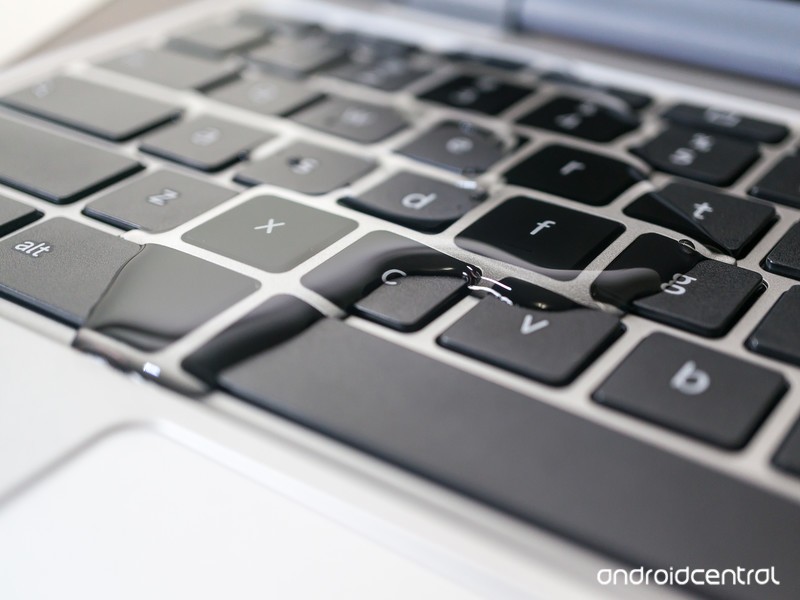
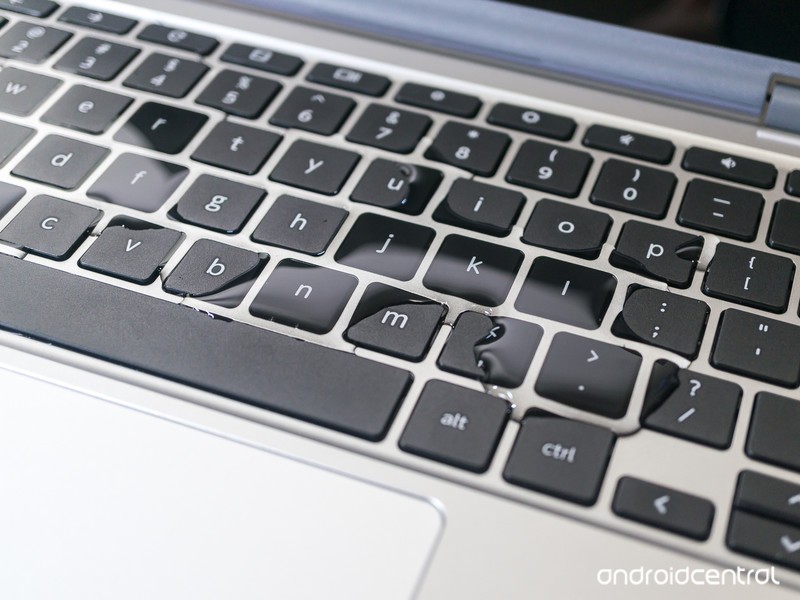
The Flex 11 handles spills just fine, but it’s not “waterproof.” Don’t treat it as such.
It passes that test with flying colors. I tested just under a full cup of tap water, and while it made a mess on the desk it had zero effect on the keyboard. I shied away from using any sticky liquids like soda or coffee, and wouldn’t recommend trying it.
In the end, one of the perks of using a Chromebook instead of a tablet is that you have a good keyboard. While the Flex 11’s keyboard is far better than anything you would find for an Android tablet or iPad, it’s not a great keyboard. It’s completely serviceable for most users, but I can’t ignore the issues.
Other features and performance
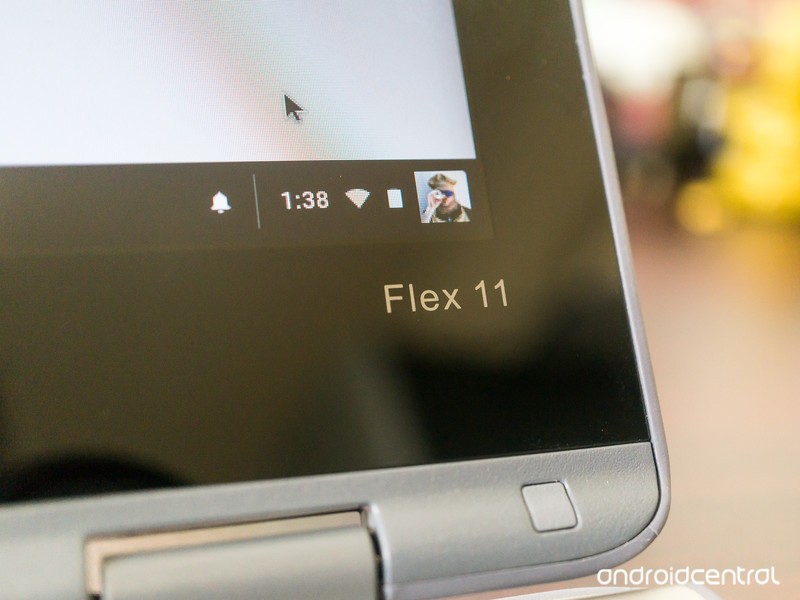
The Flex 11 uses a basic industry standard MediaTek ARM processor, bundled with 4GB of RAM. Not too long ago I would have told you to shy away from a Chromebook with an ARM processor, but times have changed. The performance is on par with every other laptop in its price range. You can have multiple Chrome tabs open and won’t hit the “lag wall” you see in some 2GB models. You can comfortably use 10-12 browser tabs before the system slows down or suspends any older tabs.
The MTK8137 CPU provides decent performance, but battery life could be better.
Full-screen HD video through YouTube and Netflix renders well, and outside the issues of dark colors as described above you won’t have any complaints provided you have the bandwidth to stream. The speakers are loud and bright, which is great for watching a video or listening to a podcast, but not optimal for music — there is the definite lack of bass response you find with most laptops. The 3.5mm combo jack provided better audio and should satisfy most users with typical headphones or headsets.
Connectivity was fine, with both Bluetooth and Wi-Fi having good range. It’s worth noting that the lack of 802.11 b in the specs is not a typo, and if you’re hanging on to ancient equipment that uses the “b” Wi-Fi standard you won’t be able to connect the Flex 11 to your network. Bluetooth connections from a phone, headset with microphone, headphones, and a portable speaker went without a hitch and performed well throughout the Bluetooth’s standard 33-foot range.
The battery life was a minor disappointment. Lenovo suggests up to 10 hours of life away from a charger, but that’s optimistic; seven or eight hours is a more realistic figure with “average” use. Most ARM Chromebooks have the same battery longevity, so this isn’t a problem. My issue is the way the battery drains while watching a video because it seems to deplete much faster and the device gets warmer than other Chromebooks with the same basic processor arrangement. The screen could be more power-hungry or there could be a difference in the device configuration, but it’s noticeable. You’ll have less juice in the tank after watching a video with the Flex 11 than you would with other similarly priced Chromebooks.
Seeing USB-C instead of a proprietary charging port is always a plus.
The battery charges via the USB-C port, which uses the standard power-delivery feature. With a USB-C to USB-C cable, you can charge your phone or anything else that also uses the USB-C PD standard.
On the flip side, standby times were off the chart. If you shut the lid and put your Chromebook away instead of shutting it down, you’ll appreciate coming back to a battery in the same shape it was in when you put it away. I saw a mere 2% loss in the battery indicator after 72 full hours of standby.
Android apps
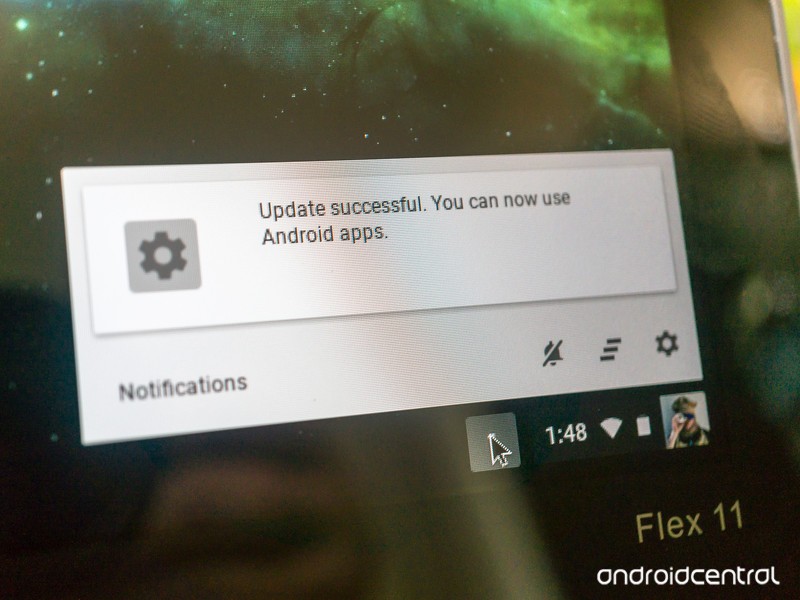
The Flex 11 has access to Google Play if you switch to the Chrome beta channel. The experience is the same as you’ll find on any Chromebook with Play Store access, with most Android apps working fine but not quite optimized for a bigger screen. Hopefully, being placed on the fast-track for Android means that when Android for Chrome is updated to 7.1 with better controls for sizing windows the Flex 11 should see the update soon after.
Today, the experience is as expected with none of the troubles recent Intel-based Chromebooks are having. It’s worth moving to the beta track and installing your apps to the 32GB of storage.
Should you buy it?
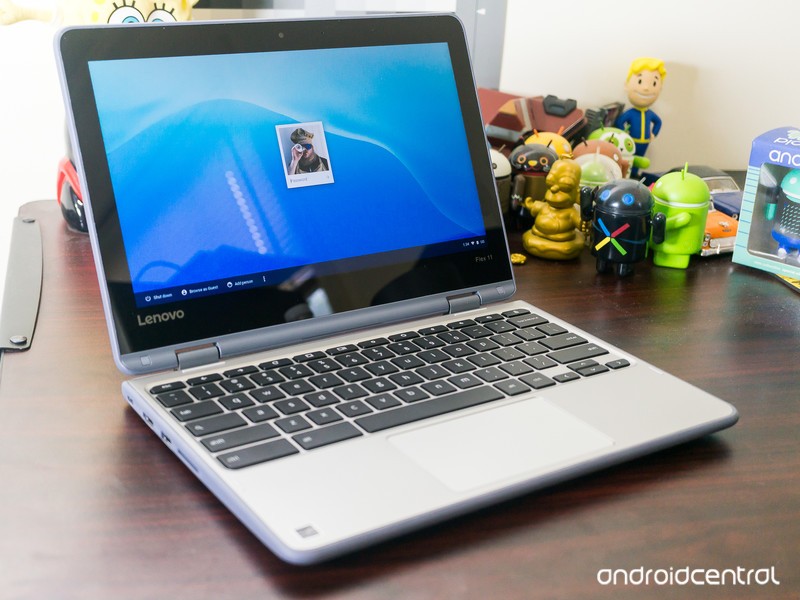
If you’re looking for a Chromebook that’s durable and a great fit for a youngster, the Flex 11 is the best buy. I wasn’t thrilled with the keyboard, and the display isn’t the brightest I’ve tested, but the overall package has plenty to make up for the shortcomings. If buying for a student with an interest in learning to type, I have to change my recommendation and suggest that you’ll simply need to spend more money for the Lenovo N23 Education model which provides a rugged frame and much better keyboard.
If you need something built tough, the Flex 11 is where you should start looking.
If you’re looking for a laptop that you can toss in your bag or on the back seat and not worry about bumps and bruises, the Flex 11 is also a good fit. There aren’t any other Chromebooks this durable in this price range. The performance is solid and outside of our keyboard niggles, you’ll be satisfied with how it works when you need it. The standby time is a great bonus here, too.
Of course if how your Chromebook looks is a factor or if you need something with a bit more power for tinkering you would be better served by something else.
I take a Chromebook with me most times I leave the house, and knowing that it can take a little more rough handling would put the Flex 11 on my radar if I were in the market for a new Chromebook.
Chromebooks

- The best Chromebooks
- Should you buy a Chromebook?
- Google Play is coming to Chromebooks
- Acer Chromebook 14 review
- Join our Chromebook forums
Nissan Qashqai (2017) review: Is the original SUV crossover still the best?
There’s barely a suburban street that doesn’t have a Qashqai, or a pair of Qashqai. There isn’t a school car park or supermarket without a brace of Qashqai. Nissan’s mini SUV is pandemic, having created the crossover category and now dominated it for 10 years.
It’s that success that’s caught the eye of the competition, so it’s no surprise to find that Nissan has updated the Qashqai as it fends off increasingly competitive SUV crossover rivals in the hottest segment on British roads.
In the fight to be the ultimate crossover there is no let up. Is the Qashqai still king?
Nissan Qashqai (2017) review: Design
The Qashqai was updated as recently as 2014, so this latest model isn’t such a drastic change from the model that comes before it. We’re happy with that, as the outgoing model carries an elegance in its design that some rivals are only just scrabbling to compete with. Look at the drastic rethinking of the new VW Tiguan, for example, which has taken time to come around to updating its style.
Pocket-lint
For this new Qashqai, the changes are mostly around the front with a new grille, bonnet and bumper, and a new “boomerang” daytime running light (for those models equipped with LED lights).
The slight oddity about the front is that the physical badge on some models is replaced by a plate that shows it graphically, although there’s a clever bit of design here. This new badge section allows Nissan to house the sonar behind it, part of the Intelligent Mobility suite that will give you things like crash avoidance and pedestrian detection. That means the sonar is invisibly integrated, rather than appearing as a blob somewhere else.
There’s also a design change on the underside of the car. At the rear there’s been some work on the aerodynamics, with a finned “vortex generator” panel at the rear. This is designed to alter the airflow as it exits the underside of the car and reduce the wind noise when driving.
In this model of car, equipped with the new top-spec Tekna+ trim, there’s quality details added to the exterior, like the satin silver door mirrors and roof rails. Look familiar? That’s what Audi does on its RS Q models. That’s no accident, as increasing quality is what Nissan is focusing on the new Qashqai.
Pocket-lint
Many of these details pour into the higher trim levels, looking to take the N-Connecta and Tekna models up a premium tier, while the Visia and Acenta remain fairly close to where they were before – and continue to offer the best value for money.
In our eyes it’s all good: the Qashqai is still one of the most attractive models in this class: it’s well-proportioned with its fun but practical mini SUV stylings, with a balance that looks just right. But there’s a lot more competitive choice appearing all the time – whether from Kia, Seat, VW or beyond – which is really the driving force behind these changes.
Nissan Qashqai (2017) review: An interior upgrade
Slip into the seats of the new Qashqai and there’s a familiar feeling. The interior layout remains very much as it did before, so there hasn’t been a huge change in design. Instead, Nissan again focuses on quality. In keeping with those vortex generators on the underside of the rear, there’s been a range of changes to reduce noise on the inside too.
Nissan
That’s noticeable on the road and comes in the form of better door seals, more sound deadening material in the engine bay and wheel arches, as well as thicker glass. The aim is to create an interior space that has a premium feel, somewhere that’s quiet and refined and, more importantly, able to compete with those increasingly sophisticated rivals.
Swap from the old Qashqai to the new and the experience is one of Qashqai+: it looks the same, it feels the same, but it’s slightly better. It’s a nicer cabin to ride and drive in.
The interior is made up mostly with soft-touch plastics and leather touch points – although this will vary depending on what trim level you opt for. Up at the new Tekna+ level, you’re looking at Nappa leather seats as standard – and comfortable they are too. There are newly designed seats for N-Connecta and above, again, with those top trim levels getting more of the luxury stuff, but all the models get a new steering wheel, which is probably the biggest single change on the interior.
The new steering wheel opts for a sportier D shape with a flatter bottom. Nissan says this is based on customer feedback, meaning it’s easier to slip into the driver’s seat (not that it was difficult before), but this is also a thicker steering wheel with new controls, designed to feel more premium.
Pocket-lint
Overall, the result of Nissan’s interior and exterior changes, as well as the introduction of this new Tekna+ trim level, means that there’s now a super quality Qashqai for those who might be considering hopping to a different marque. Fear not, Nissan has been listening and the Qashqai is now offers more options for more buyers. At the same time, that’s pulling the prices up, so that Qashqai again faces more competition from the likes of the new Seat Alteca or the Kia Sportage in being the school-run champion.
Nissan Qashqai (2017) review: Technology
The technology story is currently incomplete, as one of the changes coming to Qashqai is Nissan’s ProPilot system. This is a semi-autonomous option that will basically take care of your driving on the motorway or in slow moving traffic – thanks to a combination of lane sensing, adaptive cruise control and braking systems. That’s now scheduled as a 2018 option, but should see launch Europe-wide. We’re not sure which trims it will be an option for, we suspect N-Connecta and above.
- Driving with Nissan ProPILOT: Removing the legwork
Pocket-lint
Elsewhere, the technology story of the interior is very much as it was before. There’s a central 7-inch display (on N-Connecta and above) flanked by buttons to control major elements of your in-car experience, like music or navigation. The system in the new Qashqai is essentially the same as the previous version.
On the whole it’s ok, but this is one area that the Qashqai seems to have overlooked the mission to update to a premium experience – and not only in the black glossy surround. While major areas are covered, it’s not hugely connected: there’s no Apple CarPlay or Android Auto, instead opting for Nissan Connect (Google Play, iTunes), where you’ll have to install the app on your phone to enable some connected features on the display.
Those amount to the likes of Facebook, Trip Advisor and Eurosport, which seems to be the wrong emphasis. You don’t need those things in your car, whereas offering Spotify would be a real benefit. As a result, the infotainment system feels a little dated as it currently stands.
Pocket-lint
There is something to sweeten the deal, however, in the form of a new Bose sound system. This is an 8-speaker system comprising two front tweeters, four main drivers in the doors and two subs in the back. It actually sounds very good, offering plenty of clarity and performance at high volumes without distortion. Best of all, the Bose sound system is standard on the Tekna and Tekna+ models.
It’s worth noting that all grades of the Qashqai get Bluetooth and a USB socket as standard, as well as DAB radio. However, one of the new additions – the shark fin antenna – is again reserved for N-Connecta and above.
Nissan’s technology story isn’t just about your entertainment though. There’s also a lot of assistance on the road, from an effective lane departure system to cruise control and emergency braking. There’s speed sign detection so you can see the speed limit at a glance, as well as camera alerts.
Pocket-lint
Perhaps our favourite is the 360 camera. This is included on the N-Connecta and above, letting you hit the button for a view on all sides of the camera. It’s perfect for seeing how close to the kerb you are, or how well you’ve managed to park in that tight space. If you’re worried about driving a car bigger than a thimble then this is really useful aid.
Nissan Qashqai (2017) review: On the road
The 1.6-litre diesel model came paired with the Xtronic gearbox – a continuously variable transmission (CVT) autobox – for this review. It’s quiet and sophisticated, avoiding too much of the booming diesel noise thanks to that sound-proofing tech.
This is also a fairly spritely 130bhp diesel and there are options for front (2WD) or all-wheel drive (4WD), as well as 6-speed manual. The 1.5-litre diesel remains the most efficient with emissions at 99g/km CO2.
Pocket-lint
If you’re buying the Qashqai as an urban driver, then the 2WD automatic option is the one you’ll want to save all the gear shifting and give you the smoothest ride, although it comes at a premium over the manual.
We mentioned that it’s a CVT, meaning it’s a little slower in adjusting to changes, like needing more power coming out of a corner. At the same time, this is a crossover, most likely with a small family installed, in which situation the CVT transmission delivers what it’s supposed to – a smooth ride. The suspension does the same, soaking away bumps, but leaving you with a little more sway that fits the height of the vehicle. Similarly, the steering as standard is light: if you want it heavier, you’ll have to dive into the settings to add a little weight.
So what’s the final result? The Qashqai is perfectly comfortable and easy to drive. On this 1.6 model there’s enough power to keep you heading up hills when you’re loaded with a week’s worth of camping kit, but not so much power that you’ll be smiling from ear-to-ear once you’ve deposited your passengers.
In that sense, it’s perfectly suited to task. Pitched as an urban crossover and adopted as a family car across the country, the Qashqai continues to deliver what it’s good at.
Pocket-lint
Taken in the context of its new and most expensive premium tier, however, there’s fierce rivals from the likes of Audi with the Q2 and Q3, which offer a drive that’s a little more dynamic, while pushing a quality spec at similar prices.
Verdict
The 2017 Nissan Qashqai is a classic facelift update. There are some external updates that bring premium highlights – like the sharkfin antenna or the Tekna+ silver wing mirror covers – and interior plushness with better leather and great seats.
But in many ways, this update is all about the introduction of Tekna+, an option that gives many new features while also pulling the Qashqai up in price. The aim, no doubt is to appeal to higher spenders, but as the price rises, so does the competition, so careful selection in an increasingly competitive segment remains important.
Ultimately, however, the Qashqai continues to be exactly the car it’s meant to be: it needs to be a consideration for anyone looking for a family crossover. It’s nice to drive, it looks good and it’s hugely practical, but on the interior (apart from the nice new Bose sound system) there’s not a huge change from the last model.
Alternatives to consider
Pocket-lint
Seat Alteca
The Seat Alteca might not have the good looks of the Qashqai and in some ways its visually forgettable, but this is part of its charm. It’s understated and good at everything. It drives well, it’s competitively priced and offers plenty of spec. It’s also something of a surprise, which is why the Alteca could be a stealth hit: it’s a real Qashqai rival.
- Seat Alteca review
Pocket-lint
Kia Sportage
If there’ one car that’s starting to see the Qashqai effect on the UK’s roads, it’s the Sportage. Through refinement in design, a huge warranty and aggressive pricing, Kia has had a real impact on the roads, with the Sportage occupying the same space as the Nissan. It’s practical, affordable and you get a lot of tech for your money.
- Kia Sportage review
Pocket-lint
VW Tiguan
The dowdy days of the Tiguan are over; the redesign of VW’s small SUV is so drastic, it’s difficult to believe it’s the same car. If there’s a challenger for the Qashqai’s good looks, then it’s the new Tiguan. Propping up those looks is a lot of sophistication which really sees the Tiguan in a slightly higher tier in this new form.
- VW Tiguan review
Pocket-lint UK deals of the day: Rasberry Pi 3 Kit for £36.99 today
Welcome to Pocket-lint deals of the day were we scour the internet to find you the very best deals that are available in the UK today.
We will be regularly updating this page, so bookmark it and check back regularly to make sure you don’t miss out on some of the best tech deals online.
Pexels
Tech and Gadgets
- NeeGo Raspberry Pi 3 Kit – reduced from £100 on Amazon today to £36.99.
- Oral-B Smart Series 4000 Electric Rechargeable Toothbrush – £39.99 on Amazon.
- Pebble 14 mm Time Round Smartwatch – Silver/Red – £59.98 on Amazon.
- Logitech MX Anywhere 2 Mouse is reduced on Amazon today from £69.99 to £36.99.
- Lenovo 65CDGAC1UK ThinkVision X24 OLED FHD Monitor has been reduced from £179.99 to £119.99 on Amazon.
- HP Pavilion x360 15-bk150sa 15.6-inch 2 in 1 – Silver laptop is £499.00, saving you £150 off on Currys.
- Microsoft Universal Foldable Bluetooth Keyboard is £32.99 today reduced from £99.99 on Amazon.
Pexels
Games
- Xbox Live 3 Month Gold Membership and Rocket League for free – £14.99 on Amazon.
- Sony PlayStation VR – £317.99 on Amazon.
- Mortal Kombat XL (PS4) – £12.49 on Base.
- Dead by Daylight (PS4) – £19.99 on Amazon.
- Yakuza Kiwami Steel Book Edition (PS4) – £23.85 on Base.
- 8BITDO NES30 Pro Wireless Bluetooth Controller Dual Classic Joystick YIKESHU For Android Gamepad – £28.45 on Amazon.
- Rime (PS4 & Xbox) – £17.49 on Argos.
- Need for Speed: Most Wanted (PlayStation Vita) – £7.49 on Base.
- Deus Ex: Mankind Divided Day One Edition (Xbox One) – £8.64 on Amazon.
- Tom Clancy’s Ghost Recon Wildlands Inc The Peruvia PS4 – £26.86 on ShopTo.net.
- Prey (PS4) – £22.85 on Base.
Pexels
Audiovisual
- HISENSE H49M3000 49″ Smart 4K Ultra HD HDR LED TV – £369.00 on Currys.
- LG 43UH603V 43 inch Ultra HD 4K Smart TV – £379.00 on Amazon.
- Philips 55PUS6401 55 Inch SMART 4K – £499.00 on Amazon.
- Hisense 55M7000 4K TV – £599.00 on John Lewis.
Pexels
Phones
- Google Pixel 32GB Black with 5GB data – £25.00 upfront cost £27.99 per month £696.76 total cost over 2 years at Mobiles
- Diamond X 4G Andorid 6.0 – £75.68 on Amazon.
- Apple iPhone 7 256GB in red – £779.00 on John Lewis.
- Bush Spira D3 – £99.95 on Argos.
Pexels
Entertainment
- Heroes complete box set in Blu-ray is £17.99 using code BINGE10 on Zavvi.
- John Wick 2 – £19.99 on Zavvi.
- Rogue One: A Star Wars Story Blu Ray – £15.00 on Amazon.
The Morning After: Monday, June 26th 2017
It’s Monday morning, and we’re talking about how tweets are now official presidential statements, the problem with the console wars and Snapchat Specs made for underwater.
The importance of cross-platform play.‘Rocket League’ will die without cross-console multiplayer

All online games eventually die. But the difference between the original version of World of Warcraft and, say, Call of Duty: Ghosts is that WoW was more of a service on an open system (PC). Players could gradually migrate to its annual expansions and still be a part of the overall population. When it comes to Rocket League, developer Psyonix’s Jeremy Dunham has a way to fix these fractured player bases: opening up cross-platform multiplayer. “We’re not trying to build six Rocket Leagues,” he said. “We’re not looking forward to when Rocket League 2 and 3 and 4 are coming out. Rocket League is the game we’re gonna keep updating. It’s important to us to keep that going, cross-generation, across multiple platforms, without sacrificing anything.”
The White House claims Trump’s tweets are an official response to a federal committee’s inquiry.
In 2017, tweets are official presidential statements

Still not sure a tweet counts as an official response to a federal inquiry? Well, the White House has reaffirmed that it is. As reported by Reuters, the White House sent a letter to the House of Representatives Intelligence Committee claiming that a pair of Trump tweets on Thursday were the president’s official word on the matter.
A university in the Netherlands is building a special cycling bridge.
A 3D-printed bridge using reinforced concrete

Researchers there have started manufacturing parts for a 3D-printed cycling bridge using reinforced concrete. When finished, it’ll apparently be the first bridge to use 3D-printed reinforced concrete (but not the first 3D-printed bridge using other materials — or even concrete itself.) There’s an environmental impact, too: 3D printing will seriously cut down the CO2 emissions made by concrete-cement production. The 3D printer also offers more design freedom, fabricating shapes that are much harder to produce with a mold.
No, those ‘healing stickers’ aren’t made of NASA tech.Ex-NASA scientist calls Goop’s ‘healing stickers’ a load of BS

Gwyneth Paltrow’s lifestyle website, Goop, tends to promote all kinds of nonsense. One of its latest recommendations, wearable stickers by a company called Body Vibes, is pretty hard to turn a blind eye to, though, because its creators claimed that it uses NASA technology. Goop wrote that the body stickers are capable of rebalancing “the energy frequency in our bodies,” since they’re made of the “same conductive carbon material NASA uses to line spacesuits” to “monitor an astronaut’s vitals during wear.” Except, as a NASA rep told Gizmodo, that’s not true — at all.
Snapchat teams up with cruise ship for underwater footage.
Custom Snapchat Specs can take snaps under the sea

Spectacles have made sharing marginally exciting videos on land via Snapchat easier. It also helps that you no longer need to hunt down a vending machine to snag a pair in the US. But a partnership between the social network and Royal Caribbean cruise lines will make it easy to capture footage under the sea. The SeaSeeker can record video for up to 30 minutes underwater, at depths up to 150 feet, making it perfect for scuba and free-diving.
But wait, there’s more…
- Facebook, not presidential ambition, is why Zuckerberg’s on tour
- WhatsApp is becoming a top news source in some countries
- Recommended Reading: Apple’s original television aspirations
SpaceX launches and lands two rockets in a single weekend
SpaceX’s technical problems that caused an explosion last September seem well behind it, as it pulled off the rare feat of launching two rockets this weekend. On Friday, the Falcon 9 lofted a Bulgarian communications satellite into orbit from Florida’s Kennedy Space Center, landing the recycled first stage at sea. On Sunday, it pulled off the trick again, sending ten Iridium-2 satellites into orbit from Vandenberg Air Force Base in California. Once again, it brought the first stage safely back to drone ship “Just Read the Instructions” despite visibly rough weather and rolling seas.
Sped up version of today’s rocket landing on the Droneship Just Read the Instructions (guess it did)
A post shared by Elon Musk (@elonmusk) on Jun 25, 2017 at 2:41pm PDT
The landing was impressively free of drama, despite the fact that you can see the barge pitching and whitecaps breaking against it. SpaceX CEO Elon Musk said that the drone ship had to be repositioned due to “extreme weather” and warned that launch and landing “will be tight” (see the full video, below).
Musk pointed out new titanium grid fins used to aerodynamically maneuver the Falcon 9’s first stage for the Iridium launch. Clearly visible in the landing video, they’re made of “a single piece of cast and cut titanium … [and] can take reentry heat with no shielding,” he tweeted.
Flying with larger & significantly upgraded hypersonic grid fins. Single piece cast & cut titanium. Can take reentry heat with no shielding. https://t.co/SmyCCQRt2F
— Elon Musk (@elonmusk) June 25, 2017
Iridium might be best remembered as the company behind a failed space internet and cellphone calling scheme. In 2007, it rebooted the network as “Iridium Next” with an 81-satellite constellation, 75 of which will be launched by SpaceX. The aim is to “provide services for aviation, maritime, internet of things, terrestrial and government organizations,” says SpaceX.
The two launches are the closest together yet for SpaceX. The launch of the Bulgarian satellite and recovery of the first stage marked just the second time SpaceX has used (and recovered) a recycled first stage. Interestingly, the same rocket launched the first batch of 10 Iridium satellites in its virgin debut.
All of that is a good sign for SpaceX, which wants to really amp up the pace of rocket launches. Key to reducing time and cost are the first stage recoveries, and so far, SpaceX has done those successfully 13 times, including eight at sea. The last time a landing failed was a year ago, but that was already a risky attempt following a high-orbit satellite launch. Soon, SpaceX plans to launch rockets every two weeks, a blistering pace that may make the still-amazing spectacle old hat.
Source: SpaceX
Australia to Push for Greater Powers on Encrypted Messaging at ‘Five eyes’ Meeting
Australia is set to push for greater international powers to thwart the use of encrypted messaging services by terrorists and criminals, according to reports on Sunday (via Reuters).
The topic will be addressed this week at a meeting of officials from the “Five Eyes” intelligence sharing network, which includes the U.S., the U.K, Canada, Australia, and New Zealand.
Australia claimed the increasing use of strong encryption on smartphones and other devices was hindering law enforcement’s capacity to gather and act on intelligence, and said it wants tech companies to do much more to give intelligence and law enforcement agencies access to encrypted communications.
Security experts and privacy groups regularly argue that any such methods would simply weaken overall security for everyone.
“I will raise the need to address ongoing challenges posed by terrorists and criminals using encryption,” Australian Attorney General Senator Brandis said in a joint statement.
“These discussions will focus on the need to cooperate with service providers to ensure reasonable assistance is provided to law enforcement and security agencies.”
The announcement followed the U.K. government’s recent statement of intent to pressure technology companies to do more to put an end to the “safe spaces” that the internet offers extremists. The country has also called for measures to “regulate cyberspace”, following terror attacks in the country.
In related news, a leaked draft technical paper prepared by the U.K. government states that technology companies would be required to remove encryption from private communications and provide the raw data “in an intelligible form” without “electronic protection”. However, it’s not clear if the Conservatives still intend to pursue these powers after recent elections left the party with a minority government and a diminished mandate.
Last year Apple refused requests from the FBI to break the security of its mobile software, following the recovery of an iPhone used by the San Bernardino shooter. Apple argued the FBI’s request would set a “dangerous precedent” with serious implications for the future of smartphone encryption. The dispute ended after the government found an alternate way to access the data on the iPhone through the help of professional hackers.
Last week, the European Union published draft proposals that would enforce end-to-end encryption on all digital communications and forbid backdoors that enable law enforcement to access private message data. If ratified, the law would put it at odds with both the U.S. and U.K. intelligence communities.
Note: Due to the political nature of the discussion regarding this topic, the discussion thread is located in our Politics, Religion, Social Issues forum. All forum members and site visitors are welcome to read and follow the thread, but posting is limited to forum members with at least 100 posts.
Tags: security, Australia, privacy, Encryption
Discuss this article in our forums
First Run of ‘Assembled in India’ iPhone SE Models Appear in Bangalore
The first iPhone SE devices that have been made in India are beginning to circulate around Bangalore, according to a report today by The Indian Express. The site noted that it’s still hard to come by an iPhone SE with “Assembled in India” on its back, because Apple has kicked off its Indian iPhone production with just a small trial run of limited units.
Image via The Indian Express
The India-made iPhone SE models are mostly appearing in Bangalore, which is expected since that’s where Apple’s assembly plant is located. Apple officially began assembling iPhones in India in the middle of May, with sources predicting that retail outlets would get the first shipments over the next few weeks.
The handsets have been assembled by Apple supplier Wistron, and Apple’s plans for local production of iPhone devices began as part of Prime Minister Narendra Modi’s “Make in India” initiative last year. This past weekend, PM Nodi met with Apple CEO Tim Cook and a collection of other tech CEOs to discuss the Indian government’s attempts to improve the country’s business climate and convince American-based companies to extend manufacturing into India.
Unfortunately, the iPhone SE hasn’t seen a price reduction yet in the country, despite Apple’s local manufacturing goals finally being realized after so long, which the company hopes will eventually lead to lower-priced devices. The Bangalore-made iPhone SE models are said to be “priced the same as other models manufactured in China,” and it’s unclear when such a price reduction might come to the iPhone SE models made and sold in India.
Related Roundup: iPhone SE
Tag: India
Buyer’s Guide: iPhone SE (Caution)
Discuss this article in our forums
Get free DisneyLife subscription with Tesco Mobile this summer
Tesco Mobile is making your kids’ journeys better this summer, with DisneyLife subscriptions coming for free as part of its pay-monthly, pay-as-you-go and SIM deals.
DisneyLife is Disney’s own streaming service, with unrestricted access to movies, TV shows, apps, music and books available as part of a monthly membership fee. However, Tesco Mobile is giving away three months’ worth (valued at almost £15) to all customers signing up for a new price plan or PAYG deal.
It is also available to all Tesco Mobile customers upgrading their existing contract.
The offer is available to 3 September 2017, so is designed to give you a little more for your money in the summer months.
- What is DisneyLife and why will it give Netflix and Amazon Prime sleepless nights?
Kids (and adults) can use the service on supported devices – including iOS and Android phones and tablets, Amazon Fire tablets and boxes, and Android TV boxes and sets. Content can be streamed over Wi-Fi and downloaded to watch offline. Up to 10 devices can be registered and up to four of them can be used to stream DisneyLife content at the same time.
If you want to carry on with DisneyLife after your free three months, the service will take the next subscription payment from your registered bank or card.
Tesco Mobile also has a few deals on mobile devices for the summer, including the Moto C with 500MB of data, 250 minutes of talktime, 5000 texts and a free pair of Pulse Max headphones for just £8.50 a month.
 AIVAnet