


Sweden’s Musuem of Failure celebrates tech’s biggest flops
Why it matters to you
The Museum of Failure makes a case for remembering history’s botched products — if only so we can learn from their mistakes.
Everyone remembers history’s most successful products, but sometimes its flops can be fondly remembered, too. That can be especially true in tech, where a failure can mean a product was ahead-of-its-time, or a bad implementation of a good idea.
Those ideas — ranging from the noble flops to the “who on earth thought this was a good idea” down-and-outs — form the basis of the newly opened Museum of Failure in the Swedish town of Helsingborg.
“I’m not sure failure should be celebrated, but it should be given more attention,” curator Samuel West, a licensed clinical psychologist, told Digital Trends. “Success might be good for inspiration, but it is through failure that we learn. Eighty to 90 percent of all innovation projects fail, yet we seldom see or read about these failures. Also, organizations need to improve their ability to learn from failure. Even the coolest Silicon Valley ‘Fail Forward’ companies may be good at accepting failure, but they suck at learning from failure.”
As you might imagine, given that the pace of innovation is much higher in the tech sector, there are plenty of tech gadgets in the museum’s 70-plus item permanent collection. In fact, West says he had to work hard to avoid having an exhibition that was entirely tech-focused.
“There are so many failed smartphones that it would have been easy to have too many,” he said. “We’ve got the uninteresting and short-lived Microsoft Kin to the highly interesting — from a failure perspective — TwitterPeek.”
You’ll also find a motley crew of everything from the Segway (remember when it was going to change transportation as we know it?) to the Apple Newton MessagePad, which laid the groundwork for the later iPhone and iPad, but never sold more than a couple of hundred thousand units over its five-year lifespan.
To see the museum’s collection, there are a few possible options. A traveling collection will go on tour later this year, although no dates have yet been set. For conferences and events, a small miniature pop-up version of the museum is available for hire. In addition, Google has offered to help create a virtual version of the museum, although West doesn’t know when this will be made available.
The best option, though? “Fly to Copenhagen, Denmark,” he said. “Have a beer. Get on a train to Helsingborg, Sweden, which takes one hour.” That way you get to witness the failure in all its glory.
And if you happen to have anything to donate to the collection, bring it along! “I am always looking for interesting additions,” West finished. “They don’t always have to be consumer products or big brands. The criteria is that the item, service, or product must a) be an innovation in someway, and b) be a failure.”
We’ll get thinking.
Asus reveals specs of its upcoming ZenBook 3 Deluxe UX490 super-slim laptop
Why it matters to you
The Asus Zenbook 3 Deluxe UX490 is great for customers looking for an elegant, powerful, and slim laptop with Thunderbolt 3 connectivity.
Update: Added news that the ZenBook 3 Deluxe UX490 is now available for purchase, along with some additional design details.
During the CES 2017 tech convention in January, Asus teased the ZenBook 3 Deluxe UX490 notebook as part of its “Zennovation” lineup. It’s an enhanced version of the original ZenBook 3 sporting a 14-inch screen. It measures just 0.50 inches thin and not only packs a new seventh-generation Kaby Lake processor from Intel but also sports two Type-C ports supporting Thunderbolt 3 at the full 40Gb/s.
The super-thin notebook is listed on the Asus website as the ZenBook 3 Deluxe UX490UA. There will be two models once the laptop hits the market: one with an Intel Core i5-7200U processor and one with an Intel Core i7-7500U chip. Asus has just announced that the Core i7 version is now available for purchase at a retail price of $1,699. Both machines feature Windows 10 Pro visually powered by Intel’s integrated HD Graphics 620 component.
Here are the hardware specs for both Intel processors:
Core i5-7200U
Core i7-7500U
Launch date:
Q3 of 2016
Q3 of 2016
Process node:
14nm
14nm
Number of cores:
2
2
Number of threads:
4
4
Base speed:
2.50GHz
2.70GHz
Boost clock speed:
3.10GHz
3.50GHz
Cache:
3MB
4MB
Maximum power draw:
15 watts
15 watts
Integrated graphics:
Intel HD Graphics 620
Intel HD Graphics 620
Graphics base speed:
300MHz
300MHz
Graphics boost speed:
1,000MHz
1,050MHz
Max resolution:
4096 x 2304 @ 60Hz
4096 x 2304 @ 60Hz
Now here are the specs for the UX490UA laptop:
Screen size:
14 inches
Screen resolution:
1920 x 1080 @ 60Hz
Color gamut:
72 percent NTSC
100 percent sRGB
Viewing angles:
178 degrees
Contrast ratio:
1,000:1
Memory:
8GB or 16GB LPDDR3 @ 2,133MHz
Storage:
512GB or 1TB PCI Express Gen3 x4 SSD
256GB SATA 3 SSD
Connectivity:
Wireless AC
Bluetooth 4.1
Ports:
1x SD card reader
2x USB 3.1 Type-C ports with Thunderbolt 3 at 40Gb/s (one on each side)
1x Microphone/headphone jack
Battery:
46 watt-hour lithium-polymer
Keyboard:
Illuminated chicklet-style
Webcam:
VGA camera
Color:
Navy Blue or Silver
Size:
12.95 x 8.50 x 0.50 inches
Weight:
2.42 pounds
Keeping this laptop cool is a new thermal design that includes a liquid-crystal-polymer fan impeller measuring just 0.3mm thin, and a copper-alloy heat pipe with walls measuring 0.1mm thick. Overall, the cooling system measures just 3mm high, enabling Asus to keep the laptop super-thin while efficiently pulling heat away from the Intel processor. The warm air is “gently” ejected from the inside through hidden vents in the hinge.
Other notable features not listed in the hardware specs include an Asus SonicMaster Premium quad-speaker audio system, a special four-channel smart amplifier, an all-aluminum chassis, Corning Gorilla Glass 5 protection measuring 0.55mm thin on the display, and ultra-narrow bezels measuring 7.46mm wide on each side with a 77-percent screen-to-body ratio. There’s also a fingerprint scanner embedded in the touchpad for jumping into Windows 10 Pro with just a touch, and the touchpad supports the usual multi-touch gestures along with handwriting support.
“The perfect curves of the all-aluminum chassis are carved from a single block of metal that then goes through a 40-step process to create the iconic ultra-fine spun-metal finish with its lustrous, silky sheen,” the product page states. “A complex two-phase anodizing process is then used to create the elegant golden diamond-cut edges and unique golden Asus lid logo.”
As indicated above, Asus is now shipping the Core i7 version of the ZenBook 3 Deluxe UX490 from a variety of retailers including Amazon, Newegg, the Asus store, and others. The available model includes a seventh-generation Core i7-7500U processor, 16GB of LPDR3-2133MHz RAM, and a 512GB PCIe M.2 SSD. Asus is throwing in USB Type-C to Type-A and USB Type-C to HDMI dongles.
Amazon
Lace up and head for the hills with the best hiking apps
Update: Added Cairn, Mountain Hub, Gaia, and Animated Knots.
We all get cabin fever now and then, and there’s nothing quite like a hike in the woods or a camping trip to shed the desk-job blues. It’s time to get outdoors and go on an adventure. Thankfully, we’ve been scouring the iOS and Android app stores in search of handy hiking aids, camping help, and adventure apps. If you’re heading out into the wild and leaving the comforts of the modern world behind, just make sure you install these apps first — some of which are features on our picks for the best iPhone and Android apps. Also, don’t forget your smartphone!
Yonder
If you’re a lover of the outdoors, you may want to discuss your adventures with other outdoor junkies. Yonder allows you to easily share your experiences when it comes to hiking, camping, and biking. It acts like a social media network for those that enjoy the great outdoors. Yonder isn’t just a social app, however. The other half of the app is aimed at exploration, and such being the case, it allows you to see experiences close to you. You can also view shared images, which is helpful when you’re searching for something to do.
Download it now for:
Android iOS
Cairn
Safety when you’re hiking is paramount, but it’s the last thing you want to worry about on the trail. Fortunately, Cairn helps you stay out of harm’s way, and get help should you need it. The app crowdsources cell coverage areas, so you know where you can expect service before you set foot on the trail. It also ties into your GPS, so friends or loved ones can keep tabs on your location when you’re out and about. You can set up the app to automatically notify specific contacts when you’re overdue, and even download a collection of free maps and trails with statistics for thousands of routes in the United States and United Kingdom. Cairn is iOS-only at the moment, but an Android version is on the way.
Download it now for:
iOS
Geocaching
Want more of a challenge when hiking? Geocaching is basically a modern day treasure hunt, one that requires players to hide small items and tokens before posting their GPS coordinates in the Geocaching app. The app features upwards of 2 million treasures, and utilizes your phone’s GPS to help you find them. It even provides recommendations and tips for beginners.
Download it now for:
Android iOS
Leafsnap
Maybe birds aren’t your thing — maybe you’re more into flora than fauna. If that’s the case, Leafsnap is the app for you. Leafsnap is a joint project between Columbia University, the University of Maryland, and the Smithsonian Institution. It uses visual recognition technology to help you identify what species of tree a leaf is from — just take a photo and the app will tell you what you’re looking at. The app doesn’t just identify leaves, though. It also offers hi-resolution photos of bark, fruit, and flowers, which can help in the identification process.
Download it now for:
iOS
AllTrails
With 50,000 trail guides in the U.S. and Canada alone, it’s not too difficult to work out why the AllTrails app has more than 1.5 million users. It’s an easy way to find trails near you, whether you want a gentle hike, a bone-rattling mountain bike track, or a great spot for some fly-fishing. You can create your own trails with GPS tracking, photos, and text, and save them for later or share them with others. If you are willing to splash out $30 per year for a membership, then you get the pro version, which takes advantage of a partnership with National Geographic Maps, and gives you the ability to print and edit maps. There are also events, such as the World Elevation Challenge, which lets participants to compete and track their progress in real-time as they scale Matterhorn, Kilimanjaro, Mount McKinley, and Everest.
Download it now for:
Android iOS
Mountain Hub
With Mountain Hub, you can look to your fellow hikers, skiers, hunters, climbers, and so on for updates on terrain and weather. The app pulls together resources from a wealth of contributors to explain trail data in a practical, concise way. Mountain Hub is free to download, but there’s a premium version that runs $3 a month or $25 a year that adds a variety of features. Pro users can mark hazards and points of interest on their way, for instance, and download topographic and aerial maps with a variety of layers for offline viewing.
Download it now for:
Android iOS
MapMyHike GPS Hiking
Looking for an app to track your hike or cycle? This one will provide you with detailed feedback on your route, your average pace, distance covered, calories burned, and a whole lot more. It’s geared towards workouts, but it has a number of features that make it ideal for anyone looking to record hiking routes and share them easily. You can also find popular local routes and compete with others to record the best times. If you sign up for the premium version at $6 per month, there’s a live tracking feature that lets you keep tabs on your hiking buddies in real time, heart rate analysis, audio coaching, and route recommendations.
Download it now for:
Android iOS
Las Vegas is about to get its first bar where robots mix the drinks
Why it matters to you
Not only can the robot bartenders at this cocktail lounge mix every drink perfectly, they’ll never get tired of doing it. Or so we hope!
There are plenty of different hypotheses about whether the currently happening rise of the machines will be a net positive for humanity or not. But one move which surely won’t win us too many brownie points with our future robotic overlords is to take some of their best representatives and force them to mix and serve us drinks!
Still, that’s the business plan the folks behind an upcoming Las Vegas bar are running with. Called the Tipsy Robot, the results of their plan is a cocktail bar that’s set to open later this month. It allows you to order drinks via iPad, and then have them mixed by one of two smart robots behind the bar, whose arm motions mimic those of a human bartender. That means stirring, shaking, mixing and garnish-adding moves that would have Cocktail-era Tom Cruise fearing for his future job.
The robots — or “Galactic Ambassadors” as they’re known — have previously been used to whip up custom cocktails on the Royal Caribbean’s Harmony of the Seas cruise liner. Their new job on the Las Vegas strip represents their first outing on dry land.
As with many uses of automation, one of their big advantages is the continued speed that they’re able to operate at. Throughout their shift, the robots can each pour 120 per hour without taking a break. Customers get to order whichever beverage they want from the expertly-crafted cocktail menu, and even receive an accurate arrival time prediction the moment they place their request.
The retro-futuristic joint will open its doors for the first time at Las Vegas’ Miracle Mile Shops on Friday, June 30. From that point on, it will be open for business 10 a.m. to 11 p.m. on Monday through Friday, and 10 a.m. to midnight on weekends.
In addition to the bionic bartenders, entertainment at the cocktail lounge will come from a live social media wall, photo booth, and — most exotic of all — some human bartenders, should you wish to interact with someone whose chat isn’t all ones and zeroes.
In true “paperclip maximizer” doomsday scenario, we presume these human bartenders will be the first to go when the robots do finally assume control!
AirDroid now lets you manage Android phone files wirelessly from a computer
Why it matters to you
If you’re looking for an easier way to manage your phone’s files without needing a cable, AirDroid now boasts a wireless file-management system.
AirDroid has long been a great way to interact with your phone from your computer, and now the service is getting even better. How? With a new system that will let you manage all the files on your phone without having to ever pick it up.
The new file-management system boasts a number of attractive features, including the ability to browse through all your phone’s files, as well as copy or transfer files over to the device wirelessly. The app also lets you sort through the photos on your device, which could be very helpful for anyone who takes a lot of photos.
AirDroid already allows users to do a number of things straight from their computer, including receive and reply to text messages. That’s a feature that’s been available to iPhone users who own a Mac for some time now — but there’s no official way to do it on Android. That’s where AirDroid steps in.
You can also do things like see your phone’s notifications on your computer, meaning if you’re using your computer, you won’t need to juggle different devices when you get notifications. Last but not least, you can actually use the device from your computer — so you can mirror your phone’s screen and control the phone using your mouse and keyboard.
To use AirDroid, you’ll need to install the app on your phone and create an account. You can then either download the computer client for the app, or access the AirDroid web app — though the web app may not have all the same features that the computer app has.
AirDroid has had a few issues in the last year or so. The app was discovered to have some pretty major security flaws in December. AirDroid claims those security flaws have since been patched.
Google’s stand-alone VR headset will give you more freedom courtside at NBA games
If you have gone to a basketball game and never had to shout at an overzealous fan to get out of the way so you can watch the action, you must have had court side seats. But, in virtual reality, even court side seats do not preclude the occasional butt in the face obstruction. That could soon change. Following Google’s announcement of its first standalone virtual reality headset at this year’s Google I/O, Digital Trends spoke with NextVR co-founder and CEO David Cole about how the new headset will give you more freedom when watching basketball games in VR.
NextVR thinks Google’s standalone headset will bring more court side movements to mobile VR. “For instance, you are watching our center court camera feed and something obstructs the camera like a ref stands in front of the camera, you can physically move your body and look around it,” Cole said. That is thanks to Google’s WorldSense technology, which will allow its headset to track your motions without external sensors. The motion tracking is known as “six degrees of freedom” (6DOF) as you are able to move up, down, left, right, backwards, and forward in a 3D space.
Before you think you will be running on court to get face to face with Lebron, Cole wants to temper expectations.
Before you think you will be running on court to get face to face with Lebron, Cole wants to temper expectations. “This doesn’t mean you can get up and walk out on court,” Cole said “It is, in its first incarnation, limited to a certain sort of viewing box where we have camera coverage.” With the freedom afforded by a standalone headset, if NextVR can place enough cameras together, you may be able to walk around a basketball arena in VR.
If you have ever watched a basketball game in VR, you have probably been amazed at being court side, but a bit underwhelmed you could only look up down and around. Especially when a player or a referee obstructs your view and you can not adjust your view to look around them. That is because mobile VR headsets such as Samsung Gear VR and Google Daydream only give you three degrees of freedom (3DOF) allowing you to look horizontally and around in a 3D space, but you can not move in it.
Watching a basketball game in virtual reality is taxing on the phone. Before you know it, it’s halftime and your battery is dying, your phone is hot, and the VR stream is choppy because of it all. Google’s standalone headset housing everything inside one device sounds like an explosion waiting to happen, but Cole thinks the Qualcomm 835 chip in the headset will be a game changer. “[Qualcomm] 835 is purpose built and beyond to do this computation without totally burning up the battery of the device.” That chip is handling so much it allows for the device to do other things which “lets you watch a full basketball game without killing your battery,” Cole said.
NextVR NBA
Virtual reality has steadily grown from a novelty to burgeoning industry, but there has been an Apple-shaped gap in the market. Outside of sticking your iPhone into Google’s Cardboard VR headsets, iOS users have largely been left out of the current VR wave. Cole sees standalone devices like Google’s as the perfect entry points for those users. “It’s appealing to the iOS user community, because even though [Google’s standalone VR headset] is an Android device, it’s really a VR appliance,” Cole said. “When you buy VR applications, you are buying Daydream applications, and not in any way Android applications.”
That means NextVR could soon bring tens of millions of iOS users their first viewing of a full basketball game in VR. Cole said he could not comment on if he knew about Google’s standalone VR headset before it was unveiled to the world at this year’s Google I/O. But, he did say “we are very familiar with the product.” So, expect NextVR to be a big player when virtual reality no longer needs your phone to be mobile.
Time Warner deal means Snapchat users can see three original shows a day
Why it matters to you
As social media continues to experiment as an entertainment platform, Snapchat is bringing you original shows from Time Warner.
Snapchat may have rebranded as a camera company, but Snap Inc. recently announced one of the largest TV deals for the company yet. On Monday, Snap Inc. announced an agreement with Time Warner to develop original shows for the Snapchat platform.
Snapchat users can expect to see three shows a day before the end of 2017, according to Time Warner. Up to 10 original shows are expected to stem from the agreement. Time Warner is the parent company for multiple TV channels, including HBO, Turner and Warner Bros. Entertainment. Time Warner will advertise on the platform, focusing on millennials as young adults trend toward mobile and streaming entertainment over traditional paid cable.
Neither company shared financial details, but an unidentified source suggested the deal is worth $100 million. The deal covers a two-year time period. An earlier report suggested that agreements with other media companies were not paid for on an up-front basis, but by giving the content creators a cut of the ad revenue.
Snap already has a number of agreements in place for generating original content as the company explores avenues beyond just social media. Much of the original content comes in the form of three to five shows designed in keeping with the social media platform’s much imitated short-lived chats and stories. Snap’s network deals already include an unscripted dating series from A+E, original clips from NBC’s existing shows, originals from Turner, along with several others.
The agreement is part of a growing effort to redefine traditional TV entertainment. Snapchat is not the only social media platform to branch out into original shows — Facebook also recently signed several deals for original videos and Twitter is growing as a platform for live videos. When social media platforms generate more views, they can also generate more revenue through ad sales, which has multiple platforms experimenting with entertainment options.
Snapchat’s original mini-shows stream from the platform’s Stories section, mixing content from media companies with individual users.
Rock-climbing VR game could help people safely overcome a fear of heights
Why it matters to you
This virtual reality project could be a valuable therapy for helping users address their phobias.
For the final project of their immersive environments class, six students at the University of Washington have developed a rock climbing simulator they think could help people overcome a fear of heights.
“My team and I decided we wanted hands-on experience developing a virtual reality game in Unity so we decided to make a virtual reality rock climbing game,” lead designer Sanjana Galgalikar told Digital Trends. “We chose the rock climbing game because it was a feasible project that could be accomplished in the three weeks we had to do the project.
“We didn’t intentionally make a game to treat a phobia; we just wanted experience developing and designing a fun game in VR. During user testing, we realized that this game had potential to be used in helping those with a fear of heights conquer their fear, without requiring them to face it physically.”
As you can see from watching the video above, even without the added verisimilitude of a VR headset, the effect is pretty dizzying. It may look more like a piece of cubist art than a realistic landscape, but the effect is surprisingly realistic.
The game consists of three levels for the user to play through. The first level requires users to climb from one block to the next, the second involves different elevations and mountains to scale, and the third involves swinging techniques that have to be performed correctly for the user to climb to the top of the climbing wall. Controls are carried out using an HTC Vive remote control, with the controller’s trigger letting users pick up objects or grip onto rocks.
“As of now, we don’t plan on further developing the project,” Galgalikar continued. “But several of the team members including myself have a newfound interest in pursuing research and career opportunities in AR/VR after working on this project.”
While virtual reality is still predominantly considered a storytelling medium, there are some interesting examples of it being used to help treat conditions that require prolonged exposure therapy, in which patients can benefit from being given the chance to experience a particularly traumatic event in a controlled manner. In other words, should Galgalikar and her team ever return to this project, it could turn out to be something pretty interesting.
Oh, and for the record, if they do expand on it they should totally call their vertiginous virtual reality project “VR-tigo.”
Best Smartwatch For Kids
- Best overall
- Best value
- Best on Verizon
Best overall
VTech Kidizoom Smartwatch DX

Find on Amazon
Instead of a tool for connecting to a smartphone, VTech created an experience that is mostly toy but partially useful. Amid all the games and onboard camera tricks you’ll find a functional calendar for appointments, a voice memo app, and several other tools that work well with the smartwatch aesthetic. This is a great way to get kids thinking about using technology for more than entertainment, without completely pulling them away from the shiny world of fun things.
Bottom line: If you have a youngster who wants a smartwatch just like you, this is a fantastic place to start.
One more thing: This watch comes in Blue and Purple, depending on what color you think your child will prefer.
Why VTech Kidizoom is the best
Smartwatches are already luxury accessories, and for kids they become little more than toys. VTech’s smartwatch for kids has a few games, but also lets them take photos from their wrist and have some fun with the photos. It’s a fun way for a kid to emulate their smartwatch-wearing parent without needing to be tethered to a smartphone, and it actually includes some tools that could be useful. Calendar access, for example, gives you an teaching opportunity. Calculator apps let children explore math on their own. There’s plenty of fun to be had here, but the need to charge the watch regularly in order to use it and the availability of actually useful apps could become tools for teaching children how to care for their hardware and use it properly.
Best value
Supvin U80 Smartwatch

Find on Amazon
U80 is a barebones traditional smartwatch. It pairs to a phone via Bluetooth 4.0 and acts as notification sync. It’s a limited experience, but one that covers the basics of smartwatch use and fitness or sleep tracking. It’s simple, and the biggest feature here is the price. If you’re looking for a very basic smartwatch, this is where you start.
Bottom line: This is the beginner smartwatch you buy for a kid on their first smartphone, who really wants something inexpensive.
Only on Verizon
GizmoPal 2

Find on Verizon Wireless
LG’s GizmoPal 2 is a wrist-mounted phone with some simple features for both parents and children. For kids, pre-programmed messages and emoji can be sent to a list of approved contacts. Two-way calling ensures your child can reach and be reached when necessary, and there’s a fitness function onboard for jump rope or step counting. The big feature for parents is real-time tracking through the Android app, which gives you GPS coordinates and offers notifications if your child strays from GPS boundaries you have set up.
Bottom line: This is a simple, friendly watch for kids who aren’t ready for their first phone yet.
Conclusion
While there are certainly some great Android Wear watches out there, these are the best options for most kids. VTech offers a great fun accessory that doesn’t require a phone. U80 is an inexpensive way to offer base smartwatch features. If you’d prefer the smartwatch be more for your peace of mind than your child’s entertainment, Verizon has you covered with the GizmoPal 2 exclusive.
Best overall
VTech Kidizoom Smartwatch DX
Find on Amazon
Instead of a tool for connecting to a smartphone, VTech created an experience that is mostly toy but partially useful. Amid all the games and onboard camera tricks you’ll find a functional calendar for appointments, a voice memo app, and several other tools that work well with the smartwatch aesthetic. This is a great way to get kids thinking about using technology for more than entertainment, without completely pulling them away from the shiny world of fun things.
Bottom line: If you have a youngster who wants a smartwatch just like you, this is a fantastic place to start.
One more thing: This watch comes in Blue and Purple, depending on what color you think your child will prefer.
Update, June 2017: This article was updated to remove the AT&T Filip 2 which is no longer available.
Google Play Music’s exclusive station for the Galaxy S8 is a Top 40-lover’s dream
Whether you love Danish pop or Nickelback (why?), the New Release Radio plays all the popular hits.

I made a very, very big mistake while shuffling through the Samsung-exclusive radio station on Google Play Music. I forgot that there are a limited number of skips for those of us without monthly subscriptions — and then my last skip landed me on a Nickelback song. 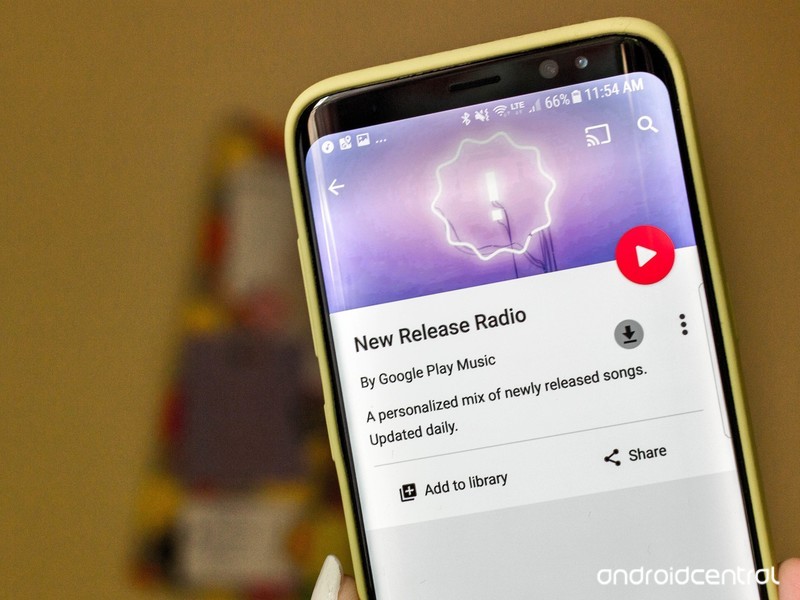
Anyway, if you haven’t already heard from the Android subreddit, there is a Play Music radio station called New Release Radio curated especially for Galaxy S8 and S8+ users. (Except that it’s not because there is apparently a run-around to get it permanently added to your Play Music account.)
The radio station was actually announced back in April, by way of the official Google blog:
…with the launch of the Galaxy S8 and the Galaxy S8+, Google Play Music will be the default music player and music service on new Samsung phones and tablets globally. We’re also collaborating with Samsung to create special features in Google Play Music just for Samsung customers.
The radio station is curated specifically for broadcasting mainstream music releases from around the world. If you’re into the latest pop music, like Katy Perry, Miley Cyrus, or I guess Nickelback, it’ll keep you privy to what’s new from them and any other related artists. You’ll also get a couple of hits from overseas; I myself encountered Danish pop. If you’re more into the niche genres of music, however, or perhaps you simply abhor popular culture, New Releases Radio might not be something you’ll have on repeat.
 AIVAnet