


Redux’s ultrasonic speakers turn your phone’s screen into a speaker
Why it matters to you
This technology could render your next smartphone truly waterproof by eliminating the need for speakers and buttons.
Water-resistant smartphones aren’t all that uncommon these day — Samsung’s Galaxy S8 can last up to thirty minutes underwater. Truly waterproof devices, though — i.e., phones that can survive hours-long dunks in the pool — are mostly fantasy. But Redux, a London-based startup, may have the solution: Eliminating the speakers, earpieces, and physical buttons susceptible to water damage with ultrasonic speakers embedded beneath a phone’s display.
Redux’s technology relies on sound. By employing an array of “micro-speaker” actuators embedded beneath a smartphone touchscreen, it produces “bending waves” — sounds and vibration — that effectively convert the screen into a high-quality loudspeaker. The result is loud, clear audio without the need for exposed speakers. Even better, the sound isn’t directional– even if you flip a Redux-equipped smartphone upside down or turn it sideways, the volume won’t change.
Redux claims the quality is far superior to the “tinny, low-quality” speakers that smartphones usually pack. And while that may sound like a bold claim, at least one major manufacturer — Sony — is already using a similar technique to conceal speakers behind the display of its new A1 Bravia OLED series televisions.

But that’s just the tip of the iceberg. In addition, Redux’s technology can simulate physical buttons, delivering sensations that feel like physical button presses. In applications that support it, you’ll feel a mechanical switch, a moving slider under your fingertips, or even two different tactile sensations during a multi-touch gesture with two fingers.
Redux thinks its buttonless, speakerless technology is the key to waterproof smartphone designs. Without the need for exposed buttons and ports, phones could be truly sealed.
But this advance could lead to better battery life and thinner devices, too. “Our technology enables smartphone manufacturers to reclaim valuable space within phones, which could be filled by a bigger battery,” Redux CEO Nedko Ivanov said in a statement. “Moreover, our surface audio technology is more power efficient than traditional micro-speakers, which means people can play music and watch videos on their phones for longer between charges.”
Redux’s solution is compatible with both LCD and OLED screens, and it’s already built into several in-car infotainment systems and PC products. The startup said it’s working with several smartphone makers about integrating the tech, but isn’t ready to name names just yet.
“The next challenge for us was to make it available for smartphones, where there’s a huge opportunity to enhance the user experience with better sound and touch,” Ivanov said.
New Android Experiments include ability to play ‘Pac-Man’ from a home screen
Why it matters to you
Android Experiments help expand the creativity that stems from Android, which can in turn improve the apps and features on your device.
Android Experiments have been running for a few years now and, basically, consist of new and interesting inventions people can come up with on the Android operating system. Every now and then, some cool Experiments pop up but with Google I/O on its way, a new wave was just posted on the Android Experiments website.
Some of the new Experiments are interesting, and there are quite a few which you can see for yourself at its Android Experiments website.
For example, the first comes in the form of a set of cameras and machine learning algorithms that can use the Android Things operating system to detect animals in the wild. If a bear walks past, for example, the system can detect the animal, take a photo, and record environmental data like temperature and air pressure.
For those slightly more into gaming, one Experiment is called Home Screen Arcade, which uses your home screen’s wallpaper as the backdrop for arcade games. You can place different widgets on the home screen to act as controls for the game and there are a few different games to play. For example, the video shows the user playing classic games like pinball, Pac-Man, and Space Invaders. However, the concept could potentially be applied to all kinds of different games. Check out the video below to see the idea in action.
Another interesting Experiment is called Shortstories, which is a series of text-based games that use the Android user interface. For example, you can make choices in the game by using Android quick-access shortcuts and the story will come through in the form of a series of notifications. It is kind of a cool way to use the Android UI. You can see the Shortstories Experiment in action in the video below.
Snapchat now lets you send snaps that don’t have a time limit
Why it matters to you
Snapchat is clearly focused on building out its app, and we should expect to continue to see new features and improvements.
Snapchat launched a new update to its app, and this one is a doozy. In fact, put together, the new updates to Snapchat could represent the biggest change to the service since its launch.
The new version of the app comes with “limitless” snaps that do not have a time constraint, as well as looping videos, and a “magic eraser” that removes objects from your photos.
“These changes allow us to continue evolving the Snapchat service and provide a foundation for introducing even more creative tools for making fun Snaps! We hope you enjoy it!” Snapchat said in a blog post.
The biggest change to the app is arguably the limitless snaps. Snapchat has gone through plenty of changes over the years, but the basis of the app has stayed the same — the service lets you send photos that will, at some point, disappear. When you send a no-limit snap, the recipient will continuously appear on the user’s screen until they manually navigate away from it. So, in other words, the image will still disappear, but only when the user chooses to let it. The video version of this is looping videos. When you create a video, you will now have a “play forever” option, which basically just loops the video when it is viewed.
As mentioned, there are a few other new features. For example, the app will now allow users to use any emoji as a brush, so brace yourself for snaps with even more emojis. On top of that, there is a magic erase feature, which lets you remove different aspects of your image, similar to the Photoshop Fix tool in Photoshop.
The update shows that the company is far from done adding new features. Snapchat has regularly added new features every few months since launch and that is unlikely to stop anytime soon.
PC gaming peripheral maker Roccat has a new game studio developing ‘Sick City’
Why it matters to you
Roccat wants to build on its peripheral making expertise by creating quality games too that fans can help shape, just like its hardware products.
Roccat Studios is widely known as one of the major peripheral makers in the PC gaming market, with its portfolio of high-quality products spanning from gaming mice to mechanical keyboards to headphones and more. But like several of its competitors, Roccat wants to branch out into other PC gaming-related areas, and is doing so starting with Roccat Games Studio and its very first PC game called Sick City. Nope, we didn’t see that one coming.
“Sick City is our interpretation of a modern real-time tactical combat game,” the company told Digital Trends. “It combines the strengths of tactical classics like Commandos‘ exciting espionage maneuvers and the direct action of Company of Heroes without time-consuming foundation construction, topped with a dose of Warcraft 3’s unique heroes and powerful abilities.”

Serving as part of Roccat’s 10-year anniversary celebration, Sick City is described as a “post-apocalyptic battle” on the streets of Sick City. Players are thrown into a 4×4 squad-based fight to control the city and a mysterious crystalline energy source called Aimo. Unfortunately, Roccat doesn’t reveal any specifics about the game other than it will have two factions (“Kidz” shown below, “Legion” shown above), various game modes, characters, and maps.
“Recently with products like the Sova and the Modulok, Roccat has had very good experiences with product feedback and community involvement,” the company added. “Although we’ve always made a large effort to listen to our customers, we have really begun to bring our audience closer to our development process than ever before. This is what really inspired us as it’s something we felt was lacking in games today.”

That said, PC gamers can directly impact the development of Sick City. Starting in a closed alpha this June, Roccat will call on “early development veterans” to provide feedback and help smash game-stopping bugs. After that, Sick City will move into Early Access mode so that all PC gamers can provide their input and help shape the game.
As for additional information about the new Roccat Games Studio arm, Roccat wouldn’t cough up any details other than that the new studio will operate independently. Roccat also wouldn’t say when the new studio came online and started developing Sick City. However, according to Roccat, development has been going on for quite a while now.
The exact date of when the closed alpha begins is unknown, but PC gamers can sign up now by heading over to the Sick City website and filling out the “Join Us Now” form. The Early Access version will also be distributed through the website “hopefully” during the Gamescom convention starting August 22. After that, the game will eventually land on Steam.
Windows 10, mixed reality, AI, and the cloud will be front and center at Microsoft Build 2017

Microsoft’s most important annual event is its Build developers conference, where it pulls together developers and other technology professionals and provides an update on where it’s been and where it’s going. Build provides the best opportunity to gain a glimpse of what technologies are most important to Microsoft, and where we can expect the company to invest its time and energy.
Build 2017 is happening on May 10-12, 2017 in Seattle, and Microsoft has made no secret of what it’s planning to cover in general. At its root, Build is organized for the company’s developer community and it’s all about giving them the tools they need to build solutions around Microsoft products and services. Therefore, much of Build’s content is advertised in advance, which allows the event’s primary constituencies to plan where to invest their time and attention.
Microsoft will likely highlight the next major Windows 10 update, Redstone 3, at this year’s event.
At the same time, Microsoft often introduces new products and services at Build that take advantage of the media coverage that surrounds events like this. Therefore, the company is likely to sprinkle in a few surprises.
Build 2016 covered many topics, including the introduction of Windows 10 Anniversary Edition, HoloLens, new developer tools, and more. Another dominant theme involved artificial intelligence, bots, and machine learning, which is no surprise given the rise of those same technologies industry-wide.
Build 2017 looks to continue many of the same themes, and Microsoft will likely weave a narrative around its developer tools and its overarching “mobile-first, cloud-first” productivity solutions strategy. With that said, here are the areas where we expect Microsoft to focus, and where any surprises in terms of products or services will probably arrive.
Visual Studio 2017
There’s a tendency to focus on the unexpected things that a company might introduce at an event like Microsoft Build. Those are the things that make for exciting news, after all, not the boring sessions covering important but well-known topics that make up the bulk an event’s time.
However, Build is first and foremost where developers learn about Microsoft’s newest tools and technologies. Given that Visual Studio 2017 was just released in March 2017, we expect Microsoft to spend considerable time going over the intricacies of its newest development environment.
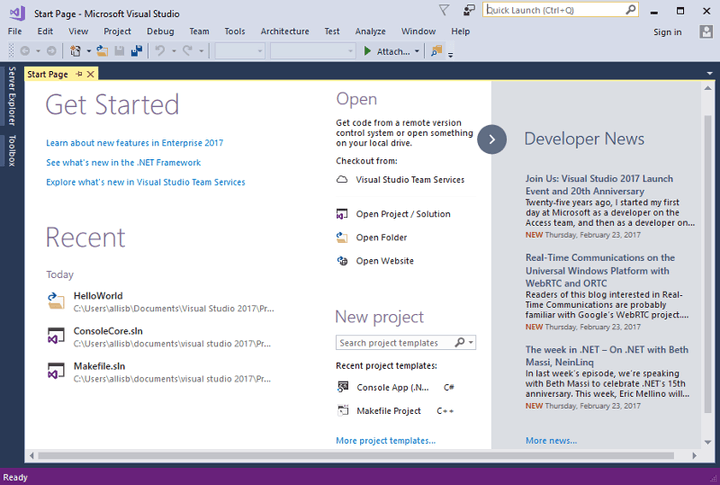
If you check out Microsoft’s Build 2017 developers page, you’ll note the company lists the following as the conference’s key points:
- Improvements that help you immediately engage your users with beautiful UI and natural inputs
- Team collaboration and connectedness to streamline and improve your development experience
- Services that make it easier to reach customers and learn what they want from your software
- Connected screens and experiences that make your end-to-end experience stickier and more engaging
- Mixed reality and creating deeply immersive experiences
Those five areas touch on a host of different technologies, but Visual Studio 2017 is the core set of tools that developers will use to leverage everything that Microsoft offers in building solutions. They also hint at other areas of focus, such as Windows Mixed Reality and Cortana-powered connected devices.
Windows 10
Windows 10 will be a central topic at Build 2017. Much of Microsoft’s larger strategy involves Windows 10 in one way or another, and so we can expect every aspect of the operating system to be covered heavily both in dedicated sessions and during the various keynotes. The following are some of the Windows 10-specific topics we’re likely to learn more about.
Redstone 3

Microsoft announced Windows 10 Anniversary Edition at Build 2016, and we’ll likely learn more about the next major update, currently codenamed Redstone 3, at this year’s event. Redstone 3 appears to be focused on putting some spit and polish on Windows 10, and so we’ll likely get some new information on “Project NEON,” the new user interface aesthetic that is starting to show up for various apps in Windows Insider builds.
Windows 10 S
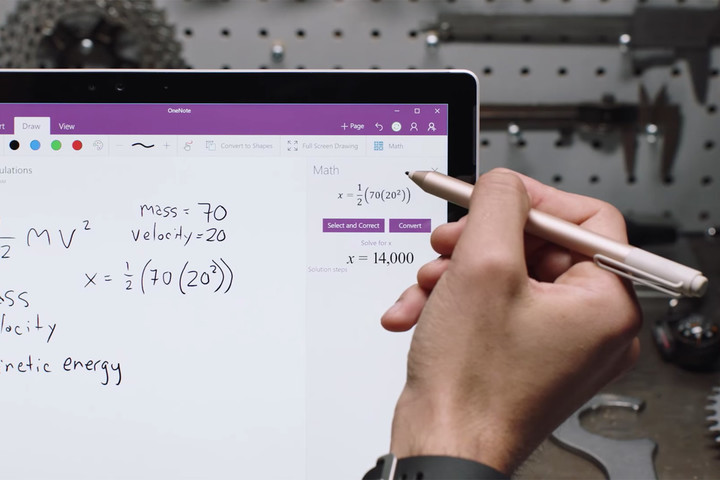
Microsoft just announced its “streamlined” Windows 10 S version at its education-specific event last week. We can expect Microsoft to spend some time digging into the details, from both user experience and developer perspectives.
Universal Windows Platform (UWP)

Windows 10 S, which limits users to installing apps from the Windows Store only, depends heavily on more and better UWP apps. So far, developers have been slow to jump on the UWP bandwagon, and that needs to change if Microsoft wants Windows 10 S to compete against iOS, Android, and Google’s Chromebook platform.
Project Centennial
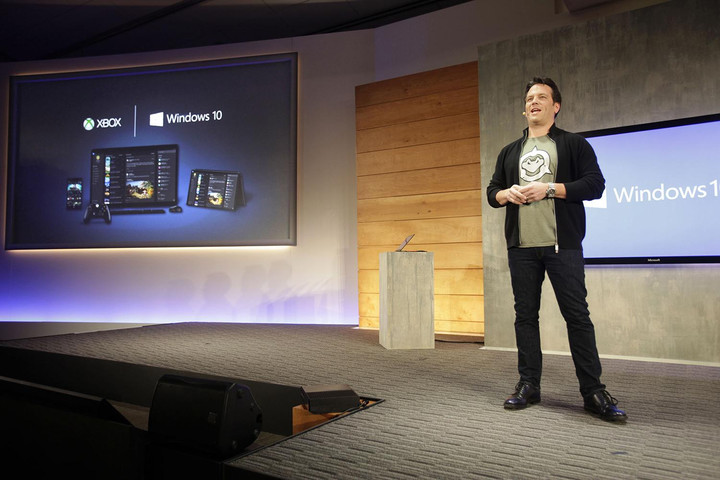
By most accounts, there are more than 16 million Windows desktop apps, otherwise known as Win32 apps, representing an ecosystem that dwarfs Apple’s App Store and Google’s Play Store. Microsoft has Desktop Bridge technology, known as Project Centennial, that it introduced at Build 2015 and that helps developers package their Win32 apps to be able to make them available through the Windows Store.
With the advent of Windows 10 S and the possibility that Microsoft would like to migrate all of Windows 10 to its more locked-down nature, Project Centennial becomes even more important. Microsoft’s own Office productivity suite will soon be available on the Windows Store – we’ll likely hear more about that in a session or two – and the more developers that port classic Windows desktop apps to the Windows Store, the better things will go for Microsoft’s strategy.
Windows Mixed Reality
We already know that Windows Mixed Reality devices from Microsoft’s OEM partners will be making their way to the market in the 2017 holiday season. We’ll likely see some additional details about how the mixed reality (MR) platform is integrated in Windows 10 and how developers can leverage Visual Studio 2017 and other tools to make use of it.
It’s also likely that we’ll see more demonstrations of Windows Mixed Reality hardware and apps.
Cortana Skills Kit
Microsoft’s most important effort in the areas of artificial intelligence, machine learning, and bots is Cortana, the personal digital assistant that powers Windows 10 and that’s available on iOS and Android smartphones. Cortana is also making her way to home assistant devices to compete with Google Home and Amazon Alexa.
The Cortana Skills Kit is the development platform for writing skills that make Cortana smarter, and so it will likely be heavily featured at Build 2017. It’s possible that the first Cortana-powered device, Harman Kardon’s Invoke speaker, will be featured after having its official product page published over the past weekend. We suspect that we’ll learn about other hardware devices as well, and Microsoft’s longer-term Home Hub platform could also be shown off during the conference.
Cloud computing
Microsoft’s cloud solutions, including its Azure cloud computing platform, are among Microsoft’s fastest-growing and most important business segments. Build 2017 will likely focus on how developers can utilize the company’s various cloud-computing products and services in building out their own solution portfolios.
Artificial intelligence
Given how important the topic is to the technology industry in general, there’s little doubt that Build 2017 will devote as many minutes to artificial intelligence, machine learning, and bots. Cortana will be front and center, but other initiatives will likely be introduced and expanded upon throughout the event.
We won’t see new Surface hardware
Build 2017 will weave a narrative around Microsoft’s developer tools and productivity solutions strategy.
We were going to speculate that Microsoft could show off the long-awaited Surface Pro 5 at Build 2017, given the announcement of the new Surface Laptop at the company’s recent education-focused event. However, Microsoft announced yet another event for May, this time on May 23 in Shanghai, and that’s strongly rumored to be a hardware-focused event.
If the company does plan to release something involving the Surface Pro 4, which now apparently could be just a simple refresh of the existing machine, then it will be at that event and not at Build 2017.
Conclusion
If you’re going to attend Build 2017 in person, then there’s enough to keep you more than busy. If you won’t be on site, then you can follow along with the event at Microsoft’s main Build 2017 portal and via Microsoft’s Windows 10, iOS, and Android apps. We’ll be covering the event in its entirety, so be sure check back often to see what Microsoft has in store.
Electrick spray paint can transform any object into a touch-sensitive surface
Why it matters to you
In the future, this
Imagine being able to transform any object or surface into a smart touch-sensitive one using nothing more than a fresh coat of paint. That’s exactly what engineers at Carnegie Mellon University have achieved with Electrick, a cutting-edge project combing software and spray paint.
“This is a touch-sensing technology, similar to what you have with your smartphone screen, but applicable to any surface you can think of,” Professor Chris Harrison, head of Carnegie Mellon’s Future Interfaces Group (FIG), told Digital Trends. “With it you can make tables, walls, furniture, TV remotes — anything you can put paint onto — into a touchpad.”
The technology is based around an algorithm that’s able to read a finger press by sensing changes in the flow of electricity over a conductive surface. This concept is called electric field tomography, and involves running small amounts of current through pairs of electrodes and looking for any voltage differences. By attaching electrodes to the periphery of the object covered in Carnegie Mellon’s smart conductive coating, Harrison and colleagues demonstrated that it was possible to sense exactly where a touch had been placed.
“It’s really exciting to think about the ways companies might apply these sort of finishes to make wholly new forms of interactive goods,” Harrison continued. “For example, you could have a steering wheel that can determine whether or not your hands are placed on it in the right location. Right now, the state-of-the-art tech that we have in cars is a touchscreen display in the Tesla. But imagine being able to make the steering wheel and the entire dash of a car interactive, just by adding an extra coating!”
In demos, Electrick was used to add touch-sensing capabilities to objects including (but not limited to) a sheet of drywall, the surface of a guitar, and a Jell-O mold of a brain. All offer unique possibilities in terms of potential applications. For instance, it’s easy to imagine how conductive paint could be applied to a guitar to allow effect pedals to be incorporated directly into its body.
The other big advantage of the system, Harrison noted, is its cost. He describes it as “ridiculously low cost,” and says that adding smart touch-sensitive surfaces to an object works out as, “way under $1 per square foot.”
There are, of course, limitations. Despite being touch-sensitive, the objects don’t include a display, which means the inputs have to be read on another device (like touching the aforementioned Jell-O mold of a brain as a way of controlling a mobile app) or else be used to control relatively simple interactions, like lights switching on or off.
Right now, the system also can’t do multi-touch, referring to the common interaction method on a trackpad or touchscreen in which more than one points of contact with the surface are recognized simultaneously. That could well change in the future, though.
Next up, Harrison said the goal is to further refine the technology. This will include not just further improving the accuracy of the touch-sensing capabilities, but also grappling with questions like how to avoid scenarios involving unwanted accidental touches. After all, it’s one thing to fantasize about a possible Star Trek future in which every surface in our homes is interactive; another to deal with the reality of that scenario, were it to be implemented poorly.
After that, the team’s ambition is then to find a way of getting the Electrick technology out into the real world where it belongs: something Harrison is more than keen to do.
“In our lab we do applied work that’s about attacking real world problems, whether that’s improving people’s lives or simply delighting them with a new experience,” he said. “But at the same time we’re not the commercial arm of a big company, so we’d be looking for partners that could take this technology to the next level.”
The technology was shown off this week by its creators, which included co-authors Yang Zhang and Gierad Laput, at the Conference on Human Factors in Computing Systems in Denver. If you’re interested in finding out more, you can check out the full research paper — titled “Electrick: Low-Cost Touch Sensing Using Electric Field Tomography” — here.
Then you can set about planning all the objects in your apartment you hope to make into future smart surfaces at the earliest possible convenience!
This coupon saves you $100 when buying two of Amazon’s brand new Alexa-powered Echo Show
Our friends at Thrifter are back again, this time with a deal on the brand new Echo Show!
Amazon has just officially unveiled the Echo Show, its latest Alexa-powered device, and the company is already offering a discount if you buy two of them. You can save $100 when using the coupon SHOW2PACK, dropping the price down to just $359.98. With the ability to make video calls, monitor your front door and more from the Echo Show, odds are you’re going to want more than just one of these anyway. This discount makes it more cost effective to splurge and buy them one with yours.

Some of the other features include:
- Echo Show brings you everything you love about Alexa, and now she can show you things. Watch video flash briefings and YouTube, see music lyrics, security cameras, photos, weather forecasts, to-do and shopping lists, and more. All hands-free—just ask.
- Introducing a new way to be together. Talk to family and friends who have an Echo or the Alexa App.
- See lyrics on-screen with Amazon Music. Just ask to play a song, artist or genre, and stream over Wi-Fi. Also, stream music on Pandora, Spotify, TuneIn, iHeartRadio, and more.
- Powerful, room-filling speakers with Dolby processing for crisp vocals and extended bass response
- Ask Alexa to show you the front door or monitor the baby’s room with compatible cameras from Ring and Arlo. Turn on lights, control thermostats and more with WeMo, Philips Hue, ecobee, and other compatible smart home devices.
- With eight microphones, beam-forming technology, and noise cancellation, Echo Show hears you from any direction—even while music is playing
Always getting smarter and adding new features, plus thousands of skills like Uber, Jeopardy!, Allrecipes, CNN, and more
If you’re going to give the Echo Show a try, be sure to pick two of them up with this discount so you can get the most out of it. Not interested in the Echo Show? Right now you can pick up the original Echo for $30 off!
See at Amazon
For more great deals be sure to check out our friends at Thrifter now!
OnePlus 5 rumor roundup

Everything we know about the OnePlus 5.
OnePlus has had a pretty good year, what with the success of its OnePlus 3 and 3T phones and some massive overhauls internally that, against all odds, led to improvements to its Oxygen OS software, with more frequent updates.
Now we’re seeing the first signs that a sequel is in the company’s future and that OnePlus is skipping the “4” name altogether and readying flagship successor, the OnePlus 5. Here’s everything we know so far.
What will it be called?

The one thing we know without a doubt is the phone’s name: OnePlus confirmed to Android Central that its next phone will be called OnePlus 5. We’ve also seen a promotional photo (above) from the company’s CEO, Pete Lau, teasing the name.
Why would OnePlus skip the OnePlus 4 name? Because in Chinese culture, the number four is considered bad luck when attached to a product — and besides, the OnePlus 3T is sort of a fourth OnePlus, so there’s that angle, too.
When will it be available?
The OnePlus 5 will be available some time in the “early summer”, according to the company, which confirmed that approximate timeframe to Android Central. While that could mean as early as late May, we’re thinking it’s likely going to be closer to early to mid-June, which would align with last year’s June 14th OnePlus 3 announcement.
OnePlus, because it doesn’t have much overhead, selling the majority of its devices through its e-commerce store, may put the OnePlus 5 on sale the same day it is announced, which would give its early adopters something to look forward to.
What are the specs?

The specs of the OnePlus 5 aren’t clear just yet, but there are a few elements we know and a couple others, based on leaks, we can pretty accurately guess.
Here’s what we know so far:
| Operating System | Oxygen OS based on Android 7.1.2 |
| Display | 5.5-inch AMOLED2560x1440 pixel |
| Processor | Qualcomm Snapdragon 835 Adreno 540 GPU |
| RAM | 6GB LPDDR4 (8GB in some markets) |
| Storage | 64GB storage (128GB in some markets) |
| Expandable | No |
| Rear Camera | Dual 12MP camera sensors |
| Front Camera | TBD |
| Audio | 3.5 mm headphone |
| Battery | ~3600 mAhNon-removable |
| Charging | USB-CDash Charge |
| Water resistance | TBD (probably not) |
| Wireless charging | TBD (probably not) |
| Security | Front fingerprint sensor |
| Dimensions | TBD |
| Weight | TBD |
I wouldn’t be so sure about an 8GB version for North America.
Breaking it down a little more, there are a few variables to keep in mind. We know that the phone will launch with a Snapdragon 835 processor, because of course it will. OnePlus has launched all four of its flagships with that year’s canonical Qualcomm SoC, and this year will likely be no exception. The OnePlus 3 had 6GB of RAM, so you can expect that same number in the OnePlus 5; it also came standard with 64GB of internal storage, so you can expect that, too. I wouldn’t put too much credence in the idea that it will ship with 128GB standard, nor that it will come with 8GB of RAM. We’re not there yet, and OnePlus gains little from offering those in a base configuration.
We’ve heard that there may be an 8GB/128GB variant of the OnePlus 5 for China, specifically, which makes a lot of sense since that country is obsessed with maxing out what’s possible in a phone, but I wouldn’t count on it coming to North America. It’s possible OnePlus will, instead, offer a 6GB/128GB or even a 6GB/256GB model in North America for $50 or so more.

On the screen front, we’re hearing that OnePlus will keep its 5.5-inch display size and that, while the screen will do away with as much of the top and bottom bezels as possible, it will keep the front fingerprint sensor, and may also maintain the OnePlus 3 series’ 1080p resolution. From a battery-saving perspective, it would make sense to keep the OnePlus 5 at 1080p, especially if the AMOLED panel used is of very high quality — even devices like the Huawei Mate 9 have fantastic screens despite relatively low pixel densities — but given that most competing phones have upgraded to 2560×1440 or an equivalent QHD resolution at various aspect ratios, it would make sense for OnePlus to do the same.
A dual camera setup on the OnePlus 5 could be its most exciting feature.
At either resolution, we’ll likely see the OnePlus 5 support Google’s Daydream VR platform, which will make for another popular handset in the category.
The camera on the OnePlus 5 is expected to be cameras. OnePlus is rumored to be adopting the popular dual camera trend, with two identical 12-megapixel rear sensors. It’s unclear at this point whether the lenses will be of different focal lengths, but either way you can expect some cool camera tricks and an overall improved photo taking experience. What would be cool is to see a OnePlus 5 with the same wide-angle lens as the LG G6, since I think a lot more people would be interested in that than the “telephoto” distance of something like the iPhone 7 Plus. An improved front-facing camera, likely with autofocus, is also in the cards.
Finally, another big upgrade is to the battery. While the OnePlus 3T already saw an improved capacity, from 3,000mAh to 3,400mAh, the OnePlus 5 is expected to pack a 3,580 to 3,600mAh cell. That could translate, along with the more-efficient Snapdragon 835, to much better battery life.
A few odds and ends

- Despite rumors to the contrary, there’s no reason to think that OnePlus will drop the headphone jack from this year’s unit.
- We haven’t heard whether OnePlus will add waterproofing to this year’s flagship, but the company would be doing itself a huge disservice by going another year without it.
- Wireless charging? Not likely, especially if the metal design from the OnePlus 3 series shows up again, which we think it will.
- There’s no reason to think that the mute switch will disappear, given that it’s become a sort-of OnePlus signature, and it has a lot of very loyal fans.
- Dual speakers? Not this year.
- Removable battery? gtfo
What will it look like?
As mentioned above, the OnePlus 5 is probably not going to look too different from its predecessor — don’t expect the same jump that we saw from the OnePlus 2 to the OnePlus 3. Instead, you can be sure that OP is going to go out of its way to shrink the phone as much as possible without sacrificing usability. Front-facing fingerprint sensor? Sure, but you’ll probably see space-savings elsewhere on the device.
You can probably take for granted that the popular Midnight Black color will make a return with the OnePlus 5, even though it may not be offered as a launch color.
What about the software?

Expect another iteration of Oxygen OS on the OnePlus 5, launched with a slightly updated version of what we currently have on the OnePlus 3 and 3T, running Android 7.1.2. The phone will launch long before Android O is public.
Oxygen OS has turned into quite the capable piece of Android software, and while it’s unclear whether the OnePlus 5 will have any distinctive hardware elements that change up the software experience, what is clear is the company’s desire to keep Android as simple and fast as possible, while relegating the gimmicks to the background.
What about software updates?
OnePlus doesn’t have a great track record of maintaining updates for longer than a year or so — the OnePlus 2 still doesn’t have Nougat despite a number of promises — but the OnePlus 3 and 3T are still getting regular updates well into their lifespans, and after a somewhat close call on a promise to get Android 7.0 by the end of 2016, the phones are now seeing new software regularly.
In other words, we don’t know. Hopefully, OnePlus will keep the OnePlus 5 updated long into its lifespan, but we have more confidence in its ability to do just that than we did a year ago.
What will it cost?
Judging from the minor price bump between the OnePlus 3 and 3T, coupled with rising component costs throughout the world, the OnePlus 5 may cost somewhere between $449 and $469, which puts it creepingly close, but still far below, the flagships that it’s competing against. At $399, the OnePlus 3 was a serious contender for “amazingly cheap”; at $439, the OnePlus 3T is just “inexpensive”. A OnePlus 5 at $469 would be close to “Should I spend the extra money on another phone?” Still approachable, and maybe even affordable, but losing its pricing edge.
Anything else?
We’ll have lots more on the OnePlus 5 when it’s unveiled in “early summer,” which is getting here sooner than later! In the meantime, check out our OnePlus 3T coverage and let us know what you want in OnePlus’s new flagship!
OnePlus is doing everything right lately
OnePlus 3T and OnePlus 3
- OnePlus 3T review: Rekindling a love story
- OnePlus 3T vs. OnePlus 3: What’s the difference?
- OnePlus 3T specs
- Latest OnePlus 3 news
- Discuss OnePlus 3T and 3 in the forums
OnePlus
Amazon
Amazon unveils free calling and messaging with Alexa Calling
Hands-free voice calls and messages are coming to Amazon Echo speakers.
Amazon continues to make big splashes this week, unveiling a game-changing new feature called Alexa Calling that will be made available across all its Amazon Echo devices, including smartphones running the Alexa app. Alexa Calling will allow Amazon’s Alexa-enable devices to send and receive hands-free calls and voice messages to anyone with an Echo speaker or the Alexa app installed on their phone, at no cost. Amazon has outlined the new features on its website, but there is no specific release date as to when we’ll see it roll out.

The service will be free to use and will be built into Alexa’s voice controls so that you can place or answer calls without stopping what you’re doing around the home. Messaging works similarly, allowing you to easily send and receive short voice messages via your Echo devices.
This news is paired with Amazon officially unveiling the latest Echo device, the Echo Show which features a 7-inch touchscreen and will retail for $229. The Show will make use of the free calling and messaging features of course, and will use its camera and screen to provide video calling features. One interesting/creepy video calling feature Amazon will be including with the Echo Show is called “Drop In”, which will allow approved people — your closest family and friends — to instantly connect with you via video chat. This is a bit similar to Google Duo’s “Knock Knock” option, except that it’s on a stationary object that’s likely pointed into your living room or bedroom.
Amazon hasn’t come out and explained exactly how these video calling features will work, but we’re sure to find out more as we get closer to the Echo Show’s June 28 launch date. This isn’t the first time Amazon has waded into the wireless communication business — long-time readers will remember the ill-fated Amazon Fire Phone which was discontinued just over a year after it was launched.
It’s also worth noting that adding Alexa Calling to the Alexa app suddenly gives it way more standalone functionality than ever before — it was previously used as a support app for Echo owners, but appears to be pivoting to be an app that may be worth downloading even if you don’t yet own an Echo speaker.
What do you think of Amazon adding free calling features to its line of Echo smart speakers? Are you ready for regular “drop ins” from the relatives via video chat on the Echo Show? Let us know in the comments!
Amazon Echo

- Amazon Echo review
- Echo Dot review
- Top Echo Tips & Tricks
- Tap, Echo or Dot: The ultimate Alexa question
- Amazon Echo vs. Google Home
- Get the latest Alexa news
Amazon
Workout in style with these Jaybird headphones on sale for $100
Our friends at Thrifter are back with a pair of great deals on Jaybird Bluetooth headphones.
The Jaybird X3 and Jaybird Freedom F5 wireless headphones are both on sale for the same $100 price right now. That price matches the lowest drop for both headphones. It’s the first time since December the Freedom F5 have seen a price drop and only the third time in the X3’s history that it has dropped at all. Both deals are great and it really comes down to what you need out of your headphones.
The Freedom F5 headphones distinguish themselves from the X3 with a battery clip that adds extra charging time. The clip is detachable if you don’t need it for a quick run, but it’s a way to add a few extra hours of charge time if you’re going to be out for a while.
The X3 is the follow-up to the highly praised Jaybird X2 and has earned a few great reviews itself, like 4 stars from CNET. Both the X3 and the Freedom F5 have access to the MySound app, which lets you customize the sound from each device.
You can also find this same deal price for the X3 and Freedom F5 at Best Buy.
For more great deals be sure to check out our friends at Thrifter now!
 AIVAnet