


Scientists use gene-splicing to create red-eyed mutant wasps, for some reason
Why it matters to you
Creating red-eyed mutant wasps may sound like a waste of time, but it’s an eye-catching example of CRISPR gene-splicing tech in action.
Have you ever found yourself looking at a regular, garden variety wasp and wishing that it looked more like the kind of sinister nightmare creature that would give H.R. Giger sleepless nights?
If the answer to that is a resounding “no,” then chances are that you don’t work in the University of California, Riverside’s Akbari lab. That’s because researchers at said lab recently introduced the world to a new strain of red-eyed mutant wasp — courtesy of its experiments with cutting edge CRISPR gene-splicing technology.
“We used CRISPR/Cas9 to generate mutations in the DNA of an important model organism, the parastoid wasp nasonia vitripennis,” Omar Akbari, the assistant professor of entomology who led the research, told Digital Trends. “This is exciting as it gives researchers a tool for the first time to mutate genes of interest, allowing researchers to study the interesting biology of this organism.”
As the research paper, published in the journal Nature, reveals, the red eyes were the result of injecting wasp eggs with the Cas9 DNA mixtures, and then transferring them back to the host. Because the modifications were made to the DNA itself, the red eyes are heritable — and will therefore be passed down to any and all offspring in the future.
But why make red-eyed mutant wasps at all? As it turns out, there’s a good reason for it — and it’s not that Akbari is a mad scientist who wants to hold the world for ransom with his swarm army of genetically engineered killer wasps. (Well, as far as we know it isn’t!)
“We wanted to test the efficiency of the CRISPR/Cas9 system using a phenotype that would be easy to visualize,” he said.
As to what’s next, Akbari said the plan is now to use the protocol for generating gene mutations to study a naturally existing selfish chromosome present in some wasp populations, called the paternal sex ratio disorder (PSR). “We hope to generate specific mutations in this chromosome to help understand the mechanism by which PSR acts,” he continued.
Ultimately, the goal is to find a way to better control wasps and other insects to help prevent them destroying crops and spreading diseases, such as malaria. Hey, if red-eyed wasps can help with that, then we’re all for it!
Superyacht company gears up to build extravagant toys for millennials
Why it matters to you
Think 30 is too young to commission a custom superyacht? Better think again.
The millennials are coming. When a 30-year-old Swiss customer commissioned a 160-foot, 320-ton, $26.6 million superyacht, that project convinced Italian-based Rossinavi yacht builders its market is changing, CNN reports.
Rossinavi COO Federico Rossi, who at 39 is just outside the 22- to 36-year-old millennial age range, sought more insight in defining a niche within an already narrow market. Rossinavi worked with the International University of Monaco to find out what millennials would want in a yacht. The answers were a focus on environmental impact, utilization of new technology, safety provisions, and newer aesthetics.
More typical 55- to 70-year-old buyers tend to want classic boat styles. Rossi is enthusiastic about the younger customer. Rossinavi’s research indicates the average yacht owner’s age is decreasing. The company also believes that in 20 years, buyers in their 30s will not be unusual.
“Millennials are used to going outside the general boundaries,” Rossi told CNN. “For us, it’s a great opportunity — shipyards that can take this [demographic] into consideration are only shipyards that build full custom ships.”
The Aurora’s anonymous Swiss buyer’s new aluminum superyacht has a range of 3,800 nautical miles with her 17-knot (19.5 mph) cruising speed. Top speed is 21 knots, about 24 mph. Aurora is powered by two MTU 12V4000 M93L diesel engines that each produce 3,460 horsepower.
With its 29-foot beam, the Aurora has large open space saloons for entertaining and lounging. The owner’s cabin and two VIP cabins are on the main deck. Two more passenger stateroom suites and crews’ quarters are on the lower deck.


The Aurora’s interior spaces have yet to be fully finished. Rome-based architect and interior designer Achille Salvagni is completing the Aurora interiors for the owner.
The $26.6 million price tag is near the bottom of the range of Rossinavi’s bespoke superyachts, which take two to three years from start to finish. According to Rossi, most of the shipbuilder’s clients need to have at least $106.5 million in assets and be prepared to spend about 10 percent of the original sales price on annual maintenance and operating costs.
Rossi said, for example, that repainting a 230-foot yacht can cost up to $4.26 million. At that rate, Aurora’s new owner should figure on an eventual painting bill of about $2.6 million. Unless of course, he intends to have friends spend a few weekends painting for beer and pizza.
You can now wake up your Microsoft Surface Studio by shouting ‘Hey Cortana’
Why it matters to you
If you’re one of the lucky few to own a Microsoft Surface Studio, then you can now wake it up by yelling at it.
Microsoft’s futuristic and ultra-expensive Surface Studio all-in-one (AIO) PC has been a smashing success, achieving more sales than the company expected and kicking off innovation in yet another PC market. The Surface Studio has become a little easier to purchase as well, with some configurations available for immediate shipping and some new markets opening up.
Not one to rest on its laurels, Microsoft has released a new set of drivers for the Surface Studio that brings some welcome functionality. One of the features of Intel’s sixth-generation Skylake CPUs is what Microsoft calls “Wake on Voice from Modern Standby,” and that functionality is now available for the Surface Studio.
As The Verge points out, the built-in ability to wake a machine using your voice has been around for a while on any machine with a Skylake processor. The feature is possible because such machines are capable of listening for voice commands even when in certain sleep states. However, it’s up to a given manufacturer to enable the feature.
That’s exactly what Microsoft has done with the release of new Realtek audio drivers for the Surface Studio. Now, that system is capable of listening for the “Hey Cortana” command while it’s in “Modern Standby” mode, with is a specific sleep mode enabled in Skylake and later CPUs and also in Windows 10. It’s also the same functionality that’s available in the Xbox One running the latest Windows 10 build, certain Windows 10 Mobile devices, and the upcoming Cortana-powered Harmon Kardon speaker.
One caveat is that a Surface Studio must already be updated to Windows 10 Creators Update to support the updated drivers and then enable the Wake on Voice from Modern Standby feature. If your Surface Studio has been updated to the latest major Windows 10 update, then you can go to the Surface Studio Drivers and Firmware page, click on the Download button, and then select the MSI installation file for the new driver.

Mark CoppockDigital Trends
You’ll want to choose the driver that’s for the Windows 10 Creators Update build, which is 15063, then click the Next button. Once it’s downloaded, run it to install the appropriate Realtek audio drivers. Once that’s done, then you’ll be able to let your Surface Studio save some power by going to sleep but still expect it to respond immediately when you have a question for Cortana. It’s likely that this functionality will become even more important as Microsoft rolls out its anticipated home automation functionality.
3D-printing technology is making custom prosthetics a reality
Why it matters to you
Thanks to 3D printing, custom prosthetics are becoming more affordable to help people in need.
Carnegie Mellon University’s “assistive technologies” project is what would happen if a more socially minded MacGyver got his hands on a 3D printer.
Created by a pioneering research team at CMU’s School of Computer Science, the project’s goal is to build life-changing prosthetics for people in need — and to do it more cheaply than would have been possible before.
Recently, the team used its considerable expertise to create a prosthesis allowing a would-be cello player with only one arm to play his instrument of choice. Thanks to the tool they built, the Pittsburgh-based budding musician was able to play at his grade school recital.
The cello-playing arm had a couple of major benefits over a traditional prosthesis. One is that it allowed for more fine-grain movement than had been possible using their previous, non-3D printed prosthesis. This is because 3D printing makes iterative design easier, so that designs and prototypes can be endlessly tweaked to ensure they can carry out the task at hand. (No pun intended!)
The second benefit is that it is considerably cheaper. A professionally manufactured prosthetic hand can cost in the region of $6,000 to $10,000, which puts it out of reach for many users. 3D printing, however, can make such solutions affordable — which is why CMU has been able to help upward of 1,500 people since it started its project in 2013.
The lab has not drawn the line at cello-based prosthetics, either.
“[We’ve designed] prosthetic devices for [various] specific tasks: For example, playing the cello, operating a hand-cycle, and using a table knife,” Jennifer Mankoff, a professor at the Human-Computer Interaction Institute, told Digital Trends. “By creating task-specific solutions, customized to the needs of the person and a task they care about, we believe it is possible to improve the retention of prosthetic devices. When a prosthetic does not fit the needs of its user well, it is likely to be abandoned. We believe that one way to reduce this is to make more task-specific solutions.”
As for what’s next for CMU’s project, Mankoff says the goal is to continue making the process smarter.
“We are working to develop technologies for tracking use over time so we can discover how 3D-printed prosthetic devices are used, and what opportunities exist to improve their adoption and reduce abandonment,” she said. “We are also working on new materials and new ways of printing that can increase comfort and support new types of interactive devices.”
We wrapped the Galaxy S8 in Spigen’s newest cases, and found there’s something for everyone

We finally wrapped a Galaxy S8 and S8 + in a Spigen’s newest cases, and they feel great.
We finally have our hands on the Samsung Galaxy S8 and S8+, which means we can finally test out how all those Spigen cases feel and look on the phone itself. If you’re still on the fence about which cases is best fit for your Galaxy S8 and S8+, take a good look at all the great cases Spigen has in its lineup.
Slim Armor

If you’re looking for a phone that maximizes protection while keeping the slim profile of the Galaxy S8 and S8+ intact, Spigen’s Slim Armor case is the ideal choice for you. It adds rugged protection and increased tactility to a phone that’s beautifully designed, but might also be slippery to hold. Spigen’s slim Armor is available in multiple colors such as gunmetal, black, coral blue, maple gold, and more.


The two-piece design fits securely around your phone, offering edge-to-edge protection and bezels around the screen and camera. The buttons are kept flush with the case, which should still provide good feedback and are easily accessible. The TPU body offers protection from drops and falls by providing some shock absorption, while the hard polycarbonate shell protects from scratches and scuffs. The reinforced metal kickstand is perfect for watching media handsfree and is sturdy enough to keep the phone in place even if you bump the table it’s standing on.


The Spigen Slim Armor is available for the Samsung Galaxy S8 and the Samsung Galaxy S8+.
Neo Hybrid

Spigen’s Neo Hybrid case features a brand new look from the last generation, and now that I have finally seen it on the Galaxy S8 and S8+, I can definitively say it’s the case I personally like the most.
Still providing dual-layer protection but with a slimmer profile, the Neo Hybrid case is comprised mostly of a TPU body with a subtle polycarbonate bumper frame to reinforce the corners and the edge of the phone.

The first thing you’ll notice is how nice case feels in hand. While the Galaxy S8 and S8+ is a smooth, silky feeling phone, the Neo Hybrid gives your device a more rugged, textured feel. This texture will no doubt give the phone a more solid feel in your hand, so you wouldn’t have to worry about your new Galaxy slipping away from you.
Another great addition to the Neo Hybrid case is the redesigned bumper. It now cuts into the back of the case instead of just going around the edges. This allows the bumper to lie completely flush with the TPU body, meaning you won’t have to deal with any sharp plastic edges when you’re slipping your phone in and out of your pocket.


The Neo Hybrid comes in a wide variety of colors such as, gunmetal, shiny black, burgundy, violet, and more, so whatever you’ll be able to match your personal sense of style.
The Spigen Neo Hybrid is available for the Samsung Galaxy S8 and the Samsung Galaxy S8+.
Neo Hybrid Crystal


If you’re looking for a case that offers quality protection, but still keeps the natural beauty of your Galaxy intact, Spigen’s Neo Hybrid Crystal is a great option for you.
The Dual-Layered design that uses three materials makes this clear case withstand some bumps and bruises. The back of the Neo Hybrid Crystal is made of a hard clear polycarbonate, while the sides —along with the button covers — are made of a flexible TPU. The bumper that reinforces the edges of your phone is also a hard polycarbonate piece and it comes in four colors: gunmetal, coral blue, maple gold, and orchid gray.


Both the TPU and polycarbonate around the edges have precise cutouts for all the buttons and ports, making it easy to retain 100% functionality of the Galaxy at all times.
The Neo Hybrid Crystal is avaiable for the Samsung Galaxy S8 and the Samsung Galaxy S8+
Liquid Air


Made up of just a singular TPU shell, the Liquid Air case does have textured pattern on the rear of the case to improve your grip. Plus, all the ports are free and open, so you don’t lose any functionality of your phone and the buttons along the sides are all covered to protect you from dust.
The Liquid Air and Rugged Armor are super similar, the biggest difference is in appearance. The Liquid Air offers you a much more uniformed look and is perfect for people who love a more modest look.


Spigen’s Liquid Air is available for the Samsung Galaxy S8 and the Samsung Galaxy S8+.
Slim Armor CS


Who says that convenience can’t also be protective? Spigen’s Slim Armor CS case laughs at the notion wallet cases aren’t tough.
Comprised of a dual layered system made up of a TPU cover and a polycarbonate back plate, the Slim Armor CS offers the same great protection you’ll find in Spigen’s protective lineup. Shock-absorption will help protect your phone against tumbles and falls, while the durability of the polycarbonate will resist any scratches or scuffs! Plus, it has a sliding-door compartment in the back where you can fit two cards, or a couple of bills, or a combination of both, meaning you won’t have to always carry your wallet around.


Most wallet cases can feel really bulky around your phone, but Spigen’s Slim Armor CS lives up to the slim part of its name. Even with a couple of cards and a few bills in the back, the case doesn’t lose it’s shape or have any unsightly bulges.
Spigen’s Slim Armor CS is available for the Samsung Galaxy S8 and the Samsung Galaxy S8+ today.
Thin Fit

This form-fitted polycarbonate shell will easily snap onto your Samsung Galaxy S8 or S8+, and it’s perfect for all you minimalists out there. With a few different colors to pick from such as gunmetal, coral blue, black and more, Spigen’s Thin Fit case is more like a colorful skin than anything else.


An added bonus of Spigen’s Thin Fit case, is it’s compatible with magnetic car mounts, as the case has space for a QNMP plate on the inside. Plus, there is virtually no extra bulk added to the phone, making the Galaxy S8 and S8+ very easy to slide in and out of your pockets.
Spigen’s Thin Fit is available for the Samsung Galaxy S8 and the Samsung Galaxy S8+ today.
Liquid Crystal


Made from a soft TPU, Spigen’s Liquid Crystal case for the Samsung Galaxy S8 and S8+ is a little prone to fingerprints. Don’t worry, you get an installation guide and cleaning cloth in the box so you won’t have nasty oil smudges on the inside of the case.
With a raised lip around the camera cutout, Spigen’s case offers protection for your lens when your phone is on its back. If you prefer setting your phone on its front, a raised bezel along the top and bottom edges of the case keeps your screen away from any damaging surfaces.


Spigen’s Liquid Crystal is available for the Samsung Galaxy S8 and the Samsung Galaxy S8+ today.
Which case are you wrapping around your Galaxy?
Let us know what cases you like in the comments below!
Samsung Galaxy S8 and S8+
- Galaxy S8 and S8+ review!
- Galaxy S8 and S8+ specs
- Everything you need to know about the Galaxy S8’s cameras
- Get to know Samsung Bixby
- Join our Galaxy S8 forums
Verizon
AT&T
T-Mobile
Sprint
How to set up your Gear VR
You got a free VR headset with your new phone! Here’s how you use it.
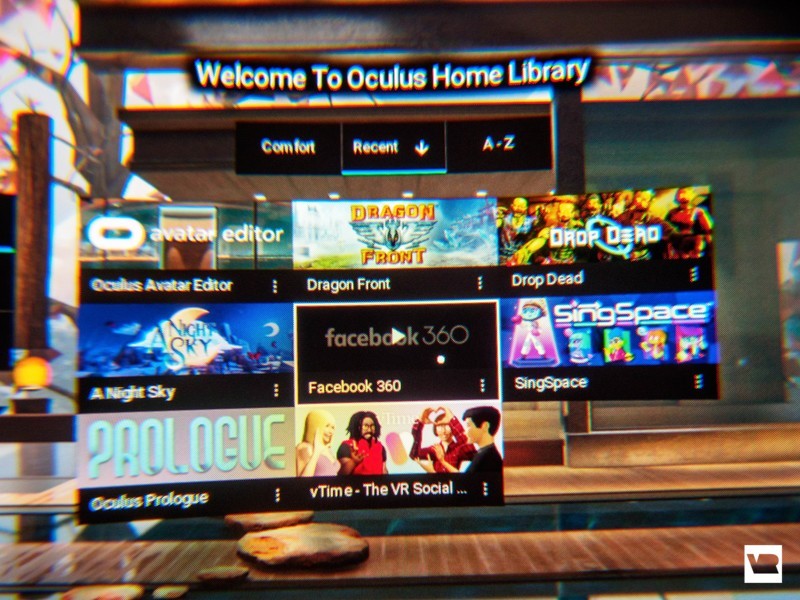
Jumping into VR with your new headset is super easy, but there are a few quick things you need to do before having fun in another world. This guide will show you everything you need to do before putting on the headset, so you’re guaranteed to have a good time!
Read more at VR Heads!
How long does it take to unlock the Galaxy S8?

Face recognition, iris scanning, and fingerprints — regardless of which unlocking mechanism you choose, there’s a method to all this madness.
The Samsung Galaxy S8 offers a variety of unlocking mechanisms. It may seem overwhelming to try to set one up at first, especially if you don’t know which one to choose. After using the smaller Galaxy S8 for about a week, I can say there are definitely some key differences between each of these three unlocking methods, including how quickly each method unlocks the phone.
You can still choose to employ Android’s native unlocking mechanisms (PIN, pattern unlock, and password), but here we’ll be covering the new options offered specifically by Samsung on the Galaxy S8.
Note: If you’re planning on utilizing either the iris scanner or face recognition abilities, know that you can only employ one of these methods at a time. You’ll see the disclaimer displayed in the settings panel when you’re setting it up.

You cannot use both the face unlock and iris unlock methods at the same time to unlock the Galaxy S8.
Unlocking with the iris scanner
The Iris scanner is easy to set up. All you need to do is hold the phone about 10-14 inches away, directly in front of your face. The infrared sensor and front-facing camera will simultaneously start to scan you in — it may even surprise you at how quickly it registers. Just be sure to set things up in a well-lit room and not outside or in direct sunlight.
Also, be aware that if you wear glasses or contacts, it may be harder for the iris scanner to identify you.

It is very difficult to do this and shoot with the DSLR at the same time.
There are two options for unlocking the Galaxy S8 with your irises. The first method requires you to press and hold the virtual Home button to trigger the scan. The second fires up the scanner immediately as soon as you turn on the screen, and it’s this method that’s the quickest at unlocking your phone since it doesn’t rely on that extra step.
I grabbed a stopwatch (my Pixel XL) to count how long it takes to unlock the phone with the iris scanner. I started the timer with the phone on my lap while sitting down at my desk. It took 8.14 seconds before the Galaxy S8 unlocked to the Home screen. I could see the red light flash in rapid succession as it looked for my eyes, though it took a second (quite literally) for me to properly orient the device.

The iris scanner’s masks are actually quite cute.
This has nothing to do with how quickly the Galaxy S8 can unlock, but I did want to share that you can add an overlay mask to the top portion of the screen where your eyes are detected. Anecdotally, I also want to share that this screen didn’t seem to pop up as often if you’re unlocking the phone straight from when the screen turns on.
Unlocking with face recognition
You also have the option to unlock your phone using facial recognition. To do so, you must first register your face under Lock screen and security option in the settings panel. Practice the same best practices for usin the iris scanner, including setting up your face recognition indoors and away from direct sunlight.
When you’re ready, hit continue. Your face will register and you’ll see a percentage status fill up around the headshot as it finishes it up. After it’s registered, you can choose from the same setting as the iris scanner to unlock the phone immediately when the screen turns on. This is also how I’ll conduct my speed test.

This is pretty quick if you’re not holding a camera at the same time.
With the Galaxy S8 on my laptop and the face unlock featured turned on, it took just 5.91 seconds before the phone launched to the Home screen. I had no idea the feature was working, though. It uses the front-facing camera to scan your face, which doesn’t offer an indicator light so you know it’s chugging along.
In my testing period, I haven’t had an easy time unlocking the Galaxy S8 with the facial recognition feature. I found the method to be quite finicky to use in low light environments, particularly at night when I don’t have as much natural light shining in from the outside. Also, you can try unlocking it with a picture of yourself if you like.
Unlocking with your fingerprint
If you’ve had time to read the numerous reviews of the Galaxy S8, then you know that the placement of its rear fingerprint sensor is odd, to say the least. I can’t tell you how many times I’ve accidentally attempted to scan in my fingerprint on the camera lens instead. Hilariously, the camera app will alert you if you’ve smudged up the lens too much to snap a photo.

If the fingerprint sensor feels like it’s in an odd place, you’re not alone in thinking this.
To register your fingerprint, head into the settings panel. Unlike the last two unlocking options, you can scan in your fingerprint as a backup when either the iris scanning. We’d also suggest you scan in more than one fingerprint — at least one on each hand — so that there is a backup for whatever reason. And to that end, if you want a backup for when the fingerprint sensor doesn’t work, set up a pattern or PIN unlock. Isn’t it nice to have so much choice?
I cleaned the sensor thoroughly before scanning in. From my lap, I placed my left index finger on the backside of the Galaxy S8 and scanned in my fingerprint. It took a second before it registered, though it was the fastest method to the Home screen at 5.36 seconds. Overall, the performance of the fingerprint sensor on the Galaxy S8 and S8+ depends entirely on how clean your smartphone and your fingers are. Seriously. If there’s too much gunk in between— whether it’s finger grease, food, dirt, or any other sort of residue — that will affect the sensor’s ability to scan you in.
What’s your fave?
Of these three somewhat futuristic methods of unlocking the Galaxy S8 or Galaxy S8+, which do you prefer? Leave a comment.
Samsung Galaxy S8 and S8+
- Galaxy S8 and S8+ review!
- Galaxy S8 and S8+ specs
- Everything you need to know about the Galaxy S8’s cameras
- Get to know Samsung Bixby
- Join our Galaxy S8 forums
Verizon
AT&T
T-Mobile
Sprint
Google and Huawei taken to court over Nexus 6P performance issues
Suffering boot loops and severe battery drain? A lawsuit filed in Texas alleges the same, and that Google and Huawei have offered little help on the matter.
The Nexus 6P battery drain and boot looping issues have happened to so many people — my husband and myself, included —that there’s now a lawsuit filed against Google and Huawei over the device’s numerous issues.
According to a press release from the firm behind the lawsuit, Chimicles & Tikellis, the complaint is that there are two outstanding defects with the Nexus 6P: it has “bootlooping” issues and it suffers from “severe battery drain.” The former is described as a “death-spiral,” which frankly is exactly what it feels like when an Android device is stuck in that mode.

The complaint also claims that while Google has told users to seek warranty coverage from Huawei regarding these particular issues with the Nexus 6P, Huawei has been “largely unhelpful and often stonewalls attempts to obtain warranty coverage, telling consumers the problem is not the phone or the battery, but instead it is a problem with Google’s software.”
You can read the entire complaint (PDF link) as it was filed at the law office’s website. It’s important to note that this particular lawsuit was filed in the Eastern District of Texas, an infamous venue for patent trolls. But it’s doubtful that this case falls into that category considering these issues with the Nexus 6P have been bubbling up for some time.
It’ll be interesting to see what the outcome of this case is, considering this has been a known issue with the Nexus 6P and neither company has done much to address the issues. It’d also be nice to see some better consumer protections come out of this, too, particularly when it comes to warranties.
Nexus 6P
- Nexus 6P review
- 5 things to know about the Nexus 6P
- Read the latest Nexus 6P news
- Learn about Project Fi
- Join our Nexus 6P forums
- Nexus 6P specs
Google Store
Huawei
Best Buy
Google Home can now recognise people and switch accounts: How to add multiple users
Google Home can now recognise each person in your household by their voice and smartly switch to their account and preferences.
Those of you with a husband or kids or a roommate will appreciate Google Home’s latest update. If you’ve ever said to the speaker “OK Google, good morning”, you know it will tell you the time, weather, schedule, and news. But if you didn’t set up Google Home with your Google account (maybe it’s set up under your son’s account), then you won’t hear results that are meant for you.
You’ll get someone else’s schedule, news, and music preferences.
However, starting 20 April 2017, that’s no longer an issue. Google Home now lets up to six people connect their account to one Google Home speaker. So, when you ask Google Assistant for help going forward, it’ll be able to distinguish your voice from your son’s or husband’s or daughter’s or roommate’s and switch to the right account. You’ll get your own playlists, schedule, and more.
Here’s everything you need to know.
- Google Home review: Better than Amazon Echo?
- What is Google Assistant and how does it work?
- 7 best Google Home compatible devices you can buy today
Google Home: How to add multiple users
First, make sure you’re using the latest version of the Google Home app on your mobile device.
Getting started
When you open the app, look for a card that says ”multi-user is available”.
If you don’t see a card, click on the icon in the top right to see all of your connected devices.
Once you see your Google Home listed, select “Link your account.”
Voice training
The app will prompt you to teach Google Assistant your voice so that it can understand and recognize you when you speak.
It will ask you to say the phrases “Ok Google” and “Hey Google” two times each. Google said those phrases are analyzed by a neural network that can detect certain characteristics of a person’s voice in a matter of milliseconds.
Preferences
You’ll also need to set up your preferences within the Google Home app (such as personalized music and commutes). You can learn more about how to adjust your preferences from Google’s Help hub.
Google: How does multiuser support work?
Google said Google Assistant on Google Home should recognise you going forward and be personalised to you – from music to news. It’ll be ready to switch accounts and answer your questions, as well as anyone else in your household who has been added as a user. You can see an example of how support for multiuser support works here:
Google Home: Where is multiuser support available?
This feature is now rolling out for Google Home users in the US. It will expand to the UK in the coming months.
- What is Google Home, how does it work, and when can you buy it?
- Google Home UK release date and price revealed
- Google Assistant tips and tricks: Master your Android assistant
Amazon’s Echo can manage your Google calendar for work
The Echo has been out on the market for much longer than Google Home, but we’re still surprised about the latest trick that Amazon’s voice-controlled speaker just picked up. As of today, you can integrate your professional G Suite calendar with the Echo. Once you set up your G Suite account in the Echo app, you can ask Alexa to add events to your calendar or read your agenda. Alexa also already works with Gmail, Outlook and Office 365 calendars as well.
The surprising thing here is that Google Home doesn’t yet work with G Suite accounts, nor does it even let you add events to your Google Calendar. That gives the Echo a distinct advantage over Google Home, at least in terms of how it manages your daily info. Home can read out your daily agenda, so it’s not a complete bust, but being able to add items to your calendar feels like the kind of that that should have been in there on day one.
The good news is that Google’s been adding features to Home pretty rapidly — earlier today, the company released an update that lets multiple users add their own accounts to Home so they could get personalized daily agendas or commuting details. Hopefully Google will add more robust calendar features soon, but in the meantime, the Echo maintains a leg up on Home in that regard.
 AIVAnet