


Microsoft offering its own version of Galaxy S8 with Cortana — if Bixby isn’t cutting it
Why it matters to you
If you or your business relies on Microsoft’s ecosystem and you’ve been eyeing the Galaxy S8, this edition will come with all the apps you need ready to go.

If you were planning on picking up a Galaxy S8 when it launches late next month, you can currently pre-order from Samsung directly, from your wireless carrier, or from one of many retailers. As it turns out, though, you can also go to your local Microsoft Store.
Microsoft has announced it will be selling a customized version of Samsung’s latest flagship smartphone loaded with the company’s apps and services in its American brick-and-mortar locations. The device will launch on April 21 — the same as the regular S8 — and is seemingly identical to the standard version in terms of hardware.
More: Samsung Galaxy S8 and S8 Plus: Our first take
While all variants of the S8 ship with Skype, Office, and OneDrive in tow, the Microsoft edition adds Outlook and Cortana. It appears that these apps are added in-store by a representative when the phone is unboxed and connected to Wi-Fi. They’re also already available to all Android devices through Google Play, so it’s not like you’re getting any exclusive software here.
Seeing Microsoft apps launch on Samsung Android devices is nothing new, but this is one of the stranger partnerships the companies have had yet. The two tech giants have been in and out of court going as far back as 2010, when Microsoft accused Samsung of infringing on its patents. They settled, and Microsoft raked in royalties from Samsung’s products for a few years afterward, to the tune of a reported $1 billion in 2013 alone.
That agreement broke down in 2014, causing Microsoft to take Samsung back to court, and a new settlement was reached in early 2015. While the terms are undisclosed, Microsoft has made no secret of its eagerness to bundle its apps and services with devices from a multitude of Android manufacturers over the years. In a way, it gives the company something of a foothold within a platform that has achieved maturity and stability in the mobile landscape — something Windows never accomplished.
If you or your business is firmly entrenched in Microsoft’s productivity ecosystem — and you don’t want to go to the trouble of installing all those apps on your own — this edition of the S8 might be right for you. The prices are the same as what most carriers are charging: $750 for the standard-sized Galaxy, and $850 for the S8 Plus.
So long as you can ease the tension that will inevitably arise from having three virtual assistants on the same device, you can order one today from a Microsoft retail store. We do have our concerns though — things were already awkward between Google Assistant and Bixby, and we can’t imagine Cortana is going to help.
3D-printed Kickstarter sandals offer wearers customized comfort for their feet
Why it matters to you
You wouldn’t wear the wrong size shoes and expect no discomfort, so why do we do that with sandals? 3D-printed custom fit flip-flops may be the answer.
Breaking news: Regular flip-flops aren’t the most comfortable of footwear. It’s a pain to wear them all day, they can hurt your feet, and they turn out to be really bad for our biomechanics.
Thanks to the good folks at Wiivv, however, we’re not doomed to wearing our bespoke lace-up work shoes during the hot summer months. That’s because the foot-based startup, which previously introduced custom fit insoles for our regular shoes, is now back with its latest venture: the world’s first custom fit, 3D-printed sandals, as digitally mapped from your smartphone.
All you have to do to take your measurements is load up Wiiv’s smartphone app (available for iOS and Android) and then take various photos of your feet from an assortment of angles. Using these images, Wiivv engineers then map more than 200 unique data points per foot, and use these to create a bespoke 3D model from which your new sandals can be created — via its manufacturing facility in San Diego.
More: 3D-printed compostable shoes reduce landfill waste
“We believe the Wiivv Custom Fit Sandals are one of the biggest leaps in footwear technology in the last 50 years, as we transition from mass-manufactured products to custom made products that are functionally designed to support your unique body,” the team behind the campaign told Digital Trends. “While other footwear makers offer aesthetically customizable products, we’re creating custom fit products that you can also personalize aesthetically, with a vision of adding active meaningful years to people’s lives — and locally manufacturing near you.”
Pre-order prices for the sandals start at $70 on Kickstarter, with higher price points offering a variety of combinations, including extra straps and more. That does mean that you’ll be paying a bit more than you would for a pair of ultra-low-cost sandals from your local general stores, but the campaign creators say their prices compare favorably to existing high-end sandals.
“There are high-end sandals in the market that sell for between $80-$120 and are marketed to offer improved comfort over typical flip-flops and sandals,” they continued. “Wiivv custom fit sandals include a lot of the comfort features competitive sandals offer, like our triple-density supportive foam foot bed. We then add the ability to have the sandal custom fit to you in three ways: custom arch support, adjustable straps fit to you, and custom toe thong placement — all at a similar price point.”
In other words, stop being a tightwad and buy the damn shoes already. Your feet will thank you for it!
Facebook’s new fundraising tools let you raise money for a worthy cause
Why it matters to you
If you’ve ever wanted to start a fundraising campaign for a worthy cause on Facebook, good news: You’ll soon be able to.
Mounting a donation campaign’s easy, but mounting a successful one is not. Between 35 percent to 42 percent of online giving happens over the course of just two months in the year (November and December) and according to a recent survey of email funding campaigners, the average response rate hovers around 0.06 percent. Facebook, though, has an idea: Recruiting your friends for the cause.
On Thursday, Facebook rolled out “personal fundraiser,” an expansion of its existing fundraising tools that let users age 18 and up create a page to raise money for themselves, friends, or people or things who aren’t on Facebook. It will roll out to U.S. users in the coming weeks.
More: Don’t just like: Give. Facebook flips the switch on donate button for nonprofits
“We want to be able to support people fundraising for personal causes,” Naomi Gleit, Facebook’s vice president of social good, told Mashable.”We’ve researched and surveyed people who have used our platform in the past, and our users have told us that they want this.”

Starting a campaign is easy: A new Fundraisers tab in the menu in Facebook’s News Feed brings up creation tools. When you start a new campaign, you will be asked to specify the Facebook user or nonprofit for whom you’re raising money, and select from one of six categories: Education (like tuition), medical, pet medical, crisis relief (like natural disasters), personal emergency, and funeral and loss. After that is done, Facebook’s reviewers will check to ensure the fundraiser meets the network’s policies and community standards.
Once a fundraiser’s approved, you have the option of adding a cover photo, a “beneficiary card” showing the person receiving the money, information about the fundraiser, and a short biography about yourself. When visitors to the page click on your profile or the recipient’s profile, they will see the appropriate Facebook profile.
More: Facebook makes giving to charity easier with an integrated ‘Donate’ button
The fundraiser tools are not just for campaigners. A new Discover section lets you peruse a list of popular philanthropies, and a Manage tab lets you keep track of fundraisers you’ve been invited to in the past.

Facebook’s handling donations through its existing payment processor. It will charge a 6.9 percent fee on every gift, plus a 30-cent transaction fee to cover payment processing, vetting, and security.
Personal fundraisers are the latest in Facebook’s long-running effort to improve tools for fundraisers. In 2013, the social network introduced a Donate button and later allowed donations via ads and Facebook Pages. In 2015, it partnered with Mercy Corps., the National Multiple Sclerosis Society, the World Wildlife Fund, and 34 other organizations to launch a charitable giving platform.
More: Facebook now lets you fundraise using Facebook Live, offer aid during crises
“I’m really excited about this, and I think the whole team is,” Gleit told Mashable. “We offer the reach — you want to fundraise from your friends, and they’re all on Facebook. Everything is in one place … We hope we’ll make this easier and help raise even more money.”
Cthulhu comes to soft robotics with creepy OctopusGripper tentacle arm
Why it matters to you
This robot tentacle arm may be just a research project for now, but it could one day be safely (albeit terrifyingly) working alongside you.
As a creature with no skeleton that’s composed almost entirely of soft muscle, the octopus is pretty fascinating. It’s extremely agile and can squeeze through the smallest of cracks, turn sharply in any direction while moving swiftly through water and use the suckers on its tentacles to adhere to smooth and strongly grasp objects.
That wide array of skills makes it interesting to soft robotics researchers, who are constantly on the lookout for animals they can borrow from for inspiration. It’s no wonder, then, that German industrial automation company Festo turned to the octopus for its latest creation: The so-called OctopusGripper robot tentacle arm.
“The OctopusGripper is a grasping device inspired by the octopus’s tentacle,” Dr. Elias Knubben, head of corporate bionic projects at Festo, told Digital Trends. “A soft pneumatic structure of silicone bends when it is filled with air. Attached to this structure are both active and passive suction cups. Many differently-shaped objects can be grasped thanks to this combination of form-fitting gripping and vacuum adhesion. The bionic tentacles can be fitted to pneumatic robots, and are controlled using the Festo Motion Terminal.”
More: Octopus-inspired ‘soft robots’ may be the future of robotics
The OctopusGripper might look like the kind of thing H.P. Lovecraft may have dreamed up if he decided to become a soft robotics researcher instead of a horror fiction author but its creators assure us that one of its advantages — in addition to the aforementioned skills — is that it could work safely alongside human operators. As more and more jobs rely on close interaction between man and machine, such concerns become increasingly important.
At present, however, there is no launch date or price tag for the one-tentacled creation (we guess that technically makes it a “unumpus” instead of an octopus). Instead, it’s a concept that will be shown off at Germany’s Hannover Messe 2017 trade fair in April, demonstrating how Festo is staying at the cutting edge of research.
As Knubben said, it’s a way of “tracing new technologies, production processes, products or product ideas and for testing their market relevance in dialogue with customers. These future concepts will sustainably secure a leading edge in global competition, and facilitate the testing of future technologies.”
When there is a creepy sci-fi tentacle robot in every home, you know who to thank.
Chameleon Run is now free in the Google Play store!
Run, jump, and change your colors in Chameleon Run, now free from the Google Play Store.

Another day, another free game in the Google Play Store. For the next seven days, you can get Chameleon Run for free in the Google Play Store. Check out the gameplay in the trailer:
Published by Noodlecake Studios, the game features really smooth gameplay and graphics. The controls are simple — tap the right side of the screen to jump, tap the left side to switch your chameleon’s colors. Your goal is to find your way to the end of each level without falling to your doom.
It’s a fun game that provides a decent challenge as you must master the few different ways to jump while frantically switching colors to match the platforms before your blow up. Chameleon Run would provide decent value for it’s full price (Unlike another auto-runner game) so you should absolutely snag it right now while it’s free!
Download: Chameleon Run (Free)
Android Gaming

- Best Android games
- Best free Android games
- Best games with no in-app purchases
- Best action games for Android
- Best RPGs for Android
- All the Android gaming news!
It’s now more affordable to put Amazon’s Alexa voice assistant in your whole house
Our friends at Thrifter are back again, this time saving you on an Echo Dot!
Amazon’s Echo Dot is a must-have for anyone looking to make their home smarter, and right now you can save $20 when purchasing three of them using coupon code DOT3PACK. This drops the price of three of them down to just $129.97, which is $43.32 each. For those not familiar, the Echo Dot is a hands-free voice-controlled device that can play music, provide information, read back the news and control select smart home devices in your home or office. Thanks to its far-field microphones, it can actually hear you from across the room and in noisy environments.

Amazon has been adding new features to the Echo lineup regularly, so it will continue to improve and get smarter over time. Whether you want to order some pizza through a voice command or listen to your favorite song on Spotify, you can do it all without having to touch a thing.
See at Amazon
For more great deals be sure to check out our friends at Thrifter now!
Use Android to trick your friends this April Fool’s Day
APRIL FOOLS!!
Yeah, it’s coming. That holiday we love to hate and hate to love, full of pie-in-the-sky pitches, deep, deep teasing of eventual products, and things that we desperately, desperately wish were real.
It’s almost April Fool’s Day, and what was once a purely homemade day full of pranking friends and family and avoiding revenge has now been commercialized, not only by marketers looking to sell something, but by major corporations of all kinds putting out their own April Fool’s goofs in a bid to have some fun with consumers while reminding consumers of what they can buy from them.
This year, though, I implore you to put the fake barf and whoopie cushions away. We have better ways of pranking our friends with our handy-dandy Android phones!
Note: The following tricks can be performed on your own phone or any Android phone easily, but please back up your launcher before you do anything, and exercise extreme caution if you decide to set one of these tricks upon a friend’s phone. Messing with someone else’s phone might cross the line with them, so be careful and always be willing and able to put back whatever you change.
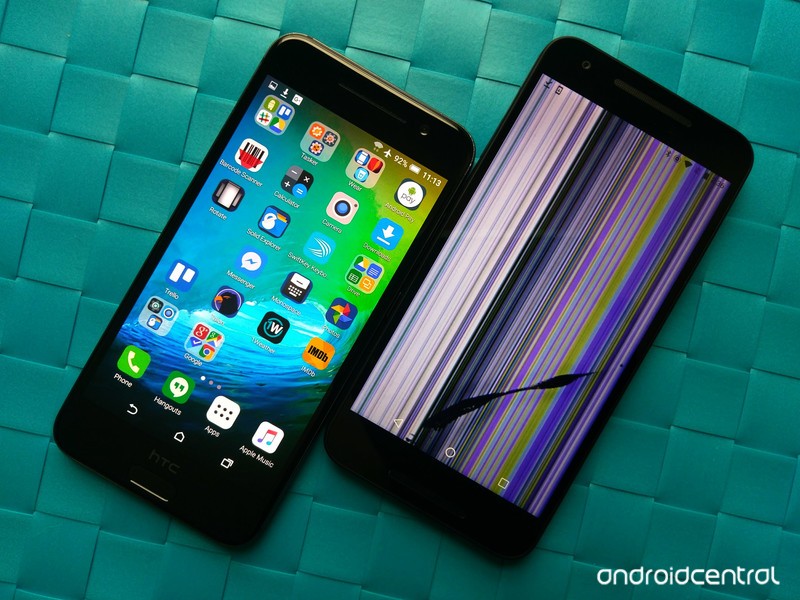
Fake iPhone trick

Wanna have some fun with your friends? If you’re known for having the latest and greatest — or if your friends aren’t particular up-to-date on the latest technological trends — you can use Android’s wonderful customization prowess to make your phone look like a phone that’s less customization-oriented: an iPhone. If you want to put your illusion over the top, consider using a case over your phone that covers any manufacturer branding.
Make your phone look like an iPhone
Fake Windows Phone trick
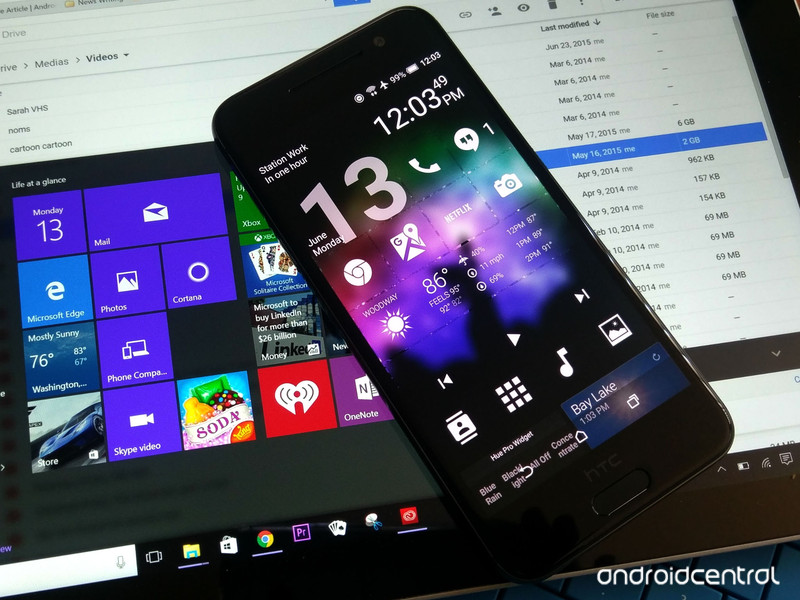
Windows 10 Mobile isn’t exactly a thriving market, but if you have some Microsoft fans in your life, you can get their hopes up for a moment by employing a Windows Mobile-style theme on your Android trojan horse. Once you (gently) dash their hopes, you can also direct them to our Microsoft theming guide to show them that while they’d be abandoning Windows as their mobile OS, they can still get a Redmond experience on their Android phone.
Give your phone a Microsoft makeover
Invisible home screen trick
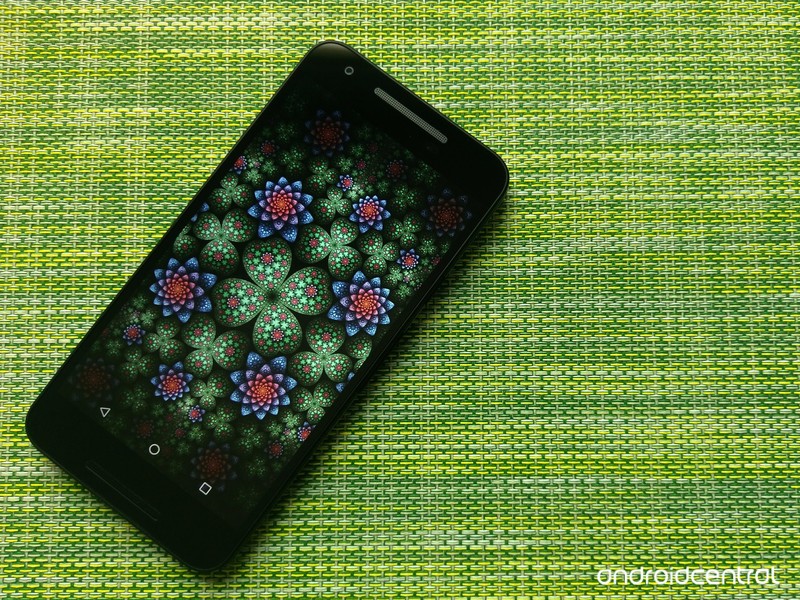
There are some amazing tricks your home screen can pull off, but none are quite as fun to see in person as an invisible home screen. Now, imagine this: you see someone on the subway. They have a frozen image up on their screen, but no icons, no app drawer, no widgets. But they keep fiddling with that wallpaper as if it was a working phone. You’d think they’re crazy. Right up until they swipe at the nothingness… and an app opens! Mind blown!!
This is also a handy home screen theme if your phone is prone to being “played with” by coworkers and kiddos. Here’s what it consists of:
- Use a customization-oriented launcher like Nova Launcher.
- Disable the page indicator under Nova Settings > Desktop > Page Indicator > None.
- Disable wallpaper scrolling under Nova Settings > Desktop > Scroll > Wallpaper scrolling > Off.
- Disable app icon labels under Nova Settings > Desktop > Icon Layout > Label > Off.
- Disable an dock overlay (if you used one) under Nova Settings > Dock > Dock Background > Off (toggle in top right corner).
- Remove any widgets you had on your home screen.
Now comes the tedious part. There’s a couple of icon packs that claim to blank your app icons, but none of them are really any easier than replacing them yourself. Download this blank png to your device, then replace each and every icon on your dock and home screen using the following steps:
Long-press your icon until a Nova menu appears.
Tap Edit. (Note: if this is an app that supports dynamic shortcuts, you’ll need to tap Icon Options before tapping Edit.
Tap the icon to edit it.
Tap Gallery apps.
Tap Documents.
Navigate to your blank png.
Tap Done to set the icon.
Tap Done to confirm your changes.

Once you’ve set all of your app icons to blank, your home screen should be beautifully blank. So, how do you know what apps are on your home screen? Well, that comes down to memorization. What if you still want to do something with your home screen? May I suggest using the invisible home screen element: gesture controls? Many launchers like Nova and Action Launcher have a litany of gestures you can assign specific apps or tasks to.
Once you’re done tweaking your invisible home screen, I highly recommend locking your home screen. In Nova, you’ll find it under Nova Settings > Desktop > Advanced > Lock desktop. This’ll help you avoid accidentally moving an app while it’s invisible, and it’ll help prevent pranksters from catching on and changing it back on you.
The invisible home screen is great on its own, and it can help take our next trick to new levels.
Broken screen trick
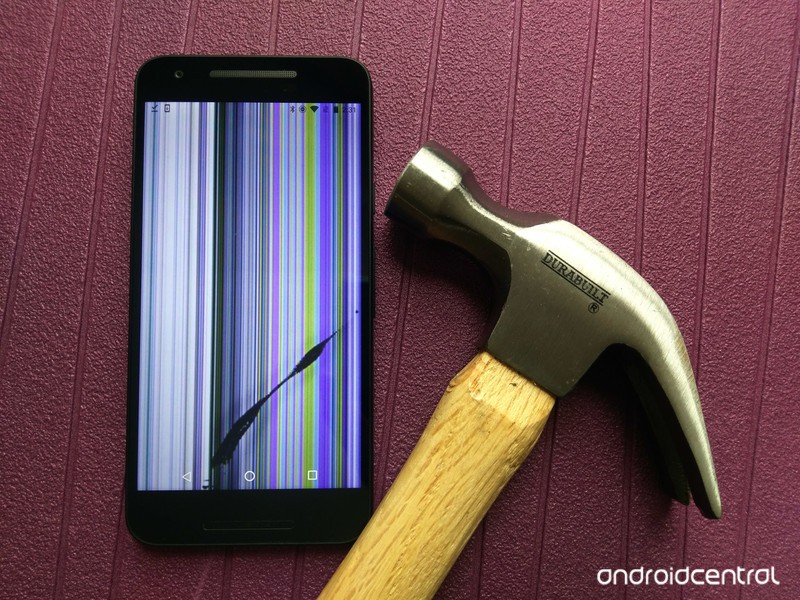
There are dozen of apps dotting the Google Play Store that claim to trick your friends into thinking the screen is broken using either a live wallpaper or a screen overlay, complete with cheap sound effects and eye-rolling shattering effects. I’d love to recommend one to you, but they’re all old, they all suck, and I’m not sure I trust the permissions most of them want. If you’re dead-set on a broken screen gag, don’t go with cracked glass, that’s a cheap jumpscare that’s easy to see through. Instead, use an image replicating a broken digitizer, as you can definitely break the digitizer while still having an intact screen.
Again, this isn’t an illusion that lasts long, so make the most of it before they realize the device is intact. Then quickly retrieve your device before the person you pranked decides to make your gag a reality.
Have a safe and hilarious April Fool’s Day!
Galaxy S8 vs Galaxy S8 Plus: Which is best for the Gear VR
Which Galaxy S8 is best for VR?
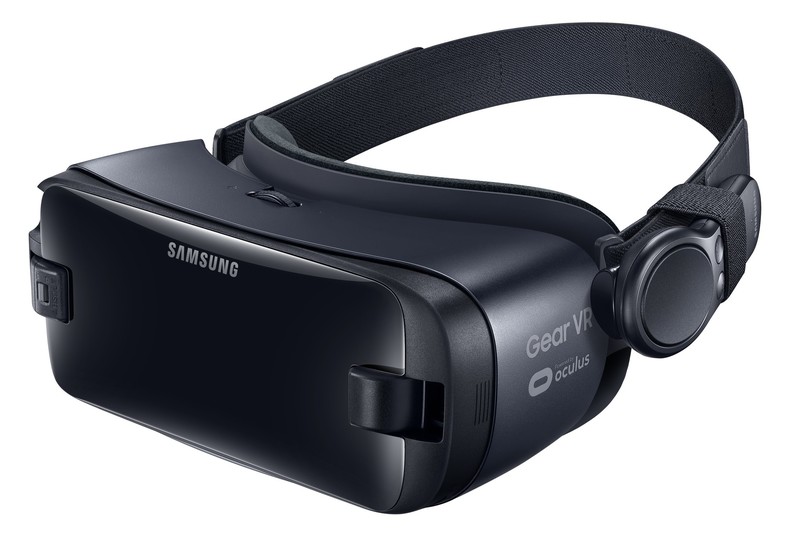
If you’re already a fan of the Gear VR experience and want your next phone to offer the best possible upgrade, it’s important to know the Galaxy S8 and Galaxy S8 Plus are very different phones in VR. They’re built to be similar for almost everything else, but inside the Gear VR there’s going to be two major differences that make choosing the best experience a little complicated.
Here’s what you need to know.
Read more at VR Heads!
Twitter no longer counts names towards 140-character limit in replies
Twitter is making conversations better — and potentially more confusing.

We’ll keep this brief: Twitter is a UX disaster. It’s been that way for a long time, but the company, which is now public and not growing nearly fast enough to appease its shareholders, is aware of the problem.
To that end, it’s done a number of things in the past year to improve the way conversations flow in the timeline. First it allowed users to retweet or quote tweet themselves (meh); it then stopped counting photos towards the 140-character limit (yay!). Now, the company no longer counts usernames towards that same limit — but only in replies.

When replying to a tweet, or to an existing thread, you now individually select the people included in the response as opposed to seeing those usernames piling up the tweet itself. That allows conversations to include considerably more people, but it also obfuscates the conversation itself, focusing on just the content. That’s potentially a good or bad thing, depending on the way people prefer to use Twitter.
The company has been experimenting with this new format for months now, performing a number of A/B tests with users. Now that it’s public and available to everyone on Android, iOS and the mobile web, it will be interesting to see the wider response.
Microsoft is selling its own version of the Samsung Galaxy S8
For those looking for more Microsoft apps and products on their Android phone.
As reported by our pals over at Windows Central, Microsoft announced plans today to sell custom versions of the Samsung Galaxy S8 and S8+, called the ‘Microsoft Edition’, exclusively from its U.S. retail stores.

While the hardware will remain identical compared to the standard Galaxy S8 and S8+, the move appears to be mostly about loading the new Samsung devices with Microsoft apps that won’t come standard on the new devices, such as Outlook and Cortana. As reported by ZDNet, the Galaxy S8 will ship with Office basics such as Word, Excel and PowerPoint, along with OneDrive and Skype, with the extra Microsoft apps added during the unboxing and initial device set up in the Microsoft store.
While Microsoft fans try to decipher what this move might mean for the future of Windows Mobile, this story takes a somewhat interesting turn when you consider what adding Cortana to the S8 really means.
By adding Cortana to the mix, the number of personal assistants on the Samsung Galaxy S8 Microsoft Edition suddenly jumps to three.
Google Assistant and Samsung’s own personal assistant, Bixby, will already be vying for users attention on the Galaxy S8. By adding Cortana to the mix, the number of personal assistants on the Samsung Galaxy S8 Microsoft Edition suddenly jumps to three. They say two’s company and three’s a crowd, so it will be interesting to see which AI assistant users lean towards. Microsoft is obviously banking on its loyal fanbase sticking with Cortana and all its cross-platform convenience, but if anything it might end up making the Microsoft Edition of the S8 the de facto device to test out which Android AI assistant reigns supreme.
The two Microsoft Edition GS8s are expected to be available for pre-sale today in the company’s U.S. retail stores.
Samsung Galaxy S8: Best carrier deals and where to buy
Samsung Galaxy S8 and S8+
- Galaxy S8 and S8+ hands-on preview!
- Galaxy S8 and S8+ specs
- Everything you need to know about the Galaxy S8’s cameras
- Get to know Samsung Bixby
- Join our Galaxy S8 forums
 AIVAnet