


Microsoft Bookings rolls out, making it easier to manage business appointments
Why it matters to you
Running a small business involves so many moving parts, but Microsoft Bookings wants to help with one of the most important aspects — your appointments.
Small businesses in North America have the option of managing their customers’ appointments and schedules through Microsoft’s Bookings, and now the Seattle-based tech giant announced the service is being rolled out to Office 365 Business Premium subscribers.
“Bookings is designed to delight your customers, simplify scheduling and free time for you to be on top of your business wherever you are,” Microsoft said in a blog post announcement. Along with the global release, Microsoft has also introduced a number of new features to their handy app, which will hopefully make it easier still for you to run your business like a well-oiled machine.
Per user feedback, Microsoft has added your Office 365 calendar to Bookings, creating a seamless integration that blocks off times in your public Bookings page when your calendar says you’re busy and vice versa. Simply click on the Staff tab on the left navigation panel to enable this new feature and select the Events on Office 365 calendar affect availability checkbox.
More: Latest Windows 10 Insider preview build fixes Microsoft Edge bugs and others
Microsoft Bookings also now allows you to add buffer time before and after your appointments, so you don’t have to worry about having back-to-back-to-back meetings scheduled with no time to breathe, so if you need some time to travel, prep, or set up before or after an appointment, you don’t need to feel rushed.
And because we live in a mobile world, Microsoft also made it possible for you to book an appointment, contact a customer, or check a staff member’s appointment from your iOS or Android device. You will also be able to get directions to your next appointment and directly access your customer list on the go. Finally, you now have the ability to customize your Bookings page, because as Microsoft notes, “Your Booking page should look and feel like an extension of your business, and it needs to positively reflect your brand.” You can now set a new main color for your page, display a business logo, and more.
Google adds shortcuts to app and mobile web to bring your interests to you faster
Why it matters to you
Although just a minor change, the addition of shortcuts right underneath the search bar will make it even easier to find the information you’re looking for with Google.
Google has started rolling out a small but useful change to its app on Android and iOS, as well as mobile web. The latest update, going live now for users in the United States, takes the form of tappable shortcuts that live underneath the search bar, and can connect you with everything from nearby areas of interest to entertainment news, translation and currency conversion, and, of course, weather forecasts.
Basically, these shortcuts serve as a portal to everything Google offers, from simple queries to more personalized information, like your emails, calendar events, and any travel bookings you might have recently made. If you’re familiar with Google Now, you’ve seen this all before, as such information would pop up dynamically in your feed. To those unaware of the search giant’s myriad services, however, the recent update will put everything in closer reach.
More: You can now find your Google Drive files directly through the Android Google app
Google is even taking the opportunity to throw in some fun time-wasters. There’s tic-tac-toe, solitaire, a catalog of animal sounds, a shortcut to I’m Feeling Curious, and even coin flipping — which is sure to come in handy as you and your friends decide on which local attraction to hit up. Of course, you could probably ask Google Assistant to handle many of those tasks, but it’s easy to forget that if you don’t often use voice dictation.
Seeing all the shortcuts evenly laid out into categories on Google search feels vaguely reminiscent of the internet home pages of yesteryear. In a sense, Google is becoming the modern AOL or MSN, in that it represents many users’ first point of contact with the internet.
Of course, artificial intelligence, location tracking, and integrated accounts have made the simple tasks of pulling up scores for your favorite teams or finding a spot for lunch much easier today than they were 20 or even 10 years ago. But, as a hub for everything you might want to know at once, Google still carries that timeless appeal.
BenQ’s E-Series line has a new display for PC gamers and one for graphic designers
Why it matters to you
BenQ’s new monitors should be good news for PC gamers and digital graphic artists looking for an affordable solution packed with lots of features.
BenQ America has expanded its E-series lineup of desktop monitors with the launch of the EX3200R and the EW2770QZ. The EX3200R is a 31.5-inch curved solution with a curvature of 1800R and a 144Hz refresh rate, while the EW2770QZ is a flat 27-inch panel packing a QHD resolution and an ultra-slim bezel. Both are available now for $450 in the United States.
For starters, below is a graphic provided by BenQ showing how a curvature of 1800R appears to the person seated in front of the EX3200R:

And here are the hardware details for both:
EX3200R
EW2770QZ
Screen size:
31.5 inches
27 inches
Screen resolution:
1,920 x 1,080 @ 144Hz
2,560 x 1,440
Panel Type:
VA
IPS
Curvature size:
1800R
N/A
Aspect ratio:
16:9
16:9
Pixel pitch:
0.121mm x 0.364mm
0.233mm x 0.233mm
Brightness:
300 nits
350 nits
Native contrast:
3,000:1
1,000:1
Dynamic contrast:
20,000,000:1
Unknown
Response time:
4ms gray to gray
5ms gray to gray
Color amount:
16.7 million
16.7 million
Color space:
72 percent NTSC
100 percent sRGB, Rec. 709
Color bit:
8-bits
8-bits
Speakers:
N/A
2x two-watt speakers
AMD FreeSync Support:
Yes
Yes
Ports:
1x HDMI 1.4
1x DisplayPort 1.2
1x Ethernet
1x headphone jack
1x HDMI 1.4
1x DisplayPort 1.2
1x Ethernet
1x headphone jack
Notice the difference in panel types. IPS means In-Plane Switching, which is a type of panel technology that provides brilliant colors and wide viewing angles. Vertical Alignment technology, or VA, is essentially the next step down, but provides a better contrast ratio and response time than IPS. Thus, BenQ’s curved monitor would be better at PC gaming than the flat model, which would serve the graphic designer crowd best.

The curved EX3200R unit includes seven different preconfigured display modes including three for gaming, one for watching movies (Cinema), one for viewing photos, and two additional slots for users to create custom modes. The curved panel also supports AMD’s FreeSync technology, which should be good news for PC gamers looking for a new desktop monitor for their Radeon-branded graphics card.
More: BenQ’s new 27-inch and 28-inch monitors protect your eyes and your budget
In the PC gaming space, AMD FreeSync eliminates screen tearing, stutter, and the illusion of input lag associated with bad synchronization between the display and PC. Graphics cards and discrete GPUs output a huge number of frames per second that are flashed on the display multiple times per second (refresh rate). The visual artifacts occur when the display’s refresh rate isn’t synchronized with the GPU’s output. Thus, FreeSync dynamically adjusts the refresh rate to keep the display synchronized with Radeon graphics cards and discrete GPUs.
Of course, BenQ is concerned about its customer’s eyes too. Both units include BenQ-specific technologies such as Low Blue Light and ZeroFlicker while the flat EW2770QZ packs Brightness Intelligence Plus technology. That means the display relies on an ambient light sensor to detect the surrounding ambient light levels and adjust the screen’s brightness accordingly. Both also have a Super Resolution feature that boosts the pixel density of video.
The EX3200R and the EW2770QZ can be purchased directly from BenQ or through participating retailers right now.
Mevo, the live-streaming camera, is now Twitter compatible thanks to new API
Why it matters to you
The camera designed for live-streaming couldn’t broadcast to Twitter at the first lannch because it didn’t have access, but now Twitter’s API release means the camera can go live on both Facebook and Twitter.
Mevo, the camera designed for live-streaming, is now Twitter-compatible. The Mevo is the first camera to use Twitter’s live API after the social media platform launched the third-party compatibility feature earlier today, March 21.
Mevo is a simple camera that’s designed specifically for live-streaming. The camera is meant to be set up and remotely controlled with an iOS app, making it easier to actually get inside your own live videos. Launched last year, Mevo at first only included Facebook Live and Livestream.
More: Mevo Livestream review
Now, the camera supports both Periscope and Twitter. The new feature is possible thanks to Twitter’s API, which makes it possible for third-party companies to directly integrate Twitter’s live video features. While Facebook released live video API nearly a year ago, Twitter is now following suite with a their own API for third party integration.
Twitter live-streams through Mevo are accessible through the iOS Mevo app. After updating the app, current Mevo users can tap on the red record icon in the corner and select the Twitter and Periscope icons. After authorizing the app to access a Twitter account, users can add a title to the video, then tap “Go Live.”
Mevo’s app update also includes the option for controlling the camera’s field of view and warp level using five different modes. The update, to version 1.2.1, also included a few bug fixes and stability improvements.
Twitter’s just-released API should mean a number of companies will be integrating live-streaming directly to the social media platform, as well as making it easier for big broadcast companies using pro-level video and editing equipment to stream live. While more companies will likely be integrating Facebook Live features, the Mevo remains a camera uniquely designed just for going live as it is the only consumer option of this type on the market, with quality and usability above what is available when streaming from a smartphone.
Wikileaks has hit some snags in its efforts to cooperate on fixing CIA hacks
Why it matters to you
Getting those CIA hacks fixed before they’re made fully public might be a bit more problematic than it first appeared.
When Wikileaks released its cache of CIA documents earlier in March, it held back the details on zero-day exploits that would allow cybercriminals to access vulnerabilities in computer equipment used by the American public. Wikileaks promised to hold onto them until it could work with developers on making sure the vulnerabilities in question are patched.
That was a welcome tactic, theoretically, but it has apparently run into some snags. It appears Wikileaks attached some conditions to its cooperation and meeting those conditions might be problematic for some of the companies involved, Schneier on Security reports.
More: WikiLeaks won’t publish zero-day exploit details until developers can fix them
WikiLeaks provided an update via Twitter that laid out the fact that, according to the organization, some companies are hesitant to sign off on the conditions due to their U.S. security clearances:
Update on CIA #Vault7 "zero day" software vulnerabilities
Ref: https://t.co/h5wzfrReyy pic.twitter.com/WEiyptlRu3
— WikiLeaks (@wikileaks) March 18, 2017
There might be other conditions holding companies back. According to sources, one condition is a 90-day time limit on getting vulnerabilities patched. Such a condition would be similar to the practices of Google’s Project Zero, which has a hard limit of 90 days on how long it will wait to publish an exploit after information is shared with a vendor.
According to Motherboard, there might be other issues as well. Companies could be concerned about how the documents were procured and whether any of the information on the CIA hacks came from the Russian government. Regardless of the reasons, it’s clear that Wikileaks and the developers involved with the vulnerabilities have some distance between them on how to proceed in fixing and then disclosing the exploits.
In the meantime, there is a project underway that seeks to make sense of the 400 companies, products, and terms included in the Vault 7 cache of documents that Wikileaks has already published. If successful, the project would at least help anyone concerned about whether any of their devices have potentially been compromised.
This is a very fluid situation involved a number of organizations that all have stakes in the outcome. The information will likely make its way to the public sphere and so the only question remaining is what exactly will be the impact and whether or not all of the CIA hacks have been resolved.
Google.org is devoting $50 million in grants to help close the education gap
Why it matters to you
Google is helping fight educational inequity by pledging $50 million in grants.
If there is one critical weapon in the fight against inequality, it’s education. After all, Google points out, there remain 130 million students around the world have yet to fully grasp basic subjects like reading and math, even after four years of primary education. But now, the tech giant is hoping to tackle this problem head on by way of $50 million in grants to nonprofits “building tech-based learning solutions,” all of which are geared toward closing the education gap.
Already, Google has given more than $110 million over the course of the last five years with this goal in mind. But this latest announcement serves as Google’s “largest dedicated portfolio” to date and focuses on nine organizations representing countries from across the world. Not only will Google be providing financial support but Google volunteers will also aid in various areas of expertise, including user experience design, translation, offline functionality, and data analytics.
More: Misplace your car? A new Google Maps feature in Android will help you find it
“Our education grants will focus on three areas where technology can help: giving more students access to quality learning materials, supporting teacher development, and reaching students in conflict zones,” Google noted in a blog post announcement. “Around the world, students in low-income communities have to learn with fewer books, out-of-date texts, and materials that are culturally irrelevant or even in the wrong language.” But with technology, Google hopes to overcome geographic and financial hurdles, and provide students with educational resources that are engaging, interactive, and ultimately, effective.
Google will focus primarily on three key issues — first, giving students the right materials to succeed; second, keeping teachers trained and engaged; and finally, helping students learn in crisis. You can stay up to date on Google’s progress by signing up for the company’s education email list.
Pre-register now for Galaxy on Fire 3: Manticore, the latest sci-fi epic launching on Android
Can you save the world from impending destruction?

Fans of epic space battles rejoice — you can now pre-register to be informed of the official release of Galaxy on Fire 3: Manticore, the latest sci-fi epic released by Deep Silver FISHLABS. You can sign up for pre-registration here to be notified once the game is available on select Android devices.
Check out the trailer below:
The game is a sequel to the well-recieved Galaxy on Fire 2 HD, which has been downloaded millions of times from the Google Play Store while maintaining a solid 4.4 user rating. You should certainly check it out if you haven’t already.
The latest entry in the franchise promises to be bigger than ever, with even better graphics than the previous titles and a variety of missions to unlock.The game will feature next-gen Vulkan graphics standard along with the legacy Open GL ES graphics standard to ensure the game is available across a wider range of devices. Reviews on Metacritic of the iOS version have been somewhat mixed, with some reviewers disappointed with the changes the developers made to some of the core gameplay elements compared to GoF2.
We’ll just have to wait and see for ourselves. In the meantime, Galaxy on Fire 2 HD is a free download from the Google Play Store, with in-app purchases available to unlock the two story add-ons Valkyrie and Supernova.
What’s New in Android O: Everything you need to know

See what the latest and greatest version of Android has in store for you!
Android O brings several changes to existing features as well as all new features. Since it first arrived in 2008, Android has been a very fluid bit of software. The mobile space is always evolving and Android has evolved along with it so it could meet the needs of people like us who use it every day.
With the first developer preview of Android O, we get a glimpse of some of the new features we can expect when it’s released later this year. Google also tells us that this is just a few of the things we can expect with the next version of Android.
How to get Android O on your Pixel or Nexus (and how to roll back to Nougat)
Background limits
Starting with Android 7.0, Android can restrict certain activities an application wants to do while it’s in the background. Android O builds on this beginning and places top priority on saving power and improving battery life without the user (that’s us!) having to do anything or install anything,
New limits on implicit broadcasts (sending “signals” for other apps or activities to act upon), background services (activities of an app that continue to run when it’s not on the screen) and location updates (checking to see where you are using Android’s location services) are automatic. This means it’s easier to build apps that don’t have an impact on battery life and the user doesn’t have to manage anything.
This is a new area for Android, so developers are encouraged to study the documentation and try out the background execution and location limits before Android O is available for consumer devices.
Notification channels

Android N brought a new framework for notifications and ways for developers to use it so we get more information in a space where real estate is at a premium.
With Android O Google is introducing new Notification channels: grouping notifications together by their type. Notifications are still managed by the app that delivers them, but users can control how things are displayed on a per-channel basis. This way we can decide things like how a news app notifies us or a music player shows a persistent notification. Notification channels is a new way for us to control the rich notifications that Android apps bring to us.
Autofill APIs
Platform support for autofill means better security and a powerful way for an application to store repetitive information.
With the new Autofill API, a user will be able to choose a source for autofill data, and applications that need to store and retrieve this sort of data no longer will need to act as an Accessibility service. An app like a password manager can bundle its own activity for using the autofill API and we can choose it when we need it much like choosing a new keyboard. An app could also be built that acts as a global storage for autofill data without being associated with any one particular program.
Picture in picture for handsets

Google is moving PiP display support to Android phones.
Currently, Android TV has a native PiP display method but handsets use a standard multi-window view versus an overlay. With the new way of doing things, and apps can be designed so that the supplementary window is strictly for content and controls or other bits of app chrome can be placed elsewhere.
This also brings a new way to handle screen overlays and methods for a device to launch an app or activity (a portion of an app) on a remote display.
Font resources in XML
Android O promotes fonts to a full resource type.
This means that fonts can be defined the same way colors and other resources are in application layouts using XML, and developers will have more control over the fonts and style they use. This might mean we can have apps with their own custom fonts without any complicated procedures by developer or users.
Adaptive icons

The Google Pixel Launcher brought adaptive icons, and now Android supports them systemwide and natively.
Options can be given for different shaped masks that define the outside border (think squircles) and icons can be animated. Adaptive icons will be supported in the launcher, shortcuts, device Settings, sharing dialogs, and the app overview screen.
Wide-gamut color for apps
Developers building applications for Android O on devices that support wide-gamut color can now leverage those displays.
Apps like photo editors and image viewers can make use of this, and the developers simply need to enable a setting letting the system know the app is wide-gamut color aware and embed a wide color profile. Some of the support profiles are AdobeRGB, Pro Photo RGB, and DCI-P3.
Connectivity
Android O brings some changes to the way our devices communicate with other devices. Welcome changes include:
- High-quality Bluetooth audio through the Sony LDAC codec. Your favorite songs will sound even better through Bluetooth connections.
- NAN (Neighborhood Aware Networking) connectivity using the Wi-Fi Aware specification. Devices with supported hardware can communicate with each other using Wi-Fi without a central access point.
- Telecom framework introduces new ways for third-party calling apps to work with each other and with your carrier’s special features. New APIs now support apps that don’t need to use the universal system phone app to display calling information and this data can be displayed and controlled over Bluetooth.
Keyboard navigation

Android on Chromebooks means we need a better way to use all the features of an app through the keyboard and mouse. Android O focuses on building a better model for arrow and tab key navigation. This is one of those things that are both better and easier for developers and end users.
AAudio API for Pro Audio
The new AAudio API was built for applications that need a high-performance and low-latency audio path. Audio data can be read and written via normal streams and the AAudio API handles the routing and latency.
The first versions of the AAudio APIs are not yet complete but are a great way for developers who need these features to provide feedback. We want the people building an equivalent of GarageBand for Android to have some say in how the new features work!
WebView enhancements
Android O enables the multiprocess mode for WebView components from Nougat as the default and adds an API so that developers can handle their own errors and crashes.
This makes applications that use web development languages better stability and security, and users will benefit if developers enable Google Safe Browsing for remote URLs.
Java 8 APIs and runtime optimizations
Android O supports new Java Language APIs, including the new java.time API introduced with the latest version of Java 8. Optimization for the new runtimes is also included for better performance and stability in apps designed for Android O.
It’s important to remember that early builds of Android O are designed for app developers to get a head start and aren’t really consumer focused. That means the features introduced during any preview period are subject to change, get better, break or even be removed. We’ll keep this page updated as we see more from Google about Android O!
More to come
We’ll probably hear lots more about Android O and its upcoming beta program in the next few weeks, so stay tuned!
Android O

- Everything new in Android O
- Should you put Android O on your phone?
- How to install the Android O Developer Preview
- Android O isn’t in the Android Beta Program yet
- Join the Discussion
Should you install Android O developer preview on your Pixel or Nexus?
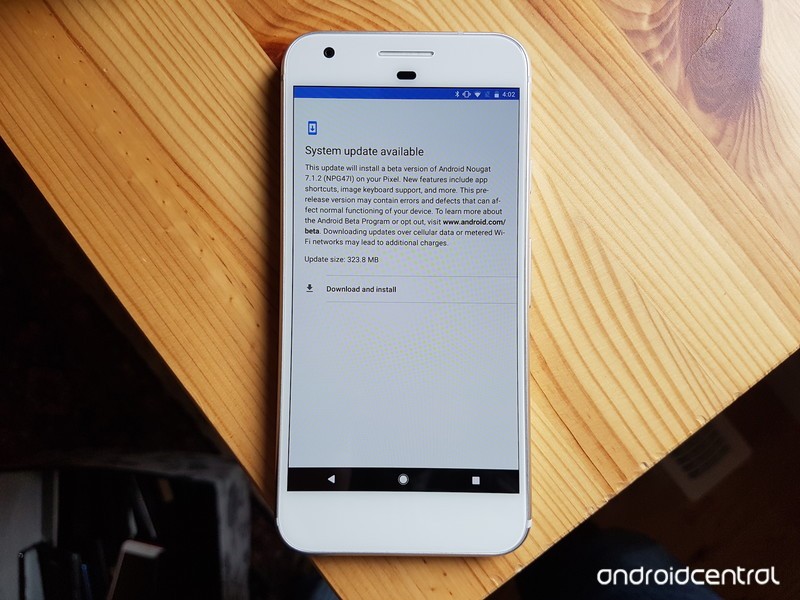
Android O is now available to download as a developer preview. But that doesn’t mean you should do it.
The day that Google releases a new version of Android is one of the most exciting of the year, especially for early adopters like us who want to play with all the new features and see what’s in store for the final release.
But unlike last year, when Google released its Android N preview alongside an easy-to-install beta program, the company is going decidedly old school with this one, reverting back to the tried-and-true method of factory images that require an unlocked bootloader and some knowledge of terminal commands. This isn’t a surprise — Google has been doing this for both developer previews and final releases for years — but delaying an easy-for-consumers-to-install Android O version until later in the year speaks to the early nature of Android O right now. In other words…
You shouldn’t install the Android O developer preview on any phone you need to use on a daily basis.
Things are going to be broken
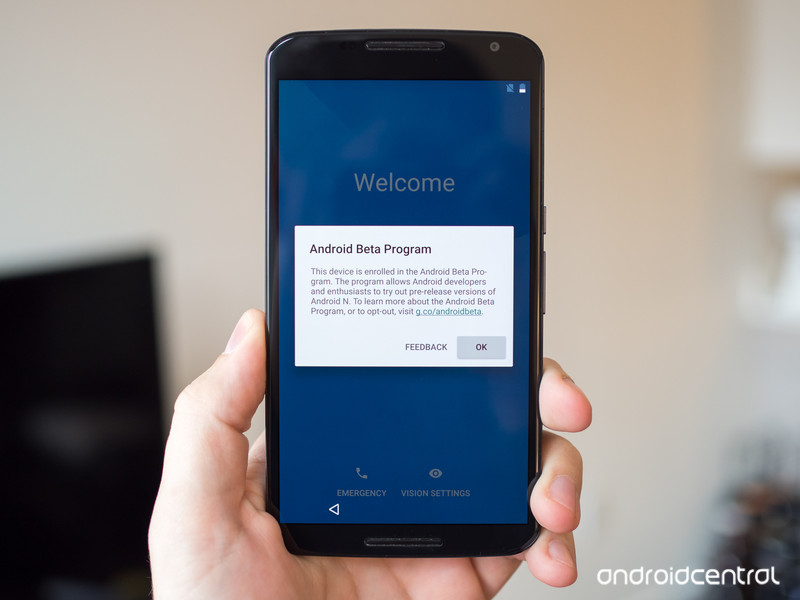
We say this every year, but things are definitely going to be broken with the Android O developer preview. There are going to be lots and lots of bugs, and core features of the phone, from making calls to connecting to Wi-Fi and Bluetooth devices, may be incomplete or completely not working.
Moreover, many of Google’s own apps will not have been updated to take advantage of the new system APIs — things like Font Resources, Adaptive Icons, and Picture-in-Picture — potentially limiting its usefulness.
Third-party apps are not going to be compatible
Google doesn’t usually allow developers to release public versions of their apps with support for the latest Android APIs until a few weeks before the final public release. In this case, that means we’ll likely have to wait until late August or even into September — months after Google I/O — for anything resembling an interesting set of user interactions.
In the meantime, the Android O dev preview will likely have been updated at least three times with new versions that fix bugs and overcome some of the more core functionality issues we’re seeing in the initial release. For something like Picture-in-Picture, for instance, you’re not going to see a working version of YouTube — probably the most important app to support the feature — until close to the final release.
It’s a pain in the butt to install
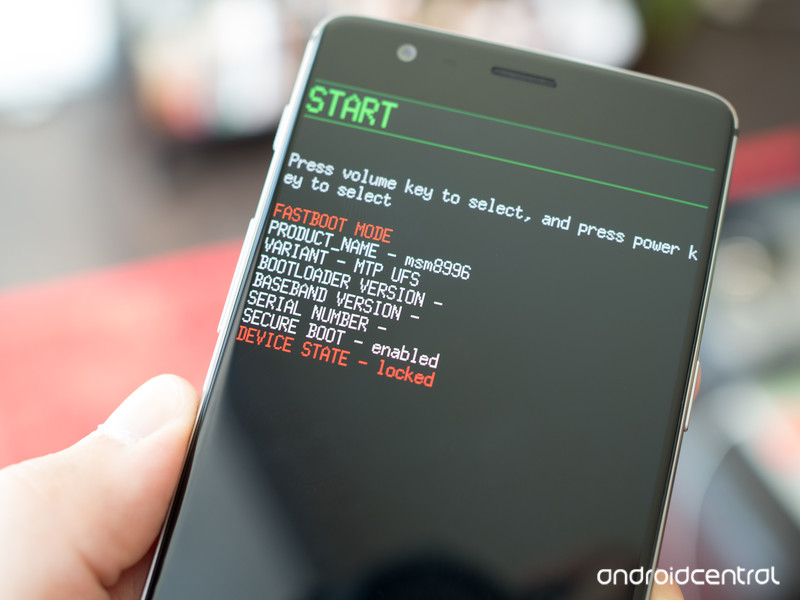
Finally, it’s not easy to install the Android O developer preview, especially if you’re not familiar with the commands that require you to unlock your bootloader and flash a system image.
Worse, even if you get there, you will have to factory reset your phone at some point in the process — when you unlock your bootloader in the first place, or when you flash your phone back to Nougat.
But we’re not going to stop you
Obviously, if you want to install Android O on your phone or tablet, we can’t stop you. So if you’re going to do it, at least read up on the procedure, and know what you’re getting yourself into.
How to get Android O on your Pixel or Nexus
There’s lots more to come
Google promises that it will talk lots more about Android O at Google I/O in May, and that there will eventually be an easy-to-install beta, just like there was with the Android N beta in 2016. This is good news — the updates will likely come fast and furious — and we’d recommend waiting until then to install Android O on any phone or tablet you actually want to use on a daily basis.
Android O

- Everything new in Android O
- Should you put Android O on your phone?
- How to install the Android O Developer Preview
- Android O isn’t in the Android Beta Program yet
- Join the Discussion
Google announces Android O, Developer Preview image now available

Start getting ready for the latest version of Android.
Google is continuing its transparency of pre-releasing early builds of new versions of Android with the announcement of the Android O Developer Preview. As always, the Developer Preview is designed to give developers an early look at what’s coming in Android O so they can start to make their apps compatible with the new APIs and design guidelines. It does, of course, give all of us fans of Android an early look at what Google has up its sleeve in terms of new features as well.

Android O, as it stands right now with what Google is showing us, doesn’t have a ton of eye-popping features. Just like previous Developer Previews, you get a little taste of new features and more importantly overall structural changes, but future builds of the Developer Preview can and will add more as Google develops it.
Here are a few of the high points in Android O Developer Preview 1:
- Background limits: Additional automatic limits will be put on apps running in the background, particularly in terms of background services and location updates. These changes will let developers create apps that have less impact on performance and battery.
- Notifications: With Android O, users will be able to manage which kinds of notifications come from each app, rather than controlling all notifications for that app the same way. How granular the controls are will be defined by the app developer. There are also new visual changes to grouping of similar notifications that make it “easier for users to see what’s going on” when receiving messages or glancing at the shade.
- Autofill APIs: Users can choose an “autofill” app similarly to how you currently choose a default keyboard. Password managers will be able to work with this autofill setting to surface usernames and passwords that you can enter into apps without switching to the password manager.
- Adaptive icons: Developers can create adaptive icons that can change based on how the system wants to display them, so they fit in on different phones with different interface looks. New icons can be animated in various parts of the interface when interacted with.
- Bluetooth audio: Android O supports high-quality Bluetooth audio codecs, including Sony’s LDAC codec.
These are the changes that are most likely to get users excited and ready for the new version to come to their phones, but still require lots of work from developers to support the new changes. At least in this first Developer Preview, there’s very little to “show” here — it’s mostly framework and API changes that let developers create better experiences when running apps on Android O.
More: How to install the Android O Developer Preview
The first Android O Developer Preview is available today in the form of a factory image file, and is in no way designed to be used on a primary phone or by regular consumers. It’s available for the Pixel, Pixel XL, Nexus 6P, Nexus 5X, Pixel C and Nexus Player. Coinciding with that decision, Android O is not yet part of the Android Beta Program — you’ll have to wait for a later release that’s considered more stable.

According to Google’s Android Developers website, the Android O Dev Preview is not expected to be bumped to revision 2 until mid-May, with Dev Preview 3 landing in mid-June and a fourth preview landing shortly before final release in Q3 2017.
Android O
- Everything new in Android O
- Should you put Android O on your phone?
- How to install the Android O Developer Preview
- Android O isn’t in the Android Beta Program yet
- Join the Discussion
 AIVAnet