


DeepMind AI learns to ‘remember’ previous knowledge
For all the talk of artificial intelligence becoming increasingly brain-like, there’s one area where it frequently falls short: memory. Neural networks usually have to learn everything they need to know about their duties, rather than building on top of existing experiences like real brains do. Alphabet’s DeepMind team hopes to fix that. They’ve crafted an algorithm that lets a neural network ‘remember’ past knowledge and learn more effectively. The approach is similar to how your own mind works, and might even provide insights into the functioning of human minds.
Much like real synapses, which tend to preserve connections between neurons when they’ve been useful in the past, the algorithm (known as Elastic Weight Consideration) decides how important a given connection is to its associated task. Ask the neural network to learn a new task and the algorithm will safeguard the most valuable connections, linking them to new tasks when relevant. In tests with 10 classic Atari video games, the AI didn’t need learn how to play each game in isolation. It could learn them sequentially, taking the knowledge accrued in one game and applying it to the other.
The technology is more than a little rough around the edges. It’s a jack of all trades, but a master of none. A single-task neural network is still better when limited to one game, DeepMind’s James Kirkpatrick says to Wired. It’s also not ready to adapt to situations on the spot. The algorithm shows that it’s at least possible to give AI memory-like functions, however. And what DeepMind has learned here could shed light on how real brains consolidate information — it may well validate theories that have existed for years.
Via: Wired
Source: DeepMind, PNAS
Kesha’s internet advice: Don’t read the comments
Online bullying is a huge problem for nearly all internet users but especially youth. At a SXSW talk about reclaiming the internet, international pop star Kesha talked about her issues with social networks and her love of animals.
During the conversation with Refinery29 chief content officer, Amy Emmerich that focused on the singer’s online experience, Emmerich asked Kesha what her advice was for 13 year olds about to sign up for Instagram. She said that for her, she had to stop reading the comments.
“I use the internet to connect to my fans. But aside from that, it’s not healthy place for me. I kind of limit myself in terms of reading the comments because there can be a million positive ones but I always gravitate to the one negative one,” Kesha said to a packed auditorium. “So I stopped reading comments. I don’t know if that helps everyone. Make sure you’re not hurting yourself with it.”
Kesha also talked about the difference between when she was bullied as a kid and could go home and escape by writing music and how children today get harassed at school then get home and get tormented online. She’s currently an anti-bullying advocate and has recorded a PSA.
While the focus was on taking back the internet. Kesha also touched on some lighter notes of online life. More spefifically her love of animals and her dream of a magical future. Ending on a high note, Kesha told the audience, “secretly, my goal is to live on an island full of cats.” That’s our dream too. No comments can convince us otherwise.
Click here to catch up on the latest news from SXSW 2017.
Elgato Avea Flare – portable mood lighting in the form of an adorable egg
Before I start in on this charming little LED Egg, let me just say that the box it came in was absolutely infuriating. Every single component was wrapped in what can only be described as cardboard origami that was an absolute bitch to extricate it from. The egg (for I refuse to call it anything but – just look at the thing) is itself quite a bit bigger than I would have expected from pictures – usually, when you read “portable” as an adjective describing an item, you expect it to fit in your pocket. But in this case, “portable” means “a seven-inch tall, four-inch wide textured white egg that kind of sort of fits in your hand, if you’ve the hands of Kawhi Leonard.”
 No, this is NOT Photoshopped.
Now that we’ve gotten my signature ramble out of the way, we can actually talk about the Elgato Avea Flare. As mentioned above, the Flare is advertised as a Portable Mood Light. I’m not sure what, exactly, that phrase means beyond the scope of the literal definition of the words that comprise it, but I can say that I’ve found very little practical use for the thing, though it is a rather entertaining little piece.
After you get past the copious amount of cardboard packaging, the process of setting up the Flare gets significantly easier. Pairing is simple – you just turn on the egg, download the Avea App from the Play Store, place your phone close to the egg…voila. Paired and ready to create moods – portably (that’s probably not a word. I don’t care). A slight beef, though; having the egg pair simply by connecting to the closest phone seems kind of insecure – perhaps some interface within the app to manage devices that can control the egg would be more efficient and secure. A hard pair using Bluetooth would also make it easier to stay connected to the app, which has a tendency to lose pairing when you move to a different app.
 Power and Mode buttons, wireless contacts, and hanging hook.
In-hand, the Avea is really light; the textured, soft white exterior almost feels cheap when combined with the lightness of the egg, but the IP65 rating slapped on the sucker seems to imply that it’s at least moderately resistant to ingress. There are two buttons on the bottom of the egg – Power and Mode. The former, obviously, powers the Flare on, which, even when dimmed, will allow you to command it with your smartphone. The latter button, meanwhile, will either dim or brighten the current color of the egg – something that can also be done from the app itself – or dim it to black altogether. While both buttons have a rubberized feel and a solid click to them, I wish there were LEDs within the buttons to let you know what state each is in.
Also on the bottom of the Flare is a wireless charging contact, which lets you painlessly charge the egg by dropping it on the included wireless charging pad. When it’s not charging the egg lasts up to eight hours on a single charge, which isn’t bad at all. A convenient hanging hook is hinged to the base, which is at once very useful and also not very well-designed. It doesn’t sit flush with the egg bottom, which is rather annoying.
 Used the Avea as a mood light for Dungeons & Dragons night. Nailed it.
The actual quality of the light is quite good – bright, vivid colors from all across the spectrum set any mood you could possibly want, though the brightness of the egg is, predictably, not particularly bright. If the mood you’re going for is “a well-lit room,” you’ll probably fail in setting that tone. Transitions between brightness and shades is at once smooth and slow – I wish it was a bit faster, personally. The app has a number of preset color profiles: Magic Hour, Cherry Blossom, Calm Provence, Mountain Breeze, among others – including a rather useful “Wake-Up Light” that slowly brightens your room at a specified time and uses your phone to play sounds or music at increasing volumes to wake you up. It’s a nice touch, but I’d like to see a scheduling option.
 App home screen.
And on that note, I’d love to have seen Elgato integrate a speaker into this little bad boy – how better to set a mood than to be able to play music to go with your light and to have the light react to the change in tempo and pitch? I feel like this addition would make the Flare significantly more worthy of the $99.95 retail price – though that price without the speaker isn’t terribly exorbitant.
The app a ridiculously simple affair with relatively few options – all you can really do is pick one of the pre-configured profiles or a solid color, and modify the vividness and brightness. I’d have loved to see the ability to create your own profile – and choose the pace and brightness of a number of colors the egg cycles through. The app can connect to multiple Avea products, and shows the battery life of each device right in the device list.
On the whole, the Elgato Avea Flare performs exactly as you’d expect it to – it’s an LED-powered egg with a couple unique features that set it apart, and for those features, you pay a bit of a premium.
$99.95 MSRP/ $86.99 Amazon


New Balance RunIQ and PaceIQ review
Fitness watches – they’re what many wearables have migrated towards since the inception of the technology, as they can provide us useful information and metrics such as heart rate, step count, and now even reps from your weights. While we’ve seen a steady development in the functionality of this hardware, much of the core components have remained the same. Battery technology has gotten slightly better over the last couple years, but that is mainly due to software, not hardware. So what does one watch offer over the many, many others available on the market? Often it will be slightly custom software, sometimes an extra button, but most of the time, it is a minor tweak to both these things.
So what has New Balance, a shoe company, done to make their watch stand out? There’s quite a lot going on here, from the specialized hardware buttons to the sensors made to track your body to a super finite degree.
With a built-in GPS, optical heart rate monitor, a solid water resistance rating, and integrated Strava running software, there is a lot to like here. Since it runs Android Wear, you still get all the same benefits of the OS, including the ability to download music directly onto your watch.
So does the RunIQ warrant its high $300 price tag? What about New Balance’s PaceIQ fitness earbuds? Find out in our full New Balance RunIQ and PaceIQ review!
See also:
Best fitness trackers
2 days ago
Design
There’s no doubting that New Balance is aiming this watch at the sports/fitness crowd here. It has a relatively large 1.39-inch AMOLED display with a resolution of 400 x 400 that shows up great in direct sunlight, and doesn’t need a separate proximity sensor to dim the screen when you don’t need it. The pixel density comes in at 287ppi, so while you’re obviously not going to get smartphone resolution on this thing, it is still more than decent for a smartwatch.
It doesn’t feel a huge amount larger than a traditional sports watch
Though relatively thick, it doesn’t feel a huge amount larger than a traditional sports watch. Quite honestly, there are a number of traditional watches that are much more hefty than this thing, even with all the included internals and sensors. The bezel raises slightly from the surface of the touchscreen, likely to protect it from getting smashed if you trip while on a run. The casing is made of a hard plastic which feels very solid for what it is, and would likely only come away with a number of scratches and scuffs if you were to land on it directly. Though, if this were the case, your wrist would likely be in a lot more trouble than your watch.

Unfortunately, the three physical buttons aren’t reprogrammable
There are three buttons attached to the right side of the device, each with varied functionality. While it would have been nice to be able to be able to reprogram these to your own liking, New Balance it really pushing running functionality with the watch. A quick tap of the top button will instantly launch Strava, which is interestingly built right into the watch, with no separate app “technically” required on your phone in order to view current metrics, though you will have to download the full Strava app in order to see your route and historical data. This app in particular is full-fledged, with four different screens showing distance, time, BPM, steps, and a lap counter. There are also music controls built in here, which syncs with Google Play Music to play whatever tracks or playlist you run to best.
The center lug essentially works as a ‘back’ button, returning you to previous screens without the need to swipe applications away. This will also turn on and off the screen depending on if you’re sitting on the watch face home screen. You can also hold the button while on the home screen to open up the app menu, where you will be able to select the local apps that have custom functionality with Android Wear. There isn’t much functionality past this, but it is another method of interactive with the watch if you would prefer not to swipe around the display.
Don’t miss:
Best Android Wear watches
6 days ago
The bottom button controls playback of music. When you tap it, you get the option to play music either on the watch, or from your phone. Since you can store music files locally on the watch itself, there becomes very little need to actually take your phone with you on runs. The manufacturer says you should be able to store up to 50 hours of music locally on the device, meaning you should be able to load up all your favorite playlists to take with you on your favorite trails. While this is a feature embedded into Android Wear itself and not part of the watch, it is still quite useful, especially for a watch that is so focused on running.

The top of the watch features stationary time markers, which more or less align with the marks on an analog Android Wear watch face, but prove a bit redundant since this is already provided on the screen. This is more than likely provided solely for the aesthetic of the device, and we’re not necessarily complaining that it is included.
One of the best parts of the RunIQ’s design is the strap
One of my favorite parts of the RunIQ’s design is the strap. The included watch strap is a soft rubber one, which has an incredibly high amount of cutouts to be locked into place. Since the rubber is relatively stretchy, in combination with the super high amount of cutouts, it is extremely easy to get a good fit. Never once did I feel that I was forced to wear the watch too loosely or too tightly around my wrist – it always seemed to fit just right. The rubber also makes it so those who sweat during intense workouts will not have to worry about damaging the device. These bands are interchangeable, so you should be able to swap it out with a color that matches your style. The model we have for review was black on black, and while I personally think that it is the most understated and professional color available, some may want to swap it out for one of the other colorful options offered by the company.

The bottom of the device reveals the heart rate sensor which flashes green while active, as well as the inductive charging plates which magnetically attach to the included charger. I’m personally a big fan of the way this device charges. The magnets hold the watch to the charger quite securely so it won’t fall off from a bump, but you can still grab the watch and go without the need of any locking/unlocking mechanism.
The watch’s charger is very well designed
While some watches like the Moto 360 offer angled charging docks that allow you to use your watch as a bedside clock as you sleep, the security and strength of the magnets in this device make it feel more secure on my desk. The 410mAh battery charges pretty darn quickly, so you should be able to get a solid charge out of the device if you’re only home for a shower and have to run out again.

The watch is rated for waterproofing up to 5ATM, so while you shouldn’t go deep sea diving with this thing, it will do fine for casual swimming and running in the rain. With Apple touting the ability to swim with the Watch Series 2 as one of its primary features, we think it’s important to mention that quite a lot of watches with waterproofing exist, and the New Balance RunIQ is just one of those options.
Features and performance

One of the most marketed features of the New Balance RunIQ is that is was developed in partnership with Intel. It uses an Intel Atom Z34XX to compute all of that data from the sensors as well as run the OS, and while such a big name demands big performance, we did notice a number of issues when using some of the more data intensive parts of the watch. When doing simple things like notification mirroring and music playback, the watch worked just fine, smoothly informing me of all those Allo messages (don’t hate) and emails I get on a daily basis.
Related:
Best GPS running watches
4 weeks ago
Strava on the RunIQ is pretty glitchy
The biggest performance strain I experienced presented itself when I launched the integrated Strava app, which is completely confined to the watch, though you can sync this data with the Strava app on your phone. For the most part, Strava offers the functionality and metrics you’re likely to use while on a run. While I would say that the app works pretty flawlessly while using it, backing out to the home screen while the app is paused caused the device to freeze up, and then start opening other apps and features at random. I had to just let the watch die before I could use it again at this point, as it was launching and closing Strava over and over again without me pressing anything. While this could just be some random bug that I encountered in the semi-custom software that New Balance has running on top of Android Wear, I think the 512MB of RAM in tandem with the Atom Z34XX SoC on board the device is not quite enough to store all the services that are accessed when using the application.
The Strava app in particular launches the watch’s on-board GPS, heart rate sensor, and pedometer all at the same time. Intel’s Atom Z34XX chip is made to be able to handle all of these sensors on the fly, though it is seldom that devices utilizing the SoC will use all these services at one time, and may take some more tweaking or require more voltage in order to perform the necessary calculations. I can’t say that the performance issues I experienced were all due to Intel or the New Balance team, but I can say that this thing needs just a bit more power in order to utilize all its sensors to the required level.


The only other major performance issue I encountered had to do with the speed at which the watch mirrored notifications. I’ve owned a 1st Generation Moto 360 since it launched way back in 2014, and I’ll sometimes feel the watch buzz with a notification before I even see my phone light up. The RunIQ did not offer quite the same experience in my testing. Often it would be one to two full seconds after my phone received the notification that the watch would alert me of the same thing. While this is not a huge issue for a lot of users, seeing the information on my phone’s lock screen before my watch received the same message created a redundancy which was more annoying than anything. I have to assume this issue is due to whatever Bluetooth module the company has opted to use in the device, but one can never be too sure with these things. Just know that in my personal experience, this issue did exist, so if instant notification mirroring is a make-or-break feature for you, you may want to look elsewhere.
- LG Watch Sport and Watch Style review
- Which smartwatches will get updated to Android Wear 2.0?
The RunIQ runs Android Wear, so you have access to all the features that come along with that software. New Balance’s offing is currently slated to receive the Android Wear 2.0 update that many have been fawning over since LG released the Watch Sport and Style last month, but the device is currently running the older Android Wear version 1.5. Of course, the consumer-ready version of Android Wear 2.0 was just released a couple weeks ago, so we know this device couldn’t have launched with it out of the box. Still, it’d be nice to see a brand new Android Wear watch running the latest version of Google’s smartwatch OS.

If you’re wondering about battery life, New Balance says you can expect to get 24 hours out of this thing with normal use, or about five hours of active GPS usage. While I obviously didn’t go running for 5 hours to test this because I am a technology journalist, the regular usage I experienced actually surpassed the 24 hour mark. I was generally seeing about 30 hours or so on each charge, and that is actually with the ‘always on’ display feature enabled. That is pretty impressive coming from a 410mAh battery, and proves that Intel’s Atom Z34XX chip can be quite efficient when it wants to be. That said, efficiency and performance are almost mutually exclusive factors, and caused the performance issues that we discussed earlier.
Software

The New Balance PaceIQ runs Android Wear. This is essentially the same software across a number of different watches, but there are a few small tweaks including additional built-in software among other things. The RunIQ in particular has a full blown Strava app built right in, which utilizes the built-in GPS, heart rate sensor, pedometer, and more to give you the most accurate information possible regarding your run.
I tested this app multiple times, and have to admit I had more issues with it than I would have liked. While the activity the app actually tracks is chock full of metrics and useful information, it really is hit or miss right now whether the app will tell you the activity was tracked or not. I ran with just the watch on five separate occasions, and three of these times the watch told me that I did not have enough GPS coordinates to be tracked. Initially I thought this may have been due to the fact that I didn’t have the Strava app downloaded on my phone, but then I continued to have occasional issues. The activity was actually tracked on my phone even if it said it wasn’t though, so this seems more like a minor software bug. That being said, the paths tracked on Strava were quite accurate, so it seems the onboard GPS does do quite well when it works. I did a couple of factory resets and the GPS seemed to work better after that point, but the fact that it is randomly buggy still needs to be said. Hopefully these issues will be fixed with the Android Wear 2.0 update, but we will have to wait and see if that is the case.


Requiring the Strava and New Balance apps for your phone did leave me a little frustrated, though. New Balance markets this watch as if you don’t need your phone at all, but that’s really not the case. While you can’t exactly view all of your intricate metrics about your run on a small screen like this, it still felt like I was tracking a lot of this information for no reason if I didn’t have the Strava mobile app. I would have liked if you could at least view historical data about your runs on the watch, but it seems that they only optimized it to be able to view what is going on in the moment.
The in-app music browser worked well for switching songs and adjusting the volume, but the tracks listed stopped reflecting what was actually playing past the first song. I first noticed this when Maneater by Hall and Oates started playing and I wanted to turn it up. I tried skipping back and forth between different music and jumping in and out of the music browser, but the watch never updated with the current song. This was also probably a minor bug and will hopefully be fixed in the future.


New Balance does offer an app for your smartphone, the MyNB app, which allows you to sync a lot of the data from the watch to your device. The app will ask all about you: what sports you are into, your gender, birthday, and even what kind of clothes you wear. I found this a bit invasive, as they are obviously trying to figure out how to best market your apparel, but you can skip this step entirely, so don’t fret too much if you would prefer not to answer these questions.


From here, you can read a huge amount of content related to running and fitness, and can spend “New Balance points” on new clothes and shoes. The navigation in the app is actually pretty great, and uses smooth animations to get you where you need to go. While it’s obvious that this was originally designed as a shopping app, the company has gone ahead and slid RunIQ integration right into it, which in my opinion is probably better than making a whole separate app to bog down the Play Store.


The app will prompt you to connect your Strava account to the watch, and for some reason is required to get Strava working on the watch itself. The app will get a lot of documentation detailing how to use the watch, and you can also modify things like the color theme and distance information shown on the face of the watch on the fly, though that is essentially all it does for you besides being a New Balance shopping app.
The MyNB app is basically a big New Balance advertisement
What is most frustrating about the MyNB app is the fact that you need to have it installed for setup of Strava on your RunIQ. Besides being able to change a few colors on the watch and connect your Strava account, the app is essentially used completely for shopping. After you connect Strava through this app you can essentially get rid of it, but it seems incredibly cumbersome that you should be forced to install a standalone app that does almost nothing. After this you can download Strava and use that like normal, but why should you have to use a separate app to use Strava? Since this is Android Wear, you would think you would be able to use Strava like on any other smartwatch, but New Balance seems to think forcing the MyNB app is a better way to sell its shoes and accessories.
Of course, if Strava isn’t your thing, you can always use one of the many other fitness apps available for Android. This is Android Wear after all, so if you like, you can make use of Runtastic or Endomondo as well. Yes, New Balance has partnered with Strava for this particular watch and if you don’t use it the top lug on the unit is essentially useless, but you do you. Other apps will work just fine.
New Balance PaceIQ earbuds

While the RunIQ smartwatch can be purchased on its own, the company designed it in tandem with the PaceIQ earbuds. These are Bluetooth earbuds that were designed with Jabra, and are actually based on the the Jabra Sport Pace.
See also: Jabra Sport Pace Wireless review
There is a button on the side of the left ear bud that will give you statistics from your watch, so you’ll never have to look down to get all the statistics while on your run, which is a great feature considering focusing on anything except your path is pretty dangerous when running. Unfortunately, pushing a button that goes directly into your ear is a bit uncomfortable, and you do have to exert a decent amount of force into your ear before the button actually clicks.

As far as sound quality goes, the headphones are pretty decent. The mids and highs were especially good, but the bass and lows left quite a bit to be desired. Especially for a set of headphones designed specifically for running, you would think the company would want to make bass an integral part of the design, but I didn’t particularly feel that was the case here. Perhaps with a decent equalizer you could get a good mix out of these things, but I feel they should emit these frequencies right out of the box for those that want to just grab them and go.

New Balance says you should be able to get about five hours of playback time out of these things, but from the testing I did, it was more accurate to say I got around four. Calls through the headset will definitely drain the battery a bit faster due to activating the on-board microphone, but they sounded fine. I would say that these things are a bit quiet, so if you’re in a busy coffee shop you probably won’t be able to hear the person you are talking to very well, but if you are just out for a run or walk they should do ok.

In terms of shape, these things are great. When I originally put them on, I had the absolute hardest time getting them to fit correctly. I realized a bit later that I was attempting to wear them completely wrong though, so make sure you actually read the manual and see how to get the best fit. They come with four different sets of buds to get the best fit with your ear, so you can change those out and decide which set you like. The hoop that goes around your ear is protective enough to keep them from falling out of your ears, but is also not obstructive to the point where it puts pressure on your ears. I generally can’t wear regular buds without some sort of fastening to my ears since I have particularly slippery insides (you probably didn’t need to know that), but the hoops keep them on safely and securely.
There is also a small plastic clip which is used to keep extra wire from flinging around while on a run, and I feel that this is an absolutely essential accessory. It is very small and extremely easy to lose however, so I would have liked for New Balance to have the clip hang off the headphones themselves or something of that caliber in order to keep them safe. I haven’t lost mine, but I could absolutely see how that would be the case, especially with someone that isn’t good at keeping track of their technology.
Should you buy one (or both)?

The New Balance RunIQ comes in at $299.99 USD, which is a bit of a steep price to pay for something that doesn’t necessarily offer a ton more features over something older like the Moto 360 Sport. This watch really does feel premium, however. Even if the lugs on the side of the watch don’t function like that on a traditional sports watch, they still give off that “premium” look that have demanded such an inflated cost from traditional watches over the years. The extremely adjustable and customizable band also gives you the option of letting the world know you’re a fitness junkie or looking a bit more professional.
Buy the New Balance RunIQ
Buy the New Balance PaceIQ earbuds

There are some caveats that keep me from recommending this thing whole-heatedly, though. The biggest one being that it’s feature with the biggest focus feels a bit lacking. For a fitness watch that is marketed as completely separate from your smartphone, it should not require a device application to actually record and view historical data. It would be nice to be able to view and compare your old runs on the watch itself, as though the Strava and MyNB smartphone apps are extremely well made, they should not be required for someone that doesn’t want to have their phone on them all the time.
Performance and bugginess are the RunIQ’s main issues
The other major issue for me is performance. While Intel’s Atom Z34XX chip gave me faith that the company really knows how to do efficiency, I think that that chip needed to be clocked higher to produce the performance needed for a device like this. This would have needed a bigger battery if that was the case, and while it almost seems like a joke to be asking for a bigger battery at this point, smartwatch battery capacities have essentially not improved whatsoever since their introduction in 2014.
Looking at this from the perspective of purely being a piece of fitness tech, there is quite a bit to like here. It has all the bells and whistles you’re probably going to need for running and other exercise, but the integrated GPS has issues displaying data on the device itself, though this may be a minor software bug for now. The heart rate monitor and pedometer work great, but is that enough to make it this a great fitness watch? It’s comfortable and water resistant, can be used anywhere, and should last long enough to track the entirety of almost any workout, so those are positives that do give this thing a bit of desirable characteristics. With all that being said, should you buy one, even if only for the fitness tracking it provides?
At the moment, my answer is no.

If this thing had launched alongside the Moto 360 Sport, I would be much more inclined to say yes. The New Balance RunIQ is effectively a more premium version of that watch with a few more bells and whistles, and for someone who may have wanted the best of the best at the time, this would have been it. Unfortunately, by the time this thing actually launched the market was much more inflated with other options that can do the same things to the same caliber or better at a price that can either match or beat it.
The New Balance PaceIQ spells a very similar story for the brand. Coming in at $109.99 USD, they fall into a very similar pricing structure as something like the Jaybird X2s or X3s. And while they offer a great fit and nice battery life, they really don’t have any one ‘killer’ feature that would make me drop my X2s and pick them up. If you have the watch, they do offer functionality that you won’t be able to get from any other headphones, but is this something that you absolutely need?
The New Balance RunIQ and PaceIQ are very capable pieces of hardware that offer many of the same features as competing technology on the market, but don’t offer any ‘killer features’ that make them worth the price the company is asking. If you’re a fitness junkie who needs something right now, they may be worth a look, but it would be well advised to look around the market for more updated competitors such as the Huawei Watch 2 and the Jaybird X3s.
OPPO R9s review
Buy now from OPPOMART
OPPO may not have the same level of brand recognition in the West as Huawei or ZTE, but they’ve long dominated the Chinese market. That should come as no surprise too, given their track record of launching impressive smartphones like the R7, N3, and Find 7.
Related Articles
Best unlocked Android phones (March 2017)
2 weeks ago
Best cheap Android phones (February 2017)
3 weeks ago
It’s quite evident that OPPO is hoping to continue their successful trend with the comfortably mid-range OPPO R9s, a follow-up to last year’s R9. The question is, should you consider the OPPO R9s over similarly priced options like the ZTE Axon 7, the Honor 8, or the OnePlus 3T? Now is the time to take a closer look with our OPPO R9s review!
Design
It that really an Android? It looks a lot like an iPhone!
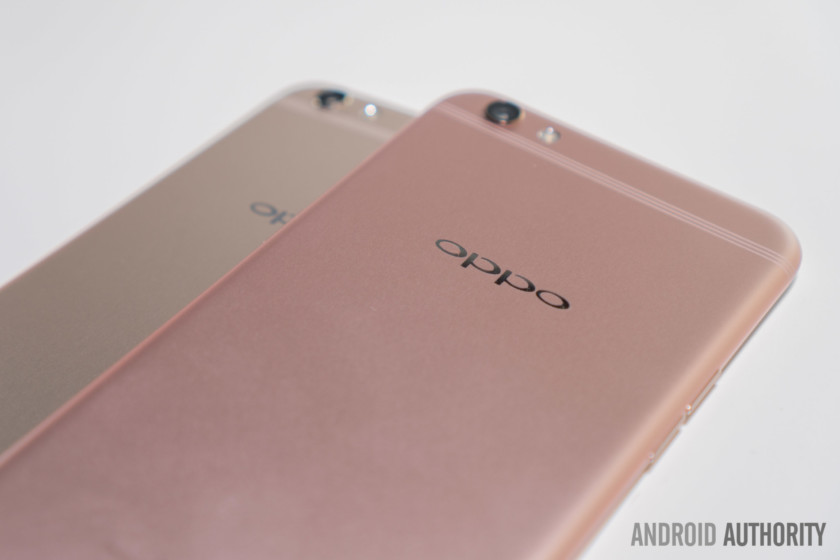
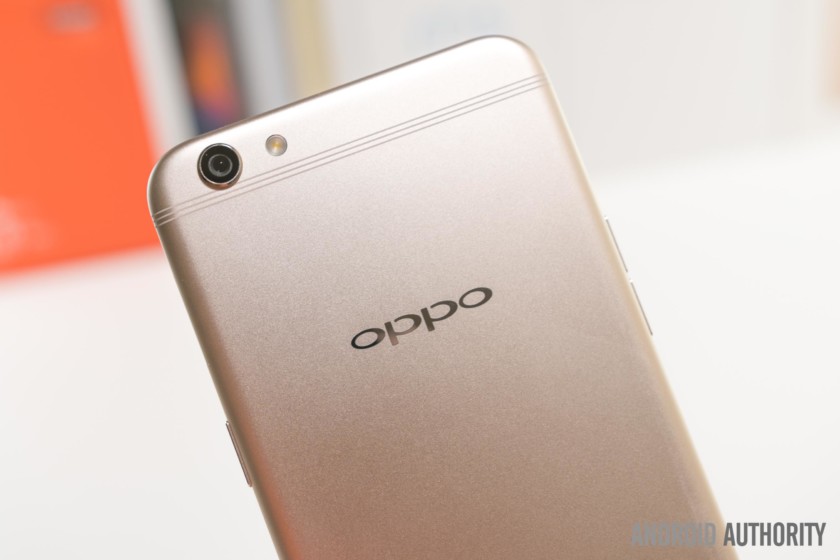
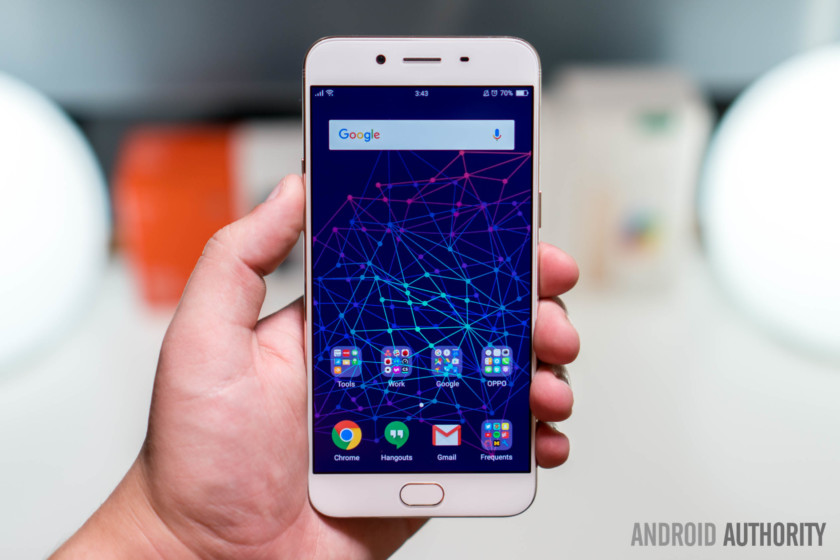
During my time with the R9s, I was frequently asked questions along the lines of “It that really an Android? It looks a lot like an iPhone!” Perhaps I shouldn’t criticize the phone identification skills (or lack thereof) of others in this case. The R9s does look a lot like the iPhone, from its identically-shaped body to its unmistakably similar speaker grill.
There’s also an iPhone-esque silver ring around the home button, and, yes, to truly take inspiration from Apple means to also include the notorious rear camera bump. Don’t fret too much, though, as that bump is only mildly annoying when tapping the top left part of the display on hard flat surfaces.
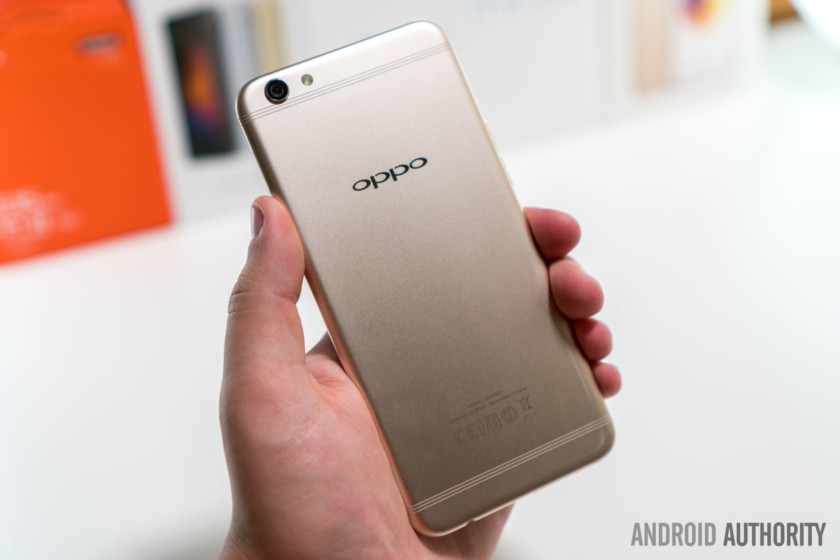
Oddly enough, the antenna lines on this model are a notable departure from the preceding R9’s solid lines. OPPO’s intention here may have been to distance themselves from Apple. In any case, OPPO isn’t fooling anyone with their design tactics.
In any case, OPPO isn’t fooling anyone with their design tactics
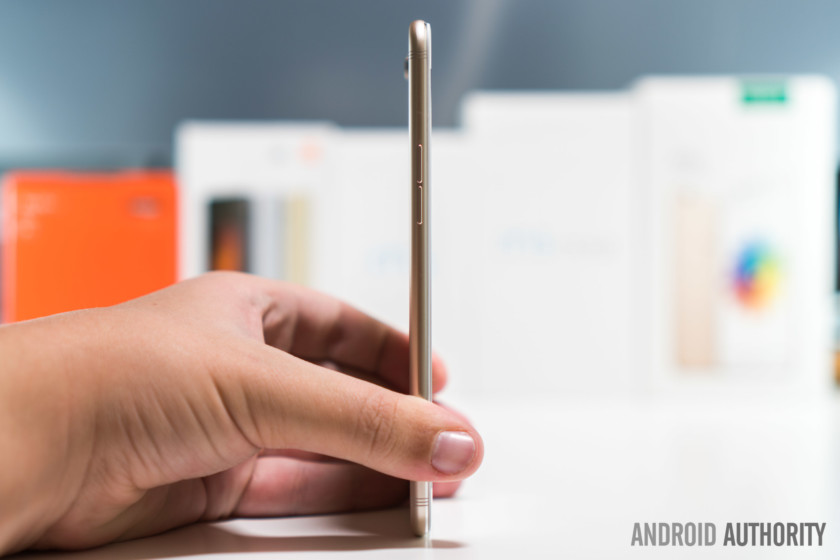
Joking aside, the R9s’ design is indeed quite nice despite its derivative nature. It’s remarkably thin and light at 6.6mm and 145g, both of which measures undercut comparable iPhone models.
The R9s’ build quality is where this design truly shines. The all-metal body is well tried-and-tested to say the least, as it offers both a premium look and premium in-hand feel. This is becoming increasingly important for mid-range devices like the OPPO R9s, as consumers demand even more for their money.
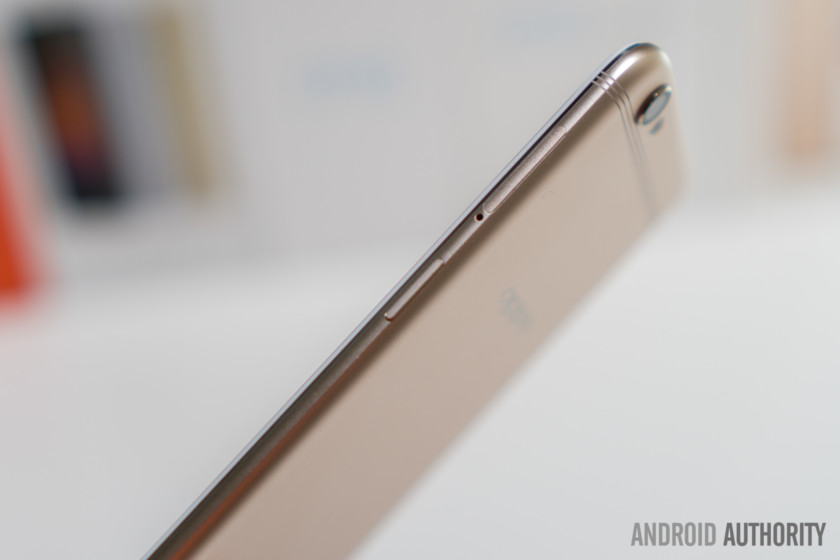
Thankfully, the small touches appear to have received the same high level of attention. The sides buttons are nice and tactile. The chamfers are clean. The home button doesn’t wiggle. Small details like these are sometimes overlooked but are perhaps just as important, so OPPO’s level of focus here is great to see.
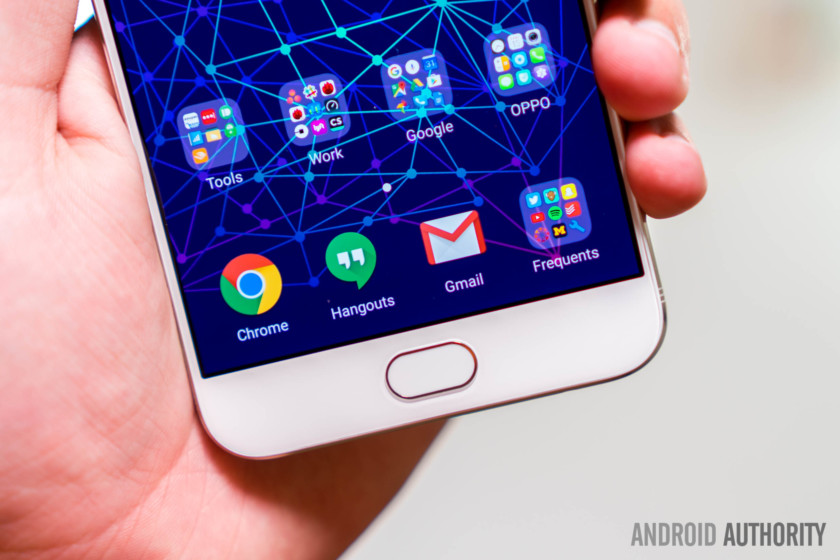
Since the R9s’ capacitive home button includes an embedded fingerprint reader, you can simply touch the button to unlock the phone or authorize certain apps or purchases. It seems that the R9s is using the same reader as the OnePlus 3T, given that both OPPO and OnePlus are owned by parent company BBK Electronics.
See also:
OnePlus 3T review
January 31, 2017
The R9s’ fingerprint reader is really fast
Regardless, the R9s’ fingerprint reader is really fast while maintaining a high level of accuracy. This is one of the best experiences available to date, which is especially impressive when considering the R9s’ price.
To the sides of the home button are two illuminated keys: multitask and back, respectively. The illumination could be a tad brighter, but certainly does the job in most situations. Although the layout is the opposite of the back-home-multitask standard layout, some prefer having the back button on the right side, including myself.
Display
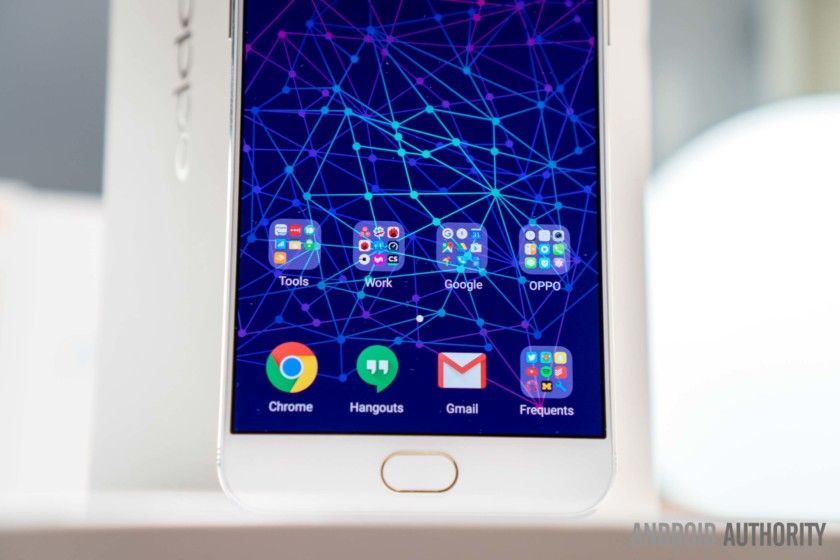
Thankfully, excellent displays have become the norm for anything priced more than about $300. And, for the most part, the OPPO R9s’ display lives up to my expectations. This model’s screen is sized at 5.5-inches, although if you’re looking for something slightly larger, the 6.0-inch OPPO R9s Plus might be worth considering.
The display size translates to an average handling experience, helped marginally by the remarkably small side bezels. Those bezels are quite stylish too, although it’s worth mentioning that the black border around the display does detract some of that beauty.
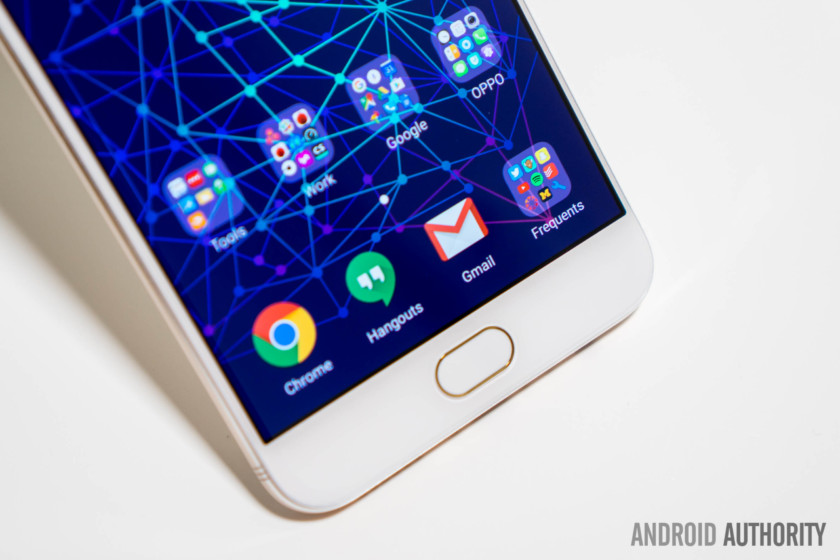
Colors appear very punchy and oversaturated
Since it is an AMOLED panel, colors appear very punchy and oversaturated. Many people prefer this look, however, as it makes everything look quite vibrant. There’s also a bundled “eye protection mode” accessible from either the quick toggles or the settings, which adjusts the color temperature to be warmer or more yellow.
This thereby reduces the amount of blue light, which is said to be bad before bedtime. While I’m unaware of substantial research that concludes that this actually improves sleep, it certainly seems that it couldn’t hurt.
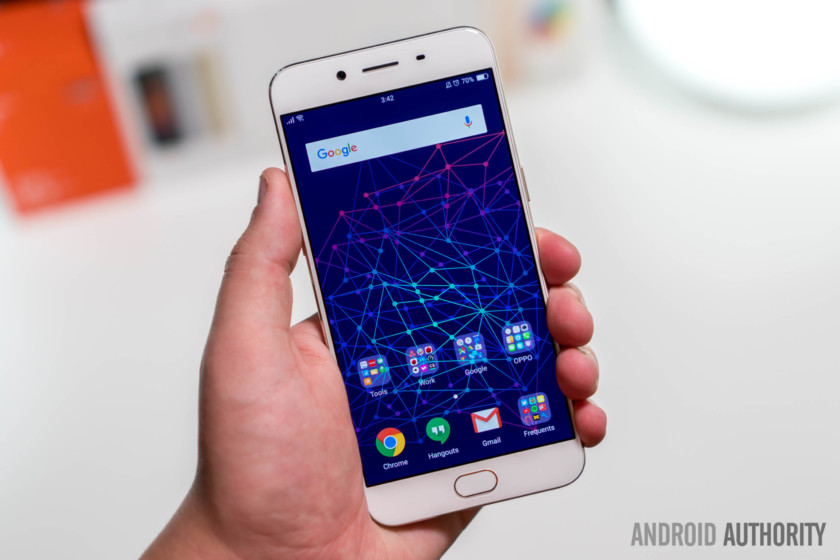
The display’s brightness level range is about what I expected. It’s low enough for darker environments, and high enough for some outdoor environments. If it’s blue skies and sunny though, you might have some trouble reading the display. For reference, it’s brighter than the Axon 7’s display, but falls short of the OnePlus 3T’s display.
Also read: ZTE Axon 7 review
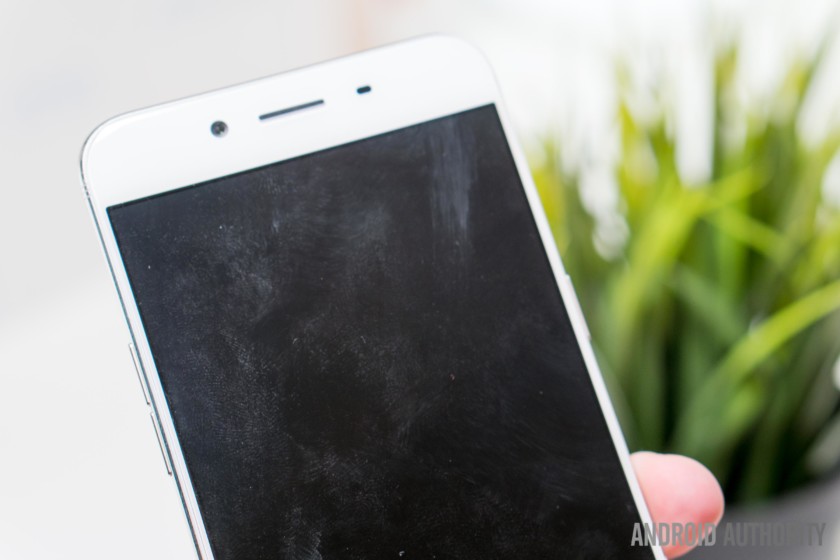
OPPO has implemented Corning Gorilla Glass 5, which provides protection against both scratches and drops. Sadly, I found the display to scratch surprisingly easily.
See also:
Corning Gorilla Glass labs tour: Shattering glass for perfection
February 1, 2017
The display coating is dangerously close to being a deal-breaker
I also noticed a very strange display coating on both of my review units, which makes the glass an absolute fingerprint magnet. This is the worst display for fingerprints that I’ve used in recent memory, as smudges linger even after cleaning. While this will surely annoy people to varying degrees, I personally find this to be dangerously close to being a deal-breaker.
Performance

With the R9s, OPPO has made a switch from the Mediatek Helio P10 to the Qualcomm Snapdragon 625. Although I never had the chance to use the R9 specifically, I have used several smartphones with the Helio P10. Based on my experiences with both chips, I think this is a small but certainly welcomed upgrade. There’s also 4GB of RAM, so you should have no trouble with moderate to heavy multitasking.

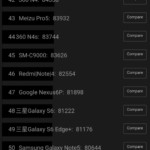
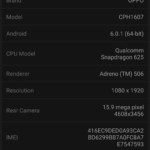
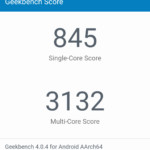
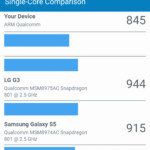
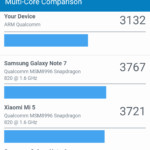
Day-to-day performance is good, but not great. During my time with R9s, I didn’t really take issue with its minor sluggishness, but I definitely understand that some may be looking for something a bit snappier. The Snapdragon 625 is a firmly mid-range chip, so it’s expectedly not as impressive as the high-end Snapdragon 820 and Snapdragon 821 in both day-to-day performance and benchmark scores.
If you’re doing enough research to be reading this review, chances are that you’ll see this as a considerable drawback
Since the ZTE Axon 7 and the OnePlus 3T ship with the 820 and 821, however, this puts the R9s behind of the pack in the performance category. It’s a somewhat minor difference, but if you’re doing enough research to be reading this review, chances are that you’ll see this as a considerable drawback.
Hardware
Good news for travelers or anyone wishing to use multiple phone numbers: similar to many options coming out of China, the OPPO R9s is an unlocked dual-SIM smartphone. If you don’t plan on taking advantage of this feature, you can instead use the extra slot for a microSD card, up to 256 GB. The R9s does include 64GB of storage out of the box though, so you may end up not having to worry about storage at all.
GSM: 850/900/1800/1900MHz
WCDMA: 850/900/1900/2100MHz
TD-LTE: Band 38/39/40/41
FDD-LTE: Band 1/3/5/7/8/20/28
Unfortunately for many of our readers, the OPPO R9s has limited 4G LTE support. In the United States, for example, you’ll be stuck with 3G on both AT&T and T-Mobile (and their MVNOs), which is possibly this phone’s biggest drawback for Western users as the R9s’ primary competitors all include support for US 4G LTE.
It is important to keep in mind, though, that this phone will work wherever it is officially sold. The United States sadly just isn’t one of those markets.
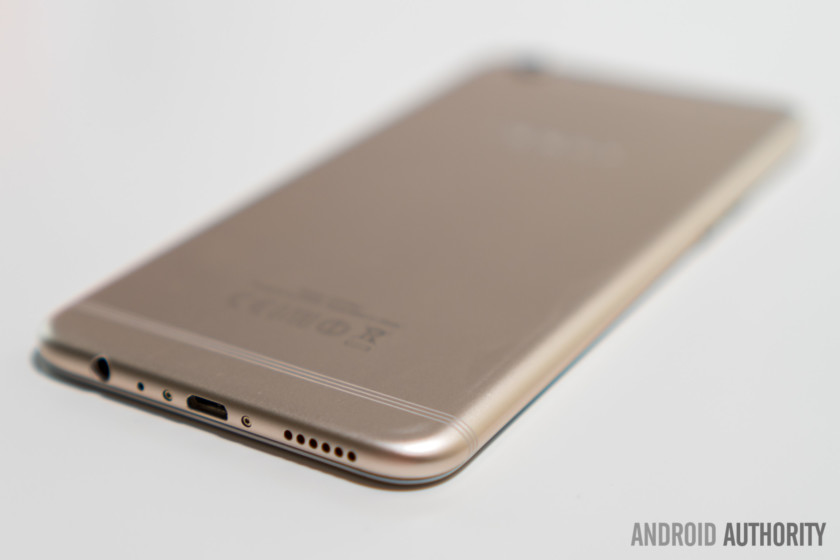
The side-firing speaker on the OPPO R9s is reminiscent of the OnePlus 3T’s. The sound is about the same, but the audio quality does seem ever so slightly better here. It’s not nearly as good as the ZTE Axon 7’s dual stereo front-facing speaker setup, but it gets the job done.
Fortunately, OPPO has included a 3.5mm headphone jack, so you won’t be needing to transition to that dongle life with this device. There’s also a neat equalizer included, dubbed Real HD sound. OPPO states that this feature was developed in cooperation with Dirac Research AB, “the world’s leading audio technology company.”
There are several profiles to switch between based on the genre of music you’re playing, but it would be even cooler if it included and switched to a video profile automatically. Currently, you have to dig fairly deep into the settings to turn it off, so if you’re like me and you’re switching between Spotify and YouTube frequently, you might be tempted to just turn it off completely as it does not sound very well when listening to normal speaking voices.
There’s also a strange YouTube audio sync issue
There’s also a strange YouTube audio sync issue, which affects both headphone and speaker output. It could be worse, but constantly having audio delayed by even a split second might just drive you crazy.
Battery life
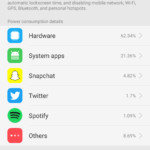
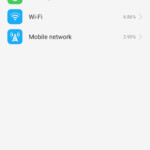

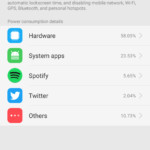
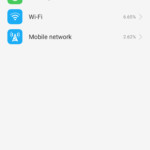

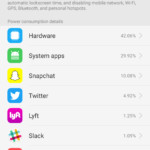
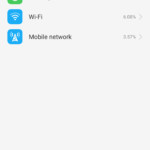

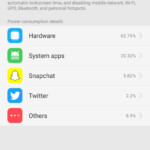
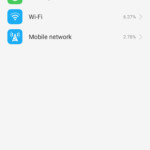

I was a bit worried that the 3,010mAh non-removable battery wouldn’t be enough to power through a full day of use. However, it seems that OPPO has added effective battery life optimizations, as I was consistently able to get either one and a half days of usage with around four hours of screen-on time or one day of usage with around seven hours of screen-on time. Those are some pretty impressive numbers regardless of how you frame it.
My testing was performed while connected to 3G networks
Do keep in mind, however, that my testing was performed while connected to 3G networks, which is easier on the battery and therefore inflates these tests results. For what it’s worth, I also used the phone while connected to my college’s Wi-Fi network, which covers the entire campus very well with few “dead zones”, even outdoors. During these days, battery life was more or less the same, which is to say it was excellent.
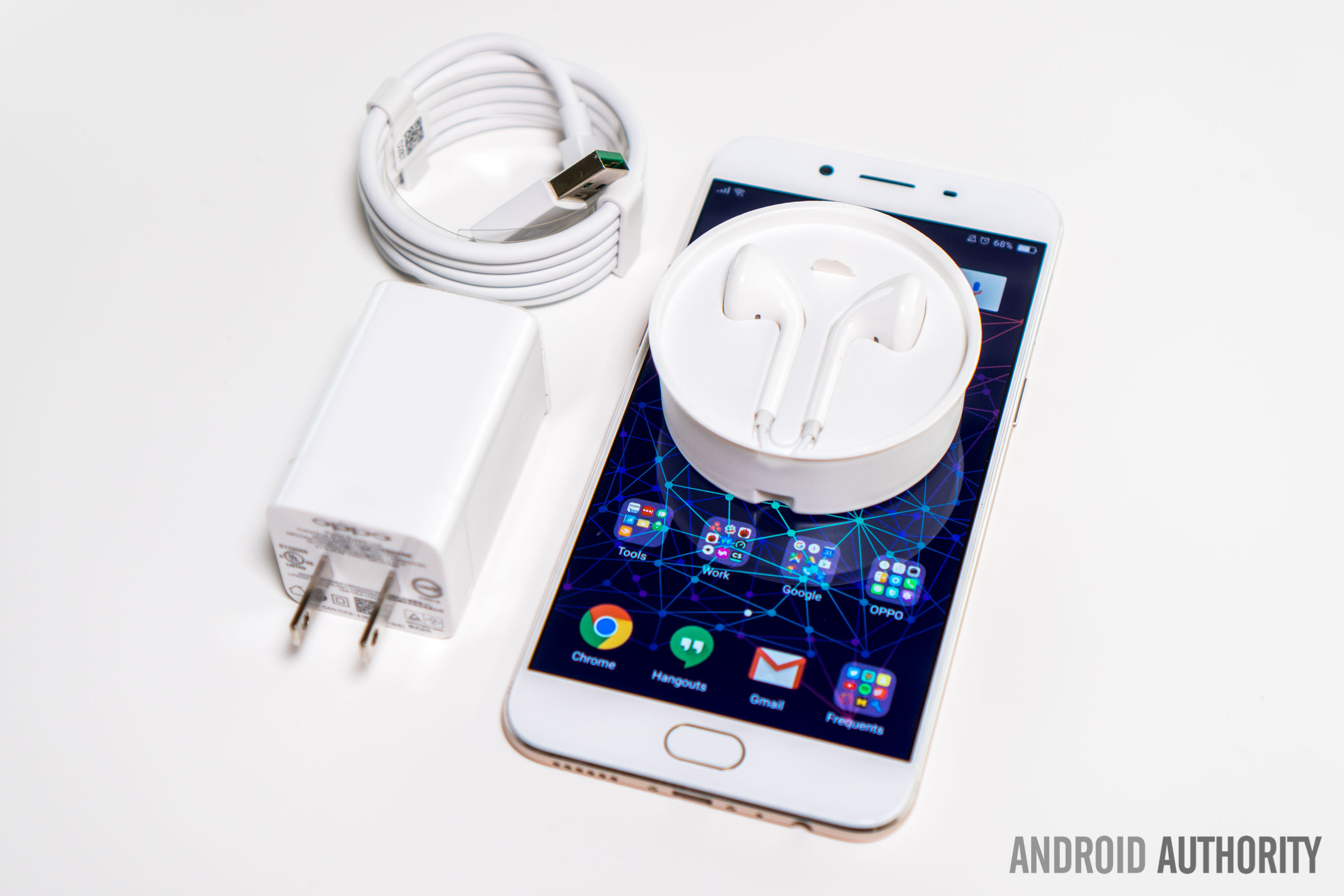
When you do need to charge the R9s, you can take advantage of OPPO’s proprietary VOOC Fast Charging, which OPPO claims charges the phone from 0 to 75 percent in just thirty minutes. That’s a really impressive charge rate, especially when you consider how well VOOC handles heat dissipation. Much of the heat generated stays in the wall adapter, rather than making its way to the phone’s internals. Although Qualcomm Quick Charge has the advantage of being way more ubiquitous, it’s hard to argue with VOOC’s features.
See Also:
Qualcomm Quick Charge vs OPPO VOOC vs MediaTek PumpExpress+ vs Motorola TurboPower vs the others
February 4, 2016
Oh, MicroUSB, it seems like you just won’t go away; despite many smartphone manufacturers having already made the transition to the new reversible USB Type-C standard, OPPO is evidently still living in early 2015 with the R9s.
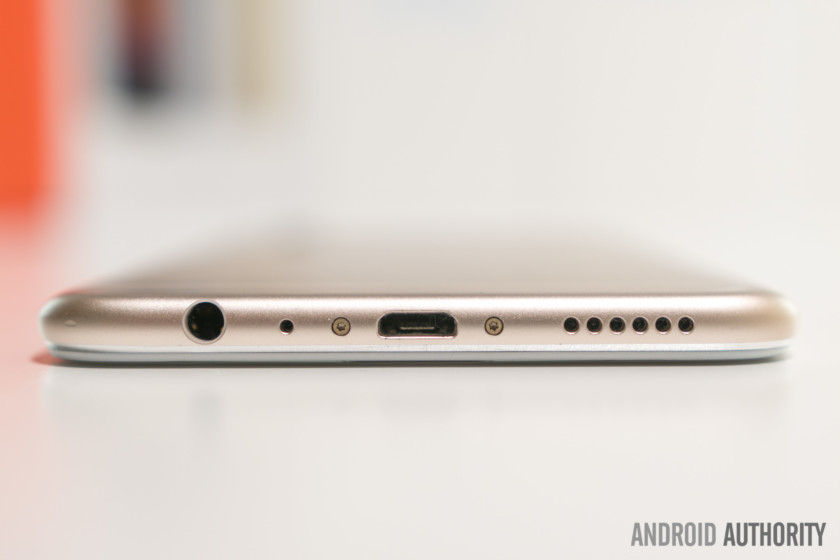
I suppose you might find this nice if you don’t wish to purchase new charging cables, but if you’ve already made the transition or would like the features that USB Type-C has to offer, you’ll be out of luck here. What a bummer.
Camera
The phone’s ‘now, it’s clear’ tagline is a sort of a double entendre
OPPO has focused much of their marketing on the R9s’ camera. The phone’s “now, it’s clear” tagline is a sort of a double entendre, implying that the R9s offers clear photos which makes it the clear choice. It’s arguably a bit cheesy, but what’s much more important is whether the claim holds water.
The camera setup certainly looks pretty killer on paper. OPPO states that the R9s features a customized Sony IMX398 1/2.8 inch sensor, which is the second latest sensor from Sony at the time of writing. The IMX398 is actually making its debut with this phone, which is quite impressive for a mid-range smartphone. Anyway, this particular camera is a 16MP f/1.7 shooter. The pixel size is larger than average at 1.12µm, which translates to more light per pixel, which should help in low-light conditions.
See also:
Best Android smartphone cameras
2 weeks ago
So, what’s the verdict? Well, our sample images reveal that the R9s is somewhere in between the OnePlus 3T and Google Pixel XL. It’s better than everything we’ve seen at around $400 thus far, but doesn’t quite beat out the best shooters.

Most images shot in good lighting are quite impressive with natural-looking colors, balanced levels of saturation, and minimal noise and distortion. And, oh, are these images sharp! Combined with the sharp sensor and dual phase detection autofocus, it’s quite difficult to capture a blurry photo. The amount of detail that the R9s offers is spectacular, something which you can fully appreciate when viewing the images on a larger high resolution display. In this sense, OPPO’s marketing is well justified.
Dynamic range is only about average though, and HDR doesn’t really help in getting balanced shots of extreme highlights and shadows. In addition, the true to life color nature inevitably means that some images exhibit muted colors. Within perspective, however, these are some pretty minor complaints.

The camera holds up reasonably well in low-light conditions. Of course, the sensor has to deal with much less light, and as a consequence has to find a balance between sharpness and noise levels. That’s why many of our sample low-light images appear soft and slightly noisy, despite the fast aperture and larger pixel size. Perhaps optical image stabilization would have helped here by allowing for longer shutter speeds.
Perhaps optical image stabilization would have helped here by allowing for longer shutter speeds
Although the rear camera does support 4K video capture, I found the quality to be slightly below average. That’s a bit disappointing, so if you plan on doing more videography than photography, you may want to consider other options.
The front-facing 16MP f/2.0 camera is capable of delivering some very nice selfies. The built-in Beauty mode is also surprisingly balanced. The skin softening is kept at a reasonable level, therefore producing semi-natural looking shots.
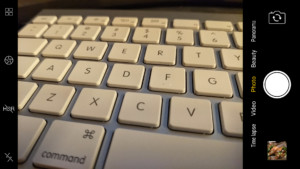
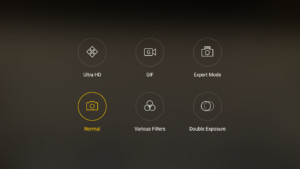
Unsurprisingly, OPPO’s camera app takes a lot of inspiration from Apple’s. The interface makes it easy to quickly shoot images and the primary camera modes can be accessed directly from the main view. There are a few extra modes available too: Ultra HD, GIF, Expert Mode, Various Filters, and Double Exposure.
The “expert mode” is a bit quirky though; you can’t toggle back to autofocus without exiting and then re-entering the mode, you can only increment shutter speeds by seconds, and you can’t adjust processing levels like contrast and saturation.
Software
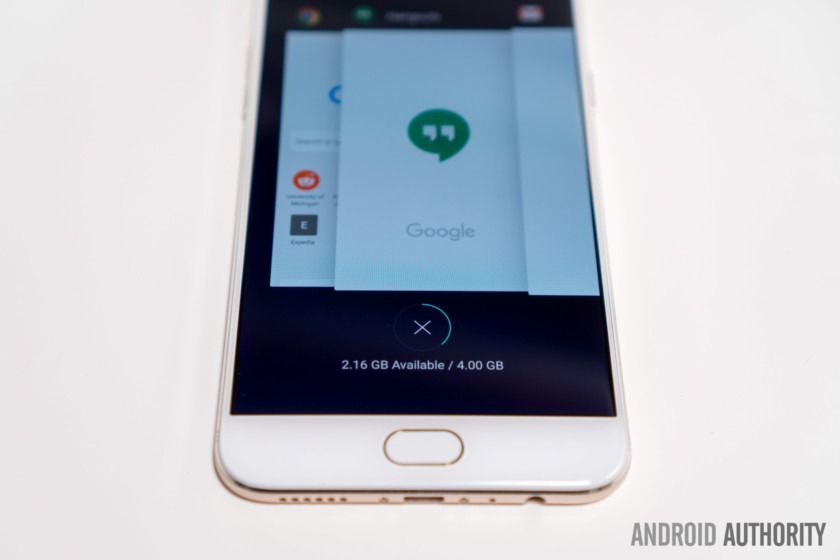
OPPO’s desire to imitate Apple is heavily emphasized with their software. The R9s ships with ColorOS 3.0 over Android 6.0 Marshmallow, which provides a very iOS-like experience. In fact, any of the colors and design attributes are recognizably from iOS. OPPO’s software is also disappointing in the sense that it includes very few extra features and customizations compared to stock Android. It even strips some features like multi-user support and the ability to change different audio levels from a single menu.
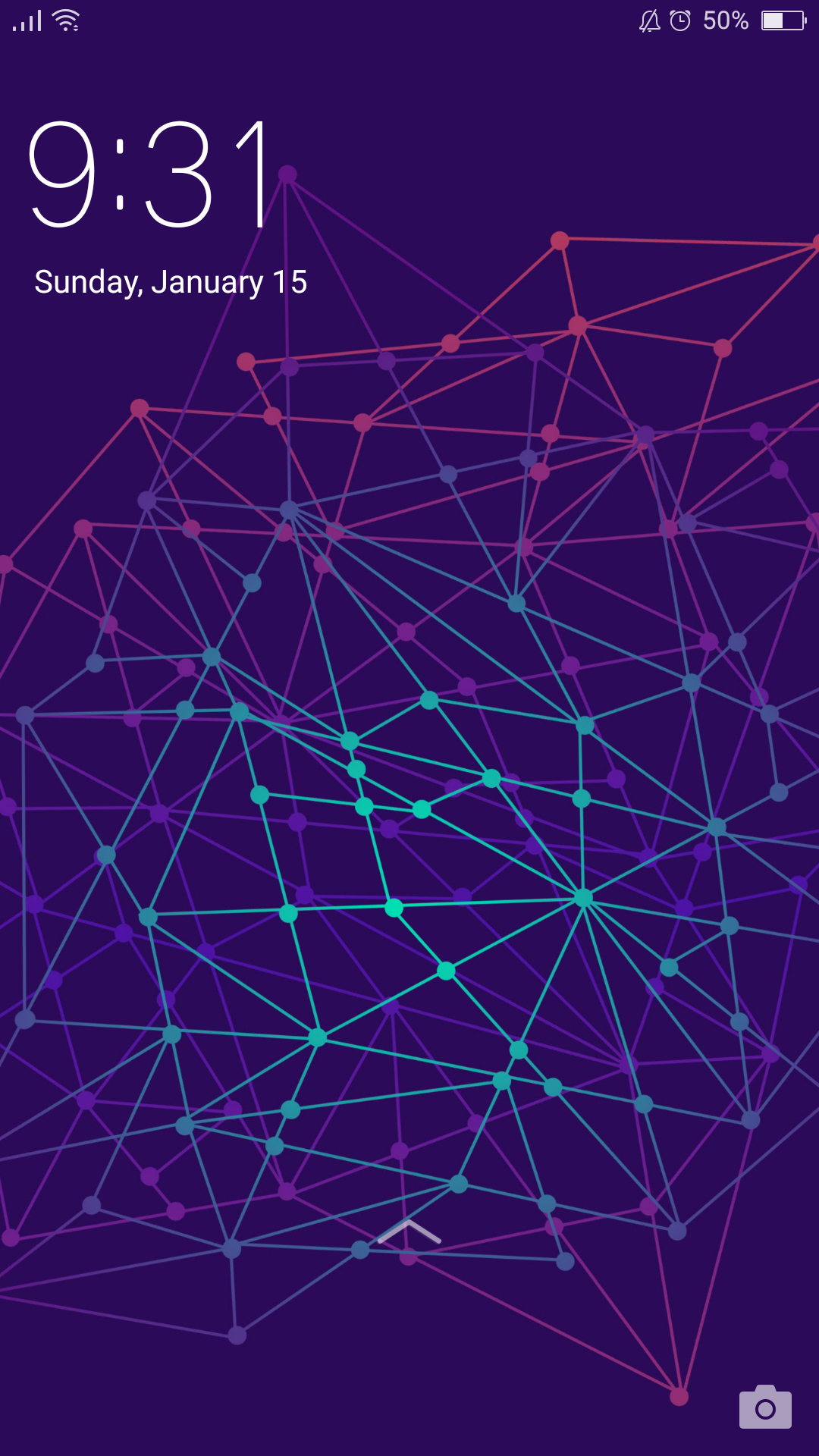
The overall experience is decently polished, but I noticed a number of minor issues during my time with the phone. For example, when do not disturb is enabled, the time at the center top of the screen is replaced with “do not disturb”. In order to see the time, you have to first swipe down for the quick toggles and then swipe right to see the notification panel.
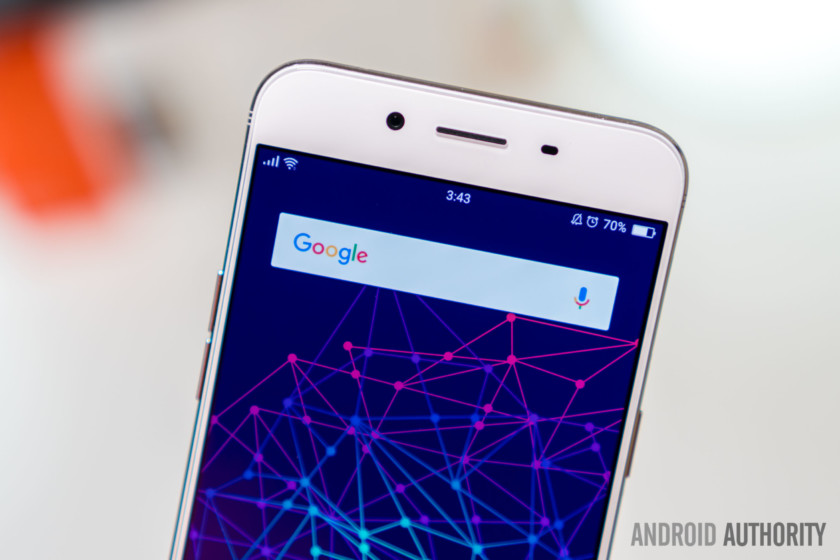
This decision was quite frankly idiotic
This decision was quite frankly idiotic, as I’m more likely to want to see the time during nightly do not disturb hours than I am during the day. The software already adds a moon icon next to the battery icon when do not disturb is enabled, so I’m perplexed by the reasoning behind this.
A few more minor complaints: you can’t see black text previews in notifications since the phone sets the color to dark gray instead of the default white, the settings icon appears “broken” near the bottom right, and putting the phone into developer mode can be a nightmare. You’re required to complete captcha each time you’d like to use it and you’ll be constantly reminded that it’s on with a flashing yellow banner at the top of the screen.
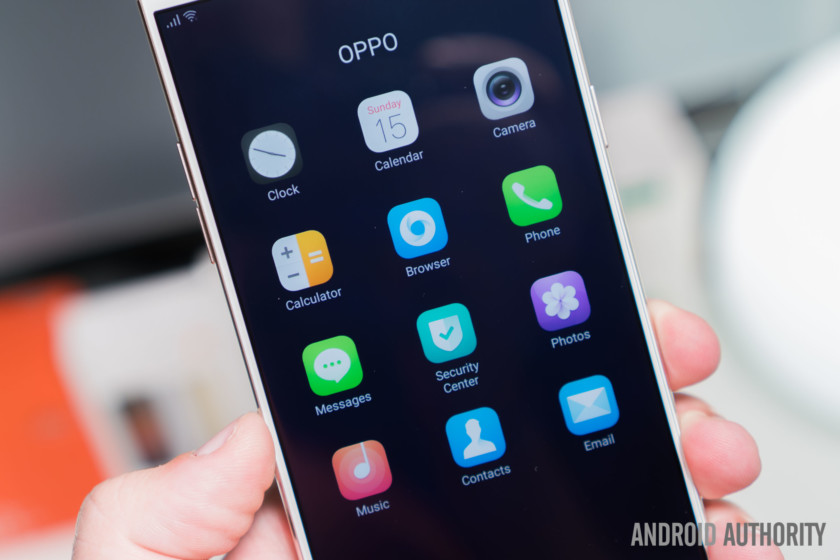
The cumulative look is quite frankly confusing
Thankfully, the phone doesn’t ship with any bloatware and only a standard set of system apps. Like the rest of the software, those apps are mediocre. My main gripe is the amount of design inconsistency between apps. It sometimes seems as if OPPO assigned each app to different teams and minimized communication between those teams. The cumulative look is quite frankly confusing and inevitably gives a strong impression of sloppy work.
It’s not that I don’t like Android skins. I’ve praised both MIUI and FlyMe quite extensively in the past for offering commendably polished experiences. For Western users, those skins are already a difficult sell, so it’s hard to imagine why anyone would choose this over OnePlus’ stock-like OxygenOS. OPPO’s ColorOS just doesn’t have the same amount of polish that other Android skins have.
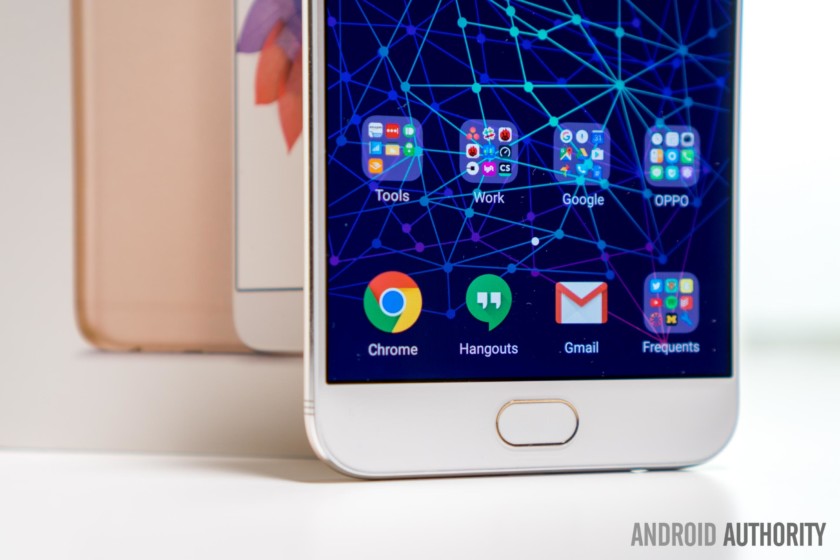
Based on OPPO’s Android update history, we estimate the probability of the R9s receiving an Android 7.0 Nougat update to be moderately unlikely. Unfortunately, it looks like you’ll be stuck on the nearly one and a half year old Marshmallow for the lifetime of the phone.
Specifications
| Display | 5.5-inch AMOLED 1920 x 1080 resolution 401ppi |
| Processor | 2.0GHz octa-core Qualcomm Snapdragon 625 |
| GPU | Adreno 506 |
| RAM | 4GB |
| Storage | 64GB |
| MicroSD | Yes, up to 256GB |
| Cameras | Rear: 16MP with f/1.7 aperture, 1.12µm pixel size
Front: 16MP with f/2.0 aperture |
| Battery | 3,010mAh Non-removable |
| Connectivity | Dual-SIM, Nano Bluetooth 4.1 Wi-Fi: 2.4/5GHz 802.11 a/b/g/n/ac MicroUSB |
| NFC | No |
| Frequencies | GSM: 850/900/1800/1900MHz WCDMA: 850/900/1900/2100MHz FDD-LTE: Band 1/3/5/7/8/20/28 TD-LTE: Band 38/39/40/41 |
| Software | Android 6.0 Marshmallow ColorOS 3.0 |
| Sensors | Distance sensor Light sensor G-sensor E-compass Gyro-Sensor |
| Dimensions and weight | 153 x 74.3 x 6.6mm 145g |
| Colors | Gold, Rose Gold |
Gallery
Price
The OPPO R9s is now available in either Gold or Rose Gold. In China, it retails for 2800 yuan or about $405. In Singapore, it can be picked up for a slightly more expensive S$680 or about $481. As mentioned previously, each model includes 64GB of internal storage which is expandable up to 256GB. It’s not officially available in the U.S., though you can pick one up from a third-party retailer like OPPOMART.
Buy now from OPPOMART
Conclusion
The OPPO R9s has an excellent camera, offers impressive battery life, and features a nice display. However, the number of compromises here is staggering. Among derivative design and software, the R9s has sloppy software, offers below average performance, and has a bleak software support outlook. For Western users, the strange display coating, YouTube audio sync issue, and limited availability are even bigger issues to consider.
While we greatly appreciate OPPO’s efforts to bring an excellent camera to this price point, we simply cannot recommend the R9s when options like the ZTE Axon 7, the Honor 8, and the OnePlus 3T are available at similar prices. If you’re looking for a great camera, we suggest that you either compromise a bit with one of these alternatives or pay more for a true flagship.
Thank you for reading our comprehensive OPPO R9s review! We hope that it will help guide your ultimate purchasing decision. If you have any questions or thoughts about the OPPO R9s, be sure to let us know in the comment section down below.
Next:
Best Android phones
2 weeks ago
Google’s next Pixel phones have the codenames ‘Walleye’ and ‘Muskie’
The codenames for Google’s Pixel 2 phones have been revealed.
Little is known about the next Pixel flagship smartphones, but based on a few reports so far, we know that Google plans to launch them this year and that they will be premium devices with high-end price tags. And now, thanks to a new report from Android Police, we know what Google has been calling the devices internally.
Google’s Android Open Source Project gerrit reportedly revealed one of the devices’ codenames: Walleye. The smaller Pixel device is Walleye, and although the gerrit only mentioned Walleye, Android Police said its unnamed source also revealed that the larger Pixel device is known as Muskie. If you remember, last year’s gerrit only showed Marlin, not Sailfish – the two codenames used for the first-generation Pixels.
- Android O: What’s the story so far?
The Mountain View company has a longstanding history, going back to the Galaxy Nexus, of code-naming devices after sea dwelling creatures. And like Samsung’s Galaxy S7 and Galaxy S7 Edge, as well as Apple’s iPhone 7 and iPhone 7 Plus, Google will probably continue to release a pair of flagships this year. But don’t expect to see the new devices until around October 2017.
Check out Pocket-lint’s round-up for more details on what we’d like to see from Pixel 2, which is what we’re calling the upcoming devices for the time being. The company is rumoured to be ditching the headphone jack on the next Pixel. We’re not sure how we feel about that yet.
Visa is testing NFC sunglasses that can pay for stuff
Sunglasses may soon be able to do more than take your picture. At SXSW on Tuesday, Visa revealed a prototype pair that can be used to pay for purchases. A small NFC chip resides in one of the arms and is linked to the user’s Visa account. So, rather than swiping a debit card or punching in a pin, the user will simply tap the payment terminal to complete the transaction.
“It ties back to our tagline of everywhere you want to be,” said Chris Curtin, Visa’s chief brand and innovation marketing officer, told CNBC. “Without it it’s hard for us to fulfill our tagline. Our view is we take form factors that you don’t expect to be payment-enabled like sunglasses or maybe like a ring and expose to the market that maybe it can be.”
The glasses aren’t available for sale yet. Visa is reportedly testing the marketing waters to gauge demand for them and potentially hook a brand or bank to sponsor the rollout. And what better place to test them for real-world interest than at SXSW, where the lack of Ubers and Lyfts have utterly confounded some of tech’s best and brightest influencers?
Source: CNBC
Apple denies price-fixing allegations in Russia as federal agency investigates
Russia, the land of ballet, borscht, and the world’s largest ceremonial bell, is apparently also home to practices of a more unsavory sort — price fixing. That’s according to Russia’s Federal Anti-Monopoly Service (FAS), which has officially found iPhone maker Apple guilty of price-fixing devices in the country.
Russia’s anti-monopoly agency first claimed in August that Apple was allegedly fixing prices in Russia. After compiling a case against the iPhone maker, the agency has now found Apple guilty.
More: Russian court finds Google guilty of anti-competitive practices
The allegations apparently sprung from “a citizen with information” about alleged incongruities in Russia’s smartphone resale market. According to FAS investigators, 16 unaffiliated third-party retailers maintained an agreed-upon price for Apple’s iPhone 6s and 6s Plus models “for a certain period of time” — as early as October 2015. “The Anti-Monopoly Service sees signs of price-fixing violations in the Russian Federation at Apple iPhone resellers, which resulted in the same prices for these smartphones,” the agency said in an earlier statement.
The formal filing followed months of legal discovery by FAS head Andrei Filimonov. Russian news agency Interfax reported that a delegated unit began looking into claims of iPhone price-fixing in February 2016.
According to a report from The Financial Times, Apple illegally ordered retailers to fix prices of both the iPhone 5 and iPhone 6 models. Specifically, retailers were allegedly told to sell the iPhone at a certain price, and if a retailer was selling the phone at an unsuitable price, they were ordered to change the price or have their sales agreement terminated.
So what happens now? We don’t yet know — it’s possible that Apple could be facing fines in Russia, but any punishment has yet to be announced. The worst-case scenario for the company is that it will have to pay up 15 percent of its sales in Russia.
Apple characterized the agency’s accusations as baseless. “Resellers set their own prices for the Apple products they sell in Russia and around the world,” a spokesperson for the company told Fortune. Two of the retailers accused of conspiring to collude, MTS and Euroset, Russia’s largest mobile phone retailer, denied that they had coordinated pricing.
The FAS decision was criticized by Dmitry Marinichev, Russia’s government-appointed internet ombudsman, who argued that retailers, not Apple, deserved the agency’s scrutiny. “It won’t be possible to punish Apple,” he said. “It’s a commercial company, and therefore it works on the free market and defines for itself what the pricing level should be for a given market.”
More: This scrappy Russian startup is beating Google and Facebook at facial recognition
It’s not the first time Apple’s found itself in hot sbiten. A Russian lawsuit against the company in July alleged that Apple “did not sufficiently support” its products in the country — specifically, that Apple stores and third-party repair facilities in the country lacked the “advanced calibration equipment” and expertise needed to repair broken phones and tablets.
Apple is not the only American tech company that’s found itself in the Russian government’s crosshairs. In 2014, the FAS found Google guilty of abusing its position in the Russian mobile industry by stifling search engines and services that competed with its own — a judgment that Moscow’s Arbitration court upheld in March. And in 2014, Google, Facebook, and Twitter ran afoul of a law that requires tech companies to store Russian users’ personal data on servers within the country’s borders.
Updated on 03-14-2017 by Christian de Looper: Added news that Russian anti-monopoly agency has found Apple guilty of price-fixing.
What’s creating these mysterious fast radio bursts? Maybe aliens, say Harvard astronomers
Phenomena called fast radio bursts (FRBs) have baffled astronomers for more than a decade. No one seems to agree on what these brief, bright, high-energy flashes are. Some scientists suggest they could be flares emitted by neutron stars with intense magnetic fields. Others argue they’re remnants of a collision between tremendously dense objects such as black holes.
More recently, a team of researchers from Harvard University has presented a more provocative idea: FRBs may actually be signs of extraterrestrial intelligence.
In a paper published in Astrophysical Journal Letters, theorists Avi Loeb and Manasvi Lingam explore whether it’s possible to create a radio transmitter that’s powerful enough to be detected at the great distance of current FRBs, which are well beyond the Milky Way. They’re calculations showed it is possible but that there’s a catch — the sunlight would need to be collected from an area twice the size of Earth and the device would need to be equipped with a sophisticated cooling system so as not to overheat. That’s way beyond our current capabilities but it’s still theoretically possible.
More: Earth’s most powerful alien-hunting telescope turns its gaze to mysterious star
When considering why exactly an advanced civilization would create such an immense radio transmitter, the researchers landed on an initiative that caught headlines just last year and which was close to their heart.
“I was inspired by my involvement in the Breakthrough Starshot project,” Loeb told Digital Trends, “which aims to use a powerful beam of light to push a lightweight sail to a fifth of the speed of light, so that the spacecraft will reach the nearest star within two decades.” The project is backed by the likes of Stephen Hawking and Mark Zuckerberg.
“The power used by the radio transmitted is too high for other purposes, such as communication,” Loeb said. “We showed that the characteristics of fast radio bursts imply a transmitter with a size comparable to the diameter of the Earth, which is being powered by the light of its host star. The beam of radiation is tightly focused on the sail, but some of the radiation leaks towards the observer.” In this case, that leaked radiation would be what astronomers are detecting as FRBs.
Still, the researchers admit their paper is speculative. They’re not saying FRBs are aliens, just that they could be.
“The nature of the sources of fast radio bursts is unknown,” Loeb said. “Most astronomers believe they are associated with the aftermath of the collapse of massive stars. But our paper suggested an artificial origin. More data is necessary to decide which interpretation is more likely.”
AGM is building a rugged smartphone with Snapdragon 835 and 8GB of RAM
Why it matters to you
Are you a hiker who still wants a flagship-spec phone? The AGM X2 could be the device for you.
Chances are you’ve never heard of smartphone manufacturer AGM, but if the company gets its way, it may soon be on your radar. AGM is best known for its ultra-rugged smartphones, and according to the company, it’s developing another handset — with some pretty excellent specs.
The company announced its plans at MWC 2017, saying that its new flagship will be based on the Qualcomm Snapdragon 835 and will offer a hefty 8GB of RAM — which is far more than even most flagships that are currently available.
More: Samsung’s rugged Galaxy Xcover 4 comes with Android Nougat for less than $300
The X2 will reportedly get an official release in coming months — which makes sense considering the availability of the Qualcomm Snapdragon 835. It will also offer a huge 256GB of storage, a dual camera on the back, and a 6,000mAh battery. The phone will also include an omni-bearing ambient sensor, and as AnAndTech notes, it could offer four antennas with support for 4×4 MIMO — which is a requirement for Gigabit LTE connectivity.
As a super-rugged phone, you’ll also see a few excellent features for sports-focused users. The device boasts a pretty strong-looking build, and is rated IP68, so it’s dust-resistant and will be able to withstand being submerged in 1.5m of water for up to 30 minutes.
The phone is a follow-up to the X1, which was not a flagship device. Instead, it offered a Qualcomm Snapdragon 617 processor, along with 4GB of RAM and 64GB of storage. It also had two 13MP rear-facing cameras and a 5400mAh battery — all of which came with a price tag of $480 here in the U.S. If the X2 is priced at all similarly to the X1, it will be quite a steal — however considering the fairly big specs boost, we should expect to see the X2 be a little more expensive.
We’ll keep you posted on details surrounding the phone as we learn more.
 AIVAnet