


AI predicts how athletes will react in certain situations
When you think of sports analysis, you probably think of raw stats like time in the opposing half or shots on goal. However, that doesn’t really tell teams how they should have played beyond vague suggestions. Researchers at Disney, Caltech and STATS believe they can do better: they’ve developed a system that uses deep learning to analyze athletes’ decision-making processes. After enough training based on players’ past actions, the system’s neural networks can predict future moves and create a “ghost” of a player’s typical performance. If a team flubbed a play, it could compare the real action against the predictive ghosts of more effective teams to see how players should have acted.
The Toronto Raptors already have a manual ghosting system where coaches mark out where they think players should have been. This technology, however, lifts that burden. It can create ghosts in real time, even in soccer (aka football) and other sports where the continuous play can lead to predictions that gradually veer from realistic outcomes. The scientists rely on imitation learning, where AI bases its actions on demonstrations, to keep that long-term prediction in check.
The early results are promising. In an example soccer match between Fulham and Swansea, a league-average ghost team replacing Swansea performed about as well in a defensive situation… not well at all, unfortunately. However, swapping in the ghost of a strong defensive team dramatically improved Swansea’s chances of preventing a goal. Provided this approach can be adapted to both offense and a wider range of sports, you could see coaches offering more specific advice and shoring up weaknesses that might otherwise go unaddressed.
Via: EurekAlert
Source: Disney Research
Robots could wear flesh to help form transplants
Right now, you have to grow human transplants in a stationary environment. That’s more than a little dangerous when they could buckle under the stresses of a real body. Oxford University may have a clever (if slightly ghastly) solution to that problem: have robots wear the tissue first. If you grow muscles on humanoid robots, the movement and overall shape of those machines would lead to grafts and transplants that are ready for serious strain.
Naturally, this robotic conditioning would be most useful for higher-quality transplants. You could even personalize transplants by modifying the robot to reflect a patient’s anatomy. However, the Oxford team sees other uses. It could reduce the use of animal testing in pre-clinical trials, and could even represent a step toward “biohybrid humanoids” that combine real tissue with mechanical systems. We’re not so sure people are looking forward to that last part (it sounds like the background for a Terminator movie), but the discovery is great news overall for burn victims and others who need transplants. Instead of waiting weeks for replacements to grow on their own bodies, they could have doctors print transplants that get a robotic shakedown in a much shorter time.
Via: The Memo
Source: Science Robotics
PS Vue adds multi-picture feature just in time for March Madness
Sony is launching a new multi-view feature on PlayStation Vue at a very opportune time for sports fans. March Madness begins next week, and starting today, subscribers to the streaming service can watch up to three live channels simultaneously on one screen.
Multi-view will work on any available live TV channel, according to the company’s announcement on the PlayStation Blog. So, you can watch a trio of sporting events on TNT, TBS and CBS, for example, or you can watch a mix of live news programs. But, only the main screen will have audio.
PS Vue’s new picture-in-picture mode is the latest in a series of improvements for the cord-cutting service. It recently added HBO, Showtime and Cinemax to its lineup, making it the first paid streaming service to offer those channels live without a bundled package. Sony also added support for Android TV, PC and Mac. Besides multi-view, the company plans to release other sports-related features in the near future, including real-time sports scores and an option to turn off spoiler alerts for games.
Source: PlayStation Blog
How to connect with friends on Nintendo Switch

At the moment, early Nintendo Switch adopters are more than likely engrossed in The Legend of Zelda: Breath of the Wild — already one of the most critically acclaimed single-player adventures of all time — but sooner or later you’ll want to see what your friends are up to (probably playing Zelda). As of now, there are a few ways to connect with friends on Switch, and more methods on the horizon.
More: Everything you need to know about the Nintendo Switch
Keep in mind that the Switch caps your friend list at 300 people.
Friend Codes
Although Nintendo of America president Reggie Fils-Aime promised that they wouldn’t be part of the Switch’s online infrastructure, alas, the Switch’s launch update implemented a modified version of the “Friend Code” system for connecting account. Used on the Wii and, most recently, the 3DS family of systems, a friend code is a twelve digit password you can send to friends outside of the console, which they can then punch in to send you a friend request. Unfortunately, as of now, you’ll need to exchange friend codes via text, social media, or in person to connect with friends with this method.
Find your code
On the home page, click on your account icon in the upper left hand corner, represented in the image below as “Steve’s Page.”

Your friend code is available in two places: on the landing menu (Profile), and under the Add Friend menu. This is the code you should send your friends so that they can find you.
Adding a friend
On the user page, click Search with Friend Code and type a user’s 12-digit code to send a Switch friend request.

If entered properly, your friend’s nickname and user icon will pop up, and you can confirm that you want to send the request.

Back at the Add Friend menu, you can check on your pending requests under Sent Friend Requests.

Unlike previous friend code systems, the user on the receiving end of the request does not need to know the sender’s friend code to become friends. Once accepted, the user will show up in your Friend List on the user page.
Accepting a friend request
When someone sends you a friend request, a notification dot will show up next to the Add Friend section of the user page. The Friend Requests inbox at the top of the menu lets you know that someone has added you.

Click Friend Requests to see the requesting user’s icon and nickname. From here, you can either accept, reject, or block the user.

Yahoo’s new chatbot Captain will help chart a course for your busy life
Why it matters to you
Your new text buddy is also the most organized person you know — its name is Captain, and it’s the new chatbot from Yahoo to help you run your life.
Its sale price to Verizon may be going down, but it looks like Yahoo’s productivity is picking up — and it wants to help you with yours, too. Joining the ever-growing ranks of Yahoo’s bots is Captain, described as “a bot assistant that helps manage lists and reminders for you and your family via text message.” Effectively serving as your imaginary best friend, or rather, your supremely organized imaginary best friend, Captain promises to streamline communication among friends and family members, helping you share activities, set reminders, and even update a master shopping list.

To use the bot, simply text it something you can’t let yourself forget, like picking up your kids from dance practice on Friday night. Out of toilet paper? Remind yourself to grab some on your next trip to the store. And then, when you find yourself out and about, just text Captain and ask what you need to do for the day. Don’t worry, the bot knows.
More: Facebook’s new Messenger menus could mean the end of chatting with chatbots
Using Captain is about as straightforward a process as you can imagine. Simply text “Hi” to 773-786 and start chatting with your new personal assistant. Captain will respond immediately with setup instructions (though Sprint customers will need to unblock shortened links in order to get Captain to work). And while the bot is free to use, users should keep their data plans in mind — if you’re still paying for texts, be aware that Captain may eat some of those up.
If all that sounds peachy, there’s plenty that you can teach Captain to do. You can see a list of all the ways you can interact with Captain here, and start chatting up a storm with the one contact you know will always text you back.
Shazam is now about more than just music — it has an AR platform, too
Why it matters to you
If you thought you’d only ever use Shazam to figure out what song is playing, think again — it now has an integrated AR platform.
You first got to know it as the app that helped you identify your music, but now, Shazam is helping you identify a whole lot more. On Monday, the app announced the launch of a new augmented reality platform for its partners, artists, and “hundreds of millions of global users.” It’s not just about identifying objects via the new AR platform — rather, Shazam hopes to bring marketing materials to life, creating immersive ad experiences on your phone.
“We knew we were on to something big when we released visual image recognition in 2015,” said Shazam CEO Rich Riley. “With the rapid rise of augmented reality, it is a natural evolution for Shazam to be a first-mover in delivering AR at scale.”
More: Budding birders, how about this Shazam-like app for instant bird ID?
To utilize the new platform, users need only scan “Shazam Codes” where they’re available. Doing so will deliver AR experiences like 3D animations, product visualizations, mini-games, and 360-degree videos straight to the Shazam app.
As one of its launch partners, Beam Suntory is working with Shazam to market its beverages to customers of legal age. Beginning in April, you can Shazam some of Suntory’s ads in the company’s stores and play an interactive memory game — because nothing sells booze like a mind puzzle.
“We are excited to collaborate with Shazam on the launch of their augmented reality in-app functionality,” said Michelle Cater, Beam Suntory’s senior director of commercial marketing. “With more than 150 years of experience producing premium tequila, we have constantly innovated throughout the years to reach consumers in new and exciting ways. This breakthrough technology offers an accessible, immersive platform with which to engage in a rewarded gamification experience at the point of purchase leading up to Cinco de Mayo. Sauza Tequila and Hornitos Premium Tequila should effectively break through the Cinco de Mayo advertising clutter thanks to this exciting partnership.”
Shazam hopes to have cracked the code when it comes to helping advertisers connect with their audiences via AR. “One of the things missing from augmented reality for advertisers has been a frictionless way to deliver these experiences at scale,” said Shazam CRO Greg Glenday. “Because Shazam has such a massive install base, and consumers are already accustomed to using the app for discovery — we have now solved that problem. The possibilities for a brand to bring their products to life or make their advertising more engaging are quite literally only limited by the imagination.”
Google Play celebrates anniversary with lists of its most popular apps
Why it matters to you
The most popular content since Google Play’s launch gives a good indication of the direction in which Google and mobile developers and users are heading.
Hard to believe it, but it’s already been five years since Google relaunched the Android Market as Google Play, adding music, TV, movies, and books to games and app sales. The company cites more than 1 billion active users of its entertainment platform across 190 countries since the service’s launch on March 6, 2012. To celebrate the landmark anniversary, Google published a list of the top five most popular products within each category.
Admittedly, most of the chart-toppers aren’t surprising, but they do make for a fun little stroll down pop culture history of the last five years. Candy Crush Saga fronts the list for games, followed by Subway Surfers, Temple Run 2, Despicable Me, and Clash of Clans. The middle three make a clear case for the success of endless runners, and it’s also interesting to note the curious absence of any Angry Birds games.
More: Google Play Music 7.4 brings smaller app size and musical alarms
Moving on to apps — which is perhaps the least shocking of all the categories — Facebook took the No. 1 spot, with Facebook Messenger close behind. Pandora, Instagram, and Snapchat round out the list. The last two are the youngest apps among the five, with Instagram having been released in April 2012 on Android, and Snapchat making its debut on the platform the following October. Not counting Facebook Messenger, which itself was spun out of the original Facebook app that released on the Android Market in 2010, these are at least two years younger than the other most-downloaded apps.
Entertainment is a little less predictable. Among his many accomplishments, English singer-songwriter Ed Sheeran can claim the title of artist with the best-selling song on Google Play Music, thanks to the 2014 single Thinking Out Loud. In the album race, Adele takes first with her third full-length release, 2015’s 25. Pop superstar Taylor Swift is the only artist with both a song and album in the top five — Blank Space and 1989 took the third spot in both lists, respectively.
The Interview strained diplomatic relations between the United States and North Korea prior to the film’s release in late 2015, but the controversy spurred excellent digital sales on Christmas Eve while the film was temporarily withheld from theaters. It took first place among movies, followed by Frozen, Deadpool, Star Wars: The Force Awakens, and Guardians of the Galaxy.
Finally, the romantic phenomenon that is Fifty Shades of Grey leads Google Play Books’ charts, ahead of the entire Hunger Games trilogy collection, A Game of Thrones, The Fault in Our Stars, and Gone Girl. All five have been adapted to major motion pictures or TV series, continuing Hollywood’s cross-media dominance.
Study: Poachers are trying to hack animal trackers, intercept signals
Why it matters to you
Animal trackers were designed to help protect endangered species but intercepted signals could actually be a boon to poachers.
Poachers are turning to hacking and “cyber poaching” to stay one step ahead of animal conservationists, according to a new study.
The paper, co-published by researchers from several universities in Conservation Biology, claims that poachers are intercepting GPS signals sent from trackers that have been placed on protected animals. The researchers point out that while electronic tagging of endangered or at-risk animals has been beneficial, there are a “number of troubling and unanticipated issues” at the same time.
“Animal tracking can reveal animal locations (sometimes in nearly real-time), and these data can help people locate, disturb, capture, harm, or kill tagged animals,” the paper said.
In one case, dubbed “cyber poaching,” an Indian conservationist’s email account was reportedly targeted to gain sensitive data about a Bengal tiger. The tiger had been equipped with a $5,000 GPS tracker that sent location data to the email address every couple of hours. In this instance the alleged hackers were unsuccessful in scooping up the GPS data from the account after the conservationist was alerted to activity on the account, supposedly from a source over 600 miles away.
More: Kaspersky Lab report says 2016 saw a threefold increase in mobile malware
The researchers go on to claim that poachers in Yellowstone Park were able to use relatively cheap signal receivers to pick up on GPS signals from tagged wolves.
In another example, tagged white sharks in Australia provided hunters with valuable data on when sharks were congregated in one spot. The data was originally intended to advise beach-goers of when the waters were unsafe for swimming. Instead, this data was allegedly abused by cullers.
“A negative public perception of tagging and tracking could result in protest or cessation of research,” said the researchers.
The authors of the study are calling for more in-depth research into the use of animal tracking and how it can have negative unintended consequences on the wildlife it was designed to protect in the first place.
They suggest developing clearer data-sharing policies from regulators that would control who can access data on animals’ locations. The researchers also raised the alarm over the availability of telemetry devices whose use can be abused. They are calling on regulators “to develop clear and enforceable policies and regulations that limit the ability of the public to use telemetry tools for activities that are inconsistent with the mission of management agencies.”
Manufacturers of these devices need to act as well to ensure the products are more secure and employ encryption, the study authors added.
Snap and edit pictures like a pro with these great Android photo apps
When cell phone manufacturers began putting digital cameras into their devices some 15 years ago, a quantum leap occurred regarding the device’s functionality. Before this revolution, a cell phone’s role in anyone’s daily life consisted of merely making phone calls, sending text messages, and drafting emails. Today, however, everyone has a high-powered digital camera in their pocket or purse, one capable of taking stunning panoramas at the touch of a finger.
More: 100 awesome Android apps that will turn your phone into a jack of all trades
That said, what good is a smartphone camera without the proper apps to make the most of your photos? While the stock camera app on any Android-based smartphone provides an easy way to snap and save pictures, it doesn’t offer quality tools for sprucing up ordinary photos. And while a trip to the Play Store might reveal a host of apps for capturing and editing photos, it isn’t always easy to find the best of the bunch. To help, we sifted through the sea of apps and rounded up our favorites.
The best apps for taking photos
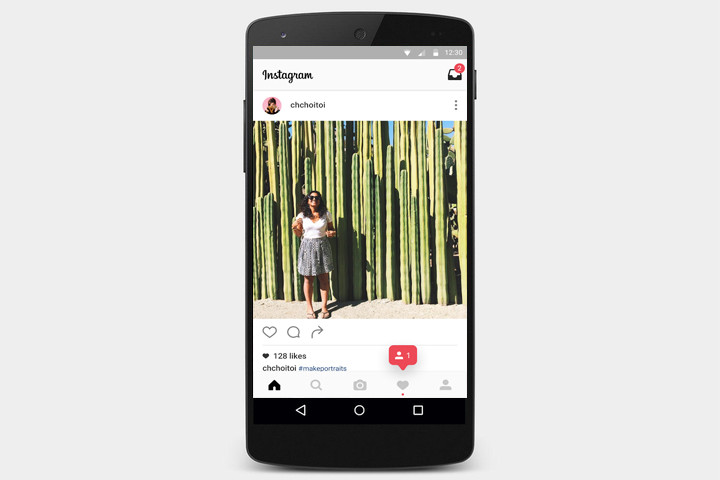
One of the world’s most popular photo applications – and the world’s most popular photo-sharing social network – remains one of Android’s greatest resources for capturing all of life’s picturesque sunsets, peculiar landscapes, and delicious dinners. With access to a host of creative tools and filters, Instagram gives users supreme control over the taking and editing of photos. Once the photo receives its fair share of filters and fades, it can then be uploaded to social media sites like Facebook, Twitter, or Tumblr to amass even more likes and Internet karma. Aside from snapping and sending snazzy pics, Instagram users can follow their friends’ accounts – or celebrities and hilarious grandmas – to have a constant rotisserie of new pictures streaming through the home feed.
Download now from:
VSCO Cam
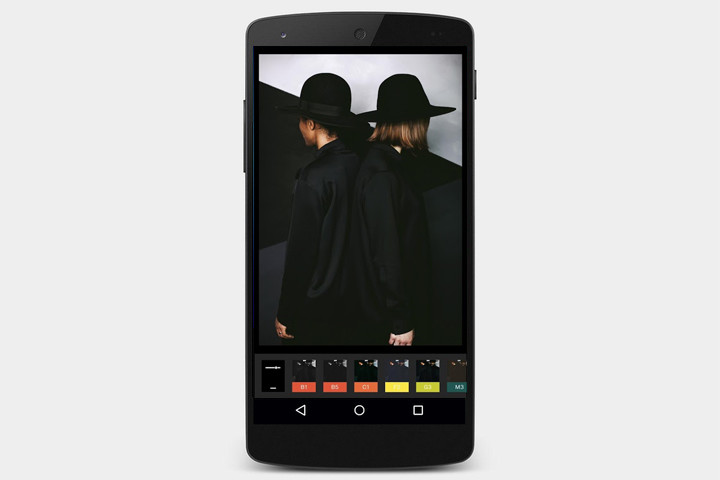
A social media-themed camera application without the fuss of likes and comments, VSCO Cam provides photography lovers a great outlet to share and inspire. With a wide range of presets and photo-altering tools, anybody has the ability to turn everyday landscape shots into a stunning finished product. The app also boasts its own unique processing technology that promises dazzling results not previously seen on Android-based devices. When editing photos, a simple click of the phone’s screen changes the viewer’s perspective between the original shot and the edited final product, allowing for easy before and after comparisons. After editing, users then have the option to share photos across a number of popular social media sites such as Twitter, Facebook, and Instagram.
Download now from:
Little Photo
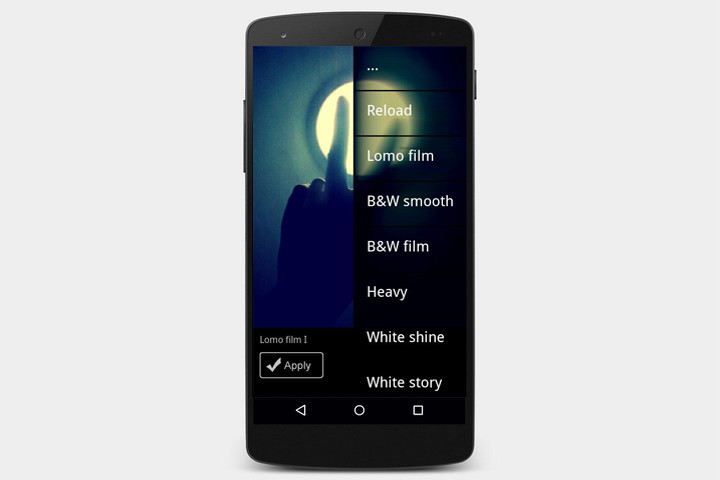
Developer Moment’s Little Photo remains one of the highest rated photo apps on the Google Play Store, featuring an extensive list of effects and filters not typically seen within a free application. Little Photo currently touts more than 70 effects and tools, and promises to continue to add to its enormous list with each subsequent update. Users have the ability to stack multiple filters while editing, allowing for a near infinite amount of possibilities and finished products. For added control Little Photo lets users choose between applying a full filter, or just half-applying the intended effect to achieve vastly different results. Little Photo’s easy to use interface and bevy of available effects and tools doesn’t disappoint; this app is a winner.
Download now from:
Snapseed
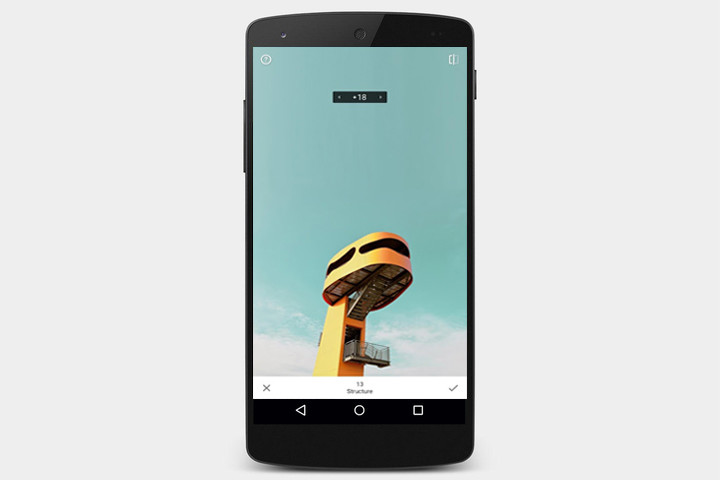
For a powerful camera application with professional-quality editing tools, look no further than Google’s Snapseed. With a massive amount of editing options, users won’t have a hard time making even the most mundane of photos jump to life. Snapseed gives users ultimate control over their images by including a host of sliders capable of altering a photo’s vignette, blur, temperature, and many others. The app also satisfies fans of the vintage look by providing the option of applying grainy overlays, ’60s-style film reel effects, or its unique Retrolux filter. Snapseed also allows lets you stack effects on any photo, similar to Layers in Photoshop, making it easy to produce a brand-new result each time you edit a photo.
Download now from:
Open Camera
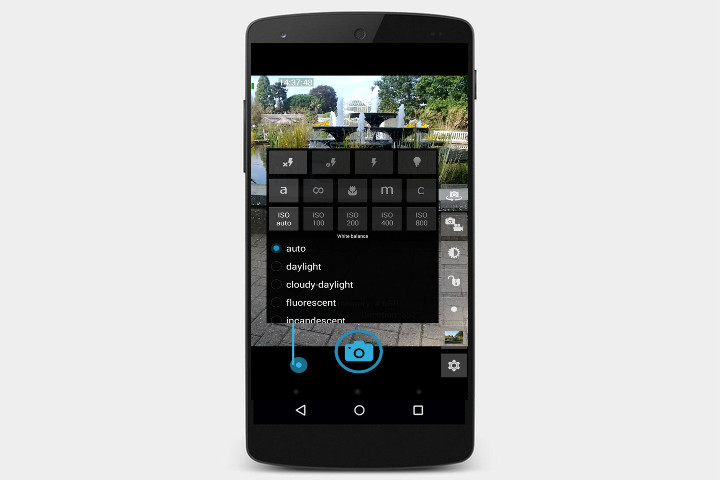
Open Camera is another great app to use alongside of, or in place of, your default camera app. With multiple focus modes, color effects, white balance, and exposure compensation, Open Camera handles the basics and then some. The overlay grid can be set to aid in balancing photo dimensions, allowing you to aptly channel your inner Ansel Adams when implementing the “rule of thirds.” Photos can be snapped either by touch or remotely via voice commands. Simply say “cheese” and you’ll have that preferential hands-free selfie in no time. The platform can also be optimized for left or right-handed users, and you have the option to lock the app in either landscape or portrait orientation.
Download now from:
Steve Jobs hated the idea of the Genius Bar, according to Apple Store creator
Why it matters to you
Ron Johnson’s interview offers a further glimpse into how Steve Jobs nearly rejected some of Apple’s best ideas.
The Apple Store has been a big part of Apple’s business model for quite some time and it is not looking like that will stop anytime soon. In a recent interview with Recode, former Apple Store chief Ron Johnson discussed the creation of the Apple Store, as well as his relationship with Steve Jobs and the so-called “idiotic” Genius Bar idea.
Perhaps the most interesting part of the interview is Johnson discussing the creation of the Apple Store in the first place. According to Johnson, Jobs first reached out to him to help start an Apple Store chain in 2000 and Jobs wanted Johnson to design and develop Apple’s entire retail strategy.
More: The latest drone footage from Apple shows off new progress at Apple Park
At the time, Johnson thought that the idea for the Apple Store should be different and each store should be matching and well-known. Johnson wanted to showcase different things that a Mac could do — for example, movie sections, music sections, photography sections, and so on.
Interestingly enough, Jobs didn’t like Johnson’s ideas early on in the process of creating the store. According to Johnson, Jobs asked him to write down his ideas. Despite panning the ideas, Jobs hired Johnson a day later.
Then there was the Genius Bar. The idea for the Genius Bar came from Johnson feeling like getting help should be a central idea for Apple customers. He was, however, met with a healthy dose of criticism by, of course, Jobs.
“I’ve never met someone who knows technology who knows how to connect with people. They’re all geeks! You can call it the Geek Bar,” Johnson recalled Jobs saying. Nevertheless, one day later, Jobs was already working on getting a trademark for the Genius Bar.
 AIVAnet