


With new method, scientists find water on an exoplanet
Finding planets is hard, finding water on planets is harder, and finding water on exoplanets is pretty damn hard. And yet, a group of scientists claim to have achieved just that with the help of the Very Large Telescope in Chile. They believe that 51 Pegasi B, (also known as Dimidum), an exoplanet more than 50 light years away, has traces of water in its atmosphere.
As New Scientist explains, all previous discoveries of water have relied upon planets passing between its host star and the Earth. But exoplanets rarely “transit” in this manner, making it nigh-impossible to study their atmospheres.
So, the team took a different approach, observing both the planet and the star as they interacted with each other. For four hours, the telescope as pointed at both bodies, watching what light was reflected between the two.
One the data had been cleaned up, the team were able to draw a handful of conclusions about the celestial body. For instance, there is about 1 part in 10,000 of water in its atmosphere, with negligible quantities of carbon dioxide and methane.
Of course, we won’t be able to validate their findings until someone’s brave enough to head over to 51 Pegasi B for a look. Which might take a while, since the planet is closer to its sun than Mercury is to ours, and is hurtling around on a four day orbit.
Via: New Scientist
Source: Arxiv
Audi’s concierge-based car rental service is outstanding, but pricey
Normally when I rent a car it involves a meandering line, a long counter and an associate who’s almost always very cordial and helpful, but very much in a hurry. It feels impersonal. It’s like going inside the bank to make a withdrawal. It’s not a horrible experience, but there’s an easier way to get to your money. For renting cars there’s also a better way. And if you’re an Audi fan and live in San Francisco, that way is actually quite superb — if you can afford it.
Launched over a year ago in beta and still under the radar, Audi on Demand is the automaker’s premium car rental service. As you’d expect, it’s for Audis only. But if you’ve ever had a hankering to drive an R8, you can fire up the app, reserve one, and make all your friends jealous when it gets delivered to your home or office.
This is actually one of Audi’s first steps into mobility. The company is using San Francisco to test the service before going live elsewhere, and so far has largely been relying on word-of-mouth to find customers. The automaker only recently offered me the opportunity try out the service for myself and while I didn’t get behind the wheel of the German automaker’s supercar, I was able to score an A6 3.0 TFSI Quattro for a few days. The car itself was great, but that’s not what I was testing: I was interested in the experience and I wasn’t disappointed there either.
On the day the car was delivered the concierge gave me call to say he had arrived at my home. When I stepped outside I ended up having one of the best customer service experiences ever. While I filled out the necessary paperwork, the concierge and I chatted casually about the vehicle and the service.

We did the typical walk around the car to make sure there was no damage. But in addition to that, I was given a video of the vehicle both at delivery and at pickup. It’s a small thing, but helpful if Audi were to say I dented the car and I had video evidence otherwise.
When we got into the car, the concierge explained all the features and where the start button was located. (Audi has a habit of moving the start button on its cars from year to year.) I was told that Audi would pay for any tolls I accumulated during the ride. The gratis stuff doesn’t end with tolls. If I had a kid, I would get a child’s seat for no additional charge. And for adventurous types, the company will add bike or ski racks to the Allroad, Q5 and SQ5 at no extra cost.
The service and the extra stuff it comes with all sounds spectacular until you note the price. The cheapest vehicle, the A3, costs $130 a day. The amazing R8 supercar will set you back $1,195 a day. Ouch.
Andrea Sievers, Product Manager for Audi on Demand, said that the service is exclusive to San Francisco right now because for companies like Audi, it’s the epicenter for testing new services. That’s true. But it’s also home to a lot of tech money. The automaker has plans to eventually expand the service beyond the Bay Area, but doesn’t have any details to share right now.
Sievers did say that On Demand is a part of Audi’s mobility plan. Like most automakers, Audi’s long-term goal is to get people who don’t own vehicles of their own into cars even if only for a few days. But what sets this service apart from others are the personal touches. Those helpful concierges are Audi’s not-so-secret weapon to retain customers.

At the end of my rental period another concierge met me at work. He was just as cordial and informative. We chatted a bit about my trip and the car. I handed him the keys and walked away debating the pros and cons of paying more than I usually would for rental to get a premium vehicle and wonderful customer service. I’m a thrifty person, but I could see why a service like this would do very well in San Francisco and I’m surprised the automaker hasn’t yet targeted the affluent pockets of New York and Los Angeles. As for the rest of us, we’re going to have to make friends with richer people if we want to get behind the wheel of an R8.
Source: Audi
Comcast employees around the US protest Trump’s immigration ban
Google isn’t the only big tech company to stage a walkout over Donald Trump’s controversial ban on immigrants and refugees from seven predominantly Muslim nations. Today at 2PM ET, hundreds of Comcast employees walked out of their office in downtown Philadelphia to protest Trump’s new policies. Pictures of the walkout are all over Twitter and Instagram, many of them including the hashtag #TechHasNoWalls.
John Raviello, protester and Comcast employee, shares why he’s at the #TechHasNoWalls protest: pic.twitter.com/04skUkD1W7
— Technical.ly Philly (@TechnicallyPHL) February 2, 2017
The protest was planned to last about an hour and started outside Comcast’s offices before making its way to nearby city hall. Philadelphia was one of four cities where Comcast has offices that took part in today’s demonstration; Philly.com says that others were planned for Washington DC, New York, Silicon Valley Philadelphia suburb West Chester. According to Pennsylvania news site Billy Penn, the action was organized through internal Slack rooms and came with the blessing of Comcast bosses, who gave employees who wanted to participate time off to do so.
Comcast anti-Trump protest #techhasnowalls
A photo posted by Matt Stroud (@matt.stroud1) on Feb 2, 2017 at 11:06am PST
Indeed, the issue hits home for at least one Comcast executive. Sree Kotay, Comcast Chief Technology Officer, is an immigrant from India. He “stood front and center” at the Philadelphia rally, says Billy Penn. “I’m so proud of my coworkers and colleagues,” he told the publication. “If nothing else, the turbulent times have reawakened all of us to democracy being a participatory sport.”
Comcast employees, protesting near the White House. Story: https://t.co/5ms7ZBxjDP #TechHasNoWalls pic.twitter.com/krNU1AP9tV
— Tajha C-L (@TajhaLanier) February 2, 2017
Uber CEO Travis Kalanick leaves Trump’s advisory council
After a week including widespread #DeleteUber protests against his company, Uber CEO Travis Kalanick told employees today that he is no longer participating on President Donald Trump’s economic advisory council. In a message obtained by the New York Times, Kalanick said: “Joining the group was not meant to be an endorsement of the president or his agenda but unfortunately it has been misinterpreted to be exactly that.”
Developing…
Here is the full memo I received 30 minutes ago. pic.twitter.com/ctfhThqfhb
— ಠ_ಠ (@MikeIsaac) February 2, 2017
Source: New York Times
Roundup: A Look at Various iPhone 8 Concepts and Mockups
With rumors suggesting the 2017 iPhone 8 is going to introduce some of the most radical design changes we’ve seen to the iPhone since 2014, a number of artists have been making conceptual mockups based on current rumors floating around.
Many of the mockups imagine fanciful ideas that Apple is unlikely to implement, but they also adopt the edge-to-edge display with built-in Home button, OLED screen, wireless charging, and glass body ideas that are being bandied about, giving an interesting look at how iPhone 8 rumors are being interpreted.
The first conceptual design was created by Thadeu Brandão and has been getting a lot of attention over the last couple of days. The mockup features an iPhone with a larger edge-to-edge display, dual cameras, and a glass front and back surrounded by an aluminum frame, and a physical home button built into the screen at the bottom of the device, which we are not expecting for the iPhone 8.
It has an Android-style home bar or “Touch Bar” with controls that change contextually based on the app, an inclusion that is not rumored for the device at this time. Brandão has also shared several iPhone 8 mockups on his website, showing off his design in more detail.

A concept created by Veniamin Geskin and Ran Avni imagines several iterations of the iPhone 8, with a display that extends to the edges of the screen but leaves top and bottom bezels, and another that curves down the edges of the device. Apple Watch-style inductive charging is pictured, as is a variation with a top bezel and no bottom bezel.
An iPhone 8 concept created by iDrop News is fairly true to the rumors we’ve heard so far, featuring an ultra thin device with a bezel-free OLED display, an all-white glass body, no Home button, and iris scanning technology.

Imran Taylor’s iPhone 8 mockup, created alongside ConceptsiPhone, imagines a ceramic body (unlikely due to cost), a 5.8-inch curved OLED display, a touch sensitive lower bezel, and wireless charging through a Smart Connector. It includes thick bezels at the top and bottom along with a Touch ID Home button, two features that don’t quite align with the rumors we’re hearing right now.
Swiss site Handy Abovergleich imagines a bubbly iPhone 8 with more rounded edges and a glass body sandwiched between an aluminum frame. A Touch ID Home button is under the display and is accompanied by an Android-style home bar, an iris scanner is built in, and Apple Pencil support is included. It also features USB-C instead of Lightning, a change Apple probably isn’t going to make.

The last concept comes from designer Moe Slah, and has an interesting look at how some apps could potentially look on a device that has an edge-to-edge display.
Apple is expected to introduce the redesigned iPhone 8 in September, its usual timeframe for introducing new devices. Up to three models may debut, including the flagship ~5-inch OLED device with an edge-to-edge display that’s pictured in all of the mockups and standard 4.7 and 5.5-inch models that may have a design closer to the iPhone 7.
For full details on what to expect from the 2017 iPhone, make sure to check out our dedicated roundup, which is updated on a regular basis with everything we know about the device so far.
Related Roundup: iPhone 8 (2017)
Discuss this article in our forums
ibis Paint X is like Photoshop for your phone (Review)
Overview:
ibis Paint X is a Photoshop-style art and photo editing app with some neat features for anime and manga artists.
Developer: ibis mobile, Inc.
Cost: Free (with ads, $4.99 premium)
Impressions:
ibis Paint X markets itself as a power drawing and sharing app for manga and anime fans. It offers some handy tools and settings geared directly towards artists who like to draw in that style and share it via social media or live stream.
The app, minus the specific features of anime and manga art, is like a “Photoshop lite” on your phone. It offers the essentials for photo editing and drawing such as layers, multiple brushes and drawing tools, and full RGB and HSB color palettes. There are a lot of different things you can do with Ibis Paint; unfortunately, I’m not much of an artist so I couldn’t use them to the best of their abilities. I do find that a lot of these features would benefit from a stylus or a tablet to have more precise and accurate strokes on the screen. Using your fingers on a small phone screen is just not that great for drawing especially if you want fine details.
1 of 9

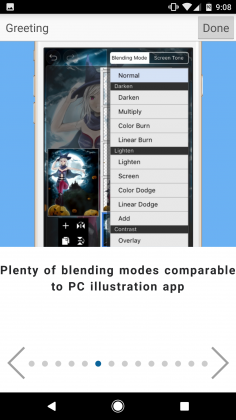
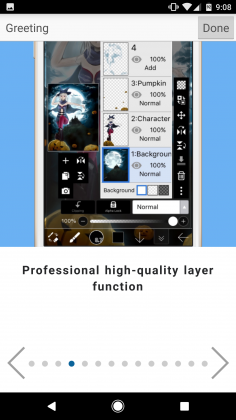


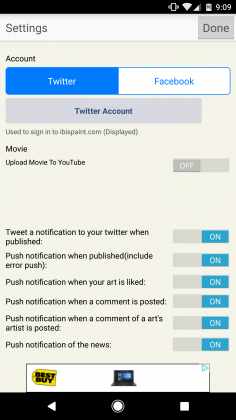

A few of the brush styles locked behind an ad wall

The manga and anime specific features are pretty cool. They allow you to do things like add frames, import reference photos or sketches, and add commonly seen filters from manga and anime scenes to your pictures to complete the look that you want for your creation. Using this app doesn’t make you a great manga artist overnight, but it does help if you already have some experience. Other cool features include the ability to share your creations to the community and social media and download other users work as well. Some of the artwork featured on the app is impressive and definitely worth looking at for reference or just because it’s awesome. ibis Paint X also allows sharing of a video of your drawings, which allowing for some awesome time-lapse videos. This feature especially is a standout for me as I can imagine it would make artists’ lives easier when they want to share their process and creations online easily.
ibis Paint X is a fairly solid art and drawing app with some killer features, and one crazy name. It is not, however, free from issues. The user interface is a bit cluttered when used on a phone, which I can understand given the small amount of space available and the amount of tools at your disposal. Thankfully, it looks much better on a tablet. Also, the app could stand to have a tutorial on the specific tool icons since not all of them are clear on what they do to a novice artist like me. The biggest issue I have is the developer’s use of ads. The ads along the top are harmless enough, but there are also ads that lock certain brush types and other tools behind a video wall that require you to watch them in order to use the tool. There is a five dollar premium version that removes this, but it’s a fairly odd and frustrating way to force users to sit through ads.
Conclusion:
Besdies the dubious ad policies, I’d say that ibis Paint X is a great tool for artists on the go. I certainly wouldn’t say use it as a primary art creation medium, however, as there are much better free options both on Android as well as on the computer. If you are an artist out and about or are interested in manga and anime styled art and want a cool app with some awesome community creations, I’d absolutely recommend this to you.
Download ibis Paint X from the Google Play Store
Ancient history meets modern technology: Lithomodos VR reconstructs the past
Why it matters to you
Archeologists are using virtual reality to resurrect and preserve ancient history.
Virtual reality became a $5 billion dollar industry in 2016. Some experts predict exponential growth for the industry over the next three years, with services like entertainment leading the increase. But VR also has potential to revolutionize education, finding applications from classrooms to museums, helping kids learn in new ways through immersive experiences.
An Australian startup hopes to take advantage of this potential by resurrecting ancient sites in VR environments and, as reported by Venture Beat, a new $679,000 seed funding round will help the firm do so.
Backed by an interdisciplinary team, Lithodomos VR develops archaeologically accurate renditions of ancient sites, such as the ancient city of Jerusalem and Paris’ Arènes de Lutèce as it would have appeared 2,000 years ago. The software can be used for digital tourism, education, and entertainment for the history buffs among us.
More: VR Museum of Fine Art lets you embrace some of the world’s greatest works
“Lithodomos VR was inspired by a burning desire to travel back in time and see the Greek and Roman worlds first hand,” Simon Young, Lithodomos founder and CEO, told Digital Trends. “VR gave me the tools to do it.”
Young has both a businessman’s stake and an academic interest in the project at hand — he recently submitted an archaeology PhD thesis to the University of Melbourne and suggested this focus on historical precision makes Lithodomos VR’s work so valuable. “What really matters is the archaeological accuracy of the reconstruction,” he said. “We aren’t just computer modelers. We’re also a team of archaeologists, obsessively checking and re-checking every detail to ensure accuracy.”Lithodomos said it has already been contracted to develop content for museum installations, and will also have a film featured in the Berlin Film Festival. A free app called Ancient World in VR is available to download on Google Play.
The company is now working on a reconstruction of the ancient city of Córdoba, Spain. “It’s one of our most ambitious projects yet, and we’re making sure it’s one of our best,” Young said. “But there are thousands of magnificent ancient sites around the world, just waiting to be brought to life.”
Everything you need to know about Android 7.0 Nougat
Why it matters to you
While updates aren’t available on all devices immediately, the Android mobile operating system paves the way for how more than a billion people will use their smartphones.

It’s been a few months since Android 7.0 Nougat dropped, but Google has already released Android 7.1.1 and a beta of 7.1.2.
The Android 7.1.2 update will not come to the Nexus 6 and Nexus 9, as those devices have run their course of Android version updates. They will continue to receive Android security updates for another year. wHere’s everything you need to know.
More: Hands on: Google Pixel and Pixel XL
Android 7.1.2
As the name suggests, Android 7.1.2 is an incremental update that mostly focuses on “refinements, so it includes a number of bug fixes and optimizations,” according to the Android Developer Dashboard. The beta update is currently available to enrolled Pixel, Pixel XL, Nexus 5X, Nexus Player, and Pixel C devices. If you want to sign up for the beta, you can enroll here.
One of the silent features introduced in 7.1.2 is fingerprint gestures — a Pixel feature that seems to have made its way to the Nexus 5X. Some Nexus 5X owners on the Android subreddit of Reddit claim they are able to toggle fingerprint gestures on in Settings.
The update will also make its way to the Nexus 6P soon, which will likely introduce fingerprint gestures as well. The Nexus 6 and the Nexus 9 will not receive the update, as they are past the two-year support window.
Android 7.1.1

Quite a few new features were introduced in the Android 7.1.1 update.
Notably, App Shortcuts are back. The feature, introduced during the Android Nougat beta program, was briefly scrapped, but it’s returned in fully functional form. App Shortcuts mimic the 3D Touch features introduced in iOS 9 — press and hold an app icon and you’ll get a list of specific actions. The Pixel Launcher, the default home screen on Pixel smartphones, supports the feature, and third-party app developers will be able tap in on smartphones running Android 7.1.1. Apps can have up to five shortcuts, according to the Android Developers website.
In other news, a restart setting has joined Android’s power menu. Now, when you press and hold the power button on the Nexus 5X or Nexus 6P, you will have the option of power cycling the phone instead of switching it off.
A new Moves menu in Android’s Settings menu includes a number of actions that can be initiated by gesture. You can launch the camera by pressing the power button twice, switch in and out of selfie mode by double-twisting your wrist when you are in the app, and lift your phone to quickly check your notifications.
More: Five Android Nougat problems and how to deal with them
Image Keyboard, another new feature, lets you choose and send content like stickers, emojis, GIFs, and pictures from your messaging app of choice. It’s supported within Google’s Allo, Hangouts, and Messenger, apps for now, with third-party support “on the way.”
Android 7.1.1 includes a brand-new camera app. Among the features are white balance presets, exposure compensation, Automatic Exposure and Automatic Focus locking, and viewfinder grid modes. Another, Smart Burst, takes multiple photos and selects the best one.
Smart Storage automatically removes old backed-up photos and videos from your device to clear up space. They’re backed up to Photos, Google’s picture-centric cloud storage service.
Among the emoji, speaking of, are 100 additions approved by the Unicode Emoji Subcommittee, the industry consortium that oversees the approval of new keyboard characters.
“Earlier this year, we announced a proposal to promote gender equality by adding new emoji that reflect the pivotal roles women play in the world, and represent a wider range of professions for both women and men,” Google wrote in a blog post. “We included gender counterparts for emoji that previously only had male or female representation.”
The new emoji collection comprises 11 new professions available in both genders and various skin tones and ethnicities, and new female and male versions of 33 existing emoji.
More: Goodbye, Google Cast! App gets rebranded as the more inclusive Google Home
A lead Pixel engineer tweeted that the devices have improved touch latency — which is also confirmed in the changelog. In plain English, that means the time it takes for your smartphone screen to respond to your finger should be much less. That’ll have the effect of improving responsiveness.

The method by which Android updates are installed is new, too. Phones will upgrade much like Chromebooks: updates will install in the background automatically, on a separate partition. When the device restarts, it’ll swaps partitions with the updated version — effectively performing the upgrade right under your nose.
Also in tow with Android 7.1.1 is Daydream VR, Google’s virtual reality platform. Circular app icons like the ones on the Pixel smartphones make an appearance, too.
Ultra Mobile’s $19 calling plan includes data, texting in more than 60 countries
Why it matters to you
Global carrier Ultra Mobile now offers international data and calling for $19 a month, connecting friends and family around the world.
Ultra Mobile, a mobile virtual network operator (MVNO) that sells cellular service atop major carriers, has operated largely under the radar. But it’s angling for disruption with The New $19, a dirt-cheap plan that includes international calling, texting, and data in more than 60 countries worldwide.
There’s no catch to speak of. Starting today, $19 a month on Ultra Mobile nets you 100MB of 4G LTE data in the aforementioned 60 countries, $1.25 in international calling credit, and $5 in one-time international roaming credit. The new pricing takes effect in Brazil, India, Poland, Russia, South Korea, Mexico, Canada, the Dominican Republic, and more. Ultra Mobile says The New $19 plan covers almost 4 billion people around the globe.
More: Ultra Mobile introduces data-saving “Data My Way” voluntary throttling
Coinciding with the launch of The New $19 plan is DataXtra, a plan benefit that provides up to “double” the amount of high-speed data on Ultra Mobile’s unlimited plans. When the 4G LTE data runs out, customers get free-of-charge access to 3G speeds, and gratis international coverage lets them make and receive calls and texts in any one of 135 countries.
DataXtra follows on the rollout of Data My Way, an optional feature that let Ultra Mobile subscribers choose up to three different data speeds in order to extend their 4G LTE data without changing their usage habits.
“DataXtra is really about understanding what our subscribers need and how to best optimize the data available to us,” Chris Furlong, head of product, told Digital Trends. “Every carrier is looking at ways to stretch our data network. DataXtra allows subscribers to listen to music and stream video without getting into an unusable crawlspace — it’s a nice middle ground for data optimization.”
More: Your Google Fi connection is about to get 10-20 times faster internationally
Ultra Mobile’s next frontier is SMS and texting services. Premo, an Ultra Mobile service that provides a virtual phone number to subscribers, crossed 2 million downloads earlier this year and has 800,000 monthly active users. It’s especially popular in the Persian Gulf region, Furlong said, where expatriates use it as an affordable way to keep in touch with loved ones.
“Phone numbers shouldn’t be tied to physical devices,” he added. “When you get a number from a carrier, your phone has to go with you. But with an app like Premo, you’re reachable across multiple devices — you can travel from primary device to table to laptop.”
Furlong pointed to T-Mobile’s Digits service, a benefit that allows subscribers to receive and make calls and texts via smartphones, tablets, computers, and even smartwatches, as an encouraging sign of a burgeoning trend. But he stressed that any sort of universal, intercarrier number platform is years off.
More: The stickers are taking over: Line to launch Line Mobile MVNO in Japan this summer
“We’re entering a message period in communications. It’s fractured.”
Ultra Mobile’s grown to more than $100 million in sales over the past three years. It generated more than $118.2 million last year, and was named Ink Magazine’s Fastest Growing Private Company for 2015.
Vertu Constellation: Our first take
All the luxury and exclusivity you’d expect from a Vertu phone, but without the overly dramatic visual punch or the crazy price tag.
If you’ve looked on with envious eyes at the Vertu New Signature Touch with its outrageous “gull wing” style door feature on the back, and decided it just wasn’t subtle enough; then the new Vertu Constellation may be the perfect compromise between style, luxury, and subtlety. If you’re still undecided, perhaps the lower price of the Constellation will eventually sway you. We’ve had the chance to try the phone out, and like all Vertu phones, it left quite an impression. Here’s what we thought.
The last time we heard the Constellation name, it was back in 2013, and the phone to which it was attached had the same mission: Give people who either didn’t want or couldn’t justify the cost of the company’s flagship phone a chance to join the family. The new 2017 Constellation will cost less than the New Signature Touch, but we came away from using the phone, thinking we may prefer it over one anyway.
More: The oldest name in luxury tech is ready to ride the wave it created
Its subtlety shines through the longer you examine the details. The pillow — that’s the section where the speaker is hidden above the screen — is slim and unobtrusive, yet still a beautiful aspect of the design. The front of the Constellation is dominated by an expanse of 6th generation sapphire glass, which covers a 5.5-inch, 2,560 x 1,440-pixel resolution screen. Sapphire glass has a slightly different look in comparison with Gorilla Glass. A highly polished, deeper sheen brings out the best in this display. It’s the first time Vertu has gone beyond 1,920 x 1,080 pixels on its screens, and it’s a welcome addition.
No gull wing door madness or builder’s signature
The Constellation is wonderfully comfortable to hold. A machined trench sliced down the aluminum side panels ensures it nestles in your palm and avoids the sharp, angled edge that runs along the top side. It’s interspersed with the power and volume keys, plus Vertu’s trademark ruby button to activate Concierge. This is Vertu’s 24/7 personal assistant service, and it’s a massive part of the phone’s appeal. It joins Vertu Life — where exclusive offers and services are available to Vertu owners — plus secure calls through Silent Circle, anti-theft services, and other benefits.
It’s beautifully made, feels strong as an ox, and we adore the more subtle design and styling.
Examine the sides closely and you’ll notice a traditional SIM tray cut into it. This is a real departure for Vertu, which in the past has hidden the SIM behind a spring-loaded door, making it a talking point. Part of the reason is the decision to use a dual-SIM system on the Constellation. The dual-SIM slot increases its versatility, adding another connectivity feature to the 34 international bandwidths for true global network support, but removes one of the things we always adored about Vertu. A little bit of unique madness you didn’t find on any other phone. It also means the Constellation doesn’t have somewhere to hide the signature of the person who built the phone, unlike most other Vertu devices.
However, the lack of a crazy SIM door makes the phone less fussy, which follows with the rest of the design. There are three colors at launch: a pinkish berry, a blue-grey octane, and an earthy walnut. All the colors are brought to life using leather sourced from an Italian tannery. Simpler lines, strong colors, flatter panels, and fewer visual flourishes mean it’s less dramatic than the New Signature Touch, but the phone is all the better for it. It could be argued the disappearance of the SIM door and the signature of the builder does away with some of the character that’s so important in a Vertu phone, though.
Tech lags behind
Choosing a Vertu phone has rarely been a decision based on the device’s technical prowess, but there are several welcome new additions on the Constellation. The higher resolution screen is one, along with the Qualcomm Snapdragon 820 (not the newest Qualcomm chip, but still a good performer), 4GB of RAM, 128GB of internal memory and for the first time, a fingerprint sensor on the front. This, along with NFC, means Android Pay is supported. The sensor worked well in our quick tests. It’s a shame Android 6.0 is installed, which is well behind the latest software version, but the security patch was listed as January 2017.
We can’t judge the camera yet. It takes pictures at 12 megapixels, and has a large pixel size for better low-light performance. The software, which is Vertu’s own, was fast to react and the app has a handy shortcut. Press the sleep/wake key twice, and it opens instantly even when the phone is locked.
 Andy Boxall/Digital Trends
 Andy Boxall/Digital Trends
 Andy Boxall/Digital Trends
 Andy Boxall/Digital Trends
Vertu will put the Constellation on sale in mid-February, but the price is still to be announced. While it’ll be cheaper than the New Signature Touch, we’d expect a budget of at least $6,000 will be required. Yes, all the same old arguments apply. Yes, you can get more technology for less, but you won’t get even close to the degree of luxury and air of exclusivity provided by a Vertu phone.
More: Our review of the Vertu Aster
It’s beautifully made, feels strong as an ox, and we adore the more subtle design and styling. It’s a Vertu phone for every day, but that said, we’re a little concerned some of the Vertu character has been lost with the Constellation, and that it won’t feel quite so special to use. The New Signature Touch gives you the full Vertu experience, while the Constellation eases you into the company’s exclusive, luxury tech world much more gently.
Highs
- Beautifully styled
- Bullet-proof build quality
- High-resolution screen
- Concierge service included
Lows
- Old version of Android
- Behind the tech curve
- Special Vertu touches missing

