


Amazfit PACE review
Gone are the days where you need to choose between wearing a fitness tracker or a smartwatch. While it seems many wearables on the market are made to fit squarely in one category or the other, there are a handful of great devices out there that offer the best of both worlds. The Fitbit Blaze, for instance, is a great fitness tracker for those who need a bigger display, while the Moto 360 Sport is a solid smartwatch with some impressive running features built in.
But what if you’re not keen on spending upwards of $200 for one of these devices? Are there any fitness tracker/smartwatch hybrids that don’t break the bank? Enter: the Amazfit PACE.
Back in November 2016, Huami announced that it was bringing its beautiful sub-$200 Amazfit PACE smartwatch to the United States. With a built-in GPS, heart rate sensor and smartphone notification support, could this be the fitness tracker/smartwatch hybrid we’ve been waiting for? Find out, in our full Amazfit PACE review.
Review notes: I’ve been using the Amazfit PACE as my main fitness tracker for 11 days. The Huawei Mate 9 has been my smartphone companion of choice for the duration of this review.Show More
Related:
Best fitness trackers
3 weeks ago
Design
I’m going to come right out and say it – I think the Amazfit PACE is beautiful. It strikes a great balance between sporty and classy that not too many other smartwatches can achieve. That’s mostly thanks to the device’s dark ceramic bezel, which not only looks good, but has proven to be quite durable throughout its testing period.
The watch case also features a small, physical button on the top-right edge, which acts as a home button as well as a way to wake the device. Surprisingly, this small, inconspicuous button is actually one of the watch’s main downfalls. Let me explain.
The touchscreen is disabled until the small physical button is pressed
Although the PACE sports an LCD touchscreen display, the touchscreen part of the screen is disabled until you press the physical button. This is not only inconvenient, but downright annoying at times. When you need to interact with a notification, start a workout, or do anything else on the watch aside from checking the time, you need to remember to press the physical button first. I’ve found this to be particularly inconvenient with notifications. When a text, email or any other type of smartphone alert shows up on the watch, the physical button – which is quite small and difficult to press at times – still needs to be pressed in order to interact with it, even if the display’s backlight is triggered. I’m not sure if I’m just used to the way other smartwatches work, but when I lift my wrist and the backlight turns on, I expect to be able to interact with things right away.
Throughout the PACE’s review period, I have yet to get used to the fact that the touchscreen is disabled by default. Maybe other people will feel differently.

The watch comes with a 1.34-inch transflective color LCD display, with a resolution of 320 x 300. It’s certainly not the most high quality display I’ve ever seen on a smartwatch, but it is very impressive, especially for this price point. It’s visible indoors, even when the backlight is turned off. Plus, this is a transflective display, so the more daylight that hits the screen, the easier it is to read outdoors.
The display is easy to read both indoors and out
On another positive note, the rubber straps that come with the Amazfit PACE are high quality and extremely comfortable. They’re also interchangeable, which means you’ll be able to swap out a rubber strap for just about any standard 22mm watch strap you have lying around.

One of the other notable additions to the Amazfit PACE’s design is its IP67 water and dust resistance rating. This means you’ll be able to take it in a pool, though I’m not sure why you’d want to; the PACE only tracks a handful of workouts, none of which include swim tracking.
See also:
Everything you need to know about IP ratings
2 days ago
Features and performance

Like most GPS-equipped fitness trackers out there, the Amazfit PACE will track your steps taken, distance traveled, calories burned, resting and active heart rate, and sleep. In it’s current iteration, the device can only track four different activities: run, walk, run indoor and trail run. Amazfit says more activity profiles will be added to the device soon via a software update, but as of right now, these four are all you get.
As far as step tracking is concerned, the Amazfit PACE is pretty much in line with most of the other fitness trackers we’ve tested in recent months. I took the PACE, Garmin’s vívoactive HR and the Fitbit Charge 2 out on a walk for exactly 500 steps, and all three devices finished within 10 steps of each other.
- Garmin’s vívoactive HR review
- Fitbit Charge 2 review
When you’re out on a run, the watch will display quite a bit of information on the workout screen; you can check your total workout time, distance, pace per mile, heart rate, calories burned, speed, cadence, average moving pace, as well as your GPS route. The order in which all of these metrics are displayed makes a lot of sense, and the workout screens are very easy to navigate when you’re out on a run. Just swipe up to get to the next page of metrics, swipe left to get to music controls, or swipe right to pause or stop your workout.

Distance tracking is pretty much spot on, thanks to the PACE’s built-in GPS
When you’re in trail running mode, the device will not only track the metrics listed above, but also your altitude, elevation gain/loss, speed, vertical speed and average moving speed. And after you finish with a run, the watch will display your distance traveled, calories burned, average pace per mile, best pace per mile, average moving speed, max speed, average cadence, max cadence and heart rate trends.
It’s worth noting that distance tracking is pretty much spot on, thanks to the PACE’s built-in GPS. For outdoor and trail running, you’ll be able to accurately track your distance and running route with ease. This is because, at the bottom of your workout screen, the watch will display a small map of your running route in case you’re wondering what route you took or where you are.

Distance tracking when running indoors is another story, though. On the treadmill at my gym, I ran 5.02 miles in all, though the PACE told me I only went 4.28 miles. Not that this is a huge issue (I had the correct stats on the treadmill, anyway), but it’s still worth addressing. The watch also lets you calibrate your distance after the fact, which is pretty helpful if you’re trying to keep an accurate activity history.
Don’t miss:
Fitbit Charge 2 vs Garmin vívosmart HR+
December 14, 2016
I do need to bring something up here, though, specifically in regards to checking your stats during a run. Because the watch’s touchscreen is disabled until you press the physical button on the side, this can get quite annoying when you’re out on a run and simply want to scroll through to see your activity stats. I know I sound like a broken record here, but this feature really does get in the way all too often.

Now let’s talk about the Amazfit PACE’s optical heart rate sensor. It’s accurate when recording resting and active heart rate readings, for the most part, though I have experienced quite a few problems with it recording my peak heart rate numbers about 30bpm too high.
Take a look at the screenshots below, compared to the image attached above of the PACE’s heart rate readings. During this particular workout, I tested the PACE’s heart rate sensor against the Wahoo TICKR X and the Garmin vívoactive HR. As you can see, all three devices recorded most of the highs and lows in the same patterns, though the PACE’s numbers are a bit off. The Amazfit device, in this case, recorded my peak heart rate at 201, while both the TICKR X and vívoactive HR both recorded my max heart rate at 166 or so.


On a more positive note, the watch is quite detailed in the way it presents your heart rate readings. At any point throughout your day, you can swipe over to the heart rate screen and get information on your anaerobic, aerobic, fat burning, non-workout, and sleep heart rate zones. This heart rate section of the watch will also display your maximum and minimum heart rate for the current day, and also your past average heart rate trends.

The Amazfit PACE will also automatically track your sleep every night, like most other wrist-mounted trackers out there. Thankfully there’s no need to press a sleep now button to begin sleep tracking; just fall asleep with the tracker on your wrist, and you’ll be able to check out all the data the watch collected in the morning. On the watch itself, you can check out your deep and light sleep, time awake, total sleep time and what time you fell asleep/woke up.
Also read: The best sleep trackers
All of this sleep data may be helpful if you’re just looking back at your previous night’s sleep or your sleep from a few nights ago, but the lack of detailed graphs of your sleep trends overtime is unfortunate. You can select different entries in your sleep history to try to see how you’ve been improving over time, but the watch won’t display any graphs or tables to help you figure it out. All you really get is a small sleep history screen that shows how much deep/light sleep you’ve had over the past few days.
Speaking of sleep tracking, the PACE also has a silent alarm feature, which I’ve been a huge fan of throughout my time with this device. There’s nothing special about how the silent alarms work compared to other fitness trackers; you set your alarm time, how often you’d like it to go off, and your watch will vibrate when that time rolls around. But what makes this such an enjoyable experience is that the Amazfit PACE has one of the best vibration motors I’ve ever come across in an activity tracker. It’s not too jarring, nor is it too soft. It’s a little thing, really, but it really makes wearing this device day in and day out much more enjoyable.
See also:
Best smartwatches
3 weeks ago
Since this is a smartwatch, after all, you’ll also have the option to receive smartphone notifications on this device. While the implementation of the notifications may be slightly underbaked, the number of notifications you can receive on your device is quite impressive. You can receive virtually any notification you’d like on the PACE, from pretty much any app that’s installed on your phone. Just go into the Notification settings section of the Amazfit Watch app, press the toggle next to the app you’d like to receive notifications from, and that’s it. Easy, right?


Notifications on the watch are kind of a mixed bag, though. Unfortunately this is one of the most underbaked parts of the watch’s software, as I’ve consistently found bugs almost every time I interact with them. While I’ve had no problems receiving notifications from Hangouts, Inbox or Slack, it’s the interaction part that’s buggy. Once you receive a notification, you can swipe right to dismiss it, or swipe left to reply, view the full conversation (only on some apps), or block the app from showing up. Blocking apps works just fine, but tapping the View conversation option causes the launcher to crash, which is never something you want to see. Additionally, as you can see in the first image attached above, the block option has an icon, while the Reply and View conversation options do not, even though they clearly should.
Notifications are one of the most underbaked parts on the watch
One other odd thing – whenever I receive a Slack notification from a coworker, the message arrives in English, but I can also swipe over to see the message in Chinese.

For those of you who like to go running without your smartphone, you’ll be happy to hear the Amazfit PACE comes with 4GB (well, actually closer to 2GB) of on-board storage for loading up music to play when you’re on the go. Just connect your watch to the included charger, plug it into the USB port on your computer, and load up whatever music you’d like. Mac users will need the Android File Transfer program for this to work, just so you know.
I’ve had no problems with music playback so far, and connecting the watch to a pair of Bluetooth earbuds is a breeze. It’s worth noting that the PACE doesn’t offer playlist control (nor does it let you shuffle songs), so you pretty much need to load up your music and listen. I’m sure most runners out there won’t have a problem with this.
Don’t miss: The best Bluetooth earbuds
Much like other fitness trackers out there, the PACE also features move reminders. In case you’re unfamiliar with the feature, the watch will remind you to move every so often if it senses you’ve been sitting for too long. It works pretty well most of the time, and is actually quite useful… especially for someone like me who sits at a desk all day. The move reminders (or Stand up reminders as Amazfit calls them) can be a tad buggy at times, though. Even if I’m up and moving around, I’ll get move reminders from the watch every once in awhile.

On the battery front, Amazfit says the PACE will be able to last up to 5 days with regular use or 11 days with basic use (no heart rate monitor/GPS use) on a single charge. I’ve found this to be mostly correct throughout my testing period. With moderate to heavy use, the PACE has no problem lasting at least 4 days on a charge, but you can certainly squeeze more out of it if you’re not regularly using the heart rate monitor or GPS.
When you do have to recharge, just place the watch into the included charging cradle, and make sure the pins on the back side of the device are correctly lined up. The cable that comes with the device is pretty long, too, so you shouldn’t have any problems plugging it into your computer or a nearby USB port.
| Display | 1.34-inch always-on transflective color LCD touchscreen 320 x 300ppi |
| Processor | 1.2GHz |
| RAM | 512MB |
| Storage | 4GB |
| Battery life | Up to 11 days basic use, 5 days regular use 280mAh |
| Heart rate monitor | Yes, optical |
| GPS | Yes |
| Water resistance | Yes, IP67 |
| Connectivity | Bluetooth 4.0 Wi-Fi |
| Notifications | Call, text, calendar alerts, and more |
| Compatibility | Android, iOS |
| Weight | 54.5g |
Software

The Amazfit PACE is running a basic form of Android, though it’s not running Android Wear, to be clear. All in all, I’m very happy with the way Amazfit developed this interface, though it is a little heavy on the swiping. You can’t take advantage of voice commands here, so you’ll have to rely on swiping – a lot – to move around the UI.
See also: Best Android Wear watches
From the main watch face screen, you can swipe right to access the activities section, where you can then choose to either start a workout or view your recent activity. Swiping left from the main screen will cycle through different activity stats and applications. This is how you access your daily activity, heart rate, music controls, upcoming alarms, weekly weather forecast, compass and stopwatch. Pulling down from the top of the screen will display the date and the current weather conditions in your area. From here, you can swipe left to get to your battery stats, silent mode toggle, and more settings.
The interface is intuitive, though it can be slow at times
All in all, the interface is intuitive, though it can be slow at times. I don’t think it’s a problem with lag, though. It moreso seems like the animations are just slow to load, which makes quickly navigating around the device’s interface seem like a hassle at times.
There are also quite a few watch faces to choose from (13, to be exact), ranging from sporty to classy. I’m partial to the ‘Marathon life’ watch face, which you can see pictured below.

If you’re at all familiar with other wearables on the market, you’d know that many smartwatch makers tend to keep their on-device software on the simple side. Wearable makers tend to offload some of the less-important tasks – like settings menus, alarms, and detailed activity information – onto their smartphone companion apps, since it’s just easier to access these things on a bigger screen.
Unfortunately, this leads me to one of the PACE’s biggest downsides – the watch doesn’t actually have it’s own companion app for activity tracking. This means every workout, heart rate graph, and just about every other activity the device records will have to be viewed on the watch itself. The watch does have support for syncing with Strava, though we obviously would have liked to see it launch with its own companion app for activity tracking.
Also, I’ve had trouble sending my data from the watch to the Strava app, meaning I’ve had to exclusively look at my data on the watch face. I’m sure this will be fixed in a future software update, but it’s still worth bringing up.
The PACE can unfortunately only sync with Strava
While you can only currently view your activity data on the watch itself and in Strava, Amazfit says this will likely change in the future. Unfortunately we have no other details as to when an activity tracking companion app will become available.
Through Strava, you can also send your activity data to Garmin Connect, MyFitnessPal and Google Fit, but this is a pretty cumbersome workaround for something that should be present on the watch by default.
Also read: The best Android fitness apps and workout apps
The Amazfit Watch app (pictured above) is used for syncing and pairing the device with your smartphone, and it’s also the app you’ll use to change watch faces and manage notifications. This app also allows you to pair your account with Strava. It’s by no means an activity tracking app, though.


Gallery

Should you buy it?

The Amazfit PACE is available for $159.99 from the official Amazfit website, though it’s currently selling on Amazon for just under $120. So the question is, is this device right for you?
As I’ve alluded to throughout the majority of this review, the Amazfit PACE has a few notable software issues. The level of polish and refinement that I expected to see in this device’s software simply doesn’t match the beautiful hardware. That might be okay for some people, and it’s certainly hard to argue with the sub-$200 price point… especially considering all the features that are packed into this device.
But if you’re interested in this device, you should definitely take a look at the competition before making your decision. First of all, since the number of activities the PACE can track is pretty limited at the moment, you might want to pass if you’re not a runner. And if you are a runner, you might want to check out the Moto 360 Sport. It’s available on Amazon for around $125, and it’s a truly great smartwatch. Plus, it also has an on-board GPS, heart rate monitor, and is slated to get the big Android Wear 2.0 update sometime soon.
That’s if you need a smartwatch, though. If you’re in need of a powerful fitness tracker with a GPS and heart rate monitor that supports smartphone notifications (and has a powerful companion app), you can’t go wrong with the Garmin vívosmart HR+. This device is available from Garmin’s website for $199.99, if you don’t mind paying a little extra.
What I’m trying to say is, there are much more powerful fitness trackers on the market, and there are better smartwatches on the market, too. The PACE is a solid first effort from Amazfit, but for me, the negatives outweigh the positives. The lack of a dedicated companion app and the buggy software outshine the beautiful build quality and awesome battery life. With that said, if those caveats don’t matter much to you, the Amazfit PACE might be a good option.
What do you think of the Amazfit PACE? Be sure to speak up in the comment section below!
Next:
Which Fitbit is right for you?
3 weeks ago
Snap Inc. officially files for IPO
Snapchat’s parent company Snap Inc. has officially filed for its initial public offering Thursday, giving a rare insight into what makes the ephemeral messaging service tick. Although Snap did not lay out the terms of the filing, the Wall Street Journal places the company’s value between $20 billion and $25 billion. That would make Snap the biggest IPO since Alibaba hit the market in 2014.
In its S-1 paperwork, Snap laid out some of its impressive growth over the past year. The company recorded $404.5 million in revenue over the course of 2016 — more than six times the $58.7 million in revenue the company made in 2015. On a more practical note, the filing also reveals that Snap knows its flagship app has something of a clunky interface: “Because our products created new ways of communicating,” the filing reads, “they have often required users to learn new behaviors to use our products. These new behaviors, such as swiping and tapping in the Snapchat application, are not always intuitive to users.”
On a broader level, the S-1 makes clear Snap’s stance on Net Neutrality, which may currently be under threat from the FCC. The company says its business “would be seriously harmed” if the current open internet rules are modified and mobile providers are allowed to prioritize access to certain types of traffic or competing apps.
Developing…
Who is Jerry Falwell Jr. and why is he reforming higher education?
Donald Trump has already earned his reputation of nominating candidates for his cabinet-level positions who face stiff opposition from the science and tech community. He’s given the nod to former Texas Governor Rick Perry, who once called on Congress to abolish the Department of Energy that he now heads, and EPA nominee Scott Pruitt, who, as Oklahoma attorney general, sued the EPA no fewer than 14 times. On Tuesday, Trump continued this streak by tapping Jerry Falwell Jr. to head up a presidential task force charged with suggesting reforms for the Department of Education.
Jerry Falwell Jr. is the President of Liberty University and one of America’s most vocal evangelical Christian leaders. He’s also the son of ultra-conservative Southern Baptist pastor, televangelist and founder of the Moral Majority movement, Jerry Falwell. Falwell the younger holds a JD from University of Virginia School of Law as well as a BA in Religious Studies from the school he now governs. Given his pedigree, Falwell Jr’s politics unsurprisingly skew far to the right.
Falwell is apparently not too big on the sciences, at least as they have conventionally been taught. That is, science courses at Liberty University take the Bible to be a historically accurate document, rather than a collection of parables. Falwell’s input could have a debilitating effect on the direction of higher education — especially modern STEM courses — when Liberty University issues textbooks such as these:
Jerry Falwell Jr. will be leading Trump’s higher education task force. Here’s a science textbook I was assigned at his school in 2007. pic.twitter.com/ba4GY4Lc8M
— Kevin Roose (@kevinroose) February 1, 2017
What’s more, although his university does offer advanced science classes with fully stocked labs, its faculty “takes pride in teaching evolution alongside biblical creationism,” according to the Washington Post.
“Our students know what evolution is,” David A. DeWitt, chair of the university’s biology and chemistry department, told the Washington Post. “They know the evidence needed to support it.” However the faculty routinely contrast those facts with stories from the Book of Genesis and promote the young Earth creationist theory, which posits that the Earth is only a few thousand years old. In fact, the science hall’s entrance is even inscribed with a Bible quote: “In the beginning God created the heavens and the earth.”
Falwell’s literal interpretation of Christian scripture also colors how his university treats women and minorities. He is clearly not a fan of the LGBTQ+ movement, if his school’s draconian student code of conduct is any indication. “Sexual relations outside of a biblically ordained marriage between a natural-born man and a natural born woman are not permissible,” the code reads. Nor is Falwell Jr. a proponent of sexual education. Liberty University’s publication, the Liberty Champion, has repeatedly argued against the need for sexual education for both middle and grade school children. Rather than educate kids, the publication instead promotes an abstinence-only stance.
Falwell Jr, was among Trump’s first and loudest Evangelical supporters and was rewarded by being asked to lead the Department of Education. He reportedly declined citing his desire to stay near his family, and the University, in Virginia. He has strongly endorsed Betsy DeVos, the current nominee.
As for his new chairmanship, “The main thing that he is seeking to do for the task force is to eliminate what he sees as excessive regulation of educational institutions,” Liberty University spokesman, Len Stevens, told NBC News on Tuesday. Specifically, “the goal is to pare it back and give colleges and their accrediting agencies more leeway in governing their affairs,” Falwell Jr. told The Chronicle of Higher Education the same day.
“I’ve seen firsthand what the Department of Education is doing to college and universities, using the leverage of financial aid to micromanage college and schools with regulations that are overly burdensome,” Falwell Jr. told the Wall Street Journal late last year. “Those are my particular areas of interest.” The scope, size and specific mission of Falwell’s task force has not yet been announced.
Unsurprisingly, Falwell’s appointment has angered a number of congressional members. “Jerry Falwell Jr. checks all the boxes for an education post in the Trump administration: he is bigoted, unqualified, and reliably opposed to protecting students from predatory companies,” Democratic California Rep. Mark Takano said in a statement on Wednesday. “As a gay man, I am enraged that his anti-LGBT rhetoric is being rewarded with a leadership post. As a former teacher, I am deeply concerned for students who will inevitably be exploited by unregulated for-profit education companies. And as an American, I continue to be appalled by President Trump’s pattern of selecting unqualified ideologues to guide national education policy.”
Florida woman says exploding iPhone woke her up in the middle of the night
Why it matters to you
No mobile device is completely free from the danger of overheating or even exploding, and safe battery design is becoming increasingly important.
A Palm Harbor, Florida woman is looking for answers after her iPhone 6 Plus exploded at her bedside while charging in the middle of the night, according to a recent report out of NBC affiliate WFLA.
Amanda Bentz says she was awakened at 3 a.m. when her smartphone went up in flames right next to her face, depositing soot all over the nightstand and singeing her pillow case, bedspread, and curtains. Bentz says her husband, Kyle, quickly smothered the “fireworks” with a T-shirt — rendering her iPhone a smoldering pile of aluminum and melted plastic.
More: Everything we know about Samsung’s Galaxy Note 7 recall
Thankfully, that was the only damage.
“If he wouldn’t have woken up right then and there,” Bentz said, “and like immediately came to and put it out, it would have caught the curtain on fire, and then the bed.”
An Apple spokesman thanked WFLA and Bentz for bringing the issue to their attention, and stated the company is investigating the matter. Apple has offered Bentz a replacement 6 Plus, putting a $749 hold on her credit card worth the full cost of a new device, which the company says it will return when she sends the burned iPhone back.
News of iPhones exploding is rare, though some unsubstantiated reports have cropped up since Samsung recalled its Galaxy Note 7 for similar reasons, citing malfunctioning battery components and manufacturing errors as the culprits. The South Korean company launched a monthslong internal probe to determine precisely why its flagship device was overheating and, in some cases, bursting into flames.
Samsung tested 200,000 devices and reported it was able to reproduce the problems observed in consumer devices. Since then, it has pledged to implement an eight-point battery inspection process for future products, including the upcoming Galaxy S8.
While all devices containing lithium ion batteries technically pose the risk of what experts call a “thermal runaway” — the exponential, uncontrollable buildup of heat that can occur, for example, when the negative and positive electrodes of a battery come into physical contact with one and another — manufacturers can mitigate that risk with careful design and testing, as well as emerging technologies, like equipping batteries with flame-retardant chemicals.
The never-ending demand for mobile devices that are simultaneously smaller and smarter has placed a burden on power consumption, causing manufacturers to fill every millimeter of available space with batteries — which is potentially putting customers’ safety in jeopardy, and making quality assurance more important than ever before.
Nvidia issues hotfix driver addressing problems with ‘Minecraft,’ overclocking
Why it matters to you
Customers with a GeForce graphics card or discrete graphics chip in their laptop should consider this driver if experiencing issues with Minecraft.
Nvidia announced on the GeForce forums that it has released a new hotfix driver that resolves an issue with Minecraft, and another problem associated with its Pascal-based GeForce GTX 10 Series cards. The new hotfix driver, version 378.57, can be accessed by hitting one of the links below:
Windows 10
Windows 8.1
Windows 7
64-bit
64-bit
32-bit
32-bit
First, the hotfix driver addresses the original Java-based version of Minecraft for the PC, and not Minecraft: Windows 10 Edition. Nvidia doesn’t explain the problem and solution resolved by the new driver, but merely states that it addresses Minecraft and other Java-based game crashes.
Based on posts listed on the GeForce forums, users simply couldn’t get the game to load once the launcher was up and running. Not all users experienced the problem, and it wasn’t limited to a specific version of the game. However, apparently there were enough complaints to push Nvidia into investigating the problem and providing a hotfix driver rather than wait for the next WHQL-certified release.
More: Nvidia is rolling out Software Upgrade v5 to its Shield TV 2015 set-top box
“These Hotfix drivers are beta, optional, and provided as-is,” Nvidia states. “They are run through a much-abbreviated QA process. The sole reason they exist is to get fixes out to you more quickly. The safest option is to wait for the next WHQL certified driver. But we know that many of you are willing to try these out.”
Outside the Minecraft issue, the new hotfix driver resolves a problem regarding a “debug mode” on Pascal-based graphics cards and discrete graphics chips. Nvidia’s GeForce Game Ready 378.49 WHQL-certified driver was released on January 24, and shortly thereafter Nvidia customers began complaining about the debug mode set as default, and the lack of any means of changing the setting.
Prior to the new hotfix, when accessing Nvidia Control Panel > Help > Debug Mode, the debug mode option may have been set as default. This setting presumably brings factory-overclocked cards and chips down to their default reference speeds set by Nvidia. However, the issue seemed to only be an interface problem, as many users saw that the overclocks remained unchanged and the chip temperatures at normal levels.
“Sometimes a change that is important to many users might end up sitting and waiting until we are able to release the driver,” Nvidia adds. “The GeForce Hotfix driver is our way of trying to get some of these fixes out to you more quickly.”
The 378.49 driver released in January is optimized for Resident Evil 7: Biohazard, the Conan Exiles beta, and the For Honor beta. It also adds support for notebooks with the GeForce GTX 1050 and GTX 1050 Ti discrete graphics chips. But, as Nvidia points out, sometimes there are a few fixes that just can’t wait for the new full driver release. That’s where hotfix drivers come in.
“These HotFix drivers represent a lot of additional work by our engineering teams,” Nvidia states. “I hope they provide value for you. We’ll try it out and see if people like the idea and want us to continue.”
There is still use for QR codes yet: Chrome for iOS gains a QR scanner
Why it matters to you
The update Google Chrome for iOS makes it easier than ever to scan a nearby QR code.
Remember the last time you scanned a QR code? Us neither. The square-shaped sequences of black dots and squares, created in 1994 by the Japanese automotive industry, seemed to be just about everywhere a few short years ago. But the absence of preloaded QR code readers on popular smartphones and the inconvenience of scanning the little buggers contributed to their widespread decline. That didn’t stop Google from updating its Chrome browser on iOS with a QR code reader, though.
Pulling it up is as easy as pie. If you happen to have an Apple device that supports 3D Touch, the haptic feedback feature introduced in the iPhone 6S, you can access the “Scan QR Code” option from Chrome’s quick access menu. If you’re stuck with legacy hardware, on the other hand, you can access the feature from iOS’s Spotlight search. Type in “QR Code” or “Scan QR Code” to get it to appear in the list of results.
More: Google makes Chrome for iOS open source
Chrome’s scanner isn’t limited to QR codes. It can scan barcodes, too — doing so takes you to a Google search page with details about the item in question.
Other minor Chrome improvements include a redesigned tab switcher on iPad devices that “[makes] it easier to access your open sites,” and quick links to voice search and Chrome’s privacy-conscious Incognito mode.
Recent advancements in artificial intelligence and computer vision — the science of automatically extracting, analyzing, and understanding the content of a single picture — have fostered the development of QR code alternatives. Google’s deprecated app could identify labels, landmarks, and printed text. Similarly, Amazon’s Flow app can recognize tens of millions of products, including books, DVDs, business cards, and packaged household items like a box of cereal or a box of tissues.
More: Google Chrome for iOS loses “Do Not Track” feature
QR codes aren’t exactly dead and buried, to be fair. They have gained second wind from social media apps like Snapchat, Facebook Messenger, and Kik. Snapchat’s Snapcodes let you add another person on Snapchat without having to type in their username, and allows users to link website addresses to custom codes. Facebook Messenger Codes work much the same way. And Kik Codes let fellow Kik customers connect with one another, add new participants to a group conversation, or even trigger actions like purchasing a soda or printing a photo.
That is not to suggest Chrome for iOS’s newfound scanner will hasten the return of QR codes, but you might get more use out of it than you think.
Google Chrome is a free download in the App Store.
Users of iOS can now control Chromecast from their iPhone’s lock screen
Why it matters to you
Own a Chromecast and an iPhone? Controlling your cast will now be a lot easier thanks to the latest YouTube update.
YouTube is making it a little easier for iOS users to cast to their TV. When casting to a TV, iOS users have had to unlock their phone and go through their open apps to pause or rewind what’s being cast to the TV. Now, with the new YouTube app, they can control what they’re casting straight from their device’s home screen.
The new controls don’t just work with the Google Chromecast — they’ll also work with smart TVs and other cast-enabled home devices. And you’ll even be able to control things from your Apple Watch. On the device, you’ll have the ability to play, pause, play the previous item, play the next item, and control the volume.
More: Using nothing but YouTube tutorials, woman built house from the ground up
The new features are welcome on iOS — Android users have been able to control Chromecast from their home screen for a while now. The update highlights a push by Google, and YouTube specifically, to being some much-needed features to iOS. Many of these new features have been available on Google’s Android for some time now, but still have yet to make it to iOS. For example, YouTube earlier this year rolled out an update allowing 4.7-inch iPhone models to play video in a 1440p resolution.
Google Chrome for iOS also recently got a pretty sizable update — a built-in QR code scanner. Users can also scan QR codes by using 3D Touch on the home screen logo. Not only that, but Google recently announced that it would be making Chrome for iOS open-source — something that hasn’t been able to happen due to the restrictions Apple places on third-party browsers.
The app update is available now from iTunes.
Download for iOS
European Commission accuses Valve of price fixing, launches investigation
Why it matters to you
Disparate regional pricing is a lingering issue for Steam and the European Commission’s investigation may lead to more consistent prices for consumers in the future.
The European Commission launched an investigation targeting Valve’s Steam platform, claiming that multiple gaming publishers worked together to curb cross-border competition with regard to pricing.
As part of its investigation, the European Commission intends to promote a Digital Single Market Strategy that will ensure competitive pricing for digital content across several European nations.
More: Nvidia now stops you from selling games tied with its hardware bundles
The European Commission claims that Valve promoted price-fixing geo-blocking practices in collusion with publishers Bandai Namco, Capcom, Focus Home Interactive, Koch Media and ZeniMax. The investigation specifically targets the usage of activation keys, which are required to authenticate and use Steam software upon purchase.
According to the European Commission’s initial report, activation keys also serve as a method to block consumers from purchasing digital Steam content at a discount from other regional storefronts. The Commission alleges that the practice breaches European Union competition rules by reducing cross-border competition.
“E-commerce should give consumers a wider choice of goods and services, as well as the opportunity to make purchases across borders,” said competition policy commissioner Margrethe Vestager. “The three investigations we have opened today focus on practices where we suspect companies are trying to deny these benefits for consumers.”
Vestager continued: “More specifically, we are looking into whether these companies are breaking EU competition rules by unfairly restricting retail prices or by excluding customers from certain offers because of their nationality or location.”
More: Valve starts cracking down on ‘Team Fortress 2’ gambling websites
ZeniMax responded to the European Commission’s accusations in a statement sent to GamesIndustry.biz, noting that it intends to comply with the investigation.
“We understand that this investigation is part of a broader review of the sale of copyright content and goods (including TV, film and e-commerce),” ZeniMax’s statement reads. “We will be cooperating with the Commission to address any concerns and remain committed to ensuring that our consumers can freely purchase and download our games, subject to applicable legal or technical requirements that may apply.”
Xiaomi Mi 5c will boast Snapdragon 625, 3GB of RAM, according to leaked specs
Why it matters to you
The Xiaomi Mi 5c could be one of the best phones in its price range, if these leaked specs are to be believed.
Xiaomi launched its flagship Mi 5s in September, and as the company has done in the past, it looks like it will release a more affordable version of that phone called the Mi 5c.
While we can all but assume the device is on the way, so far we’ve only heard rumors and seen leaks of it. For example, the device’s 3C certification in China was just spotted by Gizchina, giving us a few interesting details of the phone.
More: Xiaomi Mi Mix review
According to the certification, the device will boast a nice Qualcomm Snapdragon 625 processor with 3GB of RAM and a cool 64GB of storage. The rear-facing camera on the device sits at 12MP, while the front-facing camera boasts 8MP. It’s not yet known exactly what kind of battery capacity we should expect from the phone, but the flagship Mi 5s has a 3,200mAh battery, which offers plenty of juice.
So when can we expect to see the Mi 5c? Well, an exact release date isn’t known just yet, but it’s most likely the phone will launch before Xiaomi releases its new flagship, the Mi 6. which is expected to hit retailers some time in March or April. It’s possible we’ll see the Mi 5c at Mobile World Congress in late February.
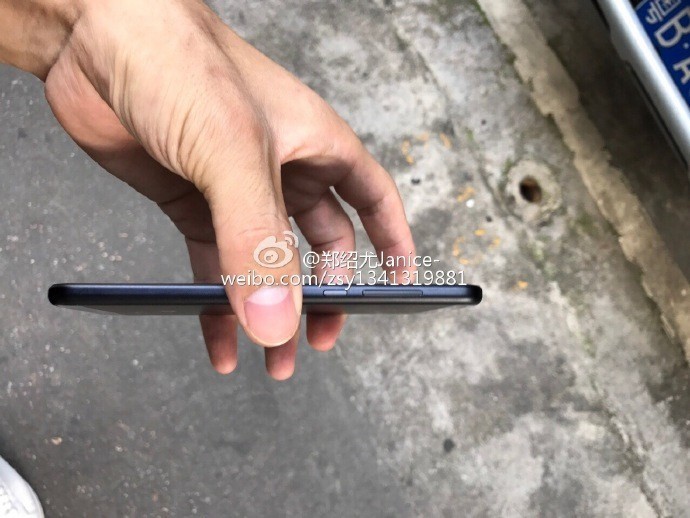
When it comes to design, the Mi 5c has been leaked in a few photos from Chinese social media site Weibo, which showthat while its not Xiaomi’s flagship device, it still looks very nice indeed. The phone looks to have a basic and simplistic design, and the leaked photos show that it comes in black — although we can most likely expect it in other colors, too. Check out the leaked photos for yourself below.



Edit, sign, append, and save with 9 of our favorite PDF editors
PDFs are popular among businesses and individuals attempting to go green and generally save on paper, as PDFs essentially cost nothing to produce and assure that documents will appear the same to anyone, anytime and anywhere. PDFs are also interactive, if desired, and can be partially or completely edited by peers. While often considered a resource hog, the PDF file format is popular because it’s ubiquitous and flexible.
More: These are the best ways to print a PDF in Windows 10, 8, and 7
As more people switch to using PDFs, the desire to edit and create them also grows. Having access to a reliable PDF editor and reader is as crucial as printers used to be, allowing users to edit text, make annotations, add images, and export files with relative ease.
However, like anything available online, the sheer volume of choices is confounding. We’ve taken the time to find the best PDF editors on the internet and locate the best paid — and free — programs. While most of these are compatible with just Windows, we’ll note when the program works with both Windows and MacOS.
The best premium PDF editors
It may seem silly to include premium PDF editors when there’s so much free software available at your fingertips. It’s a valid point, but freemium alternatives don’t boast useful tools like built-in merging, advanced annotation options, and an expanded font selection. The prices may seem steep at first glance, but the robust capability of the software clearly outweighs the cost if you’re an avid PDF user.
Foxit PhantomPDF 8 PDF Editor ($110+, $60 for Education version)

The Windows-only Foxit PhantomPDF 8 PDF Editor is a well-rounded tool combining easy paragraph editing, a built-in spell checker, and the ability to drag and drop photos to create albums all within a basic interface. It’s the most affordable premium offering in our roundup, but it still possess the tools to convert web pages to PDFs, generate PDFs from CAD files, work collaboratively with Foxit’s Connected Review feature, as well as access advanced options for tracking document changes and annotations using different colored text.
Moreover, the program touts the innate ability to merge multiple PDF files into one fluid document. Users can even right-click and create a new document directly from the resulting drop-down menu, rendering the task a breeze no matter your location within the interface. Foxit Phantom PDF Editor is a simple and intuitive standout — and one offering a 14-day free trial for those still hesitant to pull the trigger. PhantomPDF 8 is available in Standard, Business, and Education editions.
Available for: Windows
Buy it now from:
Foxit
Nitro Pro 10 ($160)

Whether intended for personal or business use, Nitro Pro 10 offers packages tailored for various workloads. The software’s flexibility is undeniable, allowing users to convert PDF files to Microsoft Word, Excel, or PowerPoint file formats — and vice versa — and providing a suite of editing tools for creating and editing scanned paper documents from your local printer. In addition, users can convert emails and their accompanying attachments directly to PDF, as well as preview and merge PDF documents into a single file.
When a PDF requires a digital signature, the software supplies tools for sharing and editing documents using any Web browser, even if the other party doesn’t possess Nitro Pro 10. The interface is straightforward and easy to navigate, much akin to Microsoft Office, and Nitro offers a two-week free trial for those looking to try out the program. It’s one of the pricier programs on our list at $160, but that’s fitting — it’s also one of the most complete.
Available for: Windows
Buy it now from:
Nitro
PDF Architect 4 ($60+)

German company pdfforge offers a unique purchasing option when it comes to PDF editing software. PDF Architect is a modular program that’s available as a free download, or as part of three separate packages (Standard, Pro, and Pro+OCR). Each package includes a set of modules for the program, which dictates the editing power of the program. These modules — which range from Edit and Convert to Sign & Secure — are available for individual purchase, too, just in case you only need a select number of editing tools and don’t want to break the bank.
Even the Pro+OCR package is available at a reasonable price, and the full suite of editing tools makes up one of the most complete, inclusive PDF editors out there. PDF Architect 4, the notable follow-up to pdfforge’s flagship product, PDF Creator, is tailored to fit the needs of any consumer, whether you need the power of optical character recognition or simply the ability to convert a PDF to HTML.
Available for: Windows
Buy it now from:
pdfforge
Nuance Power PDF 2.0 ($90+)

Nuance’s PDF editor is an outlier in many ways, albeit a phenomenal one. Its compatibility is outstanding, with document access available through various Cloud services such as Google Drive and SkyDrive, and the ability to create interactive PDFs in nearly any Windows application. The program also allows for voice-controlled note taking, side-by-side document comparisons, and advanced search functions for locating specified content such as phone numbers and email addresses within a document.
Power PDF 2.0 also offers real-time collaboration using multi-user editing, and users can easily convert PDFs to Word, Excel, PowerPoint, or Corel documents to help avoid any re-types. The latest version of Power PDF 2.0 uses a very Microsoft Office-like ribbon interface that is easy to navigate. Nuance also touts the ability to auto fill forms and add password protection to specified files, adding a level of privacy and security anyone can appreciate.
Power PDF comes in two versions, Standard and Advanced, with the latter adding in redaction, Bates stamping, and other features intended primarily for organizations.
Available for: Windows
Buy it now from:
Nuance
iSkysoft PDF Editor ($50+)

iSkysoft evens the playing field somewhat by providing a streamlined, feature-laden PDF editor for Mac users as well as Windows users. The standard MacOS version allows for simple conversion of PDF to Word, as well as basic editing tools that allow the user to treat any PDF as if it were, in fact, a word processor file. Users can annotate PDFs quickly, and edit the layout of the document by adding, removing, or flipping pages. Standard users can also fill out PDF forms from their computer, without any printing or scanning.
The real power of iSkysoft comes with the Pro package for MacOS and the Windows version. For a fairly reasonable price tag, users can password-protect PDF files, convert them to a number of different formats, and edit PDFs using OCR technology, thus ensuring greater accuracy. The Pro and Windows versions also allow users to add stamps and signatures, and OCR is supported in more than 20 languages. Note that the Windows version requires an additional add-on purchase for OCR support.
Available for: MacOS and Windows
Buy it now:
Windows Mac OS
Adobe Acrobat Pro DC ($15 per month)

We can’t leave out the company that introduced the PDF more than 20 years ago. Adobe’s Acrobat Pro DC is the industry standard for editing PDF files, effortlessly combining the hallmarks of other programs on our list in one, unified location. It’s also one of the few premium programs available for both Windows and MacOS, along with one of several on the market boasting dedicated mobile functionality and the ability to convert PDF files into multiple HTML pages in addition to the standard Word, Excel, and PowerPoint document.
The software instantly converts and saves scanned documents to PDF, and even possesses the ability to merge multiple documents, spreadsheets, web pages, and the like into a single PDF that’s easily shareable on multiple devices. Adobe additionally offers cloud-based storage and document access through acrobat.com, along with password protection and the ability to redact private information.
Available for: Windows and Mac OS X
Buy it now from:
Adobe
 AIVAnet