


New York sues Charter over slow internet speeds
There’s no question that many American internet providers fall short of expectations, but New York might just hold them accountable for making promises they don’t keep. In the wake of a probe that revealed terrible broadband speeds, the state has sued Charter over claims that the cable giant’s Spectrum badge (formerly Time Warner Cable) misled customers over the performance they’d get. Subscribers who paid for premium plans (100Mbps and beyond) from 2012 onward frequently got speeds up to 70 percent slower than advertised — so pokey that they didn’t even meet the performance of less expensive tiers. And if you believe investigators, this was very intentional.
The Attorney General’s office reports that executives were aware the cable network couldn’t reach promised speeds. They were aware of and even created bottlenecks at interconnection points, according to the complaints. Execs also “repeatedly” decided against upgrading either the network or users’ cable modems, even though Spectrum/Time Warner Cable was raking in “billions of dollars” in profits.
We’ve reached out to Charter for comment, but it already tells Reuters that it’s preparing to defend against the lawsuit and insists that it will “continue to invest” in its services. It’s not hard to see why the company would fight the case, regardless of its merits. New York reckons that the compensation for subscribers could run into the “hundreds of millions” of dollars, and it would likely demand that Charter upgrade its infrastructure to make sure customers get what they pay for. All told, it could easily spend billions — arguably an overdue investment, but an expensive one nonetheless.
Source: New York Attorney General
The latest Boston Dynamics robot will roll its way into your nightmares
Remember the movie Xanadu about a Greek muse that comes to earth and rollerskates into everyone’s heart? The leaked footage of Boston Dynamics’ two-wheeled robot Handle is sort of like that. Except replace the movie’s disco soundtrack with the screams of frightened humans.
The two-wheeled “Handle” robot was presented by Boston Dynamics’ founder Marc Raibert at a function attended by venture capitalist Steve Jurvetson who shot the video. During the event Railbert said that the rolling humanoid was built to carry items (hence the name Handle) and is an experiment in combining wheels with legs.

He also said it’s more efficient than and could be less expensive than the Atlas walking robot. Of course it would be limited to smooth surfaces.
The footage (which Boston Dynamics asked Jurvetson to blur but has since been mirrored by other accounts) shows the Handle spinning and leaping with ease on smooth surfaces. It’s incredibly impressive and it’s easy to see how helpful the rolling nightmare will be once it’s deployed in areas too dangerous for humans.
In the meantime, maybe if Boston Dynamics adds a sound system to the Handle with a funky bass line and horn section folks will be less likely to recoil in horror if the robot ever rolls up on Venice Beach.
Via: Gizmodo
Source: Steve Jurvetson
Playing Zelda in real life is a lot like doing grade-school homework
Anyone who grew up playing the Legend of Zelda series has found themselves daydreaming about adventures on the plains of Hyrule. What would it really be like to traverse the lands of Zelda’s kingdom, travel through time to solve puzzles and defeat an evil overlord with nothing but your own wit and bravery? It’s an exciting fantasy, but temper your expectations. If escape room designer SCRAP’s Defenders of the Triforce experience is any indication, the reality of a real-life Zelda adventure involves a lot of paperwork.
Defenders of the Triforce is an escape room game, but there’s no locked door and escaping isn’t the end game goal. Instead, SCRAP uses the real-life puzzle format to retell the story of The Legend of Zelda: Ocarina of Time in the space of one hour. The twist: The game’s heroes have already lost, and it’s up to your team to solve puzzles and break the seal on the Master Sword to defeat Ganondorf. It’s a solid idea and meshes well with the Legend of Zelda series’ history of puzzles — but you won’t be pushing blocks or lighting torches here. Instead, you’ll be doing math, deciphering glyphs and turning in worksheets to a cast of Zelda–themed taskmasters. It’s fun, but it’s not exactly the adventure you might have expected.

Arithmetic, word games and brain teasers are a key part of any escape room experience, but in Defenders of the Triforce, they take center stage. This is partially because SCRAP’s Zelda game breaks from the typical escape game in one major way: Instead of being a small, intimate experience hosting just half a dozen players, Defenders of the Triforce takes place in a ballroom where teams of six square off against dozens of other groups. This means most of the gameplay amounts to fetching puzzles from various places throughout the game experience and bringing them back to your group’s table to solve. One puzzle had my team decoding words from a series of brain teasers and then using a key to pull out individual letters to decipher our next instruction, which amounted to “turn in this worksheet to the Zora’s Domain station.” It works, but it feels a little sloppy. My team wound up wasting a lot of time waiting in lines to turn in homework.
Still, the game’s organizers put a lot of work into making that queuing experience fun. Each taskmaster was dressed as a Zelda character. There was a shy but polite Zora princess to guide us through the tasks of the water kingdom, a joyous dancing Goron to enthusiastically dole out puzzles and a giggling Kokiri elf to guard the Deku tree station. To get access to their areas, players had to abide by specific rules: Players can’t enter Zora’s domain unless they’re wearing the green hat of adult Link, for instance, and they can’t access the temple of time unless they have unlocked the chest containing the fabled Ocarina. Defenders of the Triforce may feel a little like grade-school homework, but the cast’s enthusiastic role-playing wraps the pen-and-paper puzzles in an air of excitement.

Defenders of the Triforce turned out to be a fun evening, but it wasn’t quite what our group expected. As we left the venue, my friend turned to me, slightly exasperated. “We had to do tedious paperwork. We were under the gun,” he said, noting the tension of the game’s 60-minute time limit. “I felt like I was at work!” If it was a day on the job, at least it was a good day. We left with smiles, joking about how if we had just figured out that one clue a little sooner, we would have triumphed over Ganondorf in the end. We didn’t. And that’s OK.
Images courtesy of Nintendo
Snap’s newest Lenses could make any surface a billboard
The next evolution of Snapchat’s Lenses could add more than just a flower crown to your selfies. According to a new report from The Information, Snap Inc. is working on a smarter version of its cartoonish filters and world lenses that could overlay images — and advertisements — onto a variety of real-world objects.
Snap introduced an early version of world lenses last year, allowing users to augment reality with falling snowflakes or floating Ghostbusters characters. But Snap Inc. has been spending millions to improve its AR features in the hopes that it will pay off big in advertising revenue later. According to The Information’s sources at Snap, the company’s upgraded system can identify objects and wrap them in an AR layer, essentially turning any surface into a billboard and adding new branding opportunities to every Snapchat story.
With Facebook and Instagram creeping in on Snapchat’s features and user base just before Snap Inc. is expected to go public, the company is looking for new products to offer advertisers, and branded filters have been a boon for the company in the past. While the new ad units have yet to roll out to advertisers, Snapchat is reportedly testing the features in an internal version of the app. Filter-obsessed users, meanwhile, should start seeing some of the advanced AR lenses pop up in unbranded versions before they arrive as full-fledged advertisements.
Source: The Information
Gel-based robot hand can grab and release fish
Most robot limbs aren’t exactly kind to the organic world given all that unforgiving metal, and even rubber-based soft robots aren’t very gentle. However, MIT has a better way. It recently built a hydrogel-based soft robot hand that’s bio-friendly while remaining tough enough to withstand heavy use. The trick was to use 3D printing and laser cutting to weave hydrogel “recipes” into robotic structures, and pump water into those structures to make them curl or stretch. The results are mostly water-based fingers that still have the strength, durability and speed of more conventional robots.
To prove that the breakthrough works, the team devised an unusual experiment: namely, catch-and-release fishing. The gel-based hand could quickly close around a fish without hurting it, and let it go just as easily. The underwater test also showed that a hydrogel robot takes on the visual and acoustic properties of its environment, helping it blend in where virtually any other bot would stand out.
Of course, the technology isn’t going to be limited to fishing expeditions. MIT envisions it being a tremendous help for surgical robots that could poke around in your body without the risk of damaging your organs and tissues. Researchers will still need to spend a lot of time refining and customizing their robotics to make that happen, but there could well be a time when robots can take over even the most delicate operations.
Via: TechCrunch
Source: MIT News
Oculus to pay $500 million after ZeniMax lawsuit ends
ZeniMax is triumphant in its lawsuit against Oculus over alleged technology theft… well, sort of. A Texas jury has determined that Oculus must pay $500 million to ZeniMax over claims that Palmer Luckey didn’t comply with a non-disclosure agreement he signed with the game publisher. However, what didn’t happen is more telling. The jury found that Oculus didn’t steal trade secrets from ZeniMax when it hired John Carmack. In other words, one of the cornerstones of the case didn’t hold up.
Neither side is going to be all that happy with the results. ZeniMax had been asking for $4 billion in compensation and damages — it’s only getting an eighth of that. Oculus, meanwhile, won’t be pleased at having to pay anything. It maintained its innocence from the start, and has long characterized the lawsuit as both a cash grab (to take advantage of all that Facebook money) and a sign of jealousy after losing a game industry legend like Carmack.
We’ve reached out to both companies and will let you know what (if anything) they intend to do next, although Oculus has already said that it plans to appeal. It’s safe to say that Facebook and Oculus aren’t about to change course on their virtual reality plans any time soon, and that ZeniMax isn’t about to drop its technology theft accusations.
Source: Polygon
Facebook shows no sign of stopping, now has 1.86 billion users
Facebook is under quite a bit of pressure of late. It’s trying to fix the rise of fake news and clickbait on its News Feed and, more recently, it’s had to deal with the Zenimax lawsuit against Oculus. But all of that hasn’t eaten into Facebook’s bottom line. As its Q4 2016 earnings report shows, the company once again raked in cash hand over fist, with $8.8 billion in revenue and $3.56 billion in profit. Its user growth also continues to climb, with 1.86 billion monthly users and 1.74 billion logging in on mobile. Mobile advertising made up 84 percent of its revenue last quarter.
Those numbers are pretty good when you look at daily users too. The company reports that 1.23 billion people use Facebook everyday, with 1.15 billion doing so from mobile devices. Still, the growth is only up 3.91 percent from last quarter, which is slightly slower than the 4.67 percent reported a few months ago. Also, while $8.8 billion is certainly a hefty amount, it’ll lose around $500 million due to the Zenimax lawsuit payout announced earlier today.
For the whole of 2016, Facebook made close to $27 billion, which is an increase of 57 percent from the previous year. Much of the growth can be attributed to expansions of Facebook properties like Instagram, WhatsApp and Facebook Messenger.
We’ll report more from the earnings call later today.
Developing…
Apple Developing ARM-Based Mac Chip to Handle Low-Power Functions Alongside Intel Processors
Apple is developing a new ARM-based chip for its Mac lineup that would “take on more of the functionality” handled by Intel processors, reports Bloomberg.
In development since last year, the chip, codenamed T310, is said to be similar to the chip used to power the Touch Bar in the new 2016 Macbook Pro. It’s built using ARM technology and will work with the standard Intel processor, handling “Power Nap” low-power mode functionality.
Apple engineers are planning to offload the Mac’s low-power mode, a feature marketed as “Power Nap,” to the next-generation ARM-based chip. This function allows Mac laptops to retrieve e-mails, install software updates, and synchronize calendar appointments with the display shut and not in use. The feature currently uses little battery life while run on the Intel chip, but the move to ARM would conserve even more power, according to one of the people.
Apple’s 2016 MacBook Pro uses an independent ARM-based chip called the T1 to power the Touch Bar, the Touch ID fingerprint sensor built into the Touch Bar, and the secure enclave that stores payment and biometric data.
According to Bloomberg’s report, the upcoming ARM-based chip will “go further,” connecting to storage and wireless components to take on additional power management capabilities.
Apple could begin using the new chip in an upgraded version of the MacBook Pro set to launch later this year, but it could be introduced as a quiet update with little fanfare as the chip that powers the Touch Bar was not promoted by Apple.
Despite Apple’s plans to offload some tasks to a new ARM chip, Apple is said to have no intention of abandoning Intel chips in its laptop and desktop computers.
Related Roundup: MacBook Pro
Tags: Intel, ARM, bloomberg.com
Buyer’s Guide: MacBook Pro (Buy Now)
Discuss this article in our forums
Review: Olloclip’s Lens Sets Add Versatility to iPhone 7’s Camera
Olloclip has been making lenses for the iPhone since 2011, expanding the range of tools at an iPhone photographer’s fingertips. For the iPhone 7 and the iPhone 7 Plus, Olloclip has redesigned its product lineup, offering the same lenses in a new package that better fits the latest iPhones and provides more utility, like a stand.
I’ve been using Olloclip to spice up my iPhone photographs since the iPhone 5, so I was eager to try out Olloclip’s latest products with the iPhone 7 Plus, which has two rear cameras instead of one.
Olloclip sent me its Core Lens Set, priced at $100, its Macro Pro Lens Set, priced at $80, and its Active Lens Set, priced at $120.
The Core Lens Set features a fisheye lens, a 120 degree wide-angle lens, and a 15x macro lens, while the Macro Pro Lens Set includes three macro magnifications at 7x, 14x, and 21x. The Active Lens Set, Olloclip’s most expensive, offers a 2x telephoto lens and a 155 degree ultra-wide lens.
All of the lenses are compatible with both the rear and front-facing cameras of the iPhone 7 and the iPhone 7 Plus, snapping right on for quick access. Each one is interchangeable, so if you own multiple lens sets, you can create your favorite combination to have on-hand at all times.
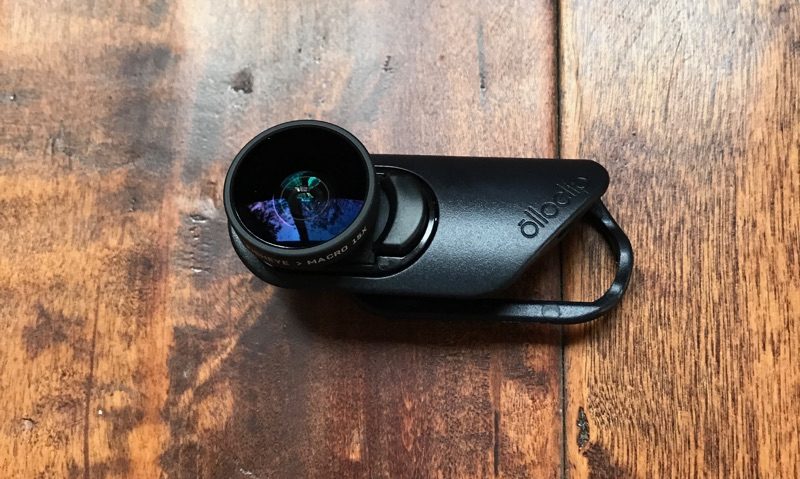
Olloclip also sent me its Pivot Mobile Video Grip, which can be used to capture steady video while filming with the lenses attached.
Lens Design
All of the Olloclip lenses share the same two-sided design. The lenses fit into opposite sides of a black plastic enclosure that’s meant to slide over the top of the iPhone. The enclosure is sized so one lens can fit over the front-facing camera and one lens can fit over the rear-facing camera, with the ability to pop it off and flip it over at will, so you can change lenses in just a few seconds.

Each lens is attached to a base with springs to fit snugly into the lens enclosure. With the springs, lenses can be swapped out, a handy feature if you’re going to buy more than one Olloclip lens set.
On the iPhone 7 Plus, the spring can also be used to pop the lens out and swap its orientation, which allows it to line up properly with the telephoto lens on the back of the iPhone. This means all of the lenses can be paired with the standard wide-angle lens or the telephoto lens on the device, but based on my experience, you’re going to want to use these mainly with the wide-angle lens, which I’ll explain a bit later.

Olloclip’s lenses do not work with third-party cases, so I had to remove my case every time I wanted to use it, something that’s definitely a hassle. I don’t use a screen protector, but if you do, it should work fine with the Olloclip so long as it isn’t thicker than 0.5mm. Olloclip does make its own cases that work with the lenses if you prefer to have a case on at all times.
The Macro Pro, Core, and Active Lens Sets are all made primarily from a lightweight black plastic, which unfortunately doesn’t quite match well with the Rose Gold, Silver, Gold iPhones, but pairs well with Jet Black and matte Black versions.

The plastic is nothing special and can even feel a bit cheap given the price of each lens set, but the lenses themselves are made from glass with a metal housing. The lenses are heavy and feel like a quality product, even if the plastic enclosure doesn’t.
Since they’re made of glass, they are breakable. If you drop them, they’ll crack, as I learned accidentally during this review. It’s best to be careful with them and put the caps on when they aren’t in use to keep them safe in case of a drop.

With the weight of the lenses, the plastic build helps keep the accessory at a lighter weight, and with the extra slide-in stand, the lens sets are portable and easy to carry with an included carabiner.
 The clip that holds the lenses when not in use double as a stand
It’s simple enough to snap the lenses on and off, but it’s still going to take a few seconds to get everything situated and lined up, so if you don’t want to miss a shot, the Olloclip will need to be on your phone most of the time. The lenses are bulky, look a little odd on the iPhone, and make it hard to fit your phone in your pocket, but they don’t get in the way of standard operation.
Core Lens Set Pictures
The wide-angle lens is perhaps the most useful lens in the Core Lens Set, capturing a 120 degree field of view that’s excellent for landscape shots and, attached to the front-facing camera, group selfies.

With the wide-angle lens paired with the standard lens in the iPhone 7 Plus, picture quality is excellent, but there is definite distortion at the edges of the images. This is most noticeable in an image where there are vertical or horizontal lines (like walls) at the edges of an image.

At the opposite side of the wide-angle lens, there’s a fisheye lens and a 15x macro lens, accessible when you detach the fisheye lens from the Core Lens Set. Both of these lenses are self-explanatory — one’s a standard fisheye with fisheye distortion and the other lets you take ultra close shots of objects.

Both the wide-angle and the fisheye lens pair well with the front-facing camera too, giving you a wider field of view for selfies, but the macro lens is only for the rear-facing camera.
Macro Lens Set Pictures
The Macro Lens Set has a 21x lens on one side and a 14x lens on the other side, which can be unscrewed to reveal a 7x lens, giving you several different magnifications to work with. The Macro Lens Set is really only suitable for the rear-facing camera unless you want a super close up picture of your pores.
I’ve always been satisfied with the performance of Olloclip’s macro lenses, and the Macro Lens Set is no exception. It can take some work getting the right distance, lighting and focus, but when everything aligns, the shots come out crisp and clear. The macro lenses come with hoods, which can be used to get the ideal distance for a solid shot. As with all Olloclip lenses, these work best in good lighting.
 7x magnification on left, 14x in middle, 21x on right
I don’t want to downplay the effort that needs to go into the Macro Lens Set — this is a lens that takes practice and effort to use effectively, though you can occasionally whip it out and get a lucky shot. It’s the most niche of Olloclip’s lenses, and may not appeal to everyone.
Active Lens Set Pictures
The 2x telephoto lens of the Active Lens Set is the largest, heaviest, and most expensive of Olloclip’s lenses. It adds noticeable weight and bulk to the iPhone and makes it harder to hold, so be careful using this one.
 Regular lens on left, telephoto lens on right
The lens offers a 2x optical zoom, which brings optical zoom to the iPhone 7 or 4x optical zoom (in the right conditions) to the iPhone 7 Plus.
 Hummingbird nest photo taken with 2x telephoto lens paired with iPhone’s telephoto lens (cropped).
The wide-angle lens is wider than the lens that comes with the Core Lens Set at 155 degrees instead of 120 degrees. That means there’s noticeable distortion in every shot, but it makes for some interesting photos.
 Regular lens on left, wide-angle on right
While the wide-angle lens works well with the front-facing camera, it’s less useful with the telephoto, but you can get some nicer-looking close-up selfies using the longer lens.
Using Olloclip Attachment with the iPhone 7 Plus Telephoto Lens
You can use the Olloclip lenses with the iPhone 7 Plus’s 56mm telephoto lens, but it’s often not worth the hassle. With Apple’s default Camera app, the “2x” mode doesn’t always activate the telephoto lens, depending on the lighting conditions.
For that reason, there’s no guarantee you’re going to get the 56mm lens when hitting “2x” mode in the Camera app, so you need to use a third-party camera app (I used Manual) to take photos with the Olloclip lenses and the telephoto lens.
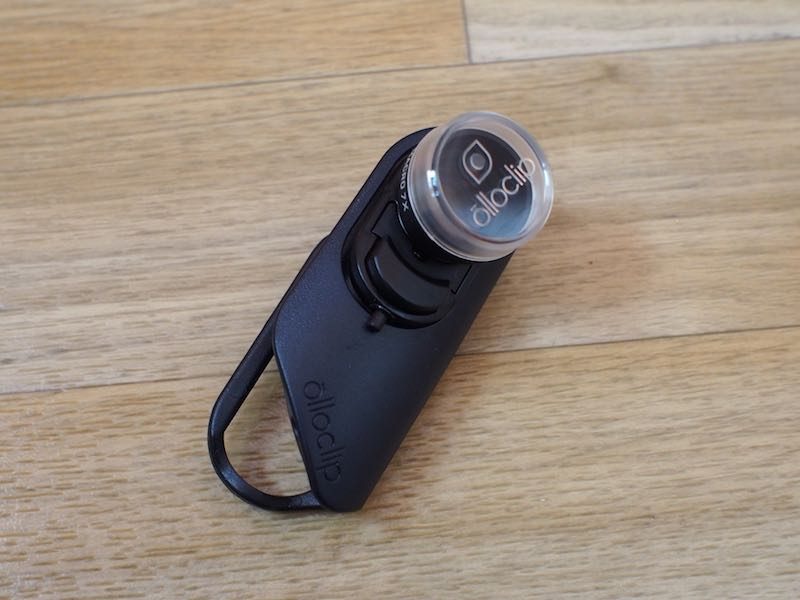 Spring for swapping lenses around on iPhone 7 Plus
The problem with Apple’s telephoto lens is that it doesn’t let in as much light, so it doesn’t really work well unless you’re in bright lighting conditions. Photos indoors often don’t come out well and end up much too dark and with too much noise.
That said, the telephoto lens can pair nicely with an Olloclip macro lens or the Olloclip telephoto lens, which gives you 4x optical zoom. It’s not really useful for any of the wide-angle lenses or the fisheye, because it defeats the purpose of using one of those lenses.
Actually flipping the lenses around to use them with the telephoto lens is fairly easy, but it’s still takes time and the result is not always worth the effort.
The Pivot Grip
Priced at $50, Olloclip’s Pivot is meant to be used with the Olloclip lenses while capturing video to keep the iPhone steady. The Pivot is made of plastic and it’s not the highest quality product (the clamp squeaks!), but it works well.

An expandable clamp adjusts to fit any size iPhone, and as the name suggests, there’s a button on the side that adjusts the angle of the accessory (there’s 225 degrees of articulation) so the iPhone can be positioned in landscape or portrait mode. A cold shoe mount is included if you want to attach accessories like a light or a microphone, and the handle is a good size and shape that’s comfortable to hold.
I was able to use the Pivot to capture good quality, shake-free video, and it seems like a decent enough option for the price, but I wasn’t a huge fan of the build quality.

The Pivot is definitely better (and less cramp inducing) than holding the iPhone by itself to take video, but it doesn’t measure up to more expensive gimbal-based options. At $50, I think it’s a little expensive for what you’re getting, so I’d pass on this unless there’s a sale.
Bottom Line
I’ve used Olloclip lenses for years, and this is the first time that I’m hesitating to recommend some of Olloclip lens sets, especially for the iPhone 7 Plus. At $99.99, the Core Lens Set is pricer than other multi-lens sets from Olloclip, and at $80 and $120, the Macro and Active sets are also more expensive.
At those price points you’re getting a stand and a new Connect system for quickly swapping lenses, but that doesn’t seem to justify the price increase.
With the Core Lens Set in particular, there’s only one macro option instead of the two that have been included on past standard sets, and the fisheye and macro lenses are more of a novelty than a utility. The wide-angle lens will get you some great shots you can’t get otherwise, but at $100, I’m not sure one wide-angle lens and two situational lenses are worth it.
If you have an iPhone 7 Plus, the Active Lens Set isn’t a great purchase because you have a built-in telephoto option, but on the iPhone 7, it can add optical zoom to put Apple’s smaller iPhone on par with the larger model.

I’ve always felt that Olloclip’s wide-angle and telephoto combo is one of the most useful lens sets because it can be used in almost any situation, and my opinion hasn’t changed on that point. For $120, you’re adding a lot of versatility to your iPhone’s camera without a fisheye or macro gimmick. It’s the best choice for an iPhone 7.
The Macro Pro Set is more of a niche lens for those who want to take macro shots of flowers, bugs, and other small objects. I always have fun with macro lenses, but they’re not something I use on a day-to-day basis and I have a hard time recommending them to the average user for $80. If you love macro photography though, this is the set to get.
All of Olloclip’s lenses suffes from the standard Olloclip drawbacks — they don’t work with the flash and they can’t be used with standard cases. There’s a slight drop in image quality compared to the standard iPhone camera, which is more noticeable in indoor/dim lighting. In my experience, the lenses also didn’t work well with the telephoto lens in the iPhone 7 Plus.
If Olloclip’s lenses were just a bit more affordable this year, I wouldn’t hesitate to say go for it, but at this price point, I think potential buyers should carefully evaluate what each lens set is capable of.
That said, if the iPhone 7 or iPhone 7 Plus is your main camera and you want to add more versatility to the kinds of things you can capture, Olloclip has a lot of lenses that can meet your needs and lens quality is solid for the price.
How to Buy
Olloclip’s Core Lens Set can be purchased from the Olloclip website for $99.99. The Active Lens Set is available for $119.99, and the Macro Pro Lens Set is available for $79.99.
Olloclip provided MacRumors with a Core Lens Set, a Macro Pro Lens Set, an Active Lens Set, and a Pivot Grip for the purposes of this review. No other compensation was received.
Tag: olloclip
Discuss this article in our forums

