


YouTube in 2016 was all about viral challenges
Like clockwork, the 2016 edition of YouTube’s annual Rewind retrospective video is here to sweep us back through all the whimsy and virality that made its way across the streaming site in the past year. For 2016, YouTube lined up an impressive roster of over 200 creators and artists like Hannah Hart, Casey Niestat, the Slow Mo Guys, Unbox Therapy and (of course) James Corden’s Carpool Karaoke team to recreate the most popular videos, memes and songs from the past year, including the bottle flip heard round the world. The whole package is wrapped up in a new mashup by The Hood Internet and remixed by Major Lazer, but first: the Rock and his infamous fanny pack get to do the intro.
All told, the top 10 videos on YouTube this year had a collective 550 million views for a combined 25 million hours of time spent watching. Adele’s Carpool Karaoke naturally topped the list with nearly 136 million views alone, followed by latecomer Pen-Pineapple-Apple-Pen with 95 million and homegrown curiosity channel What’s Inside? with nearly 60 million views on its “What’s Inside a Rattlesnake Rattle?” video.
Also new this year: YouTube filmed a couple of the Rewind 2016 scenes in 360 video as a dizzying Easter Egg for the superfans.
Source: YouTube Blog
Apple’s AI Team Working on LiDAR, Smaller Neural Networks, Image Processing and More
At an exclusive invitation-only lunch at an AI conference in Barcelona, Spain that took place on December 6, Apple head of machine learning Russ Salakhutdinov and other Apple employees talked about their work on artificial intelligence.
Quartz has obtained some of the slides that Salakhutdinov used during the presentation, giving us a glimpse at the advancements Apple is making in AI and machine learning.
Based on one of the slides, topics at the lunch were wide-ranging, including health and vital signs, volumetric detection of LiDAR, prediction with structured outputs, image processing and colorization, intelligent assistant and language modeling, and activity recognition.
One of the slides, related to Apple’s LiDAR work, featured a picture of two cars, but Apple engineers did not mention cars or any automotive research, such as self-driving vehicles. Another slide focused on Apple’s image recognition algorithms, which are able to process 3,000 images per second, twice as fast as Google’s capabilities. Apple’s work on smaller neural networks that can run directly on devices was also covered.
Another slide focused on Apple’s ability to build neural networks that are 4.5 times smaller than the originals with no loss in accuracy, and twice the speed. The technique, not unknown in AI research, uses a larger, more robust neural network to teach another network the decisions it would make in a variety of situations. The “student” network then has a streamlined version of the “teacher” network’s knowledge. In essence, it predicts the larger network’s predictions about a given photo or audio sample.
The discussion also covered some of Apple’s research focus areas:
– Deep generative models
– Model compression
– Holistic scene understanding
– Model reliability
– Deep reinforcement learning
– Unsupervised learning, transfer learning, one-shot learning
– Reasoning, attention & memory
– Efficient training on distributed computing
Going forward, Apple plans to allow its AI and machine learning researchers to start publishing papers, marking its willingness to contribute to the research community. Apple has always been notoriously secretive, but allowing researchers to publish could attract top talent that would not otherwise want to join the company.
A full rundown of the slides from Apple’s presentation can be seen over at Quartz.
Discuss this article in our forums
Apple Negotiating to Offer Rentals for Movies Still in Theaters, but at a Price
Apple wants to bring new movies to iTunes more quickly, and is in talks with several film studios over rights that would allow it earlier access to content, reports Bloomberg.
Warner Bros, Universal Pictures, and 21st Century Fox are all seeking deals to offer higher-priced rentals of new movies as soon as two weeks after they debut in theaters, and the studios are said to be considering an offer from Apple.
Like Apple Music exclusives, access to earlier releases could draw more people to Apple’s platform, but encryption is said to be a concern. Studios aren’t sure whether iTunes will be a secure platform for showing movies that are still in theaters, because content can be recorded and leaked online.
The most recent talks are part of longer-running efforts by Cupertino, California-based Apple to get new movies sooner, two of the people said. Such an arrangement could help iTunes stand out in a crowded online market for movies, TV shows and music. While the iTunes store helped Apple build a dominant role in music retailing, the company hasn’t carved out a similar role in music and video streaming.
Most major movies that debut in theaters are not available on iTunes and other streaming platforms for a period of 90 days, but film companies are said to be looking to expand beyond theaters to find new revenue streams.
At least one option studios are considering involves a $25 to $50 fee for a new rental, which is potentially more affordable than a movie theater ticket depending on how many people are watching a film.
No deal has been established as of yet, and it’s possible the film studios could decide to offer the rights to a competing company.
Related Roundups: Apple TV, tvOS 10
Tags: iTunes, bloomberg.com
Buyer’s Guide: Apple TV (Caution)
Discuss this article in our forums
Grate Shopping Guide left me hungry (Review)

Overview:
Grate is a shopping assistant app where you can scan product barcodes and have reviews and information shown to you along with Amazon reviews.
Developer: Botond Kopacz
Cost: Free
Impressions:
Grate Shopping Guide is advertised as a handy shopping guide for you to use while food shopping. Simply scan the product barcode and up will pop a collection of reviews from users and Amazon about the product, letting you know how it is and if you should buy it. A handy app to have, especially if you may be shopping for something unfamiliar, so Grate is worth the download, right? I’d have to say definitely not right now.
My experience with Grate has been frustrating, to say the least, with the app crashing consistently and most of the features not working properly. The barcode scan works well, when it doesn’t force close the app, and brings up the correct item that I was scanning, but that’s about it. The settings don’t seem to open, and the other features like search also don’t work. Essentially, in it’s current state, the app is simply a barcode reader.
1 of 4


Grate is supposed to bring up both user reviews and, if applicable, Amazon reviews of the product you scan but neither come up. I suppose that part of the issue with that is that the user reviews are reliant on people actually using the app and reviewing the products. The Amazon reviews, on the other hand, just don’t show. I’ve checked the food I’ve scanned and all of them have reviews available on Amazon, so it must be an app-side issue.
Functionality-wise, Grate isn’t great either. The app consistently crashes after scanning, and won’t work until you close it completely and restart it. I get a few good scans before it fails each time. Nothing else in the app seems to work at all, settings and the individual tabs don’t work at all, just bringing me back to a blank screen. The only things that work are the sharing and review tabs for the app itself. Also, the camera interface isn’t fantastic as it lacks any focus or zoom features to help you get the barcode in frame better. I will say that the app can quickly decipher even poorly framed barcodes, or upside down ones as well, it took only a second or two to get the product page up. Overall, the app is just kind of broken.
I do have some positive things to say about Grate, however. Visuals in the app are nice, with material design and a nice, clean look. Also, the app is quick and responsive when I got it to actually work. There are also no ads to be seen, which is excellent for a free app. I do wish Grate offered a “shopping list” feature where you can save the items you scanned in a list, or make a list of products and let you search for them in the app’s review section.
Conclusion:
Conceptually, I like the idea of what Grate offers. It could potentially be pretty useful for people concerned about the products they buy, and could also be a handy shopping list app that also provides handy information about the goods on your list. Unfortunately it just doesn’t work much at all right now, and should be avoided until the developer has had a chance to address the issues in the app and make it functional again.
Download Grate Shopping Guide from the Google Play Store
LG G6: What to expect from LG’s next flagship

LG has a lot at stake with the G6. What do they need to do to succeed?
It’s safe to say that LG didn’t take the world by storm with the G5 this year. The phone had a lot of things going for it, but the Korean company, whose mobile division has been in Samsung’s shadow for the past half decade, emphasized its modular ambitions a bit too much without supporting it with actual accessories worth buying.
Judging by the nearly-$400 million loss this past quarter, mainly caused by an underperforming mobile division, LG’s shareholders and management were likely as unhappy as its loyal consumers. The company’s most recent high-end phone, the oversized LG V20, is far less mainstream than the G5, but gets a lot more right, too. Unfortunately, the V20 is also available in only a handful of markets, and nowhere outside North America, leading to the impression for many that LG only released one phone this year, and a not very good one. (Samsung has the same problem, but at least the Galaxy S7 and S7 edge are fundamentally great products.)
Now that we’re getting on to 2017 at a fast clip (whoa, it’s December already!), let’s look ahead to LG’s next flagship, tentatively titled the G6. We’re fairly certain about a few things at this point, but let’s talk about what the G6 needs to be successful.
Forget about modularity

This one is a given. LG found no success with the G5’s so-called Friends, especially those that relied on attaching itself to the removable battery. Motorola’s Moto Mods proved itself to be a much more elegant solution, and as we’re learned Lenovo is committed to at least four Mods per quarter, a strategy that LG all but abandoned right after the G5’s release. It’s almost like the company’s heart wasn’t really in it (if corporations had hearts).
At the same time, modularity as a rule isn’t a bad idea, and LG could adapt the Friends strategy to focus on building an ecosystem of high-quality accessories for the G6 that go beyond the average rollout of battery cases, headphones and other knick knacks.
Move on from the removable battery

I know, this one will be controversial for loyal fans of The Removable Battery, but hear me out: it’s far easier, and often faster, to charge a larger internal battery with a wall plug, wireless charger or battery pack, than having to purchase a second battery and a separate proprietary charger and lug it around. Sure, there is safety in knowing that you can replace an aging cell, and quickly replace it should its charge fully deplete, but there are reasons companies have moved to internal batteries: they can be made larger in the same cavity, and the phone itself can be better sealed, both for structural integrity and water ingress.
According to the [latest rumors](https://www.slashgear.com/lg-g6-rumors-waterproof-wireless-charging-non-modular-06466420/, the G6 will be waterproof, which would likely require a sealed-in battery, and may support wireless charging, bringing it more in line with what we expect from a flagship — and what we’ve seen from Samsung in 2016.
Double down on dual cameras

Cameras are increasingly becoming the backbone of a smartphone. Indeed, it’s not uncommon to see people refer to these devices as cameraphones.
The LG G5, for all of its faults, has an unimpeachable camera setup, with an excellent wide shooter and a fun ultrawide lens that takes amazing landscape photos. Dual-camera setups are becoming increasingly common in the industry, but LG’s take is still relatively unique. There are many reasons why it would double down on this trend, improving the sensors and glass on both cameras and finding ways in software to make them work better together. Less gimmick, more substantive improvement.
Stop kowtowing to carriers

The LG G5 and V20 are some of the worst carrier bloatware culprits in the U.S. LG seems increasingly willing to load up its devices with Asus levels of preloaded apps, carrier utilities and frustrating, difficult-to-remove notifications, all at the expense of the user experience. Sure, this nets them some much-needed capital, but it erodes consumer faith in the brand at a time where that is sorely needed.
Lower prices

Here’s something we don’t often discuss: the $700 market is full. Samsung and Apple have largely wrested it from every other manufacturer, and there just isn’t room for the LGs and HTCs to price their flagships at these levels. If LG wants success with its next flagship, it needs to think about using price as a maneuver. It would cut into the bottom line in the short-term, but there would be plenty of potential to make it up with volume.
What do you think?
The LG G6 is only a few months away from its debut, and the company has a lot at stake. What do you think it needs to do to eke a win from a fickle and saturated Android market? Let us know in the comments!
LG G5
- LG G5 review
- LG 360 CAM review
- LG G5 complete specs
- LG’s G5 Friends modules are a neat idea, but they won’t matter
- LG G5 Hi-Fi Plus w/ B&O
- Join the LG G5 discussion
AT&T
Unlocked
Sprint
T-Mobile
Touch Circle is an awesome twist on the boring live wallpaper
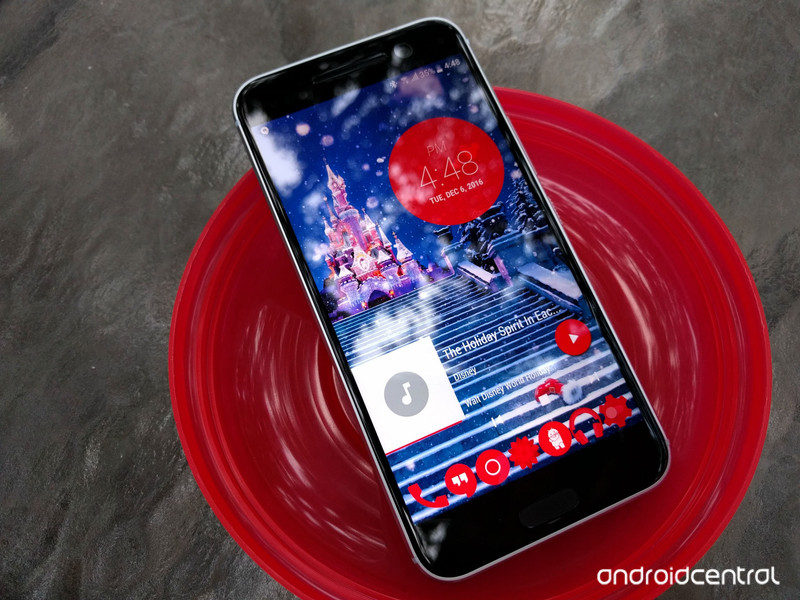
Live wallpapers have languished in recent years.
It’s a shame, too, because there is so much potential for beautiful and useful wallpapers rather than a boring static image. Google’s Wallpapers app utilizes a live wallpaper… but only to change out static images every day. Well, there are some developers who are looking to bring back the live wallpaper, and if they all start off as well as Touch Circle, this themer hopes to be swimming in them by summer.
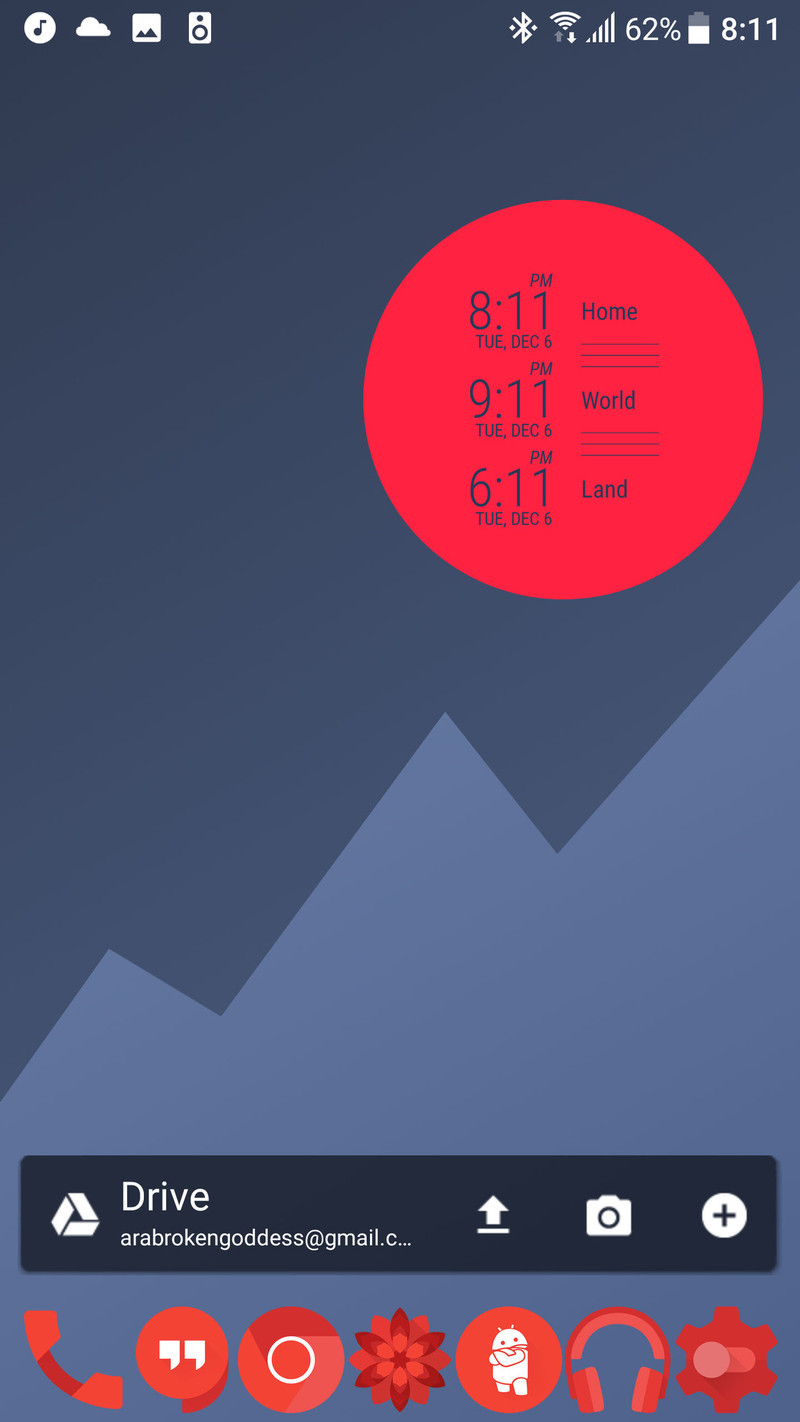
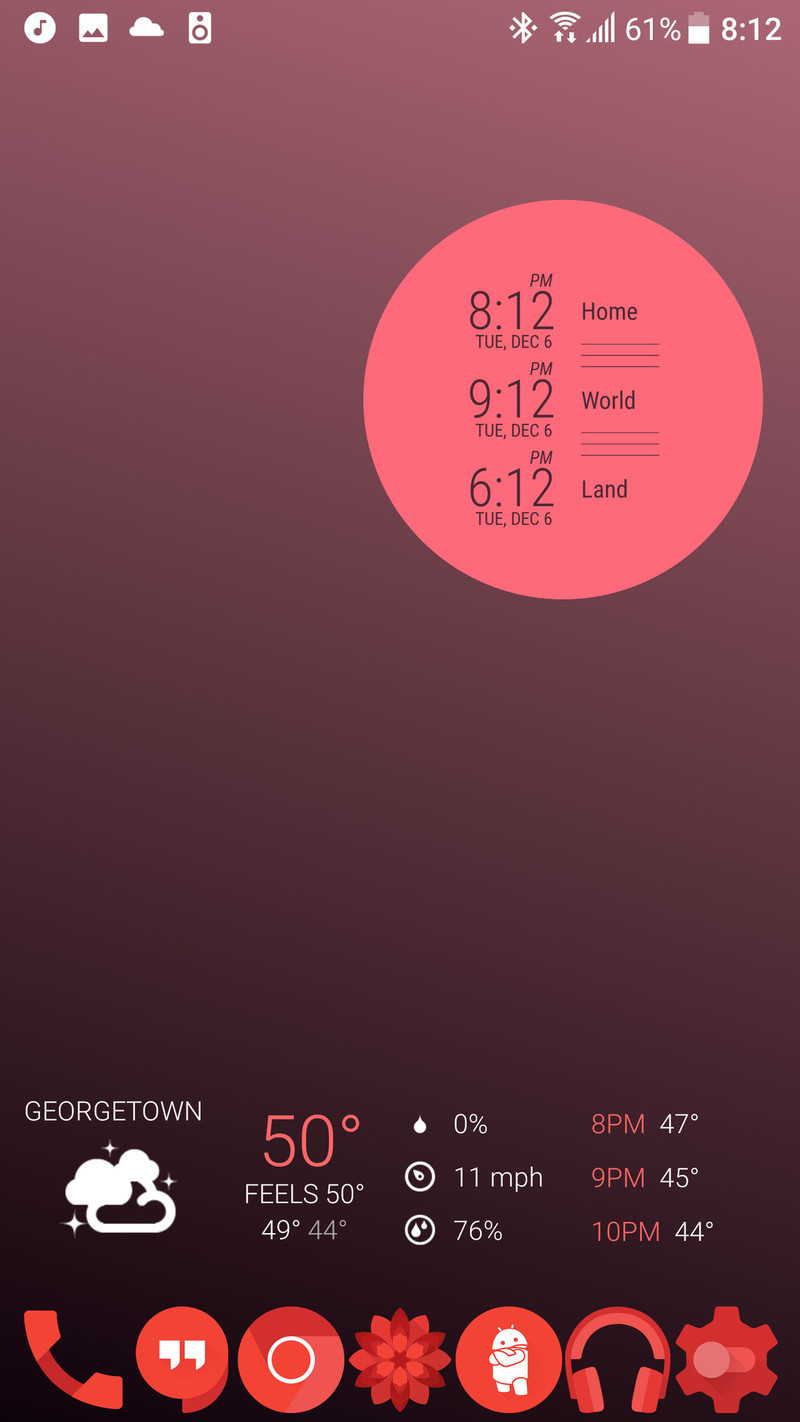
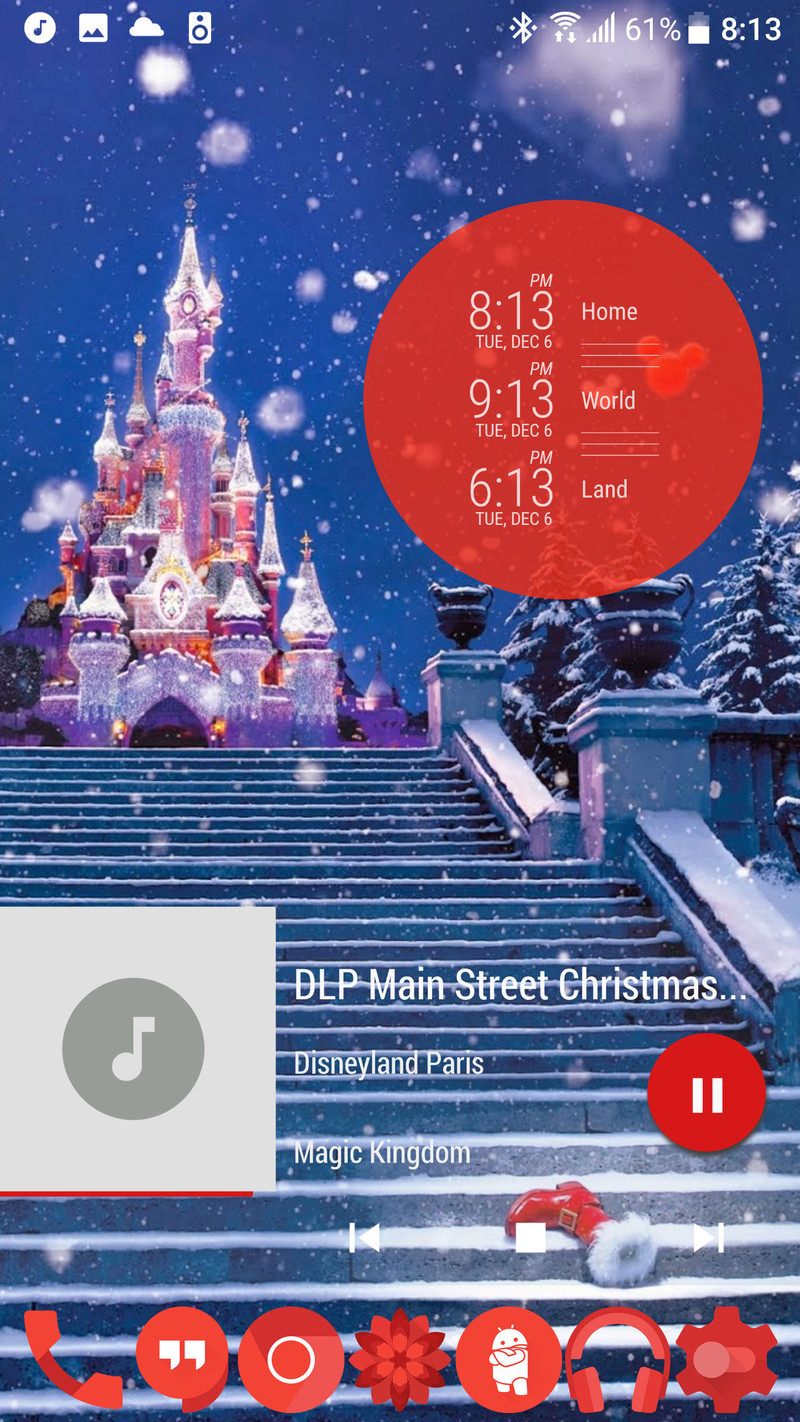
Touch Circle is a live wallpaper with a simple premise: it puts helpful content inside a circle on your wallpaper that you can cycle through and activate with gestures and taps. The free wallpaper puts a material mountain behind your Touch Circle in your choice of colors, but if you pay for the Pro version you can instead opt for a soothing gradient or put your own image behind the Touch Circle.
The content in that Touch Circle is somewhat limited right now, but offers some basic functionality and a lot of shortcuts, as you can launch a different app for each content slide. You can cycle through the following on your Touch Circle:
- Time: This shows the time, date, and the next set alarm, if you have one.
- Time Zones (Pro): Show times for up to four time zones with the ability to pick personal labels for each zone.
- Next calendar event: next single calendar event.
- 3 calendar events (Pro): show the next three events on your calendar in a timeline format.
- Motto: Display a custom phrase. You can also use this to leave yourself a reminder, such as ‘STOP DRINKING SODA AND GET UP!’
- Day countdown (Pro): Count down to a future date. 12 days to Christmas, 12 days to Christmas, plenty of time to do your Christmas shopping!
- Symbol: pick your favorite symbol to display. This is useful to leave up when you might not want others to see other content in your cycle like calendar info or a reminder in Motto.
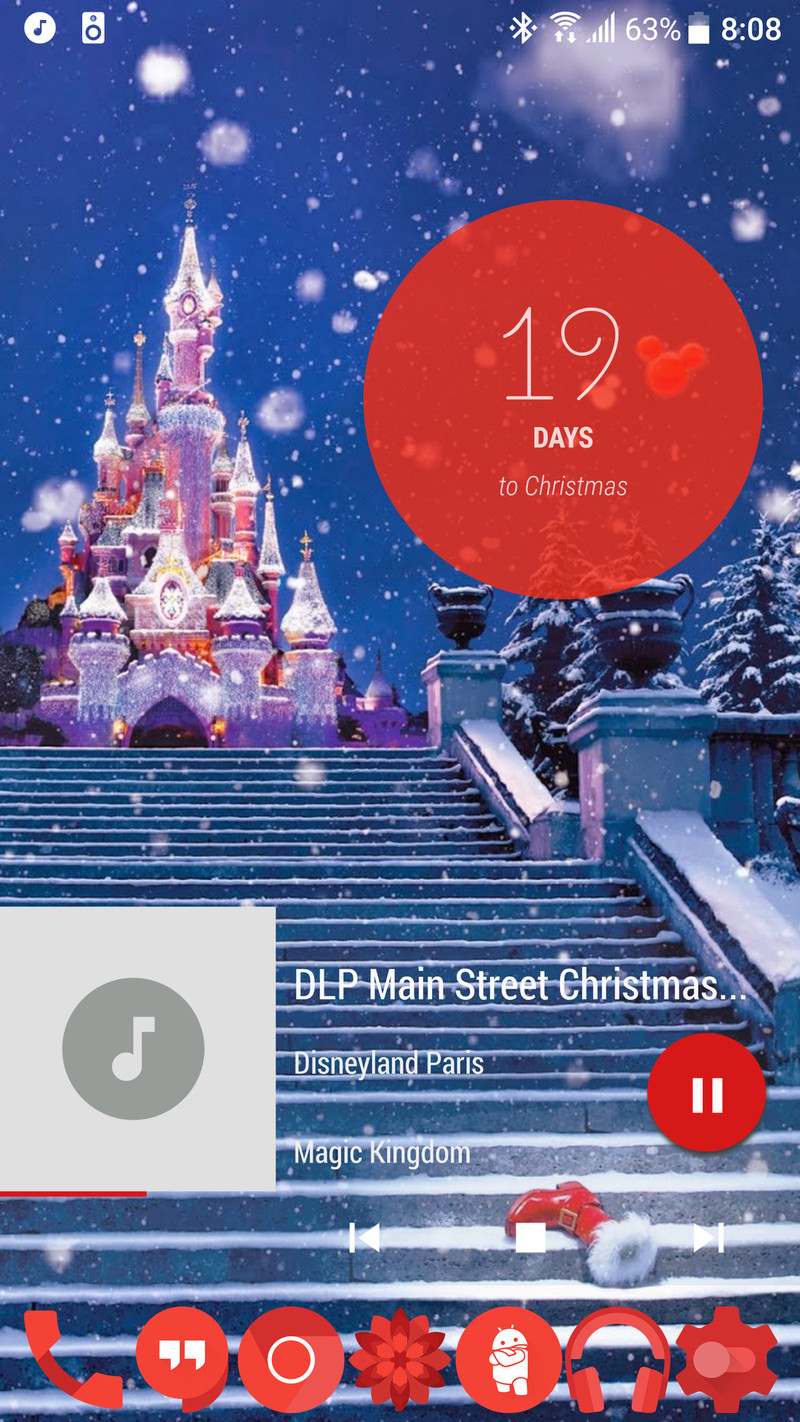
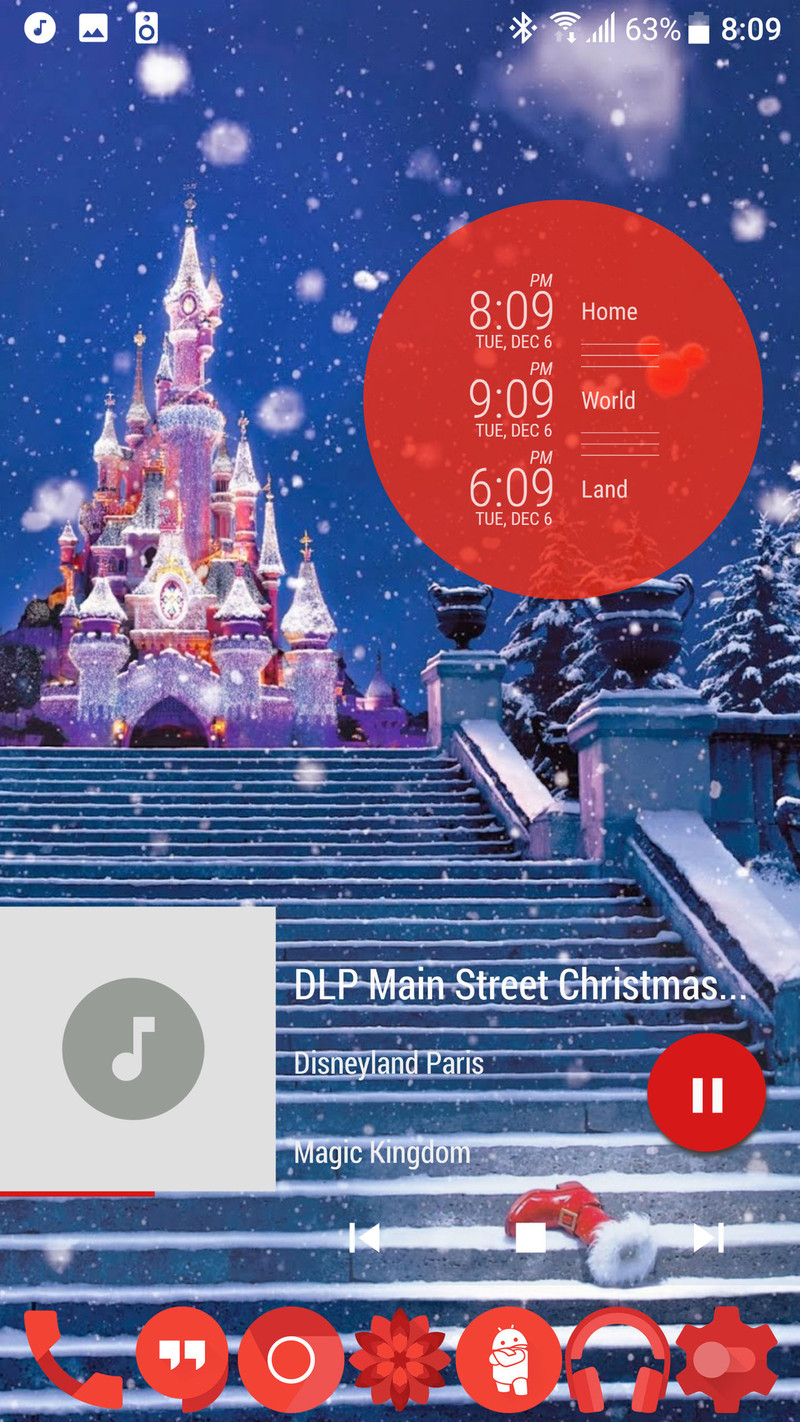
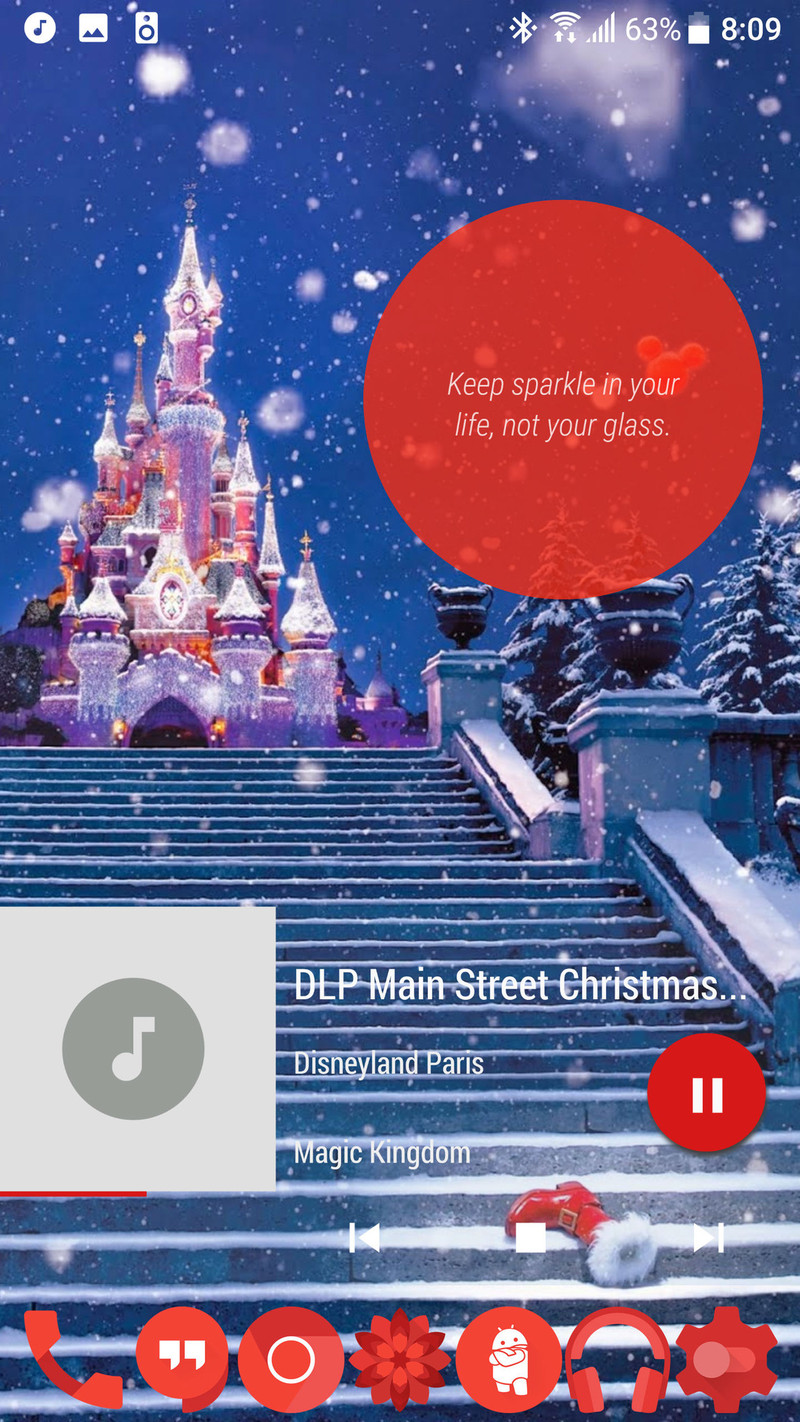
I kept four of these content slides enabled, and while it would be nice to re-order then at some point, it was easy to find the slide I wanted to look at and easy to trigger the app attached to it. If you’re a heavy gesture user on your launcher like I am, you might have to play around to get the gestures to play nice between the two apps, but once you do, Touch Circle is quite quick to respond to the gestures.
Touch Circle can seem like a glorified widget in live wallpaper form, but it’s a widget that works and can easily replace three or four other widgets on your screen. It’s an app that’s still in its infancy, but one that I’m interested in seeing grow. The base app is free, but the dollar upgrade for Pro can easily justify for the extra content.
Touch Circle (Free, $0.99)
We’re also giving out 50 Touch Circle Pro codes [in our forums!]((http://forums.androidcentral.com/wallpapers-ringtones-themes/752148-touch-circle-live-wallpaper-contest.html#post5596236)
We want your favorite Android gadget photos!

Share your photos and get featured!
We love taking photos of our stuff — in fact, we do it all the time. We especially love taking photos of all of our gadgets, from phones to tablets to our workstations where all of it takes place.
But we’re tired of looking at our own stuff, and we’d rather look at yours. So we want you to share your favorite Android-related gadget photos with us on Instagram with the hashtag #androidshare. We’re really excited to see what everyone comes up with!
What’s the point? You could be featured on our Instagram page (and get some rad new followers)!
Even Star-lord uses an Android phone! 📷: @russellholly Want your photo featured on our Instagram? Post your favorite Android gadget and tag #androidshare!
A photo posted by Android Central (@androidcentral) on Dec 7, 2016 at 8:28am PST
Hope to see some of your great photos soon! #androidshare
Grab this car charger with two Quick Charge 3.0 ports for just $12
Right now you can pick up a car charger with two Quick Charge 3.0 ports for just $12 at Amazon with coupon code SYLBG7TG. This $5 savings will help you prepare for the future and ensure that you get the fastest charge possible, whether you have five minutes in the car or five hours. As an added bonus, the charger comes with a Micro-USB and USB-C cable, but you can also use any cable that you already have with it.

Remember, you’ll need coupon code SYLBG7TG for the full savings here. Be sure to act quickly though, as we don’t know how long this deal will last!
See at Amazon
Mylingo offers real-time Spanish translation in movie theaters
A new app called Mylingo lets Spanish-speaking moviegoers listen to audio dubs in real time, using their own smartphone and headphones. According to the developer, users can download the studio-recorded Spanish tracks directly to their device, where they’ll be able to sync them perfectly with the action from the screen. The application, which is only available for iOS right now, uses the microphone on your phone to capture the data once the movie starts, and then deletes the audio file for good after it’s over.
Naturally, in order to be able to do that, Mylingo had to partner with major studios and movie theaters, such as Disney, Paramount, Sony, Regal Entertainment Group and Cinemark Theaters. As a result, the app will work with many of the films scheduled to debut this holiday season, including Moana, Office Christmas Party, Passengers and Rogue One: A Star Wars Story.
In a press release, Mylingo Co-founder and CEO Olenka Polak said hispanic audiences spent nearly $2.5 billion at the box office in 2015, so he knows how important this tool will be for many people in the US. I, for one, know someone like my mom is one of them, since she doesn’t speak English fluently but often takes my younger sister to the theater. At least now she’ll have a better idea of what the characters on the screen are talking about.
Source: Mylingo
Virgin TV TellyTablet preview: Virgin Media’s 14-incher more telly than tablet
Although the Virgin TV V6 box was far from a surprise when it was announced in London in November, not least because the company itself had tweeted teasers, a partnering 14-inch tablet device most definitely caught us off guard. Virgin Media has never been in the tablet hardware business before so this is an all-new direction.
Now we’ve had some time with the Virgin TV TellyTablet and it makes a bit more sense. It’s not really a tablet in the conventional sense and should be seen more as a 14-inch portable Smart TV, one that complements the new V6 box well. It is possible to use it as a tablet, with Android on board and such like, but the weight and size mean you’re more likely to watch Birds of a Feather on it than play Angry Birds.
- Virgin TV V6 box preview: Is Virgin Media’s 4K HDR TiVo box a Sky Q beater?
- What is Virgin TV? Everything you need to know about Virgin Media’s Virgin TV V6 box, TellyTablet and more
Virgin TV TellyTablet preview: Specifications
It has a Full HD (1080p) 14.1-inch IPS touchscreen, octa-core Mediatek processor and 3GB of RAM running the show, with Marshmallow (6.0) being the particular flavour of Android installed on launch.
It comes with 32GB of internal storage with a microSD card slot for expansion, and there are full-sized USB ports for additional storage or accessory use, such as a keyboard or mouse.
There are four speakers, two at the front, two on the rear, which combine to provide 5W of overall audio muscle, and an HD front-facing camera (5-megapixels) with autofocus is provided for video calling and more.
A 12,060mAh battery provides up to three days of standby time and Virgin Media claims it should last between seven and eight hours for TV viewing.
We don’t have the exact measurements to hand, nor weight, but can say that it is hefty and will be most used sat on a desktop, kitchen surface or cabinet, using the built-in kickstand, than held. Hence our thoughts about the TellyTablet being more telly than tablet.
Virgin TV TellyTablet preview: Software
Being spec’ed especially for Virgin Media use, the tablet comes with Virgin TV Anywhere and the provider’s other streaming apps – Kids and Virgin Media Store – when they become available.
Virgin TV Anywhere is already available for Android tablets, smartphones and iOS devices, so if you’ve ever used it on any of those, you’ll know what to expect. It gives you access to live TV, catch-up and on demand services from Virgin Media and all of its channels, also sending you to the dedicated apps for Sky Sports and Sky Movies, if you subscribe to either.
What’s been recently added is the ability to also view recordings stored on a Virgin TV V6 box in your household (and on the same home network). Alternatively, you can download the recordings to watch offline, but we doubt you’ll be lugging the TellyTablet around on the Tube with you.
As you can even set recordings from the app, it effectively turns a TellyTablet into a Full HD portable Smart TV, one that can catch-up with pretty much any show you care to name, access box sets and movies on demand, watch live TV from the same channels your V6 or TiVo box offers, or even watch your recordings in the home.
And as it is Android based, you can also download plenty of other streaming apps, games or anything else Google Play has to offer. We found, for example, that we couldn’t watch Netflix through the Virgin TV Anywhere app but we could always download it separately anyway.
First Impressions
There’s no denying the fact that the TellyTablet won’t be for everyone. It isn’t really suitable as a family tablet device and you’re not going to spend time browsing the internet, reading an ebook or shooting zombies on one.
However, as a modern alternative to a bedroom TV it is ideal. It’d be even better if it came with a remote too.
As it stands (pun entirely intended) it will suit teenagers and younger family members superbly. They can enjoy a personal TV experience around the home, without the constraints of another Virgin Media box.
The TellyTablet, for our brief play, is speedy enough to serve its purpose well and reasonably priced – at £299 – to be attractive. Yes, there are cheaper standalone televisions out there, but you’d have to match them with a decent media streamer to get anywhere near the same functionality – and even then you lose out on many of the Virgin TV integration features.
It won’t replace an iPad, Surface or dedicated Android tablet in a household, but we do see where Virgin Media is coming from with the TellyTablet. And should it ever come bundled with specific top level plans and packages in future, we think it would be a nice extension of the overall Virgin TV offering.
 AIVAnet