


Instagram Announces Automatic In-App Text Translation Feature
Instagram has announced that it is developing a text translation feature for its flagship app that will roll out in the coming month.
Once live, users will see a new “See Translation” button beneath photos and user profiles which will automatically translate comments, captions, and bios into the language chosen in the app’s settings.
The machine translation feature will support 24 languages to begin with, but the option won’t show on older comments or those it doesn’t recognize the language of.
In the coming month, you’ll see a translation button on feed stories and profile bios written in languages different from your own. The Instagram community has grown faster and become more global than we ever imagined. And we’re excited that you’ll soon be able to understand the full story of a moment, no matter what language you speak. To learn more about translation on Instagram, check out help.instagram.com.
A photo posted by Instagram (@instagram) on Jun 22, 2016 at 10:00am PDT
Twitter and Facebook have offered automatic translation features for a while now, so the introduction of the feature brings the service in line with the other big social networks.
Instagram, which is owned by Facebook, has been busy tweaking its platform recently, with a new logo and a redesigned app among the changes.
Earlier this week, it announced that the photo-based social network is now used by over 500 million people, with 300 million using the app every day and 80 percent of users living outside the U.S.
Tag: Instagram
Discuss this article in our forums
Huawei gearing up to launch EMUI 5.0 this Fall with a major redesign
Huawei’s EMUI received a significant boost with version 4.1, which made its debut on the Huawei P9. It looks like the vendor is working to bring the UI closer to stock Android, with version 5.0 said to offer an interface that resembles vanilla Android while offering a lot of customizability.

That’s according to GSMInfo, which states that the changes are geared twoard making EMUI more palatable to a Western audience. Given that Huawei has a strong presence in Europe and is gaining a foothold in the U.S. market, dialing the interface back will go a long way toward making its devices more appealing. Huawei makes gorgeous phones, but the software has always proved to be a sore point.
Huawei is said to debut EMUI 5.0 sometime in the third quarter, which puts the launch during the IFA window, signaling the unveil of a new Mate handset as well.
In other news, Huawei is also said to be mulling a “contingency measure” in which the vendor is building its own mobile operating system as an alternative to Android. Citing “three people briefed about the project,” The Information mentions that the homegrown mobile OS is Huawei’s way of ensuring that it has a foothold in the mobile space if Google were to scale back support for third-party vendors, or start restricting what OEMs can do on the platform.
There’s no information about the Chinese vendor’s own mobile OS at this point, but if Huawei is making strides in this direction, we should be hearing more later this year.
Google Fiber buys a gigabit ISP that uses fiber and wireless
Hoping Google Fiber will come your way soon? The Alphabet subsidiary just made an acquisition that could help it roll out high speed internet faster. It agreed to purchase Webpass, a company that currently has “tens of thousands” of customers for high speed internet in the Bay Area, San Diego, Chicago, Boston and Miami. Webpass is notable because it’s used high-speed point-to-point wireless technology as well as fiber to link up apartment buildings and businesses without having to wait for a physical link, and offers its customers speeds of up to 1Gbps.
Great news! We look forward to welcoming @Webpass to the Google Fiber team once the deal has closed: https://t.co/bioFpMk4aW
— Google Fiber (@googlefiber) June 22, 2016
Running fiber everywhere faces both regulatory and labor hurdles that those wireless links could help sidestep. There’s no word on the exact plans in place or price, but Webpass president Charles Barr writes that his company “can accelerate the deployment of superfast Internet connections for customers across the U.S.,” and Google Fiber will help it reach more customers.
Source: Webpass Blog
Rock Jaw Alfa Genus V2 review: A new standard in earphone value
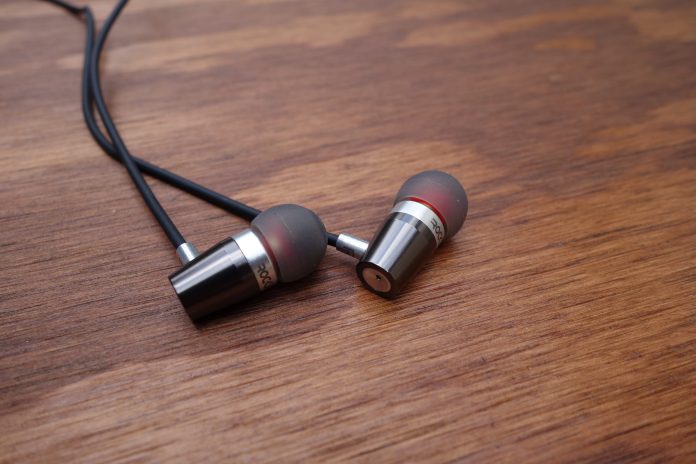
I was contacted by Rock Jaw Audio about an opportunity to review its flagship earphone, the Alfa Genus V2. I hadn’t heard of the company before, attributed to the fact that it is an underdog British audio manufacturer. But the rave reviews I was seeing really caught my eye. What could this company be doing to get such good word?
Upon opening the packaging, I could see a couple differentiating factors for earphones in this price bracket (£44 retail, or about $65). Namely, a metal build and frequency tuning filters – features you’ll only really find on high-end earphones. Let’s check out if the Alfa Genus V2 can hit all the right notes.
Design
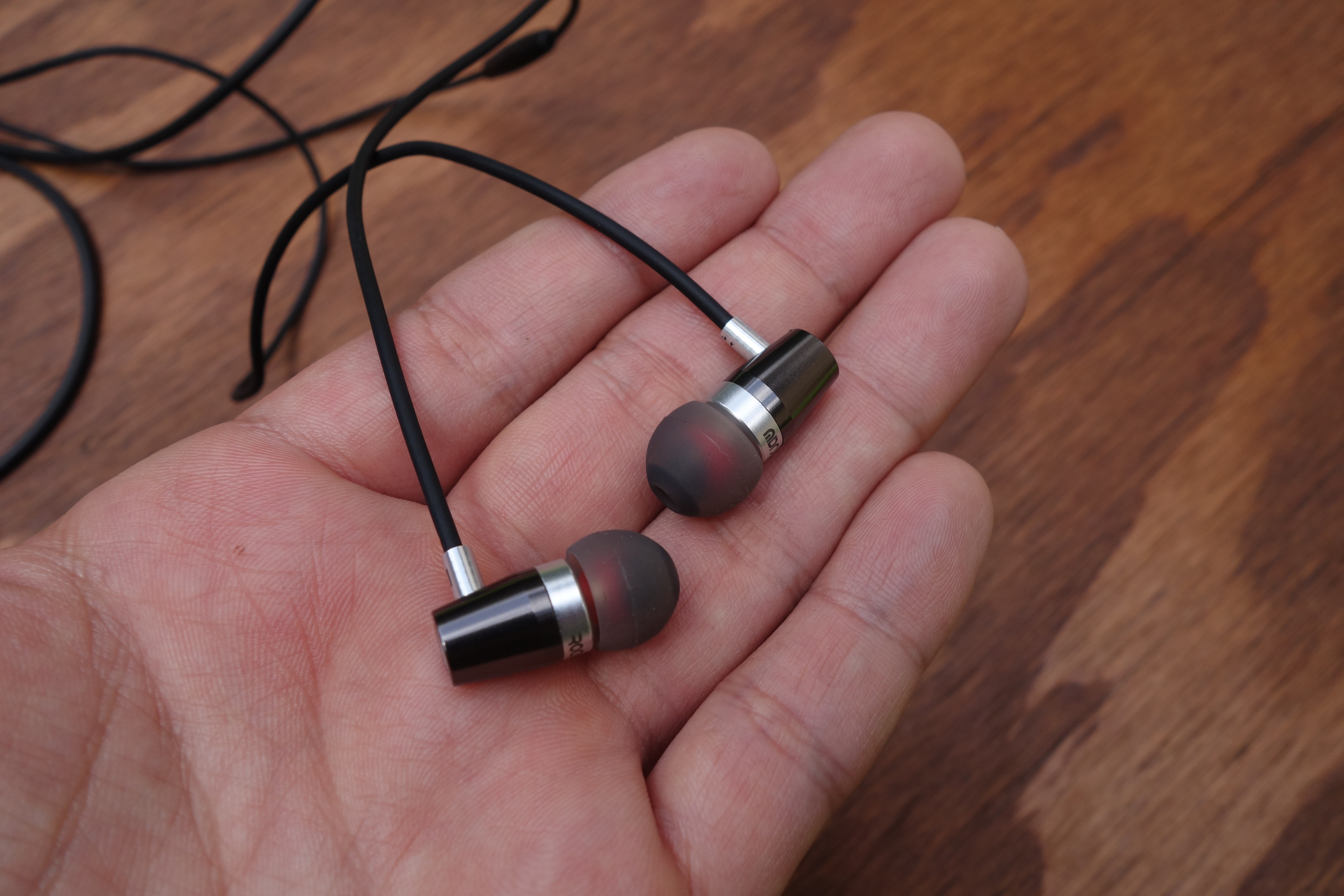
From afar, the Alfa Genus V2 look unassuming. The earpiece design is cylindrical, with a slight taper. But up close, you’ll notice some nice design cues.
The lightweight Aluminum casing is surrounded by a glossy finish with the slightest ridged texture (you’ll only see it up close). There are accents of the true metal color at the front portion of the chassis, the cable stem, and rear cap.
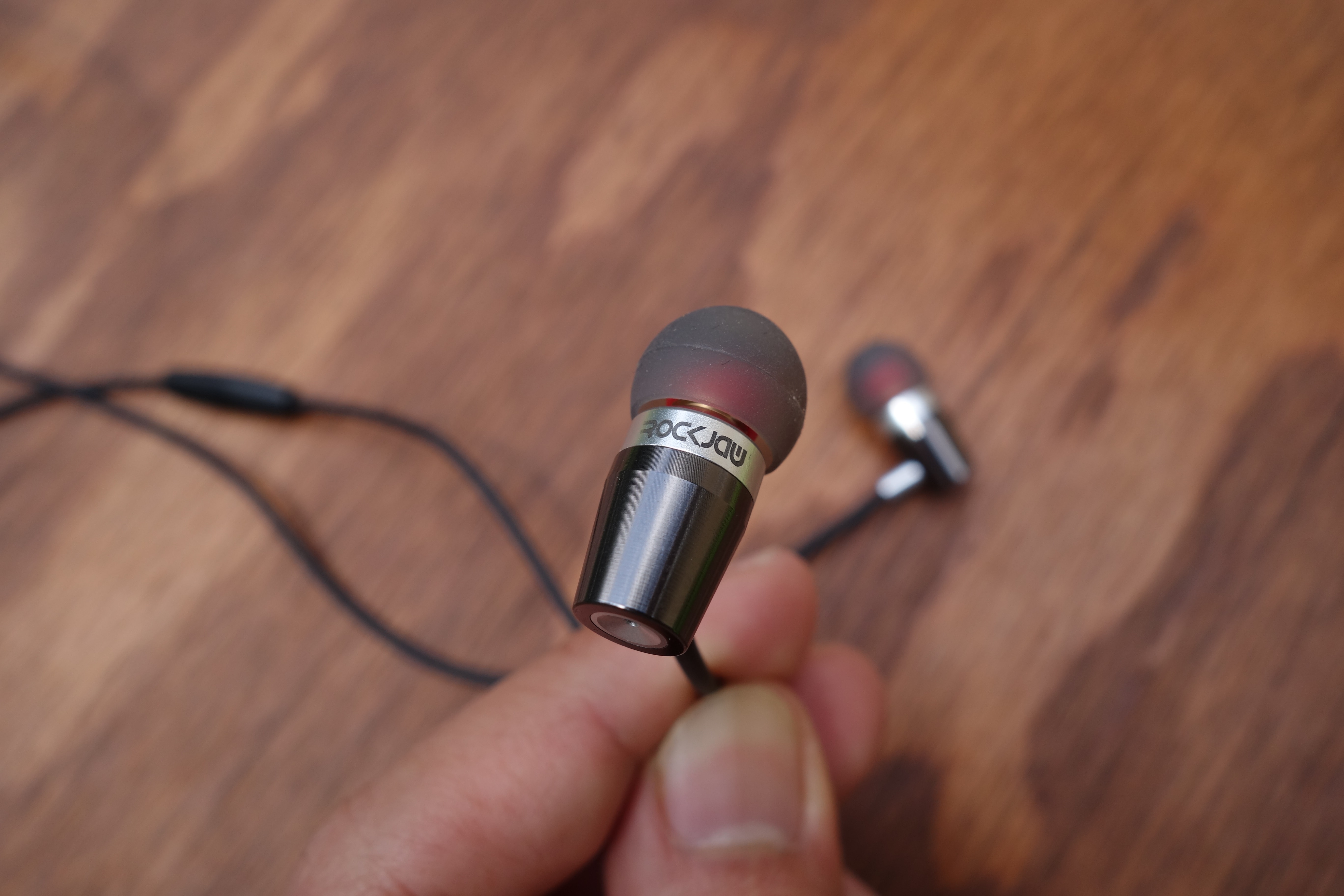
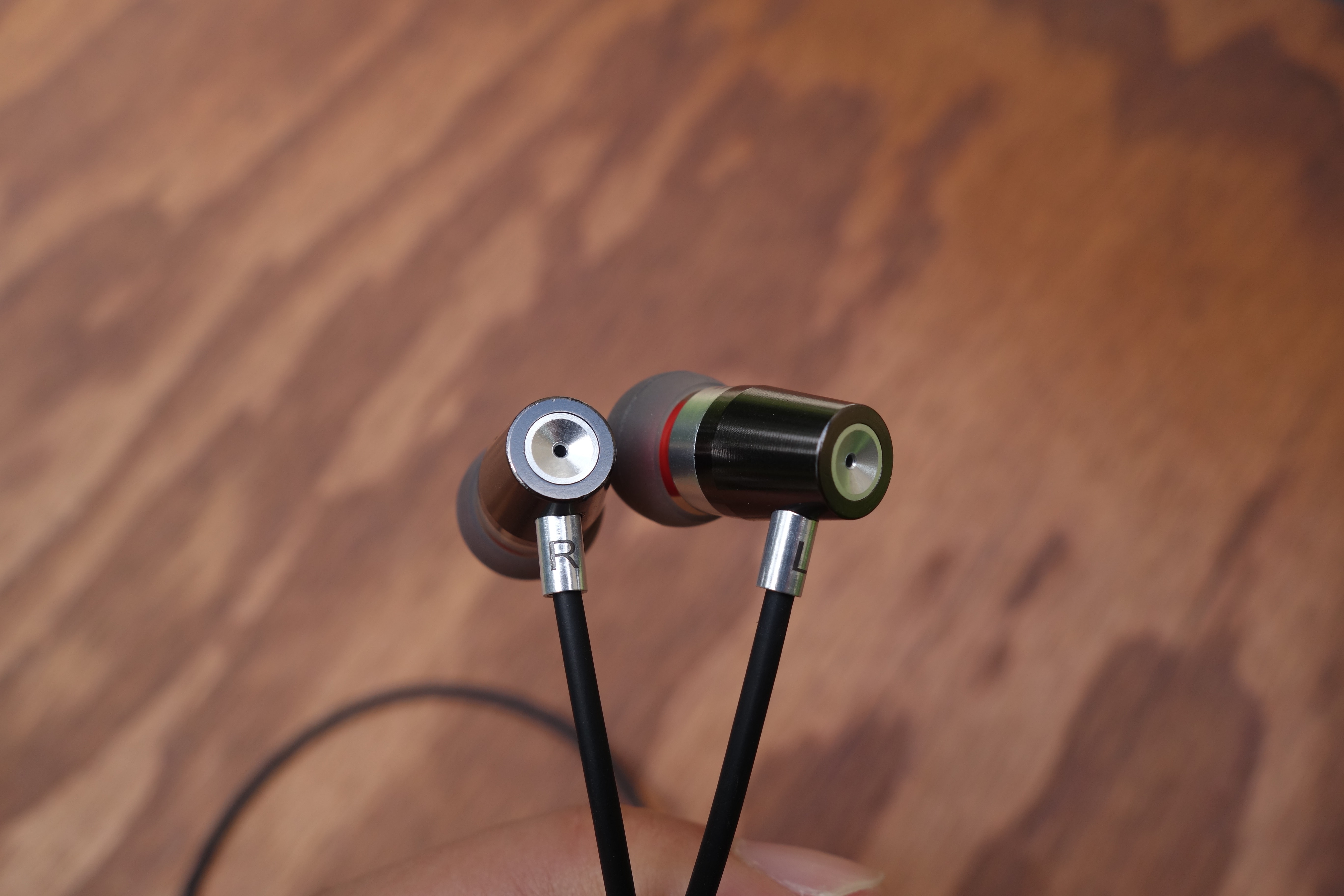
A subtle but interesting aspect is that the back end concaves and there’s a tiny opening at the center. I think that this is a bass port, like on the Sennheiser IE 800, to improve the sub-bass response. When I cover the holes with my fingers, I notice that the sub-bass is dampened. You don’t really find this extent of audio detail on earphones at this price range, resulting in a deep and well-defined low-end. But we’ll talk about the audio quality a little further in the review.
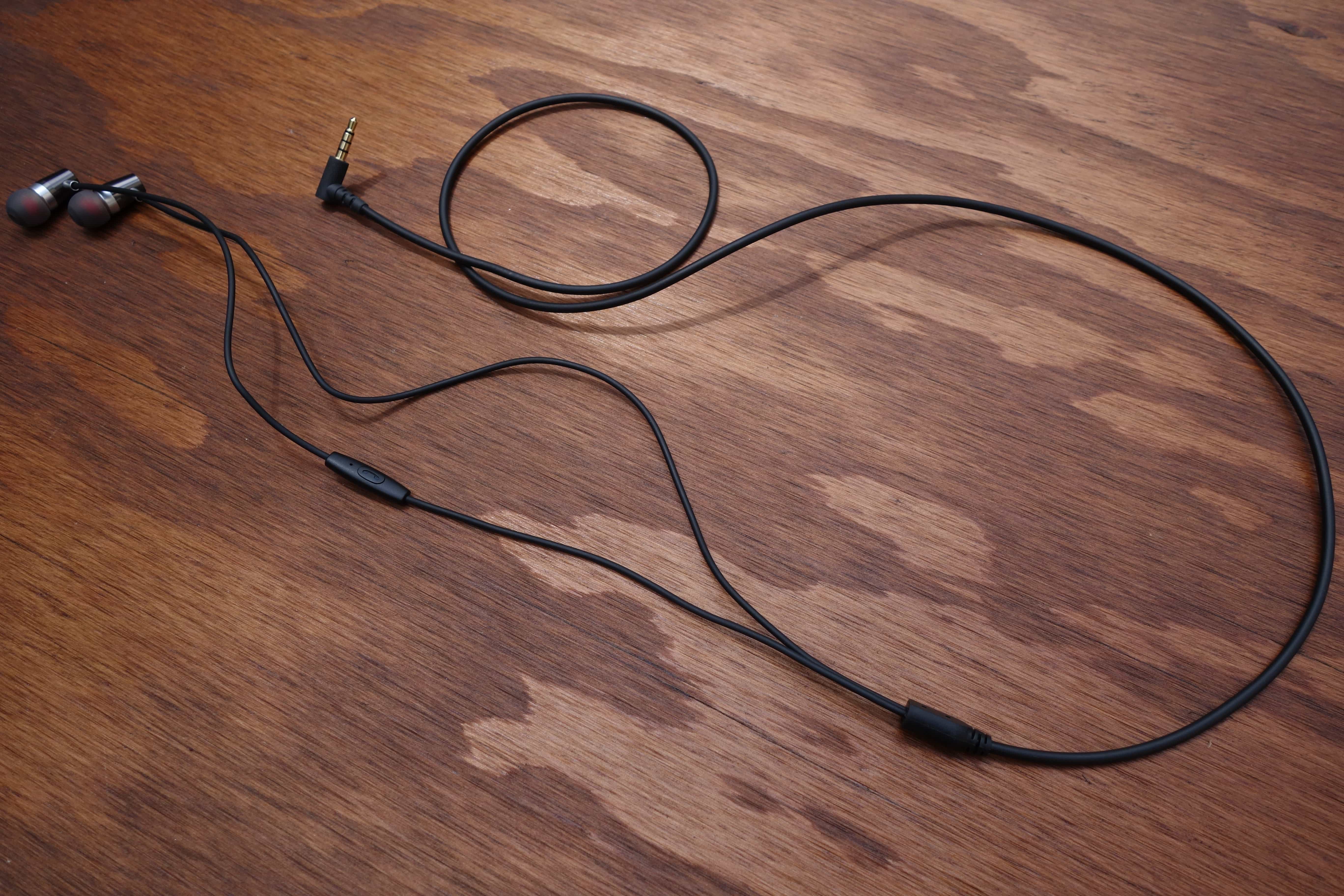
The cable is fairly basic, but is done well. It’s made of a firm, rubbery wrapping, and close to 4 ft. in length. It’s a little on the thick-side, but the benefit is resistance to tangles. Shortly down the left earpiece wire is a simple one-button remote. There’s a mic for picking up calls, but the button can also switch tracks with multiple presses.
Usability
Rock Jaw is very considerate with the V2’s packaging. You’ll get four sets of silicone eartips (small, large, and 2x medium), a double flange pair, and two sizes of foam tips. There’s also a small drawstring pouch to carry it all.
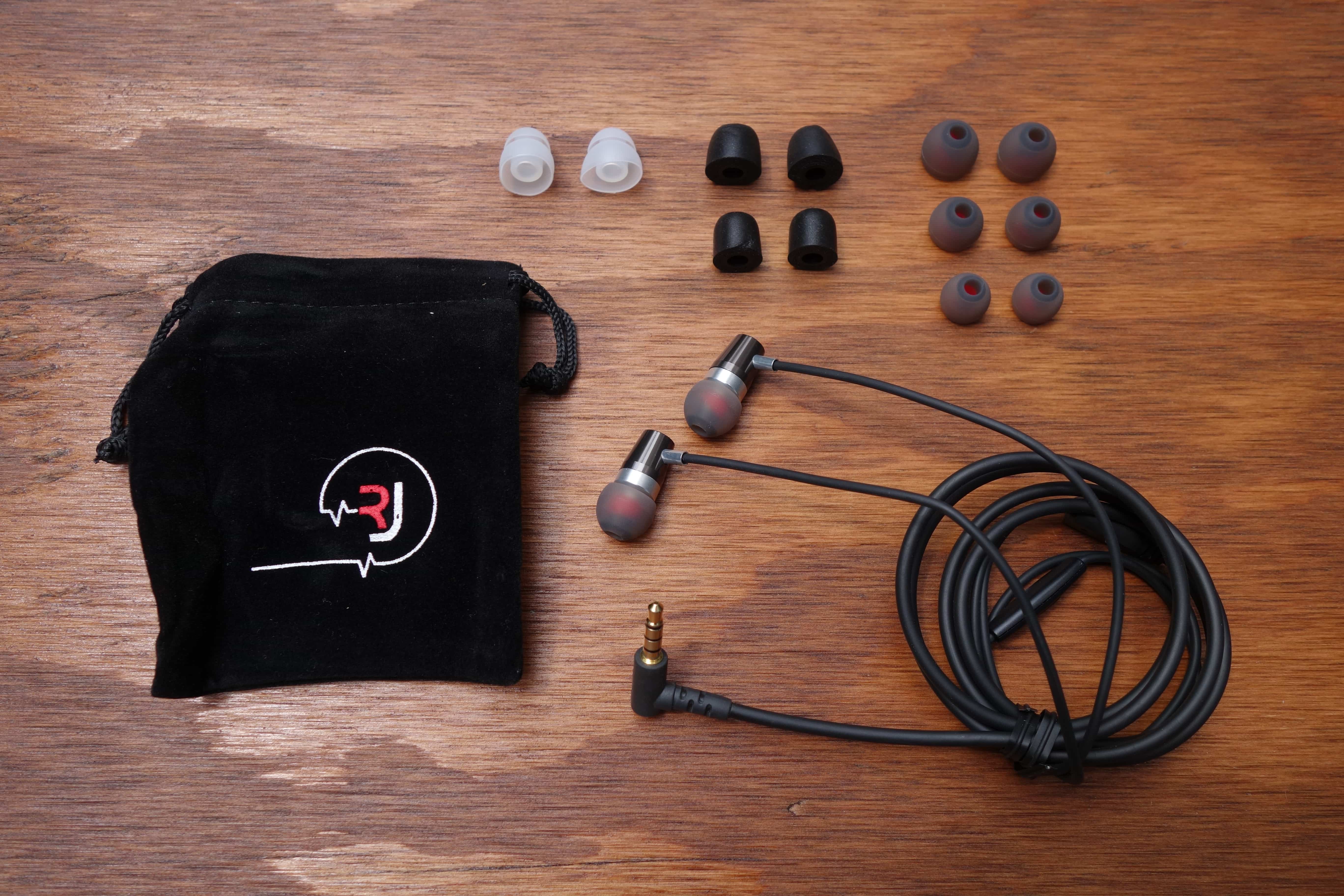
I found the fit to be fantastic out of the box (medium silicone tips are pre-installed). It easily seals and stays in place. Isolation for silicone tips is decent too, but it’s great that Rock Jaw includes foam tips to improve it further.
The cable is also decently resistant against microphonics (noise from cord rubbing). Although, unlike most manufacturers, Rock Jaw didn’t put a chin slider above the y-splitter. I don’t know why it wouldn’t; it’s not like there’s much to it (just a small attachment that keeps the cords tidy.
I really praise Rock Jaw for incorporating an interchangeable filter system into the Alfa Genus V2. This isn’t a feature I’d expect on sub-$100 earphones; I’ve only seen it on high-end models. It works like most do, where you get three different ways to tune the sound signature: neutral (balanced), bass, or treble emphasis.
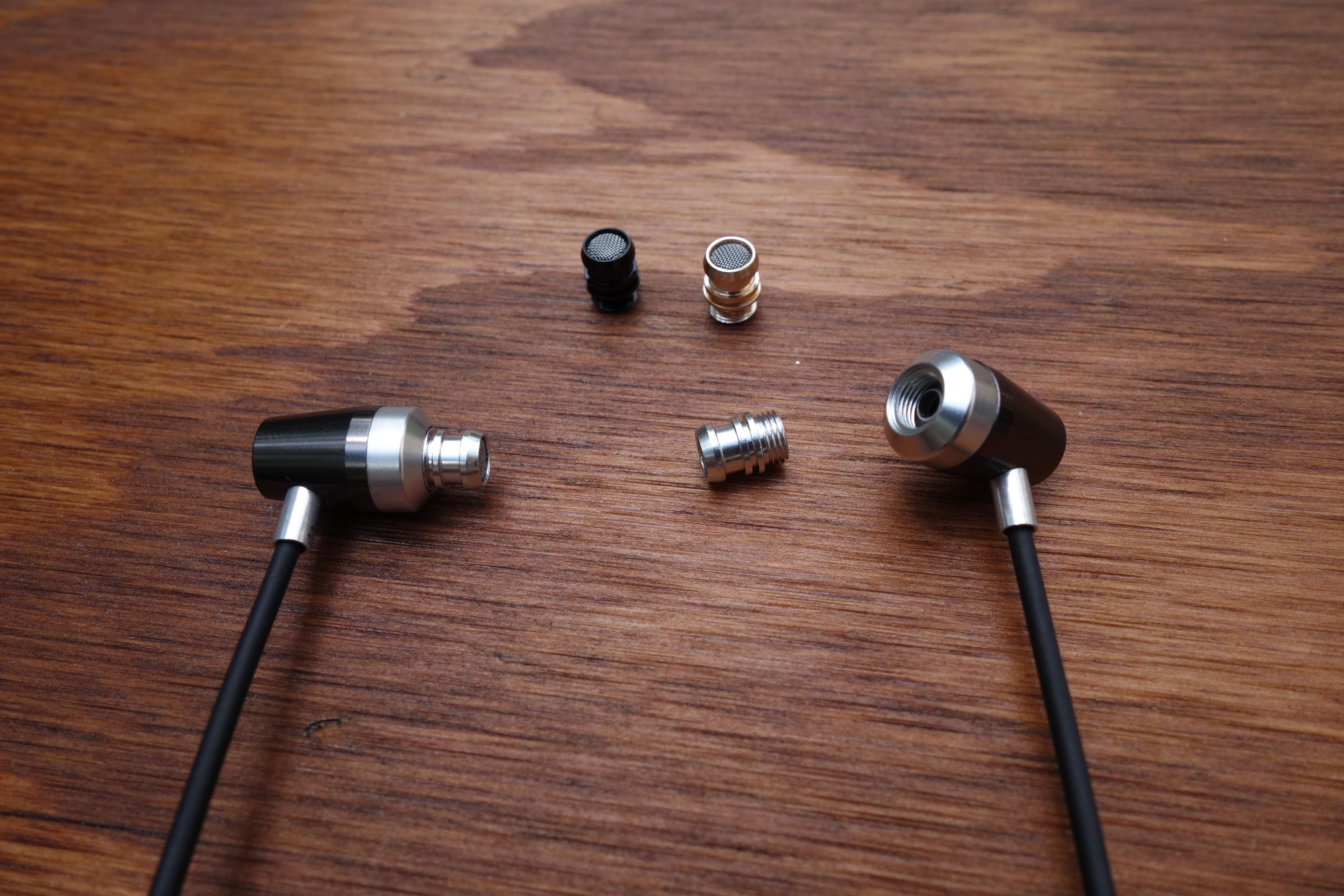
The different nozzles are color-coded: Silver for enhanced bass, Gold for neutral, and Black for enhanced treble.
Changing the filters simply involves unscrewing the nozzles and screwing in one of the three included pairs. Super easy. The V2 comes with the bass filters pre-installed. It’s a little baffling why they don’t come with the neutral setting, for those who don’t care about messing with the true sound.
Sound
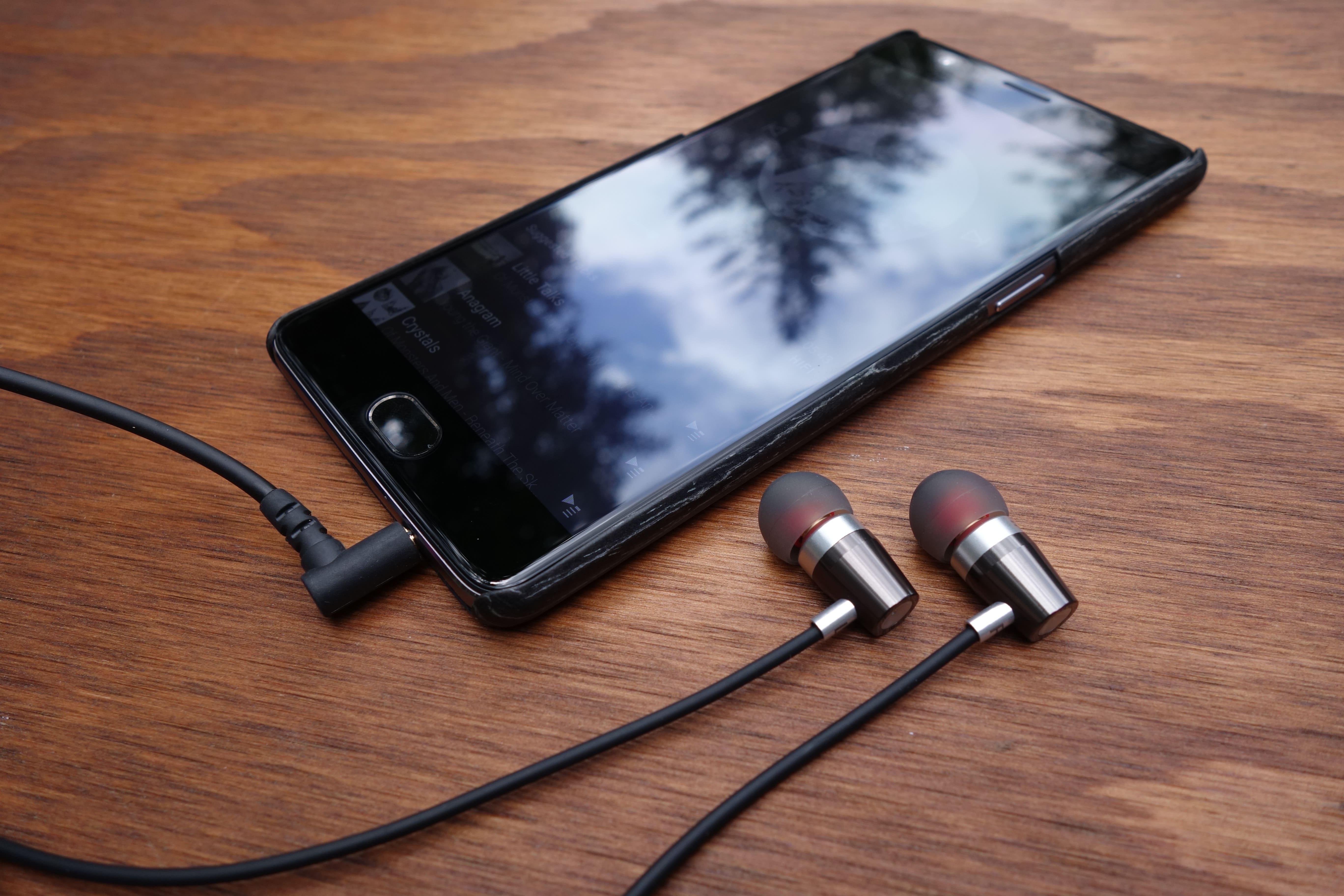
*I’ll be primarily be commenting about the neutral sound filter.
I’ll cut to the chase and say that I was very impressed with the sound quality of the Alfa Genus V2. When you’ve heard as many headphones as I have, you come into an expectation at a price bracket. Frankly, the V2 blew away my expectation for a sub-$100 earphone. This is the type of earphone that makes you regret spending so much on your daily driver investment.
Let’s talk about what that means. First, the V2’s articulation is notably clean. Cheaper headphones typically suffer from muddiness more or less throughout the spectrum, and while the V2 isn’t completely absent from it, it is surprisingly crisp for the price-point. Not only that, but the sounds have encompassing depth, and do a great job filling out the perceived 3D space around you (aka soundstage).
Earlier, I also suggested an excellent bass response. Particularly, the deep sub-bass is like what you’d find on much pricier earphones (assumingly due to the port on the back of the earpiece). However, it leads to a hard-hitting, punchy mid-bass, which may not be for everyone (and this is with the neutral filter). This is my biggest complaint about the sound signature, as the bass tends to overshadow. You must be a huge basshead to prefer the bass filter, as things become severely bloated at that point.
I loved the mid-range of the V2. Even with the prominent bass, it’s forward enough to still be appreciated. Things like vocals and guitar strums have a lushness and airy-ness, after the likes of Shure’s reproduction. The treble is also not just pushed to the background. It can crank out some decent detail, although, I could use more upper-end sparkle.
Final Thoughts
I am super impressed with the Alfa Genus V2. Not to sound like a snob, but I don’t expect much from sub-$100 headphones. Rock Jaw has shown me that gems are out there. No, it’s not perfect, and no, I won’t tell you there isn’t value in high-end earphones. But these challenge the price gap very well, and they’re my new go-to when recommending the best bang for your buck earphone.
The Alfa Genus V2 is sold through Rock Jaw’s UK site, but I was told that they’ll be on Amazon.com next week!
Alfa Genus V2 product page
FCC wants your help understanding radio noise
Interference from radio noise remains a big problem… and it’s tricky enough that the FCC wants your help understanding the issue in the first place. The agency has put out a call for public input that should not only determine the scale of radio noise problems, but design the studies needed to measure them. It wants to identify the main sources of this noise, where it’s most likely to happen and whether it varies based on time. It’s particularly concerned about “incidental” noise from devices that aren’t meant to emit radio frequencies, like motors or power lines.
Any results from the consultation and the resulting studies are bound to take a while, let alone any solutions that come from them. There’s definitely pressure to hurry things up, however. On top of longstanding concerns for ham radio, the US is entering an era where multi-gigabit 5G and WiFi networks may be crucial to getting people online. The last thing the country needs is a rising volume of radio noise bogs those connections down.
Via: Ars Technica
Source: FCC (PDF)
Computer simulations point to the source of gravitational waves
Since the first gravitational waves were successfully detected last September by the earthbound Laser Interferometer Gravitational-Wave Observatory (LIGO), scientists have wondered what made them. Today, researchers from the University of Warsaw published a theory suggesting that they were likely created by the collision of two black holes, which had been stars that formed 12 billion years ago.
They arrived at that cause and date by modeling the birth of the universe. The researchers plugged stars and data into the computer simulation Synthetic Universe and ran it until they encountered an event that would possibly have emanated the actual gravitational waves. In this case, the culprit was likely a recent merger of two black holes made soon after the dawn of the universe.
“We play God,” lead study author Chris Belczynski, an astrophysicist at Warsaw University, told The Verge. “We have a model of the entire Universe in our computer. We populate the computer with stars from the beginning, from the Big Bang, and you let them go ahead, evolve, produce black holes, etc.”
Since Synthetic Universe’s simulation also includes a mock-LIGO to chronologically sync when we detected the waves, the model is also predictive, the study argues. If correct, we should see LIGO pick up to 60 detections when it starts “listening” for the waves again in fall. At its peak sensitivity, it could hear up to 1,000 detections annually.
Belczynski’s speculation specifies the size of black hole mergers that the LIGO should be able to detect from gravitational waves, a combined mass between 20 and 80 times the mass of our sun. That large size indicates that they’re likely from just after the Big Bang, when stars had lower metal content and formed proportionately larger black holes.
Belczynski’s model strongly suggests that the ones that collided to make these gravitational waves were stars that formed 12 billion years ago, became black holes 5 million years later, and then merged 10.3 billion years after that. 1.2 billion years later LIGO detected those reverberations in space-time. As more data comes in to LIGO and other detectors from these gravitational waves, the more Belczynski can refine his Synthetic Universe model and theorize the life cycles of stars.
Via: The Verge
Source: Nature
Use Honey to save money on Amazon purchases – CNET
If you’re anything like me, you consider saving money a sport. Of course, to get good at the game, you need the right gear.
Or, in this case, the right browser extension. Honey is a popular tool that can automatically dig up and apply coupon codes for thousands of online stores. But now it offers another feature, one that has the potential to save Amazon shoppers big bucks.
See, it’s not uncommon to think that Amazon proper always has the lower price. And when you see that little “Prime” badge next to the price, you know you’re getting free two-day shipping to boot. But consider this: any given product might be available from other vendors that sell through Amazon and might actually offer a lower price.
 Enlarge Image
Honey won’t always net you savings this big, but why not let it try?
Honey
That’s where Honey comes in. Once installed, it displays another little badge alongside the price, this one indicating whether or not you’re seeing the best price. They call this Cart Protection, but the idea is to catch you before you add a product to your cart and present you with a cheaper alternative.
More ways to save money online
- Do cashback services really work?
- Shopping for an Apple product? Choose refurbished every time.
- Amazon Prime: Still a good deal at $99?
If there is one. I looked at a lot of products and found very few instances where Honey was able to find a better deal. Granted, Amazon very often does have the lowest price, so it’s not like Honey will save me money on every single thing I buy.
However, I did notice something interesting. I was looking at the Pebble Time Steel, the silver version of which was listed at $230.46 — plus $13.83 in sales tax. But Honey found it for the same price without tax, ostensibly from a vendor that doesn’t charge it. It would still be fulfilled by Amazon and even eligible for Prime shipping. But no tax!

Enlarge Image
Even if Honey just saves you sales tax, it’s worth using.
Screenshot by Rick Broida/CNET
That’s $14 I definitely wouldn’t have saved otherwise. (Please, don’t lecture me about voluntarily paying Internet sales tax unless you’ve actually done so yourself. Didn’t think so. 😉 I found a similar “tax-bypass” option when shopping for a DJI Phantom 3 Professional and numerous other products.
Honey is available for all major browsers (except Edge and Internet Explorer), and there’s no charge to use it. Even if it saves you only a few bucks here and there, it does so quickly and easily. Seems like a no-brainer add-on to me!
Apple MacOS Sierra Release Date, Price and Specs – CNET
The operating system working behind the scenes on your computer is at least as important as the hardware itself, and that’s especially true for Apple products, where the same company makes both the hardware and software.
For years, MacBooks and Mac desktops have run on the operating system Apple calls OS X. That’s about to change, as as Apple has rebranded its computer software as MacOS, a new name more in line with iOS, WatchOS and TVOS.
New Macs should include the first version of MacOS, code-named Sierra, starting in the fall of 2016, while a public beta is expected in July. For now, this preview covers some of the new features included with the current developer’s build (not available to the general public), as well as promised features coming to the final version.

CNET/Dan Ackerman
Cleaning up space on a Mac is a lot easier
Space has always been an issue, especially if if you get a laptop with only 128GB of storage. With Optimized Storage, you can easily save some space with the click of a button. The trick here is that Apple is making use of iCloud and iCloud Drive. You can keep your watched iTunes content in the cloud and only save recent mail attachments on your physical drive. It will also automatically empty your trash after 30 days, and it has a new interface that displays a comprehensive list of what’s taking up space on the hard drive and allows you to delete files in a snap.
Picture-in-picture is now built-in
The struggle of having to open a video in a new window and rearranging your desktop is over. Picture-in-picture is coming with MacOS Sierra — it will be available within Safari and iTunes, as well as websites that use HTML5 video. In our testing, it has worked really well with Vimeo and ESPN. This will not be automatic for all websites, though. Apple is releasing a developer API that web developers can implement, so here’s hoping that YouTube, Netflix, and Hulu will take advantage of this.

Messages is on a new level with rich links and tapbacks
All of those new Messages features from iOS 10 are making their way to the Mac. While you won’t be able to send digital touches, invisible inks, stickers or handwritten message from the Mac, you can see them and interact with them if sent from an iOS device. But, the best feature out of Messages for the Mac will be those rich links, which includes being able to watch the video or read the first part of the story inline. With tapbacks you can provide your own quick color commentary on what people are sending you.
Apple Pay is on the Mac, but not physically
No, Apple is not putting NFC inside of all its hardware. Instead, websites that have Apple Pay integrated into checkout, like Shopify, will let you use your iPhone or Apple Watch to complete a transaction via the Mac. If your device is close by, the site will ask for authentication through your Apple Watch or iOS device.
iTunes has a small but helpful redesign
The look and feel of Apple Music continues to take over iTunes. Under Music, you now have menu options for library, “for you,” browse, radio and the iTunes Store.

Desktop and Documents are now in iCloud
If you own multiple Macs, getting files from one device to the other will now be easier than ever. By checking off a new checkbox in the iCloud settings menu, files on the desktop or in the documents folders of multiple Macs can now be automatically synced. Drop a file or add a screenshot to the desktop of one MacOS system, and a few seconds later, it pops up on the other ones. The documents folder, the other place you’re likely to store important files, works similarly, but each machine gets a named folder within the documents folder on its sister machines.
Photos is smarter and will curate your memories
Photos is the other application, besides iTunes and Messages, that’s getting a big update in Sierra. For starters, using new identifying technologies, you can search for photos by subject. Similar to Google Photos or HTC’s Zoe feature, Photos also has a feature called Memories, which pulls different sets of photos and makes a video or album out of them.
What you copy on your iPhone can be pasted on your Mac
Universal Clipboard is another one of those signature Apple features — it just works out of the box, as long as both devices have the same Apple ID. This feature allows you to copy and paste across devices, so if you copy an image on your iPhone, you can paste it into a Keynote slideshow on your Mac, and the same goes for blocks of text or URLs.
You can unlock your Mac with your Apple Watch
If you own an Apple Watch, it will become even more useful with iOS 10 and MacOS. When wearing the Apple Watch, walk up to your Mac, and you can wake it from sleep without manually entering a password, because the Watch securely authenticates with the Mac.

Siri is now on the Mac
People have been waiting for this one. After all the rumors, it’s now official. With MacOS Sierra, Siri will be on the Mac.
Instead of holding down the home button, you can click the dock icon, the button in the top-right corner, or by hitting function-space (as of now in the developer preview).
On the Mac, Siri can search the web for an image, then you can then drag and drop it into a document. Siri can also search for files, for example, finding all images with a specific word in the file name from the last week or month. One interesting bonus: you can use it to get the serial number and information from your hardware.
The new MacOS Sierra operating system will be launching this fall, but the developer preview is available now, and a public beta is coming in July.
Dropbox now uses your iPhone’s camera for scanning documents
Dropbox just got quite an impressive update, all with the purpose of improving productivity.
The iOS app now comes with a built-in document scanner that uses an iPhone or iPad’s camera to snap photos of whatever you want – whether that be whiteboards, notes, sketches, receipts, papers, and more. It then converts them into a document that can be stored in Dropbox. It works like any ole scanning app, automatically detecting the outline of your item and offering up editing tools for straightening.
There’s also options to adjusting contrast, add pages, and convert to black and white. Dropbox for Business will get optical character recognition too, meaning they can convert their scans into searchable text. Another new feature in the app includes improved Microsoft Office integration. You can now create a Microsoft Word, PowerPoint, or Excel file by clicking a new button (here’s a FAQ page with more details).
In fact, Dropbox has published a whole blog post to discuss these new features as well as other new tweaks. Camera uploads are changing, for instance. Dropbox Basic will need to install the Dropbox desktop app in order to use the feature and for management purposes. That app is available from the Dropbox website at no cost, while Dropbox for iOS is also free and can be downloaded from the App Store.
Watch Dropbox’s promo video below for more details. The company said it’s “still working on a timeline” for when all these features will be available on Android. So, stay tuned.
Yuneec’s 3D-sensing drone is available for pre-order
Have you been curious to see how a drone fares when it has Intel’s depth-aware RealSense tech onboard? You now have a chance to find out first-hand. Yuneec has started taking pre-orders for the Typhoon H, its first drone with RealSense built-in. Plunk down $1,899 ($100 more than mentioned in January) and you’ll get a hexacopter that uses Intel’s camera system to map its environment and avoid obstacles while it records your adventures. You’ll also get 4K video, 12-megapixel still shots and a 7-inch Android-based controller. It’s a lot to pay, and you’ll have to endure a 4-week wait if you’re in the first wave, but look at it this way: the money you spend now might save you from a nasty tree collision in the future.
Source: Yuneec
 AIVAnet