


Google Maps wants you to help check user-submitted info
Google’s Maps team doesn’t have all day to go around checking that the information people submit about locations is accurate, so it’s turning to you to share that responsibility. Some folks have been seeing a new feature that asks for input on whether a user suggestion is correct.
The feature has been said to be coming ever since Android Police found snippets of code in an April app update that hinted at an upcoming user-feedback tool. But it didn’t go live until about a couple of weeks ago, according to Android Police, and it’s not clear if it’s available to everyone yet.
Based on screenshots obtained by Android Police, the user-submitted changes will show up in a place’s card in orange, with the words, “Someone suggested new info.” Tapping that brings up a panel with the original data and the suggested change, and you’re asked to select the correct version. You can also hit “Not sure” if you don’t know what’s right, or “Call place to verify” if you have time and unlimited minutes at your disposal.
Google has already handed the responsibility of verifying local information off to what it calls Regional Leads — volunteers who know an area well — to review tweaks made to its Map Maker tool before they show up on Maps. But that could slow down the process of ensuring the map is up to date with accurate new information.
This new method could make it faster and easier to confirm (or refute) changes made to Maps, and prevent future cases of digital vandalism. Of course, this still depends on whether the general public can be trusted to responsibly vet tweaks. It’s not clear if there will be a tier of trusted editors to manage crowd edits a la Wikipedia. We’ll have to wait for an official Google announcement or wider scale implementation to see if there will be more comprehensive measures in place to prevent mischief.
Source: Android Police
Twitter invests $70 million in SoundCloud
Twitter might not have bought SoundCloud, but it still wants a say in the streaming music service’s future. The social network has confirmed that it recently invested in SoundCloud — it won’t provide details, but Recode sources peg the value at $70 million. The move is meant to boost “efforts with creators,” and reflects the “community-supported approach” that both sites share. It’s not certain if there’s an official partnership, but it’s easy to see Twitter getting some say.
You could see this coming. SoundCloud was the first company to embrace Twitter’s audio cards and has generally been a good ally, so it’s in Twitter’s best interests to offer some support. Meanwhile, SoundCloud itself could use the Twitter link to get extra promotion for its Go music service. And both companies could stand to shake things up — they’re not growing briskly, so they don’t have much to lose by rethinking their music strategies.
Source: Recode
iOS 10 Beta Reactions: Photos Memories, New Unlocking Method, Sleep Analysis, and More
The new and updated features included in iOS 10 are plentiful, and Apple users and developers have already begun to voice their opinions of a number of them online. Many testers have come away impressed by new, personalized additions to old apps like Photos, the new raise-to-wake feature, and subtle but useful additions to Maps, which can now remember where you parked your car.
Of course, where there are positives, there are negatives as well, so we’ve gathered up user reactions on a few of the new features of iOS 10 and attempted to bring in variety of opinions on each where possible while gauging overall sentiment from early users.
Parked Car Notifications
Reaction: Largely Positive
A new feature in iOS this year will allow Apple Maps to remember where users park their cars, which should be helpful when parking in large structures and garages. One iOS 10 beta tester noted the feature popping up at their home (which should eventually be prevented once a home address is entered) with a notification on the iPhone’s lock screen.
Nice touch Apple! Can see this being useful for festivals, shopping and more!
Once in the Maps app, a small Parked Car icon appears where you left your car, and a separate sheet can be filled out to add details like a photo of the car’s location and even a text note to jot down a description of the area or level of the parking garage you were in. Some users call the new parked car notifications a “catch-up feature,” since Android and apps like Waze have offered similar functions for the past few years, but otherwise the reaction is an encouragingly bright one.
Memories
Reaction: Positive
Apple focused significant attention on one new aspect of its Photos app during its WWDC keynote yesterday, and it’s a tab called “Memories.” With it, Photos will aggregate a user’s photos and place them into smart folders, dynamically understanding where every photo was taken and which friends and family members were in each. With this, it should be easier to revisit old memories from trips and vacations, or just small get-togethers, instead of endlessly scrolling through the camera roll for a specific shot.

One Reddit user particularly liked the search functionality this enables in Photos, which generated reliably impressive results even for more obscure terms such as “Poodle” and “Graffiti,” without requiring the user to tag or describe every single photo.
Other successful searches include “Palm tree”, “Red wine”, “Poodle”, “Jacket”, “Beer”, “DJs”, “Fire”, “Serpent”, “Hardhat”, “Nest”. Apple are managing some pretty amazing stuff without sacrificing user privacy. This is a feature I assumed I wouldn’t be able to get unless I uploaded my photos to Google, which I didn’t really want to do. This is now a very interesting development in the AI/Machine Learning space.
While the testing has shown some words yielding zero results for terms that should be discovered in a 15,000 photo strong library, search abilities will no doubt improve over time, and overall reactions to Memories are favorable. Siri also works with the feature, although it appears to be “buggy” for now.
Press Home to Open
Reaction: Mixed
One particularly interesting tidbit from iOS 10 that some might not know about is a completely new method required to get into your iPhone. “Slide to Unlock” is gone in Apple’s newest operating system, with a dual “Press home to unlock” and “Press home to open” set of cues appearing at different times at the bottom of the lock screen. Swipes are now designated for accessing some richer front-end features of iOS, with a left swipe now taking you to the camera and a right swipe going to widgets.
 iOS 10 Lock screen prior to fingerprint scan (top) and after a scan (bottom)
The new method of unlocking an iPhone is optimized with the new raise-to-wake feature of iOS 10 for the latest A9/M9-based devices, alongside the speed of Touch ID. When raised, the iPhone won’t unlock until the user presses the Home button down and Touch ID confirms their fingerprint; without a valid fingerprint, the traditional passcode number pad will pop up. Most beta users appear to be largely in favor of this new unlocking method, describing raise-to-wake as a fluid feature that “senses movement extremely well.”
Still, some users are not fans of the system. While one Redditor appreciated the potential for the Lock screen change-up, the added requirement of needing to press the Home button to use Touch ID (currently, if the iPhone is awake, Touch ID will work with no Home button press), left them to “completely loathe” the new method.
Love the raise to wake. Love the new camera swipe. Widgets are just clunky and not useful for me… Never really used them before, but maybe this will cause some more innovation in the widgets. I absolutely and completely loathe the “press home to unlock” thing. My absolute favorite thing about Touch ID was that I could just lay my finger on my home button and unlock it (if it were already awake). If this were combined with the raise to wake feature. I could effectively eliminate the need for my home button. That would be fantastic. I know it’s a beta – and a developer beta at that – and I am just hoping that they will make it optional or improve it somehow. If not, I think I would be content on iOS 9 for a while longer.
Apple’s new method gives more intuitive access to widgets and the camera while compensating for the previous unlocking method that left some users of Apple’s latest notifications missing their notifications after Touch ID registered “too quickly.”
Font Size
Reaction: Mostly Negative
A lot of the conversation surrounding iOS 10 in online forums focuses on a noticeable shift in notification font size changes. One Reddit user asked for everyone’s opinion on the “massive” text found in notifications and apps like Apple Music. Positive opinions cite bolder and easier to read text, but a larger, negative group fears for information density being traded off for unnecessarily large fonts with no apparent way to opt out of such changes.

I understand this a change for the “better” since people with vision problems will have an easier time, but it does come at the price of disgusting people with good eyesight who would rather see more information at once. Hopefully iOS 11 will include a DPI switch like the one Android N is shipping with that will allow people to independently scale UI to make it bigger or smaller, this way everyone is happy.
Another Redditor remained concerned over the larger text font, describing a Playlist screen in Apple Music that only shows “4-5 Playlists” at once on their iPhone 6. Multiple users reference an overall feel to the new UI that reminds them of accessibility-enabled features that blow up text for vision-impaired individuals. Similar concerns were raised about the update to Apple News as well.
Sleep Analysis
Reaction: Negative
The introduction of a new “Bedtime” tab in Apple’s Clock app also piqued interest when revealed briefly during WWDC this week. Unfortunately, in the hands of a few beta users, Bedtime’s “Sleep Analysis” feature has proven less useful than many had hoped.
 Sleep Analysis graph prior to sleep (left) and after sleep (right)
Last night, one Redditor tested out the new addition, hoping that the app might somehow access the iPhone’s accelerometer and microphone to detect sleeping habits — similar to some third-party apps — but that didn’t turn out to be the case. In the morning, the user called Sleep Analysis “totally pointless,” explaining that the accompanying graph is essentially a visual guide for anyone who wants to keep track of the manually entered hours of sleeping and waking from the new Bedtime tab.
Yeah it’s totally pointless. It doesn’t detect when you sleep it’s just an alarm which you can adjust the parameters in a nicer way. If you want to track sleep length you have to move the first dot every time to the current time when you go to bed. Utterly pointless.
Otherwise, changes to the Clock app including a new dark theme throughout the app have been well received. As a few users pointed out, the Bedtime tab is essentially a rebranded way to set a consistent alarm schedule, just with more flexibility for those with varying work schedules.
Tidbit Reactions
With so many new additions coming to iOS 10, there are many other opinions out there on dozens of other features making their debut in Apple’s newest mobile operating system. We’ll list a few other popular tidbit reactions below, but be sure to join in on the iOS 10 conversation in the MacRumors forums as well.
– Breadcrumb trail no longer replaces signal strength and Wi-Fi icon
– Split View on iPad
– “Unsubscribe” button in Mail
– Font of user initials in Messages
Related Roundup: iOS 10
Discuss this article in our forums
[Review] ZeroLemon SolarJuice 20,000mAh power bank + Giveaway
I guess I’ve become somewhat of a power bank connoisseur lately. The Blitzwolf 10,000mAh power bank has remained my favorite thus far, but can ZeroLemon’s rugged offering topple the Blitzwolf from its pedestal? Let’s find out.
First Impressions
The first thing I noticed about this beast is the weight. Although the website notes that it’s only 483g (1.06 lbs), it feels more like two pounds. Keep this in mind on your next backpacking trip. While it packs a lot of power into a portable unit, and is able to charge with solar power, it is heavy and you might have to literally weigh the options if you have a weight limit.

The power bank features a USB 1.0 port, one USB 2.0 port and one microUSB input port. Kind of disappointing to have a USB 1.0 port on a device, but hopefully this battery will get upgraded over time.
Features
- Capacity: 20000mAh /74Wh Grade A Lithium Polymer battery
- Input: Micro USB 5V 2A
- Solar Charger: 5V 200mA(max)
- Output1: 5V/1A (Max)
- Output2: 5V/2.1A (Max)
- Battery Indicator: 4 Led indicators for power level (0–25%–50%–75%–100%)
- Dimensions: 160 x 85 x 25.8mm (L x W x T)
- Weight: 483±10g (1.06 lbs)

The battery is rated as anti-explosion with over a thousand recharge cycles over its lifetime. The solar panel features monocrystalline silicon cells, which have the highest efficiency rates due to being made with the highest-grade silicon. These solar panels are also space efficient and have the longest life of other solar panels, with most manufacturers putting a 25-year warranty on monocrystalline solar panels.
Usage
The power bank is also rain resistant, dirtproof and shockproof, so it can handle camping trips and hiking with ease. Speaking of camping, this battery also has an LED light in the front, so you can use it as a flashlight. Just long press the button for a second, and the LED will light up.
Charging the battery with the solar panel takes about eight hours, so remember to leave it out in the early morning to catch those rays all day. Charging from a standard power outlet takes roughly half that time at four hours. Nevertheless, the solar panel definitely gives it an advantage over other power banks.

Like other power banks, it automatically turns itself off when you unplug your phone or tablet, so you don’t have to worry, wondering if you remembered to turn it off. The power bank also has a carabiner, to hang it from a tree or the outside of your backpack.
Conclusion
If you’re an outdoorsy person and constantly going on camping trips and hiking excursions, I highly recommend this battery. It will serve you well. For the non-outdoors among us, I still recommend it for the whopping 20,000mAh capacity.
You can buy the power bank on Amazon for $39.99. (Affiliate Link).
Giveaway
ZeroLemon is partnering with AndroidGuys to offer a giveaway! Here are the rules:
Go to Facebook and “like” ZeroLemon’s page
Come back to this article and post a screenshot in the comments to prove that you “liked” it.
That’s it! The contest will run for a week, and end on June 21, 2016, so enter now! The winner will be picked randomly.
1 of 9


OnePlus 3 review – CNET
The Good The OnePlus 3’s sharp camera, powerful processor and enduring, quick-charging battery make a knockout combo when you factor in its low price.
The Bad The camera has a distinct bulge. Power users may be disappointed that the phone doesn’t have a swappable battery or expandable storage.
The Bottom Line At $400, the OnePlus 3 is the best budget Android phone you can buy, with a premium look and feel, and performance fast enough to go head-to-head with any high-end handset on the market.
Last year, my idea of a fantastic “high-end” budget phone was something like the Google Nexus 5X — a bit smaller than your usual flagship with a decent-but-not-mindblowing camera and a processor that, while not at the top of the class, still made gameplay and movie streaming fun. But for less than $400, that was about the best you could get.
The OnePlus 3 changes everything. For $399 or £309 (which converts to about AU$590), you get a top-of-the-line processor, a nimble 16-megapixel camera and a long-lasting battery. You also get a speedy performance that rivals reigning (and more expensive) Android champs such as the Samsung Galaxy S7 and the LG G5.
Like all OnePlus phones, the handset only works with carriers using GSM technology. That’s everyone in the UK and Australia, but in the US that means AT&T and T-Mobile (it won’t be compatible with Verizon and Sprint users, unfortunately). But unlike previous launches, you won’t have to wait for an invitation to get your hands on it. OnePlus is releasing it to the masses right at launch and you can order it from the OnePlus website. This is great news for anyone in the market for a new handset, because the OnePlus 3 hits enough high marks to be your next phone.
OnePlus 3 flaunts its premium design to the…
See full gallery


1 – 5 of 14
Next
Prev
Design: High-class metal looks
With a new aluminum unibody design, the OnePlus 3 looks better than all of OnePlus’ past devices (which either had a plastic or glass backing). It still looks similar to the HTC 10 and other smartphones, but that isn’t necessarily a bad thing — after all, the 10 is a pretty handsome phone. If you’re not into the metal look of this slim and attractive device, OnePlus offers snap-on covers made of wood, bamboo and other materials.
On the right edge is OnePlus’ familiar toggle. You can not only slide this to turn notifications on and off, but also to turn on priority notifications. Below the display, the home button doubles as a fingerprint sensor, and on the bottom edge are the speaker, headphone jack and USB Type-C port for charging.

With an aluminum-clad body, the OnePlus 3 features polished looks.
James Martin/CNET
On the back is the rear camera, which bulges outward from the surface of the handset. Many well-known phones do this too, including the iPhone 6S. It doesn’t damage the camera or hinder your use of it, but OnePlus 3’s camera bulge is quite thick and a bit unseemly.
Despite all that, there’s much to like about the phone. The 5.5-inch,1080p resolution display is bright and sharp, and I like the way its edges smoothly curve down into the bezel. There are also chamfered details around the display and charging port, which catch and reflect light in interesting ways.
All in all, the OnePlus 3 has a truly elevated aesthetic compared to its predecessors, and it’s good-looking enough to beat most budget phones. Not only does it have premium specs on the inside, but with its aluminum construction and subtle detailing, it now flaunts a premium exterior to match.
Software and other features: Keeping it clean and simple
The device features OnePlus’ own OxygenOS interface that runs on top of Google Android 6.0.1 Marshmallow (though it will be able to updated to Android N at a later date). Aside from a few choice Google services, the handset barely has any pre-installed (read: potentially annoying and unneeded) apps. And you can download and install anything you’re missing from the Google Play Store.
You’ll also get OnePlus’ signature Shelf feature. Shelf is an extra homepage that gives you access to your recent apps, favorite contacts and any other widgets you want to add. I found it can be useful when I wanted to quickly check email or jot down a to-do item, but if you’re not a fan you can disable it.

OnePlus’ signature Shelf home page (left), and the various ways you can customize the homescreen (right).
Lynn La/CNET
With OxygenOS, there’s plenty of room for you to customize the interface. You can choose different accent colors for the menu items and change the color of the LED notifications light. You can also load your own icon packs and turn on on-screen control buttons. There are also plenty of gesture controls, such as double tapping to wake up the screen (a feature included on many LG phones), or drawing an O shape to launch the camera.
One of my favorite goodies is Night mode, which will tint the display to reduce eye strain when you look at the screen in the dark. This feature just arrived natively to Android N and was introduced in iOS 9 as Night Shift. And lastly, the OnePlus 3 will see the return of the Near Field Communication chip (it was missing from the last two OnePlus flagships). These days, NFC is considered a standard among smartphones, and it allows them to communicate wirelessly with other NFC-enabled objects — it’s critical for mobile payment services such as Android Pay.
Camera: Capture great photos without really trying
Photo quality on the device’s 16-megapixel camera was solid, and I was impressed by how bright and clear images turned out. In well-lit situations, colors were true-to-life (especially the white hues), and objects were sharp and in focus. In dimmer settings or environments with tricky lighting, photos still turned out clear and evenly exposed. Check out the picture quality of the sample photos over the page. And be sure to click on each image to see it at its full resolution.
OnePlus 3 review
Making a splash in the increasingly-homogenized smartphone industry often involves breaking away from the norm, and upstart OnePlus did just this back in 2014 with the launch of their first smartphone, the OnePlus One.
Fast forward a year and the OnePlus 2 and OnePlus X somewhat failed to excite consumers as much as the first two handsets did – mainly due to some very questionable product-related questions – so the company has been forced to revisit the drawing board somewhat with the OnePlus 3.
- OnePlus 3 announced: everything you need to know
- Flagship spec showdown: OnePlus 3 vs the competition
- OnePlus 3 vs OnePlus 2 quick look
- What would you change about the OnePlus 3?
Is the third time really the charm for OnePlus, and can the OnePlus 3 prove itself to its biggest critics? Or is it more of the same with the OnePlus 3 ticking some boxes but failing to tick others? Let’s find out in this, our in-depth OnePlus 3 review.
Buy the OnePlus 3 now!
Design
Traditionally, OnePlus has tried to stray away from conventional smartphone design in a bid to keep its handsets unique, but with the OnePlus 3, the company has almost done the opposite.
Rather than keeping the plastic and/or glass finishes of previous handsets, the company has now moved to a full metal unibody smartphone. As a result, a key differentiator for its handsets is no longer quite the same: StyleSwap covers.
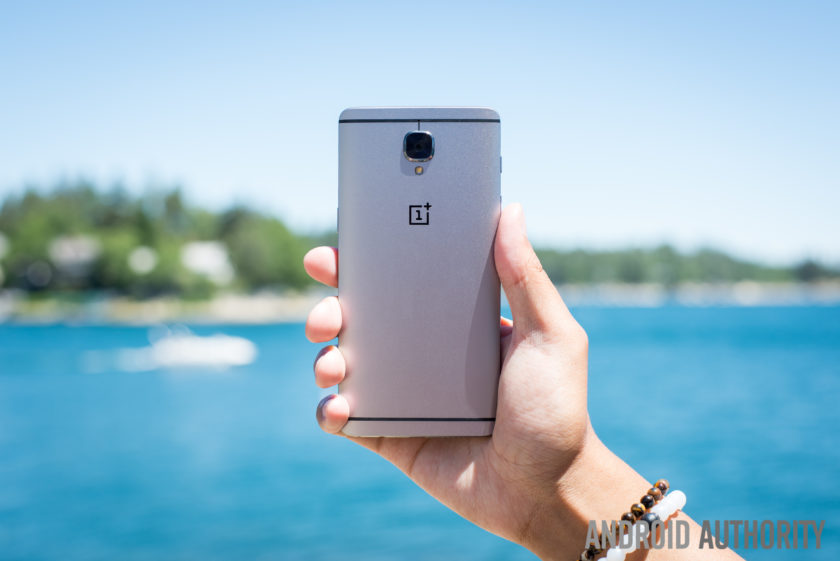
With a display that measures 5.5-inches, the OnePlus 3 is actually quite a large phone, especially considering the bezel itself is quite minimal. Although the bezel on the sides of the display could be considered minimal, the overall size of the OnePlus 3 can largely be attributed to the bezels above and below the screen, which are quite large.
Beneath the display, the bezel is largely forgivable thanks to the home button which is flanked by the capacitive navigation keys. The fingerprint sensor itself is similar to other handsets in that it allows you to unlock the phone in a fraction of a second (.3 seconds, to be exact) without needing to wake the phone from standby. The capacitive keys have a very neutral design, no doubt due to the customization options available in OnePlus’ latest OS (which we’ll cover in more detail below).

Moving around the rest of the phone and the usual OnePlus elements also make a return; the very bottom of the phone houses the USB Type-C port which sits adjacent to the single speaker and the headphone jack. The power button is on the right side of the handset while the volume keys are on the left. Above the volume keys, the traditional activity slider also returns, and lets you easily change the notifications profile, even without looking at the handset.
On the rear, the biggest change from past OnePlus devices becomes apparent – the choice of material for the build. By adopting a full metal unibody design, OnePlus has also made the conscious decision to do away with StyleSwap covers as we know them. In previous devices, the StyleSwap covers would have replaced the back of the phone but with the metal build on the OnePlus 3, they now act just like traditional cases for a smartphone.
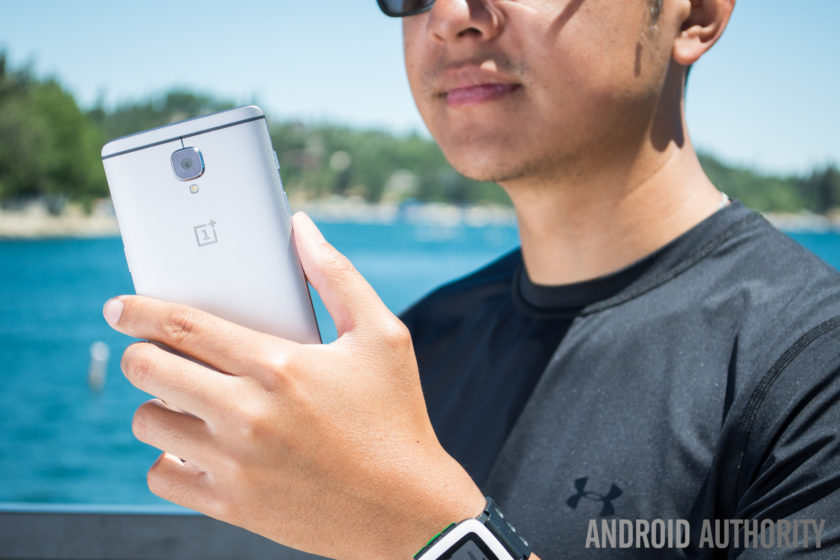
Handling for a phone of this size and stature is as expected and for the most part, it’s no different to any other smartphone. Reaching side-to-side across the phone is more than possible but given the phone itself is quite tall, its likely some users might face difficulties trying to access all areas of the display.
The metal finish is quite slippery as well, which further compounds the problem of handling and means that StyleSwap covers are almost a necessity. Although they are a consolation prize versus the total customization offered by the covers on past OnePlus devices, the sandstone material helps to reduce the size of the camera bump and vastly improve the grip offered by the handset.
 OnePlus 2 StyleSwap cover hands-on comparison, availability and more25
For fans of the original OnePlus StyleSwap covers, the compromise with the OnePlus 3 may prove to be a disappointing implementation – especially as the OnePlus 3 is very much a smartphone that adheres to the convention of 2016 flagships rather than aims to break the mould. All things considered however, the OnePlus 3 is still a very sleek and good-looking phone, even if it is does employ a more atypical smartphone display this time around.
Display

Prior to the launch of last year’s OnePlus 2, rumors suggested we would see OnePlus go with a Quad HD display, but the company ended up sticking with Full HD. This time around, there’s no change as a 5.5-inch Full HD panel makes its way to the OnePlus 3. OnePlus did opt for an Optic AMOLED panel with the 3, which we must say is quite nice.
Although most flagships have moved towards Quad HD displays in 2016 (and arguably for the most part in 2015), the Full HD panel in the OnePlus 3 still performs well and the larger size of the display provides a good amount of real estate. Of course, Full HD doesn’t live up to the current standard of flagship displays and although the OnePlus 3 screen is certainly nice, it’s definitely not on par with current flagships.
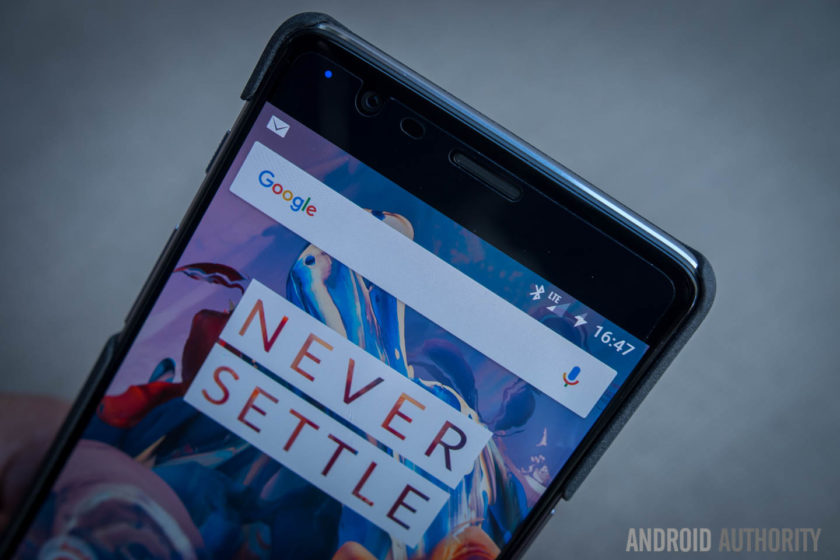
Employing AMOLED display technology in the OnePlus 3 does allow the company to offer a couple of welcome flourishes. A feature that is seemingly a necessity for a 2016 flagship is an always-on display. Although it is very similar to the iterations on the OnePlus X and other smartphones, the Ambient Display on the OnePlus 3 can be trigged by waving a hand near the proximity sensor, which is a nice touch.
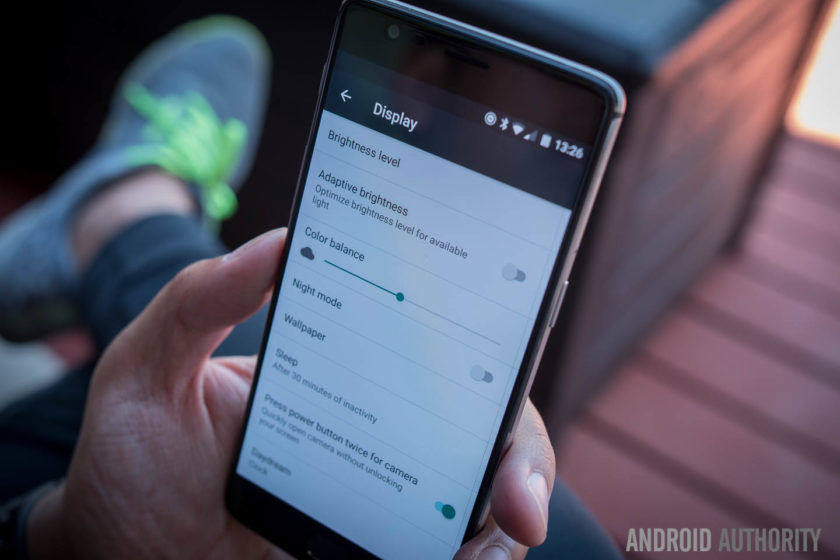
The OnePlus 3 also lets you customize and tweak the color temperature of the display via a slider in the settings, which can be useful for those worried about the emission of blue light. A night mode in the Quick Settings dropdown makes for much easier viewing in darker conditions by increasing the warmth of the color temperature, and as a result, this makes the overall experience much easier on the eyes in dark conditions.
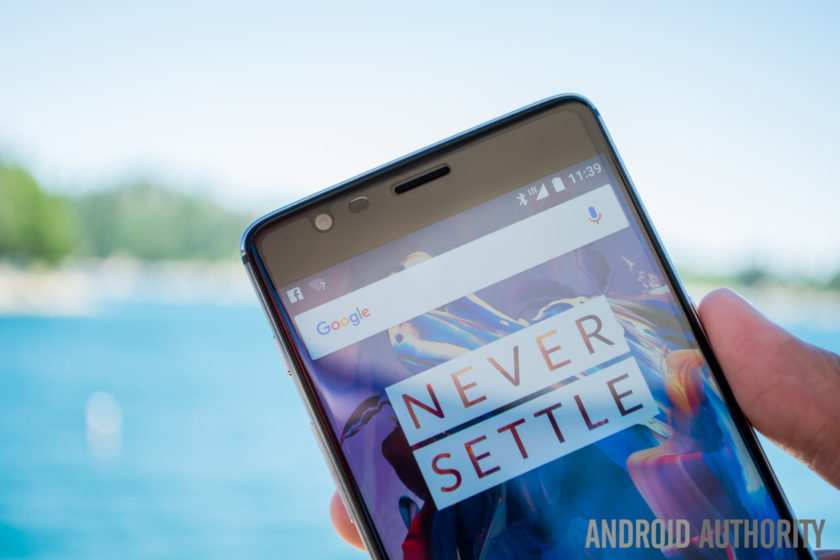
Viewing angles are mostly acceptable and legibility in bright daylight is about average, although OnePlus claim the dual-polarizing layer does help to increase sunlight legibility. Overall, the OnePlus 3 display is certainly not a superstar like certain other flagship devices, but considering the price of the handset (and everything else it offers), it’s certainly no slouch.
Performance
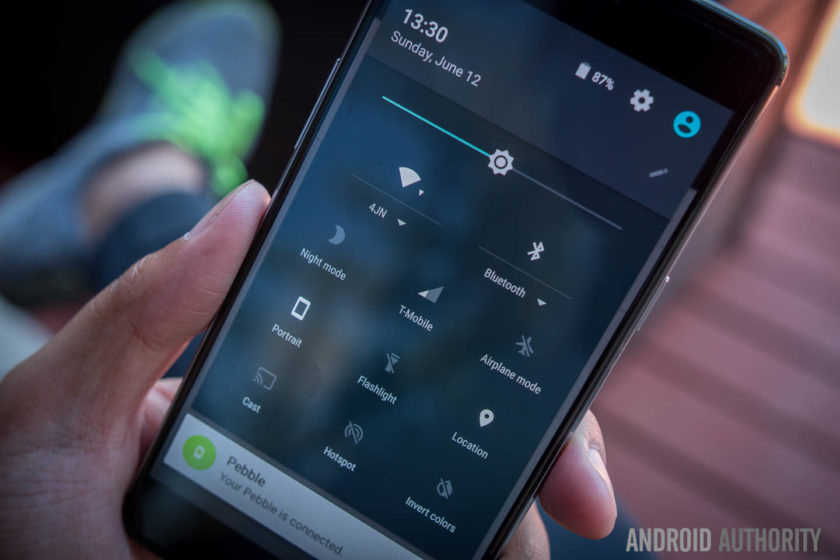
In previous years, OnePlus has sought to help its handsets stand out through the use of flagship specs without the flagship price point, and this year is no different. The OnePlus 3 delivers the very best internals on the market at the moment and offers them at a price which shows it is possible to obtain flagship performance without breaking the bank.
Under the hood, the OnePlus 3 is powered by the latest Qualcomm Snapdragon 820 processor coupled with an Adreno 530 GPU and 64GB of non-expandable storage. As such, performance has been very smooth and while some of this is down to the refined and polished Oxygen OS, there’s no denying that using the latest processing package certainly helps.
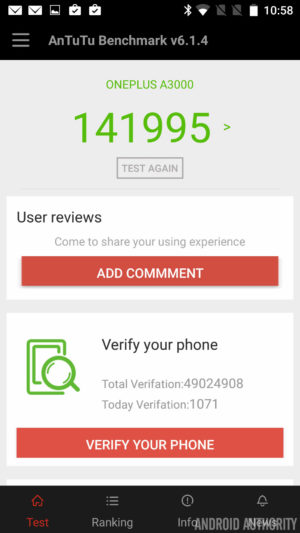

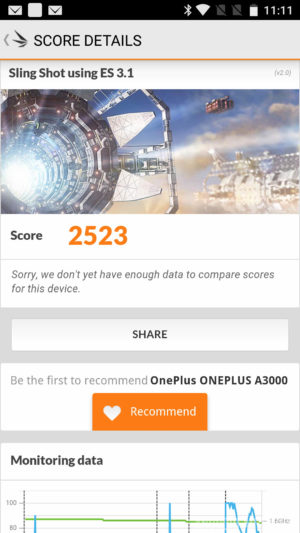
How does the processing package compare to other flagships? Running the usual benchmarks, we can see that the OnePlus 3 scores 141955 in the AnTuTu Benchmark, which is higher than the 140955 and 129375 scored by the Galaxy S7 Active and Galaxy S7 respectively. Moving on to GeekBench 3, it scores 2378 and 5465 for the single core and multi score scores respectively, which is again higher than the 2269 and 5156 scored by the Galaxy S7. Lastly, a 3D Mark score of 2523 shows the Adreno 530 is no slouch and is on par with the 2528 and 2535 scored by the Galaxy S7 and Galaxy S7 Active respectively.
A common problem in Android devices is also being addressed here, as apps don’t slow down even when there’s heavy loads working in the background. Why so? It’s simple: OnePlus has equipped the OnePlus 3 with 6GB of RAM, making it one of the only handsets to offer this.
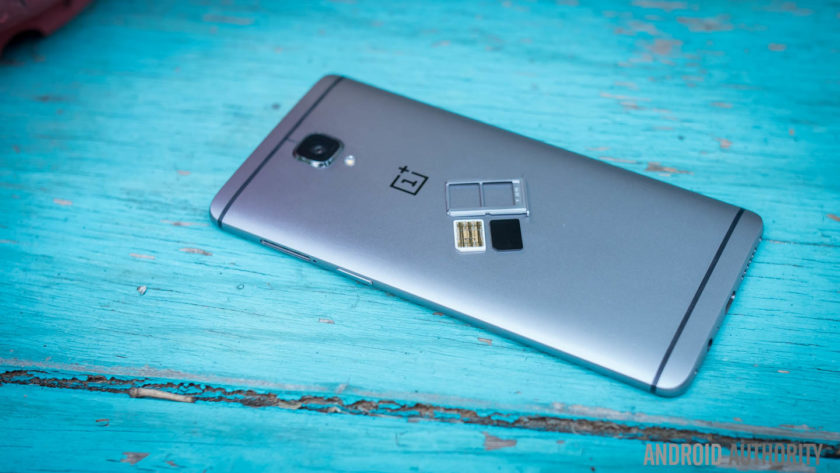
Adopting the highest RAM available on a smartphone to-date means performance is silky smooth and there’s plenty of RAM available to offer breathing room for users. Far too often, manufacturers will offer 4GB of RAM but only make 1GB available with no apps running (as the rest is taken up by background processes), but the OnePlus 3 leaves enough free RAM to ensure its always able to perform any task you ask of it.
From gaming and media consumption to browsing apps and webpages, the OnePlus 3 sails through anything you ask of it and there’s no question that the OnePlus 3 is a very viable addition to the flagship market when it comes to overall performance.
Hardware

For the most part, OnePlus handsets have always offered the usual array of internal hardware specs that we’ve come to expect from flagship smartphones, with the exception of one feature: NFC.
Yes, NFC proved to be a very costly assumption by the company in the OnePlus 2 as the mobile payments industry was thrust into the limelight and the omission of NFC – as no-one uses it, according to Carl Pei – meant the OnePlus 2 was left out of this wave. Fast forward a year and the company has clearly learnt from its mistakes, with the OnePlus 3 now supporting NFC and the payment and transfer opportunities the feature affords.

NFC aside, the OnePlus 3 brings the usual array of connectivity options including dual-SIM capabilities which are an out-of-the-box feature. For those who want a dual-SIM experience, the OnePlus 3 could even be one of the best options available. Throughout our testing, there were no issues with dropped calls or call quality.
On the subject of audio, the OnePlus 3 sports a bottom-mounted single-firing speaker which is an average performer. The speaker is loud – which is nice to have – but there is little body to the sound, which is expected from a single bottom mounted speaker. That being said, audio through a good pair of headphones is definitely above average. And while the experience is short of the one offered by an audio-centric device like the HTC 10, it’s definitely better than some more expensive handsets.
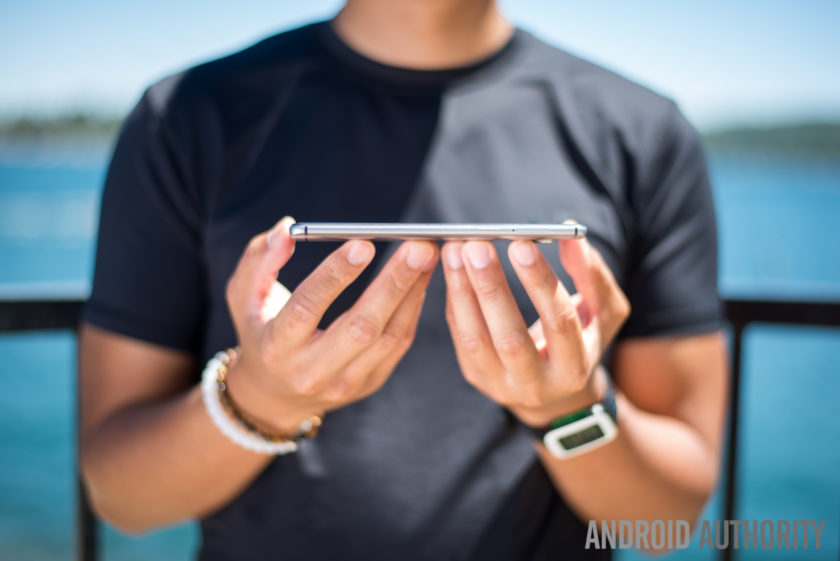
The home button beneath the display sports a fingerprint sensor, and just like most flagships, it can wake the phone from standby and unlock the phone in just .3 seconds when you place your finger on the sensor. Setting up the fingerprint sensor is a breeze and overall, it certainly performs like a flagship fingerprint sensor. The positioning may not to be to everyone’s taste, but it’s definitely a flagship-worthy feature.
The alert slider is also present on the OnePlus 3 and, just like previous devices, it lets you quickly swap between all notifications, priority notifications or no notifications. In the past I’ve never used this much as I wear smartwatches all the time, though I do find myself reaching in my pocket to make sure the phone is muted whenever I need it to be. With a textured design on the key, it also means it’s easy to locate and differentiate between the slider and the volume buttons.

The OnePlus 3 is powered by a 3000mAh non-removable battery, which couples with Dash charging to power the entire experience. With quite a few days of heavy usage that included GPS navigation and plenty of music consumption, the OnePlus 3 was able to achieve 3 and a half hours of screen-on time. For the most part, the handset usually ended the day with a single digit of battery life remaining but it never quite drained completely.
Dash Charge is OnePlus’ take on fast charging technology. The company claims the OnePlus 3 can now charge the phone to 60% from empty in half an hour. In our testing, the claims are certainly true and the addition of fast charging is definitely a boon for the OnePlus 3, meaning if the battery is running low, it’s very easy to get the power needed to finish off the day.
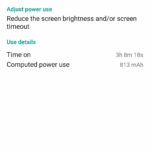
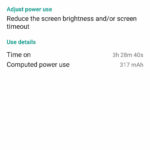

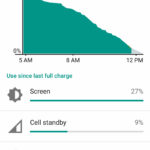
Overall, the hardware inside the OnePlus 3 is certainly premium. While the display and design may not stand out too much, it’s under the hood where the OnePlus 3 shows its true flagship-worthiness. NFC makes a return, 6GB of RAM keeps everything running smooth and Dash Charge means you’ll never be without a charge; whichever way you look at it, these are definitely specs worthy of any premium flagship smartphone.
Camera
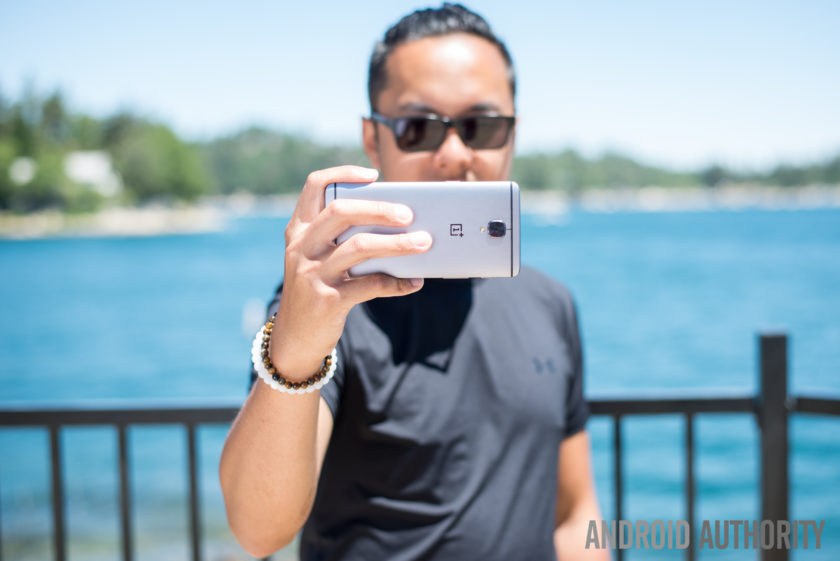
On the rear of the OnePlus 3 is a 16MP camera equipped with f/2.0 aperture, Optical Image Stabilization and phase detection autofocus. On paper, the camera is certainly on par with some flagship devices but as we all know, good camera specs on paper don’t necessarily translate to a great camera experience.
The camera app is still quite simplistic but it has been refined and polished to make it even easier to use. That being said, there is on area of the UX which I just can’t quite understand; when swiping on the viewfinder to get to the different modes, getting to the panorama mode puts the phone in portrait orientation, meaning you have to swipe differently to get back to the other modes.
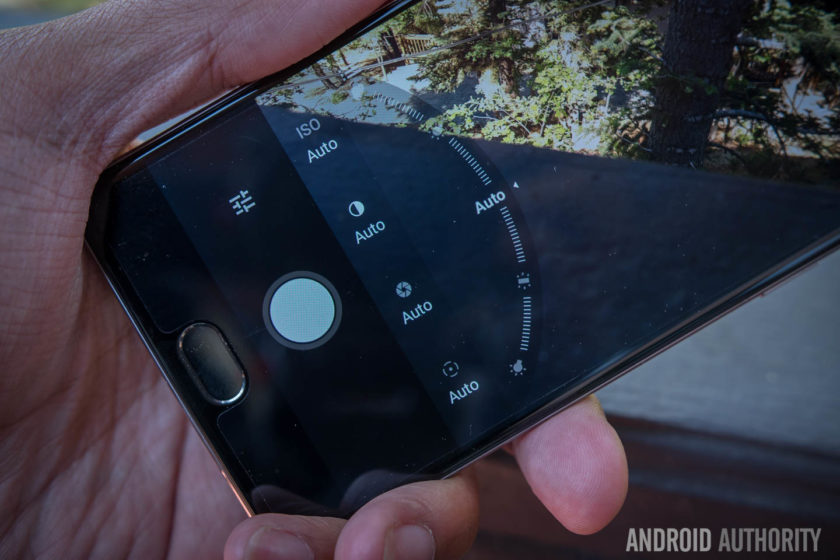
Manual mode in the camera app features some very nice sliders for changing the focal point of the image, the shutter speed and the white balance and tweaking images in manual mode is as easy as adjusting the slider. By far the best feature in manual mode is the ability to first set the exposure point and then drag the middle to find a proper focal point: it’s an intuitive way of catering the shot to your liking and it works perfectly in Auto mode.
Despite the positives in the camera interface, the actual camera performance is a let down thanks to some of the typical pitfalls. Color saturation in photos is rather inconsistent as while some shots result in good looking photos, others fail to capture the colors in vibrant scenes. E.g. in the eccentric scenes of Hawaii, we were left disappointed by the lack of vibrancy captured by the images.

HDR can traditionally help smartphones in this regard but with the OnePlus 3, it doesn’t seem to be quite as effective. On the OnePlus 3, HDR seems to be working ineffectively, by increasing the shadows rather than bring down the highlights and add in more color. The camera woes continue in the panorama mode, where issues with the stitching make parts of the photo look really choppy.
For most smartphones, low light performance is the biggest challenge and this is also true of the OnePlus 3, where slower shutter speeds compromise the exposure. Although it has Optical Image Stabilization, the shakes produced by long shutter speeds are still readily apparent and this means you’ll need very steady hands if you don’t want blurry photos more often than not.
OnePlus 3 camera samples:

The same issues are apparent in video where OIS does a good job of stabilizing the footage, but noise and a lack of color saturation plague all the video recording modes, including 4K. Considering that 4K video recording is growing in popularity, the poor footage captured by the OnePlus 3 is certainly a concern, especially for users who rely on shooting footage on their phone.
Though it may not come as a huge surprise, it’s still very disappointing to see that OnePlus haven’t quite figured out the camera on its smartphones. Without doubt the camera is one of the most important parts of a smartphone and it’s disappointing to see that the OnePlus 3 is bogged down by one of the most important features that a 2016 flagship needs to perfect.
Software

Just like its past devices, the OnePlus 3 runs on OnePlus’ Oxygen OS, and the latest version is based on Android Marshmallow with some polish and streamlining that makes the overall experience better. In the past, OnePlus has been criticized for providing an experience that’s too akin to stock Android without any extra features that differentiated it. This time around, the features have been ironed out to provide an overall experience that feels like it has its own identity.
Customization is a large part of the overall OnePlus experience and to that end, the Dark Mode is a great addition to the Oxygen OS. In adding the Dark Mode, OnePlus have added a feature that’s still not available in beta versions of Android N and the feature enables a dark interface with customizable accent color that’s likely to appeal to a lot of people who have wanted a dark theme for Android.
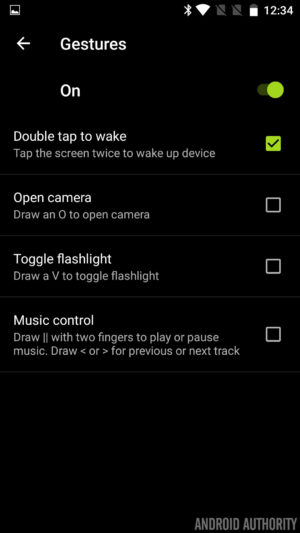
OnePlus devices have been known to come with gestures to launch apps and actions but with the addition of the fingerprint reader in the home button, you can now also launch the camera by double pressing the home button. This renders the gestures somewhat less needed but they are still present for those who are used to them.
The capacitive buttons that flank the home button are now dots rather than bars, and this is particularly good because they don’t have to adhere to the particular function that they indicate. Indeed, Oxygen OS provides the ability to customize the behavior of the keys – with different actions for long or double presses – as well as the option to disable them altogether in lieu of a bar of soft keys.
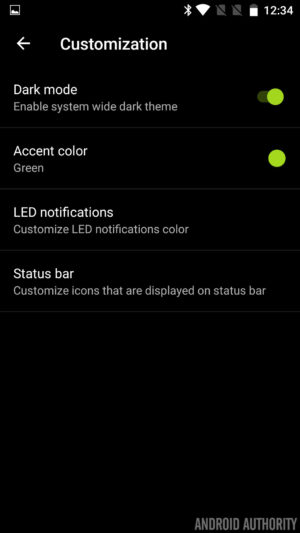
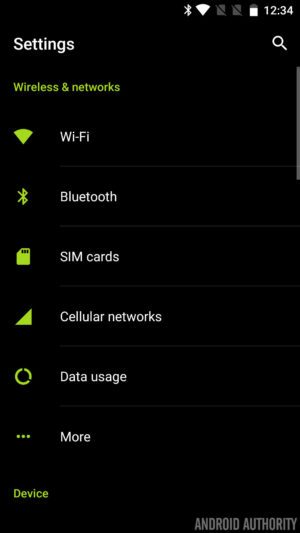
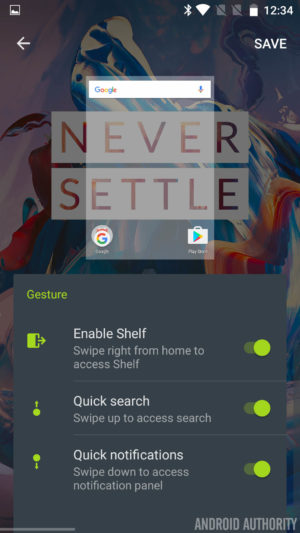


Finally, the Shelf returns and is still a bunch of boxes in which to add some widgets for safe keeping, but now widgets are scrollable. The Shelf also has a new dialog box which allows you to create quick memos and this makes it easy to take notes very quickly. It’s really the small flourishes that make this version of Oxygen OS a pleasure to use and whether it’s little icon indicators – for turning off the background, Dash charging and more – or the ability to quickly swap lockscreen and homescreen wallpapers, the tweaks help enhance the Oxygen OS experience.
In fact, whereas Oxygen OS once felt like stock Android attempting to replicate the feature set once offered by Cyanogen on previous OnePlus devices, it is now starting to feeling like a user interface all of its own.
Specifications
| Display | 5.5-inch Optic AMOLED display 1920 x 1080 resolution, 401ppi Gorilla Glass 4 |
| Processor | Quad-core Qualcomm Snapdragon 820 Kryo: 2x 2.2 GHz, 2x 1.6 GHz |
| GPU | Adreno 530 |
| RAM | 6GB, LPDDR4 |
| Storage | 64GB |
| MicroSD | No |
| Cameras | Rear camera: 16MP Sony IMX 298 sensor with PDAF, 1.12μm, OIS, EIS, f/2.0 Front camera: 8MP Sony IMX 179 sensor with 1.4μm, EIS, f/2.0 |
| Software | OxygenOS based on Android 6.0.1 Marshmallow |
| Sensors | Fingerprint, Hall, Accelerometor, Gyroscope, Proximity, Ambient Light and Electronic Compass |
| Ports | USB 2.0, Type-C Dual nano-SIM slot 3.5 mm audio jack |
| Connectivity | GSM: 850, 900, 1800, 1900 MHz North America model: WCDMA: Bands 1/2/4/5/8 FDD-LTE: Bands 1/2/4/5/7/8/12/17 CDMA EVDO: BC0 Europe/Asia model: WCDMA: Bands 1/2/5/8 FDD-LTE: Bands 1/3/5/7/8/20 TDD-LTE: Bands 38/40/41 |
| NFC | Yes |
| Audio | Speakers: Bottom-facing speaker Microphones: Dual-microphone with noise cancellation |
| Battery | Non-removable 3,000mAh Dash Charge (5V 4A) |
| Materials and colors | Materials: anodized aluminum Colors: Graphite, Soft Gold (Available shortly after launch) |
| Dimensions and weight | 152.7 x 74.7 x 7.35mm 5.57oz (158g) |
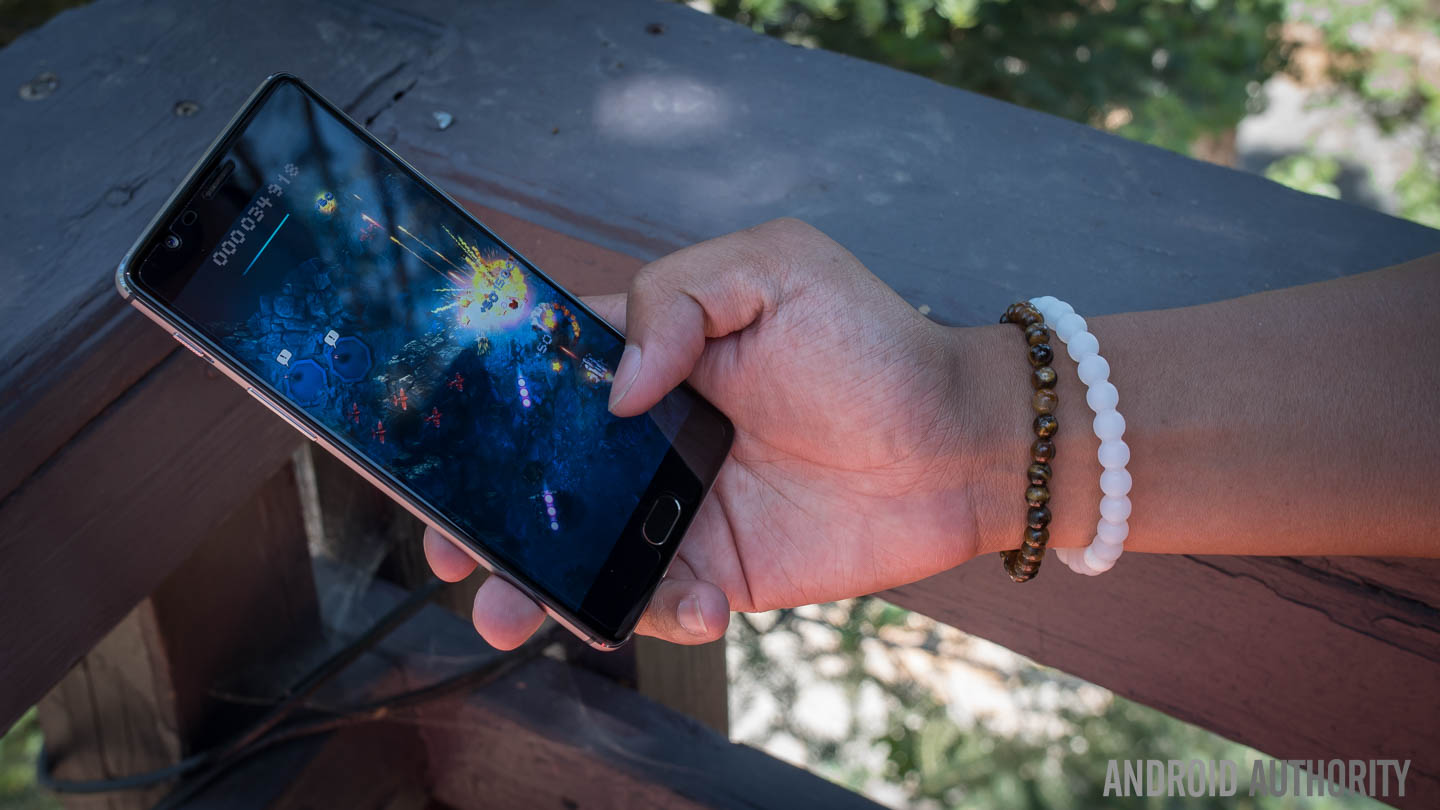
Gallery
Final thoughts

The OnePlus 3 is available to buy now for $399. The biggest news around the handset is that OnePlus has finally dropped its dreaded invite system. In previous years, you had to wait weeks or months and go through a lot of steps to acquire an invite before buying the phone, but now you’ll be able to buy one directly from OnePlus. Of course, it’s likely you’ll end up waiting a few weeks for delivery but it’s definitely easier than waiting for an invite.
What happens when a manufacturer puts together the best features of flagships for an affordable price point? That phone is called the OnePlus One. Unfortunately, the OnePlus 2 tried to bring a few forward facing features but didn’t fully flesh them out.
To make a success out of their third phone, it almost feels like OnePlus had to bend to convention.
That misstep has been rectified in the OnePlus 3, where the philosophies of the previous two devices have come together to make an incredibly solid device for a good price. In order to do that however, and appeal to the masses, OnePlus had to make a couple compromises – the camera is still not where a flagship should be, and the design takes a step back from uniqueness. To make a success out of their third phone, it almost feels like OnePlus had to bend to convention.
Buy the OnePlus 3 now!
Overall, the OnePlus 3 is still a great device that hits almost all the right notes – exactly what would be needed to make a ‘flagship killer.’ Perhaps now the phrase to look closer at is ‘Never Settle’ – where OnePlus once made a splash was in being bold, taking changes, and requiring invites to make the phone feel more exclusive. Without all of that, the OnePlus 3 feels just like an almost-flagship device for a midrange price. Though that in and of itself is great for most users, it also simply isn’t as exciting as before.
- OnePlus 3 announced: everything you need to know
- Flagship spec showdown: OnePlus 3 vs the competition
- OnePlus 3 vs OnePlus 2 quick look
- What would you change about the OnePlus 3?
What do you think of the OnePlus 3 and are you planning to buy one? Let us know your views in the comments below!
OnePlus 3 vs Samsung Galaxy S7 edge vs LG G5 vs HTC 10 vs Moto Z: What’s the difference?
OnePlus has announced its latest “flagship killer”, the OnePlus 3. The device once again packs in some powerful specs and massively undercuts its competition in terms of price, as we have come to expect from the Chinese company.
How does the OnePlus 3 compare to the Samsung Galaxy S7 edge, LG G5, HTC 10 and Moto Z based on the numbers though?
We’ve crunched the specs to find out what the differences are between the flagship killer and the flagships.
OnePlus 3 vs Samsung Galaxy S7 edge vs LG G5 vs HTC 10 vs Moto Z: Design
The OnePlus 3 features an anodised aluminium body that measures 152.7 x 74.7 x 7.35mm. It hits the scales at 158g, comes in two colour options and features a fingerprint sensor and USB Type-C.
This makes it slimmer than the Samsung Galaxy S7 edge, the LG G5 and the HTC 10 but it is larger than all of these devices in terms of footprint. The smallest handset is the HTC 10 at 145.9 x 71.9 x 9mm and the slimmest, but also the largest, is the Moto Z at 153.3 x 75.3 x 5.2mm.
In terms of weight, the OnePlus 3 sits in the middle of the pack, with both the Galaxy S7 edge and the Moto Z lighter at 157g and 136g, respectively. Despite being the smallest, the HTC 10 is the heaviest at 161g.
A metal body is present across the board, although Samsung features a glass rear. The LG G5 and Moto Z make things a little more interesting though, thanks to their ability to add various modules.
All of the devices being compared here feature a fingerprint sensor. The Samsung, Moto and HTC house this on the front like the OnePlus 3, while the LG opts for the rear. The HTC 10, LG G5 and Moto Z also all offer USB Type-C, while the biggest colour offering comes from the Moto Z with the option to customise with Moto Maker.
OnePlus 3 vs Samsung Galaxy S7 edge vs LG G5 vs HTC 10 vs Moto Z: Display
The OnePlus 3 has a 5.5-inch Full HD Optic AMOLED display. It is protected by Corning Gorilla Glass 4 and the lower-than-average-flagship resolution results in a pixel density of 401ppi, making it the softest display of the devices being compared here.
The 5.5-inch size and AMOLED technology is shared by the Samsung Galaxy S7 edge and the Moto Z, but they come with a Quad HD resolution, like the HTC and LG G5.
The HTC 10 has the smallest and sharpest display at 5.2-inches with a pixel density of 565ppi, with the LG G5 following closely behind at 5.3-inches with a 554ppi. Both of these devices feature LCD displays rather than AMOLED.
All the devices being compared here are protected by Gorilla Glass 4 so protection from scratches should be the same across the board.
OnePlus 3 vs Samsung Galaxy S7 edge vs LG G5 vs HTC 10 vs Moto Z: Camera
The OnePlus 3 has a 16-megapixel rear camera with 1.12µm pixels and an aperture of f/2.0. It offers phase detection autofocus, optical image stabilisation, auto HDR and a feature called Dynamic De-noise to reduce noise in images. The front snapper is 8-megapixels with 1.4µm pixels.
The LG G5 also has a 16-megapixel camera with laser autofocus but pairs this with a second lens for wide-angle photos, making it a little more unique. LG also matches the OnePlus in terms of front camera resolution with 8-megapixels.
The Samsung Galaxy S7 has a 12-megapixel rear camera, but larger 1.4µm pixels than the OnePlus. It also offers OIS and phase detection AF. It has a larger aperture however and is generally regarded as one of the best performers. There’s a 5-megapixel front camera.
The HTC also offers a 12-megapixel rear cameras, but again increases the pixel size to 1.55µm. It offers laser AF and OIS too. The front camera on the HTC 10 is 5-megapixels, and also offers OIS and autofocus, which is rather more rare.
Finally, the regular Moto Z has a 13-megapixel rear camera, with OIS and laser AF, but offers the same pixel size as the OnePlus 3, at 1.12µm. This is paired with a 5-megapixel front camera.
Which will be the best? That will long be the subject of heated debate, but at the moment, the Samsung is the camera to beat.
OnePlus 3 vs Samsung Galaxy S7 edge vs LG G5 vs HTC 10 vs Moto Z: Hardware
The OnePlus 3 features the latest Qualcomm Snapdragon 820 processor with Adreno 530 graphics. This is supported by 6GB of RAM and 64GB of internal storage. There is a 3000mAh battery on board.
The Samsung Galaxy S7 edge (in some markets), LG G5, HTC 10 and Moto Z all feature the same SD820 processor, but they all come with 4GB of RAM instead of the 6GB in the OnePlus 3. The Samsung, HTC and Moto are available in 32GB and 64GB options, while the LG G5 only comes in 32GB. They all offer microSD expansion except for the OnePlus 3.
The largest battery capacity sits within the Galaxy S7 edge at 3600mAh, while the smallest is within the Moto Z at 2600mAh. The HTC 10 has the same capacity as the OnePlus 3, while the LG G5 is slightly lower at 2800mAh. There is some form of quick charge technology within all the devices being compared here, with OnePlus calling its version Dash Charge.
OnePlus 3 vs Samsung Galaxy S7 edge vs LG G5 vs HTC 10 vs Moto Z: Software
Software is where many of these devices try to differentiate, but they all share one thing in common: they all launch on Android 6 Marshmallow, and so run the same selection of apps and services from Google.
OnePlus, however, customises the 3 with Oxygen OS. This is its own user interface that offers a range of features and customisations. It isn’t known for being full of bloat, but it is known for letting you mostly do what you want, such as changing icons, or customising which buttons do what.
Samsung on the other hand, sits at the far end of the bloat scale. Although TouchWiz is slick and refined, it duplicates features of Android, it makes changes some might deem as unnecessary and makes for a fully-featured, but potentially complicated device.
LG sits in the same camp as Samsung, making a number of visual changes to Android and adding alternative apps and features. It perhaps lacks the refinement that Samsung does, however, making it a slightly lesser user experience.
HTC has long had a lot of fans of Sense, which again is about customisation. On the HTC 10, the message is about being closer to Android and the result is a slick and sophisticated handset.
With the Moto Z being the most recent to launch, we know the least about it. However, Moto does pretty much nothing to Android. In many ways, that’s welcome, as the Moto Z is free from bloat or duplication, giving a great raw Android experience.
Ultimately, as these are all Android handsets, there’s plenty of freedom to change apps and customise and get the device experience that you want.
OnePlus 3 vs Samsung Galaxy S7 edge vs LG G5 vs HTC 10 vs Moto Z: Price
The OnePlus 3 will cost £309, unsurprisingly making it the cheapest of the devices being compared here.
The Samsung Galaxy S7 edge starts at £639, making it the most expensive, followed by the HTC 10 at £570 and the LG G5 at £529. The Moto Z price has yet to be announced.
OnePlus 3 vs Samsung Galaxy S7 edge vs LG G5 vs HTC 10 vs Moto Z: Conclusion
Where the OnePlus 3 really makes its case is in the price. It’s a metal handset, packed with flagship specs, but at a price that’s almost comical when compared to some of the rivals. In moving to a metal body it might make itself more substantial, but it doesn’t necessarily stand out from the crowd – not with everyone from HTC to Huawei now boasting a metal phone.
On the display front, the debate around pixel density and quality will rage for some time. Certainly having fewer pixels doesn’t mean you’re automatically going to have a worse display. It’s how they are handled that’s important, and with this crop of flagships, there’s plenty of excellent displays. However, having a lower pixel density makes a difference when it comes to VR, and OnePlus 3 won’t be as strong here.
But that might all be forgiven when it comes to performance. Packed with the same core hardware as many rivals, but bumping the RAM up to 6GB will turn heads. Whether it actually does anything in real terms, remains to be seen. There’s also no microSD, which is something of a limitation.
On the camera front, the OnePlus 3 is set to compete with the best. There will be individual stars, such as HTC’s front camera with autofocus and OIS, or the novelty of the LG G5’s wide-angle secondary camera.
But once all the specs are crunched, there’s no avoiding the price. OnePlus 3 has a flagship spec smartphone that’s priced to undercut most mid-range phones. And that’s got to be a winning combination.
Watch Apple’s WWDC 2016 keynote in 15 minutes

In typical Apple fashion, yesterday’s WWDC keynote kicked off the annual developer’s conference with a two-hour slate of software-focused announcements. While you may want to go back and relive all of the news, you probably don’t have that amount of free time to dedicate to the task. Fret not, friends: we’ve condensed the chatter about all four of Apple’s OSes down to a 15-minute affair, easily digested over your coffee break. There’s talk of watchOS improvements, what’s new for Apple TV, a massive overhaul of iOS and the move from OS X to macOS. For more detailed info on what went down, consult all of our WWDC 2016 coverage right here.
DNC accuses Russian hackers of stealing opposition research
The Democratic National Committee reports that its entire database of opposition research into Donald Trump was compromised and accessed by Russian hackers. That includes all email and chat logs as well, according to security experts who responded to the data breach. Officials first noticed “unusual network activity” in late April and believe that the hackers may have gained entry through a targeted spearphishing campaign. What’s more, this appears to be just one of a number of recent incursions by the Russians who, in recent months, have reportedly hacked Hillary Clinton and Donald Trump’s campaigns as well as a few GOP superPACS.
Officials say that no personal information or financial data was accessed during the DNC break-in, which leads them to believe that this was common state-sponsored espionage rather than a criminal heist. “It’s the job of every foreign intelligence service to collect intelligence against their adversaries,” Shawn Henry, president of security firm CrowdStrike, told The Washington Post. “We’re perceived as an adversary of Russia. Their job when they wake up every day is to gather intelligence against the policies, practices and strategies of the U.S. government.” Before you go clutching your pearls, remember that the US — heck, every nation on the planet — engages in espionage to some degree. Hacking, Henry continued, “is one of the more valuable because it gives you a treasure trove of information.”
And despite Trump’s unnervingly intense man-crush on Russia’s authoritarian leader, Vladimir Putin, security experts doubt that this hack was done for Trump’s benefit. Instead, it is far more likely that they’re doing their own research on the presumptive Republican nominee to assess his numerous weaknesses. “Trump’s foreign investments, for example, would be relevant to understanding how he would deal with countries where he has those investments.” Robert Deitz, a former general counsel at the NSA told WaPo. “They may provide tips for understanding his style of negotiating.” And with that information, Russia would be able to better manipulate the former real estate developer should he become president.
Source: The Washington Post
It’s never been harder to buy an Xbox One
Yesterday should’ve been a triumphant day for Microsoft. The Xbox One S is, on paper, a fantastic iteration on what was already a solid console. It’s a thin, striking machine with 4K and HDR support and a seriously attractive proposition for those who don’t have an Xbox One already. (By all accounts, that’s the vast majority of gamers.) But then Microsoft did something crazy: It announced the next next Xbox, code-named Project Scorpio. And now … why would anyone buy an Xbox One S?
Until about five minutes before the end of Microsoft’s press conference, the reasons were clear. While some have called 4K Ultra HD Blu-ray a pointless format in the age of streaming, it’s likely to be the gold standard for those who care about high-quality movies, given the bandwidth and compression required to stream 4K content. Even if Blu-ray isn’t your thing, there’ll be 4K content from Netflix and Amazon Video. There’s also support for HDR gaming. It’s in its infancy, but Microsoft announced that Gears of War 4 and Forza Horizon 3 would support the wider-color gamut it brings.
Then there’s the hardware. The One S is smaller, more attractive and fixes niggles with the original model. There’s a USB port at the front of the machine and no external power brick, and the new controller works via Bluetooth with your PC or laptop. At $299 (for the 500GB version), it’s a pretty compelling offer. If you’re one of the 40 million or so people with a PlayStation 4, why not pick up an Xbox as a 4K-capable media player and take advantage of some exclusive games while you’re at it?
But now we have Project Scorpio, and it’s going to be a completely different beast. It has a new CPU and GPU that will allow it to play “4K games at 60Hz” and support VR. That’s presumably through the Oculus Rift, as Microsoft announced a partnership with Oculus last year.
Microsoft says no gamer will be left behind, but that’s just not true.
At the press conference, Phil Spencer, the head of Microsoft’s Xbox division, said that no gamer would be left behind and that all games and accessories will support all versions of Xbox One. But that’s just not true. Only Project Scorpio is confirmed to work with a VR headset, which is clearly an accessory. And there will certainly be games and experiences designed for VR that won’t be available for the Xbox One S. When you add the comments made since the press conference by Shannon Loftis, Xbox’s head of publishing, the status of the gaming promise seems even shakier. On a YouTube livestream Loftis said that “it’s up to the game development community” to decide whether or not there will be Scorpio-only games. That means we could see developers releasing some high-end games only on Scorpio. Xbox marketing head Aaron Greenberg has since denied this, which is confusing, but regardless, VR games will not work on the One S.
With this information in hand, it seems the only people who might want to buy the S are those with no interest in playing games in 4K or VR. But even if you don’t own a 4K TV yet, chances are you’re going to want one in a few years.
It’s only fair to point out that Sony too has an improved console on the way. The company admitted that a PlayStation 4 “Neo” is in development and will be sold alongside the regular PS4. As for when it’ll be formally unveiled, that’s still a closely guarded secret, but what we do know makes Sony’s new console a very different proposition than Scorpio.

Outwardly, Sony’s language seems identical to Microsoft’s. It promises that all games will work on the standard PS4 and that “all or a very large majority of games will also support the high-end PS4.” That implies that some titles may not be optimized to offer graphical improvements on Neo but otherwise every PlayStation 4 owner is taken care of. The difference between the two promises is really one of peripherals. While Microsoft is promising that the new console will be VR-ready, it will be the only Xbox to offer such functionality. Sony’s PlayStation VR, in contrast, will support every PlayStation 4.
What Sony is proposing, then, is simple: if you have a 1080p TV, use a PlayStation 4. If you have a 4K TV, use a PlayStation Neo. The latter system will have more power, but it’ll be used to make games that look better on a 4K TV. That’s the only difference.
Project Scorpio will offer experiences that no other Xbox can. Even if you’re not convinced by VR just yet, developers are embracing the medium. We’ve already seen a few heavy hitters announced for VR at E3 this year. Resident Evil 7 and Arkham VR both have the potential to be hugely entertaining takes on fan favorites. Knowing all of this, do you want to buy an Xbox One S, given that a fresh Xbox will be out in just over a year? I don’t, and I think 40 million gamers are going to agree with me.
 AIVAnet