


Team behind ‘Shadow Moses’ to focus on ‘Metal Gear’ VR museum
Shadow Moses was intended to be a Metal Gear Solid fan remake, but development came to a halt last month over copyright issues. As a result, the group behind that project, iRam Gamer, has now shifted focus to creating a virtual reality museum honoring the franchise. Called The Fan Legacy: Metal Gear Solid, its designers are quick to label the VR experience as unofficial and non-profit. Still, given how the situation with Shadow Moses played out, there’s a chance Konami won’t feel appreciative. If all goes according to plan, though, iRig Gamer hopes to release The Fan Legacy: Metal Gear Solid in May.
Source: GameInformer
Apple’s Developer Center Gets New Account Page With Refreshed Look
Apple today updated the Developer Center portal designed for developers an interface redesign for the account page that makes it easier to access all of the different developer resources.
The new account page, which features a clean look with quick access to Certificates, Identifiers, & Profiles, and iTunes Connect, replaces the previous “Member Center” for developers. Along with front-and-center buttons for frequently used tools, there’s a left-side navigation bar that makes it easy to access resources like CloudKit, documentation, forums, and the bug reporter.
Aside from the new account page, the rest of the Developer Center is unchanged, but it’s possible the updated look will be extended to additional pages in the future.
Tag: Apple Developer Program
Discuss this article in our forums
AT&T Raises Smartphone Upgrade Pricing From $15 to $20 to Match Verizon’s New Fee
Starting last year, AT&T began charging a $15 activation fee for customers who wanted to upgrade to a new smartphone purchased outright or through an AT&T Next plan, and as of yesterday, that fee has been increased from $15 to $20.
As Droid Life noticed yesterday, AT&T updated its wireless activation and upgrade fees document to reflect the new $20 pricing on April 6, matching Verizon’s recently implemented fee.
On Monday, Verizon started charging $20 for activating smartphones purchased through an installment plan or at full retail price, $5 less than AT&T was charging at the time. Less than two days later, AT&T raised its prices to $20.
AT&T customers who bring a phone to the AT&T network, purchase a phone using AT&T Next, or purchase a device through Apple’s Device Upgrade program will need to pay the one-time activation fee as outlined below. Customers with a two-year contract will need to pay the standard $45 fee, which has not changed.
Wireless activation and upgrade fees,1 are one time fees that may be added to your first or next AT&T bill.
– Activation and upgrade fees for smartphones with AT&T Next – Activation and upgrade fees are $20 per smartphone added or upgraded with AT&T Next.
– Activation fees for installment agreements and bring your own devices – The fee is $20.
– Activation and upgrade fees for two year agreement – Fees are $45. Note: Two year agreements are available only on select devices.
As Ars Technica points out, AT&T doesn’t provide any explanation or justification for the fee that it charges on its website, nor does it give an explanation for the price increase. In a leaked document we shared last week, Verizon said its own fee was to cover “increasing support costs associated with customers switching their devices.”
Of the four major carriers in the United States, T-Mobile is the only carrier that does not charge an upgrade or activation fee. AT&T and Verizon both charge $20, while Sprint charges a fee of up to $36 per device.
Tag: AT&T
Discuss this article in our forums
Wurrly – Show the world your talent! Get noticed. Get famous. Be you. [Review]

Wurrly is a unique take on the karaoke app. With access to hundreds of songs and an integrated in-app social network, Wurrly aims to showcase who you are and the natural talent you possess, to the world. Wurrly is a karaoke that’s not about the music; it’s about you.
What sets it apart?
I have a unique perspective on this application because I have personally had two conversations with Wurrly LLC’s CEO, Nadine Levitt. These conversations have provided me with a deeper understanding of what Wurrly is and what it’s meant to accomplish. You can learn more about Nadine’s vision for Wurrly in my Opinion Editorial here.
First and foremost, Wurrly is about you. Yes; you. Wurrly is meant to highlight who you are and what you are capable of. This app was designed to allow you to be yourself, showcase whatever singing ability you may have, and share it with the world. Most have a natural apprehension towards singing in front others, much less thousands or even millions of people. That’s the beauty of Wurrly. It is designed to provide you with a safe environment to be yourself; to be silly, have fun, laugh, and cry along with others who just want to have a good time and sing together.
How is this accomplished?
Wurrly, despite being a karaoke app, is also aiming to eventually become a portable studio tool. Currently, in its infancy, Wurrly offers very basic editing tools that allow you to adjust the  tempo, instrumental focus, and key of a song. After making a recording, you can add an effect to your voice and edit the balance between your singing and the music you’re singing to.
This is where Wurrly really begins to shine. You’ve got your shiny new recording. Now what? Share it. Wurrly has a fully integrated, high quality social network built right into the app. You are given the ability to share your song with thousands of other Wurrly users who are doing the same thing you are: showcasing who they are to the world.
I cannot put enough emphasis on Nadine Levitt’s desire for this app to focus on you. She said to me in one of our conversations, “You are enough. No one does you better than you.”
“You are enough. No one does you better than you.”
And ultimately, that’s what Wurrly is all about, and that is what sets it apart from the competition. Despite it’s plethora of songs, editing tools, or its simplicity and ease of use, Wurrly is you. Wurrly is unique because you are unique.
The future
There’s a lot planned for Wurrly in the future. Eventually, there will be three versions:
- Consumer – what most users will use and what is currently available for download, now
- Commercial – this will be aimed at professional and independent musicians, with the goal of providing a portable studio tool rich with in-depth, professional-grade editing tools. The commercial version of Wurrly will also aim to help independent artists gain the exposure they need to succeed and break out into the music industry. A monthly subscription will be required for access to this version.
- Education – Nadine works very closely with a charity known as “Little Kids Rock.” Little Kids Rock aims to bring music education into less privileged schools by training teachers and providing instruments for the students to play. Wurrly LLC plans to have a version of Wurrly aimed directly at school music education programs. I don’t have the specifics on this version, but I do know that explicit content will be blocked.
- An in-app store that will allow you to purchase more editing tools, effects, and songs.
Overall impressions
Wurrly is fun, simple, and very easy to use. You literally can pick the app up and just go. Wurrly LLC has found that rare balance between simplicity and depth, and I applaud them for it. The user interface is clean and bright. There are tons of songs to choose from, and the editing tools are incredibly simple and easy to use.

I would rate the app’s production value as high. Recordings sound pretty good and the effects you can use are intentionally minimal. You will notice the absence of an auto-tuner. This actually took me by surprise when I first used the app. After talking to Nadine, however, I learned that the absence of an auto-tuner was very, very intentional. It all goes back to Wurrly being about you. The effects and editing tools in the app are minimal, and the auto-tuner is missing because Wurrly LLC does not want anything available in the app to overshadow you.
Conclusion
Wurrly is delightful. It’s simple to use and a lot of fun. I really appreciate what Nadine Levitt and Wurrly LLC are aiming to accomplish with this app. I can tell you that 3% of all revenue Wurrly LLC makes from this app, will go to charity. I can also tell you that Nadine Levitt is involved with several charities other than “Little Kids Rock.” Here are links to them:
- Little Kids Rock
- CAMMO
- Sickle Cell Georgia
Currently, Wurrly is free and it is absolutely worth your time. Wurrly is a safe environment for you to just let loose and be you. Connect with your friends. Make new friends. Share content with each other. Laugh and cry with each other. Wurrly is going places. It’s rare to see an app designed to apply its focus on you, the user, instead of on the app itself.
Please know that when you support Wurrly LLC, you are not just supporting the company and its app; you are supporting 400,000 kids getting access to music education in school. You are supporting American troops getting access to music therapy and receiving the tools and exposure they need to pursue a career in music. You are also helping kids with Sickle Cell Anemia get the medical treatment they need in local hospitals in their area.
You can download Wurrly at the below link.
Wurrly – Google Play Store
Please also take a moment to read my in depth Opinion Editorial on Nadine Levitt and Wurrly LLC. It provides great insight into Nadine’s vision for Wurrly as well as the wonderful things she is doing to help those in need. As an added incentive, at the end of the article, you will find a link to my own personal Wurrly version of “Fat Bottomed Girls” by Queen.
1 of 9


If you would like to get more directly involved with Wurrly, take a look at its ambassador program here.
2016 Tesla Model S review – Roadshow
The Good The Tesla Model S 90D’s electric drivetrain is substantially more efficient than any internal combustion engine, and gives the car smooth and quick acceleration. All-wheel drive comes courtesy of a smart dual motor system. The new Autopilot feature eases the stress of stop-and-go traffic and long road trips.
The Bad Even at Tesla’s Supercharger stations, recharging the battery takes significantly longer than refilling an internal combustion engine car’s gas tank, limiting where you can drive. Tesla hasn’t improved its infotainment system much from the Model S’ launch.
The Bottom Line Among the different flavors of Tesla Model S, the 90D is the one to get, exhibiting the best range and all-wheel drive, while offering an uncomplicated, next-generation driving experience that shows very well against equally priced competitors.
Having tested driver assistance systems in many cars, and even ridden in fully self-driving cars, I should have been ready for Tesla’s new Autopilot feature. But engaging it while cruising the freeway in the Model S 90D, I kept my foot hovering over the brake.
My trepidation didn’t come so much from the adaptive cruise control, which kept the Model S following traffic ahead at a set distance, but from the self-steering, this part of Autopilot managing to keep the Model S well-centered in its lane with no help from me. Over many miles, I built up more trust in the system, letting the car do the steering in situations from bumper-to-bumper traffic and a winding road through the hills.

Although the middle of the Model S range, the 90D offers the best range and a wealth of useful tech, such as Autopilot self-driving.
Wayne Cunningham/Roadshow
Tesla added Autopilot to its Model S line as an option last year, along with all-wheel-drive. More recently, the high-tech automaker improved its batteries, upgrading its cars from their former 65 and 85 kilowatt-hour capacity to 70 and 90 kilowatt-hour. The example I drove, the 90D, represents all these advances.
More importantly, the 90D is the current range-leader among the Model S line, boasting 288 miles on a full battery charge.
The Model S’ improvements fall outside of typical automotive industry product cycles, fulfilling Tesla’s promise of acting more like a technology company, constantly building and deploying new features. Tesla accomplishes that goal partially through over-the-air software updates, improving existing cars, but the 90D presents significant hardware updates over the original Model S launched four years ago.
Tesla
Model
S
90D
leads
in
electric…
See full gallery


1 – 6 of 36
Next
Prev
Sit and go
Of course, this Model S exhibited the ease of use of the original. Walking up to the car with the key fob in my pocket, it automatically unlocked. When I got in the car, it powered up without me having to push a start button, so I only needed to put it in drive to get on the road.
Likewise, the design hasn’t changed, its sleek, hatchback four-door body offering excellent cargo room, both front and back, and seating space. The cabin feels less cramped than most cars due to the lack of a transmission tunnel and a dashboard bare of buttons or dials.

The flat floor in the Model S’ cabin makes for enhanced passenger room.
Wayne Cunningham/Roadshow
The big, 17-inch touchscreen in the center of the dashboard shows navigation, stereo, phone, energy consumption and car settings. I easily went from full-screen to a split-screen view, the windows showing each appearing instantly. A built-in 4G/LTE data connection powers Google maps and Internet-based audio. The LCD instrument panel in front of me showed my speed, energy usage, remaining range, and intelligently swapped audio information for turn-by-turn directions when started navigation.
The instrument panel actually made the experience of driving under Autopilot more comfortable, reassuring me with graphics that showed when the Model S’ sensors were detecting the lane lines and the traffic around me. Impressively, the sensors could differentiate, as shown on the screen’s graphics, a passenger car from a big truck.
Samsung Galaxy S7 battery life review
One of the biggest upgrades to Samsung’s Galaxy S7 and Galaxy S7 Edge line-up is the battery, with Samsung managing to add a battery that is 18% and 40% larger than the predecessors respectively. Both handsets scored highly in their respective reviews, but suffered in the battery department so a year on, just how much has Samsung managed to improved the battery by?
Taking a look at common tasks such as WiFi browsing and Video Playback, coupled with an extrapolation of expected battery life, it’s time to put the smaller of the two phones to the test. With two different processor options on offer, is one superior to the other, and how does the Galaxy S7 compare to the competition? Let’s find out.
In the charts below, we tested both versions of the Galaxy S7 three times and recorded an average of the three as the reported battery life. For the Galaxy Note 5 and Google Nexus 6P, each smartphone was tested once during the last Best of Android and the data from that result has been used below.
The Exynos version of the Galaxy S7 we are using is the SM-G930F model, while the Snapdragon variant is the SM-G930V model for Verizon Wireless. As such, the latter comes with some Verizon preloaded apps, and these may have had a small affect on the battery life. Each handset was tested at the same display brightness and under the same testing conditions to ensure a fair result.
WiFi Browsing Test
To kick off our testing, we charged each handset to full, removed the charger and ran our custom WiFi browsing test tool until the battery drained to 0. We then recharged the phone to between 2 and 10 percent, and recording the Screen on Time recorded by the Android OS. During the test, each smartphone was connected to the same WiFi network with no accounts or data syncing.
The Exynos Galaxy S7 proves to be slightly better in this test, recording an average screen on time of 6 hours and 48 minutes, versus 6 hours and 30 minutes on the Snapdragon model. What is particularly interesting, is that the Nexus 6P splits the two handsets, but all fall well short of the 9 hours and 32 minutes offered by the Galaxy Note 5.
Video Playback Test
From WiFi browsing to video playback and again, we tested from full to empty. Looping the same 5-minute video over and over on each of these handsets, we ran the test and then recharged the phone to get the SoT listed by the Android OS. During the test, each device was put in aeroplane mode to prevent any syncing or connections preventing the video from playing.
Whereas both versions of the Galaxy S7 struggled in the WiFi browsing test, they excelled in the video playback test. The Snapdragon version beat both, the Galaxy Note 5 and the Nexus 6P, with an average battery life of 11 hours and 52 minutes, but the Exynos S7 went a whole lot further at 15 hours and 11 minutes.
Standby Test
Our third and final test involves testing the longevity of each handset, as an indicator of the maximum standby life. Each smartphone was charged to full and WiFi was turned on with the same set of apps syncing data and notifications (11 apps in total). After exactly 24 hours, the remaining battery life was measured and this data used to extrapolate the total potential battery life.
The first thing you’ll notice is that the Galaxy Note 5 offers a considerably lower potential standby time than the other three handsets, and the reason is quite simple; at the time of testing, it was running the Lollipop OS and didn’t have the benefit of Doze Mode on Marshmallow like the other three handsets.
To those running Marshmallow, and Samsung seems to have done a rather good job with the 3,000mAh unit inside the Galaxy S7, which is considerably smaller than the 3,450mAh unit powering the Nexus 6P. Both versions exceed the 9 days 2 hours offered by Google’s flagship, with the Snapdragon version scoring 9 days and 10 hours and the Exynos model, 10 days and 2 hours.

My personal experiences
Testing under these conditions isn’t always indicative of day-to-day usage, where variables such as network coverage, usage on other apps and more, can all impact the actual battery life offered by a smartphone. To this effect, does the battery life live up to its billing above?
From my personal experience, you can expect a day’s usage out of either of the two models, which will offer you between 4 and 6 hours’ Screen on time from a full charge. The actual battery life does vary, and the maximum I’ve got out of either handset is 6 hours, but the minimum is as low as 2 and a half hours.
The standby time is mostly impressive as, with low to medium usage, I’ve had a full charge last me between 1 and 2 days. For the most part, light users should be able to eek out two days from a full charge, while even heavy users should get around 4 hours Screen on Time. Particularly, the Exynos unbranded SM-G930F model does seem to last between 10 and 20 percent longer than its Snapdragon cousin.

Wrap Up
What does the data show us? There’s a few things we can take away from this test, not least that the Exynos version of the handset does offer better battery life than the Snapdragon version. There’s a couple of reasons for this; first, as we discovered in our Galaxy S7 review, there is a noticeable difference between the two handsets (which was around one hour). Secondly, carrier bloat has an effect on battery life, but just how big the effect is something we’ll test and answer in a future piece.
Galaxy S7 vs the rest:
-

Samsung Galaxy S7/S7 Edge vs… -
Samsung Galaxy S7 Edge vs S6… -
Samsung Galaxy S7 Edge vs Ga… -
Samsung Galaxy S7 vs iPhone …
The data also shows that the Galaxy S7 battery life is vastly improved over the Galaxy Note 5, with both versions of the S7 outscoring Samsung’s phablet king in two out of the three tests. The last is that Doze mode definitely makes a difference to the standby offered by a handset – as our final test shows – and as noted in our Galaxy S6 Marshmallow hands on, Marshmallow OS definitely improves the overall battery life of a handset.
Buy the Galaxy S7 now!
What battery enhancements and tweaks will the latest Android N OS bring, and what do you think of the Galaxy S7 battery life? Report your findings in the comments down below guys!
The Wirecutter’s best deals: Apple’s MacBook Pro Retina and more!
This post was done in partnership with The Wirecutter, a buyer’s guide to the best technology. Read their continuously updated list of deals at TheWirecutter.com.
You may have already seen Engadget posting reviews from our friends at The Wirecutter. Now, from time to time, we’ll also be publishing their recommended deals on some of their top picks. Read on, and strike while the iron is hot — some of these sales could expire mighty soon.
Nest Cam Security Camera
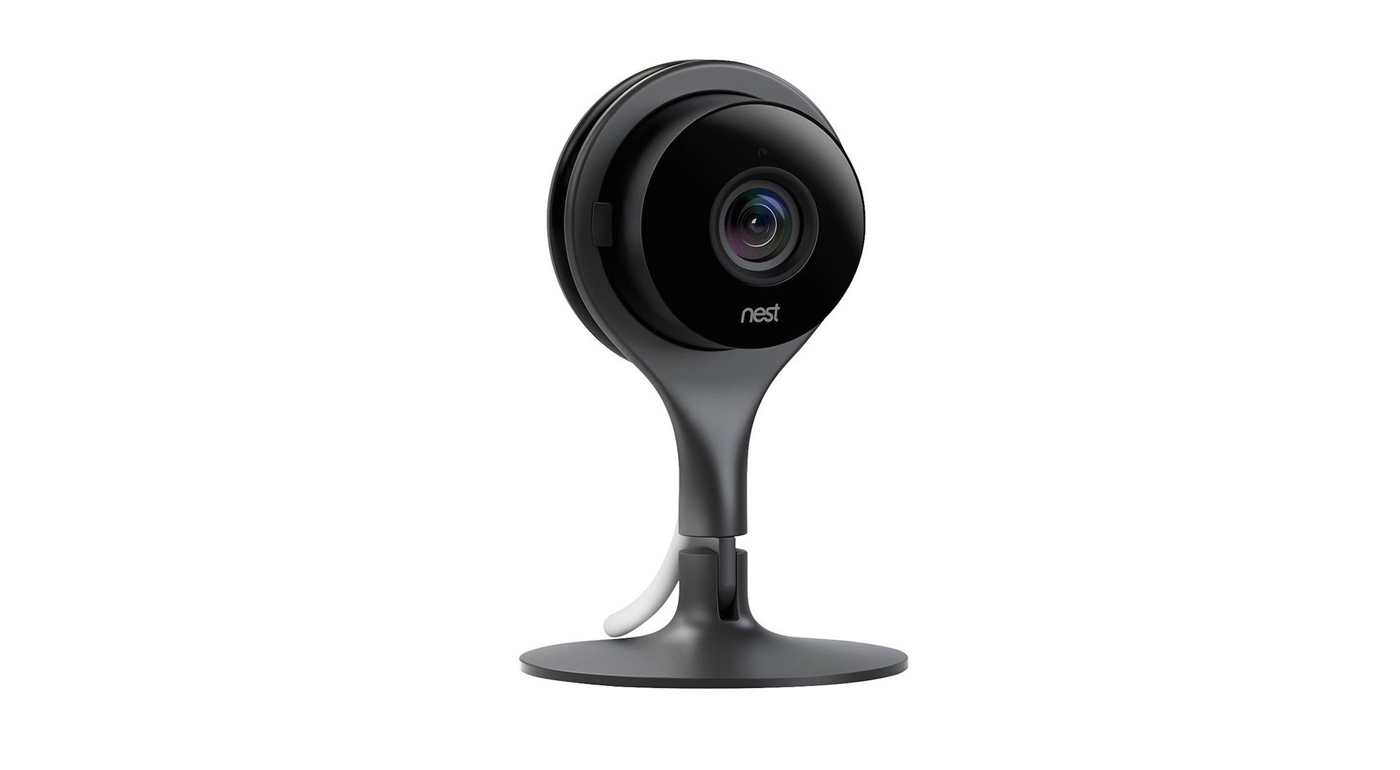
Street price: $200; MSRP: $200; deal price: $180
This isn’t the best price we’ve seen, as this security camera dropped to $170 briefly during the holidays. But it’s within $10 of that all-time low and still good for 10 percent off a product that hasn’t gone on sale all year. Shipping is free from eBay seller Blutek.
The Nest Cam is the top pick in our guide on the best wireless IP camera. Jason Snell said, “It offers a simple way to capture what’s going on in your home while you’re away and can alert you to unexpected sounds and movements. The Nest Cam provides a clear high-definition video stream with a field of view wide enough to encompass almost any room (larger than most competitors). Video is crisp and clear, with fine detail across a variety of lighting conditions; the Nest Cam performs as well or better than the other models we tested.”
Macbook Pro Retina 15-inch
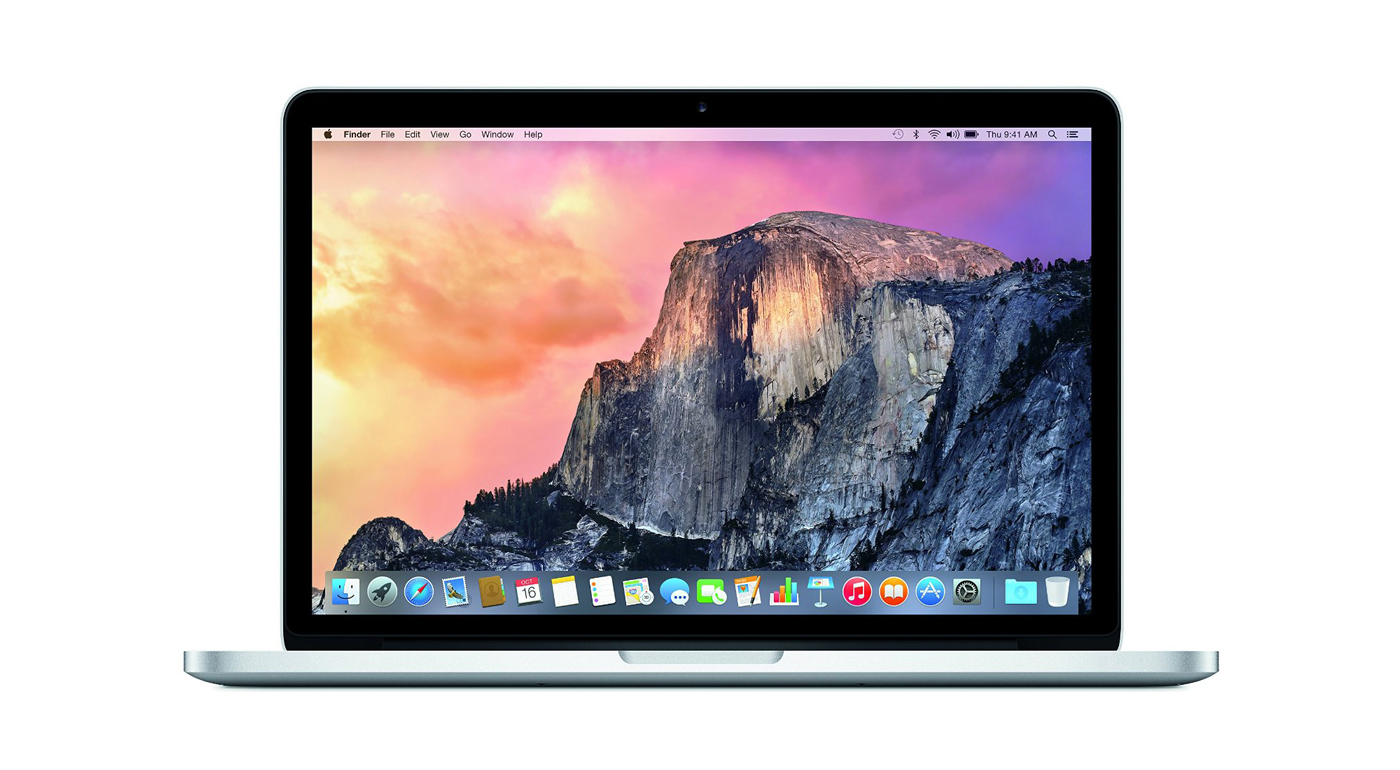
Street price: $2,000; MSRP: $2,000; deal price: $1,600
While we prefer the version with faster specs, if you’re ok with a bit less power, you can save a huge $400 off the retail price of this Macbook! This particular deal has a 2.2ghz processor, 16GB of RAM, and a 256GB SSD.
The Macbook Pro Retina 15-inch is our pick for the best power notebook. Brian Lam and Kimber Streams said, “The 15-inch MacBook Pro has the best combination of performance, weight, and screen size. Its 15-inch screen packs a 2880×1800 resolution, making it the ideal portable solution for power users.”
They went on to say, “No other laptop measures up to the Retina MacBook Pro’s combination of performance, keyboard, trackpad, screen quality, battery life, size and weight, and overall build quality. Here’s Apple’s support page with directions on how to install and run Windows using Boot Camp.”
Amazon Kindle Voyage Ebook Reader
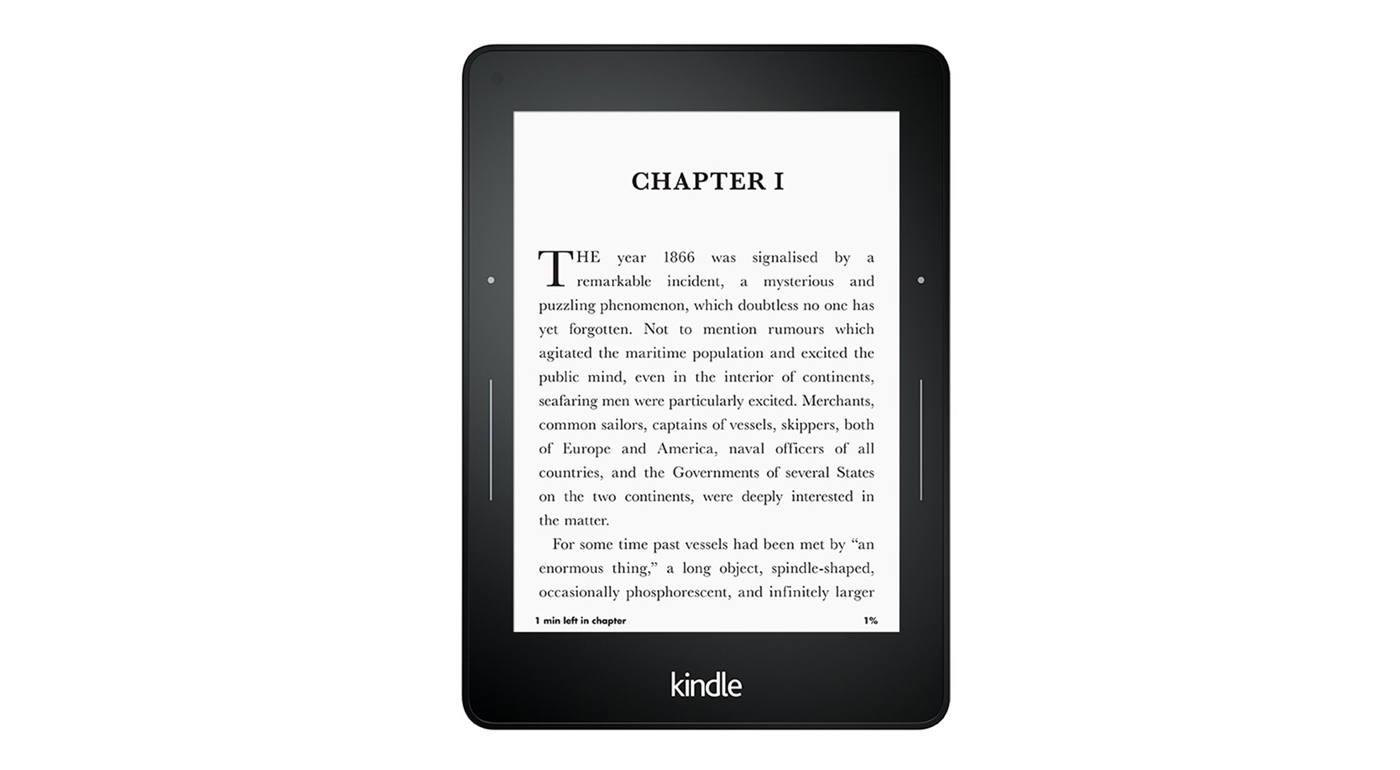
Street price: $200; MSRP: $200; deal price: $150
A brand new low on this top of the line ebook reader, Amazon’s dropping it to $150 for Prime members. We’ve seen it for $170 and it was difficult to justify the price difference between it and the Paperwhite, but this sale brings it into a more affordable range. It’s worth noting that there’s a new high-end Kindle announcement coming next week, though no details have been released yet.
The Kindle Voyage is our luxury pick for the best Ebook reader. Nick Guy said, “The Kindle Voyage is Amazon’s top-of-the-line e-reader. It adds features that aim to make it a luxury reading experience, including a side light that adjusts brightness automatically, buttons on the side of the screen that you can squeeze to turn pages, a micro-etched glass front that further reduces reflections, and a smaller, slimmer body. Amazon seems to have thrown in just about every feature that it could have added to the Voyage to make reading a book more enjoyable.”
He added, “The result is that the Kindle Voyage is the best e-reader out there. But it doesn’t offer enough over the Kindle Paperwhite for most people to justify the additional cost. The pixel density of the Voyage’s screen is the same as that of the 2015 Paperwhite’s screen. The Voyage’s adaptive backlight, which adjusts its brightness level based on ambient light, is nice, but the standard backlight on the Paperwhite is fine. And some people may prefer the Voyage’s physical page-turn buttons to the Paperwhite’s touchscreen taps and swipes, but most people are probably fine with the controls on the Paperwhite.”
Canon Powershot G9 X
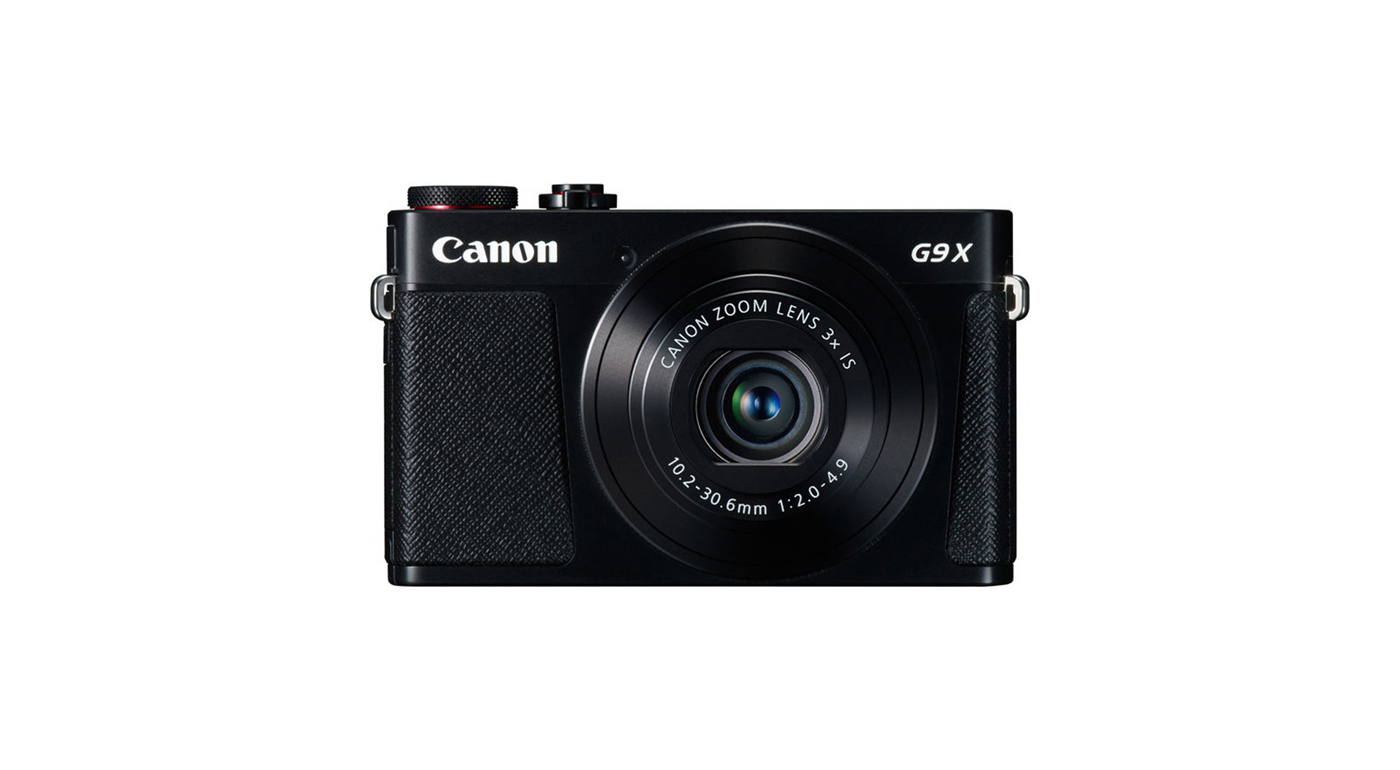
Street price: $430; MSRP: $580; deal price: $400
The first drop we’ve seen on this camera since we started tracking it, a $30 discount along with a free 32GB memory card to make it an even better deal.
The Canon Powershot G9 X is our pick for the best point-and-shoot camera under $500. Amadou Diallo said, “The Canon G9 X is the slimmest large-sensor compact camera available, with quick focusing and a touchscreen along with built-in Wi-Fi.”
He had high praise for the image quality, “Overall image quality of the G9 X is excellent, providing clean detail, realistic colors, and fairly accurate auto white balance. Its images are far better than anything you could have gotten with a compact camera just a few years ago and on par with Sony’s much-more-expensive RX100 IV, which also uses a 1-inch sensor.”
Deals change all the time, and some of these may have expired. To see an updated list of current deals, please go to The Wirecutter.com.
How to create slo-mo videos for Instagram on your iPhone – CNET
Hyperlapse is great if you want to post sped-up timelapse videos to Instagram, but what about slow-motion videos?
That’s easy if you captured a video using the slo-mo effect with the iPhone’s default camera app — all you have to do is post it like you would any other video. But if you have a regular-speed video you want to slow down, you’ll need to do some tweaking with iMovie for iOS.
iMovie for iOS costs $4.99, £3.99, AU$7.99.
Slow things down with iMovie
You can adjust the speed of your video in iMovie in a few, quick steps:
1. Open iMovie and create a new Movie project.
2. Choose the default Simple theme unless you want to add some graphics elements to your video and tap Create in the upper-right corner.
3. Select a video and add it to your project.
 Enlarge Image
Screenshot by Matt Elliott/CNET
4. Tap on the video timeline to highlight it and make the edit tools appear.
5. Tap the speed-dial button from the bottom edit menu.
6. Move the slider toward the turtle to slow down your video and then tap Done in the upper-left corner. You have seven speed options, form ⅘ speed to ⅛ speed. Remember, you have only 15 seconds to work with on Instagram, but you can always trim the video on Instagram if it runs longer than 15 seconds.

Enlarge Image
Screenshot by Matt Elliott/CNET
Save back to iPhone
With your video slowed down and saved, tap the share button and select Save Video. This will export your project from iMovie to your camera roll, from where it can be uploaded to Instagram.

Enlarge Image
Screenshot by Matt Elliott/CNET
Share on Instagram
Last step: share your slo-mo creation on Instagram. If you slo-mo video is longer than 60 seconds, you’ll need to trim it down. You can also trim your video so that it’s as short as 3 seconds.
For more, read our complete guide to iMovie for iOS.
Verizon offers three free months of HBO Now for new lines or upgrades

Verizon is aiming to get the TV binge-watching audience with its latest promotional offer. It will give customers who switch to Verizon Wireless, along with current users who upgrade or activate a new line, three free months of access to HBO Now, which is normally worth about $45.
The carrier’s press release states:
To be eligible you’ll need to upgrade or activate a new line on a smart phone on a device payment plan or a tablet with a 2-year activation or device payment plan. [In addition, if you upgrade or activate a new phone on a Verizon Plan XL or larger and choose the device payment option, you’ll also receive 2 GB of monthly bonus data for each new or upgraded line. The data is shareable, can be combined with other offers and applies as long as the line remains active on a Verizon Plan XL or larger.
Verizon points out that this new offer is being made just before the premiere of the sixth season of HBO’s hit show Game of Thrones on April 24.

Google may make Apple’s Swift a ‘first class’ language on Android

Google is reportedly considering making Swift, the object-oriented language developed by Apple, a “first-class” language for Android. Swift, which Apple made open source late last year, would apparently not be meant to replace the current first-class language, Java, at least not in the short term.
From The Next Web:
Google’s Android operating system currently supports Java as its first-class language, and sources say Swift is not meant to replace Java, at least initially. While the ongoing litigation with Oracle is likely cause for concern, sources say Google considers Swift to have a broader “upside” than Java.
As noted by The Next Web, there would need to be substantial work involved in making Swift a first-class language for Android. For one, Android’s standard library would need to be made Swift-compatible, and Android would need a Swift runtime.
Google is also reportedly considering another language, Kotlin, as a first-class language. However, there are said to be concerns that Kotlin compiles too slowly.

 AIVAnet