


Razer’s latest gaming keyboard and mouse are built for your lap
Remember the Turret, Razer’s living room-friendly mouse and keyboard combo? After more than a year of waiting, it’s finally ready for action. Plunk down $160 and you’ll get a pair of wireless peripherals (they work on both Bluetooth and proprietary connections) that are designed to be used in your lap. The keyboard has a lapboard that provides a flat surface for its high-precision, 3,500DPI mouse. The setup is primarily intended for a PC hooked up to your TV, but it has dedicated Android keys in case you’re using a Google-powered set-top box. There are plenty of other couch-oriented combos out there, but this may be your best pick if you’re determined to play first-person shooters and anything else that’s particularly involving.
Source: Razer (1), (2)
Intel cuts 12,000 jobs in restructuring initiative
Intel announced that it’s laying off 12,000 employees today in a radical measure designed to restructure the company. In a statement, the company said that it plans to accelerate its evolution from a PC-centric business to one that’s more focused on connected wearables and the Internet of Things. Last year, Intel’s growth in data and IoT businesses made up 40 percent of its revenue, while the PC market continues its downward trend.
“Our results over the last year demonstrate a strategy that is working and a solid foundation for growth,” said Brian Krzanich, Intel’s CEO, in that statement. “The opportunity now is to accelerate this momentum and build on our strengths.” As a result, the firm plans to increase investment in data center, IoT, memory and connectivity while reducing its focus on PCs. The cut of 12,000 positions is a drop of about 11 percent of its workforce.
The announcement arrived at the same time as the company’s earnings result for the first quarter of 2016, where it reported a revenue of $13.7 billion. It noted that Client Computing Group revenue was down 14 percent sequentially and up two percent year-over-year and Non-Volatile Memory Solutions Group revenue dipped 15 percent from last month and is down 6 percent year-over-year. Its Internet of Things Group, on the other hand, is healthy at $651 million in revenue, which is up 4 percent sequentially and up 22 percent from this time last year.
Source: Intel
Corning can now print high-res images on its Gorilla Glass
Corning revealed a new use for its line of toughened touch surfaces on Tuesday, dubbed Vibrant Gorilla Glass, which will enable manufacturers to print high-resolution images on the material. “It provides a wide range of color possibilities that you just can’t get from traditional screen printing processes,” Scott Forester, director, Gorilla Glass Innovations, told me during a recent call.
One of the challenges with glass is that it is inert but how do you get stuff to durably stick to it? Corning didn’t disclose much detail into the process and technology, save that “We spent a bit of time understanding inks and fluids, and how these adhere to glass,” Forester told me. “There’s a lot of intellectual property around the equipment and ink formulation. It’s a very different printing technology than what you see today.”
Now, obviously, Corning isn’t planning to stamp images onto iPhone screens but the company does see a market in front plates — ie the top cover of your laptop where the logo resides — or the backsides of smartphones. “We’ve gotten a lot of interest from companies that want to add their multicolor logos to devices,” Forester said. What’s more, Corning is open to offering the technology to advertisers and marketers before potentially offering it to consumers as a personalization option when purchasing new devices from the manufacturer. Eventually, people may be able to swap out the manufacturer’s logo on the back of their device with an image of their own choosing.
The Shock Clock band uses fear and electricity to wake you up
How hard is it to get up in the morning? When you have a job, and want to keep it, most of us can usually haul our sleepy asses out from beneath the duvet, even if that’s at the last minute. I’m not exactly Mr sunshine in the mornings, but is an electric shock really the answer? Pavlok, the team behind the Shock Clock band think so, and luckily enough for you, I hate myself just enough that I was willing to find out if it works. You know, for science and whatnot.
The idea behind the Shock Clock is pretty simple: punch in your desired wakeup time, then tell it to vibrate, beep or give you an electric shock (or all three, in that order) to wake you up. It’s aimed at chronic “snoozers” for whom loud music, the radio and regular alarm clocks aren’t enough. Unlike conventional methods, though, the idea here isn’t to shock you every morning. Pavlok claims it’s to program yourself — via aversion therapy — into permanently becoming a morning person.
If Shock Clock seems familiar, that’s because it’s essentially the same product as the existing Pavlok we wrote about two years ago. The makers claim its original zap-dispensing wearable has helped cure everything from sugar cravings to tobacco addiction. Now it’s hoping to abolish the snooze-button with this single-purpose version.
Setting up the Shock Clock is easy. Pair the wristband with the Pavlok Alarm app (available for iOS and Android), and then configure your wake-up punishment of choice. You can go straight in for shocks, or give yourself a chance, and wake to a vibration on the wrist and/or beeps before deploying a shock as the last resort. I went straight for shocks, because why not? A quick side note: The shocks aren’t crazy strong, but they were stronger than I expected; enough to make my open hand visibly twitch.
Given that the hardware is effectively the same, it might feel like you’re being sold the same shoes twice. Especially since the Pavlok Alarm app already also exists. To offset that, Shock Clock costs a chunk less than Pavlok, and will come with a revamped, more feature-rich app. What’s more, it’s cheaper, starting at $79 for early birds (it’s being crowdfunded), eventually selling for $100. Pavlok proper costs $169.
Ironically, given the whole habit-breaking thing, Shock Clock is a essentially a gateway drug to the full Pavlok experience. If the campaign reaches $50,000, Shock Clock will come with the option to be upgraded to unlock the full suite of Pavlok habit-busting features. These include such delights as shocking you when you visit certain websites or even custom IFTTT recipes that shock you based on any number of conditions.

The first morning I wore the Shock Clock, I think I’m already cured. I wake naturally a good 10 minutes before my set time. Easy. Perhaps it was some mild anxiety that caused me to stir, though. Much like how I’ll wake every hour, on the hour, whenever I have to get up for an early flight. I was actually so pleased with myself that I forgot about turning the alarm off, so I received my shock anyway 10 minutes later, conveniently as I was pouring some coffee.
The second morning I try waking with vibrations first, then tones, using the shock as the last resort. I must have relaxed into the idea, because I slept right through the vibration part. The tones wake me, but only just enough for me to realize I’m about to receive a… “damnit.” It zaps me, and sure enough, I’m awake. I’m groggy, though, and then I spot a flaw in the current app design: To let it know you’re awake, you press the wristband for three seconds. A snoozer’s delight! That’s a problem the new app will solve with a feature called “Snooze lock” that will use the motion sensors to check that you are up and awake (or just moving your wrist?). Sleep tracking will be a feature in the new app as well.
For me, at least, there’s a different problem: I already have a reliable system for waking up. I use a “natural” alarm clock that gradually illuminates the room during the 30 minutes before your desired wake up time. When the time comes, if you haven’t let it know you’re awake, soothing zen-like tones play in increasing volume until you do. It wakes me every time, gently, and the light makes me feel alert. Waking to a shock does the trick, but it’s like using jump-leads by comparison. It’s also a reminder that waking in darkness means my brain still feels like it’s 4am.
It’s worth remembering that Shock Clock isn’t simply about halting sleep; it’s about the habit of waking (many of us can open our eyes, only roll over and close them again). If this is your problem, and nothing else you’ve tried works, then I can see how Shock Clock might be appealing. My concern is that there’s another looming problem: You either have to remember to put the Shock Clock on each night, or wear it all the time, which seems a bit much for something you use for about five seconds in the morning. Also, if there’s any way to game the device, I suspect the heavy snoozer within us will find and exploit it — or just stop wearing it all together.
The team at Pavlok argues that’s not a problem. The theory is that if Shock Clock does its job, just the threat of it zapping you will eventually seep into your lizard brain, and its aversion to pain. With this, you’ll start waking naturally too. No lights and no zen music needed.
Source: Indiegogo, Pavlok
Skype’s chat bots come to Macs and the web
You no longer have to be quite so picky about where you chat with Skype’s chat bots. The Skype team has made preview bots available on both the native Mac app and the web, giving you a way to ask AI for assistance on your platform of choice. The experience won’t be much different than what you’ve seen in Windows, but there are two new preview bots to try: Murphy (which finds and creates images to answer questions) and Summarize (which recaps a web page). Give this a shot if you’ve been waiting for first-hand experience with Microsoft’s software helpers.
Via: TechCrunch
Source: Skype
New 12-Inch MacBook Tidbits: 15% Faster, 41.4-Watt-Hour Battery, Refurb Price Drop, and More
Apple today announced the next-generation 12-inch Retina MacBook with several faster tech specs, one hour longer battery life, and a new Rose Gold color option.
The ultra-thin notebook is available on Apple’s online store starting today from $1,299, and from Apple retail stores and authorized resellers beginning tomorrow.
15% to 18% Faster CPU Performance
Christina Warren has shared 64-bit Geekbench results that show the new 12-inch MacBook (1.2GHz configuration) has around 15% to 18% faster CPU performance compared to last year’s equivalent model. The notebook earned a single-core score of 2,894 and a multi-core score of 5,845, versus 2,437 single-core and 5,049 multi-core scores for the previous generation 1.2GHz model.

Primate Labs founder John Poole also shared 32-bit Geekbench 3 results for the new 12-inch MacBook (1.2GHz configuration) that confirms around a 15% bump in CPU performance compared to the equivalent 2015 model. The new 12-inch MacBook earned a single-core score of 2,670 and a multi-core score of 5,252, compared to 2,303 and 4,621 for the last-generation model.
Meanwhile, early BlackMagic disk speed tests have seen write speeds that are up to 80 or 90 percent faster than the write speeds in the previous-generation MacBook. Read speeds are also improved.
480p FaceTime Camera, No Thunderbolt 3 or DDR4 RAM
Initial reaction to the MacBook refresh among MacRumors readers has been mixed, with some appreciating the long-awaited arrival of faster Skylake processors and others disappointed that the notebook continues to have only one USB-C port, a 480p FaceTime camera, and no Thunderbolt 3 or DDR4 RAM.
MacRumors forum member PatriotInvasion writes:
No Thunderbolt 3, no extra USB-C port, and same $1,299 starting price. Ouch. Not what I expected. Let’s see what the MacBook Pros will be like.
My guess is Thunderbolt 3 is overkill for the users this Mac is targeted at, but the starting price point is overkill as well.
12-inch MacBook supporters argue that the notebook was never intended to have such capabilities, nor might those additions even be feasible without jeopardizing its size and price point, and promote the MacBook Pro as a more suitable alternative for expanded connectivity and CPU-intensive tasks.
41.4-Watt-Hour Battery

Apple says the new 12-inch MacBook has an additional hour of battery life for up to 10 hours on a full charge. The improvement was made possible by not only more efficient Skylake processors, but also due to a 41.4-watt-hour lithium-polymer battery. The original 12-inch MacBook has a slightly shorter-lasting 39.7-watt-hour battery that delivers up to 9 hours of power per charge.
– Up to 10 hours of wireless web browsing
– Up to 11 hours of iTunes movie playback
– Up to 30 days of standby time
1.3 GHz Core m7 Upgrade Option
The new 12-inch MacBook is available with a faster 1.3GHz Intel dual-core Core m7 processor as a $150 to $250 built-to-order upgrade option.

The upgrade can be applied to both standard configurations, which offer 1.1GHz Core m3 and 1.2GHz Core m5 processors for $1,299 and $1,599 respectively.
Refurbished Price Drop
Apple has lowered the price of refurbished early 2015 model 12-inch MacBooks on its online store. The notebooks now range between $929 and $1,319 in the U.S. depending on the configuration selected.
The cheapest $929 model features a 1.1GHz Intel dual-core Core M processor based on previous-generation Broadwell architecture, along with 8GB of 1600MHz LPDDR3 RAM, 256GB PCIe-based flash storage, and Intel HD Graphics 5300.
Related Roundup: Retina MacBook
Tag: Geekbench
Buyer’s Guide: MacBook (Don’t Buy)
Discuss this article in our forums
AMD’s New 400-Series ‘Polaris’ Graphics Chips Headed for 2016 Macs
Following up on its rumor of a major AMD design win reported last October, WCCFtech has confirmed via multiple sources that the customer in question is indeed Apple. The latest design win follows Apple’s use of AMD 200/300 series GPUs in the top-end 27-inch Retina iMac and 15-inch Retina MacBook Pro, and is a boon for the chipmaker that has seen its share of the graphics market dwindle over the past several years.
The design wins make mention of two graphics processor families, Polaris 10 and Polaris 11. The former carries a code name “Ellesmere” and is believed to be in the power range that would make it suitable for an upgrade to the iMac. Polaris 11 has the code name “Baffin” and it is believed to be in the power range suitable for an upgrade to the Retina MacBook Pro.

While Apple has limited discrete graphics chips to the top of its MacBook Pro and iMac lines, there would be suitable chips for all but the smallest form factors of Apple notebooks, should the company choose to embrace discrete graphics on a broader array of models.
As we previously noted, the switch to the new Polaris line of GPUs is set to be a significant performance upgrade over the previous 28nm GPUs. Announced by AMD at Computex, the lower-power AMD GPUs are set to be built on Global Foundries’ 14nm process. Through an agreement between multiple foundries, the process is equivalent to Samsung’s own second-generation 14nm FinFET process, which is the successor of the process used for the A9 and A9X featured in the latest iPhones and iPads.

Performance of these new graphics chips from AMD is expected to be double that of their predecessors, measured on a per-watt basis. This is thanks to the large size reduction and performance gains in going from the 28nm node first seen in 2011 for graphics processors to the new 16/14nm FinFET processes. This would certainly be welcome to the Mac lineup due to the increased graphics demands of the high-resolution Retina screens featured in both the iMac and MacBook Pro computers. It is reasonable to expect that Apple would allocate roughly the same power budget as on current models, meaning the 2x performance could be seen by users in some cases.
According to earlier reports, the chips should be ready to ship in consumer products in time for the back-to-school shopping season. It is not unheard of for Apple to receive priority on new chip designs, though WWDC would be the most logical time to expect these new Macs to debut. The future of the Mac Pro is less certain, though there will certainly be suitable high-end chips from AMD manufactured on TSMC’s 16nm process this year.
Related Roundups: iMac, MacBook Pro
Tags: AMD, wccftech.com
Buyer’s Guide: iMac (Neutral), Retina MacBook Pro (Don’t Buy)
Discuss this article in our forums
This portable 7000mAh power bank from VicTec can charge your smartphone with no wires
Portable batteries are a dime a dozen on Amazon.com. They come in a wide variety of shapes, sizes, materials, and charging technology. Most importantly, they all keep you going when you’re away from a wall socket.
Today’s battery I am reviewing is the VicTec 7000mAh portable Qi Wireless Power Bank from Amazon.com.

Specs
- 7000mAh Li-ion
- Qi wireless technology
- Dual USB ports
- Input: DC 5V/2A
- Output: DC 5V/1-2A
- Compatible with devices like the Samsung Galaxy S6, S6 edge, S6 edge+, Note5, S7, S7 edge, LG G4, and Nexus 6
- Dimensions: 5.68*2.76*0.66in
Design and Usage

I’ve been using the Samsung Galaxy S7 edge for about a month now, and one of my favorite features it has is Qi wireless charging.
“Qi (pronounced chee; IPA: /tʃiː/, coming from the Chinese word meaning “natural energy“) is an interface standard developed by the Wireless Power Consortium for inductive electrical power transfer over distances of up to 4 cm (1.6 inches).” – Wikipedia
Wireless charging is great, because you don’t have to worry about cables. You also don’t have to worry which direction to plug them into your devices. Simply place your Qi compatible smartphone, in my case the S7 edge, onto a charging pad or wireless battery and let the two work their magic.
The VicTec Qi Wireless Portable Power Bank runs $25.99 from Amazon.com, and offers 7000mAh of power. To put that into perspective, the S7 edge has a 3600mAh battery which means you should be able to get about two recharges out of it. The battery has a large rubbery “plus” symbol on top that acts as a grip for your device. Two full-size USB output ports sit in the front, with the input microUSB slot in between them. There’s a simple power button on the front as well, with a four LED power indicator off to the left.

Plainly put, the VicTec Portable Power Bank is just like every other battery, yet this one has wireless charging built into it. That makes it special.
It’s incredibly easy to recharge my smartphone with this battery since I don’t need to bring a cable along with me. The power bank does not have fast wireless charging technology, but that is easily overlooked considering the ease of use. I get just over one and a half full charges using this battery – wireless charging is less efficient than wired charging. What is also great is the size of the VicTec battery as it is roughly the same size as my Galaxy S7 edge. It’s extremely pocketable, light-weight and comes with me when I know I need more power.

Conclusion
The VicTec 7000mAh Wireless Portable Power Bank is a bargain at just $25.99. It’s not made from fancy materials like aluminum or glass, but it is well-built for the price. With wireless charging it’s nice to not have to carry cables around with me, but with two full-size USB output ports, I can charge up other devices as needed. Wireless headphones, cameras, smartwatches, and similar devices are all compatible with this battery.
If you have a Qi enabled device, I highly suggest you pick up the VicTec 7000mAh portable battery from Amazon.com.
If you’re wondering what skin I am using on my S7 edge, check out the full review of the Toast skin.
Bite Bite is a simple game of rhythm & patience, but needs more flavor (review)

Remember the children’s game where one player holds out their finger or hand, and can only retract it once the other person attempts to tap it? To pull out early is to risk being called a coward. To wait too long is to have your finger/hand being struck.
While playing it, it takes a simultaneous sense of calm and anticipation to balance the patience and quickness needed to succeed. The anticipation can be overwhelming, making it pretty difficult to keep your composure waiting for the right time to withdraw. If this sounds like a fun trip back to your childhood, I recommend Bite Bite, from the developer Rainbow Shell. You can download here for free from the Google Play Store. After downloading and opening, you can choose to link your Google Play Games account if you so choose.
Gameplay
Gameplay is pretty self-explanatory, though if you need some practice there is a training stage where you can hone your timing skills. Once in the game itself, you simply travel from monster to monster; each has a different look, a slightly different and more challenging array of bite sequences, and an increasing number of successful ‘escapes’ needed to transition to the next monster.
While battling each monster through the requisite number of bites, you have three lives (hearts in the corner of the screen). You hold your finger on your device’s screen, within the mouth of the monster, and wait.
After a random amount of time, the monster will bite down on your finger. You job is to remove your finger before its teeth touch you and you’re ‘bit’ (with a nice little finger amputation animation thrown in). Getting bit once or twice won’t cost you, but after the 3rd bite the bite countdown resets and you begin anew at completing the level. Once you do get through all the bites, that monster is “caged” and you move on to the next.
Overall the levels are not that difficult; it ‘s really a matter of remaining calm coupled finding a sort-of ‘zone’ where you can see/hear/feel/sense the next bite beginning. I did get myself in trouble fighting the 40-bite monster. I was cruising along, but once I crossed the 10-bites-left threshold, I tightened up and quickly burned through my three lives. This is where the addictiveness of the game kicked in; I couldn’t put the game down until I at least finished that level.
 What we Like
- Simple gameplay
- Fun color palette
Room for Improvement
- More bite variety
- More level variety; give each monster a unique personality.
Conclusion
Bite Bite does exactly what it says, and does it well. The only thing is, what it does isn’t all that much. Still, it is a fun game that takes you back to your childhood.
Where to Download
Download from the Play Store.
Roundup: Speck’s case lineup for the Samsung Galaxy S7 Edge
Here at AndroidGuys, we love phone accessories. Cases are the most popular type of phone accessory, everyone seems to have one! Today we’re going to be taking a look at the product lineup from one of the biggest brands in the world, Speck! Speck was gracious enough to send over some of its Samsung Galaxy S7 Edge cases, so let’s get to it!
CandyShell Grip
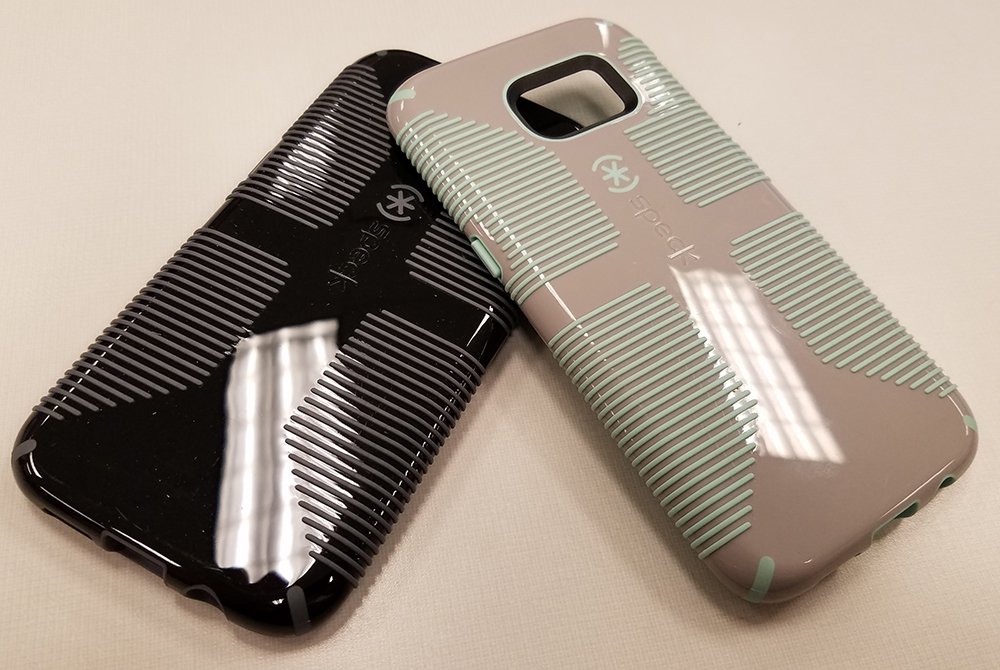
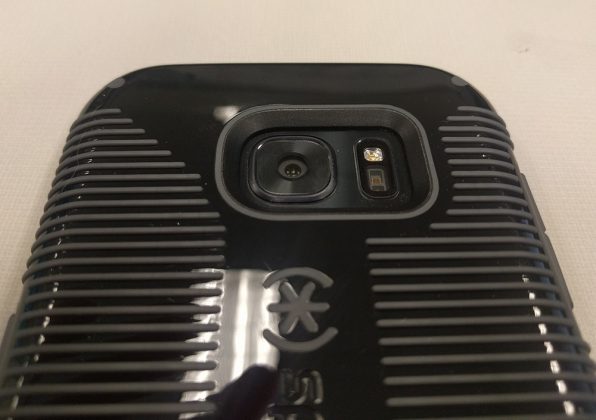
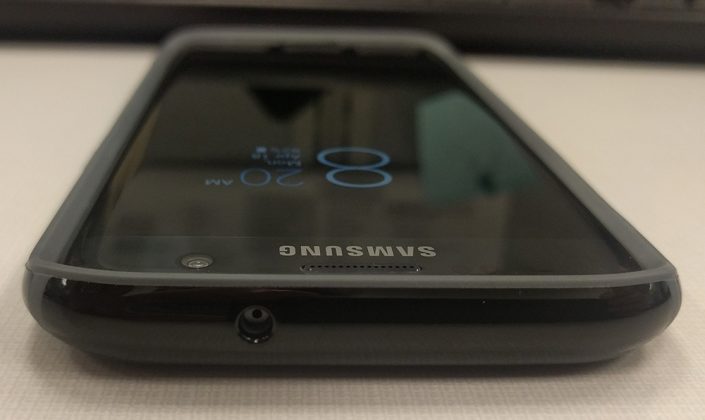
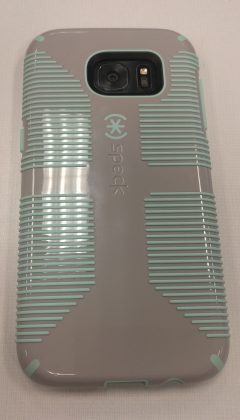
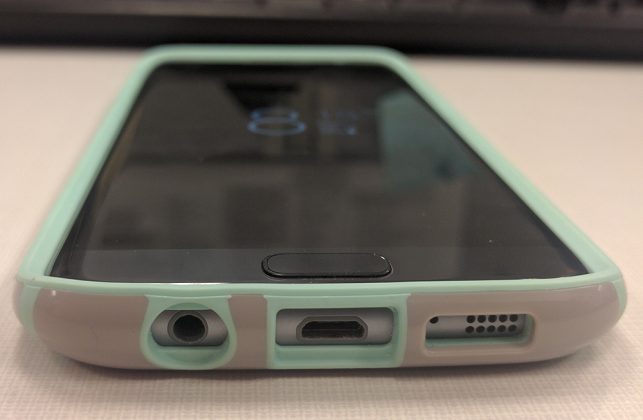
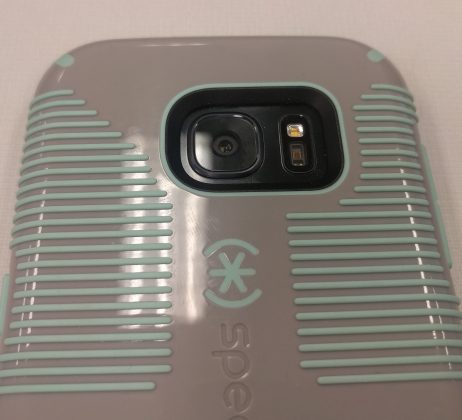
If you recognize the name Speck, the Candyshell Grip case is probably what comes to mind. The raised rubber ridges on the outside of the case are designed to help you hold onto your phone while giving the case it’s iconic look. The dual tone cases come in three color combinations: white with black lines, black with slate gray lines, and sand gray with aloe green lines. They’re all beautiful and can start a conversation.
The Candyshell Grip cases meet or exceed military standard MIL-STD-810G, which is designed to test products falling from various heights. This doesn’t mean your phone won’t ever break while in the cases, but it does mean that it has a greater chance of surviving. Everyone knows it’s possible to break your phone while it’s still in the case if you slam it onto the ground the correct way, so Speck can’t guarantee anything, but I feel much safer with my phone in one of these cases.
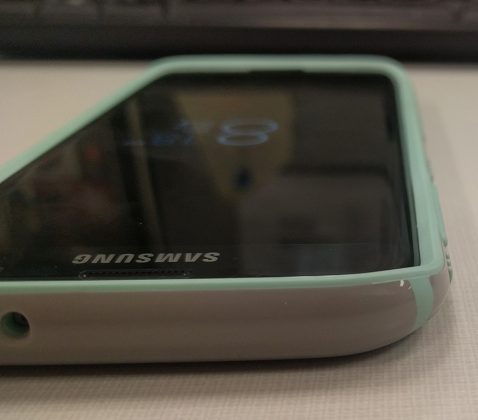
Speck markets the CandyShell Grip cases as “slim” cases, but I’d have to disagree. I suppose it’s all a matter of perspective, but I think they add just the smallest amount of bulk. While it isn’t nearly like an Otterbox case, I did feel like my phone went from the definition of sex-appeal to an instrument meant to carry out tasks. I have a theory that it could be the ridges messing with my perception because the case wall is only 0.16″ thick according to Speck.
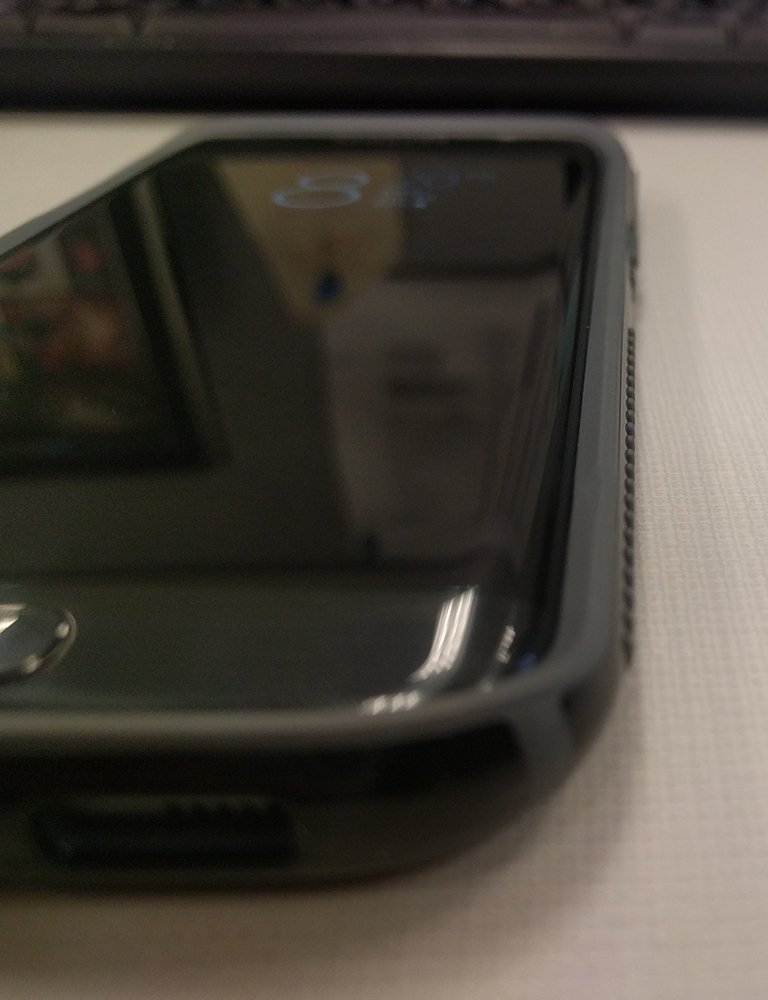
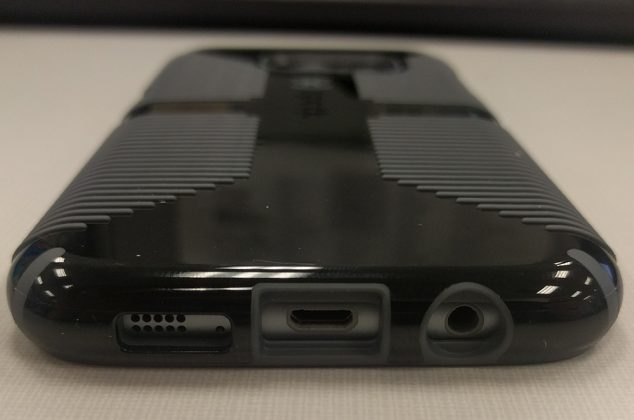
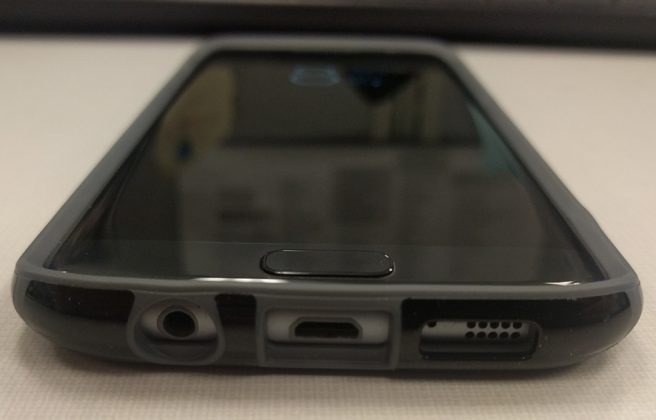
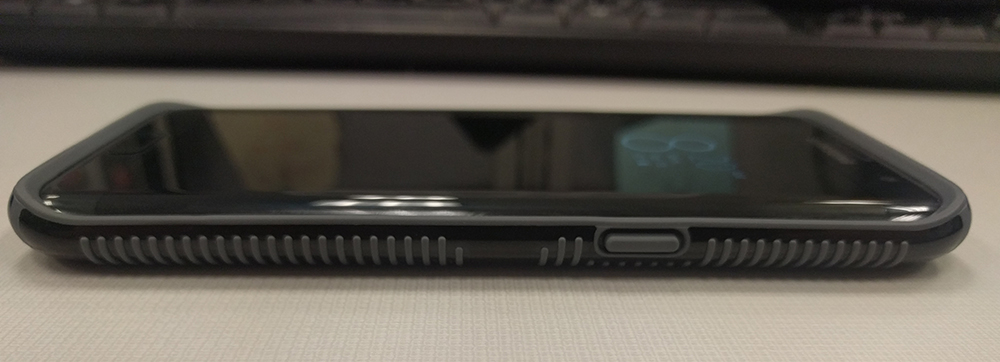
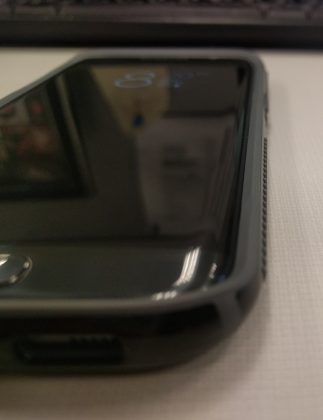
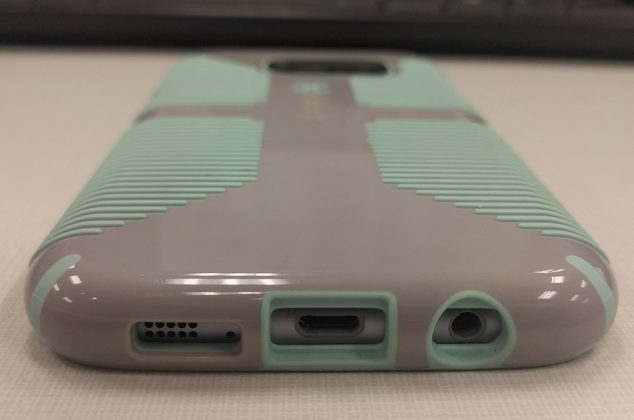
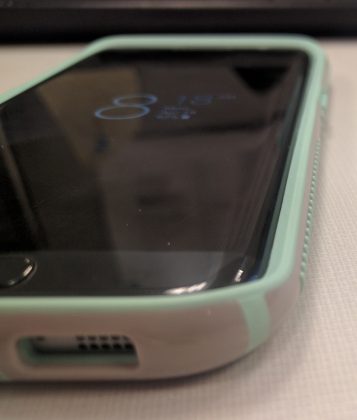
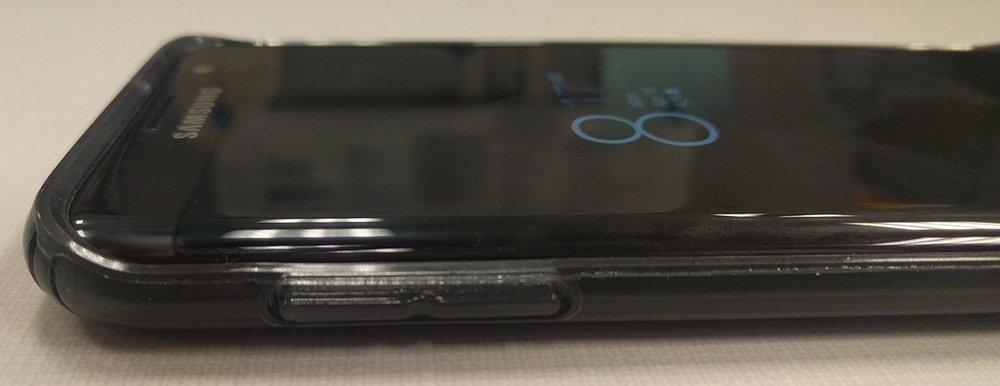
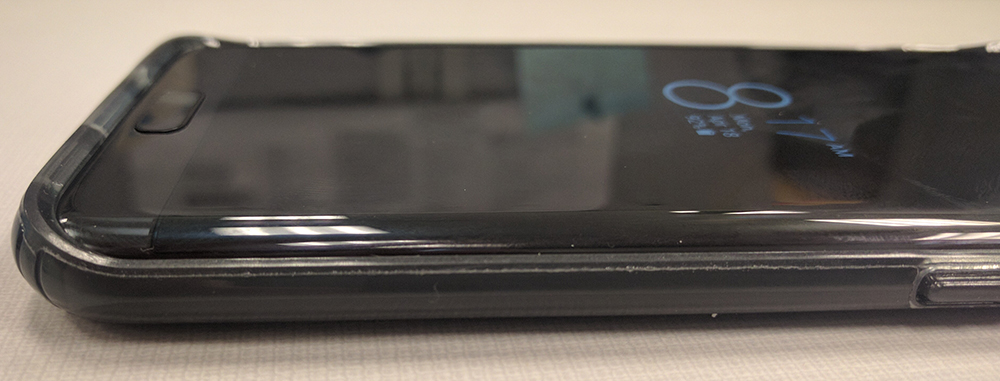
Finally, I’d like to point out a couple of things that Speck absolutely nailed. First off is cutouts. I don’t have to tell you how frustrating it is to not be able to use your favorite headphones or third party charging cable because the cutouts are too small. Ugh. It frustrates me just to think about. Luckily, Speck did a fantastic job there.
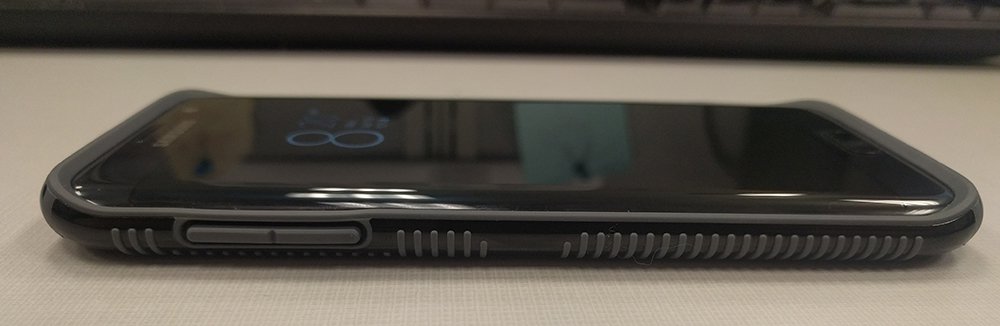
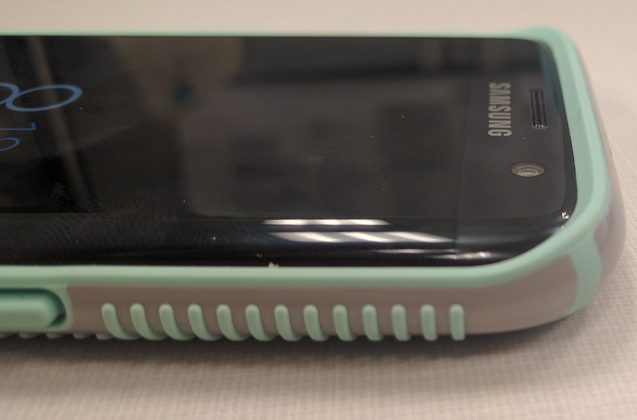
One more area I’d like to focus on are the buttons. A phone case that has mushy buttons is pretty much useless to me. Not because it won’t protect the phone, but because I won’t keep it on the phone long enough to protect it!
Speck’s CandyShell Grip cases have raised buttons just far enough to move your finger along the side of the case and find the button, but not so much that they stick out an unwarranted amount. Clickiness and travel are both excellent. Speck knocked it out of the park.
1 of 14
CandyShell Clear
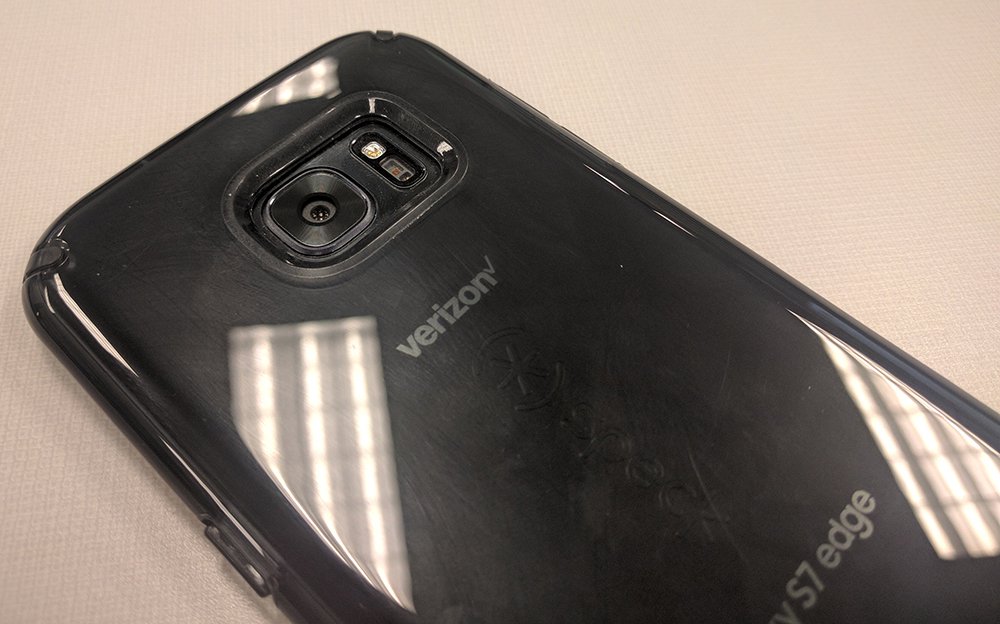
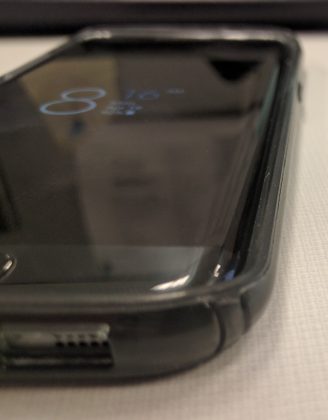
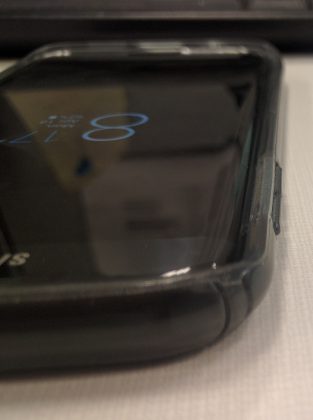
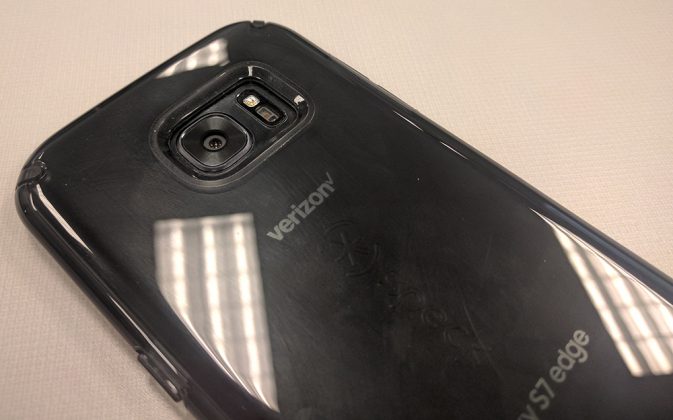
The Speck CandyShell Clear case shares a couple traits with its tougher brother but focuses more on showing off the looks of the phone, rather than showing off the looks of the case. The CandyShell Clear is, as you can guess, a clear case that you can also get in a tinted Black Onyx color (which is what I have).
The Clear case also meets or exceeds military standards, just like the Grip. It shares the same thickness (0.16″), clicky buttons and great cutouts. Where the cases differ are in two main categories: no ridges and bulk.
I described the CandyShell Grip as feeling like it adds a little bit of bulk even though it’s only 0.16″ thick. The CandyShell Clear does not have this problem. The Clear actually feels like one of the thinnest cases I’ve ever used. It’s amazing how much perceived thickness the ridges on the Grip add.
Due to the CandyShell Clear lacking those ridges, the aesthetic is completely different. If you bought the Samsung Galaxy S7 Edge due to its sex appeal, this might be a better fit for you in terms of your protection.
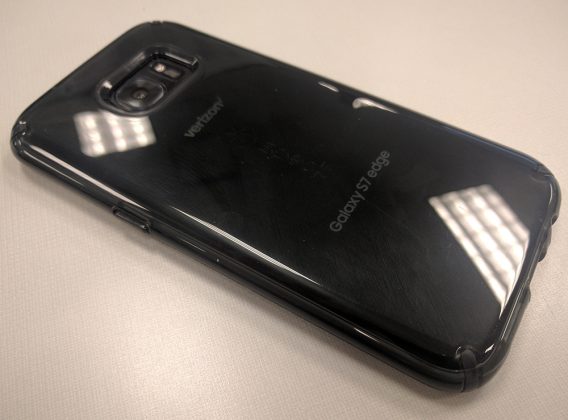
The Clear case doesn’t cover up the design, it adds to it. The phone is visible through the case and the Black Onyx blends in perfectly with the color of the phone. Speck nailed it here. Due to the material used, there is still a fair bit of grip added to this case, but not as much as the CandyShell Grip case.
Fingerprints can be a bit of an issue. I definitely noticed that the case picks up some finger smudges (I made sure you can see them in the pictures of the back), and it’s very hard to get rid of them. I generally keep my hands pretty clean due to the work I do, but it was still a bit of an issue with the CandyShell Clear.
Overall, I don’t feel like this is a big enough issue to avoid the case. If you like the aesthetics and drop protection the CandyShell Clear provides, definitely grab one.
1 of 6
Conclusion
Speck has once again proven why it’s a huge name and retailers like B&H Photo and Best Buy carry their cases. Speck doesn’t make the cheapest cases you can pick up on Amazon, and it shows in its quality. The Samsung Galaxy S7 Edge feels like an exceptionally risky phone to own because of all the glass, but I felt safe with mine in these cases at all times.
There are some disadvantages since nothing can be perfect, but the main thing to remember here is that the positives massively outweigh any negatives I could come up with. The cases don’t interfere with edge functionality but still provide grip and protection there.
If you’re interested in picking up any of Speck’s cases, you can check them out at Amazon, Best Buy, B&H Photo, or their website.
 AIVAnet