


Google’s Chrome experiment shows artists painting with light
Google has commissioned six artists to paint and sculpt with light using the company’s virtual painting app Tilt Brush. And yes, the big G has captured the whole process, so you can watch the artists work on their masterpieces. The team used Kinect to film the artists at work and tweaked Tilt Brush to be able to show each brush stroke on a browser.
Since the project’s a Chrome experiment, you can access all the videos in the series called “Virtual Art Sessions” without a virtual reality headset. You can even drag the videos on your browser to view the in-progress pieces from different angles, including from the artists’ POV. The sessions are pretty fascinating to watch to say the least. But if you’re more interested in how the Google team pulled it off, check out their detailed explanation on the G Developers’ website.
Source: Virtual Art Sessions, Google Chrome (YouTube), Google Developers
Nova Launcher – THE BEST launcher on the Play Store. Period. (Review)
In the early days of home computing, if you wanted to access a program, you had to know how to speak your computer’s language. This language, or “code”, could be unique across multiple computer brands. You had to use a “command line” tool to talk to your computer. If you didn’t know how to speak your computer’s language, you couldn’t do anything with it. This led to a steep learning curve for most people and could even prevent some of them from using a computer altogether. Something had to be done about this.
Fast forward to today, and you have what are known as a “Graphical User Interface” or “GUI”, (pronounced, gooey) for short. A GUI is a simple and visual way for you to interact with your computer without having to know any type of coding language. When you boot up your Mac or PC and see all of the icons, folders, the wallpaper, start menu, etc; these are components of the GUI your Windows or Mac OS software is using.
So how does this apply to an Android device? Well, in the Android world, instead of using the term “GUI,” we use the term “Launcher.” A launcher is basically a GUI for your phone or tablet. Every Android device you buy comes with a launcher pre-installed. They go by different names, but when you turn on your phone and click on an icon to access something, you are interacting with your device’s launcher. The look, style, colors, wallpaper, and all other visual and interactive elements are part of the launcher. The launcher is what allows you to use your phone without having to know Android’s coding language.
Why is a launcher important?
A launcher is the doorway to your device. If you want to surf the web, check Facebook, check your email, or do anything else on your device, you need a launcher to do it. Most of the launchers that come pre-installed on your phone will be slow and bloated. In the industry, we call these pre-installed launchers, “stock launchers.” If they are not slow in the beginning, they will get slow over time. Your phone will become laggy and less responsive. Samsung’s Touchwiz launcher that comes on Galaxy and Note devices by default, is one of the worst offenders. To make things worse, we can’t change how these stock launchers look, aesthetically. You can change the wallpaper and use widgets, but outside of that, if the stock launcher is ugly or visually displeasing, too bad. You’re stuck with it.
One of the great things about Android is that it gives you options. If you hate your stock launcher, no problem; there are other options out there. There are tons of third party launchers on the Google Play Store. There are so many, in fact, that it would take tons of time and more money than you would care to spend, to try them all. I want to simplify this choice for you. I want to save you that tons of time and money.
The best third party launcher on the Google Play Store, bar none, is TeslaCoil Software’s Nova Launcher.
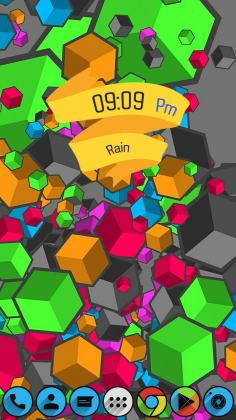
 Look created using Nova
Quality Without Compromise
What do we look for in a launcher? First and foremost, quality. The launcher needs to run well; free of debilitating bugs. The launcher needs features that work. It needs a solid support community and solid support from its developers. It needs to be innovative and aesthetically pleasing. Lastly, it should not rely on intrusive ads for support. Nova Launcher meets every one of these requirements with top marks.
Why should you choose Nova?
The first thing we tend to think with, when it comes to selecting a product, is our wallet. We ask ourselves, “Is the price right?”
Nova Launcher is 100% free. Yes. Free. There is a Nova Launcher Premium upgrade for $4.99 that is purely optional, but even if you never purchase it, you are still getting a fully featured, complete launcher, with the free version. In fact, the features that are unlocked with the Premium upgrade are centered around convenience instead of added functionality, as you will see.
What’s the difference?
Specifically, all of the basic settings, functions, and customization options will be available to you in the free version Nova Launcher. Extra features, like gestures, will be unlocked with the Prime upgrade. Below is a breakdown of the features each version of Nova offers:
Nova free:
- Custom grid – the ability to change how many icons can be displayed on your home screen
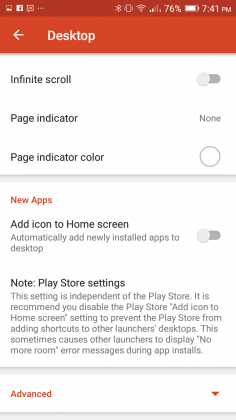
- Infinite scroll – the ability to scroll through all of your home screen pages continuously without having to ever scroll backwards.
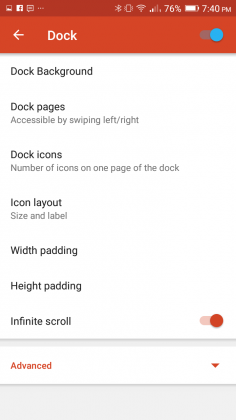
- Scrollable dock – you can add pages to your dock, all of which you can use to store app icons of your choosing. I personally use three pages with the dock set to seven icons. By default, most launchers only allow four icons on your dock and no “page feature” whatsoever.
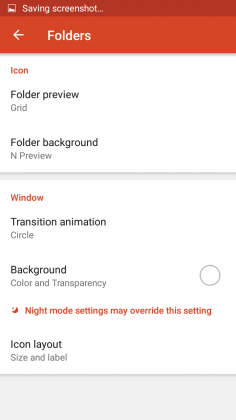
- Folder icons – this allows you to customize the icon, background and preview styles of folders on your home screen.
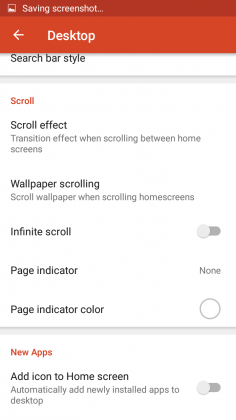
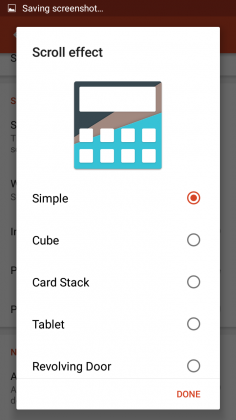
- Scroll effects – change the transition animation when you scroll between your home screen pages
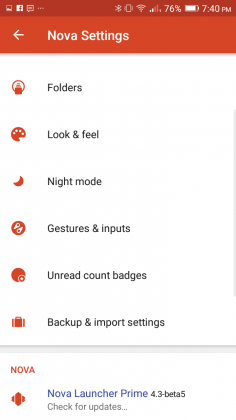
- Backup/Restore – save your Nova Launcher settings and configuration. If you save your backup to the cloud, you can access your Nova settings across multiple devices.
- Customization – compatibility with custom icon packs and themes to change the look of Nova
Nova Prime:
- Gestures – this feature allows you to use gesture based shortcuts for functions on your device. For example, I have my phone setup up to open the Android Settings app if I double tap on my home screen. I also have a gesture set up to access Nova’s settings if I swipe up on my home screen
- App drawer groups – organize your app drawer into folders and tabs. This allows you to put like applications together for easier access.
- Hide apps – this feature allows you to hide unused applications in your app drawer
- Icon swipes – this feature allows you to set gestures to specific icons, so that instead of performing a gesture on your home screen, you perform the gesture on a specific app icon itself.
As you can see, the Prime features tend to center around convenience over function. Because of this, as stated earlier on, if you decide to never spend a dime on Nova, you are still getting a complete custom launcher experience.
It is also of note that you will never see an ad in the free version of Nova. This is not so with the launchers like Go Launcher, Hola Launcher, and others that offer in-app purchases.
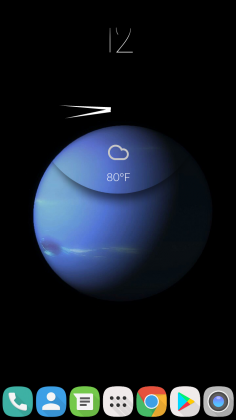
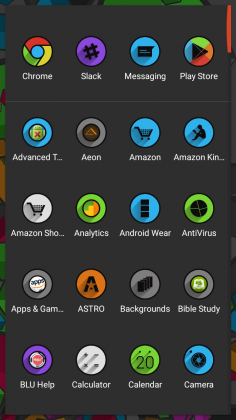
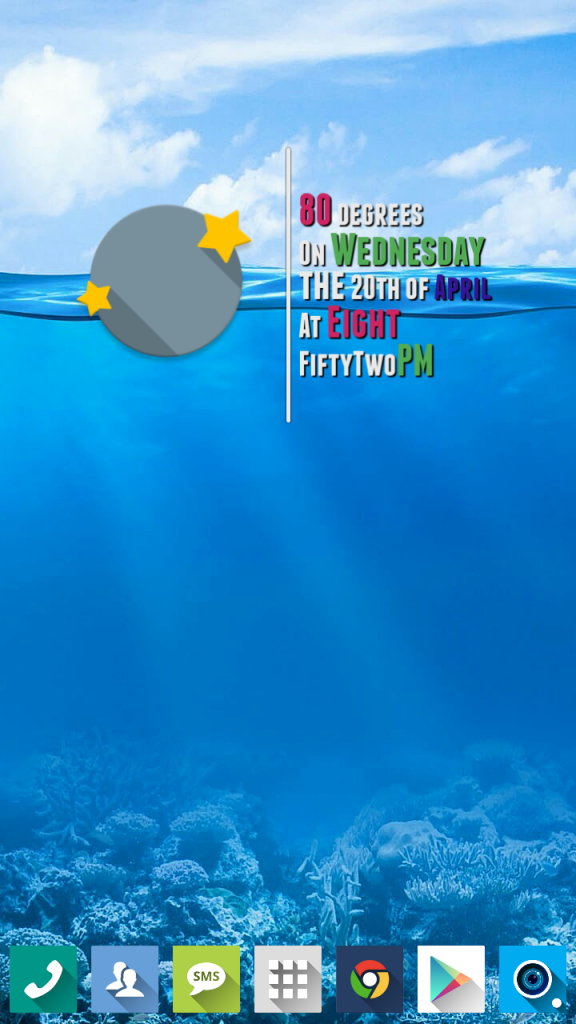 Created using Nova
User Interface, Settings, and Customization
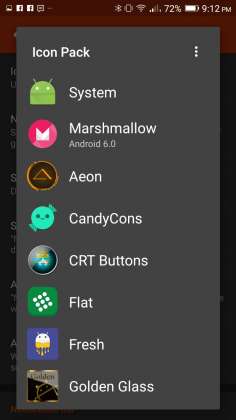
One of the best things about a custom launcher is customization. You essentially can make Nova Launcher look however you want. There are dozens, if not hundreds of icon packs on the Google Play Store that you can download. Some of these icon packs are free; others cost money. Regardless, there’s some great stuff out there and it’s a great way to give your device some new life if you’re growing bored. I run a weekly feature called Steal This Look! that features new icon packs, widgets, and wallpapers. I always use Nova Launcher in the feature, so it’s a great place to start, to find resources for Nova, to begin customizing your device.
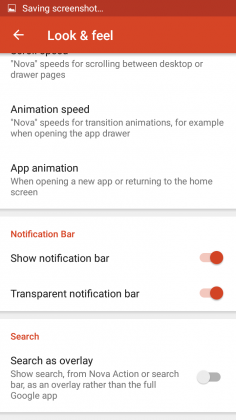
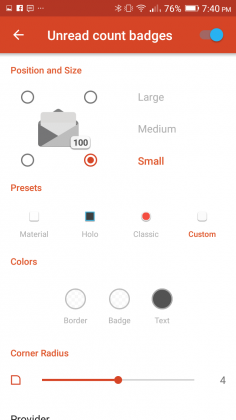
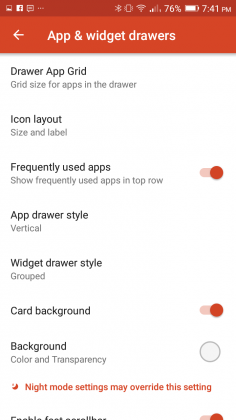
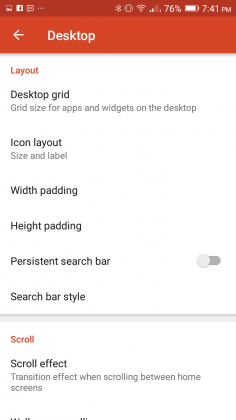
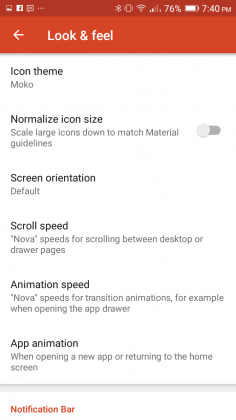
In addition to icon packs, Nova also offers you the ability to change more nuanced parts of the launcher such as, desktop grid, which allows you to change how many icons you can display on your home screen(s). You can even change the actual size of the icons to help maximize your home screen’s real estate. You can hide your notification bar, change scroll and animation speeds, change the animation used when opening apps, customize folder options, and many other things. You can even change the app drawer background and color. Heck, you can also change the highlight color that appears when click on an icon. The customization that Nova offers is not limitless, but it’s broad and easy to use.
Performance
Nova flies! It absolutely flies. I have never seen a launcher perform so well on a device, and I have used a lot of them. Is your Samsung device slowing down and getting laggy? Install Nova. It will feel like you’re using a new device.
Case and point, I have a Moto G 2014 that I use occasionally. It has 1GB or RAM, which is severely inadequate for an Android device these days. The phone is SLOOOOOW! The slow performance eventually frustrated me to the point of needing to take action, so I did the next logical thing; I installed Nova Launcher. I can attest to you from personal experience that Nova Launcher made this phone feel night and day different. The phone went from being laggy, and at times unresponsive, to being zippy, fast, and running like a phone with much better specs. Installing a custom ROM in addition to Nova only made things even better.
Conclusion
If you’re bored with your phone or tired of its slow performance, you owe it to yourself to download Nova Launcher now! It is absolutely free and it will radically change your device’s look and feel. Hands down, you will not find a better launcher on the Google Play Store. I’ve used a lot of them, and no matter what, I always come back to Nova.
Nova Launcher – Google Play Store
1 of 16

Canon EOS 1D X Mark II review: The fast and the furious, part II
The big boss is back for round two: the Canon EOS 1D X Mark II is the company’s top-end full-frame DSLR, which replaces both the original 1D X and video-focused 1D C models. And it really is one serious bit of kit, as we’ve been finding out during a couple of days’ shooting for this review – from ultra-low-light disused underground water caverns, to high-speed car chases, (literally) explosive stunt setups and even the odd sheep. Yep, sheep. We like to live dangerously after all.
Unveiled a short time after Nikon lifted the lid on its top-spec D5, which has a wholly new 153-point autofocus system, has the Canon 1D X II still got the smarts to call itself king of the pro full-frame market? We’ve been putting this DSLR through its paces to see just just that. Hint: the answer, if you’re all about speed, is a reassuring yes.
Canon EOS 1D X Mark II review: Design
Having handled the 1D X II for a couple of days there’s a whole lot to like about it. Not that it’s particularly different to the original model: the large scale body is almost identical, albeit for some rear thumbstick design and texture changes; an extra “bump” on its head courtesy of a built-in GPS module; and, tucked away inside, a CFAST card slot for ultra-fast write speeds (it sits alongside a more conventional CompactFlash port, so no need to necessarily upgrade to the newer format just yet).
Pocket-lint
It’s a pretty serious wedge of kit, though, so if you’re looking for something small then, well, this isn’t going to fit the brief. Having just reviewed the mid-range Canon 80D, the 1D X II is a whole different beast. But you knew that already. And despite the size everything falls to place in the hand well, catering for both portrait and landscape orientation thanks to dual controls (the second set of which can be deactivated with the twist of an external control).
Our only build gripe, really, is the lack of a variable screen. Which some pros will probably shrug at, but if Pentax can do it with the K-1 then we’d like to see it elsewhere. Shooting at floor level in the Cisternerne in Copenhagen made clear how useful this feature would have been, rather than working somewhat blindly. But as gripes go, it’s a passing one that most probably wouldn’t be expecting.
Canon EOS 1D X Mark II review: Autofocus
At first glance the Mark II’s autofocus system seems to be one and the same 61-point arrangement as found in the earlier 1D X. Sure, the layout is the same, but it’s all about new tweaks and nuances that ensure it’s still a top tier system.
Pocket-lint
Canon EOS 1D X Mark II review – sample image at ISO 400
First is the Ai Servo III+ continuous tracking system which utilises the gyros in image-stabilised lenses to help predict tracking movement. Let’s say you’re shooting out on a racetrack where there’s a sharp bend – you follow the curve of the road but the camera doesn’t know to predict this because, until now, it’s not been able to judge speed of physical movement. By using the gyro information it can predict when your physical movement is slowing down or speeding up, in which direction, and predict where the subject and, therefore, active autofocus points ought to be headed. Assuming you have the correct “scenario” selected from the five available within the 1D X II’s menu system – which comes with a full 65-page document to help explain their nuances and usage scenarios. This is detailed, drill-down deep stuff.
Second, all 61-points are sensitive to f/8 – which will be handy if you’re using a 2x converter and are forced to use a smaller aperture (21 of these AF points are cross-type to said sensitivity). You can choose to utilise all points or cross-type only in selection, with 1-point, 5-point group, 9-point group, centre/left/right areas and full 61-point arrays being available using the dedicated focus type button and M-fn button (we swapped the latter for the front thumbwheel as it’s more familiar).
Rewinding back to our experience in Copenhagen’s Cisternerne and it’s clear just how advanced this autofocus system is in single rather than continuous AF too. When it comes to dark venues this is a prime example: even ISO 25,600 at f/2.8 was pulling up shutter speeds not much better than 1/15th sec. Yep, it’s dark in there. So dark, in fact, that the camera could “see” more than we could by eye; so a snap to judge composition was typically best to work from and then readjust accordingly. It’s quite astonishing – and as much as a tripod would be the logical solution for shooting in such a scenario, that wasn’t available at the time. Still, the handheld shots are passable despite such demanding settings.
Pocket-lint
Canon EOS 1D X Mark II review – sample image at ISO 25,600 – 100 per cent crop
Anyway, back to the autofocus. With continuous autofocus setup to the 9-point group, often towards the bottom or outer edge of the frame to allow space for fast-moving subjects, we’ve found fast-moving cars to be snapped into focus from the very first frame and the tracking capable of maintaining focus on every frame thereafter in a continuous burst. It’s very impressive. A slightly wider spread of AF points, even less sensitive ones, would be welcome though – that’s something Canon hasn’t really pushed forward.
Canon EOS 1D X Mark II review: Set speed
Which brings us on to just how fast the 1D X II is. A 14fps continuous burst mode makes it the world’s fastest full-frame DSLR at this moment in time, pipping the Nikon D5 to the top spot (which offers 14fps with mirror lock only; Canon goes to 16fps in this mode – while Quiet Mode is a little quieter than the original 1D X and now capable to 5fps). So Nikon has the autofocus point numbers, Canon is for those eking out an extra frame in a burst for that elusive moment.
As we’ve pointed out above it really doesn’t miss a beat either. Shooting a stuntman leap over barrels – aided by a controlled explosion and a trampoline, but of course – was focus perfect each and every time, even without pre-focusing. And he was no slow-moving lad. Going one faster and we’ve shot a dragster speeding out of a garage and various car-chase scenarios, all of which the camera has responded to very well indeed.
Pocket-lint
It goes on and on in burst mode too, with machine gun-like vigour. The 1D X II can shoot 170 consecutive raw & JPEG files at full 20.2-megapixel resolution (with the right CFAST card on board) so there’s little chance of missing that special moment. That’s about a 12-second burst, non-stop, with no let-up and it clears to the card in double-quick time. We doubt any pro will need more than that – we’ve been shooting 5-second 72-frame bursts that have cleared to the CFAST card in roughly 1-second, so there’s no hanging about.
Canon EOS 1D X Mark II review: Live view / video
The 1D X Mark II’s autofocus systems comes in two distinct flavours too, because the new 20.2-megapixel sensor at the heart of the camera is the first Dual Pixel CMOS AF sensor to appear in a full-frame model. That means it has phase-detection photodiodes that can be used to focus when in live preview only (not via the viewfinder). And, as live view systems go, it’s as quick as they come in the DSLR world.
Unusually the rear screen is touch-enabled, but only for live view – handy to avoid accidental knocks for standard shooting, but equally handy for tapping to focus on a subject whether shooting stills or video content. We think it’s about time such a feature made its way into a pro camera, particularly a camera proficient in video capture, despite the lack of a vari-angle bracket for easier waist-level work.
However, we would like to see more detail with focus point size adjustment in live view mode though, because as good as the face detection and tracking is, it’s not infallible – but can be over-ridden by half-pressing the shutter button to maintain focus on the given tracking area.
Pocket-lint
Canon EOS 1D X Mark II review – sample image at ISO 1000 – 100 per cent crop
Then there’s video capture, an area the 1D X II elevates, hence it standing-in as the 1D C replacement too. It’s possible to shoot 4K at 60fps (in 17:9 DCI cinema standard) for up to 29-minutes 59-seconds at 800Mbit/sec without limit to file size (compression is 8-bit 4:2:2 rather than 10-bit colour though; and there’s no clean HDMI out offered – which videographers may see as a major downfall or a £5,200 camera). If that sounds like a recipe for overheating then a “heat pipe” has been designed to dissipate heat around the camera to stop the sensor getting too hot. Just don’t expect the CFAST card to remain cool.
Video is one not to be overlooked for stills capture too, something competitors such as Panasonic are promoting heavily of late. Because the shutter speed can be set within manual video mode you’re able to shoot at faster speeds per frame to avoid subject blur that can be an issue. So if 14fps isn’t quite enough for you then, light permitting, 8-megapixel image extractions from video are possible at a rate of 60 per second, should you want.
Canon EOS 1D X Mark II review: Image quality
We’ve not just been dashing around shooting stuntmen, cars and, um, sheep though. We’ve been shooting people on fire in the studio too. Obviously. Which brings us to the 1D X II’s still image quality, in the field, in the studio and in-between.
Pocket-lint
There is some interesting detail about that new 20.2-megapixel sensor, however, which has on-sensor analogue-to-digital conversion for a shorter circuit path, which in turn, Canon claims, means less heat and lower image noise – but specifically at the lower ISO sensitivities.
Overall the 1D X is all about balance. It doesn’t over-do the megapixel count, offering just 2-megapixels more resolution than the original 1D X from 2012. It maintains a low-pass filter unlike many higher-resolution cameras these days (that are ditching that for slightly sharper results and increased risk of moire). It’s the camera for sports photographers, studio photographers, pros on the go. And the image quality is impressive indeed.
Are you going to see a mind-boggling massive leap at the lower ISO settings? You’ll have to dig deep. But even so, don’t focus on trying to see something and just look at the images themselves. They’re natural looking, well exposed – thanks to a new light meter that has three times more resolution than the original 1D X’s one – for more balanced colour than before. We’d say 98 per cent of the time it’s been bang on too, save for a couple of overly blue-cast shots in evening light. It can even do clever things like gauge light flicker to negate firing the shutter at an incompatible moment when shooting under such lighting conditions.
Pocket-lint
Canon EOS 1D X Mark II review – sample image at ISO 2000
Many will ask whether the 1D X II offers image quality that can outshine the rest of the Canon range. That answer is kind of political we suppose: it’s all about the 14fps burst shooting and autofocus system really; the images you can capture using that are beyond any other Canon product. In terms of quality there are results so similar from other EOS models, or even “better” at higher resolutions available – it’s all about choice.
As we see it we’ve been using the camera entirely contently at ISO 1600 with no fear of details lacking or image noise peering into the image. Critical dark background shots maintain richness even at such sensitivity, as seen by our “flaming gymnast” model. Shoot outdoors and similar ISO sensitivities – used in order to bump up the shutter speed – maintain bags of clarity. Just look at the dragster (ISO 400), explosion (ISO 800), or even car chase/crash scene (ISO 2000) in our gallery to see what we’re talking about.
Push to the higher ISO sensitivities – such as a line-up of beers (ISO 5000) – and there’s a whisper of colour noise in mid-shadows. Keep pushing things – such as the ultra low-light underground Cisternerne shot (ISO 25,600) – and the detail diminishes, but even at these 5-figure settings you can get something usable at small scale. Needs must. Canon has actually been more conservative with maximum sensitivity compared to Nikon too, maxing out at 51,200 (extendable to 409,600, not the 3,280,000 extended capacity of the Nikon D5).
Pocket-lint
Canon EOS 1D X Mark II review – sample image at ISO 2500
We’ve used the 1D X II with an EF 100-400mm f/4.5-5.6L IS, EF 200-400mm f/4L, EF 24-70mm f/2.8L II and EF 11-24mm f/4L to get a full sense of how it acts with a variety of glass strapped to the front. If you want sharp then there’s plenty of glass to choose from, including the L-series optics Canon is renowned for. It’s no change here: the glass continues to do its thing.
Verdict
There’s probably a thousand things we’ve not quite touched upon with this Canon EOS 1D X Mark II review – such as the rather capable Wi-Fi and remote control, or the GPS log tracking (both out-the-box in-camera features) – but that’s just how detailed a top-tier product is. Focus on the core of what matters most, though – autofocus, continuous burst, buffer capacity, image quality, battery life (we shot 1100 frames over two days and still had two of the five bars of power showing up) – and this is one almost untouchable pro camera. Its only threat, and lesser so on the speed front, is the Nikon D5 (not that many established users with a bunch of optics are likely to up and switch just like that).
As an upgrade from original 1D X to Mark II you’re getting small bumps in AF system performance and resolution, plus some video smarts and touchscreen live view – but it’s not a giant leap. But when cameras are this capable where else is there to go? One feature we’d liked to have seen is a vari-angle LCD screen, like that of the Pentax K-1. And a wider array of focus points wouldn’t go amiss for some creative framing too. Oh, and the lack of clean HDMI out for 4K video capture will rile some videographers not wanting to fork out for a C300.
But we’re scratching around to try and find fault. When it comes to creative professional tools the 1D X Mark II is not just a worthy successor to the original, it’s an astounding high-speed DSLR in its own right. The original was genre defining and this, the sequel, is one of those rare but lauded better-than-the-original moments.
Your next colored bracelet can detect environmental pollution
Turns out your collection of neon-colored silicone bracelets have a use beyond showing support for a fallen-from-grace cyclist’s non-profit after all. The material can actually trap pollutants you might be exposed to during the course of your day, according to a study by Oregon State University. Specifically, OSU was looking for how present fire retardant chemicals were in the households of 92 pre-school children. What’d the researchers find? That somehow, over the course of a week, these kids were exposed to polybrominated diphenyl ethers that aren’t being produced domestically anymore.
What’s more, “significant differences” revealed themselves in terms of exposure to the chemicals, the age of the houses the kids live in and how frequently vacuuming takes place, among other metrics.
Scientists seem pretty interested in the absorption properties of the bracelets beyond this study, too. Chemical & Engineering News writes that the fashion accessories are pretty similar to human skin with how they interact with pollutants. Other experiments in this vein have revealed chemical exposure levels in roofers and may even be useful for predicting if prenatal exposure to polycyclic aromatic hydrocarbons leads to asthma in children.
Think of them as an extension of the grade-school science experiment where you’d put loops of cellophane tape in different locations to see what kind of pollution was in the area. Except, you know, these are a lot more effective.
Via: Popular Science
Source: Science Direct
Court rejects child porn case evidence FBI got through malware
A Massachusetts court has thrown out evidence for a child porn case that the feds obtained by using malware. Christopher Soghoian from the American Civil Liberties Union (ACLU) told Motherboard that “[t]his is the first time a court has ever suppressed anything from a government hacking operation.” If you recall, the FBI took over a child porn service on the Tor network called Playpen to infiltrate pedophiles’ computers from all over the world. The agency collected over a thousand IP addresses from users in the US. They then arrested a bunch of people based on their investigation, including Alex Levin, whose lawyers filed a motion to suppress: a request asking the court to disregard a particular evidence.
The lawyers argued (and Judge William G. Young of the District of Massachusetts agreed) that the operation relied on an invalid warrant. Young’s order reads:
“Based on the foregoing analysis, the Court concludes that the NIT warrant was issued without jurisdiction and thus was void ab initio. It follows that the resulting search was conducted as though there were no warrant at all… Since warrantless searches are presumptively unreasonable, and the good-faith exception is inapplicable, the evidence must be excluded.”
According to USA Today reporter Brad Heath, the warrant was rendered invalid, because the FBI should have asked a district judge and not a magistrate for permission to hack computers to identify Playpen’s users. He added that “finding a district judge isn’t hard. There are four in the same courthouse as the magistrate who OK’d the Tor hack.” It’s unclear why a magistrate approved the FBI’s request, but we’ll bet other people who were arrested based on the investigation’s findings will take a leaf out of Levin’s lawyers book.
Court rules that the FBI relied on an invalid search warrant when it added malware to a Tor network child porn site. pic.twitter.com/3BzZybCOyD
— Brad Heath (@bradheath) April 20, 2016
If the FBI wants to hack computers to find out where they are, it needs to ask a district judge, not a magistrate. pic.twitter.com/bXeOULIJrn
— Brad Heath (@bradheath) April 20, 2016
And finding a district judge isn’t hard. There are 4 in the same courthouse as the magistrate who OK’d the Tor hack. pic.twitter.com/Ut1fx2C0t1
— Brad Heath (@bradheath) April 20, 2016
Court: FBI’s decision to run a child porn site to ID its users was “akin to the government itself selling drugs.” pic.twitter.com/txzsebbecT
— Brad Heath (@bradheath) April 20, 2016
Source: Motherboard
How to teleport video games to any room of your home – CNET
Even Frank Underwood (you know, from “House of Cards”) sometimes needs to blow off steam playing video games. You do, too. And if you’re lucky, you too have a private den where you can escape from the world. But perhaps not. What about those times when your partner wants to use the TV?
It turns out there’s a way for you to keep on playing your favorite games from any room of your house. Exactly how you do it depends on which game system you own.
Xbox, PS4 or PC?
If you own a Microsoft Xbox One, all you need is a Windows 10 laptop and a Micro-USB cable to sling games around your home. Plug your controller into the laptop, fire up Windows 10’s built-in Xbox app, and your laptop screen can become a portable wireless television for all your Xbox titles. (It works great with a Microsoft Surface tablet, too.)
If you’ve got a Sony PlayStation 4, you don’t even need a Windows 10 computer. You can beam those games to Windows, Mac, a PlayStation Vita handheld, or even an Android smartphone if you’ve got the right software installed. (Search for Twisted89’s PS4 Remote Play app to get that up and running.)
Another option: you can buy slim set-top boxes like the Steam Link and Nvidia Shield to beam PC games to your living room TV.
How it works
What all these solutions have in common is a technique called game streaming. It works practically the same way as a YouTube video does, only with a gamepad attached. Much like an Internet video server halfway across the globe delivers your favorite cat videos to your Web browser, here your Xbox, PlayStation or gaming PC delivers the processing power to stream games from the other side of your house.
 Enlarge Image
Game streaming is quite the trip. Press a button (1) and your PC sends a signal (2) to your wireless router, which tells your Xbox (3) to move your video game character. Then your Xbox beams the result (4) to the screen in front of you.
McKibillo
You might be surprised how well game streaming works. While a lot depends on the speed of your home network (more on that in a minute), games can now run nearly as quickly and fluidly over a good Wi-Fi connection as they do hooked up to your flatscreen.
But before you start slinging games around your house, you may need to invest in a few tech products.
A great home network
There’s a reason CNET reviews routers: They’re not all the same. The Wi-Fi built into your cable box or DSL modem probably won’t cut it for streaming games.

Enlarge Image
The more spider-like your router, the more likely it’ll be ready for game streaming. Generally speaking.
Asus
Instead, you’ll want an excellent wireless router, preferably one with three or more antennas, support for the 802.11ac protocol (currently the fastest form of consumer Wi-Fi), and one that performs well on the more reliable 5GHz frequency band (the radio signal it uses to connect). Two of our recent favorites: the Asus RT-AC87U ($300, £300, AU$450) and the $400 (£400, AU$530) Asus RT-AC5300.
You’ll need to make sure your wireless router has a strong connection to your devices, too; every wall between your router and gaming device, and the more distance you put between the two, can interfere with your signal and potentially make your games slow and unresponsive. With a high-quality router, a flight of stairs and a few feet of drywall shouldn’t matter, but check your Wi-Fi signal strength before you begin.
You may want to hook up your game console or your PC with a physical Ethernet cable for optimal results, since it reduces the need for your home Wi-Fi to be perfect.
Oh, and try to keep your network free of congestion while you’re playing. I’ll often notice a bit of lag, or a hazy image, when my wife starts watching her YouTube cooking shows.
Can any of this game streaming goodness work outside your home network? It’s technically possible with an Nvidia Shield…as long as you’ve got an amazing internet connection at home and at wherever you plan to play. For any other form of streaming, you’d need to trick the software into thinking your internet connection is a local area network, which can be a complicated, error-prone process.

Enlarge Image
Microsoft’s Surface Book with an Xbox One controller, streaming a game from an Xbox game console.
Nate Ralph/CNET
A streaming device
Here are the best ways to beam games around:
Steam Link ($50, £100 bundled with Steam Controller, not yet available in AU)
- The easiest way to play PC games on your big-screen TV without lugging a desktop around or running cables through your walls. Just plug it in and power it up, and it’ll automatically recognize any Steam accounts on the same home network. It’s got USB ports, but it doesn’t come with a controller — unless you buy a bundle.
Nvidia Shield ($200, £150, not available in AU)
- If you’ve got an Nvidia graphics card in your gaming PC, the Shield is another way to beam those games to a TV. You can hook up a mouse and keyboard if you want, but it also comes with an excellent Xbox-style gamepad.
Your old laptop (Free)
- Whether you’re streaming games from Xbox One, PS4, or a gaming PC, an old laptop with a decent network connection might be all you need. For Xbox, you’ll have to install Windows 10 on the laptop first, and plug in your Xbox One gamepad. For PC, you just need to log into your Steam account on both computers simultaneously.
Your new Android phone (roughly $15, £15, AU$20)
- You can stream PlayStation 4 games to Sony’s own Vita handheld or the defunct PlayStation TV set-top, but there’s a better way. Buy a Nyko Smart Clip to attach your phone to your PS4 gamepad and a USB-OTG (USB On The Go) cable to connect it, then search the Web for Twisted89’s PS4 Remote Play app.
Nintendo Wii U ($300, £240, AU$430)
- If all you want to do is play some games while your partner uses the TV, the Nintendo Wii U does it right out of the box. The controller has a built-in LCD screen and direct wireless connectivity, so a fancy Wi-Fi router isn’t required. Just know that with an estimated wireless range of just 26 feet, you won’t be streaming very far.
A controller
While some streaming solutions like the Nvidia Shield and PlayStation Vita come with their own controllers, you’ll often need to provide one to play your game remotely.
If you’re streaming from Xbox One or PlayStation 4, just plug your existing console’s controllers into your PC using a standard Micro-USB cable (the kind that charges most non-Apple smartphones). If you’re using the controller with your phone, buy a cheap USB-OTG adapter to make the cable work with your handset.
If you’re streaming from a gaming PC, though, things get a little more complicated. You could connect a wireless mouse and keyboard. But using those on the couch might make streaming feel a little unresponsive because of how long they can take to send your commands. Instead, I’d recommend that you pair an Xbox gamepad ($60, £40, AU$90) with one of Microsoft’s official wireless adapters ($25, £20, AU$30), or try the $50 Steam Controller (£50, not yet available in AU) if you’re willing to tackle its steep learning curve.
Trust me, it’ll all be worth it. The next time you’re sick in bed, you’ll be able to keep on playing your favorite games from under those comfy blankets.

‘Hearthstone’ update brings drastic changes to the card game
Hearthstone is undergoing some changes in the interest of keeping the digital-trading-card game fresh. But in introducing the “Whispers of the Old Gods” — expansion out on the 26th — developer Blizzard is tweaking a bunch of cards and, based on the 5,000-plus comment Reddit thread, this isn’t exactly for the better. Fan favorite cards like Molten Giant have gotten a casting cost increase up to 25 from 20, while the Knife Juggler card has had its attack decreased by a point.
Polygon breaks the changes down on a card-by-card basis incredibly well. Blizzard says that “careful consideration” went into these choices, and that it was based on both the company’s own ideas and checking out community feedback. So, chances are that the developer is listening to what you have to say regarding the new expansion. Just remember to keep polite when airing your thoughts, okay? You can grab the expansion from the in-game store across all platforms next Tuesday.
Via: Polygon
Source: Blizzard (1), (2)
Antbo is a robot insect companion anyone can build
Interested in building and programming your own robot? You might want to give Antbo a try. Billed as the “insect robot designed for anyone with an inquisitive mind,” it’s a programmable entry-level kit for beginners or anyone with a casual interest in robotics.
DFRobot’s Antbo is geared toward children and teenagers, meant to impart coding and robotics knowledge. The ant-like bot can navigate mazes and even fight with other Antbo units.
Antbo can be programmed using Scratch, Arduino IDE, and DFRobot’s visual programming app WhenDo. Scratch is a great gateway drug to more advanced coding, while Arduino’s wide usage and support is great for programming newcomers to get accustomed to.
Antbo is unique in that it possesses impressive learning qualities that allow it to analyze its surroundings, interact with other Antbo devices and more. Its thirty “neurons” make it capable of learning, similar to real living things. It can also learn and mimic emotional responses to stimuli. For instance, it might tremble if frightened by something, or respond by looking back and forth to signify it’s feeling inquisitive.
The hope is that kids will be attracted to Antbo’s lighthearted design and simple assembly. But, expansion and additional programming is encouraged, which should keep them engaged and tinkering for a long time.
This diminutive insectoid is now live on Indiegogo, and you can go ahead and secure a pre-order for just $59. Units are expected to ship this November. Buy a couple Antbo units and you can make them fight each other, or simply fetch snacks.
UC Davis apologizes for trying to bury pepper spray incident
After leading UC Davis through some admittedly hard times, the school’s chancellor Linda Katehi has issued something of a mea culpa for the way her communications department handled the fallout from the widely reported pepper spray incident in 2011. In her official release, Katehi takes “full responsibility” for the university’s futile attempt to prevent it from showing up in search results, while also trying to shed some light on just what the heck they were thinking.
“The university’s identity has been shaken by a series of highly publicized missteps,” Katehi explained in her statement. “Consultants were brought in after the highly regrettable 2011 incident,” she continues, referring to Maryland PR firm Nevins & Associates, which the university paid at least $175,000 for the internet cleanup job.
But as any good academic should know, it is always a smart idea to scrutinize claims that appear too good to be true. Like the one where Nevins & Associates promised the “eradication of references to the pepper spray incident in search results on Google,” for example. From Katehi’s statement:
In hindsight, we should have been more careful in reviewing some of the more unrealistic and ridiculous scope-of-work claims in the written proposals of our outside vendors. What might be accepted industry hyperbole in the private public relations world falls far beneath the high standards of a public institution of higher learning.
Finally, just so we know she understands how the internet works, Katehi reassures her students and critics alike that, “none of our communications efforts were intended — or attempted — to erase online content or rewrite history.”
VLC media player is coming to Xbox One
The promise of Windows apps on Xbox One has been hanging out there for quite a while, but now that it’s really happening we’re seeing some results. One of the big names that will arrive on the console this summer is VLC, a popular desktop media player that already has versions for other connected TV platforms. Maintainer Thomas Nigro says that making it a UWP app means a beta version will hit Windows 10 Mobile next week before its official debut in May and an official version for Windows 10 desktop is due in mid-May.
Sharing our timeline, goals and progress of the VLC for Windows 10 project https://t.co/EFbz0RJdFu
— Thomas Nigro (@ThomasNigro) April 19, 2016
The Xbox One version is coming this summer once the store opens up, but anyone using their console as a development box will be able to try it out starting next week. Even Windows 10 for IoT/Raspberry Pi and Hololens are on the roadmap. The only bad news? Windows 8/RT versions have one more update coming before support ends.
Source: Thomas Nigro
 AIVAnet