


Recommended Reading: I let my mom use Tinder to find me a date
This Is What Happened When My Mom Ran My Tinder for a Month
Clay Skipper,
GQ
Mom knows best, right? Well, here’s the story of a 26-year-old who installed Tinder on his mom’s phone and let her find him a date. As you can probably guess, hilarity ensued.
|
Give Them What They Want There’s no denying J Dilla’s influence on hip-hop, a mark that continues long after he passed away. Fact Magazine has the story of a decade-long quest to release Dilla’s “lost” solo album The Diary. |
Born, Again: Jon Bernthal and The Case for Frank Castle Jon Bernthal makes is debut as The Punisher in the current season of Daredevil on Netflix. Previous attempts at the character weren’t great, but Bernthal’s role has revived the lore of Frank Castle. (Yep, contains major spoilers) |
|
War Stories: Why I Lit Up Lytro The Lytro CEO discusses why the company is transitioning from cameras to using light field tech for VR. |
Plastic Surgery With a Mouse Click CGI is nothing new for movies and television, but now artists are so good they can take years off an actor’s life and even recast a role after footage has been shot. |
7 futuristic skyscrapers that fight global warming
By Cat DiStasio
Imagine a world in which the high-rise buildings that crowd our city blocks could reverse the effects of climate change and perhaps even heal the planet. Each year, architects from around the world come up with wild and crazy ideas for the eVolo skyscraper competition. This year’s contest spurred lots of imaginative and inspirational designs, including a bizarre “anti-skyscraper” that would excavate of Central Park. Other proposals in recent years have included high-rise buildings that house urban farms, generate hydrogen fuel using electricity from lightning and cool the planet with space-scraping wind tunnels.
NASA’s Kepler spacecraft is in ’emergency mode’
NASA’s Kepler space telescope was supposed to be continuing its K2 extended mission to hunt down hidden exoplanets, but now scientists say the spacecraft is in trouble (again). While trying to make regularly scheduled contact on Thursday engineers found that it is operating in “emergency mode” and are focused on trying to recover it. That’s a bit tricky however, since it’s almost 75 million miles away from Earth, and it takes 13 minutes for signals to make a round trip.

Whatever happened, it apparently occurred before engineers tried to flip the spacecraft to make it look in the direction it’s moving. Scientists worked out a way to recover Kepler after the second (of four) gyroscopic reaction wheels it uses for control failed in 2013, so we’ll see what rabbit they can pull out of a hat this time.
During a scheduled contact on Thurs, 4/7, Kepler was discovered in emergency mode.https://t.co/D0Y2uTGP3K pic.twitter.com/tfhG77bIqK
— NASA Kepler and K2 (@NASAKepler) April 8, 2016
Source: NASA
Tesla will let you spec out a Model X starting Monday
Sure, all of the excitement is around Tesla’s $35k+ Model 3, but what about the Model X SUV? It’s slowly starting to hit the road, and CEO Elon Musk claimed (in a since deleted tweet) that the SUV’s configurator will open to all on Monday.
Until now, you needed to make a reservation (complete with $5,000 down payment) to get an invite for access, but in just a few days you can paw through all of the options and prices ranging from $80,000 for the base model to $150,000 fully loaded, before deciding to make a reservation. To get a head start on the masses, there are some videos of the configurator online, so you can have an idea of what it’s like. One thing to consider however, is that those making reservations now are already expected to wait until the second half of the year. P90D performance with ludicrous mode, high-fidelity sound and/or spoiler? It’s all up to you, or at least it could be on Monday.
We’re not sure why the tweet disappeared, but if we hear confirmation either way we will update this post. Of course, Musk has been pretty busy today, so it’s understandable if a few wires got crossed.
Update: No word on the tweet, but Musk confirmed the configurator’s appearance is still on.
@rjcc yes
— Elon Musk (@elonmusk) April 9, 2016
Source: Elon Musk (Twitter)
Another beautiful case for the Samsung Galaxy S7 edge: S-View Clear protective flip cover (review)
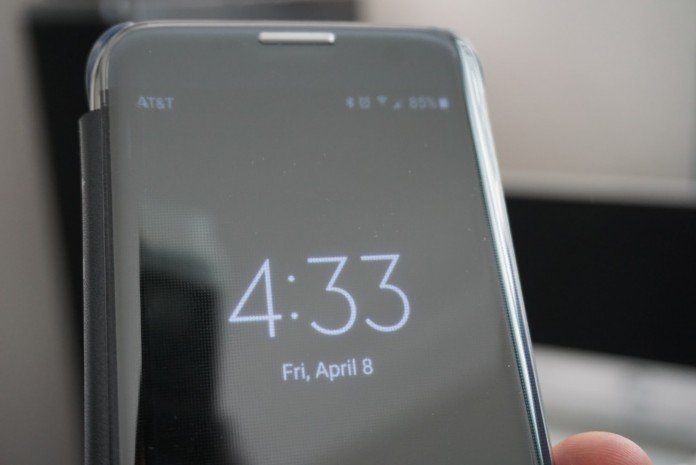
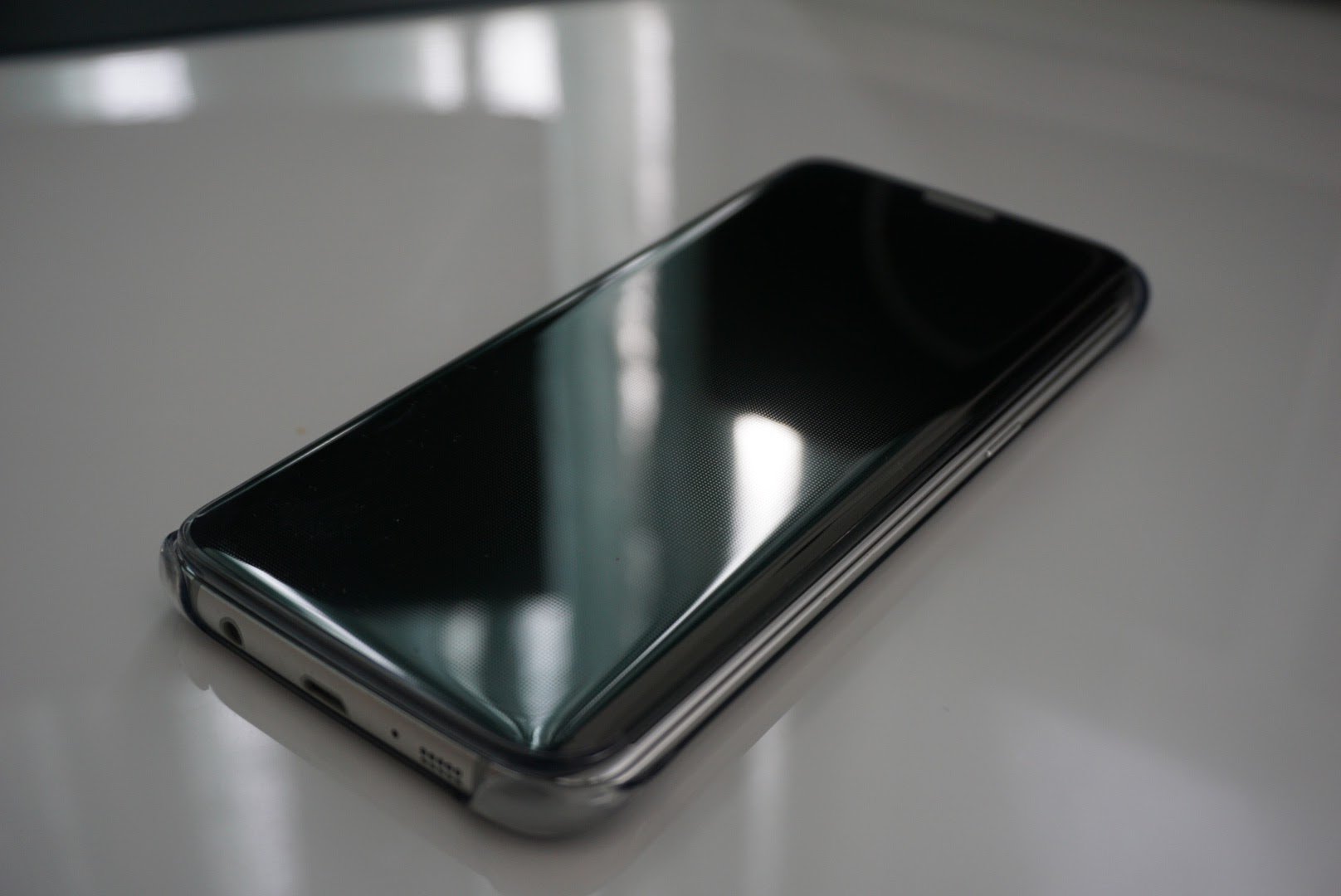
It is pretty hard to argue that Samsung is leading the way when it comes to hardware design. Even though I have been particularly critical of the Samsung Galaxy S7 edge, I cannot argue that the device is the best looking smartphone to date. My criticisms are mainly with software updates and a hefty price tag, which have nothing to do with how great the hardware and comfort of the S7 edge.
The S7 edge is made from glass on both the front and back, which makes it a little more vulnerable to damage than its counterparts made from metal. Anyone who spends $700-800 on this phone should be careful with it, and for some, drops are inevitable. In order to mitigate the damage, you obviously should get a protective cover.
There are dozens, if not hundreds of cases available for the S7 and S7 edge, but Samsung’s own designed cases are some of the best. I recently reviewed the Galaxy S7 edge LED case which is a favorite of mine, and today I will be reviewing the S-View Clear protective flip cover.
Description
- S-View Clear Cover provides quick access to key phone features and ability to respond to incoming calls and alarms without opening the cover
- Swipe to preview expandable Messages/Missed Calls, Access Quick Camera and Video Recorder, Access Favorite Contacts, or Access Settings and App Notifications
- Cradle design allows for easy, snap-on installation and adds hard plastic protection to the corners of your device
- New notification bar that allows you to access more than just missed call and text notifications
Usage and design
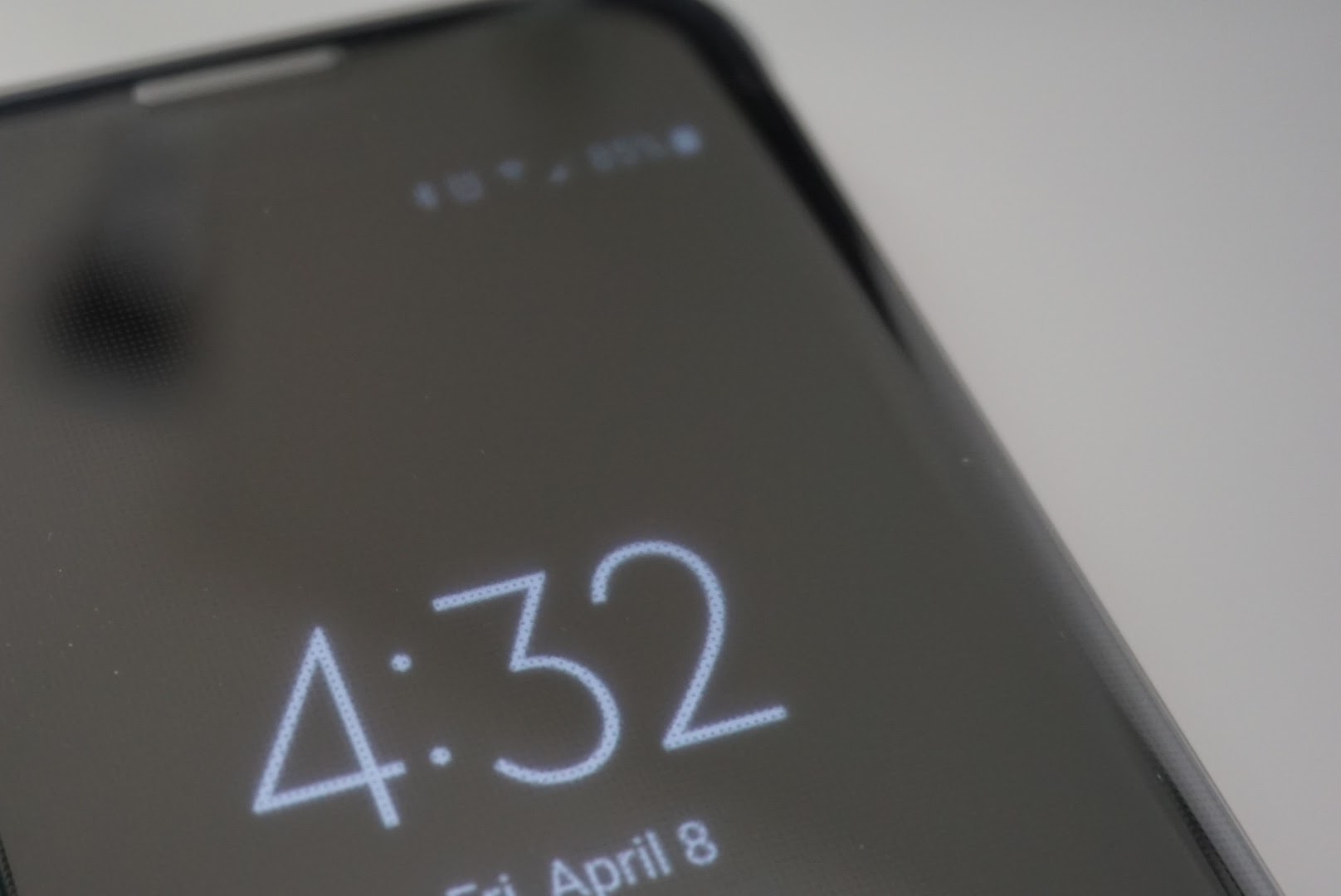
The S-View Clear protective flip cover is made from hard plastic that is as glossy and reflective as the Galaxy S7 edge. While glossy plastic attracts fingerprints, it looks pretty darned good for a flip cover case. For many, like Josh Noriega, hardware and looks are the most important features to care about, and cases like this one can live up to his standards.
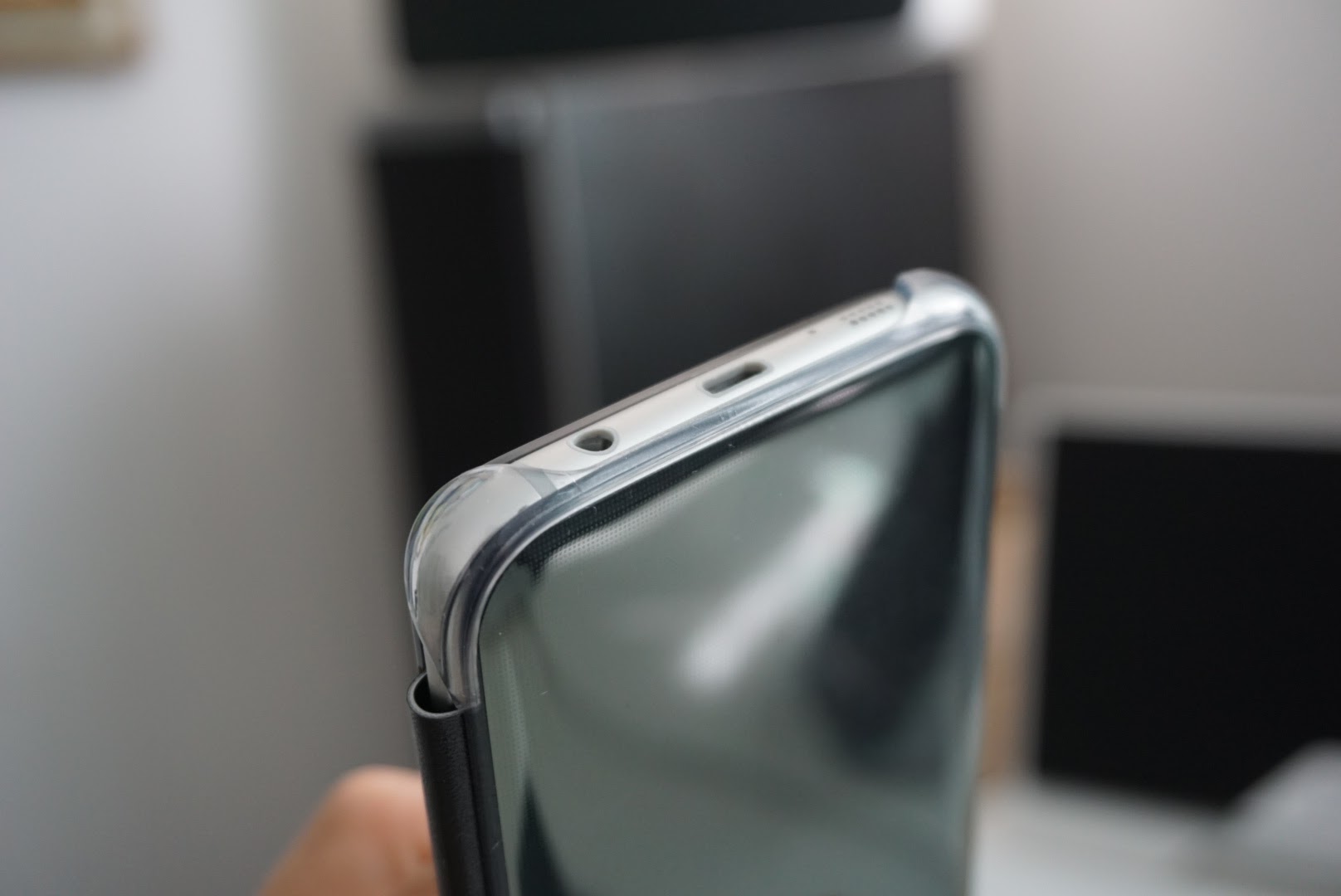
Personally I do believe the Clear protective cover looks sophisticated, matches the S7 edge perfectly, and can’t be bested by any other case in the looks category. It fits like a glove, protects all corners, while leaving access to the buttons and ports unobstructed. There is a Samsung logo on the back of the case, but even that looks great too.
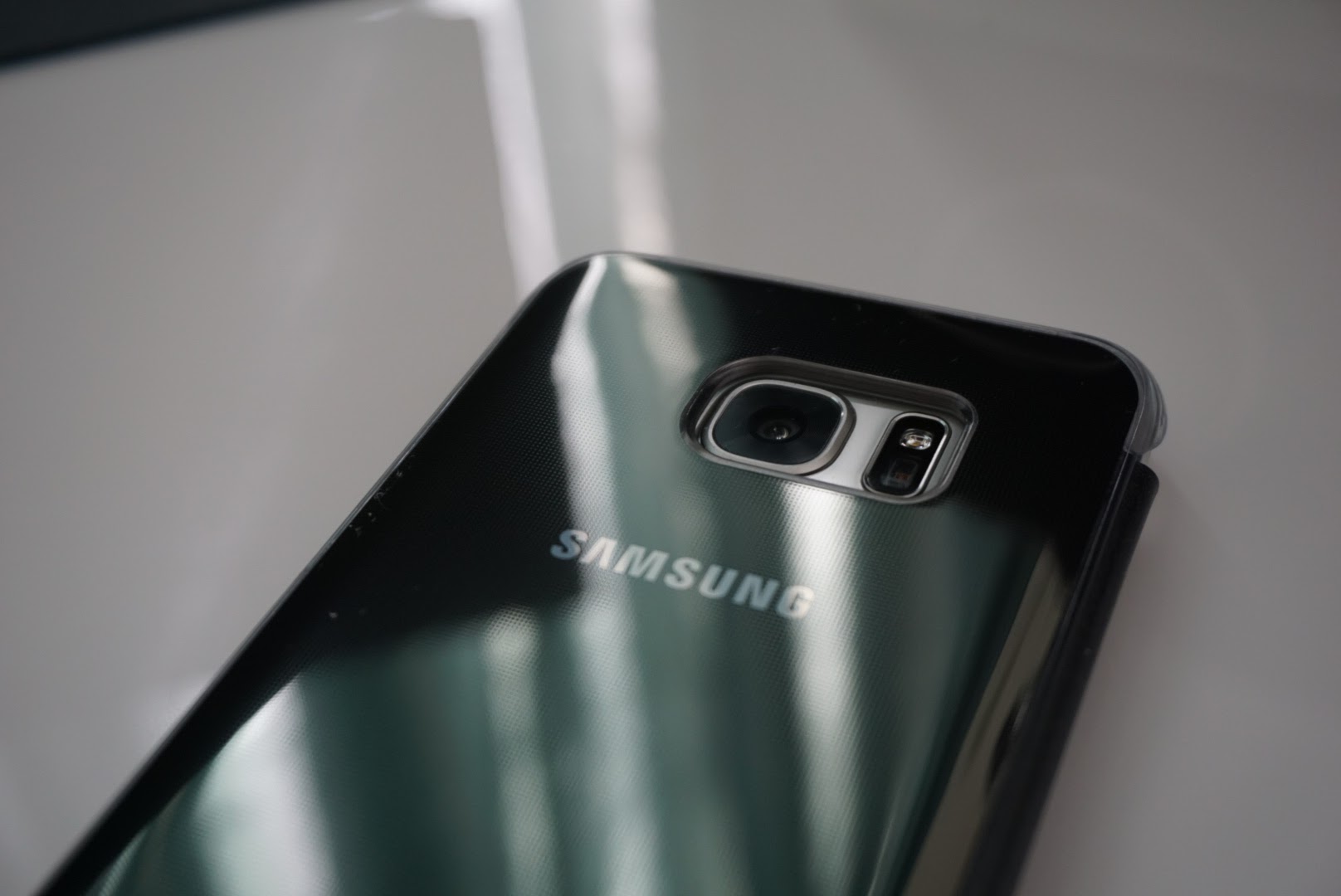
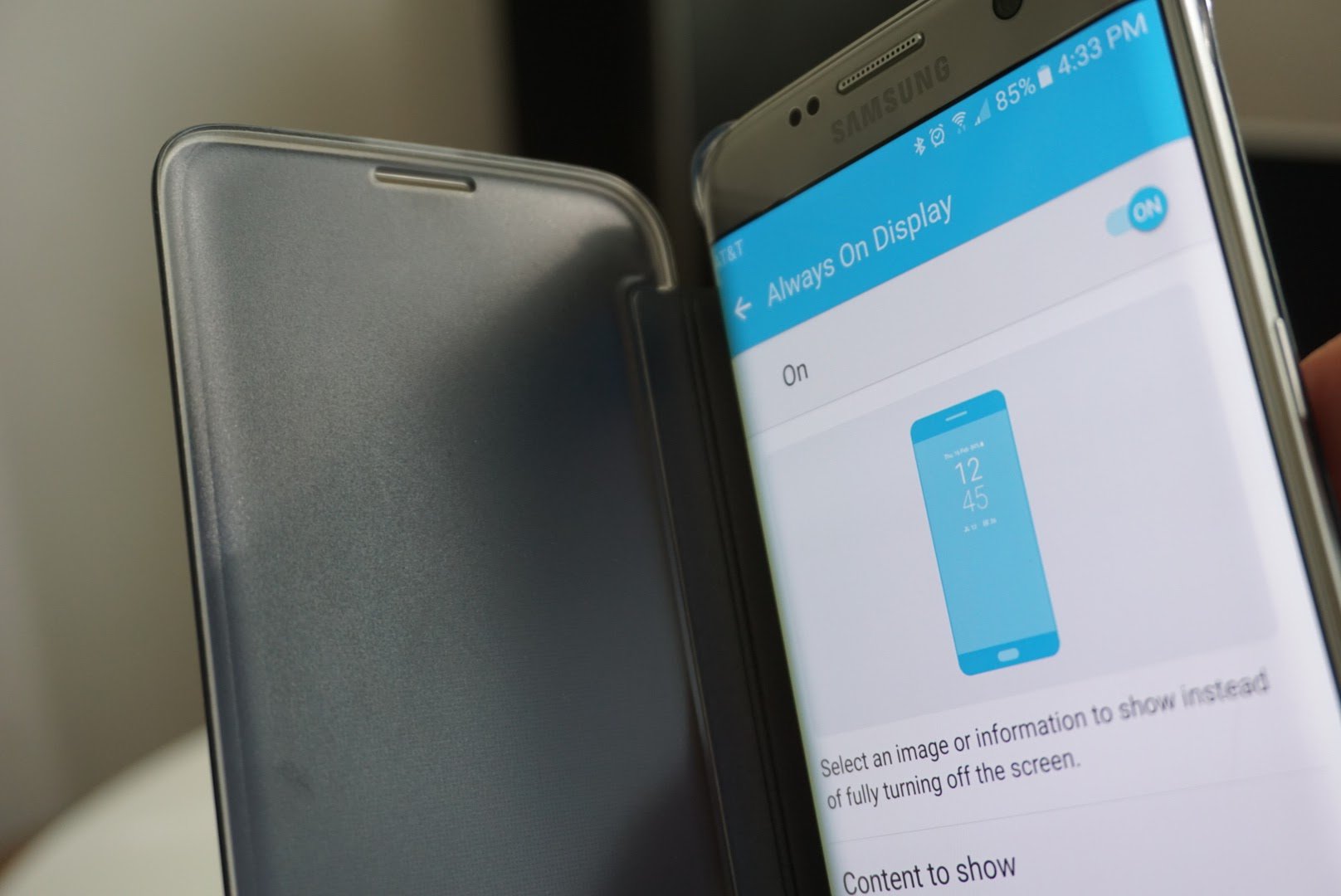
On the side you will find plus (+) and minus (-) symbols which sit atop the volume buttons so you don’t lose track of them. I have full confidence that this case would keep my S7 edge from cracking if I were to drop it from normal distances. With a clear front cover, I can see the Always on Display, and check the time and notifications without opening the case.
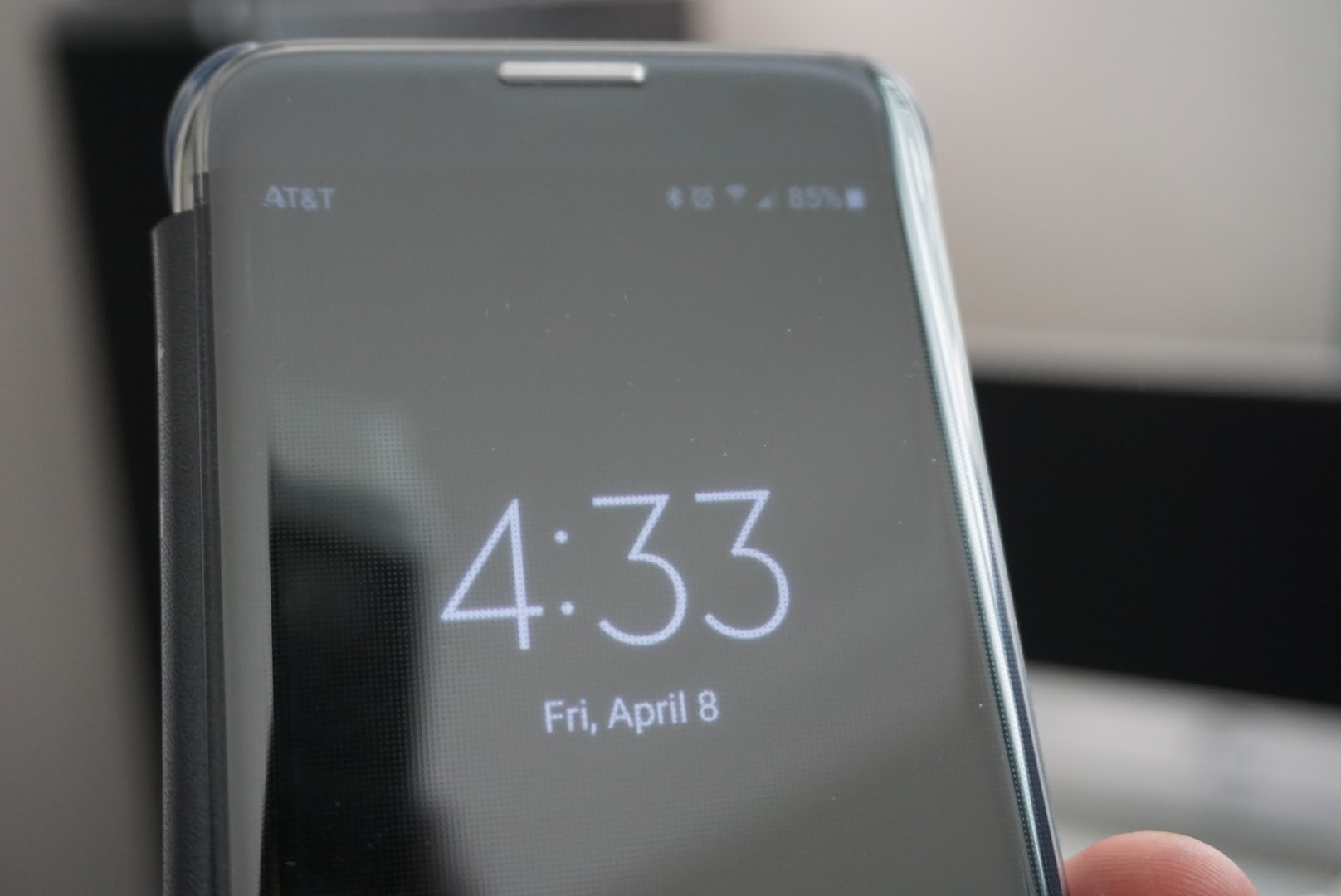
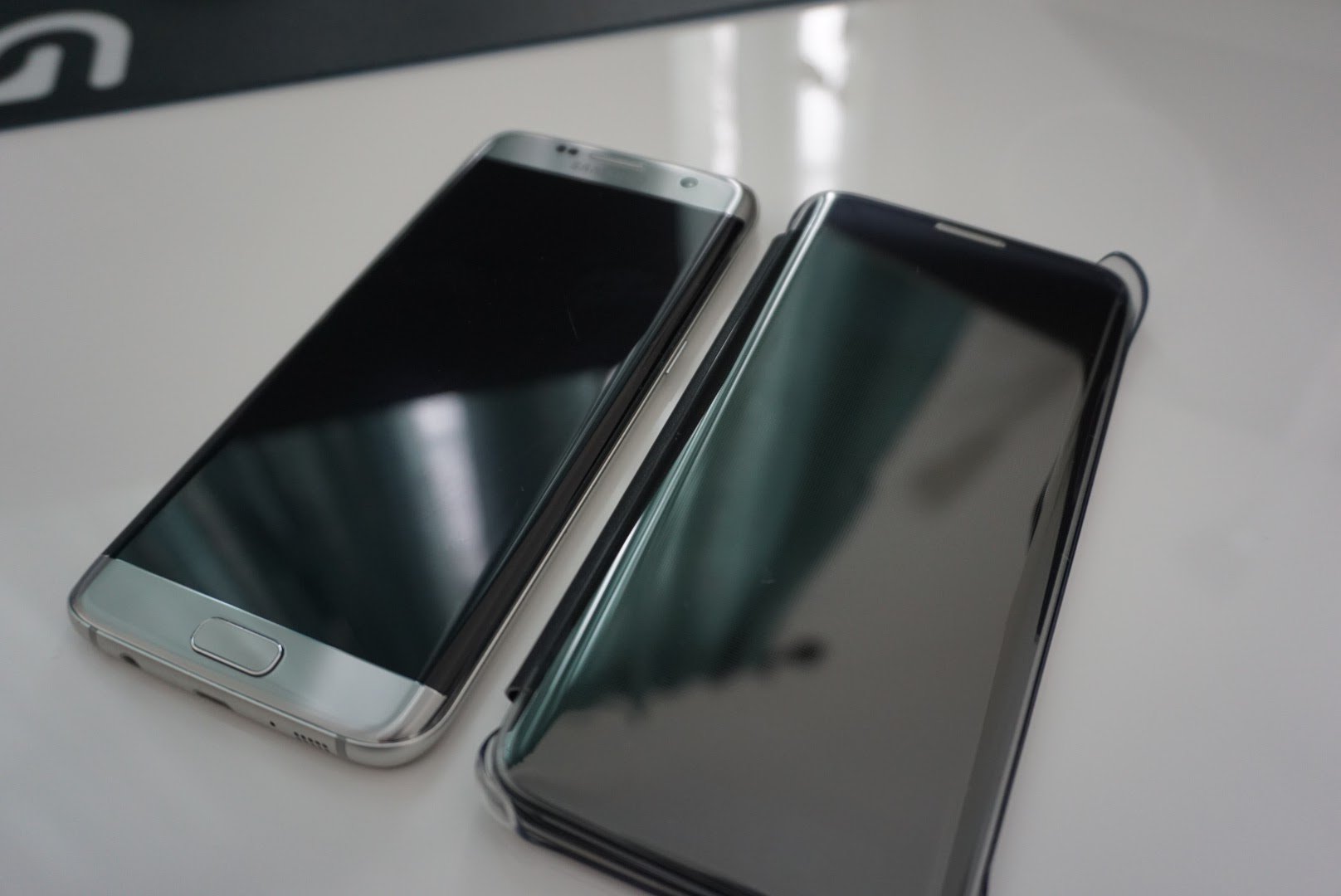
The case is glossy, and will attract fingerprints, but if you own the S7 edge, that’s probably something you can live with anyways. It is a hard plastic which makes it more rigid, and because of that it might not hold up well to scratches.
When the case is smudge free, it is almost hard to even see the case. It’s fits and looks so natural to the S7 edge, that it almost looks like it is a phone itself.
Summary
I don’t typically put cases on my phones, mainly because I don’t need them. Dropping phones is not something I do, but I have seen plenty of broken screens and would recommend to anyone to put a case on their $800 device. Samsung’s entire lineup of cases, including the S-View Clear protective cover are as premium as the devices they protect. You get what you pay for – a perfectly designed case to match the looks and hardware of the Galaxy S7 edge.
You can pick up the S-View Clear protective flip cover from Amazon.com, and it comes in Gold, Silver, and Black to match the color of your S7 edge. I went with the Black color on top of my Silver S7 edge and think it makes a great combination.
Get the Samsung Galaxy S7 edge S-View Protective Clear flip cover from Amazon.com for $39.18, 35% off the MSRP of $59.99.
Molami Stitch headphones – If style and sound had a baby, this would be the result [Review]

These days, when it comes to choosing a pair of headphones, the choices are dizzying! There are hundreds of pairs on the shelves at Walmart; half that on the shelves at Target. There are thousands to choose from on sites like Amazon.com. To bring some order to this chaos, we typically stick to the brands we know and trust: Sony, Philips, Harmon Kardon, Beats by Dre. Most of the time, the higher end products from these brands cost $100+! You get what you pay for but not all of us have wallets deep enough to drop that much money on a pair of headphones.
The trick is finding headphones that strike a balance between price and sound quality. You don’t want to pay a ton, but you also do not want to compromise on sound quality. This sometimes is an impossible feat. Enter: Molami Stitch.

Design
I’ve not seen a pair earbuds quite like the Molami Stitch’s before. When I first opened the packaging, I immediately noticed that the earbuds’ wires were covered in a woven fabric instead of the usual rubber that we’re used to seeing on the likes of Apple’s earbuds and its competitors. This was a magnificent first impression and gave the earbuds a nice, premium feel.

I next noticed the gold accents on the earbuds’ inline mic and on the earpieces themselves. The plastic behind the ear tips is a metallic gold and creates a wonderful contrast to the matte black of the earpieces themselves. When looking inside of the ear tips, it was a pleasant surprise to see that the speaker grill was gold as well. It was nice to see this level of consistency, even on a part of the earbuds themselves that most people will rarely look at. Kudos to Molami for this design touch.
The Molami Stitch earbuds use a standard 3.5mm headphone jack. The connector itself is housed in an L-shaped block of plastic with Molami’s ‘M’ logo stamped in gold on top of it. The plastic feels solid and lightweight.

The only complaint I have with the physical design of the Molami Stitch earbuds is the inline microphone. The plastic that houses the microphone feels thin and cheap. There’s a definite hollow feeling as well. I don’t necessarily get the impression that it would break easily, but I also wouldn’t be surprised if I did. As premium as these earbuds feel everywhere else, it was shocking to find something of such poor build quality on them. I simply do not understand how Molami can be okay with this microphones build quality. People I spoke to on the phone could hear me just fine through it, but there’s a foreboding feeling of being able to accidentally rip the microphone off of the earbuds’ wire with little effort.
Sound
I was very impressed with the sound quality of these earbuds. I received these in the mail about a day before a road trip, which was perfect because my wife was driving and I was planning on listening to my favorite podcast during the four hour car ride.After spending several hours with them in my ears, the Molami’s still felt very comfortable. I never felt sore and I never felt like I needed to rip them out of my ears.
During the car ride, the more immersed I became in the podcast I was listening to, the more I began to feel like I was sitting in the same room as the podcasters. I could close my eyes and picture myself sitting at the table with Ian and Pat as they broadcasted (I was listening to the “Completely Unnecessary Podcast” that Pat The NES Punk hosts). This is a great testament to how good the sound quality you get from these earbuds is.
The bass levels were not the punchiest I’ve heard in a pair of earbuds, but they were well balanced and not overpowering. The mids sounded very balanced and level, as well. Neither was overwhelming or overly intense. Unfortunately, the highs are where the Molami’s really suffer. There was a slight tinniness to the higher pitched frequencies that came through them. It wasn’t piercing and it did not detract from what I was listening to, but I could tell it was there nonetheless. The tinniness is a little on the subtle side, so the average user may have to really “listen” for it, to hear it. I have pretty sensitive hearing which is more than likely why I noticed it. I should also mention that I never noticed any sort of distortion when I would listen to something at a higher than usual volume using the Molami’s.
Conclusion
For $45, The Molami Stitch earbuds are a great choice if you’re in the market for a new pair of headphones. I love the twisted fabric wire coverings and the black with contrasting gold accents, color scheme. These earbuds look, feel, and sound like something that should cost double what Molami is charging for them. Even with the cheap feeling inline microphone and subtly tinny highs in the sound, I have no issue with giving a positive recommendation to the Molami Stitch earbuds.
You can buy a pair of Molami Stitch earbuds here.
1 of 7


Watch or listen to every single game of the MLB season using the MLB.TV Android app (review)
Major League Baseball is finally back for 2016. It started late last week, and if you’re a fan like me, you can catch every single game of the year with MLB’s official MLB TV app. Being an even year, you might as well give into the fact that the San Francisco Giants are going to win the World Series. Sorry Dodgers fans, it just isn’t your year.

In case you haven’t noticed, I am a huge San Fransisco Giant fan being a native of Sacramento, CA. Baseball runs through my blood, as it was passed onto me from my father who is also a Giants fan. For many of you, the story is the same. Baseball can be slow at times, but if you grew up with it, you learn to love it.
With 162 games per year, it is nearly impossible to watch or listen to every single game unless you’re by a radio or TV throughout the year.
That’s where the MLB TV Android app looks to keep you in on the action.
Developer
MLB Advanced Media, L.P.
Price: Free to download. Subscription cost $2.99 to $20 per month (Learn more at MLB.TV)
Highlights
- Supported by almost all Android devices
- A full subscription enables access to all out of market games
- Choice of Away or Home broadcasts of all 2,430 games
- Student/Military discounts available (up to 35% off)
- Full portability with support for over 400 devices
- $20 less than last year for the full season
Setup
Simply head over to the Google Play Store and download the MLB Premium app. It’s free to download, but you will need to create an account if you want to subscribe. You can pay using your Google Play payment method, or you can sign up for a full subscription at the MLB TV website.
Usage
The MLB Premium app for Android costs just $2.99 per month which gives you full access to live video and audio to every single game of the season. Although in home markets, home games will be blacked out due to agreements with local television stations. However, you can still listen to the home games through the audio feed.

The app itself is very easy to use. It has a simple interface with a menu slider on the left side of the screen. There is a Scoreboard, News, Videos, Standings, Stats, Teams, MLB Network, and even a Wallpaper section. The Scoreboard has all of the games of the current day with live updates, as well as previous games scores if you scroll through the different dates.
News brings you the latest information about what happened throughout the day, with video highlights from every game. Stats are an absolute must for every baseball fan, especially for those who play fantasy baseball. You can even select your favorite team/teams and they will show up on your home screen every time you open the app.
There’s even a Wallpaper section where you can download and use your favorite teams logo as your background.

My favorite feature of the app is obviously the feature where I can watch and/or listen to games all season long. Even now, I am listening to the Giants play the Dodgers in San Fransisco while typing up this app review. All games are streamed in HD and will automatically adjust according to your download rate.
 Brandon Crawford smashes a walk-off home run over the Dodgers.
If you sign up for a full subscription on the MLB website at $20 per month, you can stream games to a whole host of devices. Not only are your Android devices covered, but so is the Apple TV, PC or Mac, Chromescast, Xbox, Sony Playstation, Nexus Player, Amazon Fire TV and more.
At work I find myself streaming day games in the background from my PC. When I leave work, I can pick up where I left off, at the dog park while my dog plays on my latest Android smartphone. No matter where I am at, I can follow my favorite MLB team as long as I have an internet connection. It’s one of my most used apps throughout the spring, summer and fall, especially on even years when the Giants win the World Series.
Conclusion
With MLB Premium you can follow your favorite team all year long. You can listen in on every single audio feed or watch all 2,430 out of market games on your Android devices as well as just about every other connected device. Subscriptions do start at $2.99 per month, but is a small price to pay if you’re a fan of America’s pastime. The app is incredibly user friendly and I highly recommend it.
Google Play Store – MLB Premium

NASA starts drop testing Orion with a dummy crew on board
The Orion capsule’s first manned mission isn’t scheduled to take off until 2023 at the earliest. NASA is already preparing for it, though, and has begun a series of water impact tests using a mockup of the spacecraft with a dummy crew on board. Engineers at the Langley Research Center dropped the mockup in a 20-foot-deep Hydro Impact Basin from 16 feet above the surface for the first test out of nine.
The two dummies inside — a 105-pound woman and a 220-pound man — will help them analyze how landing in the Pacific Ocean after coming back home from Mars or another deep space mission affects the human body. They could then make adjustments and take precautions to prevent astronauts from getting injured during landing based on their findings. These nine tests are meant to assess what the capsule could go through on its way down (while attached to a parachute) in different scenarios. That’s why NASA plans to simulate different wind conditions and even wave heights in the future.
Source: NASA
BlackBerry Priv review: Maybe BlackBerry shouldn’t die
I need to start by saying that I’ve never owned a BlackBerry device. I’ve never found them attractive, and as Android grew over the years, that became more true. We’ve seen several platforms die in Android’s wake, such as Palm and Windows phones, but somehow, BlackBerry is still here.
But in the trying struggle, something had to give. The company was forced to throw away its precious mobile OS and join the Android bandwagon. This new effort debuted with BlackBerry’s newest flagship, the Priv.

It’s a valiant effort, and the Priv actually turns out to be a great option in the slew of top-running Androids today. Let’s go over how that is.
Design

The Priv isn’t a small phone. Although the 5.4″ display is kinda of in that grey area between reasonable and large sized phones, the Priv feels as much as phablet in hand as 5.7″ devices do. That’s attributed to the width. For instance, the 5.7″ Note5 is 76.1mm wide while the Priv is 77.2mm. It’s also not the lightest phone on the block, at 192g.
The compromised dimensions are not in vain, though. BlackBerry’s did not give up its signature physical keyboard, and for what it’s worth, it’s one of the only Androids you can find today with the feature (the only flagship, certainly). The screen slides up from its base in portrait mode to reveal tiny keys.

I’ll cut to the chase, a keyboard this small just doesn’t make sense. If you’re doing to do a keyboard slider phone, do it in landscape. You must use your fingernails with keys this small, and I just don’t find myself typing faster than on a virtual keyboard. Maybe if you’ve become skillful with this keyboard over the years with a BlackBerry, but newcomers will probably stay away from it (which is a bad thing, because that’s one of the Priv’s selling points.).


I apologize for starting off negative. Actually, I’ve come to like the design overall. From a top view, you can see that the sides are rounded, which makes for a great grip. The back is not removable, so the SIM and microSD trays pop out from the top. The casing has a carbon fiber texture and is smooth and somewhat sticky to the touch. While “sticky” may sound unappealing, it keeps the Priv from sliding out of your hand.

While we’re on the back, towards the top there is a modest circular camera hump. It’s lined with a silver ring that reads “Schneider-Kreuznach”, referring to the specialty optics (which we’ll cover in the Camera section).
BlackBerry has not yet joined the metal movement, but I actually wasn’t deterred by the plastic build. The Priv feels refined, solid, and definitely shows BlackBerry’s phone-building experience. However, I do get that plastic creaking when I put pressure on the chassis, and because you have moving parts, the screen ever-so slightly wobbles. But to me, this is the trade-off in having a slider.
I don’t know why BlackBerry chose to put the power button on the left side of the phone (I’m not left-handed). It drove me nuts at first, but I eventually got used to it. What’s also interesting is that there’s three buttons on the right side. The top and bottom ones control the volume, and the middle one…doesn’t really do much. It can mute phone calls, but aside from that, when I press it, it just brings up the sound controls. It would’ve been nice if BlackBerry allowed the user to remap it to different things.
One last point is that the speaker is front-facing, on the bottom.

No, it’s not a dual, stereo speaker setup like on a couple flagships, but it’s way better than a rear firing speaker (or even a bottom placement).
Performance
Here’s a quick breakdown of the Priv’s specs:
- Display: 5.4″ QHD (2,560 x 1,440 pixels) AMOLED panel
- Chipset: Snapdragon 808 (hexa-core, 1.8GHz)
- Memory: 3GB of RAM
- Storage: 32GB, expandable up to 200GB via microSD
- Cameras: 18MP f/2.2 Schneider-Kreuznach rear and 2MP (720P) front
- Battery: 3,410mAh capacity
- OS: Android 5.1.1 Lollipop (at the time of this writing)
I haven’t had any big issues with performance on the Priv. It isn’t the smoothest or most fluid Android experience out there, but it’s not a laggy mess either. You do get the occasional stutter as you’re navigating the UI, similar to a Galaxy phone. That is a little surprising, because the Priv looks like a near-stock build. I guess there’s more BlackBerry stuff in the background than it lets on (we’ll talk about software a little later).
Display

BlackBerry joins the AMOLED bandwagon, and I’m glad it did. This display looks great to my eyes. Unlike the Nexus 6P, which also uses a current AMOLED panel, I don’t find myself missing my Galaxy device (Samsung manufacturers the best AMOLED displays). The colors aren’t too vibrant or dull. It can get bright and does well outdoors. And thanks to the QHD resolution, the images look clear and sharp.
Interestingly, BlackBerry chose a curved screen for the Priv. You wouldn’t expect something so flashy on a BlackBerry device, but I appreciate that the company recognized it needed an aesthetic bump.

The curve is subtle but noticeable (it doesn’t slope as much as Samsung’s Galaxy Edge phones). Don’t expect it to add anything in regard to functionality; it’s just for looks.
It’s worth mentioning that BlackBerry takes advantage of that OLED panel and incorporates Ambient Display (screen minimally lights up to show notifications) and double-tap-to-wake. You’re also allowed some color adjustment – white balance (between cool and warm) and saturation (between subdued and vibrant).
Camera

The Priv introduces a Schneider-Kreuznach lens (a German optics manufacturer) with a meaty 18MP capture resolution. Sounds impressive on paper, but let’s see if that translates to great performance. Here are some sample shots.
1 of 12


I was pretty satisfied with the quality of the pictures. I surely surpasses my expectation for a BlackBerry device. You don’t need perfect lighting to get a great shot. I wouldn’t call it the best out there, though. The camera can struggle in a dynamic range (slightly overblowing the light), and the focusing can be hit or miss. For some reason it doesn’t always auto-focus on the closest subject, even when you move it closer. The capture speed also isn’t the fastest out there, but it’s passable.
Battery
The Priv’s 3,410mAh battery was a great performer in my experience. It easily could get me through a day, with some to spare. Of course, everyone’s uses their phone differently, so take that into account. I tried to get a varying usage between T-Mobile’s network and WiFi, using common apps like Chrome, Maps, YouTube, Play Music, Google+, Twitter, Feedly, Flipboard, and Slack.


I want to also praise the minimal idle battery drain (the long, smooth slope on the graph above was while I was sleeping). The Priv is on Android 5.1.1 (Lollipop), so it’s missing Google’s nifty Doze standby battery optimization. BlackBerry’s solution fortunately appears to be comparable.
Software
As mentioned earlier, the Priv appears to run a mostly stock version of Android. That’s really just on the surface, as BlackBerry incorporated plenty of tweaks, but I appreciate that the UI keeps Android’s true aesthetics. The home and lock screens, notification pull-down, app drawer, and Settings menu all have Material Design’s looks and animations. Let’s talk about what BlackBerry has added.
I noticed a little star appearing on some icons, and had no idea why. Eventually, I figured out that BlackBerry does this whenever that app gets a notification. It’s pretty cool, actually. When you pull down the notification shade, the apps that correspond to your current notifications are shown along the top. What’s more, if you click on one of the icons, it’ll isolate the displayed notifications for just that app.

That’s neat and a great organization tool for busy folks.
Typically, in Android, when you swipe up from the Home button, you’re taken to the Google app. BlackBerry has taken this opportunity to give you more shortcuts.

By default, you can also access BlackBerry’s device search or the BlackBerry Hub. Fortunately, you can change the shortcuts in the settings.
I became quite fond of BlackBerry’s virtual keyboard. When I receive a phone, one of the first things I do is install Google Keyboard. I didn’t on the Priv.

It’s simple, like Google Keyboard, and the key placement/spacing is just right. A really neat thing about it is that the word predictions pop up around the keys as you’re typing. You swipe your finger up to select the word, so there’s minimal finger travel. Once you get used to it, it’s really efficient.
For BlackBerry fans, you of course have the company’s array of tools. BlackBerry Hub brings them all together, as a one-stop shop.

Familiar BlackBerry apps are present, such as BBM, Calendar, Contacts, Notes, Tasks, etc. Additionally, BlackBerry still promises security, with a system called DTEK. It’s meant to secure your personal data and monitor for any foul play from apps. DTEK automatically watches over your phone (in real time), but takes it a step further by notifying the user when an app requests sensitive information and providing a log of the app’s behavior. You can read more about DTEK here.
BlackBerry gives the curved edge some use with a pull-out tab, not unlike Samsung’s Edge Panel. Just swipe from the edge and you’ll get a quick peek at information from BlackBerry’s Calendar, Messages, and Tasks apps. You can also set favorite contacts.

Final Thoughts
I’m not a BlackBerry fan, but all in all, I have to admit that this is a good phone. It didn’t blow my expectations, but certainly surpassed them. The Priv is definitely a nice and different option out there among the select flagships. It can stand with the pack, in my opinion, and that’s quite an improvement for BlackBerry.
I’m now kinda left hoping that BlackBerry sticks around, and I want to see it build on the Priv’s design. I’m not a fan of the tiny keyboard, though, and hope that they dump it or make the phone a horizontal slider. I also would like to see more premium materials, especially since it’s not a cheap phone. It’s currently going for $637.
We’d like to give a shout out to B&H Photo for providing our Priv review unit!
The Public Access Weekly: Renegades, rebels and rogues

Howdy! This post marks our twelfth Public Access Weekly article, and it’s just occurred to me that it’s been nearly a whole year since we first launched Public Access with tales about your first screen names, ISP haikus and growing up geek stories. Don’t worry, I’m not getting all nostalgic on you… yet. But as we get closer to our June 1st anniversary, I will be planning some special posts and assignments so if you have suggestions on how we should celebrate, leave ’em in the comments!
Now, down to business: I’ve mentioned this before, but it bears repeating that Public Access is not an enterprise/B2B/marketing/SEO page and those are not the kinds of articles we are looking for. As we forge ahead with some of our Big Master Plans for Public Access, I’ll be increasingly cracking down on this so make sure you familiarize yourself with our Community Guidelines.

If you’ve published a post that doesn’t concern technology in any way, that is focused on business or enterprise needs, or that exists to push SEO keywords, your post will be pulled and you’ll get an email explaining why. If you put SEO links in your article, I will pull them with zero warning. Honestly, I don’t like to police the posts and articles that appear on Public Access, and we try to be exceedingly flexible about what counts as “tech related post” so please respect the community.
Also while I know a lot of you were not a fan of our comment break, I will say this: The feedback has been truly and sincerely invaluable and since we’ve reinstated them, we’ve noticed an improvement in the quality of the comments. So thank you to everyone who took the time to express your thoughts and suggestions — I read every email, and every Tweet and Facebook comment — and thank you to everyone who is making an effort to respect your other commenters. Also, if you’ve emailed me applying to be a moderator, I will have news for you soon so keep an eye out for an email from me.
Looking for something to read? Check out:
Last week Devindra posted his Oculus Rift review; this week HTC’s Vive is up! (Those of you who were asking for a side-by-side comparison will dig on this piece too.)
Google recently announced that those who own Revolv smart home hubs should maybe start looking into other options… Since they’ll be bricking the devices starting next month.
Tesla, Tesla, Telsa! Yeah, it was a pretty big week for the EV manufacturer: the company fielded a flood of pre-orders for the Model3 and our own Roberto Baldwin got a chance to take a spin in one.
Looking for something to write about? Mull over:
eSports has been a pretty big topic this week with the UK looking to make an international tournament for the category, Twitch creating a new league and a new recap show in the works. Are esports really a ‘sport’? Do they deserve an Olympic-style event or a SportsCenter-style show? Or will this all just blow over in a matter of months?
Tomorrow is a geek holiday — Internet of Things Day! I was excited to find out about this holiday, as it gives me a new day to add to the Complete Guide to Geek Holidays. Share how you’re celebrating, cover an IoT Day event, or write about your favorite IoT device.
Quantum Break is Xbox One’s biggest console exclusive…. Or is it? Many commenters in this story are debating about whether or not “console exclusive” does or does not cover PCs which is becoming a pretty interesting conversation in its own right. But back to the game: Is Quantum Break really a reason to buy an Xbox One (as our article headline claims)? Is any game good enough to buy a console? If so, which one? And hey, while we’re on the subject, go for it: Tell us what you think “console exclusive” means to you, or should mean with reference to games such as this.
 AIVAnet