


Samsung Galaxy S7 battery life review
One of the biggest upgrades to Samsung’s Galaxy S7 and Galaxy S7 Edge line-up is the battery, with Samsung managing to add a battery that is 18% and 40% larger than the predecessors respectively. Both handsets scored highly in their respective reviews, but suffered in the battery department so a year on, just how much has Samsung managed to improved the battery by?
Taking a look at common tasks such as WiFi browsing and Video Playback, coupled with an extrapolation of expected battery life, it’s time to put the smaller of the two phones to the test. With two different processor options on offer, is one superior to the other, and how does the Galaxy S7 compare to the competition? Let’s find out.
In the charts below, we tested both versions of the Galaxy S7 three times and recorded an average of the three as the reported battery life. For the Galaxy Note 5 and Google Nexus 6P, each smartphone was tested once during the last Best of Android and the data from that result has been used below.
The Exynos version of the Galaxy S7 we are using is the SM-G930F model, while the Snapdragon variant is the SM-G930V model for Verizon Wireless. As such, the latter comes with some Verizon preloaded apps, and these may have had a small affect on the battery life. Each handset was tested at the same display brightness and under the same testing conditions to ensure a fair result.
WiFi Browsing Test
To kick off our testing, we charged each handset to full, removed the charger and ran our custom WiFi browsing test tool until the battery drained to 0. We then recharged the phone to between 2 and 10 percent, and recording the Screen on Time recorded by the Android OS. During the test, each smartphone was connected to the same WiFi network with no accounts or data syncing.
The Exynos Galaxy S7 proves to be slightly better in this test, recording an average screen on time of 6 hours and 48 minutes, versus 6 hours and 30 minutes on the Snapdragon model. What is particularly interesting, is that the Nexus 6P splits the two handsets, but all fall well short of the 9 hours and 32 minutes offered by the Galaxy Note 5.
Video Playback Test
From WiFi browsing to video playback and again, we tested from full to empty. Looping the same 5-minute video over and over on each of these handsets, we ran the test and then recharged the phone to get the SoT listed by the Android OS. During the test, each device was put in aeroplane mode to prevent any syncing or connections preventing the video from playing.
Whereas both versions of the Galaxy S7 struggled in the WiFi browsing test, they excelled in the video playback test. The Snapdragon version beat both, the Galaxy Note 5 and the Nexus 6P, with an average battery life of 11 hours and 52 minutes, but the Exynos S7 went a whole lot further at 15 hours and 11 minutes.
Standby Test
Our third and final test involves testing the longevity of each handset, as an indicator of the maximum standby life. Each smartphone was charged to full and WiFi was turned on with the same set of apps syncing data and notifications (11 apps in total). After exactly 24 hours, the remaining battery life was measured and this data used to extrapolate the total potential battery life.
The first thing you’ll notice is that the Galaxy Note 5 offers a considerably lower potential standby time than the other three handsets, and the reason is quite simple; at the time of testing, it was running the Lollipop OS and didn’t have the benefit of Doze Mode on Marshmallow like the other three handsets.
To those running Marshmallow, and Samsung seems to have done a rather good job with the 3,000mAh unit inside the Galaxy S7, which is considerably smaller than the 3,450mAh unit powering the Nexus 6P. Both versions exceed the 9 days 2 hours offered by Google’s flagship, with the Snapdragon version scoring 9 days and 10 hours and the Exynos model, 10 days and 2 hours.

My personal experiences
Testing under these conditions isn’t always indicative of day-to-day usage, where variables such as network coverage, usage on other apps and more, can all impact the actual battery life offered by a smartphone. To this effect, does the battery life live up to its billing above?
From my personal experience, you can expect a day’s usage out of either of the two models, which will offer you between 4 and 6 hours’ Screen on time from a full charge. The actual battery life does vary, and the maximum I’ve got out of either handset is 6 hours, but the minimum is as low as 2 and a half hours.
The standby time is mostly impressive as, with low to medium usage, I’ve had a full charge last me between 1 and 2 days. For the most part, light users should be able to eek out two days from a full charge, while even heavy users should get around 4 hours Screen on Time. Particularly, the Exynos unbranded SM-G930F model does seem to last between 10 and 20 percent longer than its Snapdragon cousin.

Wrap Up
What does the data show us? There’s a few things we can take away from this test, not least that the Exynos version of the handset does offer better battery life than the Snapdragon version. There’s a couple of reasons for this; first, as we discovered in our Galaxy S7 review, there is a noticeable difference between the two handsets (which was around one hour). Secondly, carrier bloat has an effect on battery life, but just how big the effect is something we’ll test and answer in a future piece.
Galaxy S7 vs the rest:
-

Samsung Galaxy S7/S7 Edge vs… -
Samsung Galaxy S7 Edge vs S6… -
Samsung Galaxy S7 Edge vs Ga… -
Samsung Galaxy S7 vs iPhone …
The data also shows that the Galaxy S7 battery life is vastly improved over the Galaxy Note 5, with both versions of the S7 outscoring Samsung’s phablet king in two out of the three tests. The last is that Doze mode definitely makes a difference to the standby offered by a handset – as our final test shows – and as noted in our Galaxy S6 Marshmallow hands on, Marshmallow OS definitely improves the overall battery life of a handset.
Buy the Galaxy S7 now!
What battery enhancements and tweaks will the latest Android N OS bring, and what do you think of the Galaxy S7 battery life? Report your findings in the comments down below guys!
The Wirecutter’s best deals: Apple’s MacBook Pro Retina and more!
This post was done in partnership with The Wirecutter, a buyer’s guide to the best technology. Read their continuously updated list of deals at TheWirecutter.com.
You may have already seen Engadget posting reviews from our friends at The Wirecutter. Now, from time to time, we’ll also be publishing their recommended deals on some of their top picks. Read on, and strike while the iron is hot — some of these sales could expire mighty soon.
Nest Cam Security Camera
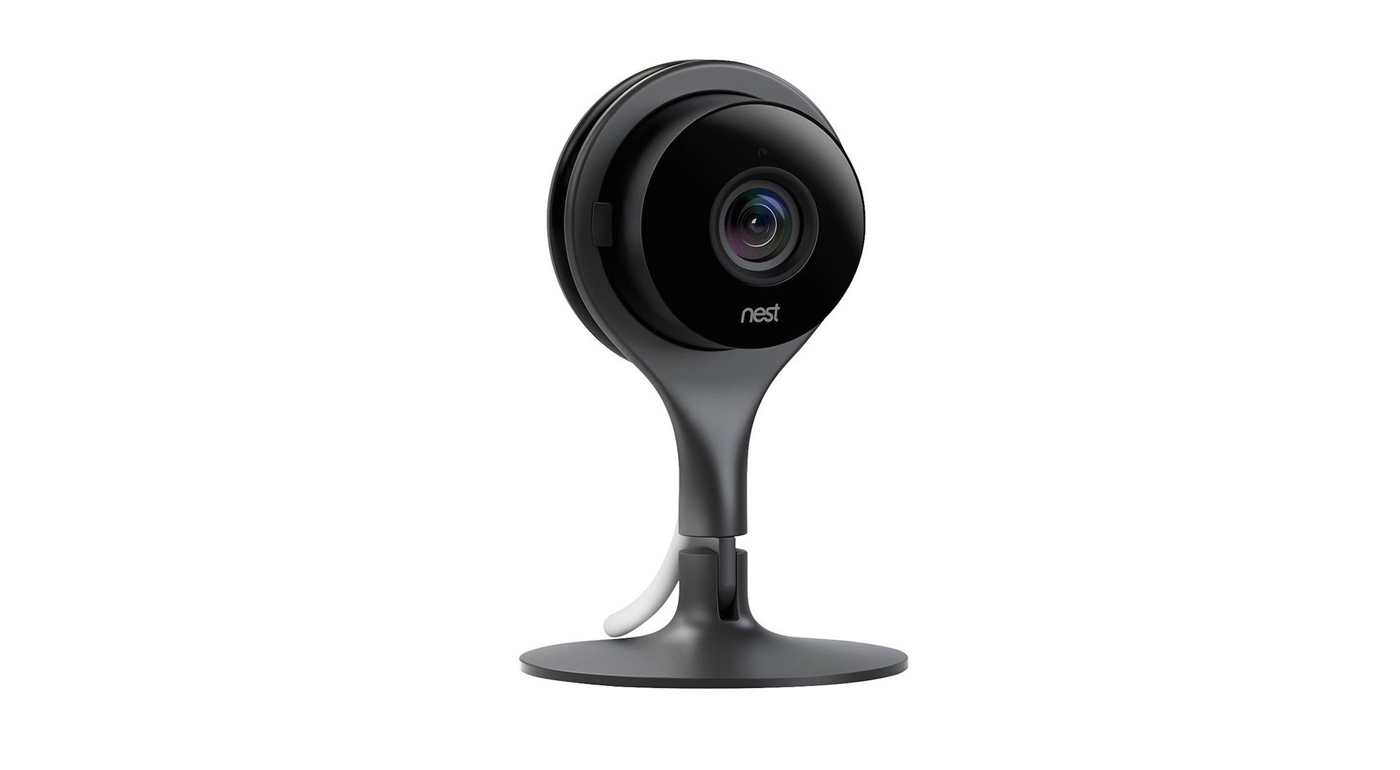
Street price: $200; MSRP: $200; deal price: $180
This isn’t the best price we’ve seen, as this security camera dropped to $170 briefly during the holidays. But it’s within $10 of that all-time low and still good for 10 percent off a product that hasn’t gone on sale all year. Shipping is free from eBay seller Blutek.
The Nest Cam is the top pick in our guide on the best wireless IP camera. Jason Snell said, “It offers a simple way to capture what’s going on in your home while you’re away and can alert you to unexpected sounds and movements. The Nest Cam provides a clear high-definition video stream with a field of view wide enough to encompass almost any room (larger than most competitors). Video is crisp and clear, with fine detail across a variety of lighting conditions; the Nest Cam performs as well or better than the other models we tested.”
Macbook Pro Retina 15-inch
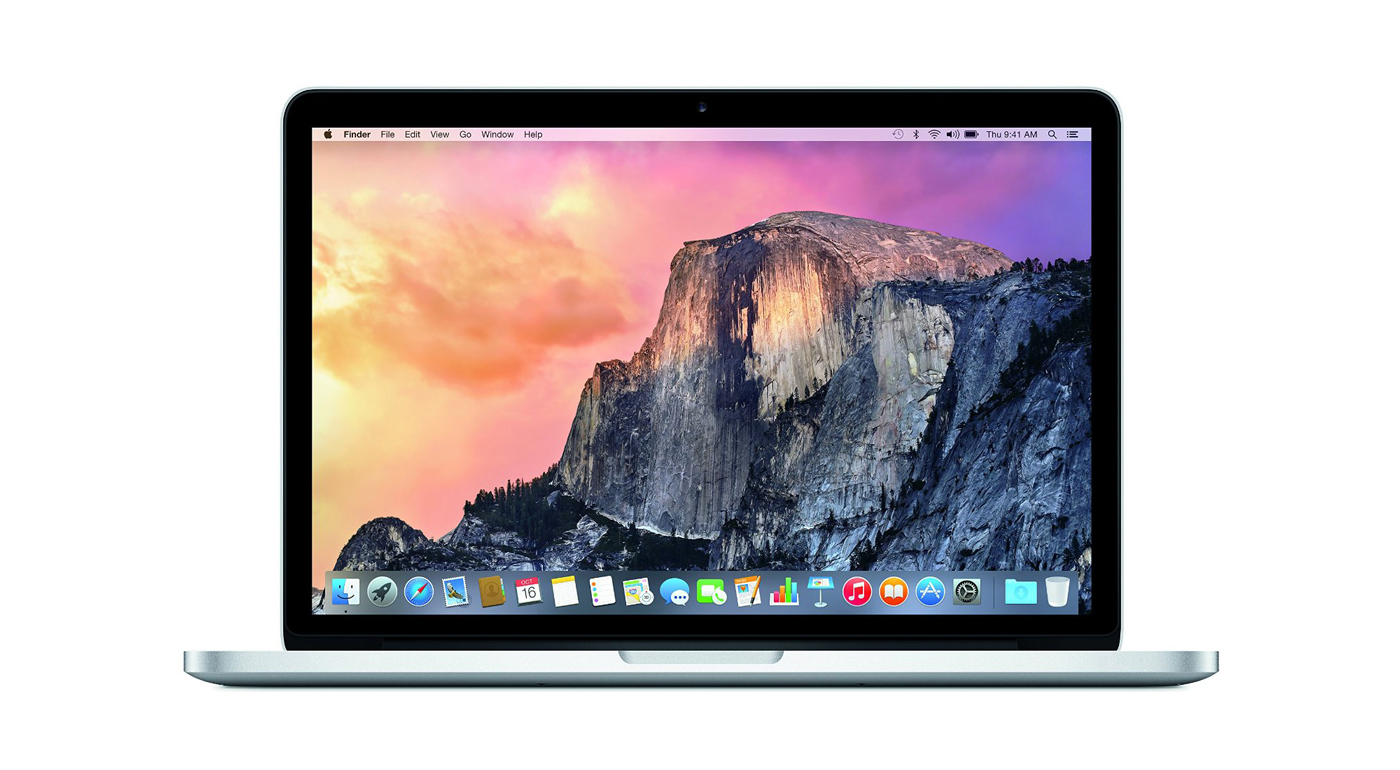
Street price: $2,000; MSRP: $2,000; deal price: $1,600
While we prefer the version with faster specs, if you’re ok with a bit less power, you can save a huge $400 off the retail price of this Macbook! This particular deal has a 2.2ghz processor, 16GB of RAM, and a 256GB SSD.
The Macbook Pro Retina 15-inch is our pick for the best power notebook. Brian Lam and Kimber Streams said, “The 15-inch MacBook Pro has the best combination of performance, weight, and screen size. Its 15-inch screen packs a 2880×1800 resolution, making it the ideal portable solution for power users.”
They went on to say, “No other laptop measures up to the Retina MacBook Pro’s combination of performance, keyboard, trackpad, screen quality, battery life, size and weight, and overall build quality. Here’s Apple’s support page with directions on how to install and run Windows using Boot Camp.”
Amazon Kindle Voyage Ebook Reader
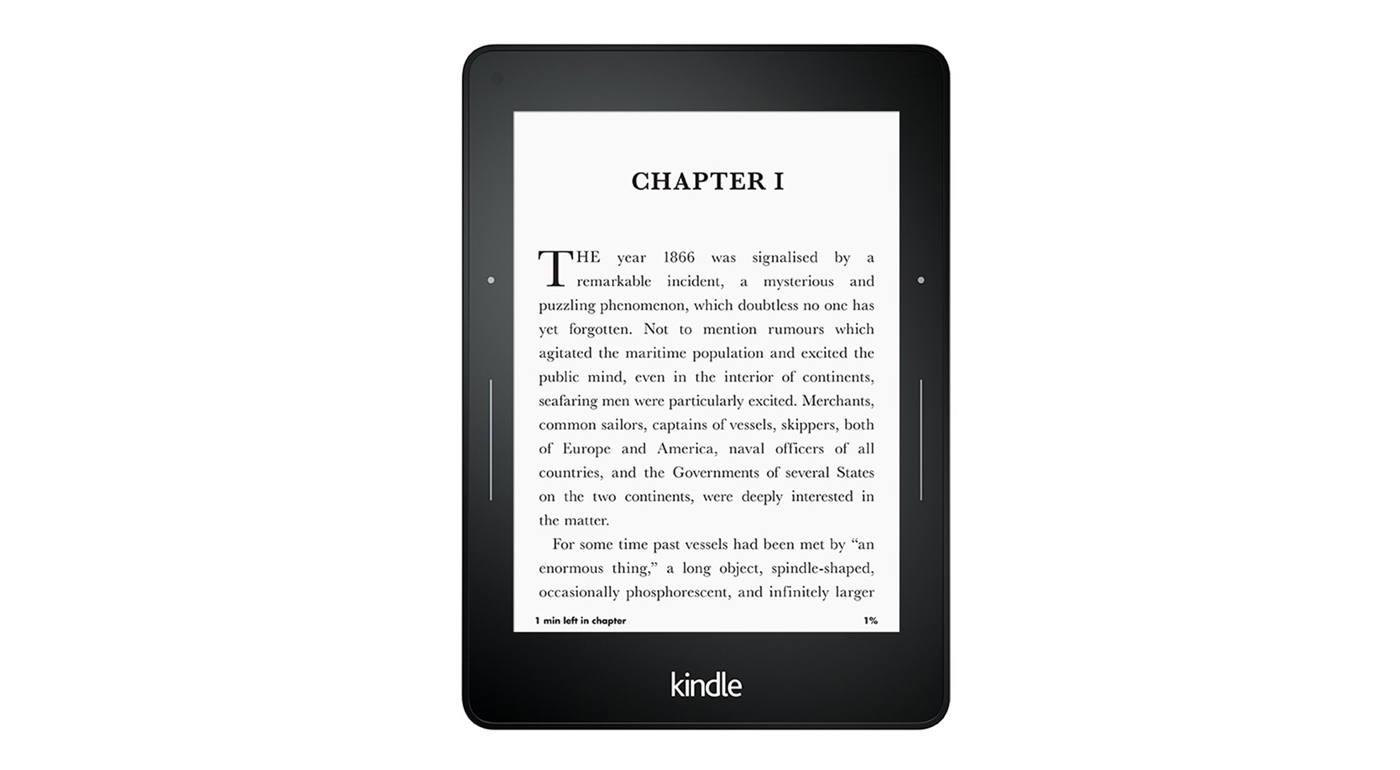
Street price: $200; MSRP: $200; deal price: $150
A brand new low on this top of the line ebook reader, Amazon’s dropping it to $150 for Prime members. We’ve seen it for $170 and it was difficult to justify the price difference between it and the Paperwhite, but this sale brings it into a more affordable range. It’s worth noting that there’s a new high-end Kindle announcement coming next week, though no details have been released yet.
The Kindle Voyage is our luxury pick for the best Ebook reader. Nick Guy said, “The Kindle Voyage is Amazon’s top-of-the-line e-reader. It adds features that aim to make it a luxury reading experience, including a side light that adjusts brightness automatically, buttons on the side of the screen that you can squeeze to turn pages, a micro-etched glass front that further reduces reflections, and a smaller, slimmer body. Amazon seems to have thrown in just about every feature that it could have added to the Voyage to make reading a book more enjoyable.”
He added, “The result is that the Kindle Voyage is the best e-reader out there. But it doesn’t offer enough over the Kindle Paperwhite for most people to justify the additional cost. The pixel density of the Voyage’s screen is the same as that of the 2015 Paperwhite’s screen. The Voyage’s adaptive backlight, which adjusts its brightness level based on ambient light, is nice, but the standard backlight on the Paperwhite is fine. And some people may prefer the Voyage’s physical page-turn buttons to the Paperwhite’s touchscreen taps and swipes, but most people are probably fine with the controls on the Paperwhite.”
Canon Powershot G9 X
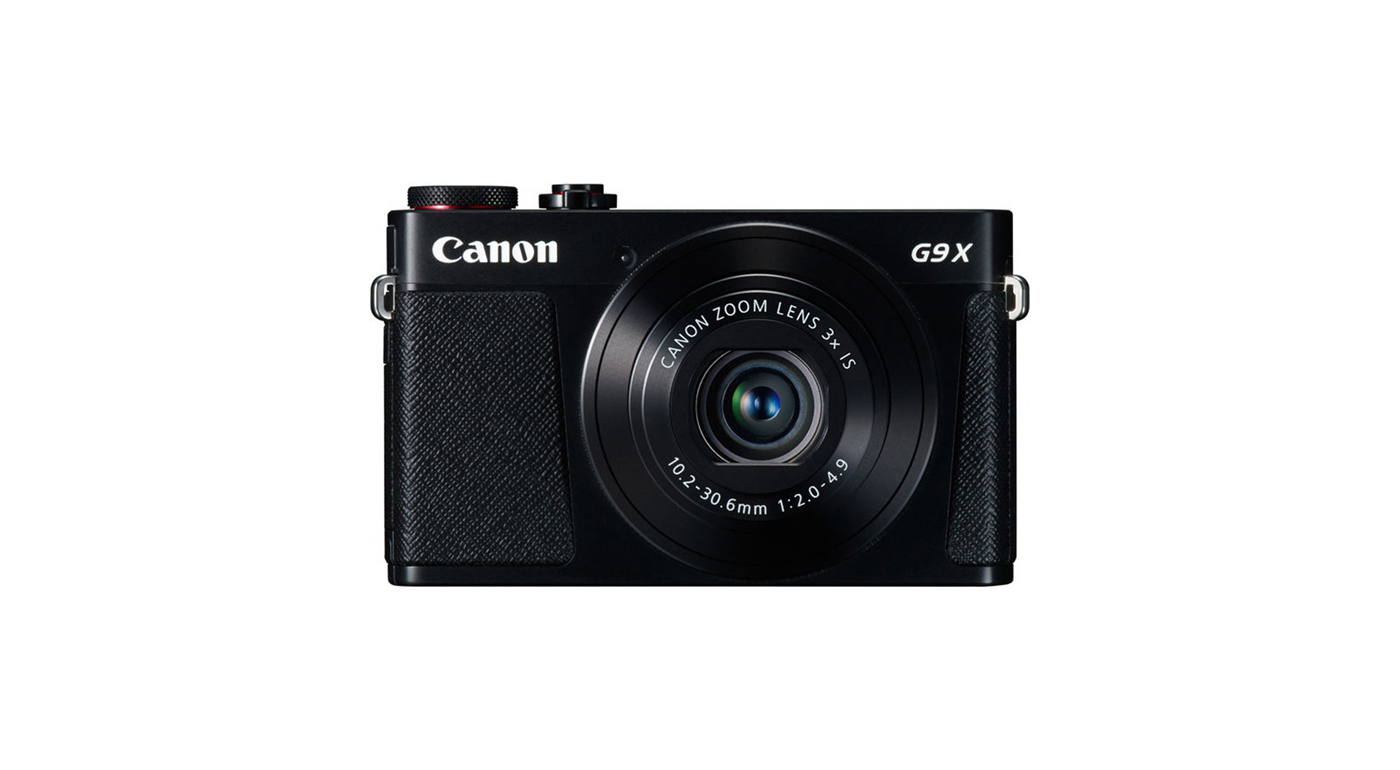
Street price: $430; MSRP: $580; deal price: $400
The first drop we’ve seen on this camera since we started tracking it, a $30 discount along with a free 32GB memory card to make it an even better deal.
The Canon Powershot G9 X is our pick for the best point-and-shoot camera under $500. Amadou Diallo said, “The Canon G9 X is the slimmest large-sensor compact camera available, with quick focusing and a touchscreen along with built-in Wi-Fi.”
He had high praise for the image quality, “Overall image quality of the G9 X is excellent, providing clean detail, realistic colors, and fairly accurate auto white balance. Its images are far better than anything you could have gotten with a compact camera just a few years ago and on par with Sony’s much-more-expensive RX100 IV, which also uses a 1-inch sensor.”
Deals change all the time, and some of these may have expired. To see an updated list of current deals, please go to The Wirecutter.com.
How to create slo-mo videos for Instagram on your iPhone – CNET
Hyperlapse is great if you want to post sped-up timelapse videos to Instagram, but what about slow-motion videos?
That’s easy if you captured a video using the slo-mo effect with the iPhone’s default camera app — all you have to do is post it like you would any other video. But if you have a regular-speed video you want to slow down, you’ll need to do some tweaking with iMovie for iOS.
iMovie for iOS costs $4.99, £3.99, AU$7.99.
Slow things down with iMovie
You can adjust the speed of your video in iMovie in a few, quick steps:
1. Open iMovie and create a new Movie project.
2. Choose the default Simple theme unless you want to add some graphics elements to your video and tap Create in the upper-right corner.
3. Select a video and add it to your project.
 Enlarge Image
Screenshot by Matt Elliott/CNET
4. Tap on the video timeline to highlight it and make the edit tools appear.
5. Tap the speed-dial button from the bottom edit menu.
6. Move the slider toward the turtle to slow down your video and then tap Done in the upper-left corner. You have seven speed options, form ⅘ speed to ⅛ speed. Remember, you have only 15 seconds to work with on Instagram, but you can always trim the video on Instagram if it runs longer than 15 seconds.

Enlarge Image
Screenshot by Matt Elliott/CNET
Save back to iPhone
With your video slowed down and saved, tap the share button and select Save Video. This will export your project from iMovie to your camera roll, from where it can be uploaded to Instagram.

Enlarge Image
Screenshot by Matt Elliott/CNET
Share on Instagram
Last step: share your slo-mo creation on Instagram. If you slo-mo video is longer than 60 seconds, you’ll need to trim it down. You can also trim your video so that it’s as short as 3 seconds.
For more, read our complete guide to iMovie for iOS.
Verizon offers three free months of HBO Now for new lines or upgrades

Verizon is aiming to get the TV binge-watching audience with its latest promotional offer. It will give customers who switch to Verizon Wireless, along with current users who upgrade or activate a new line, three free months of access to HBO Now, which is normally worth about $45.
The carrier’s press release states:
To be eligible you’ll need to upgrade or activate a new line on a smart phone on a device payment plan or a tablet with a 2-year activation or device payment plan. [In addition, if you upgrade or activate a new phone on a Verizon Plan XL or larger and choose the device payment option, you’ll also receive 2 GB of monthly bonus data for each new or upgraded line. The data is shareable, can be combined with other offers and applies as long as the line remains active on a Verizon Plan XL or larger.
Verizon points out that this new offer is being made just before the premiere of the sixth season of HBO’s hit show Game of Thrones on April 24.

Google may make Apple’s Swift a ‘first class’ language on Android

Google is reportedly considering making Swift, the object-oriented language developed by Apple, a “first-class” language for Android. Swift, which Apple made open source late last year, would apparently not be meant to replace the current first-class language, Java, at least not in the short term.
From The Next Web:
Google’s Android operating system currently supports Java as its first-class language, and sources say Swift is not meant to replace Java, at least initially. While the ongoing litigation with Oracle is likely cause for concern, sources say Google considers Swift to have a broader “upside” than Java.
As noted by The Next Web, there would need to be substantial work involved in making Swift a first-class language for Android. For one, Android’s standard library would need to be made Swift-compatible, and Android would need a Swift runtime.
Google is also reportedly considering another language, Kotlin, as a first-class language. However, there are said to be concerns that Kotlin compiles too slowly.

Are cellular smartwatches worth the extra subscription?

How important are your notifications to you?
While most of the connected world looks at smartwatches in general and tries to figure out if they’re worth the investment, a subcategory of these watches is emerging. A watch that’s connected to your phone has some uses for sure, but what about a watch that offers most of the same connected features without needing that Bluetooth connection? Perhaps more important, what if the reason you didn’t need Bluetooth was because that watch had its own cellular radio built in, adding the ability to make phone calls to the list of things it can do?
Cellular smartwatches have only just started to become available, and on top of the cost of the hardware you have to pay for a separate mobile subscription to use the cellular radios. Asking folks who aren’t sure about the value of the hardware itself to pay a monthly fee as well is a big ask, but first it requires a better understanding of what you actually get with that cellular connection.

No strings attached
The big benefit of these connected watches is the ability to not have your phone on you but still be able to wander off without missing anything. This is most commonly demonstrated through some sort of workout, meaning you can go for a run without missing something important. While the fitness aspect of this is significant, and those armbands that hold your phone really do look absurd on everyone, the primary purpose here is to keep the act of checking your phone from completely halting whatever you are doing. You can listen to music, and not just music stored on your never large enough watch storage. Streaming music services that support the watch naively — of which there are not many yet — work great, especially with Bluetooth headphones connected to the watch. Just having your phone sitting inside while you are working on a project outdoors or playing with your kids is remarkably freeing.
For the most part, having a cellular radio in your watch is peace of mind for those who need to be connected. If you don’t use a land line in your home and don’t want to keep your phone on you at all times, a cellular watch ensures keeps you from being tethered to your WiFi. It’s a small thing that clearly doesn’t apply to everyone, but having the option is a lot nicer than it may seem on paper.

Remote notifications
An idea that started in Android Wear over WiFi and is now also available in cellular form with cellular Android Wear watches and the Samsung Gear S2 is remote notifications. You can leave your phone somewhere, wander far away with your watch, and still get every notification the phone would normally pass to the watch over Bluetooth. This means you still get text messages, emails, Hangouts, everything. As long as you have the feature enabled before you are disconnected from your phone, your watch will receive notifications from your phone in the exact same way it does when connected via Bluetooth.
Interacting with those notifications is nearly as functional as it would be if you were connected via Bluetooth, on both Android Wear and the Gear S2. You can reply to Hangouts, triage email, and in most cases access all of the same data you’d normally be able to access from your phone if you were connected via Bluetooth. The biggest difference you’ll see is speech to text translation, which is noticeably slower when relying on just the watch to do translation on Android Wear. On the Gear S2 the experience is slow no matter what, so it’s not quite as noticeable.

Still early days
Having a cellular connected watch connected to your cellular connected phone means things can get kind of weird when it comes to making calls and sending text messages. Your watch has its own phone number, and depending on how you set it up on Android Wear or Tizen can make calls from either your phone number or your watch number. Same goes for text messages, which as you can imagine gets super confusing for the people you’re sending messages to. This can be fixed with appropriate forwarding configurations, most of which will be set up for you if you’re buying your cellular watch from your carrier, but out of the box it can be a little confusing.
There’s also a significant difference in call quality over your watch. It’s not quite as bad as talking via speakerphone on your phone when it’s a couple of feet away, but your watch microphone is incredibly sensitive. There’s not a lot of tech there to isolate your voice, so even something as simple as having an air conditioning vent in your car pointed at your wrist can have an effect on call quality. If you’re sitting in a room alone and everything is quiet, the call quality is often good enough to be passable on both sides of the conversation. If you’re outside on a jog and you get a phone call, you’re probably going to wish you had something like Bluetooth headphones connected to your watch.

Worth the monthly cost?
Ultimately you’re going to be spending anywhere from $10 to $15 extra every month for the privilege of accessing your phone without actually touching your phone. That adds up quickly for something that is a largely unnecessary convenience for most people, but it’s also highly functional for what it is right now. Over the next year, as Android Wear and Samsung’s Gear line continue to draw in developers, these connected platforms will create experiences that justify themselves for more people.
It won’t ever be everyone, there will always be people who can’t possibly fathom why you’d spend that money on something so frivolous, but convenience will always drive adoption for some people. If you’re one of those people, you may consider taking a closer look at a cellular connected smartwatch.

Get a 32GB Moto X Pure Edition for $350 at Amazon

If you’ve had your eye on the Moto X Pure Edition for some time, Amazon is currently offering the 32GB version of Motorola’s 2015 flagship for $50 off. If you’re keeping track, that drops the price of the Moto X Pure Edition down to just $350.
The only caveat with this deal, besides the storage option, is that the sale only applies to the black version of the phone. Still, this discount knocks the 32GB model down to the same price as the 16GB, so you’re essentially doubling your storage space.
If you’re interested, you can grab this deal at the Amazon link below.
See at Amazon

Verizon and Google said to be preparing bids for Yahoo

Verizon is reportedly preparing to make a first-round bid for Yahoo next week. Both Verizon and its AOL subsidiary are said to be in talks with three separate financial institutions about the bid. Google may also make its own bid for the beleaguered company.
From Bloomberg:
Verizon Communications Inc. plans to make a first-round bid for Yahoo Inc.’s Web business next week, and is willing to acquire the company’s Yahoo Japan Corp. stake to help sweeten the offer, according to people familiar with the matter.
Google, the main division of Alphabet Inc., is also considering bidding for Yahoo’s core business, a separate person said.
While AT&T and Comcast were considering bids for Yahoo, both have apparently dropped out of the running. Time, Inc. is still mulling over a potential purchase as well.
First-round bids for Yahoo’s web assets are thought to be due on April 11.

Mickey, Donald and more included in Disney Crossy Road for Android

Crossy Road, the fun 8-bit game where players have to cross the road without getting killed, now has a big spin-off. Disney Crossy Road has now been released for Android in the Google Play Store.
Yes, its the cool indie game from developer Hipster Whale combined with the huge Disney cast of characters and settings. Here’s a look at what’s included in the game:
- COLLECT over 100+ Disney and Pixar figurines, including Mickey, Donald, Buzz Lightyear, Rapunzel, Mufasa, Sadness, Wreck-It Ralph, Madame Leota, and other favorites (many with fun surprises)!
- JOURNEY through 8-bit depictions of Al’s Toy Barn, the Pride Lands of Africa, the Haunted Mansion, San Fransokyo, and more while enjoying 8-bit versions of familiar tunes like “You’ve Got a Friend in Me” and “I Just Can’t Wait to be King!”
- MASTER special themed challenges unique to each of the worlds, such as weathering blizzards, collecting cherries to earn special power-ups, avoiding thundering stampedes of wildebeest, staying clear of falling barrels, and then some!
While the game is free to download and play, Disney Crossy Road does have some in-app purchases to access some of its figurines.

Tesla took 325,000 Model 3 preorders, says EVs are now mainstream
Tesla Motors – and the entire EV industry – is having a good week, apparently.
Tesla recently unveiled its $35,000 Model 3 and opened up the ability for customers to reserve the electric vehicle. Now, one week after that event, Tesla has reported over 325,000 pre-orders (aka reservations). That’s more than triple the amount of Model S cars Tesla had sold by the end of 2015. These pre-orders represent potential sales of over $14 billion.
In a blog post, the Tesla team described this achievement as “the single biggest one-week launch of any product ever” and claimed interest in the car spread organically: “Unlike other major product launches, we haven’t advertised or paid for any endorsements. Instead, this has been a true grassroots effort driven by the passion of the Tesla team that’s worked so hard”.
The blog post, which is titled “The Week that Electric Vehicles Went Mainstream”, also noted the success means the world is taking a step toward a better future by “accelerating the transition to sustainable transportation”. Long before the Model 3 debuted, critics viewed the car as a make-or-break product for Tesla and argued it could drive EV growth if successful.
Tesla calls the Model 3 “our most affordable car yet”, and earlier today, Musk tweeted that only 5 per cent of Model 3 customers reserved two cars (the maximum allowed). He suggested this equaled “low levels of speculation,” which are buyers who want to flip the car for a profit.
Keep in mind the car maker’s flagship Model S sedan starts at $70,000 but can cost upwards of $100,000 when fully loaded.
 AIVAnet