


Apple Reports Record Results: $18.4B Profit on $75.9B in Revenue for Q1 2016 on 74.8M iPhones
Apple today announced financial results for the first fiscal quarter of 2016, which corresponds to the fourth calendar quarter of 2015. For the quarter, Apple posted revenue of $75.9 billion and net quarterly profit of $18.4 billion, or $3.28 per diluted share, compared to revenue of $74.6 billion and net quarterly profit of $18 billion, or $3.06 per diluted share, in the year-ago quarter. Both revenue and earnings were company records.
Gross margin for the quarter was 40.1 percent compared to 39.9 percent in the year-ago quarter, with international sales accounting for 66 percent of revenue. Apple also declared an upcoming dividend payment of $0.52 per share, payable on February 11 to shareholders of record as of February 8. The company currently holds $215.7 billion in cash and marketable securities, partially offset by $53.2 billion in long-term debt.

Apple sold a record 74.8 million iPhones during the quarter, up slightly from 74.5 million a year earlier, while Mac sales were down slightly to 5.3 million units sold from 5.5 million units in the year-ago quarter. iPad sales were also down once again, falling to 16.1 million from 21.4 million despite the introduction of the iPad Pro during the quarter.
“Our team delivered Apple’s biggest quarter ever, thanks to the world’s most innovative products and all-time record sales of iPhone, Apple Watch and Apple TV,” said Tim Cook, Apple’s CEO. “The growth of our Services business accelerated during the quarter to produce record results, and our installed base recently crossed a major milestone of one billion active devices.”
Apple’s guidance for the second quarter of fiscal 2016 includes expected revenue of $50–53 billion and gross margin between 39 and 39.5 percent. Revenue guidance is slightly below analyst expectations.
In supplemental materials, Apple explains that currency headwinds have cost the company 15 percent in earnings over the past 18 months. Using “constant currency” measures, Apple’s revenue for the holiday quarter would have been $80.8 billion for an 8 percent increase year-over-year.
 Apple will provide live streaming of its fiscal Q1 2016 financial results conference call at 2:00 PM Pacific, and MacRumors will update this story with coverage of the conference call highlights.
Conference call starts at 2:00 PM Pacific – No need to refresh 
http://static.reportinglive.com/v8/rl.js
Discuss this article in our forums
Apple Now Has Over 1 Billion Active Devices Worldwide
Apple has announced that its active installed base of devices has reached 1 billion, based on the number of iPhone, iPad, Mac, iPod touch, Apple TV and Apple Watch devices that have been engaged with the company’s services within the past 90 days.

Apple sold a record 74.8 million iPhones, 5.3 million Macs and 16.1 million iPads during the first quarter of the 2016 fiscal year. Apple also earned slightly over $6 billion in revenue from services, including App Store and iTunes sales, AppleCare, Apple Music subscriptions, Apple Pay, licensing and more.
Earlier this month, Apple said the 2015 holiday season was the “biggest ever” for the App Store, with customers spending a record-breaking $1.1 billion on apps and in-app purchases over a two-week period ending January 3. New Year’s Day set a single-day record with $144 million in sales, just one week after record sales on Christmas Day.
Discuss this article in our forums
Altair Semiconductor purchased by Sony for $212 million

Sony announced today that they reached an agreement to purchase Altair Semiconductor, an Israel-based company that owns and produces LTE modem technology. Sony purchased Altair for $212 million USD with an expected closing date in early February.
With the acquisition, Sony will likely shift to using Altair produced LTE modems in their smartphones as they will be an “in-house” source. Sony notes that the impact on their business will extend well beyond smartphones though. Sony is looking ahead to growth in two big areas – the Internet of Things (IoT) and wearables – where they see increasing demand for LTE connectivity.
Sony says Altair’s designs are already low power consumption solutions. Sony hopes to combine their modem designs with Sony sensing technology like GNSS (Global Navigation Satellite System) and their image sensor technology to produce cellular-connected component devices.
Besides incorporating Altair’s technology into their own products, there is a good chance Sony sees an opportunity to produce chips for use by other manufacturers. Sony already has a robust image sensor business and sees their sensors used in cameras by many other companies. They would likely welcome the chance to build a similar business in the market for wireless modem chips.
Altair was founded in 2005 by former Texas Instruments employees. They only produce LTE chips which they say makes their solutions cheaper as they are not burdened with additional costs to support 3G.
source: Sony
Come comment on this article: Altair Semiconductor purchased by Sony for $212 million
Google helps you hear directly from presidential candidates

Trying to understand presidential candidates’ positions through debates can be an exercise in frustration. You might get a sense of where they stand on the issues… or might watch helplessly as their voices are drowned out by boisterous rivals. Google thinks it has a better way to keep tabs on politicans. It’s testing a feature that lets candidates share their views, photos and videos in real-time while you’re searching for a debate. If a would-be leader has smart ideas, you’ll know even when they don’t get a chance to speak up on TV. The feature will first be available during Fox News’ debate on January 28th (at 7PM Eastern), but it’s easy to see this becoming a mainstay for future events.
There’s more. The next debate will also show relevant Google Trends data in real time, such as the candidates that are dominating searches on a minute-by-minute basis (spoiler: probably Trump). You’ll get to answer polls from search, and three YouTube creators will get to ask questions of the candidates. Whether or not you like the positions you hear, this could keep you genuinely informed as you head into voting season.
Source: Google Official Blog
Lyft taps Google’s Waze maps to make rides more efficient

Looking to keep pace with Uber, Lyft set out to improve the overall experience for both drivers and passengers. Today, the transportation service announced a “first-of-its-kind partnership” with Google’s Waze. Using the Waze Transport SDK, Lyft says it’ll make its service more efficient for folks offering rides and eager customers looking to secure one. With Waze’s real-time route updates, drivers will be matched with another pickup on their way to a destination. This should cut own on wait times once you hail a car in the app.
“As the first and only ridesharing company to incorporate Waze’s latest advancements, we can make routing and rides even more efficient, which benefits everyone on the Lyft platform,” said the company’s VP of business development Oliver Hsiang. “Lyft and Waze share a similar vision for a future with less congestion, and we couldn’t be happier to be working with them closely to make that a reality.”
Specifically for drivers, Waze will become the default navigation method with a handy Return to Lyft button for easy access to the app’s controls. Waze’s crowd-sourced traffic updates aim to cut down on congestion, a feature Lyft looks to take full advantage of as it improves its service. The Waze integration is said to happen “in the coming weeks,” so you may notice a difference in wait times with the pink moustache soon enough.
Source: Lyft
‘Five Nights at Freddy’s World’ removed from Steam
 Five Nights at Freddy’s, the jump-scare franchise depicted above that YouTubers love to make reaction videos to, has just joined company with Afro Samurai: it’s had a release pulled from Steam due to poor reviews. Developer Scott Cawthon writes on the Five Nights at Freddy’s 4 Steam listing that even though Five Nights at Freddy’s World might have had a “very positive” rating at 87 percent, he’s removing it because he wasn’t happy with the reviews and ratings it’d been garnering. He’s also requested that Steam-owner Valve remove the time limit from purchase refunds, so that no matter how long has passed between purchase and return, customers will get their money back.
Previously, that expired once two weeks had passed. “It may take them awhile to set that up, but it will be in place soon,” Cawthon writes. “I’m still going to work on FNaF World and polish it up.”
Cawthon says he’s polishing the game (Kotaku says that the original version was “kind of terrible”) and will add a 3D overworld to the distinctly light-hearted role-playing game and that once he’s finished, it’ll be free. “I appreciate your support, and I encourage you all to refund your Steam game (even if you enjoyed the game), and download the new version when it becomes available on GameJolt.” he writes. So there you have it: a game developer admits in earnest that he or she released an unfinished product and wants to make it up to the fans immediately. Refreshing, no?
Via: Kotaku
Source: Steam
Apple to Add Support for Subscription Content in Apple News App
 Apple is planning to add subscription content from publishers with paywalls to its Apple News app, reports Reuters. This will allow sites that require subscriptions or memberships to view content to have more control over who reads their articles, but it will also introduce barriers for readers.
All content on Apple News is available for free with the existing model, but with support for subscriptions, publishers like The New York Times and The Wall Street Journal could limit the number of free articles Apple News users can access before requiring them to subscribe.
With no support for subscription content, publishers are limited on how they can make money through Apple News. Existing subscriber-only sites currently share their articles for free or offer only an excerpt, directing readers to a website to read the full content. Publishers are said to be unhappy with the information Apple provides them about readers, so this paywall compromise could soothe relationships and give publishers new ways to gain potential subscribers.
“Ensuring subscription mechanisms in our off-platform distribution partnerships is critical,” said Katie Vanneck-Smith, chief customer officer of Dow Jones, which publishes the Wall Street Journal. Dow Jones is working with Apple and others to take advantage of new platforms, she added. She declined to comment on the specifics of conversations with Apple.
Apple’s decision to allow subscription content in the Apple News app may not be popular with Apple News readers, but it’s a feature that will allow Apple to differentiate itself from other news platforms that don’t offer paid content to attract publishers.
Introduced in September, Apple News is said to have somewhere around 40 million users, but it is not clear if that number reflects people who use the Apple News app on a regular basis or those who have accessed the app at one point or another. It’s also not clear if that number is accurate – Apple recently announced that it has been underestimating the number of Apple News readers and providing incorrect usage statistics to publishers.
Discuss this article in our forums
How to Back Up Your Mac Using Time Machine
 Finding a reliable backup solution for the Mac that runs in the background and isn’t a drain on system resources was once considered a challenging prospect.
With the arrival of OS X 10.5 Leopard, Apple changed that preconception by introducing its native backup solution, called Time Machine. This article explains the benefits of using Time Machine and runs you through the setup and restore process.
Benefits of Using Time Machine
Time Machine has won over many Mac users due to its automated scheduling and intuitive recovery process, along with its ability to run in the background without affecting overall system performance.
The application achieves this by making an initial full backup of your Mac’s system disk and then stacking subsequent changes to the volume in a chronological hierarchy. Hourly backups, daily backups and weekly backups occur automatically, while the oldest backups are overwritten with new ones as the external backup disk reaches full capacity.
This creates a layered snapshot system that’s reflected in Time Machine’s navigable timeline and makes the recovery of individual files and folders a simple affair.

How to speed up charging on any Android device
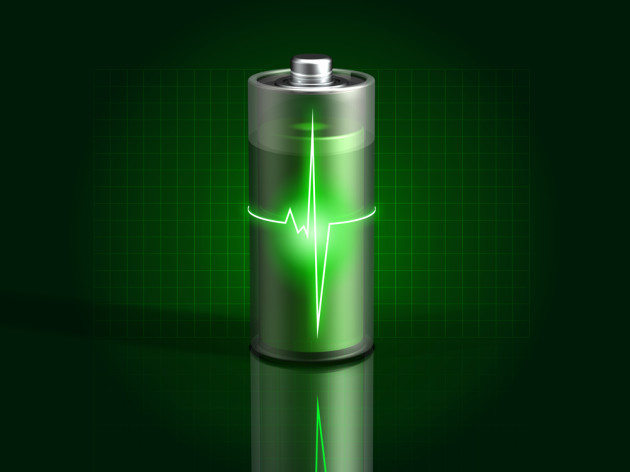
You wake up in the morning to get ready for work, only to realize that you forgot to plug your smartphone in the charger before bed last night. You have 30 minutes before you have to leave, so you plug it in the charger to get as much juice as possible. On your way out the door, you realize it has barely inched past the 20% marker. How frustrating!
We’ve all been there, and if it weren’t for the invention of car chargers, we’d all have a brick in our hands with friends, family and coworkers having no way to contact us. Thankfully, there are easy and manageable steps to avoid this perilous issue in the future. We’ll walk you through them step-by-step below!
Do you have the right charger?

There’s a common misconception that any charger will work for your smartphone. And while they may all work, they all won’t provide the most efficient charging speeds for your smartphone, especially with companies pioneering specialized fast charging like Quick Charge 2.0 and other technologies.
Qualcomm’s proprietary Quick Charge 2.0 technology might get you a very nice charge in just 20 minutes, but it certainly won’t do that if you don’t have your smartphone plugged into the right charger. For instance, just any old charger off of Amazon won’t be able to handle Quick Charge 2.0 functionality. In fact, some chargers that come with your smartphone don’t even support it. In most cases, you’ll have to go out and search for a charger that does.

You can find out if your device supports Quick Charge over on Qualcomm’s website, though while the device might support Quick Charge, it’s up to the manufacturer to enable it or not. However, if you know your device does support that fast charging technology, Qualcomm in that same document keeps a running list of certified accessories. You’re generally safe when buying one of the charging accessories from Qualcomm’s list. In fact, many of the brands and manufacturers Qualcomm recommends has their official certification posted publicly on their website. Tronsmart is one of the brands that does this.
I personally stick to chargers that are either certified by Qualcomm or straight from the manufacturer of my smartphone, even if I don’t have any special charging technology. The reason for this is because it’s a good practice to not purchase strange no-name and cheap brands.

Keep in mind that these same rules apply to other manufacturers’ charging technologies as well.
Another good thing to keep in mind is to not use your laptop’s or desktop’s USB port for charging your smartphone. Charging from a computer is slow. The reason for this is because charging from a USB 2.0 port only delivers 2.5 watts and USB 3.0 only 4.5 watts. Most smartphones that have fast charging can get as much as 15 watts from a wall outlet. With that in mind, if you want to keep your charging at top speed, avoid charging from USB 2.0 or 3.0 ports.
Ditch Wireless Charging

Wireless charging technology might be cool, but it’s certainly not fast! Wireless charging right now just isn’t able to deliver enough power to quickly charge your smartphone. It’s best to stick to a wall outlet if you’re in a hurry.
The exclusion to this is fast wireless charging. A good example of this would be Samsung’s fast wireless charging pad, which is really the only manufacturer right now truly pioneering this technology. However, it’s still not as fast as charging from a wall outlet. Until this technology improves, a wall outlet is truly the fastest way for charging your smartphone.
Software Tweaks
Even without any sort of fast charging technology, there are things you can do to speed up your smartphone’s charging. One time-tested feature is to just turn off your smartphone. When your smartphone is turned off, the only thing the battery is doing is charging. It’s not being drained from other things on your smartphone, such as location services, 3G/4G networks, Wi-Fi, and so on.
Alternatively, if you’d rather keep your smartphone turned on, you can enable Airplane Mode. This will still prevent features like location services and cellular networks from draining your battery. While your smartphone has features that can be a big battery drain, the biggest drain is your device’s display. With that in mind, try not to turn the display on while it’s charging. This will speed up charging quite a bit. Besides, as the old saying goes, a watched pot never boils.
If you truly need to do have your mobile data on, you can still shut off some other features taking up unnecessary power, such as NFC, Bluetooth and other features you aren’t immediately using.
Portable Chargers
Portable chargers won’t necessarily help you charge your smartphone faster, but they’re always handy in keeping your smartphone charged in a pinch. If you’re out a job or at the office and don’t have access to a wall charger, portable chargers will often give you more than enough juice until you can fully charge your smartphone.

With that in mind, it’s important to buy a good portable charger. Much like wall chargers, it’s a good practice to stay away from strange and cheap no-name brands. That said, some of the portable chargers that have treated me really well in the past are Aukey and TYLT. TLY has been particularly convenient, as many of its portable chargers come with a built-in micro-USB cable so that you don’t have to lug around an extra cable in your pocket or carrying case. The company also recently announced some interesting portable batteries coming up at CES 2016.
Aukey is another good brand, as they produce some good quality wall chargers and portable chargers. Many of them are even Qualcomm-certified.
As an alternative to power banks, considering taking an extra battery with you if you have a smartphone that lets you remove the battery (i.e. Samsung’s Galaxy S6 smartphones have non-removable batteries, but the LG G4 does).
Power Saving Mode

It’s also worth turning power saving mode on while your smartphone is charging. This will help conserve power while your smartphone is charging by reducing system performance as well as other behind-the-scenes resources.
Closing
All in all, that’s how you can charge your smartphone faster. By following the suggestions and steps outlined above, you should hopefully never run out of juice before having to leave the house for work or some other happening. However, some of these methods to increase charging won’t work if you have an aging or damaged battery.
Lithium-ion batteries are in most of our smartphones, and while they’re a much better technology than other solutions, the type of battery is still subject to aging. In some smartphones, lithium-ion capacity deterioration can be noticeable in as little as one year. It’s worth nothing that they can outright fail after two or three years. That said, it might be worth buying a new battery if your smartphone has a removable one. If your smartphone has a non-removable battery, it’s best to check your warranty, as you can–most of the time–get a smartphone replacement.
What methods do you use to increase the speed of charging on your smartphone?
Come comment on this article: How to speed up charging on any Android device
LG admits to persistent bootloop problem being a hardware issue, will fix defective units

LG G4 owners across the globe have been complaining of a persistent issue in which their G4 randomly reboots then gets stuck in an endless bootloop cycle. There has been no official remedy for this problem, that is until now. Today, in an official statement to Android Authority, LG has admitted that the bootloop problem is due to a hardware defect, and it will be repairing all afflicted devices.
Android Authority questioned LG directly to receive an answer to this problem, with LG’s official response reading:
LG Electronics has been made aware of a booting issue with the LG G4 smartphone that has now been identified as resulting from a loose contact between components. Customers who are experiencing booting issues with their LG G4s should contact their local carrier from where the G4 was purchased or a nearby LG Service Center (http://www.lg.com/common) for repair under full warranty.
Customers who purchased their G4 devices from non-carrier retailers should contact an LG Service Center with the understanding that warranty conditions will differ. LG Electronics is committed to providing the highest standards of product quality and customer service and apologizes for the inconvenience caused to some of our customers who initially received incorrect diagnoses.
Prior attempts by LG to remedy this affliction have been confirmed as misdiagnoses, leading to the wrong hardware components being replaced. Now with an official confirmation from LG on the problem, I think those of you with afflicted devices can rest easy knowing that LG has figured out exactly how to fix your device.
Source: Android Authority
Come comment on this article: LG admits to persistent bootloop problem being a hardware issue, will fix defective units
 AIVAnet