



iOS 8.2 to Launch Next Week as Final Beta Seeded to Employees and Carrier Partners
 After initially reporting that iOS 8.2 would be released to the public this week, BGR now claims that the upcoming software update will arrive next week as Apple decided to seed one last beta to employees and carrier partners for testing. The final GM carries a build number of 12D508 and includes Health app improvements, stability enhancements and bug fixes.
While the initial report was incorrect, this new timeframe appears more plausible given Apple’s upcoming “Spring Forward” media event for the Apple Watch on March 9. Apple also promised that a fix would be prepared by next week for the recently discovered “FREAK” security vulnerability affecting devices such as the iPhone, iPad and Mac. The security flaw was disclosed to Apple well in advance of the public.
The release notes for iOS 8.2 outline several improvements to Apple’s stock Health app, including the ability to select units of measurement for body temperature, weight, height, distance and blood glucose. The software update also delivers stability enhancements for Mail, Flyover in Maps, Music, VoiceOver and Made for iPhone hearing aids.
Health App improvements
Adds the ability to select the unit of measurement for body temperature, weight, height, distance, and blood glucose Improves stability when dealing with large amounts of data Includes the ability to add and visualise workout sessions from 3rd-party apps Addresses an issue that may have prevented users from adding a photo in Medical ID Fixes units for vitamins and minerals Fixes an issue where Health data wouldn’t refresh after changes data source order Fixes an issue where some graphics showed no data values Adds a privacy setting that enables turning off tracking of steps, distance, and flights climbed
A number of bug fixes have been made in iOS 8.2, including a long-awaited fix for the so-called “GMT bug” causing calendar syncing issues for several iPhone and iPad users. Google quietly fixed the GMT bug on their backend early last month, but Microsoft Exchange calendar users have still been experiencing syncing issues. Other bug fixes are outlined in the full release notes shared in the MacRumors discussion forums.
iOS 8.2 will also include support for the Apple Watch ahead of its launch in April.
Microsoft Launches Office 2016 for Mac Preview, Available for Free to Mac Users
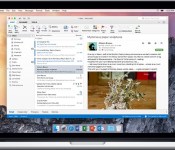
Microsoft is today introducing a preview of the next iteration of its office software designed for Mac users, Office 2016. Office 2016 for Mac is the company’s first major Mac release since Office 2011, and it brings new versions of Word, Excel, and PowerPoint with redesigned Retina-optimized interfaces, new features, and a heavy focus on collaboration and cloud integration.
Office 2016 for Mac, which is free to all Mac users running OS X Yosemite during the preview period, is the next step in Microsoft’s plan to make its Office products available anywhere, anytime, on any device, and as such, it’s been designed to work with Office 365 and OneDrive. Users will get the best experience when signed into Office 365 because that allows them to access all of their documents on all of their devices, but an Office 365 account is not required to use the software.

Office 2016 for Mac has adopted many elements previously found in both the Windows version of Office and in the mobile Office apps, released last year. There’s a new Ribbon that reorganizes tools and formatting options, a task pane interface for greater graphics customization within all three apps (which can be manipulated and repositioned within each app), new themes and styles, and there’s a Yosemite-style look that takes advantage of features like full-screen support.
Office 2016 for Mac is powered by the cloud so you can access your documents anytime, anywhere, and on any device. It’s unmistakably Office – but thoughtfully designed to take advantage of the unique features of the Mac. The new apps offer full retina display support with thousands of retina-optimized graphics, full screen view for native immersive experiences, and even little Mac affordances like scroll bounce.
Microsoft believes that cloud connectivity is a key feature that people have come to expect from their software, so that’s become a focal point for the company. With cloud support, Office 2016 for Mac lets users access a list of files created on any device, keep files up to date on all of their devices, and collaborate with other users. Each of Microsoft’s new Office apps have received several new cloud-based features and other updates, as outlined below.
Word 2016 focuses heavily on collaboration. It’s designed to improve the multi-author experience, with a consistent sharing interface at the top right of the app. Through this menu, users can invite coworkers to work on a document, send out links, and see who a document has been shared with.

Threaded comments have been added to the Mac for the first time and in Word’s new Styles pane, users can make detailed edits on styles within the app as they can on Office for Windows.
Excel 2016 has deeper data analysis functionality with advanced statistical functions. There are also Slicers in PivotTables, a popular Windows feature that should make it easier for users to analyze large chunks of data to find patterns. With Office 2011, many users were frustrated that the Mac shortcut keys were not the same as the Office for Windows shortcut keys, so Microsoft has made all Windows shortcuts available on the Mac. Users already used to existing Mac shortcuts can continue to use them.

PowerPoint 2016 has a revamped presenter view, which is similar to the presenter view in the PowerPoint for iOS app. In the top left, the presenter sees exactly what the audience sees, including animations in real time. There’s also a visual preview of the next slide, access to notes, a timer, and thumbnails for the entire slide deck.

As with the other two apps, there are deeper editing tools available through the right-side pane, which allows for functions like customized animations or shapes, with results that can be seen in real-time.
Along with Word, Excel, and PowerPoint, Microsoft’s Office 2016 for Mac preview also includes Outlook for Mac, which was released in October, and Microsoft OneNote for Mac, released last March. Outlook for Mac has been limited to Office 365 users since its release, but as of today, it’s available for anyone to use.
The Office 2016 for Mac preview has a built-in feedback mechanism, which Microsoft is hoping its customers will use to report bugs and share what they like and don’t like about the software. Customer feedback will be an important tool that helps Microsoft decide on the next features to add to its software. According to Microsoft, the company is “data obsessed” and reads all of the feedback it receives.
Though it’s been years since Microsoft last delivered a software update, the company plans to introduce bug fixes and feature updates quickly in the future, as such updates are possible now that the Microsoft Office experience is unified as a service across a range of devices.
Microsoft’s Office 2016 for Mac preview is available today at no cost for all Mac users. It is officially supported on machines running OS X Yosemite. Microsoft has plans to launch the software in the summer following this beta testing period.

Apple Notifying Aperture Users of Impending Removal From Mac App Store
 Apple has sent an email to Aperture customers this afternoon as a reminder about the impending removal of the professional photo editing software from the Mac App Store. The email confirms that Aperture will be removed from the Mac App Store upon the release of Photos for OS X as we initially reported last month.
“When Photos for OS X launches this spring, Aperture will no longer be available for purchase from the Mac App Store. You can continue to use Aperture on OS X Yosemite, but you will not be able to buy additional copies of the app.
You can migrate your Aperture library to Photos for OS X, including your photos, adjustments, albums, and keywords. After migrating, your Aperture library remains intact. However, Aperture and Photos do not share a unified library, so any changes made after the migration will not be shared between the apps.”
Aperture users will be able to continue using the software on OS X Yosemite following its discontinuation, although the app will no longer be available for purchase on the Mac App Store and new feature updates are not planned. Aperture users can migrate their photo libraries to Photos for OS X, including photos, adjustments, albums and keywords.
Photos for OS X will be available this spring for OS X Yosemite.

Samsung Galaxy S6 and Galaxy S6 Edge will come with anti-virus software

We already know about the flurry of apps that will be bundled along with the Galaxy S6 and the Galaxy S6 Edge. And developer of popular anti-virus software McAfee has announced that the smartphones will also come built-in with their mobile security app for added protection against malware.
The two flagships will have the VirusScan Mobile app built by default according to McAfee. There will be no extra charge levied upon the customers, so this can be considered one among the myriad of apps bundled under the Galaxy Gifts program.
Although Android has an anti-virus/malware feature built right in the source, it’s good to know that the manufacturer is taking security seriously and bringing added protection to the customers.
As most of you probably know, the Galaxy S6 and the Galaxy S6 Edge already come with an upgraded version of Knox, which will make the device a very attractive proposition for enterprise users.
Source: McAfee
Via: Sam Mobile
Come comment on this article: Samsung Galaxy S6 and Galaxy S6 Edge will come with anti-virus software

The user manuals for the Galaxy S6 and Galaxy S6 Edge are now available online

It was only just four days ago that Samsung unveiled the Galaxy S6 and its curved brethren, the Galaxy S6 Edge, to the world, and already the user manuals are available to download from the manufacturer’s online portal.
The Galaxy S6 manual for models carrying numbers SM-G920F, SM-G920FQ and SM-G920I is available in English, French and Dutch, whilst the manual for the Galaxy S6 Edge is only available in English at present — which may have something to do with the fact that the latter device is expected to launch in the United States and the United Kingdom, initially, with other markets set to receive the handset later in the year, as opposed to Samsung’s flagship of 2015, the Galaxy S6, which will experience a worldwide launch from the get go.
If you’re interested in sifting through the manuals, hit one of the links listed below.
- Samsung Galaxy S6 manual (English)
- Samsung Galaxy S6 manual (Dutch)
- Samsung Galaxy S6 manual (French)
- Samsung Galaxy S6 Edge manual (English)
Come comment on this article: The user manuals for the Galaxy S6 and Galaxy S6 Edge are now available online

Canadian carrier details the price of the Galaxy S6′s wireless charging pad

The Galaxy S6 and Galaxy S6 Edge are Samsung’s first smartphones to include support for Wireless Charging. Whilst the handsets can be charged with any standard WPC or PMA charger, the South Korean company will be offering a wireless charging pad for a fee.
According to Canadian carrier, Fido, the round charging orb for the S6 and S6 Edge will retail for $59.99, but customers who choose to order either smartphone through the operator will receive the wireless pad for free, together with a complimentary S-View Cover.
It’s unclear at this stage, whether any similar promotions will be held in the United States, but we presume they will. Afer all, almost every carrier was giving away a Quick Circle case when LG first launched the G3 stateside.
Will you be picking up Samsung’s wireless charging orb? Be sure to let us know in the comments section down below.
Via: MobileSyrup
Come comment on this article: Canadian carrier details the price of the Galaxy S6′s wireless charging pad

Samsung starts rolling out Lollipop update for the Galaxy S5 Active in Nordic countries

Samsung has now started pushing out the long-awaited Lollipop update to all unlocked models of the Galaxy S5 Active located in Nordic countries. The 1.4GB upgrade is being distributed over-the-air and carries the latest build of the Android operating system to the handset, in addition to a handful of bug fixes, stability improvements and speed optimizations.
For those in need of a refresh, the Lollipop upgrade transports support for multiple accounts, improved notifications, a smoother multitasking experience, Ambient Display, smarter internet connections and the recently-announced Material Design guidelines.
To start the update, make sure you’re connected to a Wi-Fi network. Then, from the home screen, press the Menu key, followed by Settings. Scroll to the bottom and tap ‘About Device’, followed by ‘Software Update and ‘Update Now’.
Come comment on this article: Samsung starts rolling out Lollipop update for the Galaxy S5 Active in Nordic countries

Google Search will show you how to make the perfect cocktail

Next time you decide to put together your own cocktail, there is chance that Google Search is all you need. Starting today, the search engine (on mobile devices) will display full recipes for cocktails. To become your own mixologist, just fire up Google Search and input the name of any cocktail. At the top, before any other links appear, Google will provide the ingredients, preparation, and process to make the cocktail.
Source: +Google
Come comment on this article: Google Search will show you how to make the perfect cocktail

Do broadband providers really deserve their billions from taxpayers?

One of the most common themes stated by those against net neutrality and Title II classification is the need to get the government out of the Internet. As one corporate-funded group noted in their petition to stop the Federal Communications Commission (FCC) from issuing rules on net neutrality: “The American people won’t stand for a federal takeover of the Internet. The best way to keep it open and free is what has kept it open and free all along—no government intervention.”
In terms of that government view, many share it and I generally agree with it. I prefer to see the government stay out of meddling in the tech sector. But, why are these same people/groups ignoring the massive involvement that the carriers have with the government on a daily basis?
Let’s start way back in the early 1990’s. In order to receive billions from state and local governments, Bell Atlantic (now Verizon) promised the world without any rules being given to them about how to use such taxpayer money.
What was promised?
By 2000, according to the Bell companies’ annual reports, press releases and state filings, about 50 million households should have been rewired. California’s Pacific Telesis (Pac Bell) promised to have 5.5 million households wired with fiber optic services, Ameritech; which covered 5 states including Illinois, Indiana and Michigan, Ohio and Wisconsin) promised 6 million homes by 2000, Bell Atlantic claimed 8.75 million homes, and NYNEX said 1.5-2 million by 1996. (Ameritech, Pac Bell, Bell Atlantic and NYNEX were four of the original Bell companies.) Alongside the annual reports, the Bell companies also filed with the FCC to offer “video dialtone” services over fiber optic wire. Over 9,787,400 households in 43 cities were supposed to be upgraded between 1995 and 1997. – Bruce Kushnick, “$200 Billion Broadband,” Teletruth Executive Director, New Networks Institute.
I feel quite comfortable summarizing that we didn’t see results anywhere close to those goals. But maybe over time broadband providers have gotten better at their promises of using taxpayer money in exchange for improved broadband.

In 2012, West Virginia taxpayers gave Frontier Communications over $125 million in broadband stimulus funds. How did that money get spent?
Last year the state buried a study on their spending of the stimulus money (which they spent $118,000 for) that leaked anyway, highlighting that how Frontier Communications did a sloppy job in tracking spending, may have overbilled taxpayers substantially, and only built a mish mash of geographically scattered fiber upgrades that the majority of state residents wouldn’t benefit from in the slightest. – DSLReports
In Pennsylvania, taxpayers have given Verizon nearly $2.1 billion for services that never came to fruition. In 1994, Verizon (then Bell Atlantic) agreed to have 20% of the state broadband wired by 1998, and 50% by 2004. Note that we are talking about 45MB/s symmetrical fiber service right to the door.
So, how did Verizon do? Not well. In fact, by 2002, the state of Pennsylvania acknowledged that Verizon (again, then Bell Atlantic) would not come close to reaching the agreement and asked Verizon to update their plans as to how they would accomplish the agreement going forward.
That update, which needed to show Verizon was working toward that 45Mbps goal, never really came. Instead, in a ruling this week, the state essentially allowed Verizon to completely ignore the agreement, keep all financial incentives, and provide state-wide connectivity via copper lines, ignoring the language of the original agreement. – DSLReports
In New Jersey, taxpayers gave Verizon almost $13 billion in surcharges in return for having the entire state by 2010, a plan called “Opportunity New Jersey.” Again, Verizon didn’t even come remotely close to finishing off the agreement. When asked why Verizon never even wired many cities in the state, Verizon claimed that their more expensive, data-capped wireless service was more than enough to fulfill the 45 Mbps broadband agreement.
When some state government politicians in New Jersey called out Verizon, Verizon defended themselves by sending bogus public support letters to the state Board of Public Utilities, in the hopes that the state would let Verizon off the hook with the agreement. Verizon was let off the hook.
On the whole, this country seems to have a rich history of simply handing out freebies to the broadband providers. Pulitzer Prize-winning reporter David Cay Johnston wrote a book in 2012, which detailed how for years taxpayers have handed hundreds of billions to cable and phone companies for networks that were never delivered.
To quote one of my favorite tech writers:
Verizon wants what any massive, government-pampered duopolist wants: more strings-free taxpayer money, a lazy regulatory body with no consumer protection authority whatsoever, government protection from competition, and the ability to engage in any business practices they like, no matter how unethical or anti-competitive. – Karl Bode
Back in 2009, the wireless industry’s primary trade and lobbying group, the CTIA, proposed that the FCC use taxpayer dollars to acquire additional spectrum for the wireless industry. According to the CTIA, taxpayers would spend between $1.37 billion and $1.83 billion to free up specific spectrum for mobile broadband service.
But getting back to the federal government, Verizon made $19.3 billion in U.S. pretax profits from 2008-2012. Therefore, it makes sense that Verizon would have to pay a sizeable amount in taxes. Oh, wait.
Verizon paid no federal income taxes during the period; instead got $535 million in tax rebates. Total tax subsidy: $7.3 billion. Received up to $6 billion in federal contracts from 2011 through 2023. – Institute for Policy Studies
AT&T also got quite the help from the terrible federal government by having received over $77 billion in tax breaks from 2008-2012.
Cable and broadband providers have no interest in keeping the government out of their industry. They want the government as involved as ever when it benefits them, which is apparently often.
Android Lollipop heading to the Galaxy Note 3 in India

Samsung is continuing to push out its Android 5.0 Lollipop updates to new and last generation handsets alike. An update is now making its way around to Galaxy Note 3 (SM-N900) users in India.
Build number N900XXUEBOB2 includes everything that we have seen from Lollipop updates for different Note 3 variants and other Samsung handsets, including the new UI, software changes and improvements to battery life and general performance.
The Lollipop update is rolling out over the air, or can be grabbed through Samsung’s Kies PC software. To check if an update is available for your handset, click through to Settings > About device > Software update and spam the update button. Alternatively, the more adventurous out there can grab the firmware from SamMobile’s database to manually flash on their Galaxy Note 3, after taking all the usual precautions of course.


