


Russia’s amphibious UAV is equal parts plane and hovercraft

Flying an unmanned aerial vehicle isn’t usually the hard part, getting it on and off the ground is. But thanks to the addition of an all-terrain hovercraft skirt, the Russian Federation’s newest hybrid UAV will be able land and launch virtually any surface –from snow and sand to lakes and waterways, even stone-riddled roadways strewn with pebbles up to about 8 inches tall — all while riding a protective cushion of air.
Code-named Chirok (roughly translated, “Teal”), this model is the latest reconnaissance and strike drone (RSD) to come out of United Instrument Corporation (UIC), a division of the state-owned Rostec company. The Chirok’s 1:5 scale prototype made its debut at last year at Russia’s MAKS air show (which you can see below). This year, the company is coming with an operational prototype. This full-size model — which has already been constructed — sports full-composite construction, a 10-meter wingspan, weighs 750 kg, and should be ready for flight testing by the 2015 trade show’s August opening, according to a statement from Rostec. The company is also reportedly working on a larger, 2-ton variant though it’s in the early concept phase.
It’s designed with a 19,000-foot operational ceiling and a 1,550-mile service range and is rumored to even be powerful enough to carry up to three people in addition to a variety of internally-stowed guided, unguided, and smart munitions. Plus, given its composite composition, the Chirok should be pretty stealthy as well. However, given that many of the the UAV’ systems remain classified, there’s no real way to confirm any of these assertions until flight tests actually commence. Until then, you can see a brief clip of the Chirok at around the 4:25 mark of the promotional video below.
[Image Credit: UIC]
Filed under: Robots
Via: RT
Source: Rostec
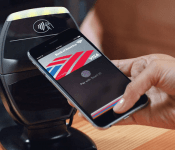
The fight for your wallet: A look at the mobile payment scene’s new big three

Apple, Samsung and Google are major forces in the smartphone industry and these three companies are about to advance their fight to a new emerging space: mobile payments. Not exactly a new concept, but these three tech titans are now competing to replace your wallet with one of their respective platforms.
At a glance Android Pay, Apple Pay and Samsung Pay might all look similar. They all use near field communication (NFC) tech in some shape or form and they each have the word “pay” in their name. However, when you really start to take a closer a look at what these three mobile payment platforms have to offer, you’ll notice that there are some noteworthy differences.
At a glance Android Pay, Apple Pay and Samsung Pay might all look similar.
Here’s an overview highlighting some of the details that we currently know about the mobile payment industry’s new big three.
Compatibility

Android Pay is more of a developer tool, instead of a standalone application like Samsung Pay and Apple Pay. Google’s follow up to Wallet is designed for OEMs and developers to mold as they see fit.
Meanwhile, Samsung’s and Apple’s solutions are proprietary and only work with in-house hardware. With support already announced for its upcoming Galaxy S6 and Galaxy S6 Edge smartphones, the South Korean tech firm is set to launch its new mobile payment setup later this summer. As for Apple, the California-based company’s Apple Pay is already available to iPhone 6 and iPhone 6 Plus users, with the outfit’s new smartwatch set to follow suit next month.
In addition to offering a flexible platform for developers and hardware producers, Google recently cozied up with three major wireless carriers. Out of the gate, this may help extend Android Pay’s reach further than its stifled predecessor.
Handling Transaction Data

Apple has been pretty straightforward about how Apple Pay works, clarifying that it will not store, share or track your purchase data. As for mobile payments newcomer Samsung, it’s still not completely clear how the company will manage transactions. So far the firm has revealed that Samsung Pay users will be able track transaction histories on their own devices. But that’s about it. Samsung will likely reveal more details as the company gets closer to the launch of its new service later this summer.
Android Pay will use temporary payment tokens for transactions opposed to transmitting a person’s permanent credit card details.
Like Samsung Pay and Apple Pay, Google’s platform will tokenize confidential user details such as credit and bank cards. Android Pay will use temporary payment tokens for transactions opposed to transmitting a person’s permanent credit card details. The idea here is to reduce the opportunities for would-be attackers looking to steal private financial information.
Additional Security Measures

One of the biggest concerns surrounding mobile payments (and standard credit card use) is security. The media is currently flooded with stories of merchant and creditor privacy breaches. This has caused quite an uproar among the very consumers that these three platforms are targeting. To help calm these concerns, measures such as tokenization have been taken, along with a few additional precautions.
Samsung Pay and Apple Pay require fingerprint scans in order to complete a transaction. This reduces the need for complicated passwords or PIN numbers that can potentially become compromised.
Samsung Pay and Apple Pay require fingerprint scans in order to complete a transaction. This reduces the need for complicated passwords or PIN numbers that can potentially become compromised.
Additionally, Apple’s payment setup leans on a dedicated chip unique to its hardware. Referred to as the “Secure Element,” this item is used to store a device’s identification number, user fingerprints and other secure data. This chip is believed to be somewhat comparable to an EMV card, and is completely segregated from its device’s iOS operating system.
Samsung Pay will tout a similar feature to Apple’s Secure Element, which will be provided by semiconductor manufacturer Infineon. Details about Samsung’s security silicon remain scarce, however the German-based chip maker says its hardware will offer device and transaction protection.
Unique Traits and Other Variables

Android Pay has the potential for deeper hardware integration by letting app developers and equipment manufacturers tinker with its API. Since it’s not tethered to a specific hardware platform, Mountain View’s emerging setup has a chance to be used across multiple hardware and software brands, depending on Google’s long-term strategy.
While Apple Pay has only been publicly available for a handful of months, it definitely shows a lot of promise. Dozens of financial institutions have already pledged support for the service and its online payment options are steadily increasing.
Although it’s the newest entrant in the great mobile payment race, Samsung Pay may have an ace up its sleeve. Thanks to its acquisition of LoopPay, the outfit has equipped its gear with tech capable of working with non-NFC magnetic card readers. This means the service will work with just about any legacy point-of-sale system.
This Guy’s Two Cents

It’s way too early to declare a winner here. Each of these mobile payment options have their pros and cons, but the biggest battle will be winning over casual consumers worried about security. Toss in factors like brand loyalty, third-party support and things become even more complicated. But I must say that I like Samsung’s inclusion of legacy payment terminals. This, along with the company’s history of releasing a high volume of devices might help put Samsung Pay in the hands of more consumers, once the service is up and running. However, it’s really hard to underestimate the folks in Cupertino and Mountain View.
Now that we’ve had a closer look at the mobile payment scene, we’d love to know your thoughts on the matter. Do you think mobile payments are the next big thing, or an impractical gimmick that will eventually fade away? Be sure to share your thoughts in the comments and let us know what you think.
// <![CDATA[
(function () ());
// ]]>
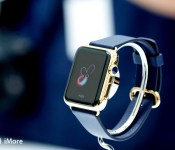
How secure is the Apple Watch?

That was a question posed by MarketWatch today. It’s also an important question. Unfortunately, MarketWatch didn’t treat the question that way. And that’s a profound disservice to its readers.
The Apple Watch is, by Apple’s own admission the most personal, most intimate device the company has ever released. It tracks health, it handles communications, it can control our homes, it can pay for our purchases. Security on the Apple Watch is something that’s going to matter to everyone who uses it. The response to the sensational headline used by MarketWatch, is that they don’t know. And the follow up is pure fear, uncertainty, and doubt. That’s not only bad journalism, it’s an actively harmful attack.
[Apple] has released little information thus far on the watch-that-knows-all’s security features and told MarketWatch more information will come when the product becomes available on April 24.
The Apple Watch works in conjunction with the iPhone. WatchOS is also based on iOS. Apple has released an excellent guide to iOS security. It can serve as great starting point to become familiar with basics of how Apple handles end-to-end encryption and other related technologies.
Apple has also posted an open letter on security and privacy, and an entire root-level section of the company’s website – apple.com/privacy, that outlines the philosophy behind it. In short, Apple’s made privacy and security a front-line feature for the company’s customers. Again, an important starting point for this type of discussion.
“I don’t know enough about what’s in there. That’s the common challenge of security researchers or anyone who wants to make security decisions about Apple products,” David Schwartzberg, a senior security engineer at MobileIron, a Mountainview, Calif.,-based mobile security company. “They don’t release enough information.”
See above.
Sensors on the watch can detect when a user takes it off his or her wrist. Upon removal, the watch will put Apple Pay on lockdown. To unlock it, you’ll have to enter the passcode for Apple Pay. So unless a thief also has your arm, the moment the watch comes off, the paying system shuts off. Though in theory, what stops a criminal from threatening you for the passcode?
Deplorable “Has your arm” hyperbole aside, “in theory”, what stops a criminal from threatening you for your phone’s passcode? Your wallet? Your car keys? What about any of that is unique to the Apple Watch?
Researchers at FireEye, a Silicon Valley security firm, said in a February report that hackers have learned how to bypass Apple protocols to publicly release malicious applications. And last year, another security firm found that a type of malware called WireLurker could have infected hundreds of thousands of Apple devices.
If you jailbreak and visit a pirate app store and otherwise expressly override Apple’s built-in protections. In other words, if you leave your car open with the keys in, in front of a chop-shop, then security isn’t the problem. You are.
- Why most people don’t need to worry about WireLurker
- Masque Attack: Don’t panic but do pay attention
“If somebody’s able to get a piece of malware on a device like they have with the iPhone, iPods and iPads, if this watch is doing fitness data, they could tell when you’re exercising. They could tell a lot of things about you,” says Brian Markus, CEO of Aries Security.
See above.
For example, someone who figures out how to hack a slew of Apple Watches could begin email marketing relevant health products (bogus or legitimate) to those consumers, targeting individuals with spam or phishing scams based on their specific needs. And a stalker could use the watch as another way to track someone’s location and movements.
The bigger and more realistic danger, by near-infinite order of magnitude, is the “security” sellers who hack “reporters” into harming their readership by publishing complete and utter bull, backed up by no hard data or realistic threat assessment.
Within just a few months of the rollout, fraudsters found a way to game Apple Pay, The Wall Street Journal reported last week. Banks responded by increasing verification measures to leave less room for crooks to upload stolen card information onto Apple Pay.
Except, no. They absolutely didn’t.
Apple Pay wasn’t gamed at all. It was and is so secure all “fraudsters” could do was run old-fashioned social engineering attacks on banks that admitted they not only chose not to invalidate stolen card data, but authorize it for purchase.
Mobile security is lagging at a time when people carry nearly as much information on their smartphones as on their computers. Smartphones, across the board, don’t by default include antivirus software, and many users don’t install it onto their devices. And the Apple Watch is basically an iPhone for your wrist.
Which has among the best security in the industry. Would that MarketWatch aspired to such pride of craft.
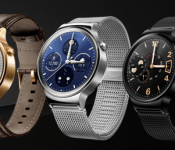
Huawei Watch won’t be cheap, but it won’t be super expensive either

The rumors of the Huawei Watch going for $1,000 was obviously insane. Now that everyone is back to earth, we are starting to get an idea of how much this thing of beauty will cost.
It has already shown up with a price of €349 ($370) for the silver and black versions on a German site called Billinger. They are offering the gold version for €399 ($424).
Mobile Fun in the UK has also chimed in with £300 ($448) for the silver and black versions and £350 ($522) for the gold.
Now we translated prices to the U.S., but it never works that way. We can expect that the U.S. price to be closer to the Euros or Pounds pricing since there won’t be any extra taxes built in. I am hopeful the U.S. price will be $299 and $349, but I suspect it will come in at $349 and $399.
The Huawei Watch looks awesome, but I am still concerned with that smaller battery. I sense another Moto 360 in that we won’t be able to leave that display on all the time like you can on the LG G Watch R and the upcoming LG Watch Urbane.
source: TechnoBuffalo
Come comment on this article: Huawei Watch won’t be cheap, but it won’t be super expensive either
Android 5.1 Lollipop – Here’s what’s new!
brightcove.createExperiences();
Android 5.1 Lollipop is officially in the wild and it comes with a metric ton of changes. However, most of them are under the hood and the actual interface only saw a few minor tweaks here and there. Let’s take a look at what’s different in 5.1.

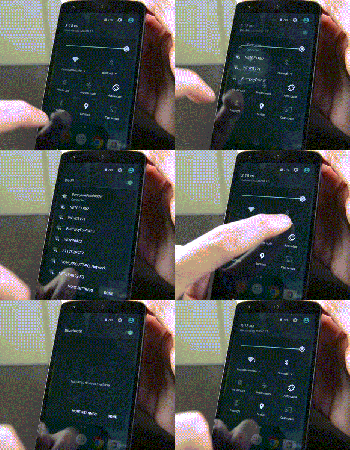
Quick Settings tweaks
The Quick Settings in Android 5.1 Lollipop saw a couple of tweaks. They include:
- You can now connect to WiFi and Bluetooth devices without being required to go into the Settings app. Simply click the down arrow and continue from there.
- There is a new animation for the portrait mode toggle (more on that later).

Screen Pinning improvements
Screen Pinning is a feature (under Security in the Settings) that allows you to lock someone into a single application. This is great for kids or if someone is borrowing your phone.
- The verbiage in the Settings has been changed for clarification purposes.
- When you pin an application, Android now shows you which buttons to press in order to leave Screen Pinning mode. Otherwise, the feature works exactly as it did before.

Contacts app improvements
The Contacts app has undergone a couple of minor improvements:
- There is no longer any color overlays on contact pictures.
- Google+ photos are no longer used for contact pictures.
- Other minor tweaks here and there.

System Volume tweaks
The lack of silent mode is a sore spot for many Lollipop users, although HTC and Samsung have managed to (generally) re-add the feature in their skins. With Android 5.1, Google didn’t give us silent mode back but they did make some other tweaks:
- The icons of Priority Mode and No Interruptions Mode now appear in the selection window. This is so people new to the OS understand what the icons mean when they show up in the status bar (shown in the gif above).
- No Interruptions Mode will now still deliver notifications and you’ll still see the notification light blinking. It’s no silent mode, but it works pretty much the same. The only real gripe is that alarms still don’t go off so you’ll still need to create a tweaked Priority Mode (where alarms are okay, but everything else is turned off) in order to get a “truer” silent mode.
- You can now access system volume even while watching video, listening to music, or otherwise engaging in media. Simply click the bell icon on the right side (see video for a demonstration) and the media volume will disappear, replaced by the system volume.
- Other small tweaks are there, including the ability to better manage Priority Mode.

New animations
A few new animations have made their way into Android 5.1.
- The four icons at the top of the Clock app are now animated.
- The Portrait/Landscape toggle in Quick Settings is also now animated.

Other various tweaks
Some of the other highlights from the Android 5.1 update include:
- NuPlayer officially takes over for AwesomePlayer as the default streaming player.
- When you receive a heads-up notification (when they appear at the top and are clickable), you can swipe up to hide the notification but it will remain in the notification drop-down for you to check later. In Android 5.0, swiping up on the heads-up notification dismissed the notification entirely.
- Device Protection mode is now a thing that exists. This nifty new feature keeps your device locked down even if it has been factory reset, preventing thieves from getting around your security. Sadly, this is only available on the Nexus 6 and Nexus 9 as well as, according to Google, all Lollipop devices launched going forward.
- HD Voice Calling is now included. Devices on compatible carrier networks that support HD Voice will be able to use the feature. Reportedly, this only works with the Nexus 6 for right now.
- Dual-SIM support is now baked right into the OS.
- Unless otherwise stated, we believe the memory leak has finally been fixed.
- There were over 14000 additional tweaks, fixes, and other changes that came to Android 5.1 that improved everything from performance to battery. To see them all, here’s the full changelog.

The new “no SIM card” icon.
What we’re still waiting on
While the 5.1 update was huge in its own right, it didn’t bring everything. Here are a few features many people are still waiting on.
- A true silent mode where notifications come in, alarms act as normal, but the device doesn’t vibrate or ring.
- T-Mobile Nexus 6 users are still waiting for WiFi Calling but that should be coming soon.
- There is still no reboot option. When long pressing the power button, you still only have the option to Power Down.

Overall
Overall, the update is a big step forward for Lollipop and dare we say, the Lollipop we probably should have had to begin with. Performance on the Nexus 5 (at least) has been noticeably better and the inclusion of the new features gives a more full and complete feeling to the UI and experience overall. Let us know what you thought of the Android 5.1 Lollipop update. Did Google address all of your concerns or are there still some things you wish they had?
Twitter introduces new rules against revenge porn

Twitter CEO Dick Costolo once admitted that the website sucked at dealing with trolls, but you’ve got to give the company credit for doing something about it. The micro-blogging platform has just launched more stringent rules against revenge porn after making it easier to report doxxers and impersonators in February. If you visit Twitter’s community rules and abuse policy, you’ll see language making it clear that any intimate content posted without the subjects’ consent isn’t welcome on the website. Under “Content Boundaries and Use of Twitter,” you’ll find:
Private information: You may not publish or post other people’s private and confidential information, such as credit card numbers, street address or Social Security/National Identity numbers, without their express authorization and permission. You may not post intimate photos or videos that were taken or distributed without the subject’s consent.
Meanwhile, you’ll see this under the “Abusive behavior policy:”
Threats and abuse: Users may not make direct, specific threats of violence against others, including threats against a person or group on the basis of race, ethnicity, national origin, religion, sexual orientation, gender, gender identity, age, or disability. In addition, users may not post intimate photos or videos that were taken or distributed without the subject’s consent.
Twitter used the questions Buzzfeed asked Reddit when the latter started requiring consent to post someone’s nude photos/videos to shed more light on this new policy. According to its replies, the ones reporting the photo or video will have to provide proof that they’re really the ones in it. Once Twitter verifies that the content was posted without consent, the website will not only hide the offending post, but also lock the offender’s account until the photo or video in question is deleted.
If the website determines that the user posted intimate images specifically with an intent to harass, he or she will be suspended for good. Posters can challenge those complaints, of course, but Twitter will first have to check whether the image/video they tweeted was truly misidentified before they’re off the hook. In case you’re reading this because you’re dealing with revenge porn right now, don’t forget to check whether the act is a criminal offense in your state or country, as well. While it’s great that Twitter now has these rules in place, it doesn’t hurt to know if you can do more to bring the perp to justice.
Filed under: Misc
Via: Buzzfeed
Source: Twitter (1), (2)
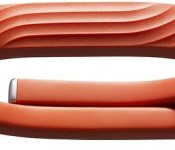
Apple Ceases Selling Jawbone UP, Nike Fuelband as Apple Watch Launch Approaches
With the Apple Watch set to launch in April, Apple has decided to stop selling many competing fitness products in its retail stores. Re/code checked several popular Apple Stores in San Francisco, Palo Alto, Los Angeles, and New York, and found that Apple had ceased carrying the Jawbone UP and the Nike+ Fuelband.
The two fitness bands are also unavailable through the company’s online store, and it appears the only remaining fitness band available for purchase is the MIO Alpha Heart Rate Monitor Watch. Apple is still selling non-wrist worn fitness tracking devices, like the Jawbone UP Move and the Wahoo TICKR X Heart Rate Monitor, both online and in stores.
 The Jawbone UP 24
Apple began removing wrist-worn fitness tracking devices from its stores back in November, when it stopped selling Fitbit’s line of activity tracking devices. Fitbit’s devices, along with the Jawbone UP and the Nike+ Fuelband all offer functionality that’s similar to what can be found in the Apple Watch, including the tracking of metrics like steps taken, distance traveled, calories burned, and stairs climbed.
According to Re/code, Apple told Mio founder Liz Dickinson that her company’s activity trackers would be removed from the Apple Store due to an effort to re-work branding, which may be at new retail chief Angela Ahrendts’ behest.
“They said they brought in a new executive in the marketing area who wanted to re-work branding for the stores, and to make the Apple brand more front and center and clean up and minimize the number of accessories,” Dickinson said.
The Apple Watch is set to be displayed in Apple’s retail stores beginning on April 10, in an effort to allow customers to try on and experience the watches ahead of their April 24 launch. Prices on the Apple Watch range from $349 to $17,000, and pre-orders will also begin on April 10.

The new MacBook is for a lot of people, even if it’s not for you

“I think I might put the new MacBook on my Xmas list” — my mom during Apple’s Spring forward event.
My mom has used computers before, from the Apple II to the Amiga to the Performa to the iMac. But she’s never wanted one before. Since she started using the iPad in 2011, she’s barely even looked at one. Now she wants the new MacBook, the same one that has some outlets denouncing it as a “betrayal” or a “bad value”. What’s causing the difference in reactions?
Perspective.
Some people look at products and find what’s for them. In the new MacBook, my mom found a simple, beautiful computer that would suit both her tastes and needs. There’s only one port, so she’ll never have to wonder what goes where, and a processor that skews more towards power-efficiency than high-end performance suits the web browsing, email, and writing she wants to do with it. It doesn’t upset her that there’s also a MacBook Air or MacBook Pro on the market, because she’s happy she found the MacBook she wants.
Other people look at products and even if they find one that suits their needs, they get upset about the ones that don’t. They see a single port or a choice of chipset or the cost of tomorrow’s technology today and, despite the MacBook Air having more ports and the MacBook Pro having other chipsets, and both still being on the shelves, they’re angry the alternative exists. Either because they’d want it if it were different in some way, or because they fear it will somehow threaten what they already have.
It’s understandable. The floppy went away, the optical drive is all but gone, Firewire is fading even as an adapter, and Thunderbolt is settling into the high-end. Just like with the original iMac, and the original MacBook Air, and the all new Mac Pro, the MacBook is an evolution, a change, and change is stressful.
The good news is that the MacBook Air and MacBook Pro aren’t going anywhere any time soon. Apple just updated both with Intel’s latest Broadwell chipsets, and the 13-inch MacBook Pro got the same Force Touch Trackpad as the new MacBook.
I recently switched from a 13-inch MacBook Air to a 13-inch MacBook Pro because I found I needed to do more Final Cut Pro X video, at a faster rate, than the Air allowed. I was happy with the Air. I’m happy with the Pro. They each suit different needs, and suit me as my needs change.
Now that the new MacBook is out, I’m absolutely going to try it and it might well be the next perfect machine for me. If not, the technology Apple is bringing to market with it will continue to make its way into the rest of the line, meaning better battery life, better interactivity, and better experience regardless of the next perfect machine for me ends up being.
Same for my mom. She may end up getting her first MacBook, or she might stick with the iPad Air. Either way, she now feels like she has more options than she did before. She feels empowered.
That’s why I don’t begrudge that the other MacBooks, including the new MacBook, exist. I take comfort in it. I value it. I value that Apple is widening its addressable market to people who might want a computer that’s as light and portable as a tablet without being fused with one. And I like that Apple is once again dragging the industry forward — is once again skating to where the laptop is going to be.
That also makes it valuable. Maybe another MacBook seems like a better deal to some, and that’s fine. For others, the lightness, the display quality, the new keyboard, the new trackpad, the new colors, the fanless design, or a combination of a few or several of those features, makes it a great deal because it’s all available now, today. They’re not basing their decision on the relative cost of the silicone, but on the overall value of the technology.
If someone doesn’t like that the new MacBook exists, that’s great! Get a MacBook Air or MacBook Pro. If they don’t like that the new MacBook exists, however, they need to get a grip. Because there are lots of people who will.
<!–*/
<!–*/
<!–*/
.devicebox
background-color: #5CB8DB;
border: 1px solid #E2E9EB;
float: right;
display: block;
margin: 0 0px 10px 10px;
max-width: 350px;
overflow: hidden;
width: 50%;
.devicebox h3
background: #8D98BD;
color: #fff;
font-family: “camptonmedium”,sans-serif;
font-size: 20px;
margin-bottom: 0;
margin-top: 0;
padding: 0;
text-align: center;
.devicebox h3 a
display: block;
line-height: 30px;
padding: 0 10px;
.devicebox h3 a:hover
background: #7e88aa;
text-decoration: none;
.devicebox .video
margin: auto;
border: 0px;
.devicebox p,
.entry-content .devicebox p > img,
.devicebox img
margin: 0px;
padding: 0px;
.devicebox,
.devicebox a,
.devicebox a:active,
.devicebox a:hover,
.devicebox a:link,
.devicebox a:visited,
.devicebox p,
.devicebox ul,
.devicebox ul li,
.devicebox li
color: #fff;
.devicebox a:hover
text-decoration: underline;
.devicebox p,
.devicebox ul,
.devicebox ul li,
.devicebox li
border-width: 0px;
font-family: “camptonlight”,sans-serif;
font-size: 16px;
padding: initial;
.devicebox ul
margin: 0;
padding: 0.5em 1em 1em 30px;
.devicebox ul li
display: list-item;
.devicebox ul,
.devicebox ul li,
.devicebox li
line-height: 24px;
list-style: disc outside none;
.devicebox ul li:before
display: none;
.devicebox ul + p
padding: 0px 15px 15px;
line-height: 1.25;
.field-items p:last-of-type + .devicebox,
.slide p:last-of-type + .devicebox,
.article-body-wrap p:last-of-type + .devicebox,
.field-items p:last-of-type + .devicebox ~ .devicebox,
.slide p:last-of-type + .devicebox ~ .devicebox,
.article-body-wrap p:last-of-type + .devicebox ~ .devicebox
float: none;
margin: 0 auto 30px;
max-width: 700px;
min-height: 225px;
position: relative;
width: 100%;
.field-items p:last-of-type + .devicebox .video,
.slide p:last-of-type + .devicebox .video,
.article-body-wrap p:last-of-type + .devicebox ~ .devicebox .video,
.field-items p:last-of-type + .devicebox ~ .devicebox .video,
.slide p:last-of-type + .devicebox ~ .devicebox .video,
.article-body-wrap p:last-of-type + .devicebox ~ .devicebox .video
bottom: 0px;
left: 50%;
position: absolute;
right: 0px;
top: 30px;
.field-items p:last-of-type + .devicebox .video_iframe,
.slide p:last-of-type + .devicebox .video_iframe,
.article-body-wrap p:last-of-type + .devicebox .video_iframe,
.field-items p:last-of-type + .devicebox ~ .devicebox .video_iframe,
.slide p:last-of-type + .devicebox ~ .devicebox .video_iframe,
.article-body-wrap p:last-of-type + .devicebox ~ .devicebox .video_iframe
height: 100%;
padding: 0px;
.field-items p:last-of-type + .devicebox ul,
.slide p:last-of-type + .devicebox ul,
.article-body-wrap p:last-of-type + .devicebox ul,
.field-items p:last-of-type + .devicebox ~ .devicebox ul,
.slide p:last-of-type + .devicebox ~ .devicebox ul,
.article-body-wrap p:last-of-type + .devicebox ~ .devicebox ul
width: 43%;
.field-items p:last-of-type + .devicebox h3 + p,
.slide p:last-of-type + .devicebox h3 + p,
.article-body-wrap p:last-of-type + .devicebox h3 + p,
.field-items p:last-of-type + .devicebox ~ .devicebox h3 + p,
.slide p:last-of-type + .devicebox ~ .devicebox h3 + p,
.article-body-wrap p:last-of-type + .devicebox ~ .devicebox h3 + p
bottom: 0;
left: 50%;
position: absolute;
right: 0;
top: 30px;
.field-items p:last-of-type + .devicebox h3 + p img,
.slide p:last-of-type + .devicebox h3 + p img,
.article-body-wrap p:last-of-type + .devicebox h3 + p img,
.field-items p:last-of-type + .devicebox ~ .devicebox h3 + p img,
.slide p:last-of-type + .devicebox ~ .devicebox h3 + p img,
.article-body-wrap p:last-of-type + .devicebox ~ .devicebox h3 + p img
height: auto;
min-height: 100%;
min-width: 100%;
@media all and (max-width: 500px)
.devicebox
float: none;
margin: 0;
max-width: 100%;
width: 100%;
.field-items p:last-of-type + .devicebox .video,
.slide p:last-of-type + .devicebox .video,
.article-body-wrap p:last-of-type + .devicebox .video,
.field-items p:last-of-type + .devicebox ~ .devicebox .video,
.slide p:last-of-type + .devicebox ~ .devicebox .video,
.article-body-wrap p:last-of-type + .devicebox ~ .devicebox .video
left: 0;
position: relative;
top: 0;
.field-items p:last-of-type + .devicebox .video_iframe,
.slide p:last-of-type + .devicebox .video_iframe,
.article-body-wrap p:last-of-type + .devicebox .video_iframe,
.field-items p:last-of-type + .devicebox ~ .devicebox .video_iframe,
.slide p:last-of-type + .devicebox ~ .devicebox .video_iframe,
.article-body-wrap p:last-of-type + .devicebox ~ .devicebox .video_iframe
padding-bottom: 56.25%;
.field-items p:last-of-type + .devicebox h3 + p,
.slide p:last-of-type + .devicebox h3 + p,
.article-body-wrap p:last-of-type + .devicebox h3 + p,
.field-items p:last-of-type + .devicebox ~ .devicebox h3 + p,
.slide p:last-of-type + .devicebox ~ .devicebox h3 + p,
.article-body-wrap p:last-of-type + .devicebox ~ .devicebox h3 + p
left: 0;
position: relative;
top: 0;
.field-items p:last-of-type + .devicebox ul,
.slide p:last-of-type + .devicebox ul,
.article-body-wrap p:last-of-type + .devicebox ul,
.field-items p:last-of-type + .devicebox ~ .devicebox ul,
.slide p:last-of-type + .devicebox ~ .devicebox ul,
.article-body-wrap p:last-of-type + .devicebox ~ .devicebox ul
width: auto;
/*–>*/
/*–>*/
/*–>*/
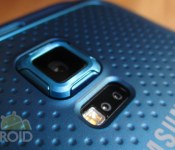
Samsung Galaxy S6 Active allegedly heading to AT&T first

The close relationship between Samsung and AT&T will continue with the upcoming Galaxy S6 Active. The device, according to SamMobile, will launch exclusively on AT&T’s network before making its way to any other carrier. Its model number will be SM-G890A and have similar specifications to the regular Galaxy S6; however, not everything is the same. The measurements and battery size will be altered to meet the rugged and longevity standards of the Active name.
Hit the break for more.
The following are key specifications:
- 5.1-inch, 2560×1440 (QHD) Super AMOLED display
- Samsung Exynos 7420 processor with 3GB of RAM
- 15MP rear camera / 5MP front camera
- 32GB of internal storage
- 73.6×146.9×8.8mm measurements
- 3500mAh battery
Source: SamMobile
Come comment on this article: Samsung Galaxy S6 Active allegedly heading to AT&T first

Android 5.1 OTA update links begin to surface, starting with Nexus 5

Earlier this week Android 5.1 finally became official, and the first factory images hit the web as well. The OTA is beginning to rollout too, but, as always, it could take at least a few days or more for the update to reach your device. For those that don’t want to flash a factory image and start over from scratch, but also don’t want to wait for the OTA — there’s only one thing to do: wait for the OTA links to hit the web.
So far the only OTA links to surface are for the Nexus 5, though we’ll be sure to update this page as more OTA updates are made available:
Nexus 5
New to the idea of manually flashing? We have a guide that should be able to help you along with the journey, though keep in mind that things can go wrong, so flash at your own risk. Need more direct help? We recommend asking around at the AA forums.
For those that have already snagged the Android 5.1 Lollipop, what do you think of the new update so far? Noticing a real difference in performance, or not so much?
 AIVAnet