


Apple launches public beta program for would-be iOS testers

Yes, yes, iOS 8.2 was only released on Monday, but Apple’s got you covered in case that’s just not bleeding edge enough for you. After getting plenty of apparently helpful feedback during OS X Yosemite’s public beta period over the summer, the company is (as expected) kicking off a public beta program for iOS, beginning with a non-final build of iOS 8.3 available to testers starting today.
We’re not entirely sure when Apple flipped the switch on the program, but invites to selected users have been going out for at least a few hours now. Thing is, we’re still not sure how exactly Apple’s choosing who gets access (aside from choosing members of the existing OS X beta), or even how many people will get the nod from Cupertino. Back when this whole thing was just a rumor, it seemed as though only 100,000 people would get access to the program when it finally launched. Assuming you are lucky enough to get in, the installation process seems dead simple — you’ll install a special profile that instructs your phone to pull updates from a beta software channel and, well, that seems to be about it. Just be sure not to gush about your good fortune too publicly; this is only a public beta in that you don’t have to be a developer to install these pre-release builds. Apple’s still counting on you having enough discretion to keep word of juicy features and under your hat, though really, at least one of you isn’t going to keep your mouth shut. Itching to try your luck? Can’t say we blame you — you can register on Apple’s Beta Software site and keep your fingers crossed.
[Thanks, Scott!]
Filed under: Mobile
OneNote for iPhone adds previews to help quickly find notes
Microsoft has released a OneNote update for iPhone users, which adds a way for its users to see thumbnail previews of their notes.
The new 2.10 version, now available in the iOS App Store, should make it faster for users to find the specific note they are looking for. Microsoft says:
With a quick glance at your page list, or your Recent Notes list, you can scan snippets of your notes, including visual content like photos and handwriting, which helps you quickly locate the note you want to read or edit.
In addition, the new version lets users drag and drop their list of OneNote notebooks so they can re-order them to their liking.

Microsoft also released an update to the Mac version of OneNote today. This app’s major improvement is about sharing notebooks with others. Microsoft says:
With today’s update we make it even easier to share notebooks by providing you a way to invite your contacts to collaborate on notebooks, selecting whether they can view only or edit the notebooks and remove sharing access when needed. These improvements work with notebooks you created on OneDrive and OneDrive for Business.
- Free for iPhone – Download now
- Free for Mac – Download now
Source: Office blog
New Google reference app helps developers build multi-screen apps

With the recent introduction of Android Wear, Android TV and Android Auto, Google is expanding its ecosystem to as many screen sizes as possible. With all of the new screen sizes now on the Android platform, the company is urging developers to create the best looking applications as possible, no matter what size screen. To do so, Google has created a new reference sample application called the Universal Music Player for developers to use as a reference point. The app combines a number of different features from Android 5.0 Lollipop and will show developers the recommended way to build their apps for Wear, Auto and Google Cast devices.

The application uses recently-added features like MediaStyle notifications, MediaSession and MediaBrowserService, which allows developers to easily implement browsing and playback on multiple devices while only using one version of the application. The app also shows developers how to add album artwork to the lock screen, control music playback through the Wear and Auto platforms, and much more.
If you’re a developer that’s interested in trying out the Universal Music Player, head to the GitHub link below. Or if you’d like some more information on the topic, check out the Google Developers Blog.
AkrutoSync Review
With Microsoft pretty much hating on Google with everything they’ve got (looking at you “Scroogled” campaign), most of services between the two don’t play nice. This isn’t largely a big deal since a lot of Google’s services are website-based. However, there are a lot of people that still rely heavily on Outlook, especially for business. While the Gmail app now allows addition of other emails including Hotmail, there still isn’t an easy all-in-one solution for syncing contacts and calendar from Outlook to an Android device. This is where AkrutoSync steps in. It’s not an Android app, but a Windows program that sets up and then walks you through connecting your Android device with Outlook. Overall, the app works in the background and without much hassle, but the set up process is a bit odd and finicky.

Setup
AkrutoSync does not have an Android app, but rather uses your computer’s IP address (the number that your computer uses to identify itself when using the internet) and assigns it an email address that you then add as an account on your Android (or other mobile device). The Windows program walks you through step-by-step on how to set up the program. It even provides links to walk you through the setup process on your phone. All of this is fine, and should allow even the most average of tech user to use it. The issue is if you run into a problem, as I did. When I tried to add the email address given to me by the program to add as an account on my phone, evidently I had an issue connecting, and I could not find any solution in Akruto’s documentation. Further, my computer thought the sync was set up, but nothing was appearing on my phone.
The good news is, Akruto’s support team responded very quickly when I reached out to them, and even when I ended up making a silly mistake (much to my chagrin) they were very kind, polite, and patient. A product is only as good as the people behind it, and I can say that the people of Akruto are great.
Function
AkrutoSync looks to provide an easy, painless sync solution for your Outlook calendar, contacts, and more without the need for the user to constantly check on it. In my experience with the program, I can say that they do this pretty well. Calendar and Contacts sync almost instantly. Some pictures are below.
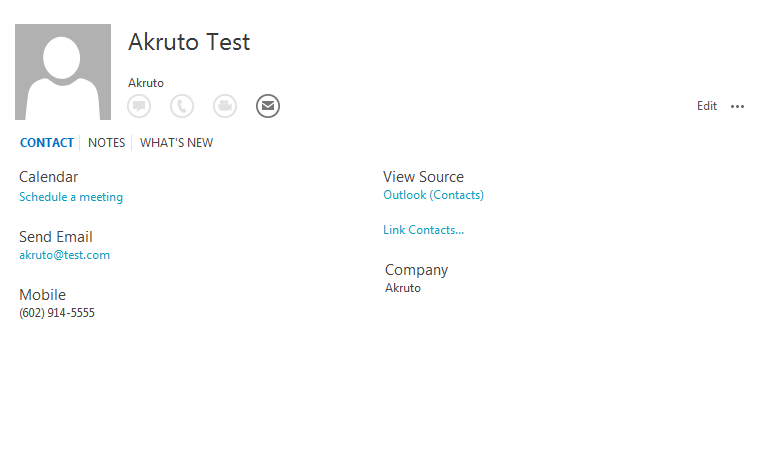

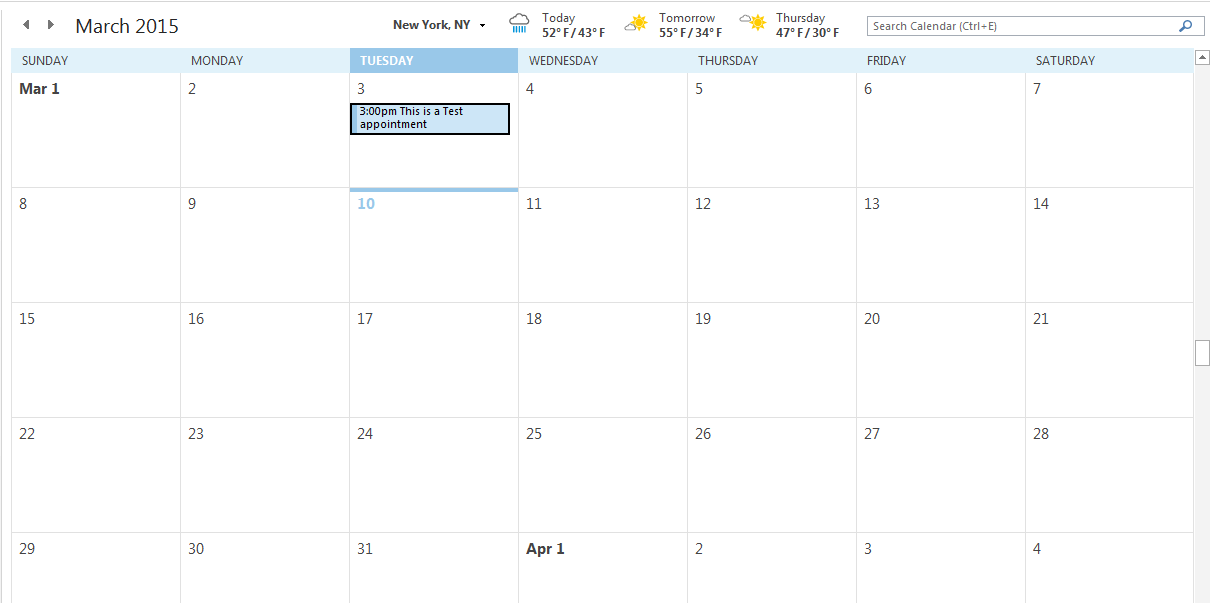

As long as you have auto sync enabled on your phone, accessing calendar appointments and contacts should be no problem at all. There isn’t much more to say, but in this case that’s a great thing!
Value/Design
Probably the most obvious issue with AkrutoSync is that it’s design is not the best. Pictures are a little blurry, and the program is all-around a little boring. However, considering the idea of the program is to set it up and then forget about it, design is not really a priority. Function is the primary focus of AkrutoSync. The value of the program is where I struggle a bit. AkrutoSync costs $34.95 as a one-time purchase. However, with a great support team, you should be sure to get updates on a regular basis, and quick responses to any issues you may have.
Conclusion
AkrutoSync is an interesting program. With a not-great design, it is not a perfect program. However, what it lacks there it makes up for in seamless syncing, and a phenomenal support team. Overall, AkrutoSync gets 4 stars. However, I believe the room for improvement will be filled quickly.
The post AkrutoSync Review appeared first on AndroidGuys.
Verizon offering Sapphire Blue Ballistic Nylon version of Droid Turbo
Verizon announced the Motorola Droid Turbo in Sapphire Blue Ballistic Nylon earlier today. It can be purchased online or in stores for $199.99 on a two-year contract or $24.99 a month for 24 months on Verizon Edge.
Also of note: customers will receive a $100 bill credit with every new smartphone activated on Verizon Edge. This also applies to trade-ins of decently functional, old smartphones for the purchase of a Droid Turbo.
The post Verizon offering Sapphire Blue Ballistic Nylon version of Droid Turbo appeared first on AndroidGuys.
Apple Launches New iOS Beta Testing Program, Seeds iOS 8.3 to Testers
Apple today made a pre-release version of iOS 8.3 available to those who sign up for the company’s public beta testing program, giving them early access to a new version of iOS for the first time ever. The version of iOS 8.3 being distributed to beta testers is the third iOS 8.3 beta, which was seeded to developers a few hours ago.

The launch of today’s iOS beta testing program has also been accompanied by an overhaul to Apple’s Appleseed Beta testing site. Previously the language on the site was heavily focused on OS X, but a site revamp gives it a more general focus to encompass both iOS and OS X testing.
iOS 8.3 was first seeded to developers on February 9, while iOS 8.2 was still in testing. iOS 8.2 is mainly focused on the Apple Watch, but thus far, iOS 8.3 has introduced several new features including support for wireless CarPlay connectivity, a new emoji picker, support for Google 2-step verification, and Apple Pay support for the China UnionPay network.
The second beta brought all new diversified emoji and skin tone modifiers, along with new emoji for country flags and updated emoji icons to represent the iPhone, iMac, and Apple Watch. Siri also gained several new languages, including Danish, Dutch, English (India), English (New Zealand), Portuguese (Brazil), Russian, Swedish, Thai, and Turkish.
Apple introduced its public beta testing program with the launch of OS X Yosemite, allowing more than a million consumers to sign up for and participate in the Yosemite beta. Prior to today, public beta testing was limited to OS X, but Apple appears to be ready to expand its beta testing program to iOS.
Apple has also continued offering OS X betas, most recently seeding OS X Yosemite 10.10.3 with the Photos app to public beta testers.
Casetify Debuts Design-Your-Own Apple Watch Bands [iOS Blog]
Casetify, a site that specializes in custom designed iPhone and iPad cases, recently debuted its first Apple Watch accessory — watch bands that can be personalized with photos or images for a range of custom looks.
Using the site’s design feature, or the company’s mobile app, users can add photos from their computers, Instagram, or Facebook to create a watch band design.

Bands are available in both 38mm and 42mm, to fit both of the Apple Watch casing sizes, and they are constructed from polycarbonate silicone. There are three different layouts to choose from when creating a design, and images added to the band can be enhanced with one of nine filters. Casetify is also offering pre-designed watch bands with a variety of designs.

Casetify is accepting pre-orders for custom designed Apple Watch bands, which are priced at $50. Watch bands will begin shipping out to customers in early June.
A render of a mysterious new Sony device has surfaced; Possible Z4 design?

For the past year or two, I’ve always felt Sony’s Xperia Z line has been the most underrated Android flagships. Thus, I’ve been eagerly waiting to see what they have in mind for their Xperia Z4 device – which brings us to the image above. As you can see, a new Sony render has surfaced and could possibly be our first look at the upcoming Xperia Z4 that’s slated to be unveiled this April with a Summer release date. If this indeed is an early look at the Z4, you can see that Sony isn’t straying too far away from the current look of the Z4 with it’s sharp edgy look. The lack of bezel looks great and what interestingly looks like a home button appears at the bottom. Personally, I think it could be a sensor or maybe even a notification light.
What do you guys think of the render? Are you at all looking forward to the Z4, or has HTC and Samsung’s newly unveiled devices already have your money?
source: IAPPS
Come comment on this article: A render of a mysterious new Sony device has surfaced; Possible Z4 design?
Apple’s medical research kit gets thousands of sign-ups (and concerns)

Apple built its ResearchKit platform in part to get many more people signing up for medical studies, and it appears to be delivering on that promise in spades. The early partners tell Bloomberg that they got thousands of volunteers within a day of launch, including 11,000 for a Stanford University cardiovascular trial — for context, Stanford says that it would normally take a national year-long effort to get that kind of scale. The flood of data will theoretically improve the quality of the findings, especially since the automatic, phone-based tracking should prevent people from fibbing about their activity levels.
The kit may not be as much of a windfall as institutions would like, though. A large test sample only matters if there are enough quality results — many of those sign-ups might not be ideal candidates. Apps might not account for every question that a doctor would want to ask, either, and poorly-built apps may not completely respect your privacy. Still, the surge is promising. So long as the adoption rate doesn’t slow down dramatically, hospitals and schools could have a much easier time recruiting people for future trials.
Filed under: Cellphones, Science, Mobile, Apple
Source: Bloomberg
theScore eSports brings competitive gaming coverage to your iPhone
There’s no doubt that eSports are blowing up in a big way, and now you have a way to keep up with the action on your iPhone.
TheScore has just launched a dedicated eSports app for iOS lets you keep up with the events and competitions around your favorite games with breaking news, live score coverage, and more.

TheScore eSports currently provides live, up-to-the-minute score coverage of League of Legends tournaments, along with breaking news for the following games:
- Dota 2
- Counter-Strike: GO
- Call of Duty
- Starcraft II
- Hearthstone
Additionally, theScore eSports can also keep you in the loop with push notifications for breaking news, along with alerts for the beginning and end of games and matches, though the latter is only supported for League of Legends tournaments at the moment. And if you’d prefer to watch the action yourself, the app includes video clips and access to streams of various gaming competitions across the eSports scene.
If you’re unfamiliar with theScore, the company has offered a pretty popular tracking app for traditional sports for a while now, and this new app represents their first foray into eSports coverage.
Sound like something you’d be interested in? Feel free to hit up the store link below to check the app out for yourself.
- Free – Download Now
 AIVAnet