


Xbox app for Windows 10 starts to fold in Smartglass features

The Xbox app on Windows 10 is going to keep on improving as we progress through the year and the latest update adds some pretty important ‘new’ features. They’re new to this app, but not to anyone who’s been using SmartGlass on Windows 8.1. With the bump to version 3.3, the new Xbox app is starting to fold in some of the SmartGlass functionality ahead of an anticipated replacement by this new app.
Here’s what’s new:
Titanfall’s season pass content is currently free on Xbox One and Xbox 360
Today marks the anniversary of the launch of Titanfall. Respawn Entertainment’s wildly successful sci-fi FPS launched to widespread critical acclaim following months of intense hype. To commemorate Titanfall’s first birthday, EA has marked down the price of Titanfall’s season pass and all associated DLC to $0.00.

UNWYND – a stylish puzzle game for Windows Phone

UNWYND is a relatively new Windows Phone game that has you tackling a series of puzzles where you have to include or exclude a series of colored boxes. The interface is simple and only requires a few swipes to solve each puzzle. However, finding the right solution may not be as easy.
UNWYND has over ninety puzzle levels spread across three chapters and while the game takes a few tries to get the hang of, it can be a real head scratcher. Available for low memory Windows Phones, the only real downside to UNWYND is the lack of a trial version.

Just one bug is holding back the next Windows 10 preview release

It’s been nearly two months since Microsoft released the current 9926 public preview version of Windows 10 for PCs. Now it appears that one particular bug is making the development team make a choice on whether or not to release the new build soon or wait.

Wear resistant skin case for LG G3 only $14.95 today
 The LG G3 Satin Case from Body Glove brings case innovation alive again with its brushed aluminum texture and trimmed high gloss accents for an all-around reliable solution against damage. Get yours today and save 40%

How Apple’s MacBook stacks up against the Windows competition

Apple claims to have reinvented the Notebook with the new MacBook. But there’s a few Windows 8.1 powered devices out there that might have something to say. Here’s how they stack up.

Grab one of these clear hard cases for iPhone 6 Plus today for only $11.95

The back of this hard case is made of a thin polycarbonate that’s completely transparent, so it’s almost as if you don’t even have a case around your iPhone 6 Plus. The edges are made of a slim rubber, making it easy to install and remove when necessary. Even the side buttons are raised for easy access!
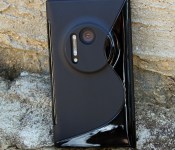
These Nokia Lumia 1020 skin cases are only $4.95 today!

Made of highly durable material that feels great when gripped, this sleek skin case features anti-slip properties that give your Lumia 1020 more grip on all types of surfaces. Get yours in black or white today and save 50% off the list price.

The accessible power of pinch-to-zoom

The onset of the iPhone in 2007 introduced the world to Multi-Touch, which Steve Jobs said “worked like magic”.
It forever changed the way people interacted with smartphones; not only was Multi-Touch an impressive technical achievement, but it was fun and delightful to use. More importantly, Multi-Touch changed people’s expectations for their devices. We’ve gone from seeing hardware buttons everywhere to seeing simple slabs of glass. This is especially true for young children, who expect everything electronic to be tappable; touch is all they know, as they have no prior context of olden ways.
The concept of touch is so ingrained in our collective muscle memory at this point that I think it’s taken for granted to a degree. An example of this is using the pinch-to-zoom gesture in order to zoom in on text and/or photos. I use it so often that it feels like second nature, and I don’t think about what it really does. But it occurred to me the other day that pinch-to-zoom’s impact on my computing life is far more profound.
The reality is that pinch-to-zoom is (and always has been) wonderful for accessibility. With one quick motion, I can zoom in as close on text and/or a photo as I need to see comfortably. I don’t need to use the discrete Zoom feature under Accessibility; all I need to do is use the system-standard Multi-Touch gesture. As a person with low vision, I find pinch-to-zoom to be a godsend in terms of visual accessibility, even if I’m not always consciously aware of it.
I use pinch-to-zoom most often in Safari on my iPhone and iPad, and it works great in most cases. (I do the same with my Magic Mouse and on my MacBook’s trackpad as well.) I find myself reading articles in Safari (or in Tweetbot; long live UIWebView) using pinch-to-zoom to read, and I enjoy it very much.
It’s not all roses, however. Many times, I’ll read something on a “mobile-optimized” website that doesn’t support the pinch-to-zoom gesture, which I find frustrating. In order to combat this, I’ll try requesting the desktop site, which is hit or miss, or I’ll switch to Safari’s Reader View. Still, it’s perplexing to me that many sites don’t work with pinch-to-zoom because they think their optimization is somehow better. Most of the time it isn’t, and I wish that I could just use Multi-Touch like I know Safari obviously supports.
As I wrote when extolling Apple Pay’s accessibility merits, the appeal of pinch-to-zoom — and Multi-Touch in general, really — as an accessibility tool comes down to its inherent design. Like with Apple Pay, the ingenuity of pinch-to-zoom is that enlarging text requires no special modes; it’s just part of how we interact with our iOS devices. Best of all, pinch-to-zoom is yet another example of inclusive design; it’s accessible and useful to everyone, from the visually impaired to the fully-sighted.
It’s worth noting, too, the significance of my assertion that pinch-to-zoom is terrific for accessibility. I fully concede that there is a certain level of minutiae here, but that’s actually a good thing. As a person with disabilities, every day is filled with small victories and struggles. I have to look at everything in my environment with a fine-tooth comb in order to be successful, and using my iOS devices is no different. Using pinch-to-zoom in Mail lets me correspond with my various editors, and using it in Safari allows me to stay abreast of what’s happening in the world. Put another way, using pinch-to-zoom is a small victory for me, and I can’t be the only one who feels this way. It changes the perception from mundane implementation detail to critical facet of my iOS experience.
The moral of this story is that even a that’s-just-the-way-it works feature like pinch-to-zoom has tremendous impact on everyday life if you really think about it. And I think it’s worth pointing out because it ultimately reflects on Apple. They pioneered the technology, and it’s making a sizable dent in the universe.

Google’s WebView app now available for all Lollipop devices in the Play Store

Just a few weeks ago, Google released its WebView app to the Play Store, though it was only in beta upon its arrival. But if you own a Lollipop device and visited the Play Store yesterday, you may have noticed that the WebView app is now installed on your device. That’s because Google has removed the beta tag from the app, and sent it to all Lollipop devices.
WebView is a tool developers use to allow their apps to render webpages, without the need to open the content in an external browser. Now with Google adding it directly to the Play Store, much like many of its other apps, Google can send important performance fixes to the app without the need to wait for the next system update to roll out. WebView is only available for devices running Lollipop, so hopefully your device will get the update to 5.0 sooner rather than later.
If you’re interested, you can check out the Play Store link below for more information on the app, but for those folks with Lollipop devices, the app should already be installed on your device.

 AIVAnet