



GDC 2015: A quick look at Siegecraft Commander coming to Xbox One this summer

Siegecraft Commander from Blowfish Games allows you to create the ultimate medieval fortress. This ID@Xbox game for Xbox One and Windows 10 is a turned based game that has you playing as either humans or lizardmen. Your objective is to try to take out the other race. In order to do this, you must build a vast network of towers which then allow you to add more towers or simply attack your enemy.
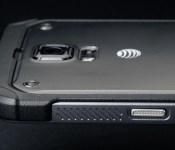
Samsung will likely release a Galaxy S 6 Active sometime this year
 If you keep up with Samsung’s product line and which devices they typically refresh, it shouldn’t surprise you that Samsung is likely to release an Active version of the Galaxy S 6 sometime this year.
Twitter user @upleaks has tweeted about a new Samsung device with the model number SM-G890A, which is fairly similar to the SM-G870A, which was AT&T’s Galaxy S 5 Active. It’s pure speculation at this point, but Samsung is usually pretty predictable about this kind of thing.
No other details about the device have surfaced, but you can bet it’ll be much more rugged than the Galaxy S 6, including having a tougher frame and being waterproof. Maybe they’ll bring the SD card back with this one?
source: @upleaks
Come comment on this article: Samsung will likely release a Galaxy S 6 Active sometime this year

Hangouts Android app and Chromebox for Meetings devices get easy guest invite support
 Google recently introduced a feature for Google Apps customers that allows them to easily invite guests to join a video call by simply sharing a link instead of actually inviting a specific person through their email account. It’s a useful feature that simplifies group video chats, especially in a work situation.
The feature originally just launched for Hangouts on the web, but it eventually made its way to iOS devices, and now it’s finally available on the Android application and on Chromebox for Meetings devices. This should effectively make the feature functional on just about every device that Google Hangouts supports.
The update is already live, but in typical Google fashion, it’ll be a staggered rollout. It should be completely deployed over the next week or so.
source: Google
Come comment on this article: Hangouts Android app and Chromebox for Meetings devices get easy guest invite support
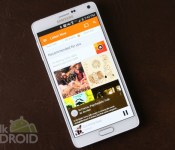
[Deal] New subscribers can get 3-months of Play Music All Access for $3

If you’re still in the market for a subscription based music service then you may want to pay attention. Currently, Google is offering a brand new deal that allows new subscribers three months of All Access (and YouTube Music Key) for just $3. That’s right, for what you’ll pay for a cup of fancy coffee, you’ll get yourself access to Google’s powerhouse of a service. Of course, once the three months end, you’ll have to pay $9.99 a month, but that’s par for the course.
If you sign up you’ll get unlimited access to Google’s growing catalog of music, plus no advertising on streaming music videos in YouTube, curated radio stations and the benefit of being able to store 50,000 songs (though that’s part of using Google Play Music free of charge, too). All you have to do is sign up here. Enjoy!
source: Slick Deals
Come comment on this article: [Deal] New subscribers can get 3-months of Play Music All Access for $3
Samsung sees record Galaxy S6 pre-orders; tops 20 million
Just last week, Samsung took the wraps off ‘Project Zero’ and unveiled a radically redesigned Galaxy S6 and even more radical Galaxy S6 edge. Samsung employed a premium design which features an aluminum chassis and Gorilla Glass 4 on both the front and back of the device. Now, it seems as if the complete redesign has paid off as Samsung has recorded a record number of pre-orders.
According to the South Korean manufacturer, they have received over 20 million orders for both the Galaxy S6 and Galaxy S6 edge combined. It breaks down to 15 million Galaxy S6 units and 5 million Galaxy S6 edge units. Now, the device isn’t up for pre-order just yet, so this represents orders from mobile carriers and not the final customers.
This is definitely music to Samsung’s ears after they received much criticism for the design on previous devices such as the Galaxy S4 and Galaxy S5. They were often criticized for the plastic design and lackluster specifications. The Galaxy S6 and S6 edge not only feature a ‘premium’ design, but also feature top of the line specs.
It is anyone’s guess how well the device(s) will sell when it comes to consumers, but this is a very good start.
The post Samsung sees record Galaxy S6 pre-orders; tops 20 million appeared first on AndroidGuys.
How to manage two-factor authentication on your iPhone, iPad, and Mac with Authy

Passwords are weak and often cracked. Two-factor authentication, which uses your phone number to send a secondary code you have to enter, is much stronger.
I know first-hand how scary password hacks can be, but I still put off two-factor authentication for years — relying instead on a strong multi-digit 1Password-generated password — because it felt clunky and hard to set up. What if I lost access to my phone number because I was restoring my iPhone? What if I couldn’t get network access for my two-factor code? Too much hassle, I thought.
Authy changed my opinion on two-factor authentication: The app makes it far less terrifying to deal with; it also lives on both my Mac and iOS devices, so I don’t have to worry about losing access to my accounts while my phone is restoring. Authy was recently acquired by Twillo, but the company still plans to support its two-factor authentication customers, so you don’t have to worry about it mysteriously disappearing anytime soon.
What is two-factor authentication?
Two-factor authentication is the most prevalent way to secure your accounts: It asks you to authenticate that you are who you say you are by supplying not only your password, but a six-digit code supplied from your phone or an external app. It ensures that those accessing your accounts have access to your physical devices as well as your virtual passwords, and makes a simple password crack or social engineering hack a lot harder to execute.
How to set up Authy
Downloading and setting up Authy is simple: The app is free and available for both iOS and Android, as well as on your computer as a Google Chrome plugin. Once you download Authy, you’ll be asked to set it up with your primary phone number via a call or text message; once you do so, you’re ready to start adding third-party services.

Add third-party services to Authy via code generation
Authy connects to any service that integrates with Google Authenticator for two-factor authentication; the Google service lets you randomly generate two-factor authentication tokens even while offline.
Authy supports a slew of different options, including your Google accounts, Facebook, Tumblr, Dropbox, Outlook, Evernote, Amazon Web Services, WordPress, DreamHost, and LastPass, among others. Sadly, you won’t be able to hook up your iCloud account or Twitter to Authy.
To use Authy with these services, you need to make sure they have code generation turned on. Each service has a slightly different way of enabling this, but in general you should find it under the Security section of your preferences. As an example, here’s Google’s setup screen below.

When you click to enable code generation, you’ll be presented with a barcode; scan this with the Authy app to add the account.

Once you’ve added your account, use the code generated by the Authy app to activate two-factor code generation back on the original service.
How to use Authy in day-to-day life
From here on out, you can use Authy’s codes to unlock that service for new devices — whether or not you have internet access on your primary Authy device. The app even offers a Notification Center Today widget to give you easy clipboard access to your codes. And if your phone is dead or otherwise occupied, you can also use Authy on your computer via the Google Chrome widget.

GDC 2015: Sorcery! 3 takes gamebook series back in time
The folks behind the award-winning 80 Days gamebook for iPhone and iPad are going back to their roots with Steve Jackson’s Sorcery! series. We got a sneak peek at Sorcery! 3 at GDC 2015, where the fantasy story rolls on, complete with a 3D world map with a literary texture. Every decision is remembered and impacts future events, but there are quite a few new features.
For one, a new timeline feature allows players to zip back a couple of steps if they’re not happy with where the story is going. Not only is this the ultimate in flexibility, it reflects how classic choose-your-own-adventure style books were read. Players now have open roaming on nearby points on the map, allowing a ton of exploration previously limited by your decision path. The big thing are 6 new lighthouses that allow players to peer into and interact with a more prosperous time in the world of Titan’s past. For a closer look at the combat and spell systems, be sure to take a look at our hands-on from PAX East a few years ago.
You’ll want to pick up the original game and Sorcery! 2 to get the full storyline, and have your progress continue on to the third chapter. Keep an eye out for it to hit the App Store sometime in mid-April.

GDC 2015: Redux Ark game promises intense sci-fi survival
A pleasant surprise from GDC 2015 was Redux Ark, an independent sci-fi survival game. In it, an interstellar crew on a mission to revive the Earth’s failing ecosystem crash land on an alien planet. Not only do you have to find scattered components of your ship in order to repair it, you also have to avoid hostile wildlife, collect specimens to bring back home, and manage a limited battery supply on your space suit.


Redux Ark earns extra points for its low-polygon, watercolor art style. It reminds me a little bit of The Long Dark, but it’s great to see it applied to a new kind of environment. The way your radar and other systems shut down as your battery drains is particularly terrifying. The focus on ecology here is great, and it’s easy to imagine younger players learning a thing or two about the food chain in the process of playing.
It’s still super early in Redux Ark’s development, so the creators don’t expect this in the App Store until late 2016.
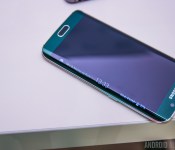
Samsung Galaxy S6 and Galaxy S6 Edge already receive record pre-orders

It has been just a week since Samsung officially announced their latest flagship devices, the Galaxy S6 and curved Galaxy S6 Edge. In that short amount of time, Samsung has reportedly already broken their own pre-order record, clocking in 20 million combined pre-orders so far.
This news comes out of the Korea Times, saying that Samsung has wracked up 15 million pre-orders for the Samsung Galaxy S6 and 5 million pre-orders for the Samsung Galaxy S6 Edge.
We were at MWC this past week to bring you all the details of all of the latest Android device announcements, including Samsung’s Galaxy S6 and Galaxy S6 Edge. As such, there is little more I have to say today that you do not already know about the devices, so, let’s revisit our previous coverage.
- Samsung Galaxy S6 hands-on and first impressions
- Samsung Galaxy S6 officially announced: here’s what you need to know
- A closer look at the Galaxy S6’s Exynos 7420 SoC
- What the tech world thinks about the Samsung Galaxy S6 and HTC One M9
- Samsung Galaxy S6 Color Comparison
- Samsung Galaxy S6 Edge Color Comparison
- Samsung explains how they made the Galaxy S6 and Edge so ‘perfect’
- HTC One M9 and Samsung Galaxy S6 prices spotted in contest rules
- Grab Samsung’s Galaxy S6 apps and wallpapers here
Head on over to the Korea Times to see all they had to say about the announcement, we must say, 20 million pre-orders is a great start for Samsung, we’re curious to see if that results in a matching number of actual sales.
Before I forget, we are giving away a Samsung Galaxy S6 Edge ourselves. Would you like to try to win one for yourself?
Samsung Galaxy S6
.rvs_wrapper
width: 335px;
.rvs_wrapper.align_left
float: left;
.rvs_wrapper.align_right
float: right;
.rvs_wrapper.align_center,
.rvs_wrapper.align_none
width: 100%;
.rvs_wrapper.align_center
text-align: center;
.rvs_wrapper.align_center.cbc-latest-videos ul li
float: none;
display: inline-block;
vertical-align: top;
.rvs_wrapper.cbc-latest-videos:not(.align_none) ul li:nth-child(2n+1)
clear: both;
.rvs_title
font-weight: 600 !important;
margin: 0 !important;
.rvs_wrapper.align_right .rvs_title
padding-left: 20px;
.rvs_title a
font-family: ‘Roboto Condensed’;
color: #3a3a3a;
.rvs_wrapper.cbc-latest-videos ul
padding-top: 10px;
.rvs_wrapper.align_left.cbc-latest-videos ul li,
.rvs_wrapper.align_none.cbc-latest-videos ul li
padding: 0 15px 0 0;
.rvs_wrapper.align_right.cbc-latest-videos ul li
padding: 0 0 0 15px;
float: right;
.rvs_wrapper.align_center.cbc-latest-videos ul li
padding: 0 7px;
.rvs_wrapper.cbc-latest-videos ul li > a
font-weight: 400;
.rvs_wrapper.cbc-latest-videos ul li > a .yt-thumbnail
margin-bottom: 0;
@media only screen and (max-width : 480px)
.rvs_wrapper
width: 100%;
text-align: center;
#page .rvs_wrapper.cbc-latest-videos ul li
padding: 0 7px;
display: inline-block;
float: none;
vertical-align: top;

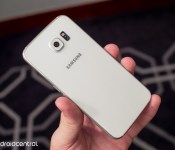
Weekly poll results: Does the microSD slot still matter?

The microSD slot may not be as necessary as before, but to some users, it’s still very much a dealbreaker.
Samsung’s announcement in Barcelona that the Galaxy S6 and S6 Edge are not going to have a a microSD card slot or a removable battery was a bit of a surprise to some of us — or maybe just me. We knew that this would break the hearts of many a faithful Samsung user would break at this news, and so this week’s poll was set.
 AIVAnet


