



Verizon introduces new Flexible Business data plans

Verizon has just announced a new data plan aimed specifically towards large businesses that use up a lot of data. These plans can be divided among a large group of users, thus living true to the “flexible” name.
The plans start from $65 per smartphone which offers 2GB of data. So if you were to add a total of five smartphones, you will have to shell out $325 per month to receive 10GB of truly sharable data. Since this is a flexible plan, one user can use more data than the other, so there’s no predefined amount of data allotted to a user.
This means if one user were to opt for 4GB of data and the other for 3, the remaining three users can opt for 1GB each. It’s a very innovative plan and will come as very attractive for large businesses. Verizon also has a 4GB plan per line which costs $75. The top tier 10GB per line will cost $105/month per smartphone.
Verizon also has plans for data devices like tablets and WiFi hotspots, which are worth a look as well. Here, the top tier 10GB plan will set you back by $75 per month, while the 2GB plan will cost $35 per month. Hit the link below for more details on the plans on offer.
Source: Verizon Wireless
Come comment on this article: Verizon introduces new Flexible Business data plans

Verizon introduces new Flexible Business data plans
Verizon has just announced a new data plan aimed specifically towards large businesses that use up a lot of data. These plans can be divided among a large group of users, thus living true to the “flexible” name.
The plans start from $65 per smartphone which offers 2GB of data. So if you were to add a total of five smartphones, you will have to shell out $325 per month to receive 10GB of truly sharable data. Since this is a flexible plan, one user can use more data than the other, so there’s no predefined amount of data allotted to a user.
This means if one user were to opt for 4GB of data and the other for 3, the remaining three users can opt for 1GB each. It’s a very innovative plan and will come as very attractive for large businesses. Verizon also has a 4GB plan per line which costs $75. The top tier 10GB per line will cost $105/month per smartphone.
Verizon also has plans for data devices like tablets and WiFi hotspots, which are worth a look as well. Here, the top tier 10GB plan will set you back by $75 per month, while the 2GB plan will cost $35 per month. Hit the link below for more details on the plans on offer.
Source: Verizon Wireless
Come comment on this article: Verizon introduces new Flexible Business data plans
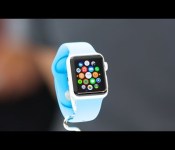
Jony Ive: We’re a group of people who love our watches
“It’s technology worn on the wrist. I sensed there was an inevitability to it.”
Apple’s Jony Ive is once again doing an Apple Watch focused interview in advance of the Spring forward event, this time covering everything from how he came to work in Cupertino to the responsibilities of designing for the wrist. From Nick Foulkes at the Financial Times:
However, it was not without some trepidation that he embarked on the watch. “It was different with the phone – all of us working on the first iPhone were driven by an absolute disdain for the cellphones we were using at the time. That’s not the case here. We’re a group of people who love our watches. So we’re working on something, yet have a high regard for what currently exists.”
Ive also elaborates on the charging mechanism built into the Apple Watch Edition box:
Thus, the box of the top-of-the‑range watch is aniline-dyed leather on the outside and a “sort of ultra- suede on the inside” – so far, so conventional, but there is a connector at the back that turns it into a charging dock when the watch snaps into place thanks to magnetic technology. “I like the idea that it’s all part of one experience, it’s all part of how we feel about something, and that each of these elements can play a positive and interesting role.”
There’s also an aside that mentions “both starting at $349″ but doesn’t make clear whether he (the author) is talking about “both” the Apple Watch Sport and stainless steel Apple Watch, or “both” finishes or sizes or some other aspect of just the Apple Watch Sport. Apple hasn’t officially linked any price point to any specific watches or collections — they’ve only said the product line will start at $349. Probably best not to set expectations any particular way and just wait for Monday’s event when all will, hopefully, be made clear.
Update: Looks like Financial Times was confused, all Apple’s said so far is the Apple Watch starts at $349.
Overall, while Jony Ive interviews are no longer a rarity, they’re still fascinating, so be sure to give this one a read.
<!–*/
<!–*/
<!–*/
.devicebox
background-color: #5CB8DB;
border: 1px solid #E2E9EB;
float: right;
display: block;
margin: 0 0px 10px 10px;
max-width: 350px;
overflow: hidden;
width: 50%;
.devicebox h3
background: #8D98BD;
color: #fff;
font-family: “camptonmedium”,sans-serif;
font-size: 20px;
margin-bottom: 0;
margin-top: 0;
padding: 0;
text-align: center;
.devicebox h3 a
display: block;
line-height: 30px;
padding: 0 10px;
.devicebox h3 a:hover
background: #7e88aa;
text-decoration: none;
.devicebox .video
margin: auto;
border: 0px;
.devicebox p,
.entry-content .devicebox p > img,
.devicebox img
margin: 0px;
padding: 0px;
.devicebox,
.devicebox a,
.devicebox a:active,
.devicebox a:hover,
.devicebox a:link,
.devicebox a:visited,
.devicebox p,
.devicebox ul,
.devicebox ul li,
.devicebox li
color: #fff;
.devicebox a:hover
text-decoration: underline;
.devicebox p,
.devicebox ul,
.devicebox ul li,
.devicebox li
border-width: 0px;
font-family: “camptonlight”,sans-serif;
font-size: 16px;
padding: initial;
.devicebox ul
margin: 0;
padding: 0.5em 1em 1em 30px;
.devicebox ul li
display: list-item;
.devicebox ul,
.devicebox ul li,
.devicebox li
line-height: 24px;
list-style: disc outside none;
.devicebox ul li:before
display: none;
.devicebox ul + p
padding: 0px 15px 15px;
line-height: 1.25;
.field-items p:last-of-type + .devicebox,
.slide p:last-of-type + .devicebox,
.article-body-wrap p:last-of-type + .devicebox
float: none;
margin: 0 auto 30px;
max-width: 700px;
min-height: 225px;
position: relative;
width: 100%;
.field-items p:last-of-type + .devicebox .video,
.slide p:last-of-type + .devicebox .video,
.article-body-wrap p:last-of-type + .devicebox .video
bottom: 0px;
left: 50%;
position: absolute;
right: 0px;
top: 30px;
.field-items p:last-of-type + .devicebox .video_iframe,
.slide p:last-of-type + .devicebox .video_iframe,
.article-body-wrap p:last-of-type + .devicebox .video_iframe
height: 100%;
padding: 0px;
.field-items p:last-of-type + .devicebox ul,
.slide p:last-of-type + .devicebox ul,
.article-body-wrap p:last-of-type + .devicebox ul
width: 43%;
.field-items p:last-of-type + .devicebox h3 + p,
.slide p:last-of-type + .devicebox h3 + p,
.article-body-wrap p:last-of-type + .devicebox h3 + p
bottom: 0;
left: 50%;
position: absolute;
right: 0;
top: 30px;
.field-items p:last-of-type + .devicebox h3 + p img,
.slide p:last-of-type + .devicebox h3 + p img,
.article-body-wrap p:last-of-type + .devicebox h3 + p img
height: auto;
min-height: 100%;
min-width: 100%;
@media all and (max-width: 500px)
.devicebox
float: none;
margin: 0;
max-width: 100%;
width: 100%;
.field-items p:last-of-type + .devicebox .video,
.slide p:last-of-type + .devicebox .video,
.article-body-wrap p:last-of-type + .devicebox .video
left: 0;
position: relative;
top: 0;
.field-items p:last-of-type + .devicebox .video_iframe,
.slide p:last-of-type + .devicebox .video_iframe,
.article-body-wrap p:last-of-type + .devicebox .video_iframe
padding-bottom: 56.25%;
.field-items p:last-of-type + .devicebox h3 + p,
.slide p:last-of-type + .devicebox h3 + p,
.article-body-wrap p:last-of-type + .devicebox h3 + p
left: 0;
position: relative;
top: 0;
.field-items p:last-of-type + .devicebox ul,
.slide p:last-of-type + .devicebox ul,
.article-body-wrap p:last-of-type + .devicebox ul
width: auto;
/*–>*/
/*–>*/
/*–>*/
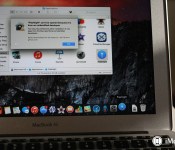
Adware sneaks through OS X Gatekeeper loophole

Gatekeeper is OS X’s security against malware and adware, but it isn’t foolproof. A new warning shows how it can be exploited.
Since OS X 10.7.5 Lion Apple has had a security feature called Gatekeeper. Gatekeeper tries to keep the Mac safe from malware and adware. It isn’t foolproof, though. A new report shows how one adware installer manages to make it through OS X’s defenses. Read on for details.
Writing for The Mac Observer, John F. Braun explains how a fake Adobe Flash installer has managed to make it past OS X’s defenses.
In the case of our nefarious Flash installer, the attackers built an application that looks like Apple’s installer, but in the end is just another, normal application. Since the developers chose to identify themselves with Apple and get a certificate, Gatekeeper did nothing to stop us from running it.
I don’t expect it’ll be too long before Apple rescinds this developer’s certificate. They’ve done it before for other certificates that have gotten abused in similar fashion.
From a security standpoint, the safest thing you can do is to only run software installers from vendors you know and trust. In the case of Adobe Flash, make sure the installer comes from Adobe and only Adobe — assuming you need to run Flash at all. If you’re new to the Mac platform, I’d recommend just sticking with what you can find on the Mac App Store for the time being.
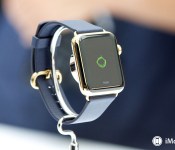
My (practical) Apple Watch wish-list

Truly, this is an exciting time to follow Apple.
With the company set to hold a media event on Monday — six months to the day since Tim Cook first stood on the Flint Center stage and unveiled the Apple Watch — we’re about to move out of our current period of vaguely-informed speculamalation and into the era of somewhat more informed speculification. At that point, we’ll be perilously close to the time when the Apple Watch really ships, and pundits can actually start complaining about the real product rather than jousting with straw men wearing extremely expensive timepieces.
My point is, are we there yet? No? Okay, then, with a very short amount of time to go before we know incrementally more about the Apple Watch, here’s my wish list for the next six months of the Apple Watch. You know, when we can actually use the thing.
It needs to last all day
Back in September, Apple didn’t really discuss the Watch’s battery life, other than to describe charging it as something you did at night. That suggests either solar power — let a thousand rumor-sites bloom at that very thought — or a daily charging cycle. It’s understandable that Apple didn’t want to get more specific than that: After all, neither the Apple Watch’s hardware or software were close to completion at that point, and power consumption and battery life are often some of the last things to come together before a product goes final.
The “at night” statement made the goal clear, though: Apple wanted Apple Watch to be a product that could last all day. And I imagine Apple engineers have been spending a lot of sleepless nights trying to meet that goal in the past six months.
It’s the right goal. In normal use — not tapping endlessly and keeping the screen active all day, because who does that? — the Apple Watch needs to get you roughly from the moment you get out of the shower in the morning to the moment you slip into bed in the evening. Anything less is a failure.
Does the Apple Watch need to last longer than a day? I don’t think so. Maybe I lack some important perspective here, but I always take my watch off before I go to bed, if not before — and thus, charging it overnight makes a whole lot of sense to me. In fact, it’s probably a good idea to get into a routine when it comes to charging a smartwatch: My Pebble runs out of battery all the time because I don’t need to charge it more often than every five or six days. Since I don’t need to charge it every night, I don’t… and then I forget to charge it at all.
It’s going to be a while before the Apple Watch or any other smartwatch with a bright backlit phone-style screen is going to last a week at a time. So for now, carrying a waking day’s worth of power is a worthy enough goal.
It needs to value the quick and glanceable
Last year, after wearing a Pebble for a year, I wrote on Macworld that “Wearable devices like this should be simple, and interacting with them should be effortless. If I need complexity, I’ve got that phone in my pocket, packed full of apps.”
I don’t dispute that the Apple Watch can do numerous things that we use our iPhones to do now. But I’d like Apple and its community of third-party developers to emphasize the simple action over the complex. The most important interaction with a smartwatch should be a glance — to check the time or quickly see what’s going on. The glance is powerful. The glance is why people started strapping tiny clocks to their wrists in the first place. If smartwatches are to replay this migration from pocket to wrist, the glance must reign supreme.
The second most important interaction with a smartwatch should be a quick one: On the Pebble, this was rudimentary — push a button, dismiss a notification. On the Apple Watch, it can be a much richer kind of interaction, offering taps and swipes and choices between different options — but these should still be quick. Tasks on an iPhone take a matter of minutes; on the Apple Watch, they should be over in a matter of seconds.
It needs to not get lost in its gimmicks
Coming out of the September 9 event that introduced the Apple Watch, I was concerned by the device’s lack of focus: The default screen shows at least 16 apps. I also tried hard to steel myself against Cranky Old Man syndrome but… The Watch’s 3D custom emoji builder, the sparkly draw-a-symbol feature, and the thing that sends your heartbeat to a friend don’t feel useful, they feel like gimmicks. Yes, they’re whimsical. Yes, I can see my daughter using that feature — assuming she and all of her friends were sporting $350 iPhone accessories — but it all seems a bit like putting the cart before the horse.
One of the beautiful things about the original iPhone was that although it didn’t do a lot, what it did do, it did perfectly. Apple prioritized fewer features in order to have them all be polished to the highest degree. What the Apple Watch needs to do well is provide glanceable information and simple interactions that improves the life of its wearer. If it does those things right, those emojis and heartbeats won’t matter as anything more than a bonus. But all the emojis and heartbeats in the world won’t appease an Apple Watch owner who has less-than-polished software on their device.
It needs to keep my phone in my pocket
At its core, the Apple Watch must provide useful information that reduces reliance on my iPhone. I want to be able to pull out my iPhone for serious interaction, but ideally the Apple Watch would dramatically reduce the number of times I need to do that during the day.
In addition to telling the time, the Apple Watch needs to relay my important notifications and allow me to act on them, assuming that those actions can be quick and easy. One of my frustrations with the Pebble was that I was able to see texts I was receiving, but not reply to them quickly. The Apple Watch seems to be capable of addressing that particular scenario. So what else can it solve? How many times during the day will my iPhone stay in my pocket because the Apple Watch is able to inform me and receive my reaction without me needing to dive deeper?
We’ll know soon enough
Two years with the Pebble has made me optimistic about the value of smartwatches, but also wary about overselling the technology. I’m optimistic about the Apple Watch, but guardedly so. If it can provide me with all the glanceable information I need and accept all the interactions I require — all while its battery stays charged — then I’ll happily accept those customizable emojis and creepy heartbeat messages.
<!–*/
<!–*/
<!–*/
.devicebox
background-color: #5CB8DB;
border: 1px solid #E2E9EB;
float: right;
display: block;
margin: 0 0px 10px 10px;
max-width: 350px;
overflow: hidden;
width: 50%;
.devicebox h3
background: #8D98BD;
color: #fff;
font-family: “camptonmedium”,sans-serif;
font-size: 20px;
margin-bottom: 0;
margin-top: 0;
padding: 0;
text-align: center;
.devicebox h3 a
display: block;
line-height: 30px;
padding: 0 10px;
.devicebox h3 a:hover
background: #7e88aa;
text-decoration: none;
.devicebox .video
margin: auto;
border: 0px;
.devicebox p,
.entry-content .devicebox p > img,
.devicebox img
margin: 0px;
padding: 0px;
.devicebox,
.devicebox a,
.devicebox a:active,
.devicebox a:hover,
.devicebox a:link,
.devicebox a:visited,
.devicebox p,
.devicebox ul,
.devicebox ul li,
.devicebox li
color: #fff;
.devicebox a:hover
text-decoration: underline;
.devicebox p,
.devicebox ul,
.devicebox ul li,
.devicebox li
border-width: 0px;
font-family: “camptonlight”,sans-serif;
font-size: 16px;
padding: initial;
.devicebox ul
margin: 0;
padding: 0.5em 1em 1em 30px;
.devicebox ul li
display: list-item;
.devicebox ul,
.devicebox ul li,
.devicebox li
line-height: 24px;
list-style: disc outside none;
.devicebox ul li:before
display: none;
.devicebox ul + p
padding: 0px 15px 15px;
line-height: 1.25;
.field-items p:last-of-type + .devicebox,
.slide p:last-of-type + .devicebox,
.article-body-wrap p:last-of-type + .devicebox
float: none;
margin: 0 auto 30px;
max-width: 700px;
min-height: 225px;
position: relative;
width: 100%;
.field-items p:last-of-type + .devicebox .video,
.slide p:last-of-type + .devicebox .video,
.article-body-wrap p:last-of-type + .devicebox .video
bottom: 0px;
left: 50%;
position: absolute;
right: 0px;
top: 30px;
.field-items p:last-of-type + .devicebox .video_iframe,
.slide p:last-of-type + .devicebox .video_iframe,
.article-body-wrap p:last-of-type + .devicebox .video_iframe
height: 100%;
padding: 0px;
.field-items p:last-of-type + .devicebox ul,
.slide p:last-of-type + .devicebox ul,
.article-body-wrap p:last-of-type + .devicebox ul
width: 43%;
.field-items p:last-of-type + .devicebox h3 + p,
.slide p:last-of-type + .devicebox h3 + p,
.article-body-wrap p:last-of-type + .devicebox h3 + p
bottom: 0;
left: 50%;
position: absolute;
right: 0;
top: 30px;
.field-items p:last-of-type + .devicebox h3 + p img,
.slide p:last-of-type + .devicebox h3 + p img,
.article-body-wrap p:last-of-type + .devicebox h3 + p img
height: auto;
min-height: 100%;
min-width: 100%;
@media all and (max-width: 500px)
.devicebox
float: none;
margin: 0;
max-width: 100%;
width: 100%;
.field-items p:last-of-type + .devicebox .video,
.slide p:last-of-type + .devicebox .video,
.article-body-wrap p:last-of-type + .devicebox .video
left: 0;
position: relative;
top: 0;
.field-items p:last-of-type + .devicebox .video_iframe,
.slide p:last-of-type + .devicebox .video_iframe,
.article-body-wrap p:last-of-type + .devicebox .video_iframe
padding-bottom: 56.25%;
.field-items p:last-of-type + .devicebox h3 + p,
.slide p:last-of-type + .devicebox h3 + p,
.article-body-wrap p:last-of-type + .devicebox h3 + p
left: 0;
position: relative;
top: 0;
.field-items p:last-of-type + .devicebox ul,
.slide p:last-of-type + .devicebox ul,
.article-body-wrap p:last-of-type + .devicebox ul
width: auto;
/*–>*/
/*–>*/
/*–>*/
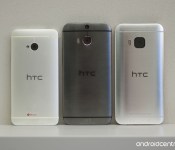
In pictures: The HTC One M9
Pictures really don’t do the HTC One M9 justice. You’ve got to hold this phone for yourself to really get a sense for the difference the small changes make. But we’ll do what we can with some of our best shots.

As we’re finally catching our breath after a ridiculously awesome Mobile World Congress, let’s take a quick look at one of the hotter phones of the show. That would be, of course, the HTC One M9.
It’s not a radical departure from its predecessor, at least in terms of looks. But when you hold it in your hand, you’ll definitely notice the differences. Slightly smaller. Easier to hold. More definition in detail and design.
We’ve got just a few short weeks until it’s released, and until you can get your hands on it. For now, enjoy this gallery.
Apple will replace AT&T in the Dow Jones Industrial Average
Apple has been picked to replace AT&T in the Dow Jones Industrial Average stock market index, which consists of 30 major US companies.
The change will be made starting on Tuesday, March 19 and was caused by another Dow company, Visa, splitting its stock by 4-for-1 around the same time. CNBC states:
The DJIA is price weighted so extremely high stock prices tend to distort the index while very low stock prices have little impact,” said David Blitzer, managing director and chairman of the index committee at S&P Dow Jones Indices in a press release. “Apple’s split brought the stock price down closer to the median price in the DJIA. The Visa split will reduce the technology weight in the DJIA and make room for Apple. Among the current DJIA constituents, AT&T has one of the lowest prices.”
Source: CNBC
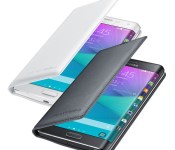
Save 44% today on these Samsung wallet flip covers for the Galaxy Note Edge
 This handy Samsung Galaxy Note Edge case is accented with a polyurethane leather with detailed stitching from front to back, giving your device a clean and professional appearance. Best of all you can store your ID, credit cards or cash inside the phone case! Available in black or white for only $27.95

Start menu transparency revealed in latest Windows 10 build leak

Screenshots of Windows 10 build 10031 have leaked online today, revealing a transparency effect that has been applied to the Start Menu. Microsoft previously said that transparency would not only be hitting Windows 10, but Windows 10 for the phone too.
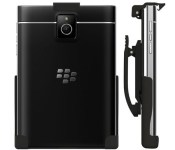
This BlackBerry Passport belt clip holster is on sale today for only $18.95

The BlackBerry Passport spring clip holster keeps your device clipped in tight, no matter the hustle and bustle. Just snap it to your belt, pants or bag and pop in your device. The top spring clip is extremely tough and provides quick-release access when you need to answer a call, text or email. Get yours today and save 37%
 AIVAnet