


Hub2Watch brings Hub notifications to your Pebble smartwatch

The Pebble smartwatch isn’t officially supported by BlackBerry themselves, but we do have a pretty awesome third party client in the form of Talk2Watch. The developer of Talk2Watch has an API available for developers to tap into it to bring their app notifications to your wrist.
One developer, Roger Leblanc, has made use of that tool and has brought a few apps to BlackBerry World already, his latest app is Hub2Watch. Hub2Watch brings all Hub accounts to your wrist. So, whichever accounts you have within the Hub, this app can notify of them.

Microsoft is talking with its rivals to learn how to stop Xbox Live DDoS attacks

Microsoft, as well as Sony, got hit with some major denial of service (DDoS) attacks on its Xbox Live and PlayStation Network services during the holiday person of 2014. In a new interview, Microsoft’s Xbox head Phil Spencer says he has had talks with Sony, as well as Nintendo, on how to fight off similar attacks in the future.

New screenshots reveal more about Spartan browser’s interface

Russian blog MSWin has posted an early review of the upcoming Spartan browser for Windows 10. Though it isn’t clear which build of Windows 10 the browser is from, the review does provide some screenshots of the browser in action, along with some UI and settings details we haven’t seen before.
Microsoft shows off the gaming experience in Windows 10 with Goat Simulator (Update)
Microsoft showed how the gaming experience will be like in Windows 10 with its Xbox app during the Game Developers Conference this week with the assistance of the PC version of Goat Simulator.

Microsoft Office 2016 offers welcome changes for Windows switchers

Microsoft’s Office for Mac enhancements offer welcome changes for long-time Windows users.
If you’re a long-time Windows PC user considering a switch to Mac and you’re heavily invested in Microsoft Office, you may be concerned about whether all the features and functions you’re used to will still be there. Before now I’d say that you had to make a lot of adjustments. The change from Windows to Mac is easier than ever thanks to the new and improved Office for Mac 2016. I have important news for people worried about how they’ll get this new version of Office once it’s out, too. Read on for details!
On Thursday Microsoft revealed a downloadable preview version of Office for Mac 2016, the latest major revision to its office productivity software suite for Mac. It’s the first time that Office for Mac has gotten a major upgrade since in more than four years.
The release version won’t be out until the second half of the year, but the preview version is available right now. You don’t need to be an Office 365 user to get it, either — just visit the web site and download it.
The new version sports a new codebase that’s designed for today’s Macintoshes, with support for the Retina Displays you find on many MacBook Pros and the 5K iMac.
What’s more, functionality from Excel 2013 for Windows has been carried over to the Mac version, so if you’ve had a hard time getting your spreadsheets to work on the Mac, this may smooth things out.
Word and PowerPoint gain many improvements too. Outlook, Microsoft’s email client, and OneNote, Microsoft’s note-taking software (its answer to Evernote), are also included. The new version is better integrated with Microsoft’s OneDrive cloud services, which you get a free terabyte of storage on if you’re an Office 365 subscriber.
There are a few caveats: First, remember that this is preview software, so some features and functionality may be missing. Second, the preview will expire about 60 days from release (but Microsoft plans to continue to release preview builds, which will reset the clock, so stay on top of them with Office’s auto-update feature). Third, if you currently depend on Microsoft Office for Mac 2011, you can run this version alongside it without any difficulty.
Microsoft will release Office for Mac 2016 as a finished product some time in the second half of 2015, so you can experiment with this new version for a while before deciding whether to buy it.
If you’re an active Office 365 subscriber, you’ll get the newest versions of the Office apps for Mac as they’re released. Not interested in subscribing to Office 365? Don’t worry: Microsoft tells me they still plan to offer a perpetual license to Office for Mac 2016 as a one-time purchase, just as they do with Office for Mac 2011.

Verizon to open pre-orders for Samsung Galaxy S6 and Galaxy S6 edge on April 1st

When Samsung officially unveiled their new flagship devices, the Samsung Galaxy S6 and Galaxy S6 edge, at MWC 2015 earlier this week they indicated the device would not start shipping until April 10th. The major U.S. carriers along with others around the globe quickly released statements letting their customers know they would make the device available. Absent though was Verizon, although most people assumed they would be in on the action as well. That was confirmed today when Verizon announced via Twitter that they will start accepting pre-orders for the devices on April 1st.
Just because Verizon plans to start taking pre-orders on April 1st does not necessarily mean they will be ready to deliver them to customers on April 10th with the rest of the world. However, it is difficult to imagine Verizon would miss the bandwagon, especially after Samsung noted that pre-orders are “pouring in” as the company seems to have a hit on their hands after the disappointing performance of last year’s Galaxy S 5.
Pricing and configuration information has still not been released by Verizon.
Any Verizon customers out there planning to get a pre-order in for one for these devices?
source: @VZWnews
Come comment on this article: Verizon to open pre-orders for Samsung Galaxy S6 and Galaxy S6 edge on April 1st

1000 free copies of Stickers++ available for download

Looking for more stickers to use on BlackBerry 10? How about being able to share them with other messaging apps besides BBM? Stickers++ allows you to do that. We’ve written about his app before and they developer has also previously done a free giveaway. And now the developers is ready to give another batch of 1000 free copies away.

Select Samsung Galaxy S6 apps and wallpapers surface online

We are weeks away from the launch of the Galaxy S6 in markets around the world, but that doesn’t mean some aspects of the device will go untouched for the same amount of time. Some of the apps and wallpapers to be featured on the Samsung flagship have been posted online. The apps include S Translator and S Note while the wallpapers are vibrant and crisp, optimized for the 2560×1440 display.
Hit the break for download links to the apps and wallpapers.
Apps:
Wallpapers:


Source: XDA Forums
Via: Android Authority
Come comment on this article: Select Samsung Galaxy S6 apps and wallpapers surface online

Sprint and Boost Mobile offering the Moto E (2015) with LTE, Virgin Mobile to follow soon

Three prepaid carriers in the United States, all operated by Sprint, are committed to offering the new Motorola Moto E to customers. Both Sprint and Boost Mobile are selling the Moto E (with LTE) while Virgin Mobile will join on Monday, March 9.
Each of those prepaid carriers attached a $99 price and that is without a contract. That is $50 less than what the LTE variant’s pricing was announced as. Color options, though, will vary. Boost Mobile has the device in white and the other two have the black model.
Here are the key specifications of the new Moto E:
- 4.5-inch, 960×540 display
- Qualcomm Snapdragon 410 (LTE) or Snapdragon 200 (3G) with 1GB of RAM
- 5MP rear camera / VGA front camera
- Android 5.0 Lollipop
- 8GB of internal storage
- 2390mAh battery
Be sure to check out our hands on experience with the device by clicking here.
Source: Sprint
Come comment on this article: Sprint and Boost Mobile offering the Moto E (2015) with LTE, Virgin Mobile to follow soon
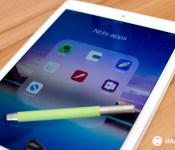
Best note apps for iPad

Whether typed notes or handwritten notes are your thing, these are the best note taking apps for iPad!
The iPad is a great productivity tool and that includes taking notes, whether you’re in the classroom or the boardroom. The only thing you really have to decide is how you want to take notes. If your needs are simple, perhaps a simple text based app will do. If you’re a student and want a better way to collect lecture notes and right down complicated formulas, you’ll probably want something more advanced. Follow along and we’ll help you decide which is the best iPad app to suit all your note taking needs!
1. Evernote

*For everything, everywhere**
Evernote is free, available for every platform you can imagine, and syncs across all your devices. With support for text notes, checklists, reminders, annotation and markup, collaboration, and more, Evernote is the Swiss army knife of note taking apps.
- Free with subscription options – Download Now
- Free (Mac version) – Download Now
2. Vesper

For elegance and tagging
Vesper supports text and images and can sync notes back and forth between iPhone and iPad. Organization is done with tags. Vesper’s layout is clean and beautiful. It may not have the advanced features others have, but if you don’t need them, you’ll appreciate Vesper’s elegance.
- $7.99 – Download Now
3. Notability

For students
Notability lets you sketch, draw, write, and type notes. You can also take audio recordings right inside the app, and upload and markup photos or PDFs. Everything you do is then synced between iPhone, iPad, and Mac. Notability has unlimited possibilities, which makes it great for students and creatives.
- $2.99 – Download Now
- $5.99 (Mac version) – Download Now
4. Drafts 4

For text time-shifters
Drafts 4 lets you write down text whenever or where ever the mood strikes you, then move that text to other apps — anything from social networks to word processors to communications to calendars — with just a few taps. It’s a great place to store what you need until you know where you need it.
- $9.99 – Download Now
5. Noteshelf

For the archivists
Noteshelf lets you take text or handwritten notes. You can also annotate PDFs, fill forms, and much more. Noteshelf also has a huge collection of pen, pencil, and paper options that just can’t be rivaled. If you always wanted a shelf full of notebooks but in digital form, you’ve always wanted Noteshelf.
- $5.99 – Download Now
6. OneNote

For Microsoft users
If you already use Office 365 or are tied into other Microsoft products, OneNote is simply works with everything else you’re already using. OneNote supports text, images, and to do’s. With multiple notebook support, powerful search, and password protection. If you’re using Microsoft, use OneNote.
- Free – Download Now
- Free (iPhone version) – Download Now
- Free (Mac Version) – Download Now
7. Simplenote

For super fast searching
Simplenote supports basic text notes with sync and nothing more. As you grow your collection you can organize with tags and pins. You can also collaborate and see previous revisions of notes if you need to. Simplenote’s search is super fast and efficient and if text notes are all you need, Simplenote does it best.
- Free – Download Now
- Free (Mac version) – Download Now
Your favorite note taking apps for iPad?
If you take a lot of notes on your iPad, what app do you use regularly and why? Be sure to let me know in the comments!
<!–*/
.imageleft
float: left;
margin: 0 25px 0 0;
.imageright
float: right
margin: 0 0 0 25px;
.screenshot-16×9
height: auto;
width: 88.97%;
.screenshot-16×9.imageleft,
.screenshot-16×9.imageright
width: 50%;
.screenshot-4×3
height: auto;
width: 66.66%;
.screenshot-4×3.imageleft,
.screenshot-4×3.imageright
width: 50%;
/*–>*/
 AIVAnet