


MacroDroid – Device Automation allows you to set up your device exactly how you want it [‘Watch’ This App]
If you’ve ever wished that you could just shake your phone to upload a photo to Facebook or turn or your data connection when you open a certain app then you may want to check out MacroDroid-Device Automation. It’s an app that allows you to easily automate certain actions on your phone or smartwatch. For… Read more »
The post MacroDroid – Device Automation allows you to set up your device exactly how you want it [‘Watch’ This App] appeared first on SmarterWatching.
We're Hiring! Click here to learn more!
Read the rest at SmarterWatching.com!
The post MacroDroid – Device Automation allows you to set up your device exactly how you want it ['Watch' This App] appeared first on AndroidGuys.
.CPlase_panel display:none;
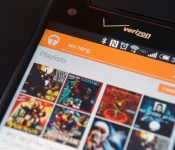
Google Play Music on Android lets you find your friends’ playlists

You may remember that Google Play Music All Access on Android briefly got public playlist searching back in August, only to lose the option a short while later. Well, it’s back — and this time, it appears to be here to stay. Much like Spotify, the update Play Music app now lets you find others’ carefully curated mixes and stream them on the spot. If you need a ready-made party playlist or just want to find out what your friends are listening to, you only have to visit the playlists section and start typing. The feature may take a while to hit your phone, but Android Police has a download if you can’t wait to check out others’ tastes in tunes.
Filed under: Cellphones, Internet, Mobile, Google
Via: PCWorld, Android Police
Source: Google Play
.CPlase_panel display:none;
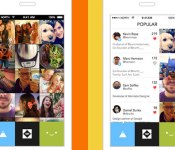
With Tiiny, your incriminating pics and videos disappear after 24 hours

What if you didn’t have worry about people seeing that picture or video you post after 24 hours? That’s just what Tiiny, the latest effort from Digg co-founder Kevin Rose, offers: disappearing thumbnail-sized images and vids in a constantly refreshing grid. Snapshots and footage from your pals appear there and they can’t be resized to judge fine details. In theory, this means that you’ll be a lot more forthcoming about your activities since there’s a lack of permanence and reduced pressure to add the proper filters. So, in addition to the ephemeral nature that the likes of Snapchat and others offer, there’s the compact stature, too. There’s also a Popular page, so you can see what’s getting the most love across all Tiiny users. If you’re looking to give it a shot, the iOS app is available now.
Source: iTunes
.CPlase_panel display:none;

Apple CEO Tim Cook talks to Charlie Rose about TV and why he bought Beats

Need to hear more from Tim Cook after this week’s new iPhone and Watch event? Charlie Rose will air a two-part interview with the Apple CEO tonight and Monday, and excerpts posted to YouTube point to a few popular topics about the company. Cook discusses his company’s purchase of Beats by pointing out the brand Jimmy Iovine and Dr. Dre were able to build, and their recognition of the human element in putting together playlists. In another clip, he continues the longstanding tradition of pointing out how ancient and backwards the TV experience still is, and that Apple is interested in it (we’ll reference our advice from 2012 on how to handle these rumors) — without revealing anything about plans to actually enter the market or adjust the approach of its Apple TV box. You can view the clips embedded after the break, and the first part of the interview tonight (likely at 11PM) on your local PBS affiliate.
Filed under: Cellphones, Home Entertainment, HD, Mobile, Apple
Source: Charlie Rose (YouTube)
.CPlase_panel display:none;
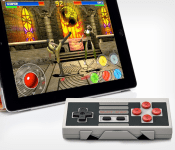
[Deal Alert] NES30 Bluetooth Controller, so full of nostalgia for $30
The Nintendo Entertainment System is the king of consoles. Many say it is the home console that started it all. While there were others before it, Nintendo took the NES and made it a household name. I used to have two, but sadly they got hijacked during a series of moves after high school. Still erks me. In the digital era we live in now it is pretty common place to have those old school NES titles on other high-end gadgets like our phones and tablets. As nostalgic as that might be, the controller is the real win of falling back to the glory days of Super Mario. So why not grab a redefined version that connects via Bluetooth or USB?

While it isn’t exactly the same thing., it is pretty close. At least it looks like an NES controller, just with a few extra buttons. It needs those extra buttons though, as much as I’d like a traditional A and B Bluetooth game controller, you would want to use it beyond just classic 8-bit gaming.
The NES30 brings in four buttons along with two shoulder buttons. It syncs up to your iOS or Android device through Bluetooth, but it can also connect to other devices, like your computer, with a USB cable. Listed battery life is pretty solid also coming in at 20+ hours.

 I know you want one. Who wouldn’t? If you do, then you might want to consider hurrying cause it is listed only for another 7 days. Hit the link below.
NES30 Bluetooth Controller for $29.99.
//<![CDATA[
ord = window.ord || Math.floor(Math.random()*1E16);
document.write('‘);
//]]>
The post [Deal Alert] NES30 Bluetooth Controller, so full of nostalgia for $30 appeared first on AndroidSPIN.
.CPlase_panel display:none;
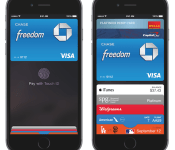
Apple Pay Details: Apple Gets 0.15% Cut of Purchases, Higher Rates for Bluetooth Payments
Apple’s ambitious new mobile payment initiative, Apple Pay, was announced on Tuesday during the company’s iPhone event. Many questions still linger about the service, but information is beginning to trickle out from various sources as retailers, banks, and credit card companies prepare for the service’s October launch.
According to a new report from The Financial Times, Apple stands to make quite a bit of money from its payments service. Banks and payment networks will be forking over 0.15 percent of each purchase to Apple, which equates to 15 cents out of a $100 purchase.
They are also paying hard cash for the privilege of being involved: 15 cents of a $100 purchase will go to the iPhone maker, according to two people familiar with the terms of the agreement, which are not public. That is an unprecedented deal, giving Apple a share of the payments’ economics that rivals such as Google do not get for their services
According to bank executives, Apple was able to negotiate with so many partners and receive choice deals because the industry didn’t see anything threatening in Apple Pay. One executive suggested that Apple’s payment model continued to put banks “at the centre of payments.” Apple may also have been able to negotiate better deals due to the tight security it has in place for Apple Pay. Payments will be made via NFC with a one-time token, and also secured with a Touch ID fingerprint.
Additional details about Apple Pay’s security have been unveiled by MasterCard executive Jorn Lambert, who spoke to Bank Innovation, explaining how each transaction will be secured.
Along with the cryptogram generated between a standard debit or credit card and a point of sale terminal, Apple Pay takes advantage of a token system that encrypts every step of the payment process. Tokenization is already built into the standard NFC specification, so what Apple is really doing is utilizing existing technology and further securing it with its own Touch ID fingerprint authorization system.

Every card added to Apple Pay (and located in Passbook) is assigned a token, which Apple calls a Dynamic Account Number. Each Dynamic Account Number is stored in the secure element of the iPhone and accompanied by a unique cryptogram for each transaction.
[Touch ID] authentication prompts the “secure element” to send the token and cryptogram to the merchant. The network decrypts the cryptogram and determines whether it is authentic or not. If it is deemed authentic, the network will pass it along to the issuer (i.e. the bank), which then decrypts the token. In other words, every party to the transaction decrypts something.
Once the issuer decrypts the token and determines that it is authentic, the issuer/bank authorizes the transaction. Money is then credited to the merchant and marked as an amount owed by the cardholder.
The token system essentially provides an extra layer of security to payments made through NFC, which, as mentioned earlier, allows merchants to pay a lower “card present” rate for NFC purchases. Merchants still pay the higher “card-not-present” rate when payments are made over Bluetooth LE rather than NFC, however, or when a purchase is made in-app using Apple Pay.
According to Lambert, Apple is not handling tokenization, instead leaving it up to credit card companies like Visa, MasterCard, and American Express. He describes Apple’s role as a “channel and not a party,” and Apple itself has confirmed that it won’t store any information about transactions conducted by customers.
Apple has plans to roll out Apple Pay beginning in October, and promises the program will work with more than 220,000 U.S. retailers including Walgreens, Macy’s, Nike, Bloomingdales, and more. Some stores like Walmart and Best Buy claim to have “opted out” of Apple Pay, but users should be able to make payments via the service at any location that has an NFC-capable point of sale system.
Many retailers are currently in the process of updating their point-of-sale hardware, as an upcoming change will see merchants that do not support EMV credit cards being liable for fraudulent, lost, and stolen cards. EMV credit cards, also known as “chip cards,” include integrated circuits to authenticate debit and credit card purchases. The updated point of sale systems with EMV card support being adopted by retailers also generally include NFC, which means Apple Pay may work even at stores that have not specifically chosen to support the service.
.CPlase_panel display:none;

Tim Cook Speaks on Steve Jobs, Apple’s Interest in TV, and Beats Acquisition in New Interview
Apple CEO Tim Cook spoke with Charlie Rose in a two-part interview, and the first segment is airing today. In a series of video clips, Tim Cook talks about Steve Jobs, Apple’s Beats Electronics acquisition, the Apple TV, and Apple’s plans for the future.
In the first clip, Cook again comments on Steve Jobs’ ongoing influence at Apple, saying Jobs is in his heart and deep in Apple’s DNA. “His spirit will always be the foundation of the company,” says Cook. Cook also gives one other interesting tidbit about Jobs — his fourth floor office has remained untouched since his passing.
In a second clip, Cook says the hardest decisions Apple makes “are all the things not to work on.” When asked if television is one of those areas, Cook said that TV is an area that Apple “continues to have great interest in.” He went on to say that TV is one of those things “stuck back in the 70s,” and he admits that with 20 million users, the Apple TV has “far exceeded the hobby label.” Cook didn’t divulge any details on the future of the Apple TV however, stating just that it’s an area that Apple continues to look at.
In the third and final clip, Cook spoke on Apple’s decision to buy Beats, reiterating many of the reasons behind the acquisition. “Jimmy and Dre are off the charts creative geniuses,” said Cook, pointing towards Iovine’s knowledge of the music industry and Dre’s connection to artists. He also said that Beats Music’s human curation was a major factor in the acquisition.
The complete first part of Tim Cook’s Charlie Rose interview will air later tonight on PBS, with the second part of the interview airing on Monday night.
.CPlase_panel display:none;
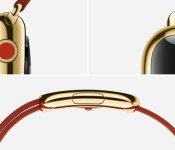
High-End 18-Karat Gold Apple Watch Could Cost Up to $1,200
The Edition version of Apple’s 18-karat gold Apple Watch could cost around $1,200, reports TechCrunch. The site consulted with “jewelers familiar with the material” Apple uses for the Apple Watch Edition, basing an estimate on the size and weight of the device.
 18-karat yellow gold Apple Watch Edition with Red Modern Buckle band
Chad Rickicki, a watch expert in Pittsburgh, Pennsylvania said that a case the size and shape of the Apple Watch in 18 carat gold would cost about $600 to make. The rest — the electronics and markup could double that price.
That doesn’t mean that all of the Apple Watches will rest in the rarified air of haute horlogerie. The lower end sport versions will start at $349 and presumably the standard versions, simply called Apple Watch, will receive a premium over that. The Edition watches, however, are expensive because gold is expensive, even at 18K and intermixed with Apple’s alloys.
Any predictions on possible cost for the gold Apple Watch at this point are fairly rough estimates, as the exact dimensions of the device remain unknown. It is also unclear whether the Apple Watch is gold plated or solid gold alloy.
According to Apple’s site, the 18-karat gold used in the Apple Watch Edition has been crafted by the company’s metallurgists to be “twice as hard as standard gold.” It also comes with a polished sapphire crystal display and rumors have suggested the gold watches will come in special boxes that can also be used for charging.
Early iWatch rumors from KGI Securities Analyst Ming-Chi Kuo suggested the wearable device would come in an array of colors and styles, with some of them costing several thousand dollars. Depending on the pricing of the Edition watches, Kuo’s prediction may not be far off.
While Apple is aiming for the luxury market with the Apple Watch Edition line, the company is also planning to offer the Apple Watch in several other lower-priced configurations. The Apple Watch Sport, for example, does away with sapphire in favor of an Ion-X glass display and a lightweight aluminum casing, making it much more affordable. According to Apple, its line of watches will start at $349 and will begin shipping in early 2015.
.CPlase_panel display:none;
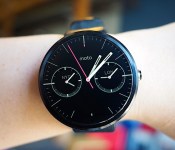
Moto 360 review: It’s the best Android Wear watch, but that isn’t saying much

When it comes to wearables, fashion trumps function. That’s the mantra Motorola went by when it designed and developed the Moto 360, and judging by the enthusiastic response the watch received when it was unveiled earlier this year, plenty of people agree. The Moto 360 is undoubtedly the best-looking of the three inaugural Android Wear watches (the LG G Watch and the Samsung Gear Live are the other two), with its premium leather strap, chamfered glass and circular design. As Motorola designer Jim Wicks said in an interview, “We wanted to hit that ‘Whoa!’ mark.” And so it did. But is that enough? In the past few days, I struggled to like this watch, even though it’s the best Android Wear device available today. Allow me to tell you why.
Hardware

The Moto 360’s claim to fame is that it’s the first Android Wear device with a round face. And that’s a big deal. As I said, when it comes to an item that you wear on your person, it’s crucial that it looks good. Compared to the other two Android Wear watches on the market, the Moto 360 looks the most like an actual timepiece partially due to that round design. Indeed, one of the reasons Motorola went with a circular design is that it believes a round face is simply more watch-like. Of course, there are traditional analog watches with square designs too, but the 360’s round face does make it stand out in a sea of square smartwatches. Motorola made a conscious decision to make the 360 more watch than gadget; more mainstream than early adopter; more SoHo than Silicon Valley.
That thought process included not just the shape of the watch, but also the materials used to make it. The housing is constructed from glass and stainless steel, and the leather strap is sourced from a high-end Chicago tannery. It’s a smartwatch that actually feels comfortable when worn; the leather feels much softer and more flexible than the rubber straps on the G Watch and the Gear Live. What’s more, with the leather strap, the Moto 360 is also quite a bit lighter at 49 grams (the G Watch weighs 63; Gear Live, 59). In other words, the 360 not only looks like a regular watch, but it also feels like one.
If you can’t decide on just what color to get — the initial watchbands come in black, dark gray or light gray — the straps are thankfully interchangeable. However, do note that you’ll need to visit a jeweler to swap them out and Motorola says the 360 is only compatible with straps made specifically for it. Later this year, Motorola plans to release a Moto 360 with metal bands, which is more in-tune with the style of the thick metal housing.

That brings me to one of my problems with the Moto 360. While I don’t deny that the Moto 360 is well-crafted, its 46mm diameter and 11.5mm thickness paired with the leather bands make it much too big for me. I felt a little embarrassed to be wearing such an enormous, attention-grabbing timepiece, and my husband remarked that it looked like I had a hockey puck strapped to my wrist. During a tour of Motorola’s headquarters recently, we were told that the 360 was designed for both men and women — apparently large watches are trendy accessories for some folks these days — but I’m simply not one of them. Of course, this is based entirely on personal preference. And again, even though it’s not to my taste, the Moto 360 is still one of the most striking smartwatches I’ve seen yet.
Display

The primary reason for that is the circular display. It goes practically edge to edge with pixels spread across the entire surface, leaving a sliver of a bezel around it. The result is a watch face that’s nearly all screen, which isn’t something you can say about the Gear Live or the G Watch. That’s a good thing, especially as the Moto 360’s screen is a touch smaller at 1.56 inches across, resulting in a 320 x 290 resolution that translates to 205 pixels per inch. It’s not the sharpest display by any means, but it’s also not bad for such a tiny screen; it seems clear and colorful enough to me.
Unfortunately, there’s a rather noticeable black slice at the bottom that mars the display’s circular perfection. Motorola says that in order to maximize the screen size of a small and round display, it opted to house the watch’s display drivers and ambient light sensor in that little wedge instead of creating a thick circular bezel. If that is indeed the trade-off, I agree that the edge-to-edge chamfered glass is a better option. But if you’re even the slightest bit of a perfectionist, that tiny, little black slice might be difficult to un-see.
Additionally, round displays and Android Wear don’t always get along. Motorola apparently worked closely with Google to ensure that the UI would play nicely with a round screen, and it succeeded — for the most part. Text occasionally gets cut off at the corners, especially when scrolling through messages and long lists. Also, the beveled sides make the circular border look a touch jagged at certain angles, especially against a white background.
Speaking of that ambient light sensor, the Moto 360 is also the first Android Wear watch to even have one. That means that unlike the G Watch and the Gear Live, the 360 supports auto-brightness, which is extremely handy considering the 360 is equipped with a backlit LCD that would otherwise be unreadable in bright sunlight. It’s naturally not quite as crisp as the e-paper display on the Pebble, but it’s legible enough that I could make out the time and read my email notifications. And seeing as turning on maximum brightness would likely put a big dent in the battery life, I’m glad the sensor is there.
It’s important to note here that the ambient light sensor is separate from a Moto 360 watch setting called “ambient screen.” This feature is off by default, and what that means is that the watch will go completely black when it’s idle or not in use — it’ll only light up when you lift the watch to look at it. When ambient screen is turned on, however, the 360 won’t immediately go black when idle. Instead, it dims just enough so that you can still tell the time if you casually glance at it. But if you happen to take the watch off and leave it somewhere, the display will eventually go black, even with ambient screen enabled.

In addition to tapping the screen or lifting the watch, you can also activate the display by pressing on a small protruding crown on the right. If you hold it down, you’ll bring up the watch’s settings menu — a great little shortcut I wish the G Watch and the Gear Live had. Pressing and holding on the screen will bring up a selection of watch faces that have been customized for the 360’s round display. You can adjust the different watch face settings even further with Motorola’s own Connect app. I like the Dials face option the best because it lets me see what time it is in two other cities — a handy thing when you work with a global team.
Now, you might be wondering how you charge this watch; it’s not like there are any ports to plug in a cable. Instead, the Moto 360 charges wirelessly via Qi magnetic induction. Just set it inside the included charging cradle and the watch will get the juice it needs to keep going. When docked, the Moto 360 will display a digital clock along with how much charge it still has. This way, you can use it as a bedside alarm clock if you like. It works as promised, but I do wish Motorola had included a USB-only cable in the box in addition to one that requires a power outlet. Since the 360 charges via the Qi standard, you could theoretically charge it on an existing Qi wireless charger if you happen to have one already.
Features

Phew. That was a lot of words just about the watch’s design. But seeing that most of the watch’s features are the same as the other Android Wear devices — Google isn’t allowing manufacturer-specific skins — the 360’s main differentiator is its design.
But if you’d like a brief recap, here’s what Android Wear offers. Beyond just telling the time, Android Wear is a platform that transmits what’s on your phone to what’s on your wrist. If you allow it, you’ll see everything from emails to Twitter notifications to Google Now cards popping up on the watch. There’s some notification anxiety as a result — having to scroll through all of those can be a pain, especially as you can’t quite ignore them as easily as you might on a phone. As with the other Android Wear watches, you navigate through the 360’s interface by swiping and tapping on the watch’s touchscreen display. A key component is voice commands, where you can say things like “Navigate” to find directions or “Call a car” to request a Lyft ride. For more details on Android Wear, check out our full review.
Beyond Android Wear, the 360 does have a couple extra features that bear mentioning. Remember that Motorola Connect app I alluded to earlier? That’s also where you can track your steps and heart rate, because the 360 not only has a built-in pedometer, but it also has a heart rate sensor as well (it’s located on the underside of the watch). As with the Gear Live, you do need to hold your wrist relatively still for the sensor to read your beats per minute, but it only takes a few seconds.
Additionally, the Moto 360’s heart rate app also comes with an activity monitor that tracks how active you are in a day. Once you enter in your vital stats (height, weight and so forth), the app will attempt to divvy up your daily heart activity into three categories: “Inactive,” “Active” and “Vigorous.” Motorola’s goal here is for you to get at least 30 minutes of moderate activity a day for five days. As the 360 periodically keeps an eye on your bpm, it’ll know to notify you if you’re almost or at your goal. From my experience with the 360, achieving this 30-minute moderate activity goal is pretty easy — just walking around the house and the local farmer’s market got me to my goal before noon. Still, it’s a noble enough objective and gives us the illusion that we’re trying to be healthy.
Battery life and performance

There’s probably a subset of you that completely disregarded everything I’ve written above and came right down to this section. And I don’t blame you. After all, what’s the point of a watch that runs out of battery in the middle of the day? The problem, of course, is that the Moto 360 isn’t a normal watch. Just like the other Android Wear devices, it comes with a rather dinky battery. The official specs state 320mAh, though a recent teardown reveals that the battery actually has “300mAh” printed on it. Motorola’s official statement is that the battery offers a range of 300 to 320mAh, but opted to print just “300mAh” due to the lack of space.
Regardless of which it is, the battery is still tiny. Under heavy use, the 360 barely lasts the day. With the ambient screen mode on, I had it so that it would notify me of every incoming email, message and notification from apps like Twitter, Facebook and Google Now. I also tried out a couple of different navigation routes and used voice commands several times throughout the day. In about 12 hours, the 360’s battery life dropped to 9 percent. It’s not pretty, to say the least.
However, in the days after the initial thrill of playing with the 360, I found myself hardly ever using the watch in such an active manner. I mostly just relied on it for timekeeping and notifications — I rarely bothered using it for voice commands or navigation, since, well, I could just use the phone for that. With this kind of minimal use, it got to around 23 percent after 12 hours, which is enough to last through a typical day. But if you’re not going to use a smartwatch as a smartwatch, that kind of defeats the purpose of getting one. Plus, even with such skimping, I still had to charge the watch every night.
Under the hood, the Moto 360 has a TI OMAP3630 processor, which is surprisingly old technology — we’re talking the kind of chip used in the Droid 2. Yet, I didn’t encounter too much sluggishness when swiping through the menu or scrolling through messages. I did notice the occasional hiccup when trying to remove notifications — sometimes it took a couple of swipe attempts instead of one — but they were few and far between.
The competition

Android Wear is so new that the Moto 360 only has two other direct competitors, at least for now. When it comes to look and feel, however, both the Samsung Gear Live and LG G Watch pale in comparison to the 360. Unfortunately, better look and feel come at a price — the watch is far more expensive at $250 with a leather strap and $299 with a metal one. Worse, the battery life here is the shortest of the bunch.
Additionally, the 360’s honeymoon period as the only round-faced Android Wear watch will be short-lived as both LG and Samsung are trying their hands at circular designs too. If the 360’s rotund face is the only factor you’re considering in a smartwatch, you might do best to wait to see if you like those. It’s worth noting, for example, that while the 360 has that black slice at the bottom of its circular display, the upcoming LG G Watch R doesn’t. From a brief hands-on we had with it at IFA, however, we can definitively say that the 360 is still the nicer, more premium option.
I’d also be remiss if I didn’t mention the most recent rival to the Moto 360: the Apple Watch. It remains to be seen how intuitive the UI is in real-world use, but in terms of design and style (not to mention app support), it looks like the 360 has some serious competition afoot.
Wrap-up

With its stylish good looks, comfortable feel and overall premium build, the Moto 360 is the Android Wear watch to beat. When it comes to design, at least, it outclasses everything else on the market. Aside from aesthetics, the 360 offers many of the same features as its rivals, including a heart rate sensor and a pedometer, plus some other goodies like wireless charging and an ambient light sensor.
Even with the design, though, Motorola didn’t totally get it right. The 360’s large size is a legitimate concern for narrow-wristed individuals, and the experience is dampened by various imperfections that include cutoff notifications and that “flat tire” at the bottom of the screen. What’s more, the battery life is actually worst in class — and that’s saying a lot considering other Android Wear watches also need to be charged once a day.
All told, the smartwatch landscape is so new that I’d recommend waiting to see if something better comes along. Sure, the Moto 360 is the best option right now, but it might be obsolete in just a few months. That said, if you want to jump on the Android Wear wagon now, the Moto 360 is your best bet.
Filed under: Wearables, Mobile
.CPlase_panel display:none;
 AIVAnet