


Parallels’ new remote desktop apps let you control your PC like a phone

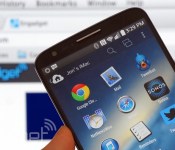
Remote desktop apps have an easier time working on tablets, where you have a lot of display area to work with, but they’re frequently awkward on smartphones. Wouldn’t it be nice if you could control a PC at home like it was just another phone app? Parallels is tackling that challenge head-on with smartphone-friendly versions of its Access app for both Android and the iPhone. Much like the earlier iPad release, the new titles give you a remote view of your Mac or Windows PC that’s optimized for your mobile platform of choice. You can launch programs, select text and type almost as if the computer’s software were built for a small screen. On the Android client (which also handles tablets), Parallels will even let you create shortcuts to jump directly into favorite desktop apps.
The wider support comes alongside a bundle of fairly hefty upgrades. It’s now possible to wake up your computer in some circumstances, so you won’t have to always leave it running for Access to work. You can also choose from extra screen resolutions if you need to see more of your desktop at a glance, and apps can borrow your device microphone for speech recognition or a quick voice chat. Those on iOS have the added perk of a file browser that makes it easier to track down that all-important presentation.
For some, the biggest change may be the cost of entry. Parallels has cut its personal subscription price from $80 to $20 for one year, and $35 for two years ($30 if you sign up by the end of June). That’s obviously a much better value, particularly if you only occasionally need to reach your PC. There’s also a new business tier that lets companies hook up five people for $50 per year. All the new apps are free to try for a couple of weeks, so it won’t hurt to give them a shakedown. Who knows — they might save your bacon the next time you leave your laptop at home.
Filed under: Cellphones, Tablets, Software, Mobile
Source: Parallels
Martian Notifier Brings a Classic Time Piece with Smarts to the Smartwatch Game for $129 [Review]
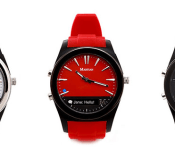
The smartwatch game is becoming quite competitive and fierce. They aren’t new by any means, they have been a round for a number of years. However, the last 6 months to a year they have started popping up quite a bit more. While many companies have followed in the mind-set that your watch should act like your phone on a small-scale, there have been others out there that have taken a completely different approach. Martian is one of those that takes the smartwatch and focuses more on the watch aspect and adds smart features in their latest creation, the Martian Notifier.
 We saw the Martian Notifier back in January at CES and were quite pleased with what we saw. It won’t be what everyone out there wants or desires, but it has a place on your wrist all the same. I don’t think of this a smartwatch, more so a smart extension of my device. With a much more prevalent appeal for a classic watch look.
Whats in the box:
- Martian Notifier watch
- Proprietary USB cable
- Instructions manual

Physical size
- Height: 1.70 inches /43.2mm
- Width: 1.70 inches / 43.2mm
- Thickness: 0.5 inches / 12.7mm
- Weight: 1.83 oz / 52 grams
Specifications:
- Analog quartz watch with Japanese movement
- 96 x 16 pixel graphic OLED display
- Bluetooth 4.0 (classic 3.0 and BLE)
- RGB LED light
- “Light Touch” vibrating motor
- Anti-scratch acrylic crystal
Overview
At first glance you might not even notice the smart aspect of the watch. It is clearly a watch first that runs on its own independent watch battery. Martian claims 2 years of battery life for the actual time keeping aspect of the product. While I certainly can’t wait two years to find out, I don’t doubt that it will last that long.
On the right hand side of the watch you have your more traditional pull and turn knob for setting the time. Just above that you will find a small cover that you can open up to access the charging port.
 On the left hand side you have two buttons that will trigger various actions. I’ll get to those in just a minute.
 The rear is a metal plate that is screwed on to protect the inner components.
 The front is of course where you find the actual time and smart aspect of the watch. Under the glass you have a small LED light that is just to the left above the 40 minute line. Placed at the bottom, and taking up the 25 – 40 minute markers is a small 96 x 16 graphic OLED display. (interestingly enough, the missing time markers are only found on the black version) This is where all the smart aspects of the watch come into play.
 The screen is where you get all your notifications in a sort of ticker style fashion.


The companion app
The companion app is what drives the notifications to the OLED. Martian has an App for Android and for iOS, making this a pretty good cross-platform watch. There are a number of little settings and tweaks you can make to what is displayed, how it is displayed and how the vibrations work out. I could list all the apps that it can display, but that would be pointless because any app that can trigger a notification in your drop down can be activated to display on the OLED of the watch. Yes, that means, Hangouts, G+ notifications, emails, games, and everything else under the sun.


 In the apps settings you can also set up the scroll delay, your month/day format, time format, vibration strength, character limit and others. If you enable the leash then when you phone is out of Bluetooth range your wrist will vibrate and alert you that the connection has been lost. Very helpful for those that leave their phones sitting around often. There are a number of other settings you can toggle and use, like setting up alarms and repeaters to give you notifications for certain things. While nice, I use my calendar for a lot of that so I get the alert to my wrist if I have something I am supposed to be doing.
On the watch
On the watch you also have a number of things you can use. The bottom button on the watch acts as your quick display button/menu button. Press it once and it will cycle through a digital clock, the battery life and if your are connected, the day of the week/month/date, followed by the weather (if you have it enabled). If you press it twice you get alternative options. Such as a light, activate DND (Do Not Disturb) mode, Camera Mode, Find Phone and Setup.

 The light function activates the LED on the front of the watch. It isn’t blinding, but offers a little light if you are trying to find the keyhole on your front door late at night. Granted most of us would just turn our devices screen on for that. DND mode is pretty self-explanatory, it simply stops the watch from giving you notifications. Camera Mode lets you trigger your phone’s camera remotely from the button on the watch. One the more useful features, in my eyes, is the Find Phone feature. When activated your phone will start emitting an alarm to help you find it. You do need to be connected to the phone to trigger it though. Helpful if you know it is in the house some where and you walk around watching for the Notifier to connect. That will at least let you know you are in the right area.
If you happen to miss the scrolling read out of a notification, you can simply tap on the glass and it will recall and display the message again. So long as it was less than 5 minutes ago. If you need to go back further without grabbing your phone, you press both buttons and you can cycle through the last 20 notifications.
One additional check box that I have to mention is the “Enable Google Now” box. If you have the box checked, then you can press the top button on the watch to activate Google Now and speak. Downside, the watch doesn’t have a mic, so your phone needs to be within talking distance to talk to it. Still a nice feature though.
Battery Life
One of the most important things to me in a wearable device is the battery life. My days usually start around 6 a.m. and don’t end until sometime after midnight seven days a week. If I can only make it to 2 or 3 p.m. with a gadget, then it won’t work out well for my life. Martian rates the battery life of the Notifier for 6 days. That will be lower depending on number of notifications you have active, how intense you set the vibration function and how many notifications it has to push (ie: 1000 text messages a day or only 100). My last few weeks with the watch has honed my usage of it. It typically lasted 3 to 4 days before the internal battery died. The nice thing though, I still had a functioning watch and not a black screened slab on my wrist.
Interchangable Bands
 Martian was also clever enough to see the importance of changing the wrist bands. They do offer a variety of colored silicon bands that you can you can purchase to match any occasion. However, if you want something more classic, like leather or even steel, then you can provide that on your own. The Martian Notifier can use any standard 22mm watch band. I did not personally switch one out, but I did pop the quick-change strap pin and was able to easily re-attach the strap without any tools. How that might work with a different watch band isn’t something I have the available option to try out.
What I like about the Martian Notifier
There are a lot of things I like about the Notifier. First and foremost I love that it is a watch first. I won’t be stuck with a black glass slab on my wrist if the battery dies halfway through a day. It fits well and looks good doing it. While the casing might be hardened resin, the metal accents make it look more expensive than it is. I even got a compliment on it from a huge Pebble watch fan that I had a mid afternoon meeting with last week.
I don’t feel like the smart aspect is over kill. I personally don’t need to do a million things on my wrist. I need to see if something important is happening and not have to dig out my phone to do it.
It fits my style, needs and at a price point that won’t break the bank, $129.
I can change out the watch straps to give it a different look and feel without having to sacrifice the watch itself, plus, I can do it myself without any special tools.
The battery life gets me through 3 to 4 days before it needs to be charged. Giving me peace of mind that when I put it on, I don’t have to wonder if it will last past lunch.
I also like having access to seeing who is calling before I have to dig for my phone. If it is an unknown number or someone i don’t want to talk to, I just hit the button on the watch and they go away. This is also particularly handy while driving or in places where having your phone out isn’t the most opportune. For instance, in a business meeting. Simply glance at the text and see if it is important without sneaking your phone out under a table. Finally, loud environments. Think bars, clubs and concerts. I would much rather not pull my phone out every 15 minutes checking for a call or text.
What I don’t like about the Martian Notifier
I hate that it isn’t a touch screen. Just kidding. There are a few things that I wasn’t happy about. The charging port on the watch is embedded extremely deep inside. This makes the use of their proprietary USB charger almost you only options. While it is still just a micro USB tip, it has been extended to reach all the way inside. I’m sure shaving the edges off another charger would give the same effect, but seems silly to modify a cable if you misplace the original.
The Martian Notifier is only splash resistant and not water-resistant. That keeps it just annoying enough that you don’t want to shower with it on or take it swimming. With it being summer time, being able to freely leave your phone pool side and still get notifications would have pushed this to a new level. Now I have to leave both sitting on a towel.
To learn a bit more, or get an order placed for the Black one I showed you or the White one, head over to Martianwatches.com.


//<![CDATA[
ord = window.ord || Math.floor(Math.random()*1E16);
document.write('’);
//]]>

New York law lets Tesla continue direct car sales

Tesla has just dodged another bullet — well, sort of. Just days after New Jersey overturned a ban on direct car sales, New York has enacted a law that lets Tesla continue selling cars through its stores in the states. As with similar laws in other regions, though, there are strings attached. In keeping with an agreement forged back in March, the EV maker can only pursue direct sales through its existing five stores; beyond that, it has to go through dealerships.
New York’s government argues that the arrangement strikes a balance where “both sides will thrive.” However, it’s not quite that rosy. History suggests that Tesla risked losing direct retail sales entirely if it didn’t forge some kind of pact — this was more about saving the automaker’s skin than creating equal opportunities. Unless there’s a change of heart (or the FTC steps in), conventional dealers still have the upper hand.
[Image credit: AP Photo/Al Behrman]
Filed under: Transportation
Source: Governor Andrew Cuomo
iHeartRadio’s new “For You” feature tries to find music you’ll love

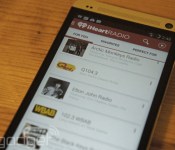
Tired of picking your iHeartRadio stations based on whatever mood passes your fancy? Now you’ve got other options — starting with iHeartRadio’s latest update, the app will offer users a curated list of stations based on their favorite genres and listening habits. The app’s new “For You” feature is front and center in its 5.0 update, tasking users to pick out their favorite music genres to give the recommendation engine a nudge in the right direction. The app combines that feedback with your listening history, location and music you previously thumbed up to create a custom list of stations culled just for you. Cute, isn’t it? The app also sports an updated UI, but the real exciting stuff is coming in a few months: today iHeartRadio announced that Chromecast support is on the way. Check out the latest update in Google Play. On iOS? Sit tight: the update should land on the App Store in about a week.
Filed under: Cellphones, Internet
Source: Google Play

This drone made from chocolate can actually fly (video)

The drone above honestly looks a little shoddy, but there’s a good reason for that: when you make parts of a UAV out of chocolate, it’s not going to be all that sleek and shiny. No, it’s going smell good, and you’ll probably find yourself willing it to crash, so you won’t feel guilty biting through it. How does one make a working chocodrone, you ask? The video after the break gives you a peek at the process: mainly, it’s all about melting chocolate bars and reforming them into parts that can be attached to small unmanned flying vehicles. Take note that the video feels like a marketing stunt for a particular candy brand, but there’s no reason you can’t use your favorite brand should be inspired to make one. Obviously, your little masterpiece won’t be delivering groceries or be doing surveillance work — after all, it’ll probably end up in your stomach in no time.
Filed under: Robots
Via: TechCrunch, Hackaday

Tesla’s Model X SUV enters production in early 2015, clever doors intact

Worried that Tesla’s all-electric SUV, the Model X, might face yet another delay? Don’t be. Tesla is telling pre-order customers that their vehicles will roll off the line in early 2015, complete with the space-saving “falcon wing” doors from the 2012 concept. The options list should be relatively short, too, as both all-wheel drive and fold-flat seats will come standard. You will have to pony up for a third row of seats, however. Elon Musk and crew haven’t shown off the final design, although late-stage prototypes are due in the fall — if you’re still on the fence about Tesla’s upscale people carrier, you’ll have at least one more chance to see it before sales begin.
Filed under: Transportation
Via: SlashGear
Source: Tesla Motors Forums

Engadget Daily: inside the NBA finals, France scores with FIFA’s new goal-line tech and more!

Today, we go behind the scenes at the 2014 NBA Finals, learn about Earin’s truly wireless earbuds, relive France’s controversial score with FIFA’s goal-line technology and take a look at Airdog: a GoPro-equipped drone with a knack for sports action. Read on for Engadget’s news highlights from the last 24 hours.

Inside Game 5 of the 2014 NBA Finals
The 2014 NBA Finals might be over (go Spurs), but you can relive some of the glory by perusing a few of our court-side photos. With camera in hand, Edgar Alvarez tours the AT&T Center for a behind-the-scenes look at the epic sports event.

Airdog drone serves as your loyal action sports cameraman
Why film your own sports action video when a UAV could do it for you? If funded on Kickstarter, the GoPro-equipped Airdog drone could be your very own aerial cameraman. All you have to do is initiate its flight from a wrist-mounted controller.

Earin’s tiny wireless earphones recharge while they’re in your pocket
Unlike Beats’ new Powerbeats2, Earin’s wireless buds are completely cable-free — and they recharge inside your pocket. For a $170 pledge on Kickstarter, you can snag a pair sometime in January 2015, assuming the target is met.

France is the first team to benefit from goal-line tech at the World Cup
Remember when FIFA announced it would incorporate new goal-line tech into the 2014 World Cup? Well, it paid off. It was used to confirm a controversial shot from France’s Karim Benzema that bounced off the far post, landing just inside the goal.
You also might like:
Filed under: Misc

What’s on your HDTV this week: World Cup, ‘Fargo’ finale, ‘True Blood’ premiere

Hockey and basketball are over, but now it’s time for the global game to take center stage. The World Cup started last week, but the USMNT is only just getting ready for its first game today against Ghana, the country that’s knocked it out in the last two tournaments. If you have cable, watching the game in the US is as easy as turning on the TV or opening ESPN’s app, but those without should keep an eye on Univision, which is streaming the action from Brazil with no login required. Also of note, the season finales of Orphan Black as well as FX’s excellent Fargo and Louie are on the schedule this week. Check after the break for a list of what’s new this week plus a few trailers, and drop a note in the comments if you see any highlights we’ve missed.
[Image credit: Alexandre Loureiro/Getty Images for adidas]
Of course, that’s not all there is, as TNT launches its new Michael Bay-produced drama The Last Ship, True Blood kicks off its final season on HBO and ABC’s Rising Star is bringing an app to stir up the usual reality TV contest format. On Blu-ray, Wes Anderson fans have The Grand Budapest Hotel to look forward to while gamers can check out EA Sports UFC on Xbox One and PS4. Syfy even has a couple of summer premieres, with the return of Defiance and the series premiere of Dominion.
Blu-ray, Streaming movies & Games
- The Grand Budapest Hotel
- House of Cards (S2)
- Joe
- The Machine
- Walk of Shame
- The Lego Movie (3D)
- Picnic at Hanging Rock (Criterion)
- EA Sports UFC (Xbox One, PS4)
- How to Train Your Dragon 2 (Xbox 360, PS3, Wii U)
- MotoGP 14 (PS3, PS4, Xbox 360, Xbox One, PC)
Monday
- World Cup Group G: Ghana vs. US, ESPN, 5:30PM
- Switched at Birth (summer premiere), ABC Family, 8PM
- Whose Line Is It Anyway?, CW, 8PM
- WWE Raw, USA, 8PM
- Masterchef, Fox, 8PM
- The Fosters (season premiere), ABC Family, 9PM
- 24: Live Another Day, Fox, 9PM
- Beauty and the Beast, CW, 9PM
- American Ninja Warrior, NBC, 9PM
- Major Crimes, TNT, 9PM
- Murder in the First, TNT, 10PM
- Longmire, A&E, 10PM
- Louie (season finale), FX, 10 & 10:30PM
- Mistresses, ABC, 10PM
Tuesday
- World Cup Group H: Belgium vs. Algeria, ESPN, 11:30AM
- World Cup Group A: Brazil vs. Mexico, ESPN, 2:30PM
- World Cup Group H: Russia vs. South Korea, ESPN, 5:30PM
- America’s Got Talent, NBC, 8PM
- Pretty Little Liars, ABC Family, 8PM
- Rizzoli & Isles (season premiere),
- Chasing Life, ABC Family, 9PM
- Royal Pains , USA, 9PM
- I Wanna Marry “Harry”, Fox, 9PM
- Deadliest Catch, Discovery, 9PM
- Top Gear (US), History, 9PM
- The Wil Wheaton Project, Syfy, 9PM
- Fargo (season finale), FX, 10PM
- Heroes of Cosplay, Syfy, 10PM
- Perception (season premiere), TNT, 10PM
- Playing House (season finale), USA, 10 & 10:30PM
- Awkward, MTV, 10PM
- The Night Shift, NBC, 10PM
- Freakshow, AMC, 10:30PM
- Inside Amy Schumer, Comedy Central, 10:30PM
- The Listener, ION, 11 & 11:59PM
Wednesday
- World Cup Group B: Australia vs. Netherlands, ESPN, 11:30AM
- World Cup Group B: Spain vs. Chile, ESPN, 2:30PM
- World Cup Group A: Cameroon vs. Croatia, ESPN, 5:30PM
- Rogue, DirecTV 101, 8 & 9PM
- Melissa & Joey (season finale), ABC Family, 8PM
- So You Think You Can Dance, Fox, 8PM
- Baby Daddy (season finale), ABC Family, 8:30PM
- Suits, USA, 9PM
- Dual Survival, Discovery, 9PM
- Graceland, USA, 10PM
- Motive, ABC, 10PM
- Catfish, MTV, 10PM
- The Ultimate Fighter, Fox Sports 1, 10PM
Thursday
- World Cup Group C: Colombia vs. Ivory Coast, ESPN, 11:30AM
- World Cup Group D: Uruguay vs. England, ESPN, 2:30PM
- World Cup Group C: Japan vs. Greece, ESPN, 5:30PM
- Black Box, ABC, 8PM
- 4th Anuual Critics Choice TV Awards, CW, 8PM
- Defiance (season premiere), Syfy, 8PM
- Hollywood Game Night, NBC, 8PM
- Rookie Blue (season premiere), ABC, 9PM
- Dominion (series premiere), Syfy, 9PM
- The Sixties, CNN, 9PM
- Undateable, NBC, 9 & 9:30PM
- Gang Related, Fox, 9PM
- Anger Management, FX, 9:30PM
- Last Comic Standing, NBC, 10PM
- Maron, IFC, 10PM
- Comedy Bang! Bang!, IFC, 10:30PM
Friday
- World Cup Group D: Italy vs. Costa Rica, ESPN, 11:30AM
- World Cup Group E: Switzerland vs. France, ESPN, 2:30PM
- World Cup Group E: Honduras vs. Ecuador, ESPN, 5:30PM
- WWE SmackDown, Syfy, 8PM
- Cold Justice (season premiere), TNT, 9PM
- Crossbones, NBC, 10PM
- Continuum, Syfy, 10PM
- Real Time with Bill Maher, HBO, 10PM
- The Half Hour, Comedy Central, 12 & 12:30AM
Saturday
- World Cup Group F: Argentina vs. Iran, ESPN, 11:30AM
- World Cup Group G: Ghana vs. Germany, ESPN, 2:30PM
- World Cup Group F: Nigeria vs. Bosnia-Herzegovina, ESPN, 5:30PM
- Bet On Your Baby, ABC, 8PM
- Crisis (series finale), NBC, 8 & 9PM
- The Mentor, Lifetime, 8PM
- Power, Starz, 9PM
- The Assets, ABC, 9PM
- Orphan Black (season finale), BBC America, 9PM
- Almost Royal (series premiere), BBC America, 10 & 10:30PM
Sunday
- F1 Austrian Grand Prix, NBC Sports Network, 7:30AM
- World Cup Group H: Belgium vs. Russia, ABC, 11:30AM
- World Cup Group H: South Korea vs. Algeria, ABC, 2:30PM
- NASCAR Sprint Cup Series @ Sonoma, TNT, 3PM
- World Cup Group G: USA vs. Portugal, ESPN, 5:30PM
- Enlisted (series finale), Fox, 7PM
- Wipeout (season premiere), ABC, 7 & 8PM
- Rangers/Angels, ESPN, 8PM
- Anthony Bourdain: Parts Unknown, CNN, 9PM
- True Blood (season premiere), HBO, 9PM
- The Last Ship (series premiere), TNT, 9PM
- The Musketeers (series premiere), BBC America, 9PM
- Rising Star (series premiere), ABC, 9PM
- The Escape Artist (Part 2 of 2), PBS, 9PM
- Catching Hell, Weather Channel, 9PM
- Nurse Jackie, Showtime, 9PM
- Californication, Showtime, 9:30PM
- Falling Skies (season premiere), TNT, 10PM
- The Hunt, History, 10PM
- Halt and Catch Fire, AMC, 10PM
- Penny Dreadful, Showtime, 10PM
- Last Week Tonight with John Oliver, HBO, 11:30PM
Filed under: Home Entertainment, HD
Facebook for iPad’s new sidebar wants you to play more games

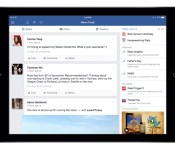
Love Facebook, but hate your friends’ endless invitations to play Farmville? You might not like the social network’s latest iPad update. According to the Facebook developer blog, the company is testing out a new sidebar that offers users in landscape mode a sampling of trending topics, videos and other content. Most of this data is fairly personalized — consisting of upcoming birthdays, events, holidays and recently played games, but there’s also a special section reserved for advertising “popular” Facebook games. Fortunately, you aren’t guaranteed to see the latter element right away: the column’s layout is out based on individual use. If you don’t play Facebook games, you might not see advertisements for them.
According to a Facebook spokesperson, the app will always keep items like birthdays or events up top, but everything else in the column moves around based on how you use the social network. If you watch a lot of video, for instance, you’ll see a lot of trending videos on the top of the sidebar; if you’re addicted to Facebook games the column will be flush with recently played titles and recommendations. Content irrelevant to your interests might stick around though — Facebook says non-gamers can expect the “featured games” panel to live off-screen, available to users who scroll down to the bottom of the panel’s display. The update is currently only available to a small percentage of test users, but Facebook plans for the sidebar to become a permeant facet of its iPad experience.
Filed under: Internet, Facebook
Source: Facebook

Playdate: Engadget plays the ‘Battlefield: Hardline’ beta on PS4!

Welcome, ladygeeks and gentlenerds, to the new era of gaming. The one where you get to watch, and comment, as other people livestream gameplay from next-gen consoles. Because games! They’re fun!
A large-scale game of cops and robbers seems like a natural fit for the Battlefield franchise, right? Like it or not, that’s what we have with the series’ latest entry, Battlefield: Hardline. Developer Visceral Games’ (Dead Space series, Dante’s Inferno) Steve Papoutsis came out during Electronic Arts’ press conference at E3 last week and announced that if you wanted to try Hardline out ahead of its launch this fall, you could download a beta that very day on the PlayStation 4. Well, that slammed the PS4 and EA servers, and actually getting the game was a hassle for some. That’s where we come in. Curious if the game lives up to the heat or if it’s more of a dog day afternoon for the series? Well, tune into the stream below at 7 pm Eastern/4 pm Pacific and find out as we make a run for the cash on Sony’s latest console.
Watch live video from Engadget on www.twitch.tv
Filed under: Gaming, Home Entertainment, HD
 AIVAnet