


Google’s next version of Android ‘L-release’ has a new look, deeper ties to the web
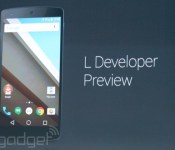

KitKat may have only found its way on to roughly 15 percent of phones at this point, but that won’t stop Google from looking to the future. The new version, teased by Sundar Pichai is simply being referred to as the “L-release” right now. As previous leaks have indicated, this will be the most dramatic UI overhaul the OS has enjoyed since Ice Cream Sandwich debuted back in 2011. The heart of this overhaul is called Material Design — a flatter look, with rounder elements and softer edges that will extend beyond tablets and phones to Chrome OS and Google’s various web services. You can see some of the new design philosophy at work already in the latest version of the Google+ app on Android. But it goes beyond that. Shapes are simplified and there are smooth transition animations across the UI. Developers can also add the illusion of depth by adding “elevation” which automatically stacks visual elements appropriately and adds drop shadows.
Developing…
Of course, if all that was new with Android was a facelift, it wouldn’t be all that exciting. But there are also plenty of new features. Not that there was anything wrong with notifications in KitKat, but there’s always room for improvement. In L you’ll be able to interact with notifications right from your lock screen. That can include quickly swiping them away or you can double tap on the notification to head straight into the relevant app. The notifications aren’t ordered simply chronologically anymore either, they’re sorted by relevance and importance, which is determined by a number of details, like the source app, etc… For truly important events, Google has introduced heads-up notifications, which pop interactive notifications over your current task. In a demo an incoming call showed up at the top of the screen while Dave Burke, director of engineering for Android, was playing a game. He could simply ignore the pop up completely, or he could tap the options to accept or dismiss the call.
One of the more intriguing changes is the deeper ties to the web and Chrome. The new recents interface will pull in not just apps you’ve launched but tabs you’ve opened on your desktop. And, developers can make links go to apps instead a webpage. So, if you search for a restaurant on your laptop, the recent menu won’t just open up a web page, but could launch directly into the Yelp reviews.
Then there’s the ART runtime, the software library that actually makes all your pretty little apps work. ART brings a whole bunch of advantages. For one, apps should run significantly quicker, and in particular they should launch much faster. But, it should also increase battery life because Android will be wasting less processing power decompressing apps.
Filed under: Cellphones, Software, Mobile, Google
 AIVAnet