


Apple reveals iOS 8 at WWDC 2014
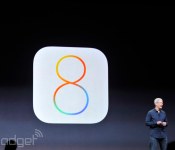

We all knew it was coming, and now it’s here. Apple CEO Tim Cook just put months of breathless speculation to rest by pulling back the curtain on iOS 8 during the company’s WWDC 2014 keynote address in San Francisco. It doesn’t look like the sort of quantum leap that iOS 7 was, but Apple’s head honcho assures us that it interacts in some fantastic ways with the new version of OS X and that it pairs great end user features with great developer features. Well, we’ll be the judges of that. The big keynote is still underway, but here’s what we know so far.
Interactive Notifications

We’ve all been there — you get a message while you’re doing something else, and you just can’t be bothered to switch apps. With iOS 8, you can pull down from that notification shade and respond from right there. It’s not limited to messages, either — you’ll be able to like/comment on Facebook messages or handle your calendar events.
Improved Mail

Apple has introduced Mailbox-style actions to its stock Mail application, too. You can easily tag or dismiss certain missives without even having to open them up, and all it takes is a quick swipe on the contents of your inbox.
Spotlight
The company made a big to-do about how much better Spotlight is in OS X Yosemite, so it’s only natural the iOS version gets an upgrade as well. Among other things, it’ll let you search for apps you haven’t even installed yet, songs in the iTunes store, movie times and locations and more. Media isn’t the only focus here, though. It’ll also show directions to locations you type in to even news.
QuickType

At long last, iOS is getting an improved on-screen keyboard. In short, we’re looking at an improved recognition service that can more accurately predict what it is you’re trying to say. Hopefully this means an end to all the “ducking” typos going on out there.
iMessage takes on Whatsapp

Facebook just bought Whatsapp for an obscene amount of money, but that hasn’t stopped the folks in Cupertino from replicating some of the app’s most-used features. Among other things, you can send audio and video messages from within the app — in the old days, you’d have to pop out into the camera or Voice Memos to create your content and then send it over. Even better: you can respond to one of those audio messages right from the lock screen if you just raise your iPhone to your face.
Continuity
We’ve touched on this elsewhere, but the newly announced Continuity between iOS and OS X is a very, very welcome shift for Apple. You’ll be able to pick up and initiate phone from within OS X, even when your iPhone is across the house. Is someone calling you? You’ll get a caller ID notification, and a quick touch lets you use your Mac as a speakerphone. And if one of your non-Apple pals shoots you a plain ol’ text message, your iPhone will relay it to all your other iDevices.
HealthKit and the Health app

Think of HealthKit as a one-stop shop for all the health data that gets collected from all the tracking apps on your phone. Apple’s teaming up with a few key partners to use that data — Nike can provide access to your fitness and activity data, and the Mayo Clinic hopes to get actual, real-time health information from patients through HealthKit. And for you, the end user? You’ll be able to keep tabs on the measurements that matter most to you by way of a (startlingly pretty) new Health app.
Family Sharing
Apple is being embraced by businesses all over the place, but that’s not the only organization the company is concerned with winning over. With its new Family Sharing push, those even smaller groups (up to 6 people, if you were curious) can share a single calendar and app and content purchases. If you’re a parent and your lil’ whippersnapper has an affinity for buying things from iTunes with your credit, well, never fear. Once connected, those young ones will be told to seek your permission and you’ll get a notification on your phone to that effect.
A Slightly Smarter Siri
Craig Federighi just glossed through a spate of Siri modifications, none of which were as interesting as what we were hoping for. She’s still in solid shape, though: You can invoke her presence in the car by saying “Hey, Siri,” and the virtual assistant can listen to music and identify it (thanks to a little help from Shazam). In case you happen upon something you like, you’ll be able to download that track right from Siri’s results page.
This is a developing story, please refresh for updates (or check our liveblog!)
Filed under: Mobile
 AIVAnet