



Medium’s new iPhone app helps you read (but not write) long articles

We can’t say we know all that many people who routinely digest articles posted through Medium’s social publishing platform. However, the readership is bound to go up now that the service has released an iPhone app. The mobile client is more of a story curation tool than anything else. It automatically fetches stories from both your Twitter friends and any collections you follow, optimizing the reading interface beyond what you’d normally get in your web browser. You won’t want to plan on writing any diatribes, though, since the iOS app has no editing tools — you’ll have to retreat to a PC when inspiration strikes. If you don’t mind that limitation, Medium’s client is ready and waiting in the App Store.
Filed under: Cellphones, Internet, Mobile
Via: Medium
Source: App Store
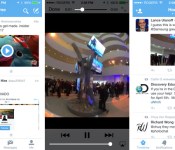
Twitter now shows you video previews inside its mobile apps

Checking out a linked video from within Twitter’s official mobile apps is frequently a clumsy process, but it’s about to get a lot smoother. The social network has started rolling out simple in-line video previews on both its Android and iOS apps. If you’ve received the upgrade, you’ll see thumbnails of clips in your timeline; all you have to do is tap them to watch the footage from within the Twitter app. The move is no doubt meant to drive up views of promoted videos, but we won’t mind if it helps us catch up on cat videos during our daily commutes.
Filed under: Cellphones, Tablets, Internet
Source: New York Times

Twitter testing ways to hide @replies and hashtags

Twitter occassionally tests new ways to streamline its service; some features make the cut, while others are destined never to see a public release. Buzzfeed reports that in its latest experiment, the company has begun changing how it delivers the humble @reply, in some cases hiding usernames from users’ timelines completely. The change, which is currently limited to beta versions of the official app, drops physical mentions in favor of grouped conversations, relying on that little blue/grey line to make engagement more intuitive. Like it did with native retweets, Twitter is looking into whether it can cut manual operators like hashtags and introduce more visual cues, which help new users understand how the service works (and it really needs new users). The latest experiment is likely to confuse existing tweeters, however, so Twitter will have its work cut out if it wants to please everyone.

[Image credit: ari, Flickr]
Filed under: Internet, Software
Via: The Next Web
Source: Buzzfeed

10 years of social media’s biggest players and payouts by the numbers

Facebook launched ten years ago in February 2004. A month later, so did this site. Social media hasn’t, doesn’t and won’t stay still. As Myspace rises, Friendster declines. The pattern’s repeated itself a few times already, and even Google hasn’t quite cracked the magic social network formula, at least not yet. The crown currently belongs to Facebook, a company that’s made some big, big startup purchases on the way, although Twitter continues to pack (arguably) more influence. A whole lot has happened in the last decade, but we’ve tried to squeeze the more interesting parts into something a little more visual. Check out the full ‘graphic, right after the break.


Flyne lets you read offline! (App of the Day)
Flyne is a beautiful Twitter and Feedly reader that allows you to read your feeds offline.
Joaquim Verges, the developer of the popular Twitter app Falcon Pro, has created another very functional, very pretty app. Flyne’s main goal is to provide you with news from Twitter lists and Feedly categories, all brought to you in an easy-to-read mobile-friendly package.
After downloading the app, there are three categories from which to choose content: Popular Feeds, Twitter, and Feedly. Popular Feeds comes free with the app download, but you’ll need to pay $1.99 for the Twitter extension and $.99 for the Feedly extension. It’s definitely worth the extra $3 to get all of your news in one place, especially because this app is so gorgeous.

The reason why it’s our app of the day is because it received a huge update today. Here’s a list of the full changelog for the new version.
- New list based navigation, with big or small article previews (toggle it in the display settings)
- Polished looks for both day and night themesDouble tap to close article
- Zoomable, dowbloadable images
- Mark as read while you scroll
- Feedly two way sync
- New tablet layout
- Faster preloading of articles
- Smoother navigation
- New transition animation
- Many bug fixes
The post Flyne lets you read offline! (App of the Day) appeared first on AndroidGuys.

Twitter CEO plans ‘personal trip’ to China, will include meeting government officials

Twitter’s Dick Costolo will make his first trip to China, traveling to Shanghai to talk with government officials and academics. The social network has rejected the idea that it would open an office anytime soon in China, as it would tie the company to Chinese law. A Twitter spokesman said: “Dick is visiting China because he wants to learn more about Chinese culture and the country’s thriving technology sector.” According to Reuters, Costolo will meet Shanghai officials including representatives of the Shanghai free trade zone, established in 2013 to test further market liberalization in China. Officials have previously denied reports that internet censorship and social network access would also be loosened within the trade zone.
At the moment, Twitter is banned in China, blocked by censors since 2009, although there’s still a small user-base that uses VPNs and other methods to access the network – tweets in Chinese are estimated to account for only 0.05 percent of all tweets. It could be a response to the competition: in the same week, China’s biggest Twitter-like social network, Sina Weibo (with 129.1 million monthly users), announced plans to sell shares on the US stock market.
Filed under: Internet

Feedback Loop: Earliest internet memories, first tweets and more!
Welcome to Feedback Loop, a weekly roundup of the most interesting discussions happening within the Engadget community. There’s so much technology to talk about and so little time to enjoy it, but you have a lot of great ideas and opinions that need to be shared! Join us every Saturday as we highlight some of the most interesting discussions that happened during the past week.

This week, we celebrated the 25th anniversary of the world wide web, shared our first tweets, discussed the fashion appeal of wearables and started a March Madness tournament bracket. Head on past the break and join the conversation.
Share your first experience with the world wide web
This week, the world wide web turned 25-years-old! It seems like only yesterday that we put up with the high-pitched squeal of a modem and the ridiculously slow speeds of a 9600-baud connection. Do you remember the first time you tasted internet access? Head over to the forums and share your first experience using the Internet.
What was your first tweet?
Engadget Associate Editor Nicole Lee shared a story about her first years on Twitter. Instead of sharing links and breaking news, people simply posted the more mundane details of their lives. It was a much different place. Kris was inspired to start a discussion in the forums about her own first tweets on Twitter. Check out some of our first (and sometimes embarrassing) posts. And then share yours.
Wearables: Geeky toys or fashion statement?
Wearable technology is all the rage right now, but how well does it mesh with our personal style? Engadget reader sirijo asks some interesting questions about the pricing, usefulness and fashion appeal related to wearables. Tell him what you think.
Join Engadget’s NCAA Tournament Bracket
March Madness is almost here! Are you a college hoops fan? Billy Steele put together an Engadget NCAA Tournament bracket pool. If you fancy yourself a baller, head over to the forums after Selection Sunday and make your picks. Good luck!
That’s all this week! Do you want to talk about your favorite gadget or have a burning question about technology? Register for an Engadget account today, visit the Engadget forums and start a new discussion!

Daily Roundup: SXSW wrap-up, touring the Sony Archives in Tokyo and more!

You might say the day is never really done in consumer technology news. Your workday, however, hopefully draws to a close at some point. This is the Daily Roundup on Engadget, a quick peek back at the top headlines for the past 24 hours — all handpicked by the editors here at the site. Click on through the break, and enjoy.

Touring the Sony Archives in Tokyo
From robot dogs, to Walkman Cassette players, to, yes, a golden guinea pig, Sony’s Archive building outlines 60 years of the company’s history. Read on as Engadget’s Matt Smith travels to Tokyo and visits some of Sony’s most fundamental products during a tour of the facility.

Life in 140 characters or less: My first eight years on Twitter
Back in 2006, Engadget’s Nicole Lee wasn’t sure “tweeting” would ever catch on. The social network’s early days were simple, full of seemingly boring conversations and awkward third-person updates. Much to her surprise, the charm of Twitter prevailed in the test of time.

Samsung Galaxy Tab Pro 8.4 review
Samsung’s new Galaxy Tab Pro 8.4 stands just a little taller that its predecessor, the Galaxy Tab 3, packing a full HD display. And while the Tab Pro 8.4 does have a sleek, premium feel, its seven hour battery life leaves us wanting. But if you’re not worried about power, this $400 tablet is a worthy alternative to the iPad mini.

SXSW 2014 wrap-up: Snoop Dogg, stun copter, Snowden, Mario Kart and more!
SXSW 2014 was full of awesome gear like IBM’s Watson-powered food truck and Chaotic Moon’s stun copter, but today we’re saying farewell. It’s not too late to catch up on the action, though. Check out some of our favorite highlight photos from the event right here.
You also might like:
Filed under: Misc

Life in 140 characters or less: My first eight years on Twitter

“I am sick of cell phones.”
I posted that on Twitter on November 16th, 2006, during a time in my life when I made a living writing phone reviews. It was a one-off rant during a particularly busy week, and I didn’t expect anyone to read it. Little did I know that Twitter would grow into the social media titan that it is today, and that particular missive would live on as my first-ever “tweet.” I confess, I didn’t particularly like the term “tweet,” even if it was unofficially adopted by the community early on. Even Twitter itself didn’t acknowledge the word until the company trademarked it in 2009.
Twitter officially debuted on March 21, 2006, when Jack Dorsey published the first-ever tweet. It simply stated: “just setting up my twttr.” When it first came about, nobody really knew what it was. Even Ev Williams, one of Twitter’s co-founders, said in an interview with Inc. that few people were clear about Twitter’s purpose. “They called it a social network; they called it microblogging, but it was hard to define, because it didn’t replace anything.” Twitter left it up to its users to decide. And so we did.
I am sick of cell phones.
– Nicole Lee (@nicole) November 17, 2006
The early days of Twitter were like blogging in the heyday of Blogger and LiveJournal. When I joined in 2006, the community just enjoyed talking to each other about their lives. Instead of the rather neutral “Compose new tweet” instruction in the empty update field, Twitter prompted users with a question to help get them started: “What are you doing?” And so we would answer that question. “Eating a grilled cheese sandwich,” we would say. Or, “Going to the park.” Or maybe, “Heading into the office.” It seems horribly boring now, but we were mostly talking amongst friends. We could be as rude or as obscene or as bland as we wanted because it was just us chatting.
Part of Twitter’s charm is its constraint. It sounds quaint now, but the 140-character limit comes from the character limit of SMS — the SMS limit is really 160, but 20 characters were reserved for usernames. Before iPhone and Android apps, people would text updates to 40404 (which, incidentally, is still in use today). I remember using a T-Mobile Sidekick II to send and receive those tweets, and feeling like I could type them up faster than anybody because of that roomy QWERTY keyboard. A few of my friends used Palm Treos and BlackBerrys, but the majority managed to whip up tweets with just a regular number keypad, a feat I thought was rather impressive. And because those tweets counted against our monthly text-message limits, we were careful not to send too many. While this might sound like a limitation, I thought of it as a challenge: How do I convey my thoughts in a short enough missive without resorting to shorthand like using “2″ instead of “to,” or “4″ instead of “for”?
We could be as rude or as obscene or as bland as we wanted, because it was just us chatting.
In March 2007, Twitter exploded at SXSW Interactive. Not only did it spread by word of mouth, but the company was also smart enough to set up television screens in the convention center to display the latest tweets. Many SXSW attendees were early adopters of the web, and found immediate benefit to Twitter’s short-form public messaging. It was the perfect venue to find information about panels, meetings, dinners and, of course, parties. Its popularity soon spread to the web at large; there were around 400,000 tweets per quarter in 2007. In 2008, that number grew to nearly 27 million.
There were complaints, even then, about the influx of new people ruining the experience. But the great thing about Twitter is that you curate your own timeline — you only see tweets from people you follow. So you could live in your own little Twitter universe, and it would be fine. Indeed, the beauty of a small social network like that is that you can create a community of like-minded people. As Twitter grew, I soon found myself forging new friendships based on a similar sense of humor and set of interests. It was like belonging to a special club where people actively tried to out-funny one another. There was even a site called Favrd that actively sought to aggregate the most popular starred tweets on any given day. It encouraged me to be funnier and wittier in my public updates, even if I failed more often than I succeeded.
But somewhere along the way, Twitter became a media darling. Companies used Twitter to market their products. Media outlets used Twitter to post links to articles. Even Twitter itself evolved from a social network to an information network. News broke on Twitter faster than anywhere else; people learned about earthquakes and natural disasters before they showed up on television. In November 2009, Twitter changed the “What are you doing?” question to “What’s happening?” — a clear indication a shift was taking place.
My small, little, insulated Twitterverse was no longer so small and insulated. It began to feel a tiny bit crowded.
It became a powerful tool in social movements such as the 2009 Iranian election protests and the 2011 Egyptian revolution. Twitter adopted tools like hashtags, Trending Topics and retweets to help spread information and in turn gain more followers. Celebrities and politicians started to sign up, which in turn resulted in several thousands of fans getting on board. My small, little, insulated Twitterverse was no longer so small and insulated. It began to feel a tiny bit crowded.
Twitter as a company changed a lot, too. From a small startup in San Francisco’s South Park neighborhood, the company moved ever upward to larger and larger offices, eventually landing at its current location in Mid-Market, where it rents out four of the building’s 10 floors. From just a handful of employees in 2006, the company now employs nearly 2,000 people. At the end of 2013, seven years after its inception, Twitter filed for an IPO, and ended up with a valuation of $31 billion after its first day of trading.
Such astounding success and publicity made me all too aware that the things I said on Twitter were no longer just for my friends and me. For a period of time, I resented this immensely. I didn’t want Twitter to be used for marketing and advertising. I wanted it to remain the way it was, as a place for us to hang out. Eventually, however, I grew to accept the change. I kept my small, curated list of friends, but slowly began following news outlets and information sources as they became increasingly valuable to my line of work. Soon, I began to see Twitter as both a useful tool for news and a place for me to tell horribly unfunny jokes. I could have the best of both worlds.
Still, even if the rest of the world can’t see Twitter’s value, I absolutely do — at least as an open mic night that never closes.
For Twitter, however, the story is far from over. As wonderfully successful as Twitter has been, it still faces a number of hurdles. Even with around 240 million users sending nearly 500 million tweets daily, the company has yet to turn a profit after all these years. In fact, its first earnings report after its IPO showed that user growth is actually slowing. Some say that unlike Facebook, Twitter doesn’t have the same reach or name recognition. There’s also speculation that Twitter’s quick rise to prominence is a warning sign of the next dot-com bubble, and is just as overvalued as other newly public companies, like Facebook and LinkedIn. Still, even if the rest of the world can’t see Twitter’s value, I absolutely do — at least as an open mic night that never closes.
To celebrate our 10th anniversary, we’ll bring you a new story every week in March that explores how the social media landscape has changed. Check out our hub every Wednesday for more from of our 10 Years in Social Media series, and keep your eyes out for more ’10 Years In’ content in the months to come.
Image Credit: Getty
Filed under: Internet
Source: Wikipedia (Twitter)
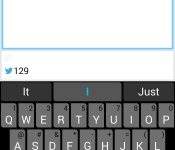
Share content on multiple social networks at once with Polarbear Beta [App of the Day]
If you’re like most people who use social networking, odds are you would like to post to multiple sites and accounts at once. The process of copy and pasting your text and posting it on different sites can get monotonous very quickly. Polarbear Beta for Android is here to help with that problem.
This app is very simple. Connect your accounts, type out what you’d like to post, and select which social networks you’d like to post to. The complete list of supported services are: Twitter, Facebook profiles, Google+ profiles, LinkedIn profiles, Facebook pages, Tumblr, Blogger, and App.net. The best thing about it is the new UI update that was just released today, making the app is now more functional than ever before.

Other rival apps (specifically Buffer) are nice, but they don’t allow posting to Google+ profiles, which we would like to see eventually.
Not so fast! This app is special. Since the app is still in beta, there is no direct Play Store link. Here are the instructions on how to get it on your phone:
- Click here to become a tester through your Google+ profile +https://play.google.com/apps/testing/air.com.polarbearbeta.android
- Click the download link at the bottom to install the app from the Play Store
- Install it from Google Play
If you don’t want to take these steps, you could download the apk directly from the Google+ page. If you’d like more information on Polarbear, visit the Google+ page, here.
The post Share content on multiple social networks at once with Polarbear Beta [App of the Day] appeared first on AndroidGuys.
 AIVAnet