


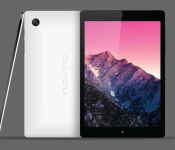
HTC is developing 2 other tablets next to the Nexus 9/Flounder/Volantis, rumor says

We’ve seen many leaks when it comes to Nexus 8/9/Flounder/Volantis tablet… it’s been called so many names we quite frankly don’t know which one to use and apparently neither does @evleaks from whom today’s leak comes from.
The known leaker posted yet another HTC Nexus 9 rumor:
“Besides the T1 Volantis/Flounder/Nexus 9, HTC is developing two other tablets: the T7 and T12″
He seems rather convinced HTC is working on the upcoming Nexus tablet and you can see its alleged specs here. Well, the Taiwanese manufacturer is allegedly working on additional tablet hardware next to the Nexus tablet. Codenames the leaker mentions are T7 and T12. Unfortunately we don’t get any additional information at this time, but this sure does sound interesting considering HTC has been out of the tablet business for a while now.
Do you think there’s any truth to this? Note that @evleaks is usually spot on when it comes to leaks. Would you be interested in a non-Nexus tablet made by HTC?
Source: @evleaks
The post HTC is developing 2 other tablets next to the Nexus 9/Flounder/Volantis, rumor says appeared first on AndroidGuys.

Hello there: NVIDIA SHIELD Tablet and SHIELD Controller get a thorough leak, prices and All
 Looks like that render from yesterday was the real deal. Just a day after seeing a a possible render of NVIDIA‘s latest gaming hardware (and info about a possible controller), today we get a very detailed leak regarding what is expected to be called the NVIDIA SHIELD Tablet and SHIELD Controller.
 Like the render we saw yesterday, the SHIELD Tablet looks a lot like the the Tegra Note 7 except that the SHIELD Tablet will instead be slightly larger at a Full HD 8-inches. Also different is the fact that the SHIELD Tablet will carry NVIDIA’s lauded Tegra K1 processor, which, with its 192 CUDA cores, can output some very un-mobile graphics. Rounding out the hardware of the SHIELD Tablet are 2GB RAM, 5MP cameras on the front and back, and come in 16GB Wi-Fi only or 32GB Wi-Fi + LTE models. The price for these variants will run you $299 and $399, which compared to other high powered tablets seem like pretty good prices.
 Like we suspected yesterday, the SHIELD Controller is going to be a bespoke wireless controller for the SHIELD Tablet. Instead of the standard Bluetooth connectivity, the SHIELD Controller will instead use Wi-Fi to connect to the Tablet, which will reduce any noticeable lag, however means it will only be usable with NVIDIA products. Interestingly, the controller itself also has a headphone jack and microphone which suggests it might be best used in a lounge room setting (Chromecast mirroring, anyone?) and looks similarly designed to the original SHIELD handheld. Most impressively, the SHIELD Controller is allegedly going to cost just $59, which makes a bundle of the high performing SHIELD Tablet paired with the SHIELD Controller a very affordable prospect.
What do you think about the NVIDIA SHIELD Tablet and SHIELD Controller? Are you enticed? Let us know your opinion in the comments below.
Source: VideoCardz via Droid-life


//<![CDATA[
ord = window.ord || Math.floor(Math.random()*1E16);
document.write('’);
//]]>
The post Hello there: NVIDIA SHIELD Tablet and SHIELD Controller get a thorough leak, prices and All appeared first on AndroidSPIN.

You can buy your next Dell laptop with Bitcoin

If you fancy nabbing new tech by leveraging your Bitcoin wallet, another online retailer has just joined the fray. CEO Michael Dell alerted the masses via Twitter that his company would begin accepting the digital currency, claiming that the outfit is “world’s largest ecommerce business” to do so. The device maker is partnering with Coinbase to power its transactions, and those looking to snag a new Alienware rig will earn a discount when forking over Bitcoin for payment.
[Photo credit: David Paul Morris/Bloomberg via Getty Images]
Dell is now the world’s largest ecommerce business to accept #bitcoin http://t.co/xC41rKTYXi http://t.co/0YqPK7MfVG
– Michael Dell (@MichaelDell) July 18, 2014
Filed under: Desktops, Displays, Laptops, Tablets, Internet, Dell
Source: @MichaelDell (Twitter), Dell
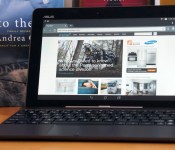
ASUS Transformer Pad TF103C review: a speedy budget tablet with a few sacrifices

When it comes to ASUS, buying a full-size Android tablet has usually meant venturing past the $300 mark; even the Transformer Book T100 set you back $349 when it first came out, and that was considered a steal. That’s no longer a problem in 2014. ASUS’ new Transformer Pad TF103C costs $299 with the company’s signature keyboard dock included, or as much as some smaller mid-range slates. While that’s potentially a hefty bargain, it begs a few questions: Just what are you giving up to get that price? And is it worth the trade-off when you could likely snag a smaller, but more powerful tablet for less? As I’ve learned, you’re making quite a few sacrifices in the name of a better deal. This is still quality hardware, but you have to know what you’re in for.
Hardware
Don’t expect a revolution on the outside. Aside from the smooth matte finish on the non-removable back and some cosmetic tweaks to the speaker grilles, the TF103C will seem awfully familiar if you’ve used a Transformer-series tablet like the T100. Not that I’m grousing much about it. That still makes for a comfortable grip, and the tablet alone is light for its size at 1.2 pounds — not as svelte as the 1.07-pound Galaxy Tab 4 10.1, but on par with LG’s similarly sized G Pad. About the only step backward is the overly smudge-prone casing on the black model. You’ll want to track down the white variant if you insist on keeping the case looking pristine.
Of course, that also means the same drawbacks have returned. The tablet’s 16:10 aspect ratio is fine for landscape viewing — arguably where you’ll spend most of your time — but not so hot for reading books in portrait mode. Moreover, the combination of dock and tablet is relatively thick (0.78 inch) and heavy (2.43 pounds) considering the energy-efficient technology you’re getting. I’m not expecting something wafer-thin, but it would be nice if the TF103C were easier to tote around than far more powerful devices like the 11-inch MacBook Air or Surface Pro 3, you know?

A closer inspection reveals a few of the more conspicuous reasons why this Transformer Pad is so cheap. You’ll once more find a microSD storage slot, a micro-USB port and the volume rocker within easy reach on the left side. However, ASUS has yanked the micro-HDMI video output seen on other tablets — you’ll have to make do with streaming technology like Miracast if you want to put movies on your TV. You will find a 2-megapixel rear camera where there was no such cam at all on the T100, but the front camera is a basic 0.3-megapixel unit that rules out any HD video chats. There’s also a single USB 2.0 port on the dock instead of the T100′s USB 3.0, although that isn’t a big deal when Android doesn’t make much use of the faster connection standard.
You won’t find a lot of future-proofing inside, either. The starter Transformer ships with ordinary 802.11n WiFi and Bluetooth 4.0 for wireless, and my test unit carries a modest 16GB of built-in storage. There’s an 8GB version, too, but you’re not likely to find it in the US. That’s just as well, since you’d run out of space very quickly with that model; even my device had just 10.3GB free before I started piling on the apps. You will find built-in GPS and GLONASS positioning, though, so you won’t need to splurge on a cellular-ready tablet just to navigate through an unfamiliar city.
Keyboard dock

As always, the keyboard dock is why you’re looking at a Transformer tablet in the first place. That’s especially true for the TF103C, which has very little keyboard-equipped competition in its price range. Thankfully, ASUS hasn’t skimped on the quality just to get that $299 sticker. This is the T100′s dock rejiggered for Android, and that’s mostly a good thing. Although the keys are too small for me to type at a breakneck pace, the keyboard as a whole is supremely helpful for drafting long emails and controlling basic settings like brightness. The touchpad, meanwhile, is a slight refinement over the T100; it has the same tiny surface and hidden buttons, but none of the jumpiness. Android admittedly doesn’t make nearly as much use of mouse input as Windows does, but the pad is convenient for quickly selecting text or other moments when you don’t want to lift your hands.
Having said that, all the quirks from recent ASUS docks remain intact. The buttons are a bit noisy, and some of them (especially the arrows and function key) are too tiny to find by feel alone. It also took some time to get used to the inherently top-heavy nature of the docked combo. Mind you, that’s partly due to what’s missing in the dock this time around — a secondary battery. While you won’t find one in the higher-end TF303CL or many other dockable tablets, the absence is disappointing given that earlier Transformers often made use of a spare cell.
Display and sound

If the dock is why the TF103C’s price is so alluring, the screen is a big reason why the tablet costs so little in the first place. A 10.1-inch, 1,280 x 800 display is no great shakes in an era when 1080p or higher is quite common, even on small hardware like the G Pad 8.3 or Nexus 7. The low pixel density (149 ppi, to be exact) isn’t terrible, but it was noticeable whenever I was reading or playing a visually intensive game. At least the overall picture quality holds up. The IPS-based LCD produces rich colors, shines brightly at 400 nits and only loses a moderate amount of that brightness when viewed from sharp angles. If all you’re looking for is a reasonably true-to-life image, you’ll be happy with what this Transformer has to offer.
Audio is another story. The two rear-firing speakers are barely loud enough for a quiet environment, even if you cup your hands around the speakers to direct the sound forward. Bass is equally weak — playing dance music will leave you without the satisfying punch you get on the G Pad 8.3 or recent iPads. While the output is clear, I just couldn’t get engrossed in movie dialogue or music without plugging in some headphones. Should you want a mobile media center, you’re better off giving up the TF103C’s screen real estate to get something with a fuller sound and a sharper picture.
Software

If you’ve tried the Padfone X or other ASUS devices circa 2014, you’ll have a good sense of what to expect from the Transformer Pad’s ZenUI interface — minus the phone part, of course. The company has given Android 4.4.2 KitKat just enough of a makeover to make it distinctive, with trendy “flat” (read: textureless) icons and bright colors. It’s otherwise a very hands-off approach, though. While you’ll see useful upgrades like quick access to settings and more polished media galleries, aspects like multitasking have largely gone untouched. I won’t deny missing out on some advanced features that require more customization, like Samsung’s multi-window support. Nonetheless, there’s a certain refreshing simplicity to ZenUI. It’s easy to find your way around, and it’s blissfully free of unnecessary effects and transitions that might slow you down.
ASUS doesn’t go overboard with preloaded apps, for that matter. Most of what you’ll see are lightweight utilities that fill in a few gaps in Android’s stock interface, like Splendid (display calibration) and Do It Later (to-do lists). Some are deeper, if not always useful. I most appreciated SuperNote, which lets you jot down a mix of typed and drawn notes; Story, on the other hand, is the classic diary app that you try once and quickly forget. I found the third-party software more practical. You’ll have Flipboard, Kindle and Zinio apps for reading, while eMusic gives you another means of downloading tunes beyond Google Play.
Performance and battery life
| ASUS Transformer Pad TF103C | ASUS Padfone X | Samsung Galaxy Tab S ** | Apple iPad Air *** | |
|---|---|---|---|---|
| Quadrant 2.0 | 18,921 | 22,032 | 18,591 | N/A |
| Vellamo 2.0 | 1,873 | 2,308 | 1,672 | N/A |
| SunSpider 1.0.2 (ms)* | 611 | 906 | 1,109 | 393 |
| 3DMark IS Unlimited | 14,171 | 19,523 | 12,431 | 15,328 |
| GFXBench 3.0 Manhattan Offscreen (fps) | 8.2 | 12 | 5.5 | 12.7 |
| CF-Bench | 22,586 | 32,937 | 31,695 | N/A |
|
*SunSpider: Lower scores are better. **Average scores for the 8.4- and 10.5-inch models. ***Not all of our Android benchmarks are cross-compatible with iOS. |
||||
Intel-based Android tablets like the TF103C are nothing new, even if they’re still rare. However, the quad-core, 1.33GHz Atom Z3745 processor found here is very much up to the job of powering Google’s mobile platform. If anything, this budget hardware regularly punches above its weight class. It’s typically speedier in benchmarks than an Exynos 5 Octa-based tablet like the Galaxy Tab S, and it’s not all that far off from Snapdragon 800 devices like ASUS’ own Padfone X.
That’s borne out by the real-world performance. I’ve already touched on the zippy interface, but the Transformer Pad doesn’t act like an econo-slab when running apps, either. Web pages pop up quickly, and even a graphics-heavy 3D game like Real Racing 3 runs smoothly regardless of what’s on the screen. To some extent, the lower-resolution display helps keep things quick; there aren’t as many pixels to push around, after all. Even so, it’s apparent that this Transformer Pad has more muscle than you’d expect, and our offscreen graphics test (GFXBench) shows that it wouldn’t be a slouch with a 1080p display.

Just don’t plan on juggling many apps at the same time. While the TF103C’s 1GB of RAM was generally adequate, there were a couple of moments when it balked; even after purging the device’s memory, I couldn’t run one benchmark until I’d rebooted. I wouldn’t say that’s a dealbreaker for Android gear this cheap, but it does make me worry about software performance in the long run, when operating system upgrades and next-generation 3D games put some extra strain on the memory. If I were running the show, I would have kept the T100′s 2GB of RAM just to guarantee a hiccup-free experience.
Keeping the 11-hour battery life would have been nice, too. The Transformer Pad’s 19-watt-hour lithium cell is officially rated for a less ambitious 9.5 hours when playing non-stop 720p video, and that’s assuming you both keep the screen relatively dim (100 nits) and avoid social networks. In Engadget-grade stress testing, which upped the brightness to the halfway mark (200 nits) and allowed for updates from Facebook and Twitter, the tablet conked out after eight hours and 26 minutes. That’s not terrible by any stretch, but it’s a far cry from the 10-plus hours of the T100, the Galaxy Tab S and most iPads.
| Tablet | Battery Life |
|---|---|
| ASUS Transformer Pad TF103C | 8:26 |
| Microsoft Surface 2 | 14:22 |
| iPad Air | 13:45 (LTE) |
| Apple iPad mini | 12:43 (WiFi) |
| Samsung Galaxy Tab S (10-inch) | 12:30 |
| Samsung Galaxy Tab S (8-inch) | 12:22 |
| Apple iPad mini with Retina display | 11:55 (LTE) |
| Apple iPad (late 2012) | 11:08 (WiFi) |
| ASUS Transformer Book T100 | 10:40 |
| Apple iPad 2 | 10:26 |
| Samsung Galaxy Note Pro 12.2 | 10:04 |
| Apple iPad (2012) | 9:52 (HSPA) / 9:37 (LTE) |
| Acer Iconia W4 | 9:50 |
| Nexus 7 (2012) | 9:49 |
| Microsoft Surface RT | 9:36 |
| Toshiba Encore | 8:45 |
| Sony Xperia Tablet Z | 8:40 |
| Sony Xperia Z2 Tablet | 7:57 |
| Nexus 10 | 7:26 |
| Dell Venue 8 Pro | 7:19 |
| Samsung Galaxy Note 8.0 | 7:18 |
| Nexus 7 (2013) | 7:15 |
| Samsung Galaxy Tab Pro 8.4 | 7:13 |
| Samsung Galaxy Tab 3 10.1 | 6:55 |
Most people don’t watch that much video, though, and the good news is that you won’t have trouble getting through a full day of less demanding uses that include web browsing, social networking and small bursts of gaming. If you need to go further, there’s also a special energy mode that will drop the internet connection when you leave the device idle. No, that’s not really practical in most circumstances, but it might save your hide if you need to check your email after a long trip.
Camera

You might have gathered that the TF103C wouldn’t be a photography champ from the specs… and you’d be right. The 2-megapixel rear camera isn’t the worst I’ve seen on a device — that dubious honor belongs to the ZTE Open — but it produces drab-looking photos and videos even in good lighting. Low detail, blown-out highlights and lots of noise are commonplace. In darker conditions, the results are downright ugly. Meanwhile, the front 0.3-megapixel camera is only properly useful for video conversations. It’s slightly ironic that the shooting interface includes a full range of filters and settings (including ISO and white balance), since you’re rarely, if ever, going to get a masterpiece. Really, the cameras are more utilitarian than anything. They’re here to make sure you can capture a whiteboard or say hello on Skype, and not much else.
The competition

It’s tempting to argue that there isn’t any real competition for the TF103C, at least not in the most literal sense. How many budget 10-inch Android tablets come with their own keyboard docks? There is one obvious parallel, however: Archos’ 101 XS 2. Mind you, it’s not much of a contest. The XS 2 does ship with a healthier 2GB of RAM, but its quad-core, 1.6GHz Rockchip processor isn’t even in the same ballpark as the Atom in the Transformer Pad. It’s also not as elegant, since you can’t just fold things shut when you’re done; you have to detach the keyboard cover every time you’re ready to pack up. Archos’ hardware does have front speakers and mini-HDMI, but you’re making way too many compromises just to get those features.
But what if you don’t need a keyboard? That’s where it gets complicated, and where ASUS has some reasons to be nervous. As mentioned earlier, Android fans have a lot of options around $300, and what you get depends on how much you crave a 10-inch display. Samsung’s Galaxy Tab 4 10.1 doesn’t fare well here. For $50 more, you’re both ditching the keyboard and taking a performance hit; you’d have to be a huge fan of multi-window support or better cameras to splurge. LG’s G Pad 10.1 delivers more value at $250, but it’s still underpowered. And it may be smarter to forego some screen area if raw power is what you’re after. LG’s G Pad 8.3 now sells for the same $299 with a much nicer 1,920 x 1,200 LCD, a fairly nimble Snapdragon 600 processor and superior cameras. As I write this, you can also shell out $40 more for Amazon’s 8.9-inch Kindle Fire HDX to get many of the G Pad’s features in a bigger body, provided that you’re okay with missing out on Google’s app ecosystem.
I’d be remiss if I didn’t touch on a couple of Windows alternatives, in case you aren’t wedded to Android. HP’s Omni 10 officially sells for $400, but it’s easy to buy for much less — you can pick one up for as little as $250 from Amazon. You’ll lose the keyboard, but you’ll get an extra-sharp screen along with heaps of additional storage and memory. ASUS loyalists, in turn, will want to consider the Transformer Book T100. It costs a reasonable $350 if you play your cards right, although you may end up buying through smaller stores (such as Newegg’s affiliates) to score that kind of discount.
Wrap-up

Spend enough time with the TF103C and it’s patently obvious why it only costs $299. ASUS has whittled the dockable tablet down to the essentials, with just about every luxury tossed aside; you won’t find a breathtaking display, good cameras, long battery life or video output. What’s left, though, continues to be tempting. This is a brawny tablet for the money, whether or not you use the netbook-like functionality all that frequently. If you do, it might even be an ideal laptop substitute. The Transformer Pad is more expensive than the cheapest Chromebooks, but it’s slightly faster and carries an abundance of native apps.
You do have to ask whether you need the keyboard at all, though, and that’s the real dilemma — many people don’t. If you’re no fan of the Transformer concept, the TF103C won’t change your mind. The savings from passing on the keyboard can be rolled into a tablet that may not be as good at productivity, but could easily be superior for books, games and movies. Give the Transformer Pad a close look if you’re at least mildly curious about the dock; just be sure to keep its competition in mind before you take the plunge.

NVIDIA Shield tablet image leaks

Earlier this month we’ve seen leaked specifications of NVIDIA’s Shield tablet. Those specs were nothing to scoff at, Tegra K1 chip, a 7.9″ 2048×1536 display and 2GB of RAM all sound really good. Now we have another leak for you.
Known leaker @evleaks shared an alleged image of the tablet along with the title: “NVIDIA Shield Tablet, 2014″. This tablet is expected to provide great audio (everyone knows what BoodSound is by now), great build and performance. These are all points in which HTC is good at, great even. There is no more information on the tablet except the rumor which says it will feature a 192-core GPU. All in all this device should be a real gaming beast and other than the specs we expect all kinds of gaming-centered features along with it.
No word on the release date at this point, but we should get more information soon. When that happens you’ll be the first to know.
Source: @evleaks
The post NVIDIA Shield tablet image leaks appeared first on AndroidGuys.

NVIDIA’s Shield tablet leaks with Tegra Note styling

We’ve been hearing rumblings about NVIDIA’s slate-style Shield successor, and now we have a face to go with the info. Thanks to noted leaker @evleaks, we’re given a glimpse of the gaming tablet’s front side. From the looks of it, speakers line the top and bottom (or left and right in landscape) of the display with what appears to be a front-facing camera as well. All told, the gunmetal gray color scheme drapes a design that resembles last year’s Tegra Note. As far as internals go, previous rumblings point to 7.9-inch screen with 2GB of RAM and a quad-core Tegra K1 CPU, complete with Unreal Engine 4 abilities. What remains to be see is if that controller we got a peek at a while back is an accessory to wrangle traditional controls or if the new NVIDIA slate will also double as a home console for PC title streaming. We shouldn’t’ have to wait long for a proper introduction though, as the company has already hinted that the official reveal will happen before the end of 2014.
Filed under: Gaming, Tablets, NVIDIA
Source: @evleaks

Google’s Play Store is getting a big, visually intensive makeover

Many would argue that the Google Play Store for Android is useful in its current form, but pretty? Not so much. However, there are now signs that it’s going to be much better-looking — if not necessarily more functional. Android Police has obtained a wealth of screenshots hinting at a big Play Store revamp that borrows more than a few pages from the company’s new Material Design handbook. Extra-large artwork is everywhere, and there are now a slew of icons that make it clear what you’ll be getting, such as mature content. The layout isn’t perfect; there’s a lot of scrolling, for example, and some of the sharing features appear to be buried at the bottom. With that said, the new storefront is billed as a work in progress with no definite release date. It wouldn’t be out of the question to see a few tweaks before the store reaches your mobile device of choice.
Filed under: Cellphones, Tablets, Mobile, Google
Source: Android Police

[DEALS & STEALS] Samsung Galaxy Tab Pro 12.2 32GB (Wi-Fi) available for just $369.99 at eBay

Samsung Galaxy TabPRO 12.2 was announced half a year ago and it is still top of the line device. This device had a rather low selling price to begin with so every chance the deal comes our way we do our best to let you know about it. We already did that about a month ago and here it is again on eBay.
This tablet is now available for $369.99 which is 47% off its price ($699.00). As far as specifications go we’re talking about a whopping 2560×1600 12.2″ display, Exynos 5 Octa, octa-core chip, 3GB of RAM and 8MP rear facing camera while there’s a 2MP shooter on the front.
This tablet is shipping all around and the shipping is free for U.S. residents. If you’re interested just follow the link below and get one of these, this is a great offer if you’re in a market for a high-end tablet.
Source: eBay
The post [DEALS & STEALS] Samsung Galaxy Tab Pro 12.2 32GB (Wi-Fi) available for just $369.99 at eBay appeared first on AndroidGuys.

Weekends with Engadget: DARPA’s mad science projects, Google’s 3D-mapping tablet and more!

This week, we dove into the history of DARPA, explored the hand-drawn world of Cuphead, took an in-depth look at Google’s 3D-mapping tablet and interviewed two people who managed to cut ties with technology. Read on for Engadget’s news highlights from the last seven days. Oh, and be sure to subscribe to our Flipboard magazine!

What you need to know about DARPA, the Pentagon’s mad science division
You probably know DARPA for its fleet of super-powered machines, but this agency’s reach extends far beyond military robotics. Read on as Mariella Moon breaks down everything you need to know about one of the Department of Defense’s most interesting operations.

Two years to Tango: the race to finish Google’s 3D-mapping tablet
Two years. That’s exactly how much time Google’s ATAP division was given to develop Tango, a first-of-its-kind 3D-mapping tablet. Read on as Brad Molen digs into the project’s ambitious start and race toward the finish line.

Cuphead: Bringing 1930s style to 21st century games
Cuphead, you say? At first glance, this upcoming, hand-drawn 2D shooter might appear to be a long-lost game from the 1930s, but it’s only meant to look that way.

How to Disappear (almost) Completely: living off the grid
Ditching social media is hard enough, but how about technology itself? In the final installment of How to Disappear, Dan Cooper interviews two people who cut their ties with the modern world and took up meager existences off the grid.

The world’s first video game arcade machine is a glittery fiberglass wonder
They may look like Teletubbies, but these colorful contraptions are actually a few of the world’s first video arcade machines. Produced in 1971 by the minds behind the Atari, these devices had plenty of glitter and diodes, but weirdly no RAM, processor or ROM.

Music Vault brings 12,000 classic concert clips to YouTube
Music lovers listen up: YouTube is now to home to nearly 2,000 hours of classic concert footage, all thanks to Music Vault. This incredible archive includes 12,000 clips of performances by The Who, Bob Dylan and more.

Hicon Social Bangle is a wearable fashion bungle
It’s gaudy. It’s awkward. It’s the Hicon Social Bangle. Paired with a selection of vibrating charms, this bracelet notifies its wearer of text messages, calls and social network activity — as long as its Kickstarter campaign is funded, of course.

Samsung NX mini review: a $450 mirrorless cam that fits in your pocket
Samsung’s latest mirrorless shooter, the NX mini, is cheap ($450), lightweight and has a flip-up LCD that’s perfect for selfies. This camera’s compact size makes it extremely pocketable, but those with larger hands be warned — it has very petite controls.

Sony RX100 III review: a fantastic point-and-shoot, but it’ll cost you
Sony’s RX100 line of point-and-shoot cameras have always been fantastic. Zach Honig takes a look at the latest camera from Sony, the RX100 III. Does it live up to the reputation of its predecessors? Read his review and find out!

What you need to know about Kickstarter, Indiegogo and the concept of crowdfunding
From potato salads to virtual reality headsets, crowdfunding websites offer something for everyone. But how exactly do they work? Read our explainer and find out.

Engadget Daily: Google’s 3D-mapping tablet, Cuphead’s hand-drawn world and more!

Today, we take an in-depth look at Google’s 3D-mapping tablet, virtually tour Adam Savage’s man cave, explore the hand-drawn world of Cuphead and learn about a potential new purpose for plain copper wire. Read on for Engadget’s news highlights from the last 24 hours.
Two years to Tango: the race to finish Google’s 3D-mapping tablet
Two years. That’s exactly how much time Google’s ATAP division was given to develop Tango, a first-of-its-kind 3D-mapping tablet. Read on as Brad Molen digs into the project’s ambitious start and race toward the finish line.
Cuphead: Bringing 1930s style to 21st century games
Cuphead, you say? At first glance, this upcoming, hand-drawn 2D shooter might appear to be a long-lost game from the 1930s, but it’s only meant to look that way.

Tour Mythbuster Adam Savage’s collection of collections with Street View
Mythbusters fans, it’s your lucky day. Thanks to Google’s indoor Street View, you can virtually tour serial tinkerer Adam Savage’s San Francisco workshop in all its gadget-filled glory.

Researchers get record broadband speeds out of old-school copper wire
You know those old, colorful cables in your telephone line? They might not be so outdated after all. Researchers from Alcatel Lucent’s Bell Labs claim they’ve achieved a world record of 10Gbps through standard copper wire.
You also might like:
Filed under: Misc
 AIVAnet