


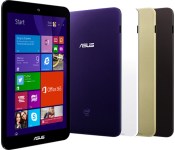
ASUS’ latest low-cost Windows tablet ditches the pen

If you’ve wanted an affordable 8-inch Windows tablet from ASUS, your only recent option has been the VivoTab Note 8. While that’s no doubt a fine machine, you might not want to pay extra for pen input if you don’t need it. Thankfully, you don’t have to any more; ASUS has quietly launched the VivoTab 8, a close cousin to the Note 8 that drops the stylus and digitizer. In many ways, it’s now a MeMO Pad 8 running Microsoft’s software instead of Google’s. You’ll still find a 1.33GHz Atom processor, a 1,280 x 800 display and a 2-megapixel front camera, but a few things have switched up to accommodate Windows while keeping the price in check. The newer slate has a larger 32GB of expandable storage and ships with 2GB of RAM in some regions instead of 1GB, but it drops back to a 2-megapixel rear cam — sorry, you won’t be capturing any photographic masterpieces here. ASUS hasn’t revealed any launch plans yet. However, it’s safe to presume that the VivoTab 8 will save you at least some cash versus the Note 8’s original $330 sticker.
Via: Liliputing
Source: ASUS
.CPlase_panel display:none;
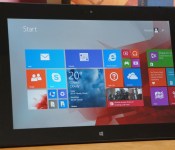
Lenovo ThinkPad 10 review: a good Windows tablet hurt by poor battery life

There isn’t a very large middle ground in the Windows tablet world right now. You frequently have to choose between a budget-oriented, low-spec model and an expensive portable powerhouse. And that’s a shame, really. There are no doubt people who want high-resolution screens or lots of options, but don’t want to pay for fast processors that may go to waste. That’s what makes Lenovo’s ThinkPad 10 so appealing at first glance — it’s a well-equipped 10-inch Windows slate that won’t hit your wallet too hard. The question is whether or not it strikes that price-to-performance balance as well as it should. It does in some ways, but there are some big sacrifices involved. Read on to see if they’ll be worth your while.
Hardware

The ThinkPad 10 is no radical departure in design; it mostly looks like the ThinkPad 8 writ large, and it’s not even a big deviation from its ThinkPad Tablet 2 ancestor. Not that there’s much reason to complain. You’re still getting an aluminum-clad machine that’s both thin and light (0.35 inch and 1.3 pounds, respectively) and feels every bit as comfortable and well-made as you’d expect for the $599-plus that you’ll pay. While that thinness doesn’t do any wonders for the battery life, this is definitely the large Windows tablet you want if you regularly compute while standing. It may not be as much of a featherweight as mobile OS-based tablets like the Galaxy Tab S or iPad Air, but it puts noticeably less strain on my wrists than the hefty 1.8 pounds of the larger Surface Pro 3 and Dell’s 1.6-pound Venue 11 Pro.
Not that everything is hunky-dory with that metal body. This is the same material and finish you’ll find on the ThinkPad 8, so you should expect scuffs and scratches if you forego a case. I was fortunate enough to avoid them during my test run, but I’m notoriously protective of my hardware. And you may never keep it completely pristine. The dark-hued aluminum shows virtually every grimy fingerprint for at least a little while, and there were only so many times that I was willing to wipe them off.
You won’t catch me griping much about the layout, which is designed to be used in landscape mode. That’s rather wise, given that the ThinkPad may frequently double as a laptop. On the left side, you’ll see a covered, full-size USB 2.0 port sitting near both the power connector and a fabric loop that holds the pen (more on that later). Flip over to the right and you’ll see micro-HDMI video output, a microSD storage slot, a headphone jack and (if you’re in an area where Lenovo sells cellular models) a micro-SIM slot. You’ll see both stereo speakers and an 8-megapixel camera with flash on the back, and there’s a 2-megapixel shooter on the front. About the only quibbles are the slightly small power button and volume rocker in the upper-right corner, but they’re still easy to press. Even the docking connector at the bottom clicks into peripherals with little fuss.
Display, pen and sound

You’re more likely to see higher-resolution displays on big tablets, but the ThinkPad 10’s LCD still manages to stand out in a pretty crowded space. It’s using a taller 1,920 x 1,200 resolution instead of the 1080p screen you’re more likely to find at this price point; those extra vertical pixels may not seem like much, but they help when browsing the web or writing a report. The 224 ppi density is also just about right for Windows 8.1, which is finicky about scaling high resolutions to just the right size. The display is sharp enough that content looks good, but it’s not so sharp that you’re forced to squint or tap lots of tiny buttons when you switch to the traditional desktop.
Crispness isn’t the only thing that matters, of course, and the ThinkPad is a bit of a mixed bag in some other areas. I like the IPS-based panel’s overall color reproduction, but it’s not supremely accurate — Laptop Mag found that it covers just under 72 percent of the sRGB color gamut, which rules it out for professional photo editing. Viewing angles are very good, however, and I didn’t notice color shifts or dimming when looking at the tablet from less-than-natural positions. Just don’t plan on taking this device outside on a sunny day. The ThinkPad’s LCD is officially rated at 400 nits of brightness and cuts out enough glare to be easily visible in most situations, but it won’t overcome direct sunlight.
You may be willing to forgive those foibles given the pen input, which was sadly missing on the ThinkPad 8. You can draw with varying degrees of pressure, or hover above the screen. There aren’t any tricks on the level of the Surface Pro 3’s OneNote shortcut, but you’ll get both a right-click button and an eraser. I found myself liking the pen more than I thought I would — it’s light and comfortable, and I had no trouble with handwriting recognition or doodling. With that said, this is really more of a productivity tool than an artistic instrument. It’s hard to apply the exact amount of force you want in a drawing, so you probably won’t be producing masterpieces.

The speakers certainly aren’t anything to write home about. They’re clear-sounding and reasonably loud even with their rear-facing orientation, so you can listen in a room with moderate background noise. However, they don’t carry a lot of punch — watch a dance music video and you’ll wonder where all the bass went. That lack of oomph is acceptable given the ThinkPad’s emphasis on pro users, but it would be nice if Lenovo kicked up the quality a notch. Pointing the speakers toward the user’s face would help, too.
Software
Just like its smaller sibling, the ThinkPad 10 doesn’t carry much in the way of non-standard software, and what’s there is (mostly) useful. AccuWeather, Evernote Touch, Hightail (formerly YouSendIt), Norton Internet Security and Zinio’s magazine reader are all third-party apps that you can easily use every day. I was most fond of AccuWeather and Evernote, but I could do without Norton’s occasional nagging. Don’t assume that this is just a carbon copy of the layout from before, though. Lenovo clearly sees its 10-incher as a content-creation station, and has ditched media apps like Kindle and Rara in favor of more serious tools like its self-branded photo and video editors. My one real gripe is the trial-only copy of Office. Unless you prefer alternatives like Google’s cloud apps, you’ll have to fork out additional cash if you’re going to churn out a lot of reports and spreadsheets while on the road.
Performance and battery life
| Tablet | PCMark7 | 3DMark06 | 3DMark11 | ATTO (top disk speeds) |
|---|---|---|---|---|
| Lenovo ThinkPad 10 (1.59GHz Intel Atom Z3795, Intel HD graphics) | 2,328 | 1,168 | E235 / P155 | 129 MB/s (reads); 52 MB/s (writes) |
| Lenovo ThinkPad 8 (1.46GHz Intel Atom Z3770, Intel HD graphics) | 2,567 | 1,598 | E312 / P198 | 128 MB/s (reads); 57 MB/s (writes) |
| Acer Iconia W4 (1.33GHz Intel Atom Z3740, Intel HD graphics) | 2,538 | 2,089 | E340 / P211 | 173 MB/s (reads); 48 MB/s (writes) |
| ASUS Transformer Book T100 (1.33GHz Intel Atom Z3740, Intel HD graphics) | 2,461 | 2,113 |
E338 / P209 |
123 MB/s (reads); 58 MB/s (writes) |
| Dell Venue 8 Pro (1.33GHz Intel Atom Z3740D, Intel HD graphics) | 2,343 | 1,986 |
E299 / P164 |
86 MB/s (reads); 45 MB/s (writes) |
The ThinkPad 10’s performance is a real head-scratcher. On paper, its quad-core 1.6GHz Atom processor should make it one of the fastest Windows tablets in its class. In practice, however, it’s relatively pokey; its average benchmark scores were the lowest among the Windows slates we’ve tried, even when stacked up against older devices with 1.33GHz chips. You can’t blame this on the high-resolution display, either, since the equally sharp-looking ThinkPad 8 is still faster. Synthetic tests aren’t the be-all and end-all of a device, but it’s apparent that the higher clock speed won’t grant you any additional bragging rights.
That’s true in the real world, too. Like every other recent Atom tablet, this bigger ThinkPad has no trouble whipping through the Windows 8.1 interface and typical apps like browsers or Evernote, but it won’t replace a desktop or a good laptop; it’s not up to handling serious creative work or high-end games. It’s also slow to boot at about 14 seconds (versus eight for Acer’s Iconia W4), and the back can get noticeably hot when you’re playing action-heavy games like Halo: Spartan Assault. Lenovo isn’t pitching the ThinkPad 10 as a speed demon in the first place, but it would be nice to see some tangible improvements for the money, you know? The 2GB of RAM is good enough for common tasks, although I’d strongly recommend buying the top-tier 4GB variant if you’re going to juggle many apps at once.
| Tablet | Battery Life |
|---|---|
| Lenovo ThinkPad 10 | 6:44 |
| Microsoft Surface 2 | 14:22 |
| iPad Air | 13:45 (LTE) |
| Apple iPad mini | 12:43 (WiFi) |
| Samsung Galaxy Tab S (10-inch) | 12:30 |
| Samsung Galaxy Tab S (8-inch) | 12:22 |
| Apple iPad mini with Retina display | 11:55 (LTE) |
| Apple iPad (late 2012) | 11:08 (WiFi) |
| ASUS Transformer Book T100 | 10:40 |
| Apple iPad 2 | 10:26 |
| Samsung Galaxy Note Pro 12.2 | 10:04 |
| Apple iPad (2012) | 9:52 (HSPA) / 9:37 (LTE) |
| Acer Iconia W4 | 9:50 |
| Nexus 7 (2012) | 9:49 |
| Microsoft Surface RT | 9:36 |
| Toshiba Encore | 8:45 |
| Sony Xperia Tablet Z | 8:40 |
| ASUS Transformer Pad TF103C | 8:26 |
| Sony Xperia Z2 Tablet | 7:57 |
| Nexus 10 | 7:26 |
| Dell Venue 8 Pro | 7:19 |
| Samsung Galaxy Note 8.0 | 7:18 |
| Nexus 7 (2013) | 7:15 |
| Samsung Galaxy Tab Pro 8.4 | 7:13 |
| Microsoft Surface Pro 3 | 7:08 |
| Samsung Galaxy Tab 3 10.1 | 6:55 |
| Lenovo ThinkPad 8 | 6:11 |
The real dealbreaker may be the dismal battery life I hinted at earlier. When looping a 1080p video at half brightness, the ThinkPad 10 musters just six hours and 44 minutes on a charge. That result is better than the bottom-ranked ThinkPad 8, but I’d hardly call that a rousing success. Even when playing a less taxing standard-definition clip, the running time was subpar at seven hours and 38 minutes. No, you won’t mind the short lifespan if you’re curling up on the couch or taking notes at the occasional meeting, but it’s not at all what I’d expect from a business-class tablet that may have to run on battery all day. Frankly, you’re better off scooping up something like ASUS’ Transformer Book T100 (as old as it is) if every hour counts. What good is a sharper display when you have no power left?
Camera

We didn’t touch on the cameras when looking at the ThinkPad 8, but it’s worth exploring them now — especially when you’re theoretically spending such a hefty sum. The 8-megapixel rear camera is solid, but not spectacular. It’s capable of some sharp, colorful pictures in good lighting, including close-ups, but it tends to blow out images in bright lighting, hide detail in shadows and produce plenty of visible noise in darker conditions. The 2-megapixel front cam, meanwhile, is merely adequate for video chat, with noisy, soft pictures. Lenovo does have an ace in the hole, mind you. Its Quickshot Cover will automatically launch the camera app by prying it open, which I found supremely handy for capturing spur-of-the-moment pictures. I wish other tablet makers would follow suit.
Configuration options and the competition

In the US, you have just two ThinkPad models to choose from: the entry-level $599 version with 2GB of RAM and 64GB of storage, and a $699 edition that jumps to 4GB and 128GB, respectively. You’ll usually be fine with the starter device if it’s just a companion to your main PC, but you’ll want to seriously consider the pricier of the two if this is going to be a primary machine. And like many tablets, you’ll probably want at least one or two accessories to complete the experience. I would buy the $45 Quickshot Cover without hesitation; besides that camera trick, it’s good for protecting the screen or propping the tablet up to watch a movie. If you type often (which is likely if you’re already a ThinkPad fan), you should consider spending $90 for the Touch Case or $120 for the Ultrabook Keyboard. I sadly haven’t had a chance to try either, but they should serve you better than a third-party Bluetooth keyboard.
The $55 Protector rugged case and $130 Tablet Dock (which adds HDMI, USB 3.0 and Ethernet) are tougher calls. I wouldn’t get the Protector unless you’re working out in the field and need a drop-resistant shell. Also, the dock partly defeats the point of a tablet. If you’re stationary enough to want a larger display, mouse and keyboard, it’s likely wiser to get a convertible touchscreen laptop like the Yoga 2 Pro than to go through the hassle of adding all those components after the fact.
It’s tricky to find out where the ThinkPad 10 stands among its rivals. As I mentioned earlier, it occupies a rare middle ground in a field that’s largely split between affordable Windows slates and high-powered laptop replacements. The most obvious parallel is the Venue 11 Pro, although whether or not it represents a better deal depends on the discounts you get. As of this writing, giving Dell $500 will get you comparable hardware and a full copy of Office; Lenovo’s $100 premium does get you a slightly higher pixel count, pen input and a lighter chassis, but those are usually bonuses rather than must-haves. And if you’re looking at the $699 ThinkPad, it’s hard to resist spending another $100 to get either a high-end Venue 11 Pro or the basic Surface Pro 3. Both have speedier Core i3 processors, and the Surface compensates for its reduced storage with both a 12-inch screen and a more sophisticated pen. If you’re going to splurge on a really nice Windows tablet in the first place, doesn’t it make sense to get something truly powerful?
Wrap-up

That last point sums up the ThinkPad 10’s dilemma, really. You’ll undoubtedly get a lot, including that nice display, pen input and top-flight industrial design. However, I can’t help but see this as an awkward, in-between product. For the ThinkPad to fit into your world, you need a healthy budget that’s not quite so healthy that the highest-end tablets are within reach. This wouldn’t be as much of a problem if the device had a long-lasting battery to give it an edge, but it doesn’t — it’s actually worse than more powerful hardware where short battery life is expected, like the Surface Pro 3. While I really enjoyed using the ThinkPad, it’s more of a specialist’s tool than a Swiss Army knife. It’s delightful if it fulfills your needs, but you’re probably best off either saving money with lower-end tech or investing in something more capable.
Dana Wollman contributed to this review.
.CPlase_panel display:none;

Sony’s new tablet lets you play PS4 games and call your mother

There’s a French phrase, un beau affreux, which means that something is ugly and beautiful at the same time. As soon as we got our hands on Sony’s Xperia Z3 Tablet Compact, we wished the French had also come up with a word that means simultaneously colossal and small. That’s the paradox at the heart of the company’s tablet, which packs an 8-inch display, but thanks to its 6.4mm thickness and 0.6 pound weight, feels almost insubstantial, as if you’d still try to fit this into a pocket. That’s not a criticism, either, because if you found the Galaxy Note to be a bit too small for your needs, this could replace it in your affections.
That’s because, thanks to its LTE modem, so long as you have a pair of Bluetooth headphones to hand, you can actually harness its cellular connectivity to make calls. The company has even left the dialer on the front page of the homescreen here, leaving you in no doubt of its prowess. There’s also NFC and an option to add a mobile wallet, although it’d be rather amusing if you tried to use an 8-inch tablet to buy your morning coffee.
Packing a quad-core 2.5GHz Snapdragon 801 and 3GB RAM, the Z3 tablet is also no slouch in the performance department, and you can extend its 16GB of built-in memory all the way up to 128GB if you have such a powerful microSD card. The TFT display itself has a resolution of 1,920 x 1,200 and the viewing angles are pretty great, meaning that the device would happily pull a shift as an impromptu dorm room cinema. That ability is also helped with the forward-facing stereo speakers above and below the screen, which may not be BoomSound-levels of quality, but are a huge improvement on a lot of the tablet market. The same can’t be said for the headphone jack, which now comes out at the top of the right bezel (in portrait). When used in landscape, that’s a perfectly fine design decision, but if you do decide to make this an ever-present in your shoulder bag, you might find the location a little grating.
Imaging-wise, there’s an 8.1-megapixel shooter on the back and a 2.2-megapixel lens up front, although the huge preview screen is actually a little disturbing, so maybe this device will discourage selfie shooters. Thankfully, even though it is a tablet, the company has seen fit to ensure that it’s as rugged as its junior siblings, shielding it with IP65 and IP68 waterproofing.
As we’ve already established, this is one of the few devices capable of running Sony’s PS4 remote play, and we can certainly imagine ourselves playing games on this great display. Of course, there’s still no word on when that might actually happen, but hopefully Sony won’t keep us in the dark too long about release dates and prices.
Jamie Rigg contributed to this report.
Filed under: Cellphones, Tablets, Mobile, Sony
.CPlase_panel display:none;
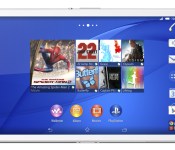
Sony’s Xperia Z3 Tablet Compact stuffs full performance into an 8-inch slate

Sony had a minor hit when it unveiled the Xperia Z1 Compact, which crammed a full-power smartphone into a smaller frame; now, it’s hoping to repeat that success with tablets. Its new Xperia Z3 Tablet Compact is not only one of the thinnest (6.4mm) and lightest (0.6lbs) 8-inch tablets you’ll find, but is actually more powerful than the full-size Z2 Tablet. It still has a 1080p display, 3GB of RAM, waterproofing, an 8.1-megapixel rear camera and a 2.2-megapixel front shooter, but runs a speedier 2.5GHz Snapdragon 801 processor. The Compact should also last for a very healthy 13 hours of non-stop video playback.
There are a few hefty software upgrades, to boot. Besides the audio upscaling also seen in the new Z3 phones, this is Sony’s first tablet with PlayStation 4 Remote Play — you can not only control your game console from the tablet, but use it as a primary screen if someone’s hogging the TV. You can even buy a custom mount for your DualShock 4 controller so that you don’t have to find a safe resting spot for the slate.
Sony expects the Z3 Tablet Compact to hit shelves in the fall. It’s not revealing full launch details at this point, but there will be both WiFi-only and LTE models.
Source: Sony Mobile
.CPlase_panel display:none;
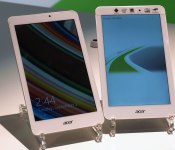
Acer’s trio of new tablets includes a $150 Windows slate

Acer’s taken more than a passing fancy to Chrome OS of late, but at this year’s IFA, the company’s showing a rekindled love for its affordable tablet range. Its first new slates since the beginning of the year come in two sizes, with the more portable 8-inch form factor also offering a choice of platform. The Iconia One Tab 8 runs Android 4.4 KitKat on a quad-core Intel Atom processor (the Z3735G, if you’re interested), with an 8-inch, 1,280 x 800 IPS display up front. Otherwise, it’s got most of the standard features you’d expect on a tablet, like a pair of cameras and microSD slot for storage expansion. Now picture essentially the same hardware configuration, but instead running Windows 8.1 with Bing, and you’ve got the Iconia Tab 8 W. Successor to the Iconia W4, the Tab 8 W also boasts up to eight hours of battery life and one free year of Office 365. Whether you prefer Google or Microsoft’s OS, both 8-inch slates will launch next month in Europe for €150, and in the US in November for $150.
For bigger appetites, Acer’s also announced the Iconia Tab 10 today — its first 10.1-inch tablet without a keyboard companion since last year’s Iconia A3. Opting for a quad-core Mediatek processor running Android 4.4 KitKat, the full HD (1,920 x 1080) IPS display is lovingly covered with Corning Gorilla Glass. The larger slate also makes room for a micro-HDMI port to compliment the WiDi standard, and will be available this month for €199 in Europe and $199 in the US.
Dan Cooper and Ben Gilbert contributed to this report.
.CPlase_panel display:none;
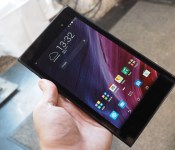
ASUS’ MeMO Pad 7 gets a new chic look, lighter body and sharper screen

It’s IFA, so of course ASUS is going to launch a new tablet. This time it’s a new MeMO Pad 7 (ME572C) that not only sports a different Intel Atom chip (the 64-bit quad-core Z3560 that clocks up to 1.83GHz), but it also has a new chic look that’s “inspired by clutch bags and wallets,” as well as a screen upgrade to a whopping 1,920 x 1,200 resolution (323 ppi) — a nice jump from the predecessor’s 1,280 x 800 panel. The new Android 4.4 tablet is also thinner at 8.3mm and slimmer at 269 grams, thanks to its fiberglass body, duralumin frame and slim screen bezels. Other features include 2GB of RAM, 16 or 32GB of internal storage, up to 64GB of microSD expansion, up to 16GB of free cloud storage, dual speakers and 5MP/2MP cameras.
Come late Q3 or early Q4, the new MeMO Pad 7 will be available starting from €199 (about $260) with red, gold and black color options; and there will also be an LTE version (ME572CL) if you don’t mind paying a bit more.
.CPlase_panel display:none;

Sony teases the Xperia Z3, Xperia Z3 Compact and Xperia Z3 Tablet Compact in video
 Not to be outdone at teasing its own devices by leaks and rumours, Sony teases the Xperia Z3, Xperia Z3 Compact and Xperia Z3 Tablet Compact today in a teaser trailer that actually says a whole lot of nothing, but does contain a few frames which show the silhouette of three devices and guessing from their sizes, we’re assuming they are going to be the Xperia Z3, Xperia Z3 Compact and Xperia Z3 Tablet Compact which will be announced on the 3rd of September at IFA 2014. Check out the teaser below:
I guess you could say that the video suggests these devices are designed to cope with an active (and wet) lifestyle, however the Xperia range has been waterproof for as long as anyone can remember. We’ve see the Xperia Z3 Tablet Compact leaked recently, however the smartwatch that it was leaked out with is strangely absent from this trailer, though we won’t know for sure whether Sony is going to be announcing its SmartWatch 3 alongside these other devices until the event itself which is now in just a week.
What do you think about the Sony Xperia Z3, Xperia Z3 Compact and Xperia Z3 Tablet Compact? Let us know your thoughts in the comments below.
Source: YouTube via TalkAndroid
//<![CDATA[
ord = window.ord || Math.floor(Math.random()*1E16);
document.write('‘);
//]]>
The post Sony teases the Xperia Z3, Xperia Z3 Compact and Xperia Z3 Tablet Compact in video appeared first on AndroidSPIN.
.CPlase_panel display:none;
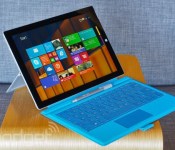
Microsoft’s Surface Pro 3 tablet lands in 25 more countries

Microsoft’s Surface Pro 3 has only been available in a handful of places so far, but it’s about to get a much, much wider audience. As promised, Microsoft is launching its latest Surface in 25 more countries. Most of them are Asian and European nations, including China and the UK; if you’re reading this, there’s a good chance that you can snag a Windows slate for yourself. All five models are available, so you won’t have to settle for a device you don’t want. You’ll have to be a little more patient if you want the docking station, though. It’s available for pre-order today, but you’ll have to wait until September 12th to pick one up on impulse.
Filed under: Tablets, Microsoft
Source: Surface Blog
.CPlase_panel display:none;

T-Mobile offers more data to tablet users and the budget crowd

T-Mobile isn’t about to stop tweaking its phone plans any time soon; in fact, it just overhauled three of them with data in mind. To start, you’ll get twice as much full-speed data on your phone plan if you add a tablet to the mix from September 3rd onward; if you currently get 3GB, for example, adding the $10 monthly tablet access fee will give you 6.2GB (including the 200MB of free tablet data) to play with. It’s potentially a much better deal than what rivals offer if you intend to use your tablet a lot while on the road. On Sprint, you’d be paying $75 per month for both phone service and 4GB of shared data.
The other plan changes don’t necessarily give you as much data, but they may be a better value if you’re cost-conscious. If you’re on a $40 Simple Starter plan, an option arriving on September 3rd will let you pay $5 more per month to quadruple your max-speed data from 500MB to a much healthier 2GB — not quite as good as Cricket (which delivers 2.5GB for $45), but close. Whole households, meanwhile, can put as many as 10 lines on a family plan as of August 27th. It still costs $10 per person like the previous five-line option, and everyone gets their own data. Sprint currently has the advantage in family plans if you’re only looking to get as much data as possible for the money, but T-Mobile’s expansion may be handy for returning students and anyone else who’d rather not shoulder the full cost of phone service.
Filed under: Cellphones, Tablets, Wireless, Mobile, T-Mobile
Source: T-Mobile (1), (2), (3)
.CPlase_panel display:none;

Los Angeles freezes its iPad program for schools

Los Angeles’ grand dreams of putting iPads in schools came into question a month ago, and they’ve now come to a screeching halt. Superintendent John Deasy has suspended a contract with Apple to both “take advantage of an ever-changing marketplace” (read: diversify hardware) and, crucially, to investigate recently raised ethical concerns. Allegedly, both Deasy and a top deputy have close links to executives at both Apple and curriculum provider Pearson, calling the whole iPad program into question; it suggests that officials were doing personal favors rather than taking kids’ needs into account. Deasy is quick to claim that his team was only working closely with Apple and Pearson on the pilot, not the contract, and offered a deal to another major vendor. Whether or not that’s true, the suspension suggests that the vision of an iPad in every LA classroom may never come to pass — it’s more likely that the broader device selection is here to stay.
[Image credit: Schooltechnology.org/Lexie Flickinger, Flickr]
Via: KTLA
Source: LA Times
.CPlase_panel display:none;
 AIVAnet