


The PlayStation 4 revisited: Small improvements for a solid system
Engadget is re-reviewing the current generation of game consoles, each of which has benefited from major firmware updates, price drops and an improved selection of games. We’ve already revisited the Xbox One, and now it’s the PlayStation 4’s turn. Though we’ve raised the score from 83 to 86, you can still find our original PS4 review here, if you’re curious to read what we said at launch.
The PlayStation 4 has outsold its closest competition, the Xbox One, for most of the time since the two systems launched in November 2013. In fact, according to recently released sales figures Sony has moved some 40 million units over the past two years. Based on the company’s earnings reports, those sales have helped keep Sony afloat — even after the console’s price dropped from $400 to $350.
Similar to the Xbox One, the PlayStation 4 has received a steady stream of post-launch updates, along with a ton of new features. But unlike the Xbox, the PS4 hasn’t seen any patches that fundamentally change how the console operates. Instead, features like a dedicated Twitch app, Spotify integration, rapid resume from low-power mode, and game streaming to a PC or Mac have improved upon how the system already worked.
With time, however, fresh issues appeared that we couldn’t have possibly predicted when we originally reviewed the console in 2013. Some are even the result of new features Sony has added since then.
Hardware
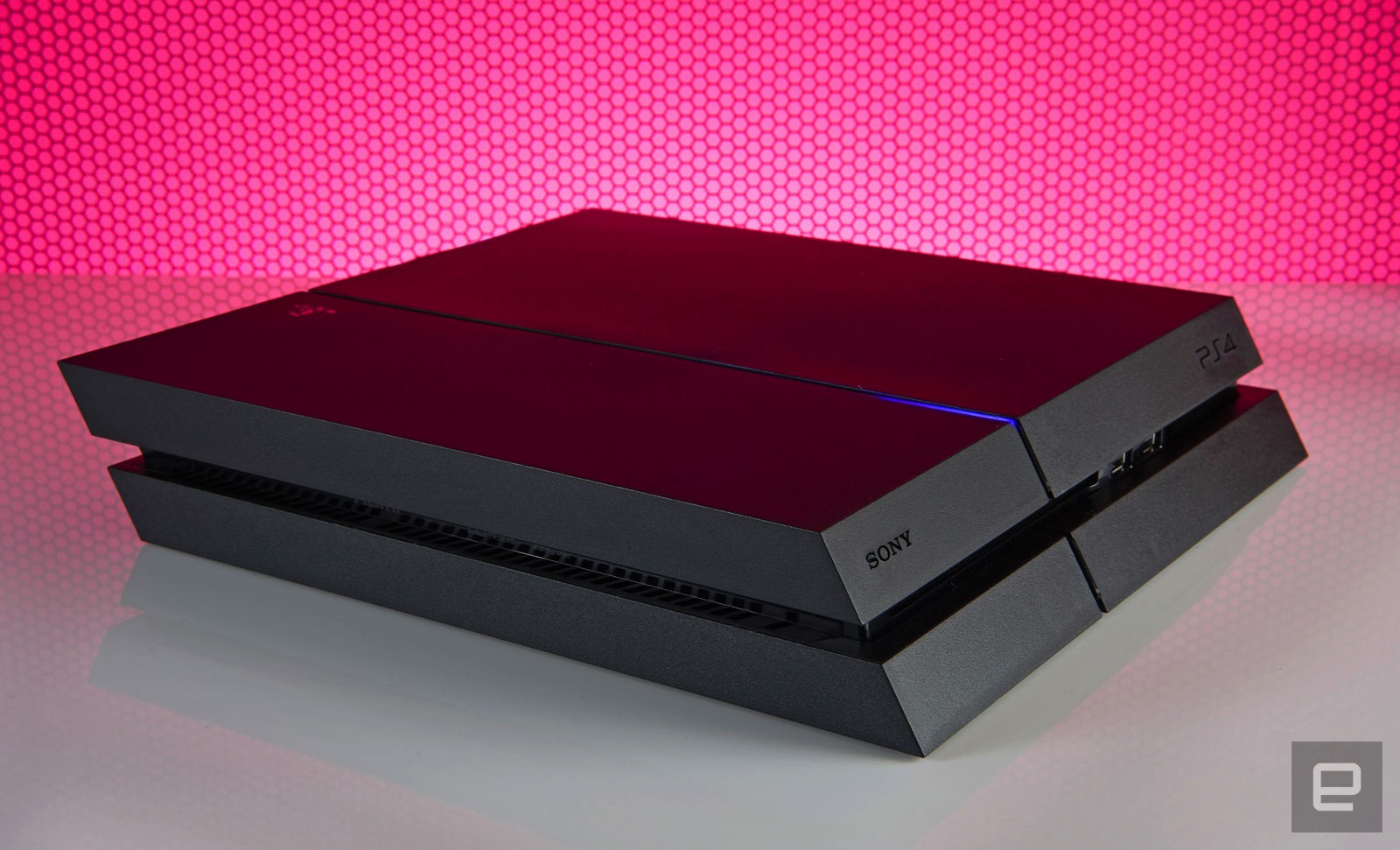
Sony has confirmed the existence of a newer console, the so-called PS4.5, but hasn’t said when you’ll actually be able to buy it. For now, then, the model that launched over two and a half and a half years ago is the one we’ve got. The system’s overall design hasn’t changed either. Aside from a nostalgic, ultra-limited edition console released in honor of PlayStation’s 20th anniversary, the standard version remains a coal-black obelisk. Except now, you can swap in game-themed or different colored faceplates if you’d rather the console not blend in with the rest of the black A/V gear in your living room.
Up front there’s a slot-loading Blu-ray drive, a pair of USB 3.0 ports and two touch-sensitive buttons for powering the system on and ejecting a disc. If you’re still mixing up which button does what (it’s OK, I do it myself occasionally), the top turns it on and the bottom spits your discs out. Finding them in the dark is a pain, but they’re directly in line with the LED strip that runs from front to back. It glows orange when the system is in low-power mode, making it easy to find the buttons by feel. Around back, meanwhile, you’ll find you’ll find an HDMI socket, digital audio output, Ethernet jack and a dedicated PlayStation Camera port.
The system is also surprisingly portable. Because the PS4 uses the same-style power cable as the PlayStation 3 Slim (and many other electronics), along with a standard HDMI cable, there’s no need to unwire your entire A/V setup just because you’re housesitting and don’t want to be away from Uncharted 4: A Thief’s End for a weekend. There’s no bulky external power supply to carry around, and the console itself is small enough to easily fit into a backpack or messenger bag.
The disadvantage here versus Microsoft’s console is the PS4’s lethargic 802.11b/g/n wireless card. If you take multiplayer seriously or just want the fastest downloads possible, you should always run a hard connection to any gaming device, but sometimes being close enough to a router to do so isn’t possible.
Doing anything on the PS4 over WiFi is a time-consuming process, be it downloading a game from the PlayStation Network Store, or an update for a game or the system itself. Indeed, some Engadget staffers have seen downloads almost three times slower on WiFi versus a wired connection. Over Ethernet, the system’s built-in speed test reports 79Mbps downloads and 4.4Mbps uploads on my home network. With WiFi that number dropped to 32Mbps down. That said, our gaming reporter Jessica Conditt has never experienced such issues on her PS4.
In 2013 the iPhone 5s supported 5GHz wireless, and Microsoft also packed dual-band capabilities into the Xbox One, which came out that year. This was a weird omission on Sony’s part, then, and it’s become all the more noticeable considering how many people buy their games digitally these days, and how large these files are. Uncharted 4 comes in at over 50GB, for instance. A faster WiFi card would also make streaming a game to another device via Remote Play a better experience.
Unlike the Xbox One, the PS4 doesn’t support external hard drives, which would augment the system storage. That’s partly because it doesn’t need to: You can swap in a new internal hard drive as large as 4TB, a step up from the base model’s paltry 500GB of storage. The dearth of USB connections is a bit of a problem, though. If you’re using the PlayStation Gold wireless headset, for instance, that eats up half of what’s available. Listening to music via a thumb drive and your DualShock 4 controller’s battery dies? It’s time to decide which is more important unless you have another device with unused USB ports nearby that you can use to charge the gamepad.
DualShock 4 controller
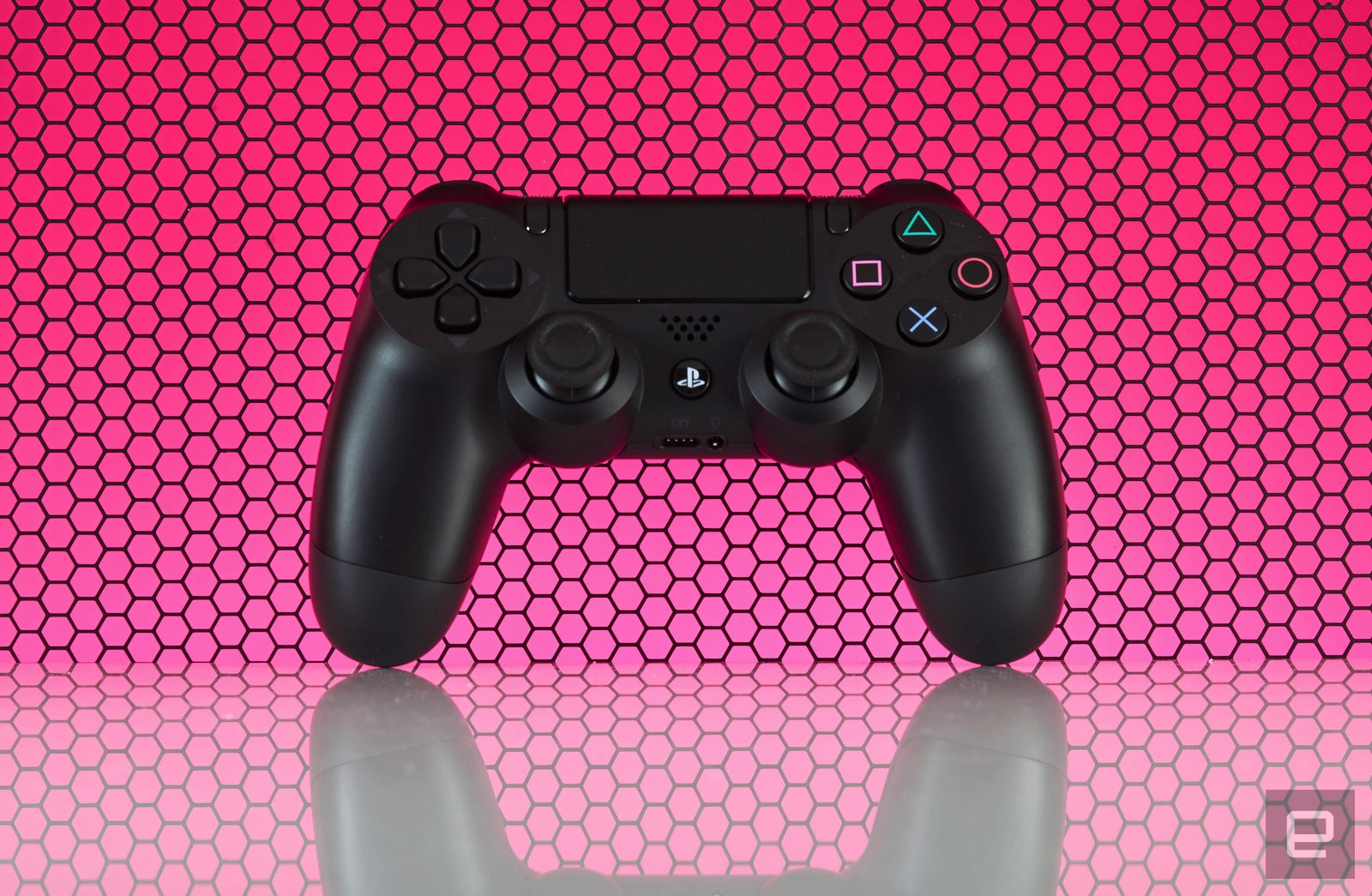
Speaking of which, the DualShock 4’s battery life is still awful. System updates have added the ability to change the brightness of the controller’s lightbar (a likely culprit for battery drain) but I’m still lucky if I can go more than two play sessions, totaling about eight hours, before having to charge it again. In contrast, I only need to replace the batteries in my Xbox One controllers every few months. Maybe Sony could address these issues the way that Microsoft did and release a premium-priced controller with higher-quality components and improved battery life. I’d buy one.
In other gamepad-related woes, the concave thumbsticks that original reviewer Ben Gilbert raved about have an inherent flaw: Their grippy, rubber covering is susceptible to tearing with normal use, revealing sharp plastic underneath. You can hit Amazon for a variety of inexpensive replacement sticks, but that requires tearing open the gamepad to install them — not an easy feat for most. The better solution is opting for silicone caps that stick on your stock thumbsticks. But this honestly shouldn’t be an issue in the first place, especially considering how comfortable and well-designed the rest of the controller is.

The inclusion of a standard 3.5mm headphone jack on every paddle means that you don’t need to shell out for a gaming headset if you already have stereo earphones. That said, aside from a handful of games like the excellent, Sony-developed Tearaway Unfolded, the on-board speaker goes mostly unused.
Same with the clickable touchpad that dominates the gamepad’s face. A vast majority of the time its touch-sensitive surface is neglected in favor of developers just treating it as an extra button. When a developer does make use of these novel features they tend to be really well implemented. It’s a shame more don’t take the time to. What isn’t a gimmick, though, is the “share” button to the immediate left of the touchpad, but more on that later.
PlayStation Camera
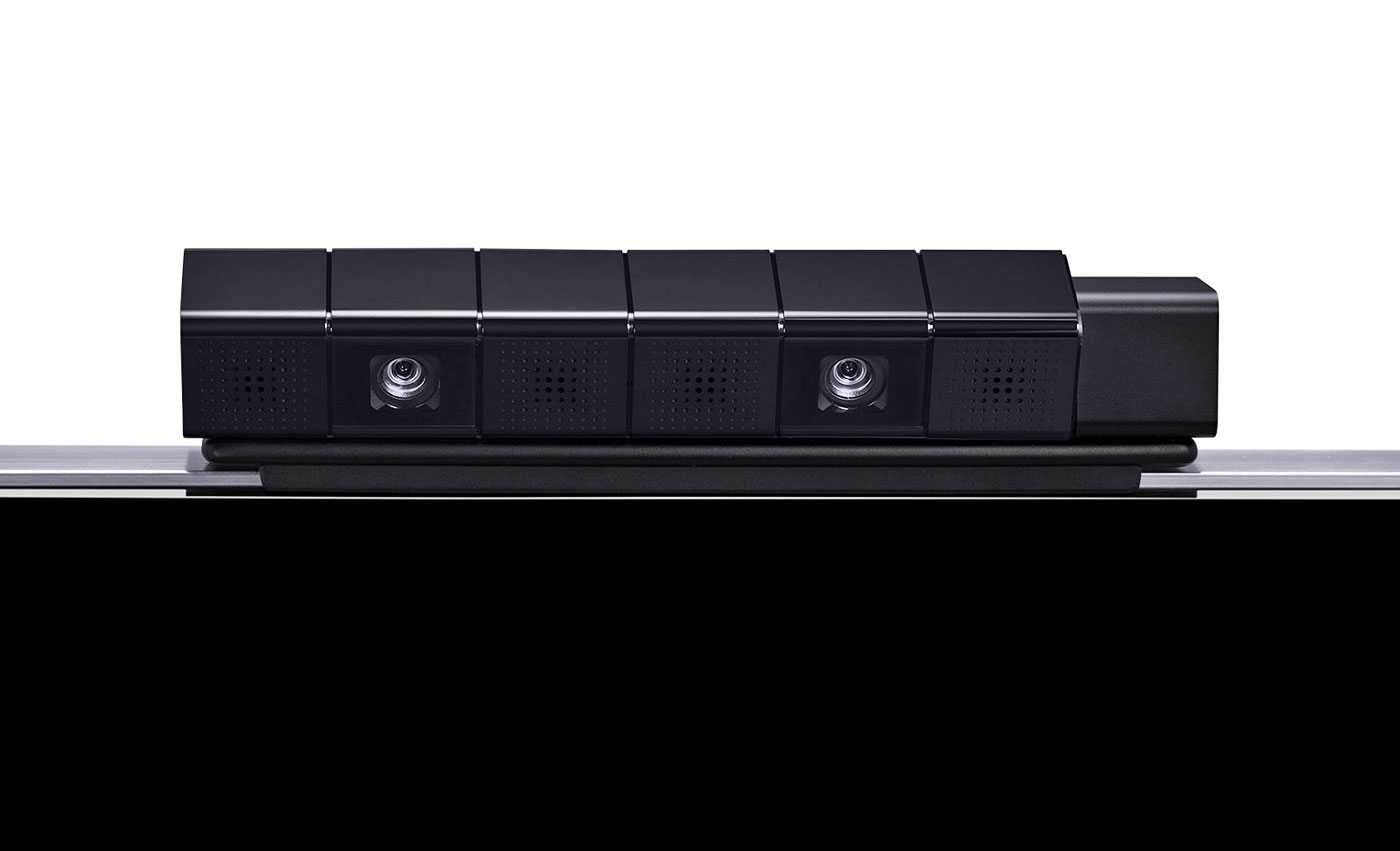
Lastly, we have the PlayStation Camera, an accessory that has been mostly forgotten by game developers. Like the touchpad, speaker and color-changing lightbar on the DualShock 4, very few devs have taken advantage of this accessory. Until Dawn uses it to record video of who’s playing during scary moments, and Tearaway Unfolded took advantage of it to occasionally break the fourth wall, but until PlayStation VR launches it’s not necessary. Sure, logging into my PS4 profile with my face is novel, but I couldn’t tell you what triggers the facial ID system to launch on start-up; I still regularly have to log in the old-fashioned way, choosing my profile with a controller. There’s just no compelling reason to own one right now.
UI

For the most part, zipping around the PS4 interface is fast. It’s an iteration of Sony’s Xross Media Bar UI from the PS3 (yeah, substituting an “X” for a “C” is still awkward), with a horizontal row of tiles for recently used items like games, apps and streaming services. Each game offers patch notes, and each tile has a drop-down menu featuring additional content. You’ll also see your saved screenshots and videos, along with recent activities from friends like trophies unlocked. It’s a lot like the social feed from the Windows 10 patch on Xbox One, but integrated on a per-game basis rather than one river of everything. Even with a speedy, wired connection, though, the drop-downs (which rely on data from PlayStation Network) are slower to load and navigate compared to the main UI.
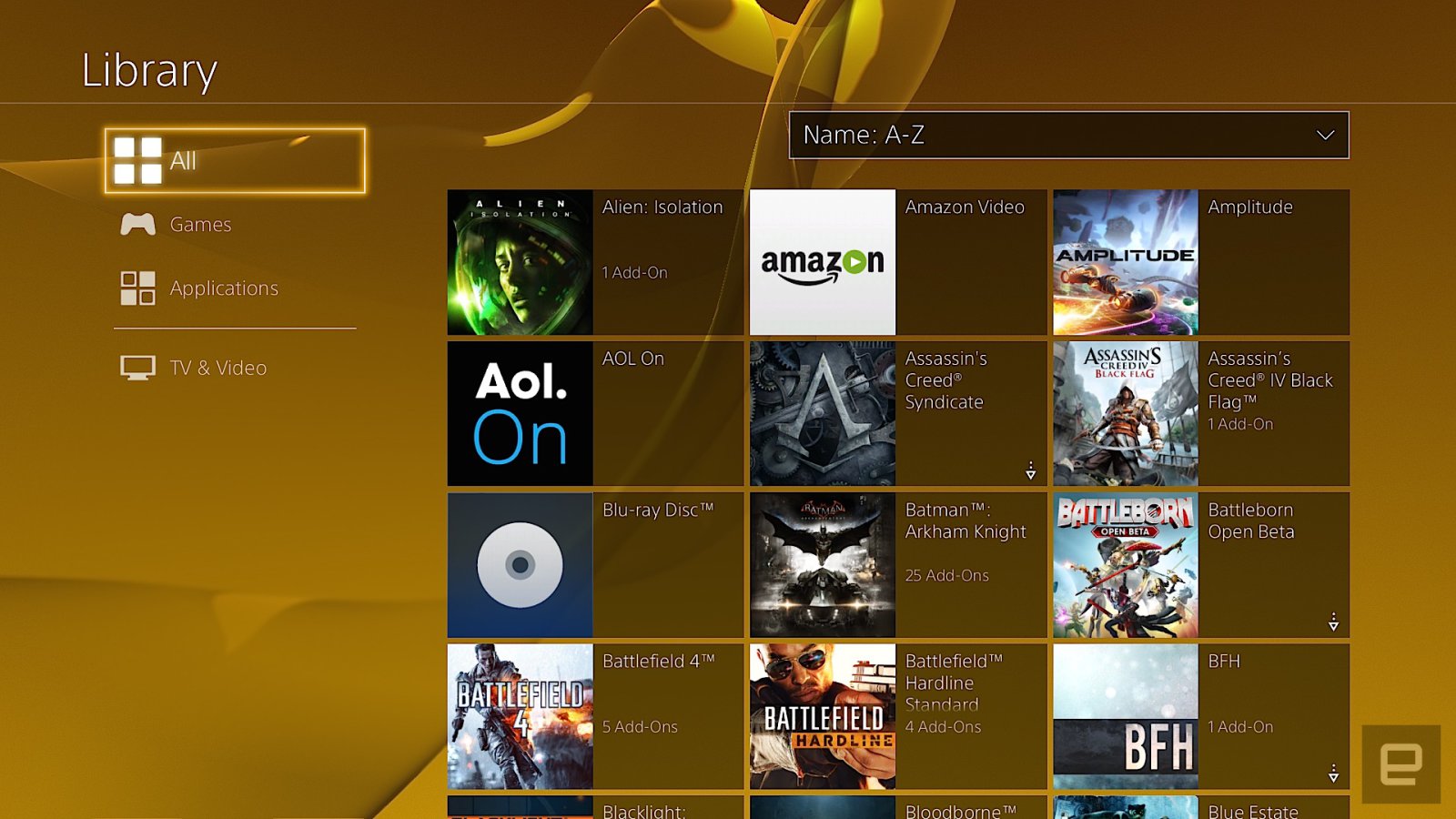
The PlayStation Store where you access streaming applications and game downloads sits at the far left; on the opposite side is the library. The library was added after launch, and it’s where your entire collection of games and applications resides. Anything you’ve downloaded or installed lives here in a grid. The problem is, it’s a pain to navigate because even if you’ve uninstalled something, it still stays on the list. That means the Destiny First Look Alpha I was part of two years ago is there alongside Doki-Doki Universe, a demo I grabbed but never played. This means sifting through a lot of clutter just to get to the stuff you own.
The library was supposed to help streamline the main UI, but in practice it’s about as effective as shoving your laundry in a closet before company comes over, to give the illusion that you actually cleaned your house. Your most recently used items stay on the main screen, but with time, unused ones will migrate here too. What’d be really nice is the option to customize the main UI or at least pin specific apps and games to the home screen, similar to what the Xbox One has offered since 2013.
Pressing up on the d-pad reveals tabs for the PlayStation Plus premium service, notifications, your friends list, an event calendar, messages, party chat, user profile, trophies, system settings and power options. With the exception of the PlayStation Plus tab, everything loads almost instantaneously, and is logically sorted. In the system settings, for example, Sony removed some of the arcane video settings that were on the PlayStation 3 and opted for a more streamlined setup. That simplicity extends to options for adjusting audio output, and connecting social accounts, among other things.
My biggest gripe with the PS4 is how it handles system storage. Countless times, I’ve gone to either download or install a game and the console has given me an error message saying there isn’t enough free space on the hard drive. Except there is. The most recent offense was with Doom. My PS4 currently has over 60GB of free space, and Doom is a 47GB download. Entering my redemption code, I received an error message and was transported to the system storage screen to clear up some space. Deleting 86GB of games I wasn’t playing anymore should’ve solved the problem, but didn’t. I’ve since power-cycled the console and rebuilt the system database from safe mode. Forty-five minutes after the initial attempt, I was finally able to start downloading the game.
And that’s the best-case scenario. On previous occasions, rebuilding the database and deleting over 100GB of installed games didn’t fix the error. I’m not even sure what I did to eventually fix it those times, now that I think about it. When I asked a Sony engineer about this, he didn’t have a clear answer for me. One response was that game files need more space to uncompress than their download size suggests, hence the error about not having enough storage space. But the engineer I spoke with couldn’t explain why, even after deleting and rebooting, that sometimes didn’t address the error message.
Social
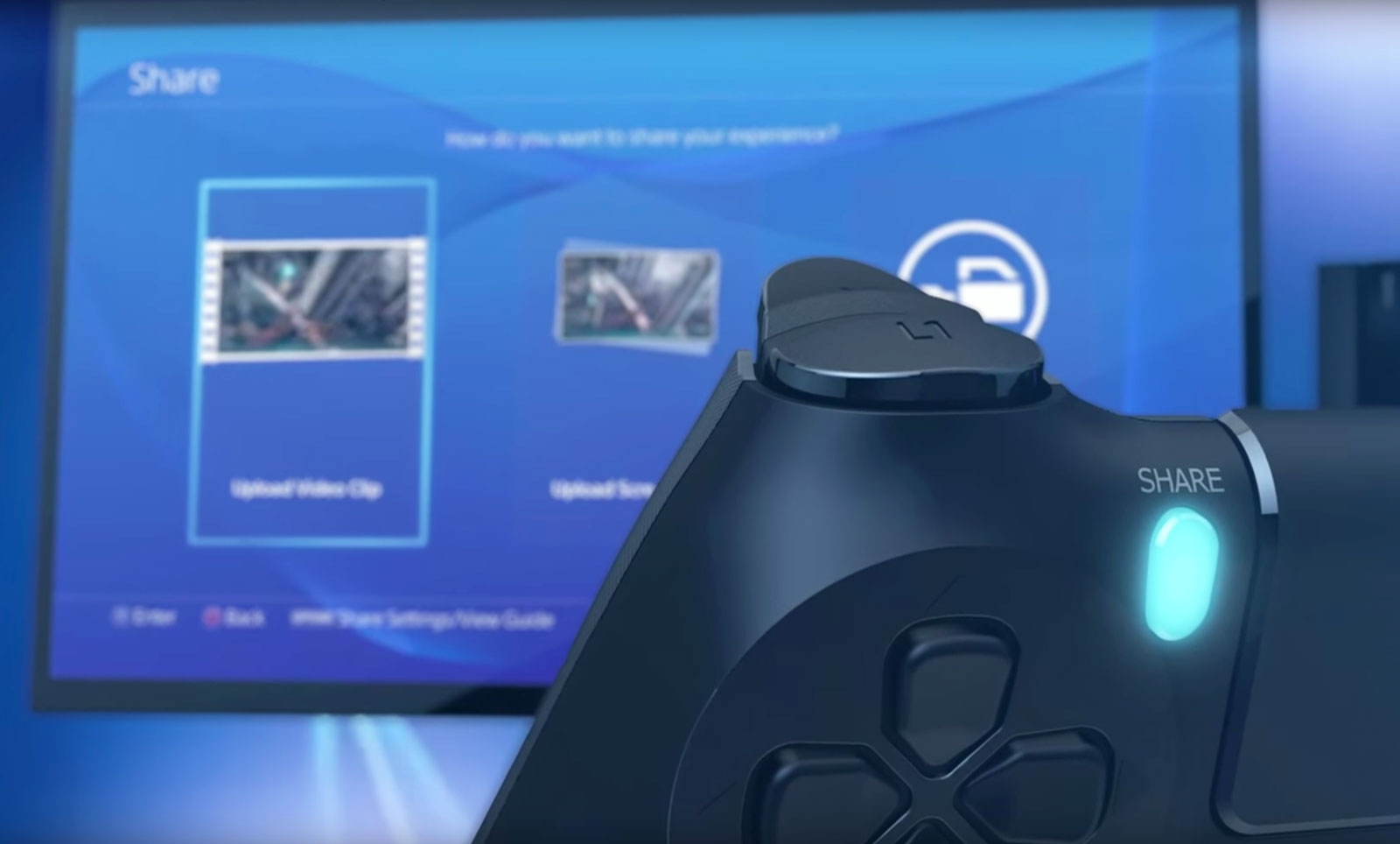
The heart of the social experience on PS4 is located right on the gamepad, where you’ll find the “share” button. Pressing it takes screenshots, records video and starts a game-sharing session or a broadcast on Twitch or YouTube. Depending on your preference, you can configure the button a few ways. You can also configure what happens when you press it. Personally, I have the button set up so that a single press grabs a screenshot and a double tap starts recording a video clip.
This saved media can be shared in a variety of ways, including as a message or to Facebook and Twitter. That will post the screenshot or video clip to the “What’s New” activity feed on the home screen. Unlike the Xbox One’s “community” tab that sorts everything into a reverse-chronological river, What’s New is three tiles wide, pushing game broadcasts from the community, not your friends list, notices of trophies unlocked by friends, suggested friends and PSN Store advertisements into one feed. It’s a mess to navigate and I rarely use it.
What I constantly take advantage of is how easy it is to take and share screenshots on PS4. Sharing them via social media is seamless and takes five button presses and I’m back to whatever I was playing prior. The annoying thing here is the inability to simultaneously share to Facebook and Twitter. Being able to take screenshots almost anywhere (and save them as PNG files instead of just JPEGs) almost makes up for it. Aside from the Twitch app, all the screenshots taken for this review were captured without using external methods. Even better? You can save them to a USB stick and do what you want with them; no need to upload to OneDrive and then download to a computer like on the Xbox One.
Another destination for your screenshots is the Communities feature introduced in the last big firmware update, version 3.5. Communities are what you make of them, and can be used to organize clan games, share screenshots to the discussion board and, well, that’s about it.
Game broadcasting
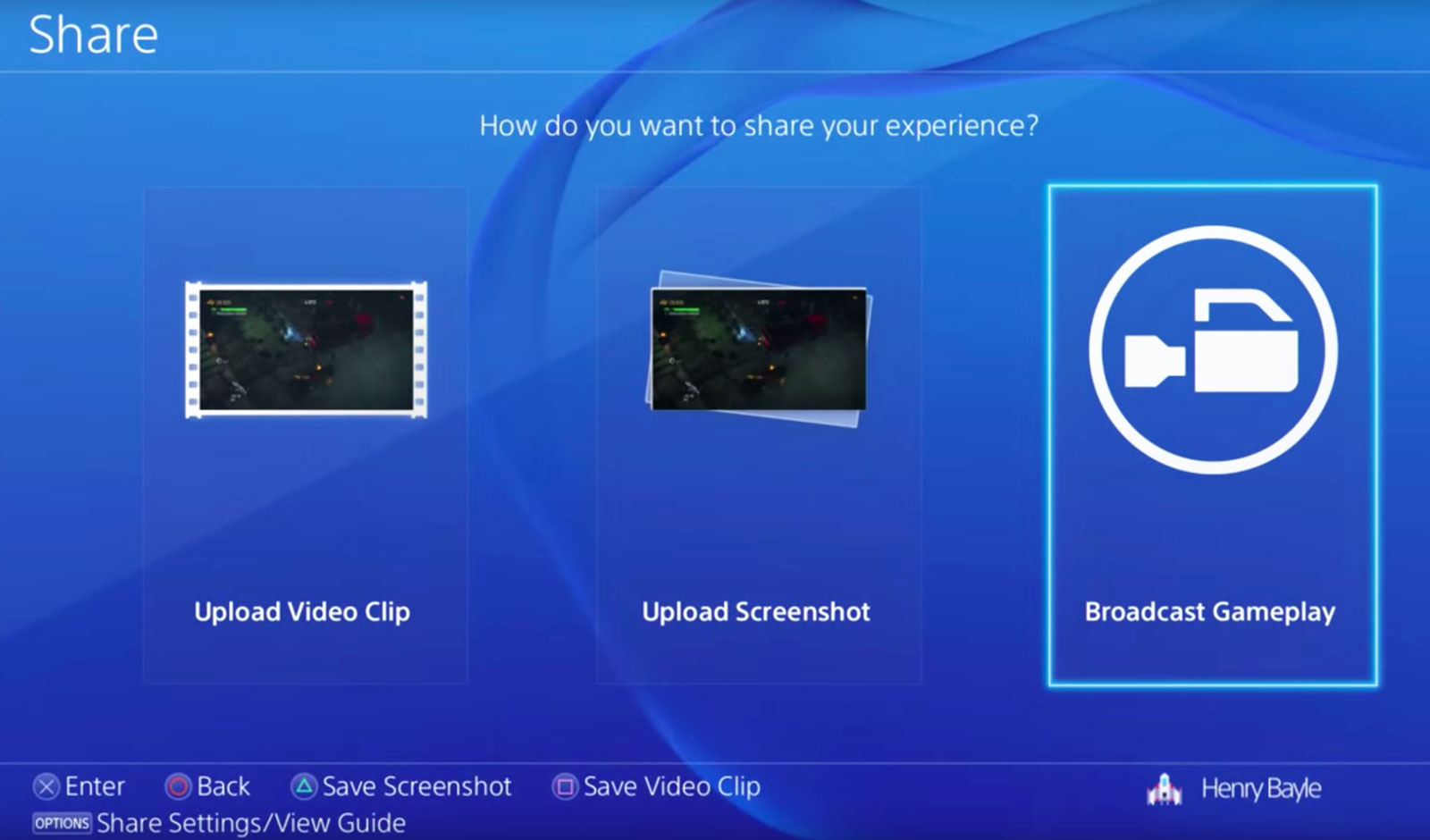
When the PlayStation 4 debuted, there wasn’t a fully dedicated Twitch app. You could watch streams originating from PlayStation via the Live From PlayStation application, but if you wanted to check out a stream of, say, the Dota 2 International you’d have to load Twitch on the system’s web browser. It was incredibly janky. Live With PlayStation broadcasts aren’t just favored; they’re the only ones that are picked up by the homescreen drop-down menus and the “What’s New” tab. But at least now there’s an official Twitch app for watching broadcasts. It works like the Xbox One version does, with a main grid of channels to choose from on the home screen, video and chat taking center stage on a given broadcast, and past streams and channel info off to the right.
While the streaming options started out limited, today they’re pretty robust. You can stream to YouTube, Twitch or even Dailymotion. You can also customize your stream with camera effects and a green screen (to remove any background from what the PlayStation Camera picks up). It offers more flexibility than broadcasting from Xbox One does, but you’re still better off launching your pro-streaming career with a PC and capture device.
PlayStation services
Sony really likes the “PlayStation” name: It’s put it on a number of services accessible from the PS4. PlayStation Now is the company’s quasi-Netflix-for-games streaming service; PlayStation Vue is its TV app for cord-cutters; and PlayStation Plus is its monthly premium service, granting access to online multiplayer and three free game downloads per month.
Rather than offer true backward compatibility for older games via software emulation a la Xbox One, if you want to play a bulk of Sony’s legacy titles on your PS4 you’ll have to pony up $100 for a yearly PS Now subscription, $45 for three months or $20 per month. Is it worth it? Not really. Even with a solid internet connection, game streams cap out at 720p, audio quality isn’t on par with a disc-based game and there’s lag stemming from streaming gameplay off Sony’s servers, to your PS4 and then returning your controller input to the server. Taking the price and user experience into account, it’s a far better idea to pull your PS3 out of the closet. If you have a hankering for an even older game, downloading a PlayStation or PlayStation 2 game from the PSN Store and playing it on a PS Vita is a much better idea.
Microsoft wanted to control your TV’s main HDMI input with its plan to make the Xbox One into the ultimate set-top box, but it’s Sony that’s come closest in that regard, thanks to PlayStation Vue. Even then, using the app (up to $50 per month depending on the package) that wants to be your stand-in for a cable subscription is still a rough experience.
I rarely play multiplayer games online, so paying for access to do so isn’t my cup of tea. But PlayStation Plus is so much more than that. It gives me three free games per month, the occasional option to vote on what games will be free and discounts for digital purchases. A majority of the games are from indie developers, and while the quality of said games may have dipped as of late (not everything can be the killer survival horror game Outlast or local co-op adventure Lara Croft and the Temple of Osiris), they still regularly best what Microsoft gives away with its Xbox Live Gold promotions.
Different ways to play

In one form or another, Sony’s Remote Play feature has been around since at least 2010. But using the company’s PlayStation Portable handheld to access a PS3 and playing games from it always felt kludgy. Using a PS Vita handheld to do the same with the PS4 is dramatically better, but my giant mitts aren’t ready to trade a DualShock 4 for the Vita’s comparatively cramped confines just so I can play Destiny from my bedroom.
More than that, the Vita is missing a few buttons that the DualShock has, so you need to remap them to the handheld’s rear touchpad. Streaming to a Sony tablet and connecting the gamepad via Bluetooth works like a dream. If you’re after precision, though, and the game you’re playing requires lightning-fast responses, like streaming with PS Now, you’re going to be disappointed. Remote Play is an interesting feature, but unless you have the perfect setup for your network (home or otherwise), the tradeoffs might not be worth playing PS4 games away from your TV.
It’s the same with Share Play, the futuristic PS4 feature that lets you virtually pass a controller to someone else via the internet. The ability to have a friend across the country help you get past a tricky spot is pretty nuts. When it works, anyway. Same goes for playing couch co-op with a friend who isn’t in the same room with you. The problem is that Share Play requires an extremely fast connection between both people to provide the best experience. My modest 85 Mbps connection floated between “low” and just a few notches into the “good” rating. Even starting a session is dicey.
But when it works — and, more importantly, when the game you’re playing doesn’t block the feature — it feels crazy. The initial setup is really unintuitive, and the amount of lag will make or break whatever you’re playing. The X-Wing training mission in Star Wars: Battlefront is okay because it doesn’t require twitch reflexes for your co-op partner, but dipping into the game’s first-person shooter survival mode can be unplayable because of lag. Simply watching a friend play a game works pretty well, though, because it’s a passive experience and doesn’t rely on transmitting gameplay data from your console to your buddy’s.
Game selection
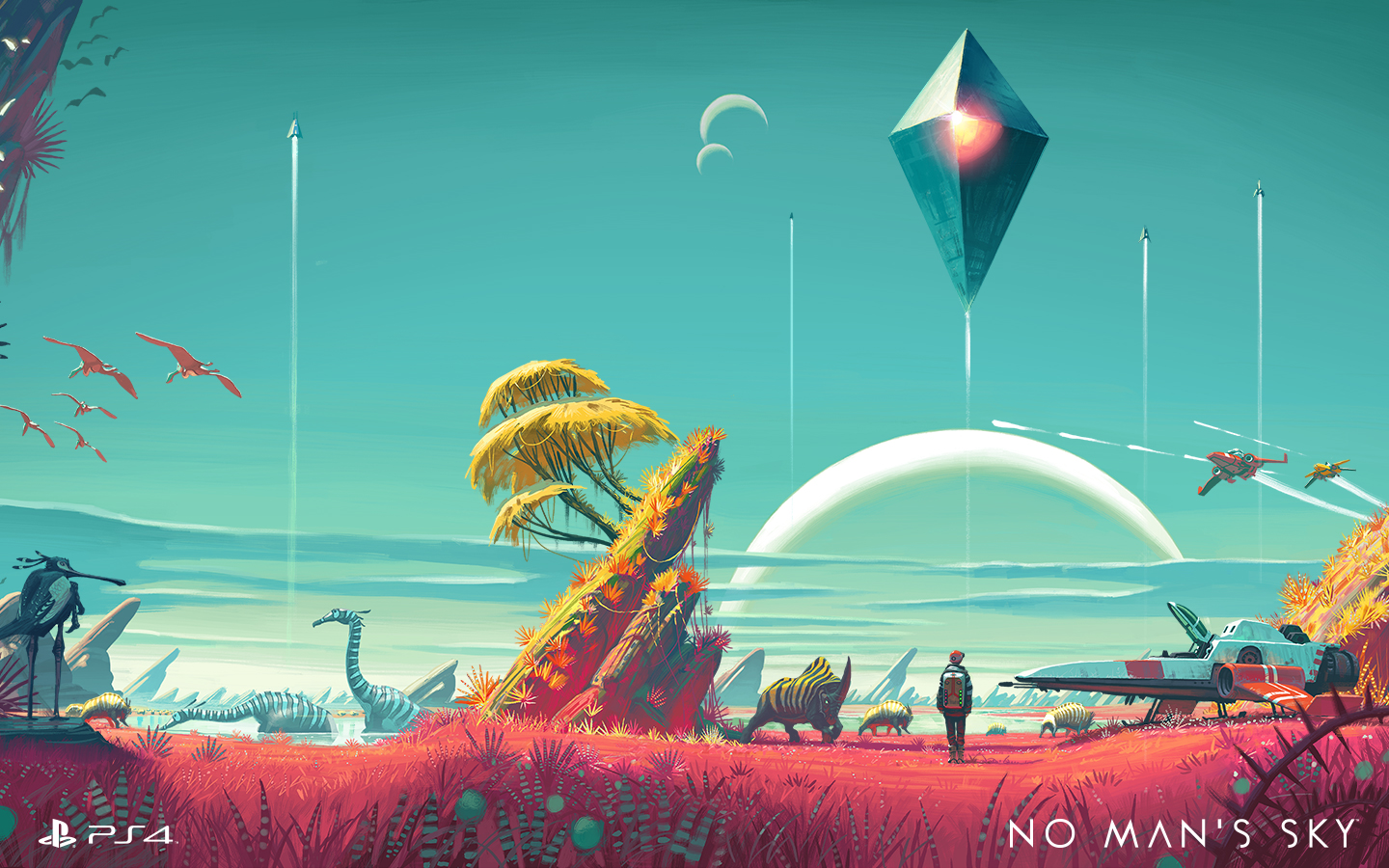
The list of fresh exclusives on PS4 keeps growing. Last year alone saw the ultra-tough Bloodborne, the perennial MLB: The Show and the interactive horror flick Until Dawn. That’s in addition to all of the indies that hit Sony’s latest console before Xbox One, like Rocket League. This year we’ve seen Ratchet and Clank, The Witness (a console exclusive), Uncharted 4: A Thief’s End, and another edition of Sony’s gorgeous baseball franchise, The Show ’16. There’s still No Man’s Sky, The Last Guardian and all of the upcoming PlayStation VR games as well. Simply put, there are lots of reasons to own a PS4, with even more to come.
Wrap-up

It’s easy to see how Sony has moved over 40 million PS4s. After getting kicked in the teeth for most of the last hardware cycle, Sony wasn’t about to let that happen again. The PS4’s focus has always been on games, not replacing your cable box. By focusing on that first and then augmenting the device with services like game streaming, Sony has built an excellent — in fact, the best — game console. It isn’t perfect, to be sure, but it keeps improving on a formula that already works well.
‘The Banner Saga 2’ is making its PS4 debut earlier than expected
The Banner Saga was a gorgeous tactical role-playing game with some of the most attractive art around, akin to that of a great-looking animated movie. Its sequel The Banner Saga 2 was planned originally for a July 26th release, but porting team Shiny Shoe is ahead of schedule, so instead it’s actually coming out next Tuesday, July 5th.
According to Sony, you can jump into The Banner Saga 2 even if you haven’t played the original game, as there will be two special default characters you can play with if you don’t have any original Banner Saga save game data to import for this game.
If you play on PlayStation 4, you also get a special in-game item called the “Playful Hilt of Arnr,” which is automatically added to your inventory at the beginning of the game.
Check out the trailer below and get ready to dive in after the long holiday weekend.
Source: PlayStation Blog
Sony ends Ustream game broadcasts on PlayStation 4
When Sony released details about the PlayStation 4 ahead of its 2013 launch, it promoted a feature letting gamers broadcast their playing on the streaming service Ustream. Today, Sony announced that that partnership was over: On August 1st, PS4 players will only be able to livestream their gaming on Twitch, YouTube, and DailyMotion.
It’s not clear yet what prompted the end of Ustream on Sony devices, but it’s essentially a blackout on all of them. In addition to ending livestreaming from the PS4, users will no longer be able to view Ustream videos from the “Live from PlayStation” portal on the console, the PS Vita and the mobile PS app.
Support for Ustream on PlayStation is ending. Click here for more info: https://t.co/rcEAAetcxt
— PlayStation (@PlayStation) June 28, 2016
In the years since Sony launched the PS4, there’s no doubt that Twitch has become the dominant platform for game streaming. It has only grown in that role since getting acquired by Amazon in 2014, creating a new eSports league and pushing game developers to bake streaming into their games from the outset. On the other hand, we haven’t heard much about Ustream since it was bought by IBM back in January to power its enterprise broadcast services.
Source: PlayStation Blog
My pointless quest to achieve perfect retro console fidelity
It all started about four years ago when I came into an old Sega Saturn system from the mid-90s. It was an entire console catalog that I completely skipped over back in the day. I hooked it up to my TV and soon I was knee-deep in classic fighting games like Street Fighter vs X-Men, and shoot-em-ups like Thunderforce V. The low-poly art style was gorgeously retro, but I quickly realized that the image was stretched and distorted on my HDTV. I googled “retro console fidelity” and that’s where it all went wrong.
Without getting too deep into the AV nerd wormhole — and I am certainly no expert on this matter — the short of it is that that old video game consoles were designed in very small resolutions specifically for old CRT televisions. You remember those old bulky beasts that took two grown men to lift? They had actual cathode ray guns inside of them that drew the image on the screen with a spray of electrons. Old consoles (we’re talking pre-PlayStation 2) were designed to make use of this specific process: They relied on CRT-specific features like scanlines (this usually refers to the horizontal black lines that noticeably ran through the image), color bleed between the lines, and interlacing.
So when you plug one of these systems into a modern HDTV, the signal has to be treated and interpreted for your big shiny flat panel. The TV must upscale the pixels and deinterlace the signal — not to mention it has no cathode tubes, so there would be no scanlines, which means no color bleed. Plus, there’s a resolution problem. A Super Nintendo, for example, outputs at 256 x 254; a 4KTV is 3,840 x 2,160. That means if you plugged one into a 4K set, the signal would need to be expanded by inserting several million useless pixels into it.
On top of all of this, CRTs are in a square rectangular 4:3 format, while modern TVs have a 16:9 widescreen aspect ratio, which means your game will also appear stretched and distorted. Taking all of this into account, the image resulting from plugging an old console into a modern TV is a far cry from what the console intended to produce. An old Sega Saturn, or Super Nintendo, or NES, or any console before the HD generation, is going to look pretty ugly on a modern screen.


If you’re like me and you’ve come this far into the retro fidelity wormhole to learn about stuff like “interlacing,” then you’re probably going to do something about it. The most sensible and economical thing to do is buy a scaler — a device that sits between your console and your modern television and handles all of that tricky business of translating the signal. The Framemeister XRGB-mini is probably the most popular.
While a scaler can get the job done for most people, the image it transmits is only an emulation and an approximation of what the signal would look like on a CRT. In other words, the scanlines would not be real, and so a scaler could never deliver the image that the consoles intended. To achieve actual honest-to-God retro fidelity, you’re going to need to get your hands on a genuine cathode-ray tube monitor. My quest was born.

XRGB-mini Framemeister upscaler
JunkerHQ.net
Shopping around, I soon realized that some of the best CRTs ever made — specialist devices once far out of reach price wise — were now readily obtainable. So I set my sights on acquiring a Sony BVM — a high-end RGB monitor that was most frequently used in broadcast stations and editing bays. Getting one of these bad boys would not only satisfy in the myriad output issues associated with older consoles plugged into new TVs, but it would also be an RGB-input monitor, which means it would display the crispest colors from your old consoles. For the purist — which, to my horror, I realized was me — this was a far better option than a scaler.
I put the Sony BVM20F1 in my sights. It’s a 20-inch monitor that clocks in at almost 70 pounds. It originally retailed north of $12,000 (yes, that’s right), but they now run between $120 and $200 — if you can find one. I scoured eBay for weeks, but the few BVMs I could find were pick-up only (shipping a 70-pound hunk of equipment is expensive and onerous). I found many possible compromises. In particular there seemed to be a lot of similar, but smaller Sony RGB monitors going up for auction around me. But they were only 8 or 12 inches and intended for use as medical imaging equipment.
While there’s certainly something charming in the ridiculous notion of playing Super Mario on a 8-inch screen that had 10,000 hours of displaying sonograms under its belt, I decided to hold out for the real deal. After several weeks of fruitless searching, I failed to turn up anything affordable. Obtaining these old monitors was harder than it seemed. Years passed, and this quest went on the backburner.

But then I moved to Los Angeles. I suddenly realized that I was in the broadcasting monitor capital of America. A quick look on Craigslist took me to a storage unit in Studio City, where an aging video editor hauled out two RGB behemoths for me to check out. I hoisted them out of their travel cases to discover two Sony PVM20s. Not the BVM holy grail I had been searching for, but these were a close second (the main differences between the PVM and BVM are in the types of formats the monitors support natively). I bought both PVMs for $100 together — a steal — thinking that I could sell the second to another foolish person like myself and maybe even cover my costs and somehow justify this whole mad endeavor.
So, finally, after several years with the goal of perfect retro fidelity hanging over my head, I had myself a glorious RGB box complete with scanlines. Imagine my dismay, then, when I got home and realized I needed a set of custom cables to rig my old consoles up with RGB output that would connect to the weird specialist BNC connections on the back of the monitor. So another six weeks passed as I hunted down the RGB cables that had to be custom-built for the Saturn and the SNES and shipped from the United Kingdom. And yet, they still needed BNC adapters. These were shipped in from Hong Kong. So about two months after I burdened my home with a 70-pound monitor that every guest asked befuddled questions about, I could finally — finally — experience the glorious RGB scanline-infused signal that I had longed for all these many years.
I hooked up my Sega Saturn and basked in the glory. The monitor turned on with a satisfying hum as the cathode ray guns warmed up. The screen glowed with a buzz of static electricity that was fuzzy to touch. I played an hour or so of old fighting games and shoot-em-ups. The Darkstalkers sprites were gorgeous; their animations popped. Radiant Silvergun was, um, radiant. The colors, carried over RGB signals that separated the reds, greens and blues, were vibrant and alive. These games looked magnificent, better than I could have ever experienced them back in the day because I would never have had access to such an expensive monitor. They were simply the best they were ever going to look.

But the glow faded fast. After a couple of weeks of dabbling with the equipment and various games and consoles, my attention drifted. I sold one of the monitors to an artist who was making an installation. The other got boxed up and put in the basement. I had seen Sonic the Hedgehog in its most pixel-perfect incarnation, and yet I felt empty inside.
Searching for retro fidelity, I realized, was not merely about making old games achieve an objectively “perfect” gold standard of visuals. At the end of the day, even on the best hardware you can obtain, it all becomes subjective anyway. Dive deep into retro gaming forums like Shmups and you’ll find that at a certain level, it is just a matter of preference.
No, this quest was always about something more personal. Old video game consoles — and old CRT televisions, for that matter — exert an emotional pull on many of us. These devices created the images that we grew up with. They were charmingly imperfect, and elegant in their solution to technical problems. These images are attached to memories; to our sense of identity. Recreating them as we think we remember them has become a time-consuming, burdensome endeavor — and as the tech ages and disappears, it will become increasingly difficult and also more expensive. It’s not that the games themselves will go away. There will always be plenty of ways to play them, but what we will be playing will always be a mere emulation. It will be, like our memory, simulations of images that were once magical — beautiful in their imperfections — but are now gone forever.
‘Resident Evil 7’ is going back to its horror roots
Capcom’s Resident Evil 7 brings some substantial revisions to the series. The seventh major installment takes the franchise into virtual reality, but that’s just the start of the changes you’ll see when it launches on PS4 early next year. The studio is taking the opportunity to rewrite the “survival horror” game concept it helped pioneer, stripping away a lot of schlocky Resident Evil tropes, enemies and characters. Both the demo and trailer show a more terse, psychological kind of horror game, something that several games (including Konami’s loudly canned P.T. teaser) are looking to tap into. Action appears to takes a back seat to exploration and plain weirdness. It’s a great conceit, but it’s still a work in progress. Series producer Masachika Kawata explained to Engadget what’s happened to Resident Evil — and the challenge of ensuring that those playing on PSVR can stomach it.
To start, this Resident Evil is a different kind of experience, regardless of whether you play it with or without PSVR; both versions are presented with a first-person view. “It offers a more detailed, visceral experience of the game environment,” Kawata said. “But comfort optimizations are an extra challenge.”
In the short demo (playable now on PS4 with a PS Plus subscription), the game starts with you inside an abandoned house. The goal is to get the hell out of there, which is mostly a matter of exploring and interacting with things inside the house. Without spoiling it, the demo doesn’t offer much (or anything) in the way of weapons, but that’s not to say you won’t be able to fight back. “[After switching perspective to first person], I like how the control system works with combat. While we haven’t shown that just yet — it’s coming,” Kawata said.
According to Kawata, the first-person view also offers a “more detailed, visceral experience of the game environment … although comfort optimizations are an extra challenge.” It makes sense: If I’m meant to be the character in a VR game, looking through her eyes, then shaking the camera or switching the perspective will make for an uncomfortable experience. Kawata explains: “Like climbing a ladder: In the PS4 version, the camera pans out to show the character climbing down. In VR, we’d fade out from the view from the start of the ladder and fade back in once you’ve moved. These are the kind of things we have to look into and support [for VR players].”
Those aren’t the only VR issues that Capcom needs to tackle. My colleague Jess Conditt went through the wringer while playing the PSVR teaser, which made her feel severely nauseous. (I also had to take off the PSVR headset before finishing the demo, as I felt similarly queasy. And we’re not alone.)
Kawata admits there’s work to be done here: “There’s a lot of variables in place when you play VR, including how [the player] literally feels at the time that you play it,” he said. “It’s something that we’re comprehensively looking into, especially at events like E3, which is an opportunity to gather feedback from gamers that try it out. We’re optimizing Resident Evil 7, to make it the most comfortable experience we can make it.”
Whatever the problem, it highlights an important fact: Good VR is fantastic, but there’s nothing worse than bad VR.
According to Kawata, “We’re aware that the main issue, the freedom of movement of the VR headset, can sometimes clash with the right stick that adjusts your view on the controller. That seems to be one of the issues — one that we’re working hard to resolve.”
It could be the camera system, or it could be the lower frame rates on the PSVR compared to the competition. Whatever the problem, it highlights an important fact: Good VR is fantastic, but there’s nothing worse than bad VR.
With everything that’s changed, is this a Resident Evil title only in name? Despite those aforementioned changes across the latest installment, the game isn’t a reboot: It continues the storyline from RE6, albeit in a different way. No zombies or shotguns? You should be OK: “You can be assured that the experience will very much be a Resident Evil one,” Kawata added.
Making a full game in VR was a challenge, he said. “It’s a lot of work but I really think we’re starting to see the results of all that now.” There’s still time, at least, for the team to work out those (literally) stomach-sinking VR issues: Resident Evil 7 launches Jan. 24th, 2017.
This interview has been translated from Japanese as well as edited and condensed.
Sony will pay out millions to spurned PS3 Linux users
A long-running lawsuit stemming from Sony’s claim that its PlayStation 3 consoles would allow for third-party operating systems has finally come to a close. As Ars Technica reports, the class-action lawsuit could end up costing Sony millions of dollars for getting on the bad side of some Linux fans, and if you’re one of those Linux fans, you could be in for a $55 check.
The whole mess goes back six years, to when Sony disabled the “Install Other OS” feature with a PS3 software update, eventually claiming it did so due to piracy concerns. Sony also claimed the update was voluntary, even though opting out would break nearly every other major feature of the console.
According to the attorneys who brought the class action, up to 10 million console owners could have been affected. And under the terms of the deal they struck with Sony, they stand to make a cool $2.25 million of their own. As for those folks who had hopes of using their PS3s as a Linux box — they are eligible for that $55 payout assuming they can show “some proof of their use of the Other OS functionality.” If you knew about the Other OS function, but never quite got around to using it because you were too busy playing God of War III, you might still be eligible for a cool nine bucks.
As part of the deal, which still needs to be approved by a judge next month, Sony will need to alert users about the settlement via PlayStation’s own email database, as well as ads on popular tech and gaming sites. In the meantime, if you’re looking to run Linux on your PS4, you’ll have to resort to some actual hacking.
PS4’s ‘Detroit’ couldn’t have taken place anywhere else
When you set your story in a specific city, it’s a very sensitive thing to do,” said David Cage, director of the upcoming PlayStation 4 exclusive Detroit: Become Human. “You don’t want to do it if you’re not respectful of the place, of the people living there.” Cage’s next game with studio Quantic Dream deals with a near-future world where androids aren’t a mobile operating system for your phone, they’re “living” among us with hopes and desires of their own. Specifically? Transcending their circuitry and, as the name suggests, being human.
Detroit tells the story of several humanoid robots and is set entirely in the Motor City. Like his games Heavy Rain and Indigo Prophecy before it, Detroit is a narrative-based choose-your-own-adventure where the decisions you make in the story have huge ripple effects. Ultimately those could lead to main characters dying because of your actions.
As Cage tells it, the game couldn’t have taken place anywhere else. He said that the tale of an industrial titan — Detroit and its automotive manufacturing background — going through difficult times and being reborn was a natural fit for his narrative.
“Where would an android industry go? There would probably be a need for huge factories and a lot of space. I thought that Detroit would be a perfect place for that,” he said.

This isn’t the only time the eponymous city’s been used for a video game setting recently, and for the same reasons. When Deus Ex: Human Revolution was released in 2011, it used Motown as the headquarters for the human augmentation industry. Cage said that this doesn’t affect his vision for Detroit. “I don’t like to look too much at what people do at the same time,” he said.
“You don’t want to make decisions just because someone else did something a little bit like this, and then you need to find something that is not as good just for the sake of being different.”
Cage’s ‘Detroit’ doesn’t just use the city’s name as shorthand for its cultural history.
Unlike Human Revolution, Cage’s Detroit doesn’t just use the city’s name as shorthand for its cultural history. Some of Detroit’s most recognizable landmarks have appeared in trailers for the game so far. The statue of Joe Louis’ fist, downtown’s monorail system, and yes, blighted houses, are but a few examples.
For people who live in Michigan or have spent a lot of time in Detroit, it can be aggravating seeing the media paint the city as nothing more than burned out homes and abandoned buildings. A level in 2014’s Call of Duty: Advanced Warfare set in Detroit transformed the city into a refugee camp, for instance.
“I can’t believe this is Detroit,” a character in Advanced Warfare quipped at one point. “It hasn’t changed that much,” said another. And that’s four years after attacks on nuclear power plants around the world had thrown Earth into chaos; 2059 in the game’s timeline. The team at Sledgehammer Games used Detroit as a lazy signpost for a destroyed city, when, honestly, a few lines of dialog could’ve been changed and the level could have taken place in an Eastern Bloc country.
Cage doesn’t want that. His team at Quantic Dream spent time in Detroit during production because he hates writing a story about a place he hasn’t been. He traveled around, visiting decrepit churches, meeting the people who are rebuilding the city and came away inspired by the energy he felt. He even made his way through the abandoned Packard Automotive plant that graffiti artists have adopted as a 3.5 million square-foot canvas since its late-’90s closure.
“It’s definitely a surreal place in many ways,” he said. “You could tell just watching the rooms and how beautiful it was one day. You can still feel it and easily imagine how it could become something incredible again.”
If Cage’s game is focused on a decline, it isn’t of Detroit, it’s of a race: humans. He said that the advances we’ve made in artificial intelligence, coupled with our penchant for violence and conflict, were a good jumping off point for his game.

The Packard Automotive plant. Image credit: The Washington Post via Getty Images
Cage believes that high-powered artificial intelligence that can walk among us is an inevitability. But, whether that will be something good or bad is anyone’s guess at the moment. Tesla and SpaceX mastermind Elon Musk, and astrophysicist Stephen Hawking, think that our current trajectory could end badly for the human race. Hence their dire warnings and multimillion dollar donations to keep a Skynet-like situation from occurring.
“What I wanted to do with Detroit is take the opposite angle and not necessarily say that technology is going to be our enemy and that [androids] are going to destroy us,” Cage said. “But, rather say, ‘What if we were declining?’ What if the human race, through hate and violence, what if it was the end of a certain era and maybe the beginning of something else?”
The juxtaposition of humanity decaying and technology taking over probably wouldn’t be as effective if the game was set anywhere other than Detroit. It’s the attention to detail and reverence for Motown that Cage and his team have that rings most clear and grounds their vision of a fantastical future in reality.
“If you just come [to a city] and steal what you want to steal for your piece and just leave, that’s one approach,” he said. “But we were sincerely moved by the place, by its history, by the people we met. We wanted to be fair to them and tell a story that would work for them.”
“We love the city, honestly.”
Sony stops making smartphones in Brazil
Sony has announced that it will no longer manufacture smartphones in Brazil. Although the vendor invested R$250m ($83m) last year to expand its mobile unit in the country, the end of tax exemptions for locally manufactured smartphones that cost up to R$1,500 ($530) has motivated the brand to move away from local production.
Instead of continuing with Foxconn and Arima for local manufacturing, Sony will now import products — like the Xperia X and XA — from China and Thailand.

Sony’s marketing director Ana Peretti confirmed the changes to local news outlet G1 (via ZDNet):
The law of the well was suspended and we only have products over R $ 1.8 billion, so we decided to import these models.
Peretti also mentioned that the changes would result in a more flexible distribution system. Sony isn’t the only vendor reconsidering its Brazilian strategy, as Xiaomi stated earlier this month that it would not bring any new phones to the country. The Chinese vendor stated that it would not leave the market — its first outside of Asia, only that it wouldn’t launch devices like the Mi 5 or the more recent Mi Max to the country:
Xiaomi is not leaving the country. With the constant changes in manufacturing rules and taxation for sales via e-commerce in Brazil at the end of 2015 and that are not yet solidified, the Xiaomi decided then not to make new releases in the country in the short term.
The ‘Burnout’ successor from Criterion Games is no more
Electronic Arts’ E3 keynote last week featured an awful lot of soccer (football to the rest of the world), Battlefield and Titanfall, but no word on how developer Criterion’s post-Burnout racing game was coming. That’s because the team is occupying different pastures, according to GameSpot. An EA spokesperson tells the publication that the studio has “moved on from the previous project they’ve spoken about and aren’t pursuing it.” It was teased at E3 2014 during the company’s media briefing and never heard about since.
The “biggest game that Criterion’s ever made” was supposed to combine action racing with helicopters, wing-suits, jet skis and ATVs has been abandoned in favor of Criterion working in that galaxy far, far away. Specifically, co-developing the Battlefront VR game that EA teased back in March, which we now know as Star Wars: Battlefront X-Wing VR Mission. Rolls right off the tongue, doesn’t it? Regardless of how cumbersome the name is, you’ll be able to play it this October — for free assuming you haven’t traded Battlefront off just yet.
Maybe after that ships we could see the team make a long-awaited follow-up to Star Wars: Episode One Racer. If anyone could pull that off, it’d be Criterion.
Via: Polygon
Source: GameSpot
PlayStation Vue comes to your Roku player
Come next week, you’ll be able to watch your PlayStation Vue programming from pretty much anywhere. Sony announced on Tuesday that the streaming platform is available on Roku devices and will roll out to the Android OS next week.
The Vue is meant to replace (or at least heavily supplement) your existing cable subscription. By tying it to the Roku, Sony’s giving its subscribers the option to potentially ditch the set-top box entirely. And with the Vue coming to Android 4.4 next week (it’s already available on iOS and works with Chromecast) users will be able to watch live television streams anywhere they’ve got an internet connection.
Vue comes in three package options: Access, which offers 55 channels for $30 a month; 70-channel Core for $35 and the 100-plus channel Elite package for $50. If you live in a major live local broadcast area, like the Bay Area or the NYC metro, those prices rise by $10. You can see what channels are available where at the Vue website.
Source: Sony
 AIVAnet