


First sighting of Sony Xperia Z3, Z3 Compact

It seems that Sony is getting ready to release their upcoming smartphones, which will be known as the Sony Xperia Z3 and the Xperia Z3 Compact. If the image shown below is accurate, then it is confirmed that Sony is going with the Omni-Balance design for their upcoming flagships as well.
 No more information about the devices are known right now, but we can expect Sony to release it during the IFA event which will take place in Berlin during September.
This is all what we know right now. Do you think that Sony should release their future devices with Omni-Balance design language?
The post First sighting of Sony Xperia Z3, Z3 Compact appeared first on AndroidGuys.
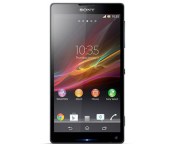
How would you change Sony’s Xperia ZL?

At first blush, you’d be forgiven for asking what Sony’s Xperia ZL was for, given that it was the less fancy version of the Z. The dowdy sibling turned out to be a lot better than expected, however, with nicer ergonomics, even at the expense of the waterproofing. Unfortunately, by the time the ZL was announced, the HTC One (M7) and Galaxy S4 had arrived onto the scene. So, let’s pick apart the ZL and ask: was it a case of bad timing, or did Sony simply not do enough to warrant equal billing with its rivals? Head on over to our forum and share your thoughts.
Filed under: Cellphones, Mobile, Sony
Source: Engadget Product Forums
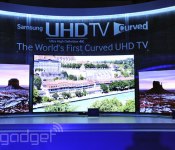
What ‘Ultra High-Definition’ really means

In yet another successful attempt at making the Quad HD / 4K / Ultra HD situation as clear as mud, this week the CEA updated its official… definition of the term “Ultra High-Definition.” The original spec was established in late 2012 just as the first high-res TVs debuted, and now the expanded “updated core characteristics” will let customers know the TV or player they’re buying is actually capable of playing high-res video content. What’s new is that Ultra HD TVs, monitors and projectors have to be able to upscale HD (1080p) video to Ultra HD (3,840 x 2,160), decode HEVC, have at least one HDMI input that supports Ultra HD video input at 24, 30 and 60fps and that can decode the HDCP 2.2 DRM that super-sharp video will require. Not up on all of the acronyms and buzzwords? Whether it’s a stream from Netflix or Amazon, a broadcast over cable or satellite or some new version of Blu-ray, if your new TV has the logo this fall, you’ll be ready for it — simple, right?
Filed under: Home Entertainment, HD, Samsung, Sony, LG
Source: CEA
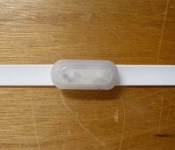
Sony marries glowsticks and wearables for an unnecessary concert accessory

Remember FreFlow? Sony tested the concept of synchronized glow pens a couple of years ago at a few concerts in Japan, turning the audience into the spectacle (see the video below). Judging by a recent entry at the FCC, it looks like it’s set to go from prototype to product. Here’s how it works: when performers on stage wave the master pen around, concert-goers’ pens light up and change color in unison. There’s a master transmitter/controller to manage the works. We’re not sure how Sony would distribute them if they came to the US, given that concert venues and groups would have to support the devices. Either way, if you’re into that sort of thing it’s a lot easier than whipping out a smartphone — and less hazardous than a Zippo.
Source: FCC

Sony to stream two World Cup matches in 4K at a London cinema

Sporting events are often used as a testbed for new broadcast technologies, and this year’s World Cup is no different. The BBC is already piloting 4K transmissions (albeit internally) from Brazil, but Sony has dreams of hitting the big screen. The official World Cup sponsor announced today that it’s teaming up with Vue Cinemas to deliver a quarter final match and the final in Ultra High Definition (UHD) live via satellite to Westfield’s Vue Multiplex, which’ll host events on the 4th and 13th of July. Sony says tickets will be limited, by which it probably means the audience will be full of corporate types, but intends to offer a few to some “lucky fans.” We’ve contacted a representative and will share exactly what we know in due course.
Update: Sony has responded, confirming that the quarter final match is for guests only. However, the Final will be opened to the general public, with tickets available via Vue directly.
[Image credit: Daniel Incandela, Flickr]
Filed under: Home Entertainment, HD
Source: Sony Europe

Android TV will be in Sony, Sharp and Philips TVs next year

Google isn’t giving up on TVs yet. While its new Android TV flavor of Android L will hit the streets in set-top boxes aimed at game consoles and media streamers, it announced that next year smart TVs from Sony (all of its 4K and smart TVs), Sharp and TP Vision / Philips will ship with the OS. It’s also working with some familiar TV providers overseas like LG U+ in Korea (not LG Electronics TVs, which are moving to webOS) and SFR in France, as well as the chipmakers that build the components for smart TVs and boxes as seen in the slide above. The difference from the original Google TV approach is that the company isn’t treating Android TV as an entirely separate platform from mobile, and everything needed to handle video from HDMI,TV tuners or IPTV receivers is now natively included in Android L. We’ll probably have to wait until CES 2015 to find out if it’s having any success convincing more TV manufacturers to join in (again), but these are a start.
Android TV: Google Cast, voice search and tailored content. Visit http://t.co/H3lQNHUvcn for a preview and look for devices this fall.
– Android (@Android) June 25, 2014
Filed under: Home Entertainment, HD, Sony
Source: Android TV
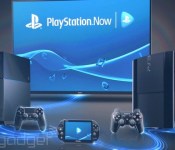
PlayStation Now will start streaming PS3 games to Sony TVs next week

Sony has been testing its PlayStation Now cloud streaming game service for months, with a select group of players testing it out on the PS3 and PS4 (all PS4 owners can try it out at the end of next month). On Monday, that group will expand to include owners of some of Sony’s 2014 TVs, including all 4K Ultra HD sets and some of the 1080p models. As a part of the PlayStation Pilot Service, that means that if they live in the continental US, they can play PS3 games with just an internet-connected TV and a DualShock 3 controller plugged in via USB.
Trying games out that way might not save a ton of dough however — prices for renting a title can range between $3 and $20 — but it does mean one fewer box is needed in the entertainment center. Of course, Sony also mentions that its family of funky wedge-shaped Bravias are available in its Best Buy in-store experiences along with its 4K Ultra HD Media Player — necessary if you want to watch Breaking Bad in the highest quality possible. So is this the end of the dedicated console? Not yet, but between this and its (coming soon) streaming TV service Sony is eventually going to make sure that the only cord plugged into its TVs is the one for power.
Sony:
We are supporting nearly all 2014 models of BRAVIA TVs.
- XBR-X950B series
- XBR-X900B series
- XBR-X800B series
- KDL-W950B series
- KDL-W850B series
- KDL-W800B series
- KDL-W700B series
- KDL-W600B series
Filed under: Home Entertainment, HD, Sony
Source: Sony Blog

Engadget Daily: how to disappear, the deal with 3D printers and more!

Today, we review Sony’s lifelogging SmartBand wearable, investigate the ins and outs of 3D printing, learn how to escape the clutches of the internet and take a look at SportsCenter’s new home. Read on for Engadget’s news highlights from the last 24 hours.

How to Disappear (almost) Completely: the illusion of privacy
You could toss your laptop, tablet and your phone, but is that enough to escape the clutches of the internet? Read on as Dan Cooper investigates the illusion of privacy in part one of How To Disappear.

Sony SmartBand review: a fitness tracker that goes beyond fitness
Sony’s new fitness wearable, the SmartBand, is a $100 wrist-worn device that tracks your exercise routines and pretty much everything else. All in all, It’s a capable lifelogging gadget that unfortunately falls short of its potential.

What you need to know about 3D printing
3D printers: they’re invading our workplaces, schools and homes, but what exactly are these DIY factories capable of? Read on as Jennifer Williams-Alvarez explores the world of 3D printing and what it means to you.

This is ESPN’s new home for ‘SportsCenter’
What’s got 194,000-square feet, 1080p broadcast technology and a wall of 56 screens? ESPN’s Digital Center 2, that’s what. Read on for an inside look at this incredible facility destined to be the new home of SportsCenter.
You also might like:

Watch 168 hours of great games played live, really fast, right here

You can’t complete Super Mario 64 in under 10 minutes. Okay, it’s technically possible, but you almost assuredly cannot. That’s okay! We can’t either, but groups like Games Done Quick make it so we can watch the best of the best without any of the hard work. Of course, it’s not just Super Mario 64; as the group’s name implies, they play all types of games, and they play them quickly. Maybe you’ve heard of this practice before? It’s called “speedrunning,” and the result of said practice is, naturally, “speedruns.” We’re gonna just be straight up here: we heart speedruns. They’re the best. And twice each year, Games Done Quick has a week-long blowout where they stream live speedruns of awesome games all day, every day. But why? For charity! This summer, it’s Doctors Without Borders.
As such, we’re dropping this pin in Engadget for you to watch the stream all week. Lest you forget, we’ll remind you daily on social media that the madness is still going. Head below and see for yourself!
Wondering when your favorite game is coming? The schedule is right here, and the stream runs non-stop until June 29th. If the games don’t do it for you, the amazing commentary should. And hey, it’s for charity you monster!
Filed under: Gaming, Software, HD, Sony, Microsoft, Nintendo
Source: Games Done Quick
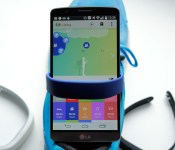
Sony SmartBand review: a fitness tracker that goes beyond fitness

When you hear the word “wearable,” there’s a good chance you think of a wristband, probably one that tracks your activity. Ever since Nike launched the FuelBand, your lower arm has become the main focus for fitness tech. Already the rot is setting in, though. Nike is rumored to be leaving the game completely (even if recent events suggest otherwise). Everyone else is still trying to decide what exactly a wrist-worn gadget should do. No one device appears to have figured out the magic formula. Most bands stop at counting steps and logging sleep. But Sony decided to try something different with its $100 SmartBand wearable. It still does the step-tracking thing, just along with other stuff — like, y’know, logging your entire life. As much as it can with a motion sensor and mobile phone, anyway. So how is it? I strapped one on to find out.
Hardware
It’s a bit confusing, but Sony calls the small sensor bit “Core,” but when sold with the wristband, it’s known as SmartBand. The Core part is similar to the sensor you get with a Fitbit Flex or Garmin Vivofit. It’s about an inch long by half an inch wide, and curved to fit your wrist. On one edge is a button, plus three small LEDs. There’s a micro-USB port on one of the short ends, and that’s basically it. The band is textured on the outer side and feels comfortable on the skin, even after prolonged use. As with other trackers, there’s a choice of two sizes in the box, and the big strap is larger than any other band we’ve seen. So, even if your wrists are like oak trees, it should still fit. The clasp is a small metal circle with two pins on one side, and a brushed finish with a Sony logo on the other. In terms of style, it still has that generic “sporty” look, but it’s more understated and visually pleasing compared to others I’ve tried (which is most of them), and the clasp adds a subtle metal detail to the otherwise plain rubber band. If, heaven forbid, you might want something other than black, there’s a bunch of colors to choose from, with a pack of three costing $25.

In keeping with the rest of Sony’s mobile hardware, the SmartBand is IP58 water- and splash-proof. As for compatibility, you’ll need a phone running Android 4.4 (with Bluetooth LE) to join in the fun, but NFC isn’t a requirement; that just makes pairing a lot easier. The three LEDs are your only visual output, but there’s vibrating feedback too. The battery lasts about five days between charges, depending on how much you use that vibrating feedback. I never had it last less than four, which is the minimum for any wearable, really. Fortunately, it also charges fairly quickly, going from dead to full in under an hour.
Setup
Press and hold the lone button, and the SmartBand will vibrate into life. Once on, it’ll go straight into pairing mode. I set it up with an LG G3, which has NFC. This makes things mildly easier, as all the Bluetooth pairing is done automatically, and the Play store loads up a download page for the required Smart Connect app. Once that’s installed, it’ll do the same for an app called Lifelog, and you’re set. If you’re not familiar with Smart Connect, it means you probably haven’t used any Sony accessories before. It’s the company’s “hub” for anything that connects to your phone (Bluetooth headphones, etc.). You’ll know if you have it installed because it pops up (a little annoyingly) when you connect almost anything to your phone.

Smart Connect is where you’ll change the SmartBand’s basic settings. Lifelog, on the other hand, is where all the, well, life-logging goes on. Again, it’s a confusing arrangement having two separate apps (technically it’s three, but the SmartBand settings app is embedded in Smart Connect). Think of it as one for settings, and the other for the fun stuff, and you’ll be mostly right. If you don’t have NFC in your phone, setup is almost the same, just with some manual steps to get the devices paired.
With pairing complete, and the apps installed, you’re ready to get logging. For your troubles, you’ll also be rewarded with two persistent notifications in Android. One from Smart Connect telling you which mode the band is in (more on this later), and one from Lifelog letting you know it’s, er, logging. Both seem a little pointless, and are nothing more than a permanent annoyance, occupying oft-valuable notification space. You can use them to get into the apps quickly, but I’d still prefer to be able to dismiss them.
Software

Right at the top, I mentioned how Sony was trying to do something different than other fitness trackers. This is where Lifelog comes in. The app is as much a part of the product as the hardware is. This is arguably true with Jawbone’s Up and Fitbit, et cetera, where the software adds functionality beyond the basic tracking, but Lifelog takes a completely different approach. Whereas Up will let you manually log food, and give you additional health-related data, Lifelog tracks what you do with your phone. For example, take a picture, and Lifelog makes a note of that. Browse the internet, and it will tally how long you were online. It’ll also keep tabs on where and when you did everything (if you let it). The idea is that, in combination with the motion/activity data, you can build up a “bigger picture” of how you spend your day.
Lifelog tracks 12 different activities, with some overlap. These include: steps, total minutes walking, total time running, calories burned, hours slept, time spent on social networks and number of photos taken. It’ll also log time spent with music, movies, games, books and the internet. You can create “Life Bookmarks” by double-tapping the SmartBand’s button (or via the app), and Lifelog will record a snapshot of what you were doing, where you were doing it, the weather at the time and so on. If all this sounds a little hectic, it’s not. The app is simple, with a timeline running along the top (showing the last few hours) and your daily totals for each activity in tiles below.

Click on any activity’s tile, and you drill down into more detailed stats. For example, prod the steps tile, and you’ll get an hourly breakdown of the day. There are also tabs to show your activity by week, month and year. You can set your desired daily goal for each activity here too. So, if you want to set a goal of 30 minutes of mobile gaming a day, you can — it won’t stop you from going over (now there’s an idea), but you can see at a glance how close you are to that target. The squares for each activity change hue, from faint to vivid, throughout the day as you progress toward your goal, providing a quick progress overview. Cute circular icons also appear on the timeline above an avatar (representing you) every time an activity is logged (e.g., a camera icon for a photo).
The timeline is probably the centerpiece of Lifelog. In the middle is the aforementioned avatar — a man or woman permanently gazing at a phone (so true). The background changes color reflecting the time of day, which is marked out in hourly intervals. Lifelog hooks into AccuWeather, and will show different graphics on the timeline to let you know if the sun was shining at the time, or if it was raining on your life parade. Perhaps more usefully, you can scroll into the future and see how the weather should be at that time (like a micro weather app).
The real party piece is that you can scroll back and forth in time to get a very quick visual overview of your entire life (well, the bit you can log with a phone anyway). It’s cute and creepy all at the same time. Especially when you scroll back and watch your onscreen self just standing there, then sleeping, then standing. Should you log any exercise, your avatar will do a little running animation for that period, before going back to glumly looking at the phone again. If it didn’t highlight the sad reality so elegantly, perhaps I wouldn’t mind as much.
Logging life

I honestly don’t know how I feel about it all. On the one hand, I dig being able to break down how I spend my day. On the other, I feel like I am writing a pointless diary that no one will ever want to read (including me). In reality, it’s a more juiced-up version of what you get with any self-quantifying data. It’s as useful or useless as you deem it to be. One thing’s for sure, if you spend too much time on Twitter, or playing Dumb Ways to Die, you’re soon going to know about it with Lifelog. Some metrics definitely feel more useful than others:
Calories
The app asks for your basic details (e.g., height, age) and estimates your caloric expenditure based on standard guidelines, coupled with your recorded physical activity. You can set a goal of calories you’d like to burn, but it’s hard to gauge how accurate it is without sophisticated tools. As a guide, it’s nice to know, but I don’t find myself referring to it often.
Steps, time walking and exercise
These simply log the total amount of time you spend either walking or jogging. The app guesses at distance totals with moderate accuracy (about 70 percent and upwards, similar to the step-count accuracy). It doesn’t plot a route of your walking, but the app does grab your location sporadically (with permission), so you do get a rough path on a map. The best thing about the exercise tracking is that it’s automatic. In my testing, it picked up my treadmill running after about a minute. These stats are not as accurate as other trackers, but are still good overall guides.
Sleep
Through the settings, you can tell the app to automatically enter sleep-logging (or “night”) mode at set times, which is much better than having to remember and switch it to night mode manually — most sane people will give that habit up very quickly. The problem is when you’re not actually sleeping at those times, it’ll either log you as having light sleep or, to its credit, assume you woke up temporarily. As with similar devices, it determines light and heavy sleep based on movement. You can ask it to wake you up at the optimal time within a half-hour window. If you’re sleeping like a log the whole time, it’ll just buzz you awake at the target time regardless. I like the alarm feature, but as for sleep logging? I already know I don’t get enough sleep, thanks.
Communications
Like to natter on Hangouts, Gmail, Twitter and Snapchat? You get the picture. Lifelog reports the total amount of time you spend on each of these apps, and aggregates it into a lump sum figure of time spent basically chatting. I’m not sure how useful this is, but it’s there for your significant other or parents to see and tell you off about. Thanks, Sony.
Photos
My Instagram is pretty dull, but it’s fun to be able to see when and where you decided to take a photo. If you’re skimming through your timeline, it partly serves as a mini bookmark, letting you spot a moment when you found something interesting. If you click the camera icon, it’ll show you thumbnails of the pics you took too. Not entirely useless. Note: You can’t edit what shows up in this section. Meaning, any and all photos could pop up here.
Music
I listen to streaming DJ mixes almost all day long, so this isn’t much use to me. If you’re a normal person, though, you might enjoy being able to see when you were listening to song X or band Y, especially if those moments hook in with other events (like a great workout).
Movies
If you’re an avid viewer, it’ll put a number on how much time you spend squinting at Orange Is the New Black. Then you can set a goal to do that less (and do the right thing, and watch it on a TV instead).
Gaming
Depending on your gaming habits, this metric might serve the dual purpose of signaling bathroom visits, and time spent waiting for public transport.
Books
I much prefer reading either a real book, or on my Kindle. I tested it on the phone to make sure it logs the Kindle app (it does). So that’s nice.
Browsing
This is probably the surprise winner for me. I know I browse a lot. Like, a real lot (given my job, that’s hardly surprising). It’s still, without doubt, the thing I do most on my phone, along with messaging. I knew this, but having it quantified motivates me to trade some of that time for steps, or running.

Individually, it’s unlikely any of these analytics will make a huge impact to how you decide to spend your day in the future. It’s the big picture Sony is gunning for here. It feels like it’s more about passive logging for long-term data accumulation and later reference than shocking you into change. Or, possibly, logging mostly for logging’s sake — something people clearly enjoy doing (look at Foursquare, for instance).
The whole lifelogging thing is cool, but there are some other useful features beyond that. I already mentioned how if you go for a run, you don’t need to tell the SmartBand; it’ll just figure it out and start recording. If you take your phone with you, it’ll even log where you went (though not a detailed GPS track). This is different to other trackers like the Jawbone or FuelBand that require you to tell them you’re working out. It might seem like a small detail, but the less a wristband demands of your time and attention, the better it’s doing its job.
In use

If you can pull yourself away from the Lifelog app long enough, the SmartBand has a few other tricks up its sleeve. For example, if you have an Xperia phone, the SmartBand will vibrate to alert you of any alarms you set on the handset. Then, you can tap the wristband’s button to dismiss them. It can also be used as a basic notifier for email, SMS and almost any other app you might have. Need to stay on top of those Netflix notifications? No problem. For this, you don’t need to have one of Sony’s phones; it works with any Android handset. It may be silent, but it’s fairly difficult to miss — I personally found the notifications feature very useful. There’s an “out of range” alert, too, that tells you when you leave your device behind (i.e., it goes “out of range”). That’s good if you’re the forgetful type, but less so as an anti-theft device. The robbers will already have had a head start by the time you get your three pulses.
There are two things I’ve struggled with during my time with the SmartBand. The first one is privacy. Lifelog doesn’t share any data that you wouldn’t be comfortable putting on Facebook, theoretically. Put it all together in a timeline, though, and you’re leaving a personal snail trail that anyone who picks up your phone can access. Again, no big deal in theory, but I’m sure it won’t be long before the app betrays you, and reveals to a colleague you were in the pub when you said you were running an errand, or tells a significant other that you were actually playing games and not out for a jog like you said you were. Social networks have been doing this for ages though, so I guess users know the risks.

The second is this question: Who is this for? There are better fitness trackers out there if that’s what you’re after (the Garmin Vivofit and Fitbit Flex, to name but two). As for lifeloggers, they might be better off with something like Autographer or the Narrative Clip. I guess some might find permanently wearing a camera a little creepy — intrusive, even. If there is a secret sauce here, I feel it’s discretion. The SmartBand and Lifelog app are low-key, out of view and record a bit of everything (not just steps, not just location or photos). For some people, this will likely be a very appealing prospect. It’s not going to be for everyone, but if the internet has taught me anything, it’s that people like to keep logs of things, and SmartBand is screaming in the direction of that crowd.
Curiously, there are two scarcely used controls that, if supported well, could actually make the SmartBand compelling to more people. The first is remote app control. Sony has a couple of Android apps that can be controlled by the SmartBand. One obvious example is a camera shutter app. This ends the tyranny of the arm-length selfie. Prop your phone up somewhere, and trigger the camera with the SmartBand’s button. Other apps that play nice include a “find your phone” tool and, confusingly, OfficeSuite 7. Either way, much like Sony’s SmartWatch 2, you can make use of the hardware button to interact with third-party apps. If more widely supported, this would definitely broaden the SmartBand’s appeal.
The second control is “tap” input. Similar products like Misfit’s Shine and the Fitbit Flex rely on taps as the main interaction method. In my experience, it doesn’t usually work too well, but I can see the appeal when there’s no display to help navigate. SmartBand uses taps to control Android’s media player. One tap for pause, two to skip forward and three to skip back. Handy. The strange part is that this input mechanism isn’t used for anything else. Why not use it with third-party apps like the button, or to dismiss calls, et cetera? Just throwing ideas out there, Sony.
Wrap-up

I think there’s a trick being missed here. As it stands, the SmartBand feels like it’s living up to about 75 percent of its true potential. Lifelog is clearly meant to be the focus. The app isn’t perfect — I’d love to be able to drill down into even more detail, or have the option to share (compete?) with friends. But, I like the premise. Even though a lot of it’s of limited use to me, there’s a certain demographic that’ll go nuts for the ability to create a trail of their daily lives. Here’s where part of the experience is missing: Lifelog is crying out for a social component (as long as it’s optional). It seems like a strange omission. The ability to add friends, share your life with them and add interactivity to Lifelog feels like a day-one feature. Not for the privacy-conscious, of course, but there are many people who like to share their lives, and this would be a great tool for them. The other untapped potential refers to playing nice with third-party apps. Again, it seems ripe for exploiting.
The 75 percent of potential that is being lived up to makes the SmartBand a wearable that will, for once, appeal to people other than the fitness crowd. If you’re not into activity tracking, there aren’t many wristbands aimed at you. As with its SmartWatch 2, Sony has built something that tries to do a lot of things adequately, rather than one or two things excellently. Perhaps, most important of all, Sony’s tried to do something — gasp — different. With a little refining, and ongoing software support, this tracker-come-notifier could earn a loyal following. Especially if the company’s recent Core concepts hint at future plans. Just make sure you tap that final 25 percent, Sony.
Filed under: Cellphones, Wearables, Mobile, Sony
 AIVAnet