


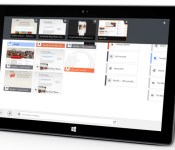
Firefox beta brings touch-friendly web browsing to Windows 8

After roughly a year of development, Mozilla has at last released a beta of Firefox for Windows 8. The not-quite-finished browser gives early adopters a full touchscreen interface with finger-friendly elements and gesture support. It also supports Windows 8′s window snapping and sharing features. And don’t worry if you’re running another OS — there are still a few useful upgrades in the beta for everyone, including newly enabled gamepad support and VP9 video playback. No matter what platform you’re running, you’ll find both a download and release notes at the source link.
Filed under: Internet, Software
Source: Mozilla

Reporter for iOS tracks your life through mini surveys and pretty graphs

Nicolas Felton is something of a data nut. (Hopefully he won’t take umbrage with that characterization.) The man has been reporting various metrics of his personal life since 2005 in the annual Feltron Report. Eventually he created Daytum so that others could join in his obsessive tracking, but while the web and iOS apps were slick, they could be quite daunting for the uninitiated. A person needed to make a habit of tracking their habits — counting how many cigarettes they smoke, how often they make it to the gym, etc… So, after a stint at Facebook, the world’s premier self quantifier went back to the drawing board with a few friends and came up with Reporter.
The new app is iOS only, sadly, but does offer a much lower barrier to entry while maintaining the nearly infinite level of customization that Daytum did. Instead of aiming for completeness, Reporter asks you at random times to track specific things with “lightweight surveys.” This allows the app to still monitor broad trends in your lifestyle, without worrying about ruining your data by forgetting to log each cup of coffee you drink. Felton says that through randomized push reminders that “sample your life” you can still learn a lot without becoming a slave to meticulously monitoring your every act. Reporter still requires plenty of manual tracking, but the creator argues it’s the best way answer the most interesting questions. There is some help provided through data harvested from Foursquare and your contacts for autocompletion, and it can also tap into the power of the M7 processor for tracking your steps.
While there are no concrete plans at the moment, Felton left open the possibility of expanding the number of sources that Reporter can pull data from. For instance heart rate or sleep tracking information from a wearable, or the media you consume on your Apple TV. Reporter is available now in the iTunes App Store for $3.99.
Source: Reporter

Dayframe updates to v2.0 with Chromecast Support, Prime Users are NOT in Jeopardy
 Cloud.tv has just released an update to thier Dayframe app this morning that adds in support for Chromecast. Now you can not only seamlessly cast your photos from your device to your TV, but you can feed a huge number of sources to it as well. Dayframe lets you sign in with Dropbox, Facebook, Google+, Twitter, Instagram and many others. Take all your favorite photo locations and set them up in a playlist and kickback and let the show unfold in front of you.

 While you can “just sit back and watch” the magic unfold, you are also in full control of everything that is being displayed on your TV. You can swipe forward, backwards, zoom to fit or fill, pause, shuffle and even like photos directly from your device. Did we mention it also plays animated GIFs as well, and yes, Autoawesome as well.

 While seeing images are nice, video is a bit better for showing off how this all works out and how versatile it really is. So take a quick watch.
The update brings quite a bit more than just Chromecast support though. While that might be the headlining feature of the update, cloud.tv also gave the whole app a UI overhaul.
– new library organization
– view and play individual photostreams
– better album playlisting
– library shortcuts in left menu
– playlists in the right menu
– favorite streams
– PRIME now IAP
– Chromecast shows animated gifs!
I messed around with it for about 20 minutes to take a couple photos and see if it worked and it seems to work just fine. It is particularly nice to see G+ photo integration build-in right alongside animated GIF support.
On to the more pressing topic at hand. Cloud.tv removed the Prime version of the app from the Play Store this morning as well. They have now switch to an in-app purchase system for going from the free version, to the PRIME version. The Prime version of the app is $2.99 and is what you will need to pay for if you want Chromecast support, other wise the free version will give you good function, but it will only be on your phone/tablet.
With this move there has been a HUGE influx of upset customers who bought the PRIME version of the app. Now that it is gone from the Play Store, they don’t get any updates or the new Chromecast support. Not true actually. Cloud.tv isn’t giving the supporters who paid the middle finger at all. You should be able to install the new Daydream free app and have instant access to the Prime features if you are using the same email/Play Store account that you bought the Prime app with. If not, then all you have to do is shoot them an email at hi@cloud.tv and they can whitelist you for PRIME access again. A minor inconvenience, but not the end of the world. Cloud.tv isn’t expecting, or wanting, previous owners to pay twice for the same app. We are in contact with Cloud.tv on the whole thing and they are looking at other solution to make sure Prime users keep Prime.
One final note, seems people are still forgetting that any new app that can support Chromecast also needs to have the latest Google Play Services installed. You can check your version in Settings>Apps>All Apps> Google Play Services. The latest version is 4.2.39. If you don’t have that installed, then most anything new won’t work. You can read up on the new Google PLay Services apps in one of our previous articles. You can also head to GappsEarly and download the newest Play Services apk and install it now.
If you want to check out the app, hit up the Play Store button down below. Give it a whirl and, if you like it, feel free to pick up the Prime version.
Dayframe by Cloud.TV. Free with $2.99 IAP for Chromecast support.


Mozilla reveals an adaptive Android home screen built around Firefox

We hope you haven’t had your fill of adaptive Android home screens, because Mozilla is throwing its hat into the increasingly crowded ring. The company has just offered a sneak peek at Firefox Launcher for Android, a front end that revolves around its mobile browser. The upcoming software mates Firefox with EverythingMe’s context-sensitive app search, personalizing both your web surfing and your software in one shot. Unfortunately, you’ll have to wait a while to know exactly how this combination works; Mozilla doesn’t plan to reveal more details about Firefox Launcher until it’s ready to start beta testing at an unspecified point in the future.
Filed under: Cellphones, Software, Mobile
Source: Mozilla
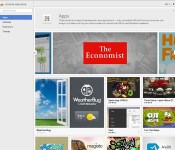
Chrome apps may soon run without any trace of the web browser

Chrome web apps may behave like native software at times, but they still require some form of the Chrome browser to run — even if it’s just a basic process. They may not need that component for much longer, though. The Next Web has discovered a batch of experimental code for an “App Shell” that would include only those Chrome elements that are absolutely necessary. In theory, you’d get lightweight, browser-independent web apps that still have the advantages of native code. The company isn’t saying whether or not its new technology will reach the public. Given Google’s efforts to package web apps for mobile without requiring Chrome, however, it wouldn’t be surprising if App Shell gets a formal release.
Filed under: Internet, Software, Google
Via: The Next Web
Source: Chromium Code Reviews

New Chromecast Supported Apps go Live in the Play Store
 Now that Google has opened up the Cast SDK for developers to start incorporating Chromecast support with their apps we should start to see more apps adding the functionality. Luckily, we are. A number of apps have recently been updated and include, or soon will include Chromecast support.
Not yet, but it is coming
- Mono – Now with Chromecast support (for beta testers only – request via email.
- Absolute TWiT – Features held back from this release: * Chromecast when available in the UK
- Telecast+ Online TV – Chromast support for this app is not yet available and will be coming soon
- tinyCam Monitor PRO for IP cam – Features in development: Chromecast support
- vGet (Stream, Download, DLNA) – Support for Chromecast will be added soon
There is also talks of Spotify and Rdio support on the way. Not sure when that is supposed to happen, but we will keep our eyes peeled.
We know that AllCast picked up support just hours after the SDK was released and has since received multiple updates fixing various little issues and tweaking.
What other apps have you seen that already, or are planning, Chromecast support? Let’s get a running list together.

Steve Jobs wanted Sony VAIOs to run Mac’s operating system

If Steve Jobs had gotten his way, that VAIO in your lap could’ve been running OS X, Apple’s operating system. It sounds like fiction, but consider the source: former Sony president Kunitake Ando. The revelation, which stems from an interview Ando gave to Japanese journalist Nobuyuki Hayashi in 2011, highlights the close relationship Jobs reportedly shared with Sony’s co-founder Akio Morita — a relationship that led Jobs to make an exception to Apple’s walled off ecosystem. And according to Ando, it was on a 2001 golf trip in Hawaii that Jobs decided to surprise Sony executives with a version of Mac OS X running on a VAIO, four years before the Intel transition was made public.
As we all now know, that Apple/Sony partnership wasn’t meant to be. For Sony, the proposal was simply a case of bad timing, as it ran counter to not only the success the VAIO line was experiencing at the time, but also the wishes of its engineering team. After having spent so much time optimizing VAIO for Windows, Ando says Sony’s engineering team saw OS X on VAIO as a diversion of resources and were “opposed [to] asking ‘if it is worth it’.” It was because of these two factors that Sony never pursued the prospect of Mac-compatible VAIOs any further.
While we’ll never know the impact Mac-compatible VAIOs would’ve had on Sony’s bottomline today, the news does come at an odd time for the struggling Japanese tech giant. Recently, its VAIO PC division’s been surrounded by rumors of a possible sale; rumors Sony isn’t exactly dismissing as inaccurate. And with Sony now looking to home entertainment and gaming as two key areas for growth, that potential sale seems right in line with the company’s current strategy.
Filed under: Desktops, Laptops, Software, Apple, Sony
Via: The Verge
Source: Nobi.com

Browsing on your Android phone just got safer, thanks to the EFF

In the wake of Edward Snowden’s NSA revelations, finding ways to browse the internet more securely has become of paramount importance. In its mission to help netizens feel that little bit safer, the Electronic Frontier Foundation (EFF) has long offered its HTTPS Everywhere add-on for desktop browsers, and it’s now looking to do the same on mobile. As of yesterday, you can install the HTTPS Everywhere on Firefox for Android, which automatically seeks out HTTPS connections on supported websites. Webpages will be loaded over an encrypted connection, letting you to check your email, shop online and browse the web without fear of a third-party, or surveillance agency like the NSA or GCHQ, intercepting your traffic. To install the add-on, make sure you have the latest version of Firefox for Android on your phone, then install the plugin via the EFF website. Once loaded, the app will display an icon in the address bar, ensuring your browser won’t suffer the same fate as Angry Birds and other mobile apps.
[Image credit: grace_kat, Flickr]
Filed under: Internet, Software, Mobile
Via: EFF Blog
Source: HTTPS Everywhere
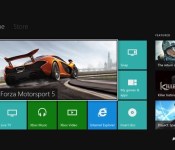
Xbox One’s first major update split in two, launching in February and March

When the first component of Xbox One’s spring update arrives on February 11th, it’ll be a few weeks ahead of the first spring flowers sprouting. Like those flowers, much of what’s contained in the February update is under the surface: Kinect voice recognition improvement, tools for developers and “stability and product updates to improve the customer experience” to name a few non-specific bulletpoints. What you’ll actually care about is the stuff you’ll see, which in this case is a battery meter for gamepads (visible on the dashboard) and a reorganized My Games & Apps section.
That first component is self-explanatory, but the latter piece requires some detail. First, you can actually see how much space you’ve got left on that 500GB HDD — helpful! Second, the applications are being broken out from games, and can be more incrementally managed. “Now you can pick the order in which you want your content to load and we’ve added a boot progress indicator so you can better track updates while they load,” Xbox chief product officer Marc Whitten says in a blog post detailing the update. Additionally, February’s update adds USB keyboard support. Sure, why not? There should also be some other bells and whistles in there, which Microsoft says we’ll find out more about soon (er, uh, before next Tuesday).
Head below for more on the second half of the update, due in March.
The second piece of seasonal update arrives on March 4th, and it’s got a fully revamped party system just in time for the launch of blockbuster game Titanfall (a multiplayer-focused experience). What exactly does that mean? We’ll have to wait to find out, as Whitten’s only offering “a new party and multiplayer system” as detail. And what of promised Twitch.tv streaming ahead of E3 this year? Microsoft’s staying mum for now, but we’d be shocked if it didn’t show up in the first major system update to Xbox One.
Regardless of the spring update, small and continuous updates to the Xbox One will still occur as time goes on. Whitten also says we’ll hear “many” more announcements regarding the upcoming update — here’s hoping next time we find out HBO Go and Spotify are part of the big spring refresh.
Filed under: Gaming, Software, HD, Microsoft
Source: Xbox

Google will escape fines in EU antitrust case by promoting rival services

Google has finally reached a settlement in its long-running dispute with the European Commission over the way that it displays search results. From now on, it must give equal visibility to rivals like Bing and Yahoo when it shows ads for its own products and services, like hotel reservations or customer ratings. The EU has been probing Google for over three years now about its practices, and recently said that it would need to substantially improve its offer, and fast, or face a fine of up to $5 billion. Up until now, Google’s competitors accused it of burying their ads in its search results, and a recent offer to display them in a shaded box was roundly rejected. An “objective” method will now determine how Google must display those services, and once that happens, it’ll need to comply for at least five years.
Filed under: Internet, Software
Source: Europa.eu
 AIVAnet