



Facebook taking three-pronged approach to fighting Ebola in West Africa

Facebook is extending its philanthropic arm, joining the fight against the Ebola outbreak in West Africa on three fronts. First and foremost: money. Facebook users will see a donation bug pop up in their news feed in the coming days offering options to donate to three nonprofits (the International Medical Corps, the Red Cross and Save the Children). Leveraging its enormous user base to funnel funding to nonprofits is just the base level — Facebook is also providing emergency voice/data services to medical workers in the three West African countries most affected by Ebola: Guinea, Sierra Leone and Liberia. It’s working with NetHope, a collaboration of nongovernmental organizations, to provide those services.
Facebook and NetHope are deploying 100 “mobile satellite communication terminals” — standalone computer terminals which provide broadband internet and telephone service. The devices are headed to areas with “little-to-no-existing communications capacity” with the intention of helping curb the spread of Ebola through data and communication.
Beyond connectivity, Facebook’s working with the United Nations Children’s Fund (UNICEF) to help educate the West African public on Ebola symptoms and treatment. Specifically, information will be surfaced on Facebook for users in “affected and neighboring regions.” The messages are localized based on region, and “focus on Ebola detection, prevention and treatment.” One such message can be seen below:

If you’d like to donate directly, or to learn more about fighting the Ebola outbreak in West Africa, here are some options:
- Facebook’s Ebola page, full of information and direct links to groups involved
- The Economist has an interactive map tracking the current situation
- The Red Cross has a webpage focused on the West Africa Ebola outbreak, and the organization is actively involved in recovery efforts
- As does the United Nation Children’s Fund, which is also actively involved in recovery efforts
To further understand the current Ebola outbreak, check out this great video from Discovery Networks’ TestTube:
Filed under: Cellphones, Handhelds, Wireless, Software, Mobile, Facebook
Source: Facebook

The new Office for iPhone is everything it should have been on day one

I remember when Microsoft first came out with Office for iPhone. It was actually kind of exciting. Here was this thing that for years had only existed in the form of rumors and leaked documents. And there it was, at last: the killer iPhone app, ready to download. Or so I thought. Maybe I was expecting too much, but I came away feeling underwhelmed. That first version of Office Mobile was a watered-down gimp of a program, with pitifully few editing tools and an occasionally confusing layout (imagine having no way of knowing what size font you were using). Compared to some apps, like Google Drive, it wasn’t that bad, but it still wasn’t as feature-rich as Apple’s own iWork suite. Worst of all, the software has received few feature updates in the 17 months since it debuted. Is this what we waited so long for?
At last, however, Microsoft seems to have come to its senses. The company is getting rid of Office Mobile and replacing it with three standalone iPhone apps for Word, Excel and PowerPoint, just like on the iPad. In fact, because these apps share code with the iPad version, they arrive with the same robust feature set, along with a couple tricks designed specifically for the iPhone. In short, then, the new apps are everything the original Office for iPhone should have been.
If you’ve spent any time with Office for iPad (or if you read my review), you’ll notice right away that these new iPhone apps have generally the same UI as the tablet version. The icons are the same, as is the layout of the home screen, where you can create new documents, view recently opened files or poke around any storage accounts you may have linked. Speaking of the sort, whereas you once needed a Microsoft OneDrive or SharePoint account to open something stored in the cloud, you now have the option of connecting your Dropbox account as well. It’s a brilliant solution when you think about it: Dropbox doesn’t have built-in office tools like OneDrive or Google Drive, and meanwhile Microsoft has caught flak for not supporting enough storage services. Everybody wins, especially users.
Though the UI is similar in style to the iPad version, Microsoft did have to make a few tweaks to ensure Office ran well on the iPhone’s smaller screen. For instance, while the iPhone apps have the familiar “Ribbon” interface, it now shows up at the bottom of the screen, not the top. Just hit the fourth button from the right in the top pane, and you’ll see a menu pop up at the bottom of the screen, exactly where you’d normally expect to see the onscreen keyboard. Because of that, the Ribbon never feels like it’s in the way: If you’re used to constantly having a soft keyboard taking up the lower half of your phone screen, then Office’s “vertical Ribbon” setup should feel quite natural.
From there, you can tap through all of the usual Ribbon options (“Insert,” “Review,” et cetera). As you’d expect, the menu of options will change depending on the context, but regardless of what you’re doing, the controls are large and easy to hit with your finger. Wanna change the font or color of your text? No problem. Want to program a cell to calculate a formula? Easy peasy. Need to add a transition to your PowerPoint slides? You get where I’m going here. The point is, for an app that offers such a large number of options, it’s impressively well-organized. Best of all, because the main Ribbon menu sits at the bottom of the screen, it should be easy to reach with your thumb, even on the larger iPhone 6 Plus.
Additionally, Microsoft added viewing modes to Excel and Word that make it easier to read documents on the iPhone’s smaller screen. In Excel, there’s a full-screen mode, which is exactly what it sounds like: a view-only mode where you won’t have to worry about hitting any random cells with your finger. In Word, this works a bit differently. There, it’s called “Reflow,” and it’s kind of like the difference between a mobile website and the full desktop version — the high-fidelity original looks better, but Reflow view makes it easier to read on that small screen. With PowerPoint, there’s no special mode, per se, but you will find that it runs mostly in landscape mode.
This would also be a good time to talk about performance. In particular, I like how quickly my iPhone 6 toggles between the standard and Reflow views — in that sense, it’s really not like switching between mobile and desktop websites! In general, too, the three apps feel responsive. Which isn’t surprising, really — Office for iPad runs briskly, as does Office 2013 on the desktop, for that matter. All the Office apps I’ve used recently have been fast.
All told, I’m pretty smitten with the new Office for iPhone apps. Now that they have feature parity with the iPad version, there’s very little I would change. (It is annoying that you still can’t add images to documents unless they come from the Camera Roll — what about OneDrive?) For some people, particularly those who depend heavily on Google Drive, the new Office for iPhone won’t be enough — at least as long as Microsoft continues to not support Google accounts. For everyone else, though, the new Office may have just made every other productivity app obsolete.
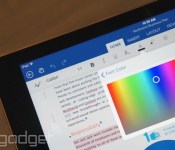
Microsoft makes Office for iPad free to use, starts testing Android tablet version

Considering how popular Office has been on the desktop, you’d assume it’d be the go-to productivity suite on mobile too. In fact, though, the company has made a few missteps: The iPhone app is watered down, and as nice as the iPad version is, you need an Office subscription to do any sort of editing. Fortunately, though, Microsoft is changing course: The company just announced that it will offer basic editing as a standard feature on the iPad, the same way it already does on Android and the iPhone. Keep in mind that you’ll still need an Office 365 subscription to unlock certain advanced editing tools, but most of those are probably better-suited to business users anyway.
Additionally, the company is beginning public beta testing on its first-ever Android tablet app, which will see a wide release early next year. The software, which includes standalone Word, Excel and PowerPoint apps, is still in development, but what we’ve seen so far suggests the apps have feature parity with the iPad suite. Also like the iPad app, it will include basic editing tools for free. You can sign up for the preview today, but it may take a while before you get a turn: Microsoft says it plans to add users gradually, with an eye toward testing a wide variety of devices.
Oh, and lest you think Microsoft forgot about its own Windows OS, a company spokesperson told us the touch-friendly Windows version is still in the works, but that we probably won’t see it until Windows 10 launches next year.
Finally, Office for Mobile for iPhone has gotten a huge redesign — so huge, in fact, that the app as you know it no longer exists. That watered-down application is gone and in its place are three standalone programs for Word, Excel and PowerPoint, each of which has the same robust tool set as the iPad version. Except, you know, some of the features here have been optimized for the iPhone’s smaller screen (think: a “Reflow” mode that makes it easier to view formatted Word docs on a 4.7-inch display). Those are available for free starting today and again, you don’t need a subscription to format text and make other basic edits. Have fun, and be sure to check out our hands-on screenshots.
Filed under: Software, Mobile, Microsoft
Source: Microsoft (1), (2), (3)

Opera Mini 9 promises smoother video-watching on iOS

Since the beginning, Opera’s focus with its mobile browser has been to save users as much data as possible. Now, with the release of Opera Mini 9 for iOS, the idea is to take that mentality a step further, by better managing a thing people enjoy doing most on their devices: watching video. As such, Opera Mini 9 comes with a feature called Video Boost that optimizes videos to save on bandwidth, which includes the ability to reduce loading times for those with an iPhone and/or iPad. According to Opera, this is the first time video optimization for sites has been built within a browser, and it believes the implementation is so good that it could easily replace a video-focused app — like YouTube or N3twork. But don’t take Opera’s word for it, you can check it out for yourself at the App Store link below.
Filed under: Cellphones, Internet, Software, Mobile
Source: App Store

Madfinger Games releases the Model Building app Monzo
A while back we caught wind of a new app in development from the game studio Madfinger Games. You might know them from titles like Shadowgun and Dead trigger. Today they have launched a completely different application to the Play Store called Monzo. Monzo brings you models, not male of female models, but literal plastic models, to the palm of your hand.

In the simplest terms, Monzo is a digital model building studio. You pick up the model kit of your choice and start building it. All without the exacto knife, sticky fingers and dry times. You get the thrill of opening the box, pulling out the part sheets. The instructions for the build hover in the upper right hand corner and your parts layout in a list on the left.


 The whole model rotates in a full 360 degrees to give you the best view. You can also pinch to zoom in and out to make placing your parts a little easier, especially when yuo get to the really tiny pieces of some of the more experienced level model kits. Once your complete the build then you get to paint the pieces in a wide variety of colors choices. You get a standard set of colors to choose from, along with the above model sports car tutorial build with the app. They also give you some stickers to mess about with.


 Once you have it all built and styled to your liking you can check it out with various backgrounds, and even a live augmented display with the model being able to be re-positioned on an overlay of your devices camera. As an added little bonus on the completed model, various parts of the build can even be triggered for movement. ie. doors, hoods, trunks all open and wheels will spin like it is driving and the steering wheel will turn.

I count a total off 26 model kits in the initial release with prices ranging from $0.99 to $9.99. They also have a couple of bundle deals where you can snag a whole collection, like the Da Vinci Collection, for $11.99. If you want more paints to really customize your models, those will cost you a little too, but each custom pallet is only $0.99 each. Custom sticker sets that range from $0.99 to $1.99 depending on what you need. For instance, the battle damage stickers are $1.99 where as a set of Biker stickers are $0.99. Once you have the sticker pack though, you can use them on any model you build and never have to buy them again.
The whole app and experience is quite exceptional really. The dynamic lighting that reflects of the various paints, stickers and parts of the build as you rotate it gives it a real showroom, or kitchen table with an overhead light, feel. The app is free to try out and you get the sports car model depicted above as part of the install, as it is also the model that works you through the apps tutorial as well. While it works out just fine on a phone, I would suggest you install it on a tablet for the best user experience.
//<![CDATA[
ord = window.ord || Math.floor(Math.random()*1E16);
document.write('‘);
//]]>
The post Madfinger Games releases the Model Building app Monzo appeared first on AndroidSPIN.

Wreck-It Ralph Free with Disney Movies Anywhere Sign-Up
This is more of a PSA than anything. The other day Disney released Disney Movies Anywhere for Android. The app is a single hub for all things Disney and Marvel. It lets you keep all your digital copies of your Disney, Pixar, DisneyNature and Marvel flicks in one simple location. It links up to your iTunes and Google Play accounts to cross sync all your digital purchases from both. You can also toss in your redemption codes from your physical DVD purchases to keep easy tabs and access to your digital versions. It is pretty nice and seamless really, especially with Chromecast integration. What didn’t seem to make the headline when the app was released was that Google was offering up Wreck-It Ralph through the Disney Movies Anywhere app when you connect your Google account to it.

Wreck-It Ralph is one of my personal favorites. I mean, seriously, game jumping, going Turbo, and the whole story line is just great. It has enough of everything for the gamer, the geek and the kid in all of us. If you haven’t seen it, you really should, and now is the chance to get it for free and have it on hand at all times. All you have to do is install the Disney Movie Anywhere app and go through the sign-in/sign-up motions to claim it. So, go get it.
//<![CDATA[
ord = window.ord || Math.floor(Math.random()*1E16);
document.write('‘);
//]]>
The post Wreck-It Ralph Free with Disney Movies Anywhere Sign-Up appeared first on AndroidSPIN.

Launch desktop apps from inside Google Drive

When you’re viewing a list of files on a Mac or PC, right clicking on an item (or group of items) gives you the “Open with” option. Well friends, that same handy shortcut now resides in Google Drive, too. Thanks to a handy Chrome extension, you can fire up Photoshop from Google’s cloud-based repository inside the browser — no need to head elsewhere to get the work session started. Of course, you’ll need to have Chrome installed in order to leverage the add-on. And in case you forgot, you don’t even have to launch Microsoft Office to edit Drive-stored documents and spreadsheets either.
Filed under: Internet, Software, Google
Source: Google Drive Blog

New Chrome Extension lets you open files in Compatible PC & Mac Apps
As an Android user you probably also use the Google Chrome browser on your Mac or PC. With Chrome you get a lot of cross compatibility and access to the same goods and services that you do on your phone, tablet and Chromebook. A new extension has been announced and released by Google that is sure to make power users at least a little happier than before. The extension is called Application Launcher for Drive (by Google). Pretty long name that really isn’t all that catchy. What it does though could be quite useful.

The extension will add in an “open with” option for your files saved in Drive when you right click the file. This will allow you to open images, documents and videos in compatible apps on your PC or Mac. For instance, opening a photo directly from Drive with Photoshop or Illustrator. It also lists some suggested apps like Pixlr Editor for photos.

It isn’t as easy as just installing the extension though. You will need to do a few things. You will need to make sure you have the latest Google Drive app on your PC and all your files will need to be synced before hand. Your Drive client on your PC needs to be v1.18 or newer. Once you are set up and synced, you should be able to visit Drive on the Chrome browser and right-click on any file and see a list of options to open the file with. In my case, it took an install of the new Drive and a PC reboot before it gave me the access. I already had Drive installed so I didn’t have any sync time to really worry about.
You can grab the latest Google Drive app for your PC at tools.google.com and the new Application Launcher for Drive from the Chrome Web Store.
Source: Google Drive Blog via 9to5Google
//<![CDATA[
ord = window.ord || Math.floor(Math.random()*1E16);
document.write('‘);
//]]>
The post New Chrome Extension lets you open files in Compatible PC & Mac Apps appeared first on AndroidSPIN.

BBC’s Sport apps now deliver real-time F1 notifications

It’s been almost six months since the BBC updated its iOS and Android Sport apps to deliver real-time football notifications, giving fans the ability to receive goal updates while on the move. However, football isn’t the only sport the Beeb allocates a huge amount of resources to: it also shares live Formula 1 coverage with Sky. In an new update today, the BBC Sport team is giving F1 fans some mobile love by extending push notifications to cover practice, qualifying and results for the remaining F1 races of the 2014 season. Out for the day for the final double-point race in Abu Dhabi at the end of the month? The BBC now has you covered.
[Image credit: crazyoctopus, Flickr]
Filed under: Cellphones, Internet, Software
Source: BBC Sport (App Store), (Google Play)

Google Maps to get Material Design UI Update Over the Next Few Days
Google put another blog post up this morning detailing what is to come in the next update to Google Maps. The app will soon see an update in the Play Store that will bring a set of visual changes that will bring the app up to speed with the Material Design guidelines.

The bold colors, visual queues and animations will be a nice addition to maps, but that is not all we have to look forward too. The update will also bring in the ability to make reservations in the app at restaurants thanks to OpenTable integration and as well as estimated arrival times and pricing for Uber.

 The update to Google Maps will be rolling out to devices everywhere over the next few days. As usual, as soon as we get our hands on the APK we will be sure to share it with you all. Until then, what do you think of the Google Maps look from the images above?
Source: Google Lat Long
//<![CDATA[
ord = window.ord || Math.floor(Math.random()*1E16);
document.write('‘);
//]]>
The post Google Maps to get Material Design UI Update Over the Next Few Days appeared first on AndroidSPIN.
 AIVAnet