


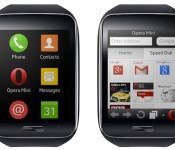
Data-saving Opera Mini browser to land on Samsung Gear S watch

While Tizen’s smartphone future remains foggy, it’s slowly gaining street cred in the wearable space courtesy of Samsung’s smartwatches and their handful of apps. The latest brand to help push this young ecosystem is none other than Opera, who is bringing its Mini browser to the Gear S due later this year. Of course, it’d be impractical to squint at a two-inch touchscreen all day long, but Opera Mini does offer a major advantage: its renowned data compression technology that can shrink web pages to as little as one-tenth of their size, thus making more efficient use of the Gear S’ integrated 3G connectivity. As an icing on the cake, this app also offers private browsing mode and a “Smart Page” that aggregates social updates plus the latest news. Opera Mini will already be available for download by the time the Gear S hits the stores.
Filed under: Wearables, Mobile, Samsung
.CPlase_panel display:none;
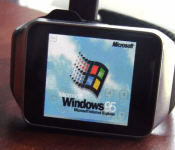
Because Android Wear is so 2014: Someone has put Windows 95 on a Samsung Gear Live
 As part of the tech community, sometimes it is the most awe-inspiring thing to simply look back at what we have achieved over the years and how technology that exists today eclipses what we had even imagined was possible just a handful of years ago. Take Windows 95 for example – the operating system was widely lauded in its time and many of us had our whole lives running through the system. Well, 19 years after its release, someone has managed to get Windows 95 on a Samsung Gear Live. That someone is Corbin Davenport, and while it’s not the smoothest running thing (or the clearest), it is an amazing feat to see – even if Windows 95 was designed to run on much more basic systems. Check it out running in the video below:
Now practically, don’t expect everyone to go rushing and putting Windows 95 on their Gear Lives. But it does serve as a nice reminder, if just a nostalgic one, of how far our devices – even wrist wearable devices – have come over the last 20 years. If anything, it should make us appreciate Android Wear even more as it enables us to do things that we previously only dreamed of doing on our wrists, and now we’re living the dream. Tears, much?
What do you think of running Windows 95 on a Samsung Gear Live? Let us know your thoughts in the comments below.
//<![CDATA[
ord = window.ord || Math.floor(Math.random()*1E16);
document.write('‘);
//]]>
The post Because Android Wear is so 2014: Someone has put Windows 95 on a Samsung Gear Live appeared first on AndroidSPIN.
.CPlase_panel display:none;
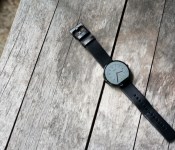
Moto 360 review: The watch you’ve been waiting for

From the time Motorola first announced they were working on a smartwatch, they had everybody watching them. Unlike the LG G Watch or the Samsung Gear Live, the Moto 360 was different, and everyone could see that. It took smartwatch design to a whole new level – not only with the circular screen, but with the great attention to detail.
Since the initial Android Wear announcement, Motorola took a pretty decent amount of time trying to get this thing ready for launch. It’s finally here, and we’ve been using it non-stop for about 3 weeks. So without further adieu, here is our Moto 360 review.
Hardware
To begin with the most obvious differentiator, the Moto 360 offers a round display. It’s what sets it apart from the other Android Wear devices currently on the market, and what makes it look more like a traditional watch than the others.
The casing of the watch is made from stainless steel, and it feels really nice. At 49 grams, it’s not too light and it’s not too heavy. It feels just like a watch should. Around front is a 1.56-inch Corning Gorilla Glass LCD display with a nice chamfered edge around the entire display. It slightly distorts the display on the edge, which takes a little getting used to. However, it does add a slight floating effect to the display, which is quite interesting.

Source: Droid Life
The display comes in at a resolution of 320×290 (205ppi). The ambient light sensor, or the “flat tire”, is the main reason for the out-of-the-ordinary display resolution. It’s the big black bar towards the bottom of the screen, and has been quite the conversation piece throughout the last few weeks.
Some people are really bugged by the ambient light sensor. Others couldn’t care less about it. From personal experience, it all depends on the watch face being used at the time. I’m a big fan of the “Rotate” watch face, mainly because it directs my eyes away from the bar at the bottom. On more circular ones like “Classic”, “Dials”, or “Minimal”, it’s much more easy to spot. If you didn’t want the sensor at the bottom, the other option would be to expand the bezel of the casing, which most would opt against. Moto has commented on their decision to keep the black bar at the bottom, and we’d have to agree with their decision.
Around back is the optical heart rate monitor, used in conjunction with Google Fit. In our experiences, the heart rate monitor works about 70% of the time. It gave skewed results before, during, and after our test workouts. When it does work, though, it’s extremely convenient. We’re unsure whether this is a problem with the hardware, or if it can be fixed with a software update. But I can tell you that we’re sure hoping for the latter.

Buying a Moto 360 today means getting to choose between two options: a light metal case with Stone leather band, or a dark leather case with a Black leather band. More color options will be available in leather and will eventually run you $29.99 a piece. The straps are made of Horween Leather, and are super good quality. The leather is soft, durable, and feels like it will hold up over time. While only having the watch for a few weeks, we don’t know that it will hold up, but it sure feels like it. If you don’t mind waiting a few months, you can grab one of the metal watch straps for $79.99 in black or silver.
While on the subject of watchbands, the Moto 360 fits (almost) all 22mm straps. That means you can probably put your favorite band on your watch, though it may be a bit difficult. There is a slight opening in the watch where the strap connects, to make the illusion that the strap goes all the way through the casing. But remember: it doesn’t. That means it’s going to be much more difficult for your non-Moto strap to replace the stock one. You can always try it, but just take caution!

Battery life
Let’s preface this section with a disclaimer. We’ve used the Moto 360 in everyday life for roughly three weeks. There are some sites out there that posted their thoughts on battery life a mere hours after receiving the device. I’m not naming names, but that isn’t an honest review in the slightest. We’ve tested it in real life situations for weeks, and we didn’t get nearly the same results.
With all of that being said, here’s where the watch gets interesting.

The Moto 360 comes with a 320mAh battery – not the worst, but certainly nowhere near the best. But you can’t judge a device’s battery solely based on capacity alone. Probably the biggest factor in whether the watch will last all day is the “Ambient Screen” mode (not to be confused with the ambient light sensor… more on that later). Ambient Screen mode is “Always On” mode – even when you aren’t looking at the watch, the display remains on, but only in a very dim state. Thinking about it a bit more, this is a great feature to have on your wristwatch. Normal watches are always on, so why not have your smartwatch stay on? The answer is simple:
Don’t turn Ambient Screen on if you want your Moto 360 to last all day.
 Ambient Screen mode is nice, but is a huge battery hog. When you turn the mode on, the watch even warns you that your battery life will suffer dramatically. We had to charge the watch twice in one day with the mode on, and only with light use throughout the day. It really is bad. But there are ways around that. When Ambient Screen mode is turned off, the Moto 360 recognizes when you lift up your wrist to check the time, and immediately turns the screen on. It’s usually pretty good about turning the screen on every time we make this motion, but it would still be nice to have a watch that’s always on.
In the brightness settings on the watch, you can either set it to a certain brightness, or set it to Auto brightness. Auto brightness is possible because of the ambient light sensor (the black bar towards the bottom of the display), and it’s a really nice feature. It gets dim in low light situations, then turns to the brightest setting when you move under a light or go outside. From what we can tell, there isn’t a huge difference in battery life compared to just keeping it at a lower setting. This feature alone is why I’m so willing to put up with the black bar on the display.
As for battery life when Ambient Screen is turned off? It will last you about a day. Personally, I haven’t put it on the charger at night with anything less than about 15% remaining. Sure, that’s cutting it close… but if you can come to terms with the fact that you need to charge it every night, you shouldn’t have any qualms with throwing it on the charger. With the newest Android Wear update (version 4.4w.1), users are seeing much improved battery life on the Moto 360. It’s still a new update, though, so we’ll have to do a bit more testing with this update.
Oh, and Motorola made sure to include Qi wireless charging in the Moto 360, so charging it is as simple as setting it on a dock. When the 360 is charging, it shows a really nice, dimly lit clock, which doubles as a battery percent indicator. We’ve found this is perfect for a small bedside clock or a nice desk clock.
The other nice aspect of the battery is that, while it may be a slight hassle to charge it mid-day, it only takes about 45-50 minutes to charge it from 0-100. That’s pretty impressive, and it definitely helps with the battery situation.
UPDATE: Since the software update rolled out last week we’ve noticed that the battery life is much improved. Bluetooth connection is far more consistent and now we can use Ambient Mode and still end our day with 20% juice. In checking with other members of the team with the Moto 360 we found they, too, were impressed with battery life in wake of the software update.
Performance
Inside the Moto 360 sits a TI OMAP 3 processor. If you’re at all familiar with Motorola’s previous processors, you’ve probably heard the name before. It’s (just about) the same processor, only slightly more optimized for the Moto 360. Unfortunately, the occasional lag is a common theme while swiping away Google Now cards. Android Wear, in its state at the moment, isn’t too graphic-intensive. Sure, it has the occasional animation that requires some processing power, but there is just too much lag while swiping away a simple card.
Of course, the lag isn’t all thanks to the processor, but it’s still unfortunate that it can’t run Android Wear as well as it’s competitors.
Android Wear
The software on the Moto 360 is the same version of Android Wear that we’ve had for awhile now. It’s still based around glance-able information cards that give you info right when you need it. So, it’s basically the same premise of Google Now, if you’re familiar with that. When you leave for work, Android Wear will give you the traffic card for your destination. When a package is shipped from your favorite website, you’ll get a card showing tracking information. You pretty much get the idea… less having to search around for things, more of it just being there when you pick up your watch.
It’s a good thing, too, that Android Wear gives you information when you want it. If you’re in a loud environment and can’t use voice dictation, you’re forced to scroll through a seemingly never-ending list of possible commands. This certainly isn’t the best interface for completing certain tasks, and Google absolutely needs to work on improving on it.

Probably the best feature of the software is Motorola’s custom watch faces. Out of all of them that we’ve seen, the 360′s stock watch faces are by far the best. What’s more, is that you have the ability to customize the colors of the watch faces with Moto’s new Connect app. Once installed on your phone, you can select each individual watch face and begin choosing which color suits you best. This is a feature we hope every OEM will include on their next Wear watch.
Conclusion
If you need to buy an Android Wear device, buy this one. It’s the most stylish. It’s the one that looks the least like a computer on your wrist. It’s the one that doesn’t feel like a first generation product. Whether you’re looking for a genuine premium-feeling leather strap or holding out for the solid metal watch band, you’re not going to feel like you’re carrying around a smart device on your wrist. It feels like a watch should, and looks incredible.
With all of that being said, if you can wait, then wait. Android Wear is a very young product, and the current OEMs in the space need to figure out what’s important in a wearable device. Battery life and non-voice dictated commands need to be fixed in order for Android Wear devices to be taken seriously.
This is the best Android Wear device out there, and it’s priced relatively well. You can pick one up on Motorola.com, Google Play, or BestBuy (online or in-store) for $250. At least at the time we’re reviewing this watch, it is really difficult to find any in stock. All three of the sellers listed above are constantly sold out, though we’re confident inventory will be replenished sometime soon.
The Moto 360 the most fairly priced, well built smart watch you can buy today. Though the battery and processor are the things we’d like to see improved, it’s a solid smartwatch that, in our eyes, is worth the price tag.
Do you have a Moto 360? How do you like it? Let us know if you disagree or agree with our review. We’d love to hear your voice in the comments below!
Deals, Discounts, Freebies, and More! Click here to save today!
The post Moto 360 review: The watch you’ve been waiting for appeared first on AndroidGuys.
.CPlase_panel display:none;

Pebble drops prices by $50 and adds continuous fitness tracking

If you’ve been thinking about getting a smartwatch but haven’t been persuaded to plunk down a lot of cash, Pebble’s trying to make the decision a little easier for you. The watch maker is lowering the price of its full lineup by $50, which means you can now get the sporty original model (above, right) for $100 and the fancier Steel (above, left) for $200. Usually significant price drops like these are a reaction to slowing sales, but CEO Eric Migicovsky says that on the contrary, sales are still as strong as ever and the ecosystem is growing. The company wants to offer the “right price for the product” and properly represent Pebble watches in light of the swelling competition in this category, Migicovsky said. Indeed, with the debut (and proliferation) of Android Wear this year and Apple Watch next year, Pebble wants to add cost to its list of competitive advantages alongside battery life and cross-platform functionality — especially as the holidays approach and smartwatch choices become even tougher.
The news doesn’t stop there. Pebble is also pushing out a software update that makes its watches more appealing to health and fitness fans. One of the biggest frustrations about Pebble’s firmware has been that fitness tracking apps were nearly impossible to use continously throughout the day (and into the night) because the watches couldn’t run in the background — if you wanted to track your steps or the distance you ran, you’d have to keep that app open and running the entire time. Today’s update fixes that problem, so now all of your fitness activity can be tracked continuously, even if it’s tucked away behind your favorite watchface.
Among the developers taking advantage of the new update is Misfit, which is releasing an updated app with 24/7 activity tracking and sleep monitoring; Jawbone, which is launching a watchface for Up users; and Swim.com, which — as the name implies — runs algorithms that let you measure your distance, pace, strokes and time. Pebble says that the functionality will be open to all developers, so we expect to see a lot more fitness-related apps get updated in the near future. Given the emphasis on health and fitness tracking in many of the latest smartwatches on the market, it’s good to see Pebble take steps in that direction and address one of the biggest frustrations experienced by its user base.
As a final note, Pebble is also expanding its retail presence internationally in the UK, Scandinavia and Benelux in October. Up until now, buyers in those regions have been able to order watches through the company’s official site, but this will be the first time they can grab one through other means.
Filed under: Wearables, Wireless, Mobile
.CPlase_panel display:none;

Feedback Loop: Building PCs, running headphones and more!

The leaves are starting to change color and the air is getting cooler, signaling that fall has finally arrived. You know what else has arrived? Feedback Loop! This week’s edition features the Engadget community discussing the benefits of homebuilt PCs, recommending affordable running headphones, sharing fun Raspberry Pi hacks and dishing on smartwatches. Head past the break for all this and more.
Are there still any reasons to build your own gaming PC?
PC gaming is as popular as ever. But if you’re looking for a new rig, is it better to buy something prefabbed or build it yourself? Cbibbs is a big fan of building his own machines, but doesn’t think there’s a cost advantage in doing so these days. Despite this, do you still desire and enjoy building your own mean machine? Head over to the forums and share your thoughts.
Suggestions for affordable running headphones
Summer is over in the Pacific Northwest, and Philip Palermo is thinking of switching his fitness routine from tennis to running. Before he swaps his racket for some running shoes, he needs to find some good headphones to help him jog in style. Let’s give him some recommendations!
Fun hacks with the Raspberry Pi
When the Raspberry Pi launched in 2012, it provided hobbyists with a cheap, easily hackable device with which to learn programming. And enthusiasts immediately started doing some really neat things with it. Engadget reader Kodai has two of the devices at home and wants to know what sorts of things can be done with them. If you’ve done something fun with your Raspberry Pi, post it here.
What do you want in a smartwatch?
There’s no doubt that smartwatches are one of the more interesting categories of wearables. Now that Apple’s thrown its hat into the ring, what are some truly killer things that smartwatches should do? Tell the Engadget community your hopes and dreams for the perfect smartwatch. (We all want something that does more than display Facebook notifications, right?)
Other discussions you may also like:
- What are your preferred brands when building PCs?
- Ethernet, still worth it?
- iOS 8.0.2 is available to download now!
That’s all this week! Want to talk about your favorite gadget or have a burning question about technology? Register for an Engadget account today, visit the Engadget forums and start a new discussion!
.CPlase_panel display:none;

Sound off! How would you make a killer smartwatch?

It looks like the smartwatch is here to stay, and now that Apple has shown off their own attempt at creating some svelte looking electronic wrist candy, you can guarantee more people will be wearing them in the near future. But are smartwatches really useful? Besides showing off your latest notifications, what do they need to become an essential part of our lives? Head over to the Engadget forums and share your thoughts!
.CPlase_panel display:none;

3G-capable LG smartwatch appears in an FCC filing

LG’s apparently gearing up to release a new smartwatch in the US other than the G Watch R — one that’s 3G-capable, just like Samsung’s Gear S. A document that’s just passed through the FCC points to an oval/rectangular LG smartwatch (57.7 x 35.5 mm) slightly smaller than the Gear S (58.3 x 39.8 mm) which comes with CDMA connectivity. Because of its codename (VC100) and the fact that it supports Verizon’s CDMA frequencies (according to the FCC docs), it might just land on Big Red if there’s a US launch. With 3G connection built into the watch, it can presumably work on its own — download apps, make phone calls, send messages and connect to the internet, among others — without being paired with a smartphone. It may take a while until the mysterious smartwatch comes out, though, seeing as LG’s answer to the Moto 360 isn’t even out in the US yet.

Filed under: Wearables, Mobile, LG
Via: G for Games, 9to5google
Source: FCC
.CPlase_panel display:none;

LG releases new trailer for the LG G Watch R that contains really weird CGI
 The Moto 360 may have been the smartwatch to watch the last few weeks, but if there’s one device that can challenge it in the short term, I believe it’s the LG G Watch R. LG‘s take on a circular Android Wear smartwatch looks much more like a traditional watch than the Moto 360, and as a result, has the opportunity to have much more mainstream appeal. LG has made quite a few emotive trailers before and after the device’s launch, and I just got an email about their latest trailer which shows off the G Watch R’s features. In short, it’s weird, but I’ll let you form your own opinions about it:
I’m all for CGI action and trailers, but why couldn’t they just do that with a real person? Anyway, back to the watch. Most of the features shown are more products of the Android Wear operating system rather than the G Watch R itself, but the features of note that others might not have include a fitness chronograph, hiking meter chronograph, world clock chronograph and water and dust resistance. It definitely looks like the G Watch R is geared more towards the burgeoning fitness sector of the market while still offering a more familiar, ‘normal’ watch experience.
Enough of what I think – what are your thoughts on the LG G Watch R and its new trailer? Let us know your thoughts in the comments.
Source: YouTube
//<![CDATA[
ord = window.ord || Math.floor(Math.random()*1E16);
document.write('‘);
//]]>
The post LG releases new trailer for the LG G Watch R that contains really weird CGI appeared first on AndroidSPIN.
.CPlase_panel display:none;
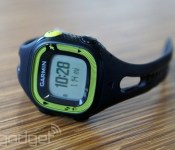
Garmin wants third-party apps to come to its fitness watches

Garmin’s GPS watches and bands have been around wayyy longer than Android Wear and many other wearables, but the company’s opening its gates to developers just now. The fitness/navigation equipment maker has launched an SDK called Connect IQ, which Garmin hopes devs will use to create watchfaces, widgets that show info at a glance and, of course, apps specially designed for wearable devices. Sadly, you won’t be able to load apps on your old Garmin bands and watches — you’d have to wait for compatible devices to come out in 2015. According to DC Rainmaker, if you do get one of those supported devices, you’ll need to install the Garmin Connected Mobile app on your phone before you can load applications to the watch via Bluetooth, similar to Pebble. Question is: is there room on your “wearables to consider” list in a world where a bunch of Android Wear devices are already available and Apple watches are on their way?
Filed under: Wearables
Source: Garmin
.CPlase_panel display:none;
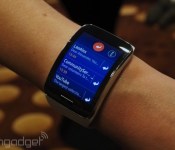
Samsung’s no-phone-necessary Gear S watch is coming to the US this fall

Samsung gave us a glimpse at its next smartwatch (there have been a few) during IFA, and tonight there’s news that, surprise, you’ll be able to buy and use the Gear S in the US this fall. This one is special because unlike most other watches, it can connect to 3G data by itself when the wearer’s phone isn’t around. There’s little in the way of details, but it’s coming on all four major carriers — AT&T, Verizon, Sprint and T-Mobile — and the company promises more information “soon.” You can check out our experiences at typing out emails on its two-inch AMOLED screen right here, and decide if it’s worth picking up this Tizen OS device instead of the Apple Watch (or any of the other wearables either coming soon or already here).
Filed under: Wearables, Wireless, Mobile, Samsung, Verizon, Sprint, AT&T, T-Mobile
Source: Samsung
.CPlase_panel display:none;
 AIVAnet