


Moto G4 Review: No longer a game-changer (Video)
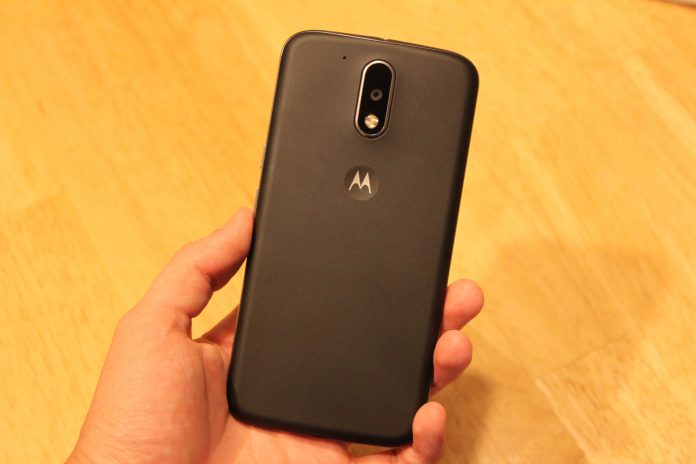
Before Lenovo bought Motorola from Google in 2014, the company created a few very interesting lines of phones under the Moto brand that sought to change the way we buy phones. One of these is the Moto G line, that was introduced a few years ago and offered an very reliable and speedy phone for less than $200 unlocked. The Moto G eventually became Motorola’s highest selling phone of all time.
Fast-forward to today, Lenovo hopes to carry on the legacy of the Moto G, and offer a quality, affordable successor in a world where most other smartphone companies are offering their new phones for lower prices. The Moto G4 is here, and literally bigger than ever.
Build
The Moto G4’s build quality hasn’t improved from the previous years iterations, but it feels solid for a $200 plastic phone. At 155 grams, it has the perfect amount of heft for me. I really like the plastic back of the phone which has a slightly textured feel to it and feels almost like rubber, although the oil from your hands will visibly show up on it after just a little usage. Wash your hands at all times.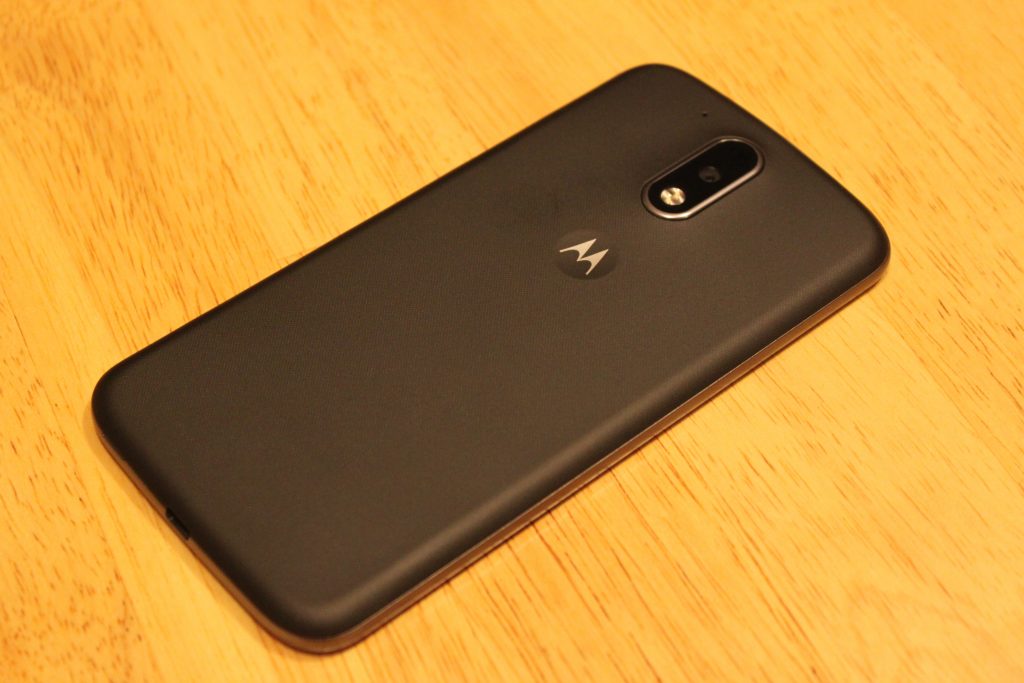
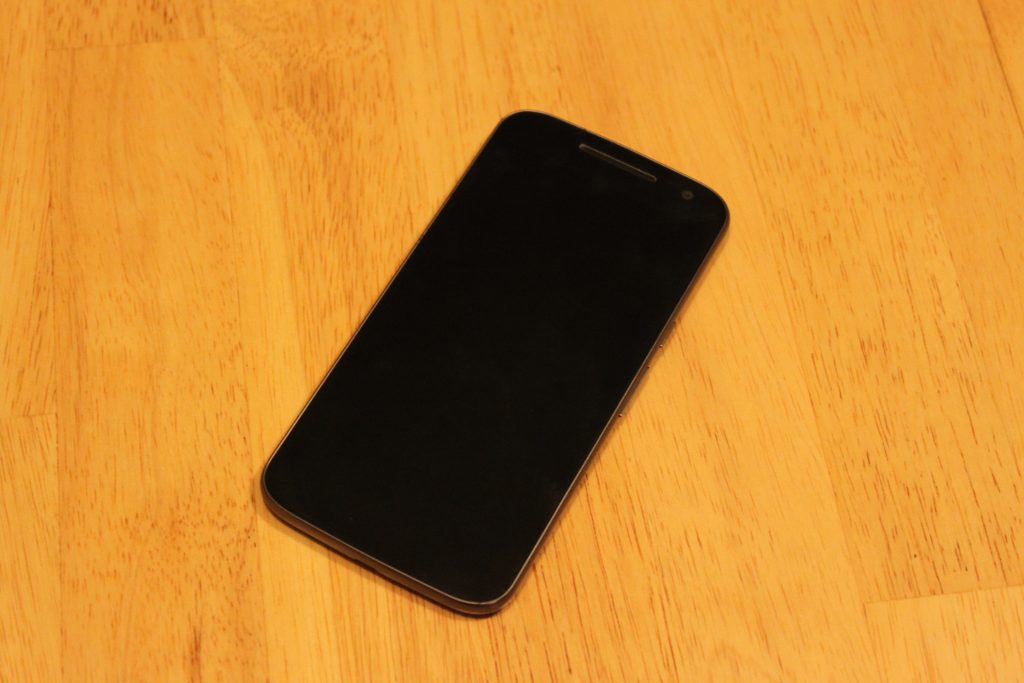
The front of the device brings the classic minimalistic style I’ve loved since the Nexus S came out a long time ago. In fact, the design of this phone reminds me so much of a bigger Galaxy Nexus – front and back. There’s nothing on the front except the secondary camera and a single front-facing speaker right above the screen. No Lenovo logo, no Moto logo. That’s a +1 right there. While I’m bummed they didn’t include dual speakers like last year’s Moto G, I can’t complain for the price. Plus, the single speaker does get very loud, and almost competes with speaker quality on flagship phones using single speakers on the bottom.
As for the power and volume buttons, someone at Lenovo should’ve spoke up about these. They feel cheap, and barely provide any feedback when pressing them. It takes more effort to press the volume buttons than any other phone I’ve used. The power button at least has a horizontal line texture on it to distinguish it from the volume.
Screen
Easily the highlight of this phone. I’ve seen quite a few cheap LCD displays on phones before, even on more expensive phones, but the 1080p LCD display on the Moto G4 rocks.
I was disappointed with Lenovo’s decision to put a 5.5 display on the Moto G, but after using it for a week, it doesn’t feel like a big phone at all. 71% of the front of this device is covered with screen, so it doesn’t feel bulky to me.
Aside from the size, the quality of this screen seriously impresses me for what it’s worth. If any of you still own the OnePlus One or OnePlus 2, the display quality is right with those. I will say, the viewing angles are not great, as the brightness decreases and colors go yellow as soon as the device is slightly shifted away from your eyes. However this isn’t a problem for me, as my phone is directly facing me 98% of the time I use it.
Comparing the screen to other LCD displays like the Nexus 5X and Nexus 5, I immediately prefer the display on the Moto G4. The colors look very washed out on the LCD Nexus devices compared to the Moto G4, which is able to produce colors almost as vivid as an AMOLED display.
The 1080p resolution is perfect for this device. I started using this phone right after using the OnePlus 3, and believe it or not, I prefer this screen. These phones both have 5.5 inch 1080p displays, but the pentile AMOLED screen on the OnePlus 3 holds it back in comparison in terms of image sharpness. Images are sharper, more accurate, and the whites on the G4 look much better. I still much prefer the deep blacks on the OnePlus 3’s AMOLED screen though.
Performance
In 2016, it’s hard to find a phone running Android 6.0 that doesn’t perform well. The Moto G4 runs on a Snapdragon 617 processor which was unveiled by Qualcomm in September of 2015. I was expecting a sluggish experience, and to this day I’m waiting for the inevitable crashes or hair-pulling slowdowns to happen. But so far, this phone runs well! If I were to compare the everyday speed of the Moto G4 to something else, I would say it’s neck and neck with the Nexus 5 from 2013 – which still runs like a champ on Marshmallow with its Snapdragon 800 chip.
After using the phone for a couple hours on AT&T LTE while browsing on Chrome, the phone didn’t get as warm as other phones have, and quick-charging it with the Motorola Turbo-Charger doesn’t make the phone as hot as previous Motorola phones, specifically the hot-plate that is the Droid Turbo.
If you’re into mobile gaming, you might want to look the other way. The Adreno 405 GPU here does not handle most games very well, and loading times are pretty terrible. I primarily play Fallout Shelter, and while I had zero hiccups and quick loading times playing it on a phone with a Snapdragon 820 chip, the loading time to get into my game on average took a staggering 72 seconds on the Moto G4. This was if the game didn’t freeze or crash mid-load, which happened 20% of the time. I experienced similar results with other 3D games.
Camera
Don’t expect miracles here, people. But also don’t expect a bad camera. The Moto G4’s 13-megapixel with f/2.0 aperture provides pictures more than deserved for a $200 phone. Pictures in daylight look a little more dim than they should be.

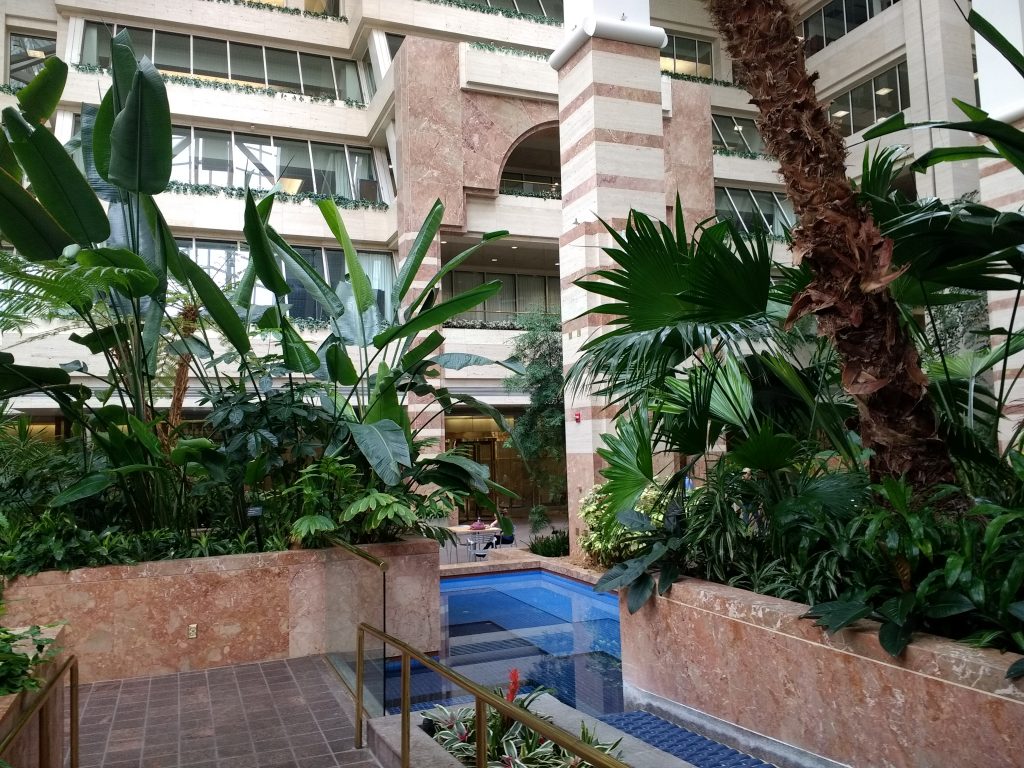
Low-light pictures lose a lot of detail, but having HDR mode on really helps balance out the bright parts of the photos and the darks. Notice the overexposure of the Subway sign and interior in normal capture mode.

HDR off

HDR on

Daylight HDR on

Daylight HDR off
The camera app takes a couple seconds to open, which is annoying when trying to grab a quick shot. The app comes with some useful features such as professional mode that allows for manual tweaks, slow motion mode (although the 540p resolution for this is kind of a joke) and auto-HDR.
Software
I was a little nervous Lenovo would take Motorola’s near-stock Android skin and mess it up, but things have barely changed since previous Moto phones.
This is basically stock Android with the addition of a few useful features. First, we have Moto Gestures, which includes four ways of interacting with the phone. When it’s off, you can make a chopping motion with the phone to turn on the flashlight. Keeping the phone face down immediately mutes the phone and keeps it silent. When someone calls, picking the phone off the table cuts the noise of the ringer. Finally, whether the phone is on or off, twisting it will launch the camera.
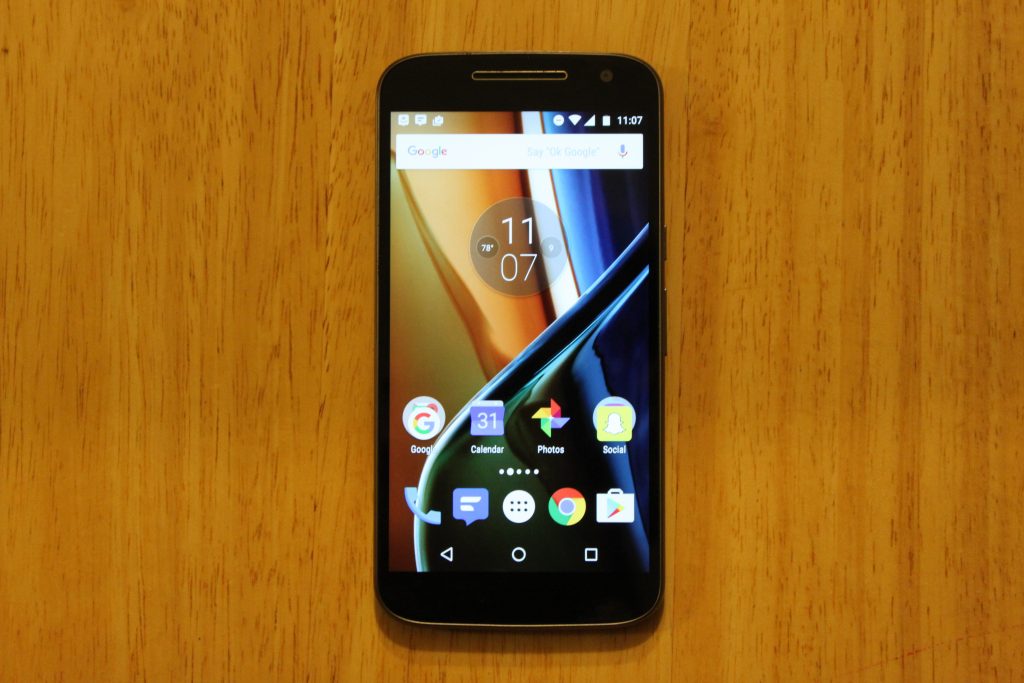
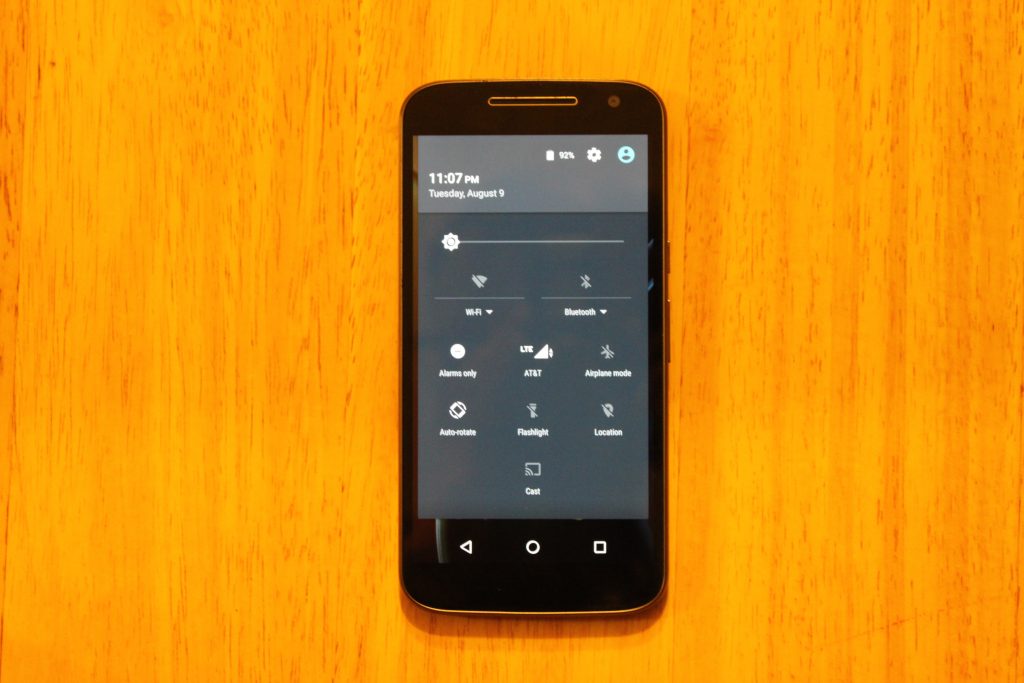
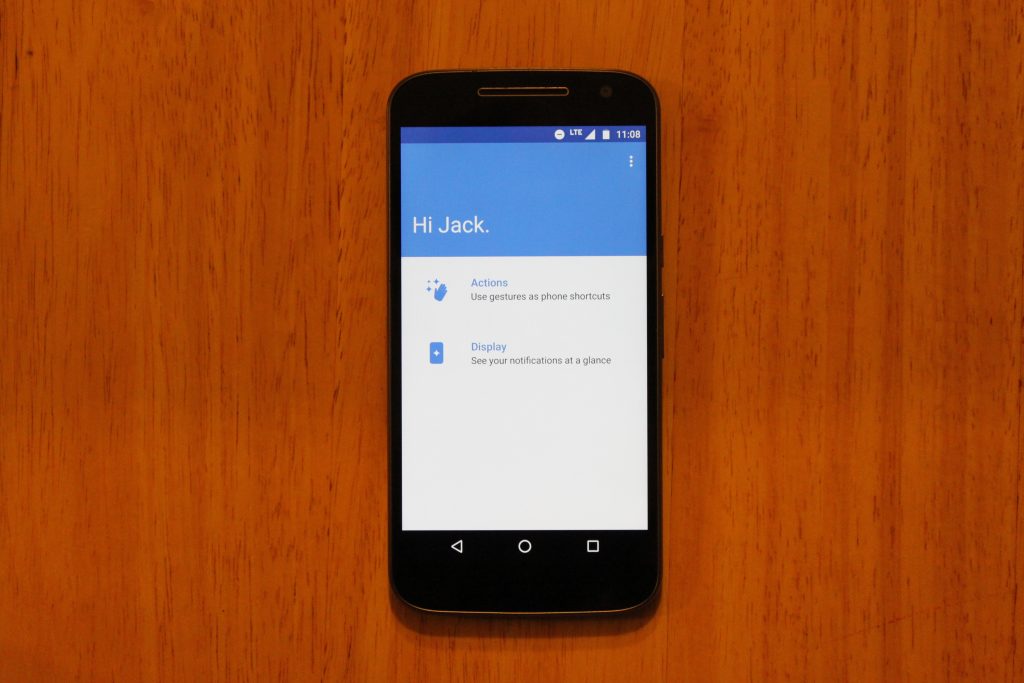
On top of this, Moto Display is back, showing your notifications when the phone is sleeping, however it;s nowhere near as useful as it is on the Moto Z, or previous Moto X phones that have sensor on the front for hand waving gestures, or the AMOLED screens that actually save battery when using the Moto Display. On this phones LCD display, you can totally tell the entire screen is on, and it just doesn’t look great.
Battery
A 3000mAh battery is becoming common for a high-end phone, so the decision to put one in the $200 Moto G4 was a great move from Lenovo. This phone lasts until the very end of the day for me with 10-15% left. To be exact, I unplug the device at 6:45 AM, stream Play Music for 30 minutes to work, browse reddit and Chrome for about an hour a day, text my imaginary friends using Textra, send between 20-30 snaps with Snapchat, and use a lot of GroupMe until I’m tuckered out at 10:30 PM. That’s 16 hours of “moderate” usage.
I haven’t felt concerned with running out of battery in a day yet, but if I do, this phone comes with a Turbo-Charger that supports Qualcomm Quickcharge. I remember when I had to pay extra for a Turbo-Charger when I bought a Moto X 2014… so I’m very pleased with this.
Conclusion
I’m satisfied with the Moto G4. I’m not blown away by it, and I’m not disappointed with it. Lenovo didn’t take risks with this device, and they didn’t push any boundaries. The build quality lives on from previous Moto G generations, and the display quality is something I never expected to see on a $200 smartphone. But is a bigger, better display worth the removal of dual front-facing speakers and a waterproof exterior? If I were to give an answer, I would say the screen is more important to me than speakers I rarely use, or having the ability to pour champagne on my smartphone.
At $199 for the 16GB model, the Moto G4 is less impressive than it was in its earlier generations, and faces serious competition from smartphones in similar price ranges, such as the all-metal, fingerprint scanner included Honor 5X. For $199, I would recommend the Honor 5X over this phone, but you won’t be disappointed with a purchase of the Moto G4, especially with the experience of customizing it through the innovative Moto Maker website.
You can purchase the Moto G4 here
ZTE ZMAX Pro Review – is a $100 smartphone worth buying?
Owning a phone doesn’t mean having to endure a costly investment. The times have changed, obviously, since phone makers are making it more affordable than ever to own a smartphone. Take for instance ZTE, who for the longest time placed its attention on making entry-level devices that were easy on the pockets, but is making a significant charge yet again by upping the ante with its latest affordable option.
Related ZTE articles:
- Getting to know the ZTE Axon 7
- ZTE Axon 7 review
- ZTE ZMAX Pro hands on | What is a $100 smartphone like?
Most people agree that sub-$200 is pretty aggressive for brand new phones, however, ZTE thinks that more can be done. Cutting that cost in half, the ZTE ZMAX Pro is undeniably tempting with its hard-to-resist price of $99.00 – and that’s all you’re going to have to pay for it. This threshold might not be anything new for the pre-paid market, but what makes it impressive is the fact that it’s slapped with a handy fingerprint sensor, something you wouldn’t expect in something price like this.
Buy the ZTE ZMax Pro now
Design
The first order of business with the design is its size, something that’s arguably going be the biggest deal breaker for people. It’s a mighty big phone that pushes it well into the phablet category, so it’s quite honestly a handful to operate. Being so wide and all, two-handed operation is going to be the preferred method with the ZMAX Pro, since one hand operation is nearly impossible unless you have larger-than-average hands.
Size aside, ZTE has actually fashioned it with a pleasant design that doesn’t make it feel like a phone in its price range. The soft touch matte finish of the rear combined with the faux-metal bezel are nice touches, pushing it well beyond the context of being “cheaply” made. We really didn’t think that a phone could be this decent looking and constructed, just because phones under the $100 threshold tend to be sub-par in terms of this.
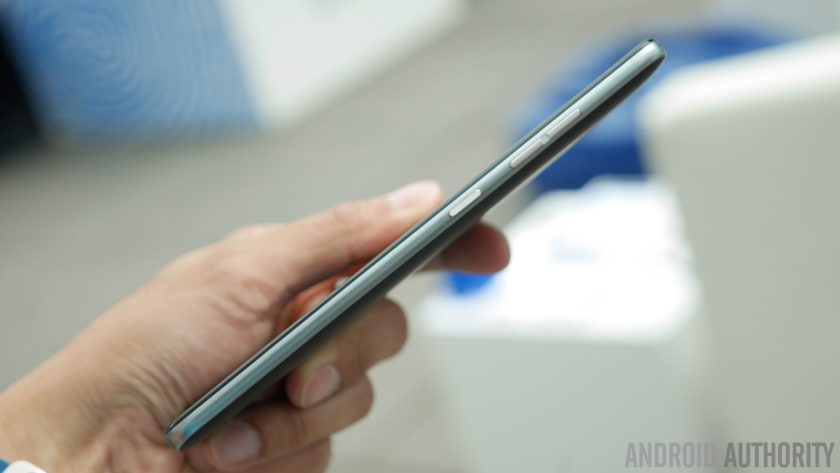
Despite its gargantuan size, they’re mindful about the placement of the power and volume keys – they’re positioned on the right edge, making them accessible to the thumb. Meanwhile, a USB Type-C port is found on the bottom, ensuring that it’s going to be compatible with whatever USB-Type C accessories that are beginning to come out now.
Display
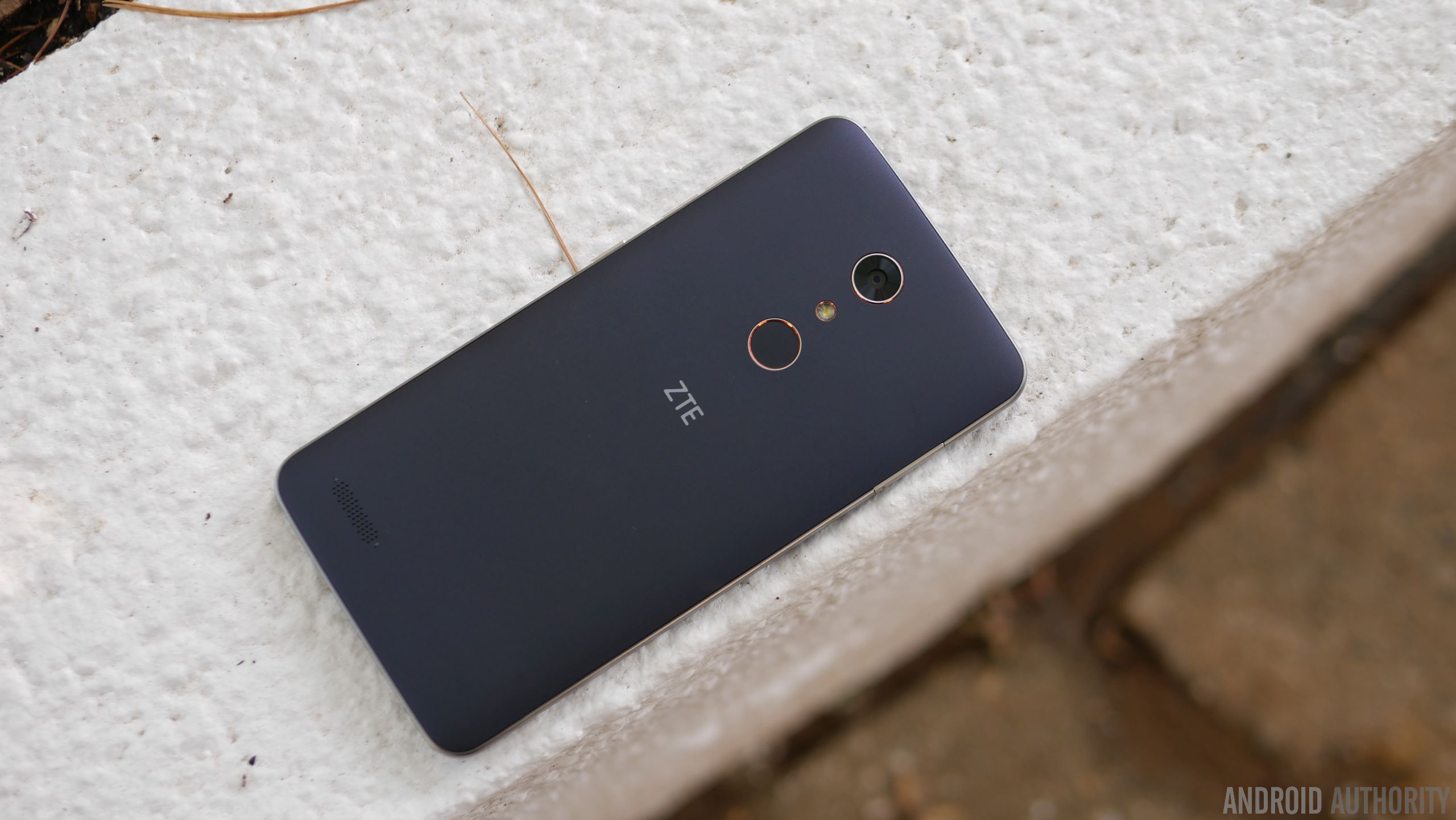
Dominating its façade is a 6-inch 1080p TFT LCD display with Gorilla Glass 3, which is again something you wouldn’t think of getting with a sub-$100 smartphone. Better yet, the fact that they’ve opted to go with 1080p resolution shows that they want to make a statement – implicitly saying that phones of this caliber deserve more. And to that, it’s nice to know that it’s sufficiently detailed enough to make out.
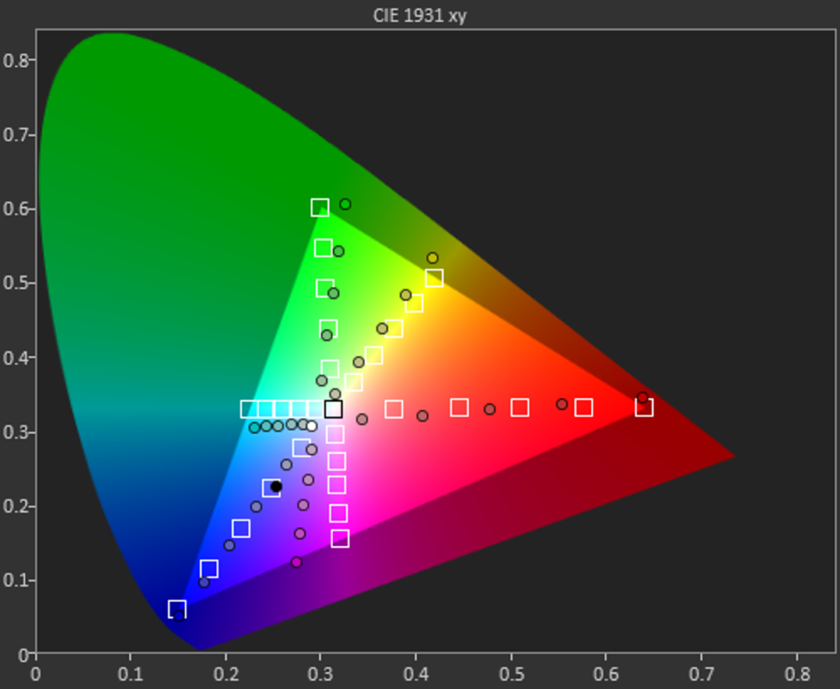
In looking at the other aspects of the display, however, it indicates that it has an extremely colder color temperature than most at roughly 8000K. It’s far from that ideal reference value of 6500K, which makes whites appear bluish in tone. Moving onto color accuracy with this TFT LCD display, it’s a miss on nearly all fronts – including the color teal, which is probably the easiest color to reproduce accurately. All of the values in the sRGB color gamut chart miss their intended target reference marks, where magenta and teal in particular are heavily influenced by blue.
Even though it reaches a peak brightness output of 460 nits, the overall tone of the display seems washed out. Sure, we dig the specs for a phone of this caliber, but our testing reveals that its characteristic aren’t quite up to the levels you’d find in some pricier things. Then again, should we be surprised by this revelation?
Performance & Hardware
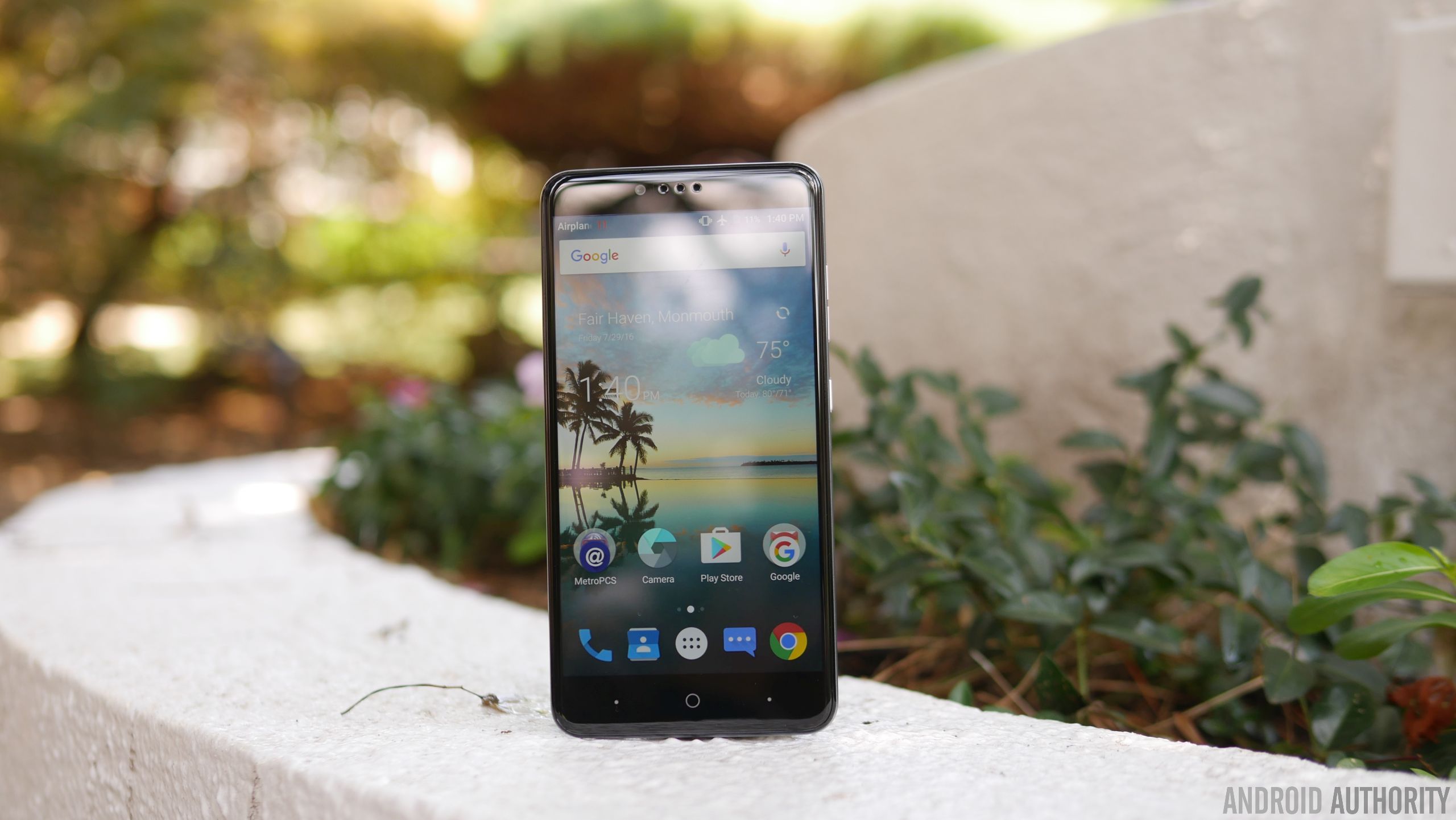
Given its price point, the Snapdragon 617 chip makes perfect sense in powering this affordable smartphone. Paired with 2GB of RAM, it suffices for the basic stuff, but it’s not suited to do more intensive operations – gaming in particular, where it exhibits too much choppiness for it to be a candidate. Okay, it’s not the gaming type, nor is it for power users who demand a lot more, but on a base level, its hardware combination is enough to get by.
For $99.00, we’re actually pretty stoked to know it’s packing 32GB of internal storage. Best of all, too, you can supplement its capacity because there’s a microSD slot on hand. It’s a feature that people probably wouldn’t expect to find in a phone with its price, but it’s a delightful that they opted to offer it.
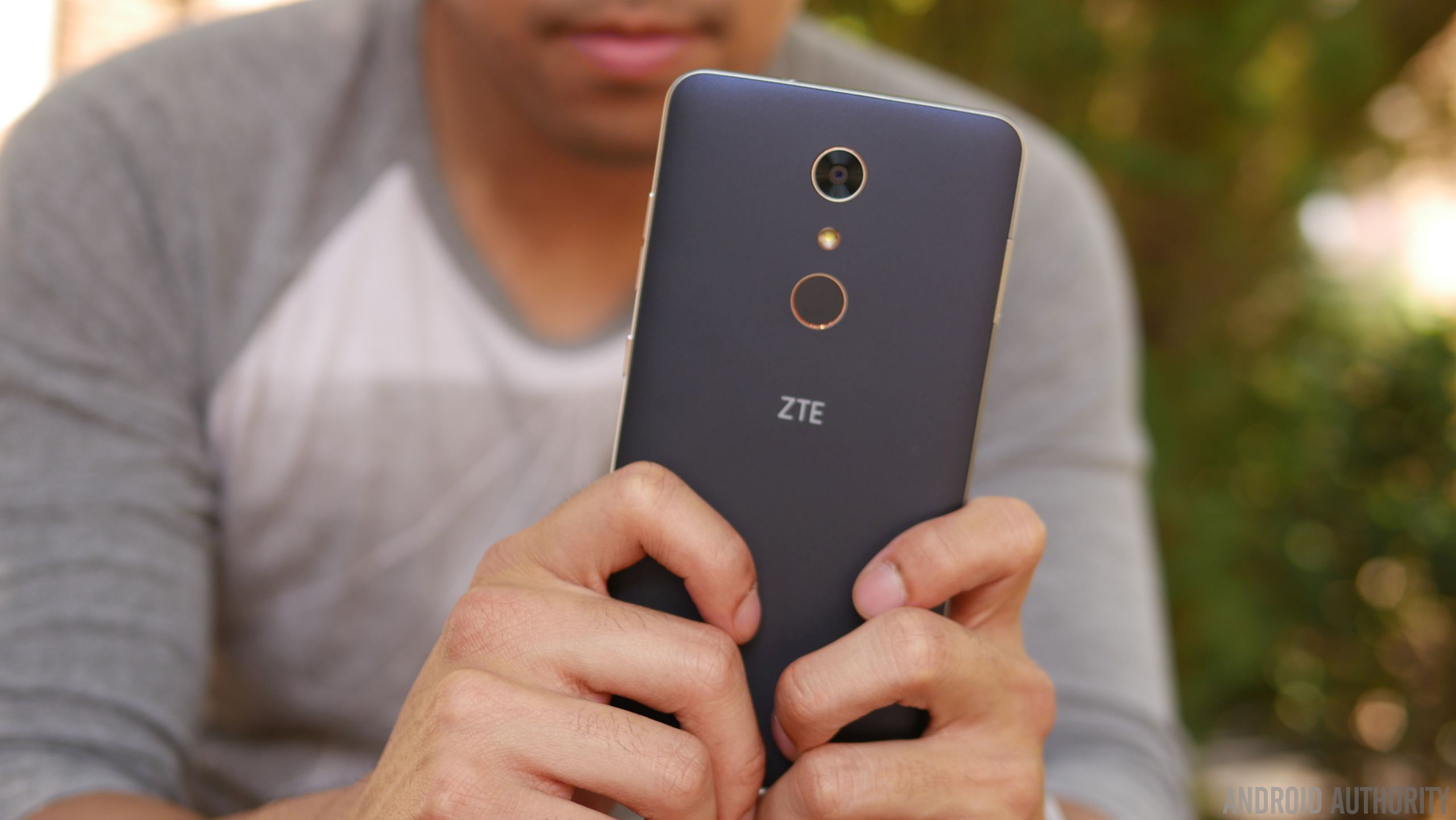
Something that adds a lot more value to the phone is the fingerprint sensor on the back of the phone, it’s an unexpected treat quite honestly. Given that it’s a feature that’s relatively uncommon in entry-level phones, you can say that we feel a teeny bit spoiled to find it. As for the sensor itself, it’s slightly recessed, but works well in adding that extra layer of security. In addition to simply just unlocking the phone, it can also be used to quick open an app, take a photo, or answer a phone call.
Increasingly becoming a standard for ZTE’s phones, the ZMAX Pro features capacitive buttons beneath the display. Unfortunately, the two dots flanking the home button can’t be programmed for anything else besides acting as the back and recent apps functions. In the rear and towards the left corner, we can make out the speaker grill, which emits a decent volume output, but doesn’t pack a whole lot of substance with its quality.

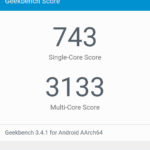

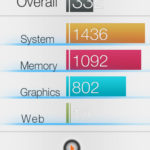
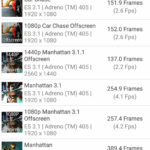

Conducting phones calls is a breeze with this one, thanks in part to the loud volume out of its earpiece and speakerphone – it’s potent enough to use in noisy conditions. Accompanying the strong volumes, we have clear and distinctive voices as well that solidifies its performance in this area. On the other end of the line, too, our callers didn’t have any problems discerning our voice.
Battery
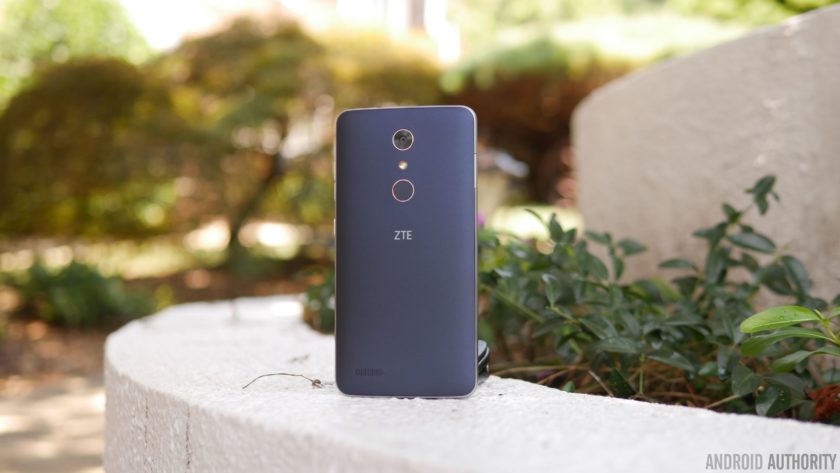
The single most underrated portion about the ZMAX Pro in our opinion is its battery, a modest 3500 mAh cell to be exact. Considering the phone’s gigantic size, you might think it could’ve been larger, but don’t be fooled because when it’s paired with the screen’s 1080p resolution and Snapdragon 617 processor, it delivers longevity like no other. In fact, we’re able to get through a solid 2 days of battery life – and even into the start of a third day.
Using the included USB Type-C charger, it takes approximately 125 minutes to fully recharge its battery. That mark might not be close to some of the fastest recharging phones out there, but it’s not the slowest either at doing it.
Camera
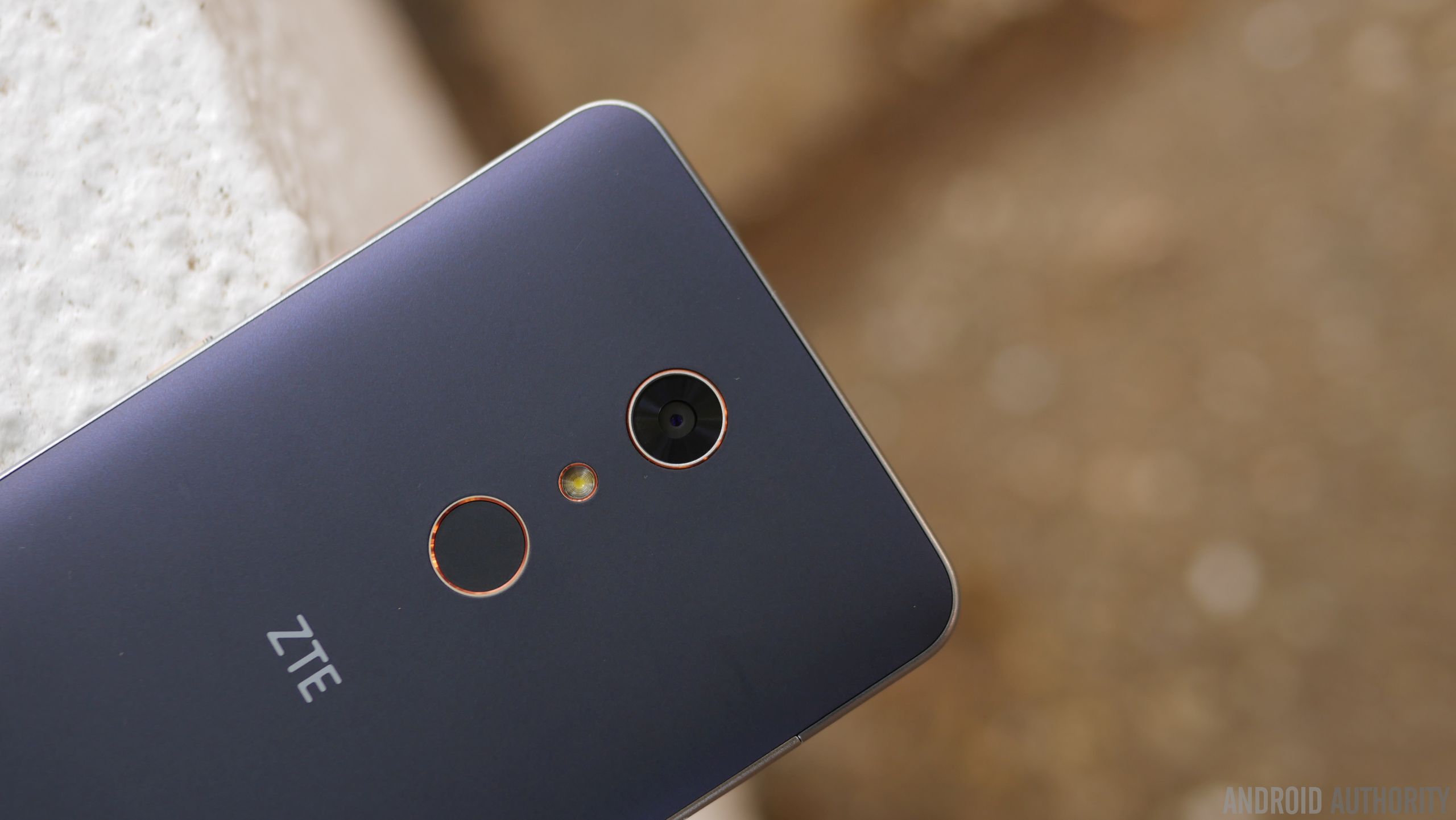
In all fairness, the area where we see the biggest disparity in terms of quality against higher-priced alternatives is the performance in its cameras. For the ZTE ZMAX Pro, it relies on a combination consisting of a 13MP rear camera and a 5MP front-facing one. There’s nothing fanciful about them, nor the accompanying hardware – they’re just as ordinary as any other low priced phone. Running the camera app, there’s a decent mixture of modes and options at our disposal, like its manual mode, which people will probably appreciate having in a phone like this.
Regrettably, the phone’s biggest weakness is exposed here with the cameras – there’s just nothing spectacular about their performances. It’s okay enough to use for outdoor shots when lighting is ample, but there’s a noticeable level of over-sharpening, which seems to try and compensate for the rear camera’s softer details capture. Under low light, however, things take a dip even more as details become more speckled in tone. And finally, the HDR mode seems to just boost the contrast with shadows, making images appear a bit overblown.
ZTE ZMax Pro Camera Samples:

Moving onto video capture, which tops out at 1080p resolution, the results don’t improve much at all, as the general performance is similar to its still shot capture. Over-sharpening again is evident here, but this time, videos tend to have an under-exposed tone to them. And don’t bother using it under low light, just because noise and its muddy results don’t make it flattering to watch.
Software

Purists will love that the ZTE ZMAX Pro is mostly running a stock experience. In particular, it’s running Android 6.0.1 Marshmallow, which has the general look and feel of stock Android. Anyone getting into Android will have an easy time getting acquainted, since it’s pretty streamlined and straightforward. Yes, there’s some bloatware from MetroPCS, but given that it’s at the mercy of the company, it’s something you’d expect.

Power users, though, will probably feel that the experience isn’t up to snuff with their demands. Multi-tasking is generally reserved to just apps switching with the recent apps menu, but you won’t find any other enhanced features that would aid in its productivity. The biggest question with the phone, much like most budget stuff, is whether or not it’ll get upgraded to the next version of Android in a timely manner.
Gallery
Final Thoughts

Owning a cheap phone no longer means you’re getting a cheap phone, that’s just not the case anymore after checking out the ZTE ZMAX Pro. The $99.00 price tag it’s stickered with is without a doubt an aggressive move on its part, especially more given its phablet-esque stature and the inclusion of a fingerprint sensor. These are two things in particular that you wouldn’t expect to find in a phone in its price range, but that’s the beauty about it – you do get them!
Pricing is quite favorable here, but there are some other factors that’ll dictate your decision to buy it. First of all, this is strictly a MetroPCS exclusive, so you’ll have to settle with that reality if you intend to reap the benefits of its incredible pricing. This is arguably a factor that’ll limit its overall reach, as being confined to one carrier means it won’t get as much face time face time from consumers. And secondly, there are still some sub-par qualities with it – such as the inaccuracies with the display and over-sharpening effect with its cameras.
Related ZTE articles:
- Getting to know the ZTE Axon 7
- ZTE Axon 7 review
- ZTE ZMAX Pro hands on | What is a $100 smartphone like?
Then again, these compromises can be overlooked due to its price point, which again is the focal point here with the ZTE ZMAX Pro. At the end of the day, it’s a worthy recommendation if you’re on a tight budget.
Buy the ZTE ZMax Pro now
BLU R1 HD review
Florida-based BLU enjoys a popular presence in the affordable Android smartphone market, with a slew of entry-level and mid-range devices on offer, that are great options for those on a budget. What is great about BLU’s latest smartphone, the R1 HD, is that if you are an Amazon Prime member, you can avail special discounts and offers that help make this already affordable smartphone even cheaper.
More BLU reviews:
- BLU Energy XL review
- BLU Vivo 5 review
Affordability without compromising on quality is what BLU promises, but does the company manage to deliver? We find out, in this in-depth BLU R1 HD review!
Buy now from Amazon
Design
We are now seeing an impressive trend where affordable smartphones feature high quality builds, and that is certainly also the case with the BLU R1 HD. The device features a metal frame and a polycarbonate backing, that feels great in the hand. The matte finish of the back cover offers a lot of grip that supersedes the slipperiness of the metal sides, and the slight curve along the sides of the back allow for the phone to sit nicely in the palm of your hand.

Taking a look around the device, the volume rocker is on the right side, with the power button right below it. The buttons come with the same metal finish, and offer a good amount of tactile feedback. The back cover is removable, giving you access to the two microSIM card slots and the dedicated microSD card slot. However, while the back cover is removable, the battery is not. Finally, the headphone jack and the microUSB port are at the top and bottom respectively.

We are definitely seeing more and more affordable smartphones that go above and beyond what their price points would suggest as far as design and build quality are concerned, which is absolutely fantastic, but when you consider how affordable this phone actually is, the BLU R1 HD certainly impresses.
Display

The BLU R1 HD comes with a 5-inch IPS LCD display of 1280 x 720 resolution, resulting in a pixel density of 294 ppi, and a Corning Gorilla Glass 3 panel helps keeps the display protected, which is always a nice touch.

The resolution may disappoint some, but there is only so much you can expect from a device priced at $100. The quality of the display is actually quite good, with content appearing sharp overall, along with good viewing angles and decent color reproduction. You don’t get the punch that you would with the AMOLED screens out there, but this display will certainly get the job done.
Performance

Under the hood, the R1 HD comes with a quad-core MediaTek MT6735 processor, clocked at 1.3 GHz, and backed by the Mali-T720 GPU and 1 GB or 2 GB of RAM depending on which version of the device you pick. This review unit comes with 2 GB of RAM, and the overall performance of the phone has been quite good.


There have been no serious issues with day to day performance, and opening, closing, and switching between apps has been fairly smooth. The device also handles gaming quite well, even though it understandably struggles a touch with more graphic-intensive games. Of course, the R1 HD isn’t a performance powerhouse, which is reflected in the benchmark scores, but it isn’t expected to be. For those looking for a decent performer on a budget though, the BLU R1 HD is certainly up to the task.
Hardware

8 GB or 16 GB are the internal storage options available, which also dictates how much RAM you get with the device. With rather low storage options, especially if you pick the 8 GB iteration, users will certainly appreciate the availability of a dedicated microSD card slot, allowing for expandable storage up to an additional 64 GB.

The device comes with two microSIM card slots, but that is a very market dependent feature, and something that may not be all that useful in the US. This phone is also unlocked, allowing you to pick the GSM network carrier of your choice, and you do get 4G LTE connectivity, with bands 2, 4, 7, and 17, with support for band 12 expected to arrive with a future OTA update.

The R1 HD comes with a single speaker unit on the back, which isn’t a great placement, making it easy to cover up when holding the phone in both the landscape and portrait orientation. The sound quality is pretty good however, with no distortion at the highest volume levels, and good highs and lows. The positioning could have certainly been better, but overall, this isn’t a disappointing speaker by any means.


The device comes with a non-removable 2,500 mAh battery, which may seem small, but does offer good battery life. With average usage, the phone comfortably allows for a full day of use, and even with heavy usage, that involved streaming video over LTE and keeping the screen brightness at maximum, the phone managed to last for 8 hours. There are no quick charging capabilities here, and takes around two hours to get back to a full charge, which isn’t too bad.
Camera

The R1 HD comes with an 8 MP rear camera, with a f/2.0 aperture and a 4P lens, along with a 5 MP front-facing unit with a wide angle lens. As is the case with any budget-friendly smartphone camera, these cameras can be hit and miss. The front-facing camera faces issues with overexposure and some noise, and while the wide angle lens allows for you to capture more of the scene, detail is lacking. There is a front-facing flash however, which is useful for any selfie lovers out there.


The story is the same with the rear facing camera as well. You do get good looking shots in daylight and well-light conditions, but the camera does tend to overexpose shots, and noise will start to creep in as the lighting deteriorates. The camera app has a few built-in shooting modes available, including Panorama, but video recording capabilities are limited to Full HD at 30 fps. As is the case with the picture quality, videos tend to look a little grainy as well. Overall, the cameras of the R1 HD will do in a pinch, but are certainly not something to write home about.
Software

On the software side of things, the R1 HD is running Android 6.0 Marshmallow out of the box, which is great to see, given that some other, more expensive, BLU smartphones released earlier this year were launched with Android 5.1 Lollipop. BLU has also done a good job with keeping the software very close to stock, and there aren’t really a whole lot of extras packed in.

As mentioned, there is an Amazon Prime exclusive version of the device available, with Prime members able to avail discounts and offers when picking up the phone, and later on as well. There is a catch however, with this version coming with lockscreen ads in tow. Essentially every time you press the power button, you will be greeted with a new ad, which you can swipe away to get to your homescreen, and you will even see an ad tacked on at the end of your notifications in the notification shade.


The presence of these ads can be a deal breaker for some, but some users may even appreciate the offers available and the products being displayed. Of course, a standard version, without these ads, is available as well.
Specifications
| Display | 5-inch IPS LCD display 1280 x 720 resolution, 294 ppi |
| Processor | 1.3 GHz quad-core MediaTek MT6735 processor Mali-T720 GPU |
| RAM | 1/2 GB |
| Storage | 8/16 GB expandable via microSD card up to 64 GB |
| Connectivity | Wi-Fi Bluetooth 4.0 GPS FM Radio microUSB 2.0 |
| Battery | 2,500 mAh |
| Camera | 8 MP rear camera, f/2.0 aperture, LED flash 5 MP front-facing camera, wide angle, LED flash |
| Software | Android 6.0 Marshmallow |
| Dimensions | 143 x 70.7 x 8.5 mm 142 grams |
Gallery

Pricing and final thoughts
The BLU R1 HD is currently priced at $100 for the 8 GB and 1 GB RAM version, with the 16 GB and 2 GB RAM iteration requiring just an additional $10, so the latter is definitely the way to go if you do decide to pick up this phone. Amazon Prime subscribers can available a $50 discount, but you will have to deal with the non removable lockscreen ads in this case.

So, there you have it for this in-depth look at the BLU R1 HD! This phone gets a lot right, with a solid design and build quality, decent performance, a clean software package, and an unbeatable price point. The camera experience is a bit of a let down, and the ads, if you go for the Prime version, can get annoying, but at this price, these are understandable compromises to make. If you are looking for a good option on a budget, the BLU R1 HD should definitely be considered.
Buy now from Amazon
Blu Studio Touch review: yet another unlocked $100 phone worth a look
When it comes to the topic of reviewing a phone that carries a retail price of roughly $100, it’s easy to view them in a favorable light. How can something that doesn’t cost all that much ultimately disappoint? Surely, it’s worth the price tag, right?
As it turns out, there are instances where you can quickly identify where a phone cuts corners. Be it in the build materials, or camera quality, or half-baked interface, there are times where we’d be totally happy spending a bit more in order to get something a little better. And, as the price of unlocked phones continues to bottom out and get more competitive in the sub-$200 space, we find some brands doing better here than others.

Miami-based smartphone maker Blu gets it. As a company who consistently releases lower-cost alternatives to bigger brands, its phones are typically a great value proposition. In other words, you don’t have to spend a lot of money on its products; you often walk away with a device that justifies its cost.
The latest from Blu is its Studio Touch, a $100 unlocked smartphone that works with GSM networks such as AT&T, T-Mobile, Cricket, and MetroPCS. On paper, its hardware specifications read like a mid-range phone from 2014. But, there’s just enough here to help it stand out from those older devices.
Software
For starters, the Studio Touch runs Android 6.0 Marshmallow, the latest official release from Google. Yes, there’s the 7.0 Nougat stuff breathing down our neck, but it’s going to be some time before we start seeing a plethora of models rolling out with that version.
Having such a modern build of Android is a pretty big deal, particularly in the area of security. By running 6.0, the Studio Touch comes with protection against those pesky mobile threats that plague outdated phones.
Another key benefit of having Android 6.0 comes in the user interface, customization, and optimization. By that we mean stuff like Project Volta, Android Doze, and, of course, Material Design. You likely won’t find those details in that 2014 handset with similar hardware.

As it typically does, Blu has opted for a stripped down approach to Android. You’ll find very little installed on the phone that isn’t from Google. And, because it is carrier-agnostic, you won’t be looking at pre-installed apps from wireless providers or third party developers.
This is not to suggest that the phone is completely void of any additional software, though, as there are a couple of titles present. Among them are Amazon, Amazon Kindle, Amazon Apps & Games, McAfee Security, Truecaller, and Opera.
As for the Google apps, the Studio Touch comes with the usual suspects in Gmail, Chrome, Drive, Maps, Hangouts, Messenger, and Play Store, Play Movies & TV, Play Music, and YouTube. The phone is also loaded with utilitarian apps for FM Radio, SIM toolkit, videos, email, file managing, music, and a few others. There’s a little something for everyone here with a bit of overlap, but nothing aggravating to the end user.
Design
There’s nothing about the Studio Touch that jumps out at you, but we didn’t expect that going in, either. The “black” version we reviewed offered up a black face but more of a slate grey back panel.
The front side of the phone finds a 5-megapixel camera sitting just off from the top speaker, while below the screen is a fingerprint reader. Yes, you read that right. There’s a fingerprint button which can be used to secure your login and apps. It also doubles as a home button when physically pressed.

On the right side is where the power and volume buttons are located. The power button features a textured design but it’s not all that noticeable to touch. It’s the first one up the side of the phone, but, otherwise, you won’t feel the ridges when blindly looking for the button.
Around back is the 8-megapixel rear camera which is horizontally centered and just down from the top. Down near the bottom is the speaker where you’ll get your music. It’s worth noting that there is Blu branding on both the front and back of the phone but neither is gaudy or awkwardly placed.
The Studio Touch features an internal, non-removable battery; however, the back panel does pull off so that you can insert one of two microSIM cards and/or a microSD card. We found it rather strange to remove the case as it almost looks like you’re pulling the display out instead of a metal case off the back.

Props to Blu here as the aluminum metal casing gives the phone a more premium feel than one might need for this price point. It would be easy to forgo the metal material in favor of the polycarbonate stuff you find in lesser expensive phones. Cheaper doesn’t have to be mean cheaply made and Blu got that right.
The battery cover wraps around the side and comes up to the screen. Save for the very tiny little notch in the top right you would be forgiven not knowing how to remove it. A weird design choice, yes, but fortunately one you don’t have to deal with often.
Display

At 5.0-inches, we really like the pocketability and one-hand experience of the Studio Touch. We have internal debates about whether we need more or less, but it always comes down to personal choice. If your hand isn’t all that big, and you want to be able to reach the edges of your phone with one hand, this one should feel good to you.
As for the resolution, the Studio Touch gives up a 720 x 1280 pixel picture, or technically HD. Were the screen any larger we might have had a beef with this, but it’s perfectly acceptable here. For one, it helps to keep price down. Also, it doesn’t impact the battery as much as something with more pixels.

Reading text, browsing the web, and playing games was as to be expected, and we didn’t run into instances where we felt like it was lacking. Throw the phone into a Google Cardboard, though, and it becomes obvious why we tend to like 1080p and 2k resolution in our devices.
Color was accurate and balanced, but we might have liked for a brighter picture in spots. We found that we had to keep the display brightness dialed up near full more often than in other phones. Other than that, the viewing angles were great and the picture was generally quite satisfactory.
Camera
We found the camera experience to be a fairly good one, just so long as you have proper lighting. Unfortunately, low-light indoor shots proved to be a problem for the Studio Touch.
Moreover, there were cases when we found the picture to have a slight haze and/or white glow to them. Outright dark environments and situations with less than perfectly still pictures gave us trouble.

Generally speaking, we were happy to use the camera. There were very few instances where we thought, “this doesn’t work for us”. And, to be fair, even a $200 or $500 phone might have issues in some of those conditions. But, we did end up with daytime photos that could have benefited from more sharp lines and distinct edges. All things considered, for a phone that borders on the edge of $100 it is almost exactly what we would have expected.
Flickr Gallery Samples

If you are looking for a phone that has a kick-ass camera, you’ve probably already got your eye on something else, something specific. If you are in the market for a phone with a camera decent enough to snap silly or keepsake moments to share on social media, the Studio Touch more than fits the bill.
At 8-megapixels, it delivers large photos that can be cropped and retouched; imperfections can also be overcome in select instances. It may take some learning in what you can and can’t get from the Studio Touch’s camera. Don’t be in a hurry out of the gate to get rolling as you could run into a series of less-than-desirable pics.
Performance
Keeping in mind what hardware specs are, the Studio Touch delivers a decent experience. Given we spend so much time with flagship phones and cutting edge tech, we noticed how the phone struggles in areas. The quad-core processor and 1GB RAM are certainly low on the totem pole today. It’s definitely not going to run today’s best games, one of which being Pokemon Go. Indeed, the augmented reality game is built with phones of 2GB RAM in mind.

Suffice it to say, we were leery about first person shooters and driving games. Throwing on a couple of other casual games, though, weren’t a challenge for the Studio Touch. Get into social media, basic photo editing, and music and podcasts, though, and this one works as well as a phone twice its price.
We enjoyed having the fingerprint reader for security and Play Store authentication. This, and the other buttons, responded well to pressing, and gave a tactile feedback. There was no questioning whether something was pressed.
For whatever reason, Blu opted for software buttons on the screen above the fingerprint reader. There’s wasted space on both sides of the reader. While we commend Blu for integrating the added security measure, we would have loved for Blu to fully commit to hardware buttons or software keys. As it turns out, it’s more like one and a half ways of navigating.
Listening to music and speakerphone calls reminds us why we like Bluetooth speakers and headphones. After a few minutes of a playlist, we were reaching to dial down the audio. Not for being so loud or overpowering, but because it “sounded like a phone”. In other words, the range could be much better, the bass heavier, and the max volume louder.

We didn’t think we’d get anything better out of the experience, but we did ponder whether it might be worth stepping into a different phone. Our usage doesn’t call for much music via the phone’s single rear speaker, but yours might. If you play a lot of YouTube videos or expect to watch movies on it, you’ll want to toss in some headphones.
Battery, which is an internal 2500mAh power source, lasts more than a day of average use. We get the sense that we’re getting such decent life because of our conscious efforts. There aren’t any heavy hitting games that we’re playing over and over. It doesn’t hurt to have Android 6.0’s optimizations at play, either. You won’t find any Quick Charge capability here as that’s relegated to select Qualcomm Snapdragon processors. Expect to put in a couple of hours to safely go from empty to full.
Conclusion
Consumers who want a phone that’s going to keep pace with top games will need to look elsewhere. It’s already not able to handle the demands of some current titles; next year’s crop are all but guaranteed to be too much for the phone. On the other hand, buyers looking for a device that keeps them connected to work and social media will be happy with the Studio Touch.

This isn’t the sort of phone that you buy to keep a teen happy, but it’s plenty for parents who don’t find themselves with a face in the screen all day. With support for two SIM cards, it’s also a good solution for people who want a home and work line in one device.
It’s getting more difficult for companies to stand out in the sub-$200 phone space. Blu, who has long positioned themselves as a less expensive hardware maker has delivered a “typical” $100 phone. It’s not outstanding, but it’s certainly not lacking. Are there corners cut? Sure. But they’re not huge cuts and there’s no place where the phone feels lopsided.
You have to set an expectation of what you should get for this sort of money. Blu didn’t set out to release a flagship phone in the Studio Touch. As such, you shouldn’t set out to do the same things your friend is doing with their high end Samsung.
As we were readying our review of the Studio Touch we learned that Blu is releasing an alternate version in September. For only $10 more, customers can double down on memory and storage, getting 2GB and 16GB, respectively. We can’t say without testing it, but that theoretically opens up the door to more games and multi-tasking.
Will it get the next major version of Android? It’s hard to say. But, ask yourself when, if ever, your $400 or $600 phone will get it, too. One of the best things about Blu is that its phones are inexpensive enough to replace when the time comes for a new, key Android release.
We’ve yet to run into a Blu phone that we couldn’t recommend for the money and certainly aren’t ready to do that with this one. If you’re in the market for an unlocked phone to pair with AT&T, T-Mobile, or any of their respective MVNO’s, the Studio Touch is one to consider. This goes double when you have to work with a smaller budget.
Lenovo K4 Note review
Lenovo is slowly but surely making an impact in the Android smartphone market, particularly here in India. Lenovo has some fantastic devices on offer, with a smartphone portfolio that is continuously expanding, and one of the most popular of their devices is the Lenovo K4 Note.
Its predecessor was very popular, and the latest offering takes things one step further, with the K4 Note bringing some of the best features of the higher-end Vibe X3 to this affordable series. What does this device bring to the table? We find out, in this comprehensive Lenovo K4 Note review!
Buy now from Amazon
Unboxing
The phone comes in pretty standard packaging, with an image of the phone and the large VIBE branding splashed across the box. Opening the box reveals the phone in all its glory, and it’s nice to see the device already in a protective case. The hard plastic case isn’t the most impressive though, and if you are particularly clumsy, you may be better off picking something sturdier.
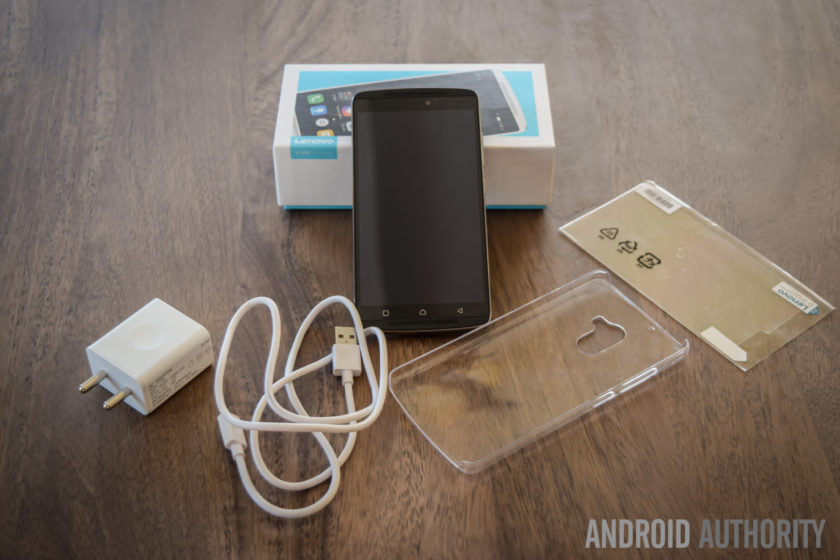
Diving in deeper, you will find the standard documentation, an AC wall adapter, and a USB charging cable, and Lenovo also includes a screen guard with the device, which is another nice touch. There are no headphones included, but that does make sense, given the affordable nature of this phone. Setting up the device only takes a few minutes, and follows the standard steps that any Android smartphone user will be familiar with. Once the phone is setup, you will find the official update for Android 6.0 Marshmallow waiting for you.
Design

The K4 Note sees a significant upgrade in terms of design and build quality, when compared to its predecessor. The device now features a metal frame and a polycarbonate plastic backing, which makes the phone feel sturdy and solid in the hand. The combination of dual-front facing speakers and a fingerprint scanner just below the camera makes the K4 Note aesthetically similar to the Lenovo Vibe X3, which isn’t really surprising, given that this device has been released in some markets as the Vibe X3 Lite.
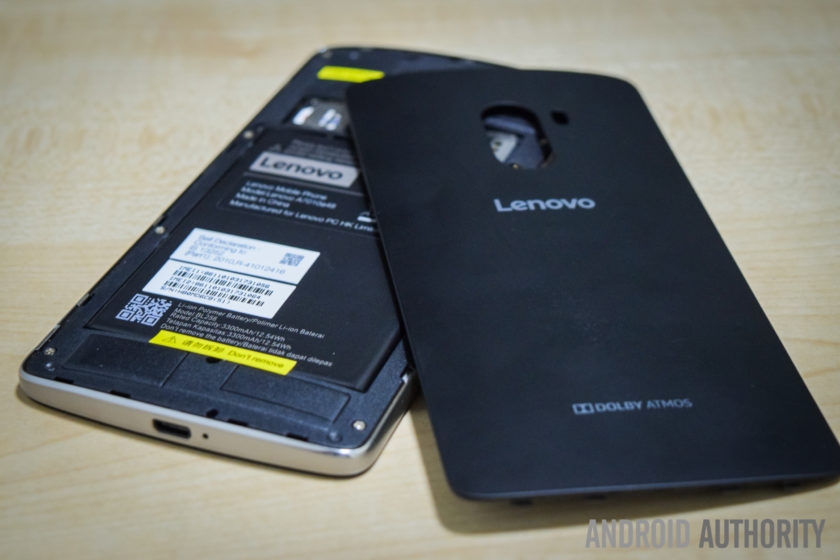
The plastic backing is removable, giving you access to the microSD card and SIM card slots, but the battery cannot be replaced. Removing the plastic back cover is when you notice how thin and flimsy it is, but despite appearances, it certainly holds up very well, and is something you won’t even notice when snapped in place. For those still worried, the device does come with a plastic protective case in the box, and there is also a version of the phone now available with a wood backing. The wooden back doesn’t seem to be sold separately yet, but is something that we can expect to see soon.
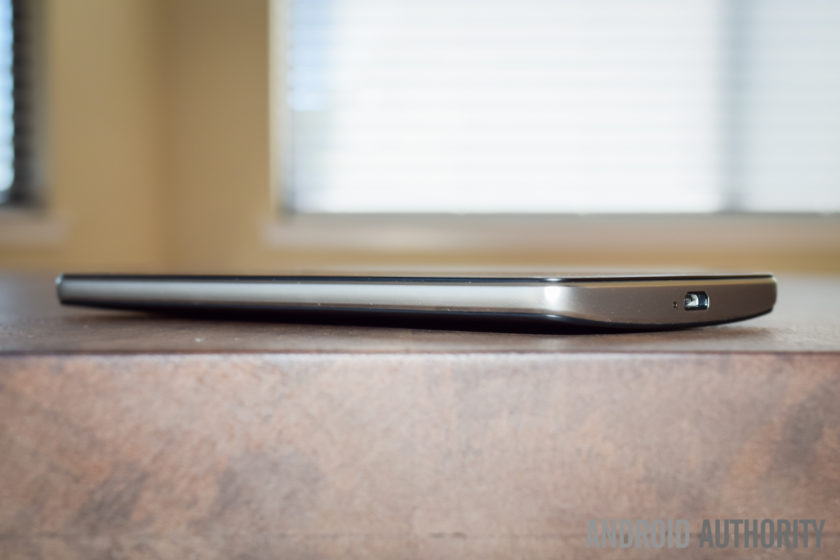
Taking a look around the phone, the headphone jack and microUSB port are at the top and bottom respectively, and the power button is below the volume rocker on the right side. On the back is the camera that is centrally located along the top, and below it is the fingerprint scanner. Up front, below the display are the three capacitive navigation keys, but these buttons aren’t illuminated, which can make them quite difficult to see in the dark.
The power button doesn’t come with something like a ridged pattern to help differentiate it from the volume rocker, but the buttons are placed far enough away from each other for this to be a minor concern. The buttons also protrude quite a bit, so you can actually easily see which button you are pressing. The buttons don’t offer as much tactile feedback as might be expected, and the power button in particular feels quite mushy. However, with you being able to unlock the device and directly go to the homescreen using the fingerprint scanner, you won’t need to use the power button all that much anyway.

As far as the handling experience is concerned, a slight curve on the back allows for the phone to nestle nicely in the palm of your hand, and unlike metal smartphones, the device isn’t slippery either, courtesy of the polycarbonate backing. Overall, the Lenovo K4 Note is a very well-designed smartphone, and as is also the case with some of its competitors, the design and build quality of the phone certainly goes beyond what you would expect from a sub-$200 device.
Display

The K4 Note comes with a 5.5-inch IPS LCD display, with a Full HD resolution, resulting in a pixel density of 401 ppi. Many affordable smartphones are starting to boast Quad HD screens now, but 1080p gets the job done here, with text appearing sharp, and watching videos and playing games is a lot of fun as well. The viewing angles aren’t great however, and while the brightness at the highest setting is good enough to allow for easy outdoor viewing, the screen can be quite dull and dark when the brightness is set to less than 40% even when indoors.
Lenovo in video:
-

Lenovo foldable smartphone a… -
Lenovo PHAB2, PHAB2 Plus, PH… -
Lenovo Tab3 Lineup Hands On -
Lenovo Vibe K5 and K5 Plus h…
The default color balance is good enough, but the color temperature is on the cooler side. You do have some options available to set the color balance and temperature to your liking, including a manual mode that gives you granular control over these aspects. One preset setting is called Comfort Mode, that helps protect your eyes when browsing the phone for long periods of time. There is also Smart Brightness, which judges when the phone is in harsh lighting conditions and enhances the visibility. It works well enough, but as mentioned, the display brightness is cranked up anyway.
Performance

Under the hood, the K4 Note comes with an octa-core MediaTek MT6753 processor, clocked at 1.3 GHz, and backed by the Mali-T720MP3 GPU and 3 GB of RAM. There is also a version with 2 GB of RAM, but this iteration hasn’t been released in India. The performance has been pretty good, helped along by a clean software package, and there have been no glaring issues. The device handles day to day tasks very well, and opening, closing, and switching between apps has been smooth.


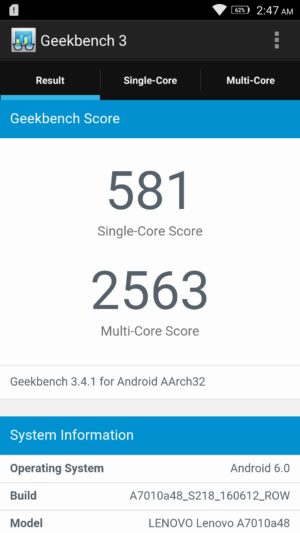
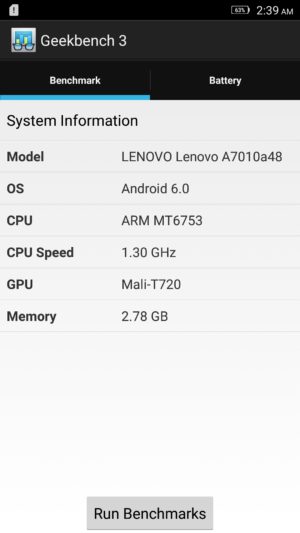
Of course, the K4 Note isn’t a performance powerhouse, and the benchmark scores reflect that, but with average usage, this phone certainly impresses. The gaming experience has been enjoyable as well, and playing games like Stick Cricket 2, UFC, and NBA Live Mobile have been a lot of fun. Games do take a bit to load, and there are some instances of stutter when navigating through the menus and settings, but when it comes to the actual gameplay, things have been smooth and lag free for the most part.
Hardware

16 GB is the only on-board storage option available here in India, but in other markets, there are 8 GB and 32 GB iterations to be found. However, something to keep in mind is that the latter two come with 2 GB of RAM, while this Indian edition features 3 GB of RAM. If storage is a concern, the device features a dedicated microSD card slot, allowing for up to an additional 256 GB of space.
You get two microSIM card slots here, and you can pre-select which SIM can be used to for calling, texts, and data. The option you select for data will allow for access to 3G/4G LTE, while the other sticks to EDGE. It’s also a nice touch that you can choose different ringtones and message tones for the two SIM cards, making it easy for you to distinguish between them. There have been no issues with voice calling, with both parties able to hear the other loud and clear.

The K4 Note comes with dual front-facing speakers – which is always the best placement for speakers – with Dolby ATMOS features. While these speakers don’t get as loud as I would have liked, you get a rich stereo sound which further enhances the video-viewing and gaming experiences.
The Dolby ATMOS settings allow you to choose between preset options like Movie, Music, Game, or Voice, and you can also set up custom settings depending on your liking. You also get additional features, including Surround Virtualizer, Dialogue Enhances, and Volume Leveler. This is buried in the Settings menu however, and is found under the “Ringtones and Volumes” section.

With headphones on, the audio is absolutely fantastic, with impressive bass that I haven’t found with other, more expensive, smartphones. Something to remember is that it can get really loud with headphones on, so much so that the default volume setting is set to 50%, and you won’t find yourself needing to go any higher than that. If good audio is one of your requirements, the K4 Note is definitely a great option.
The phone comes with a fingerprint scanner on the back, and this is another feature that was very impressive. The setup is quick and easy, and the scanner is very accurate, but while it’s definitely fast enough, it may not be as fast as other sensors out there. Using the scanner unlocks the phone and takes you directly into the homescreen, which means that you will rarely have to reach for the power button.

The scanner comes with a few extra uses when the phone is as well. You can set it up so that a single tap can have it function as a back button or take you back to the homescreen, and a long press can open the Recent Apps screen, or again, take you back to the homescreen. Finally, you can have the scanner function as a shutter button as well, which is very useful when taking selfies. These are similar to the gesture support offered by rival Chinese OEM Huawei in some of its recent flagships.

The K4 Note comes with a 3,300 mAh non-removable battery, that allows for really good battery life. I was able to consistently get up to 5 hours of screen-on time with the device, and an impressive stand-by times means that the device easily lasted through a full day of use, and sometimes even two, depending on my usage. With heavy usage however, while the screen-on time was still pretty good, it was easy to drain the battery rather quickly.


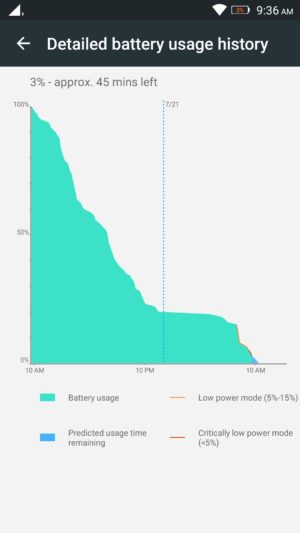

You get the standard Battery Saver mode that automatically kicks in at the 15% mark, and there is also an Ultimate Battery Saver feature, that minimalizes the UI, and allows for only calls and texts. An interesting battery feature is “Scheduled Power On and Off,” that lets you preset a time period where the device automatically switches off and turns back on again.
Camera

The Lenovo K4 Note features a 13 MP rear camera with a f/2.2 aperture, and a dual LED flash, along with a 5 MP front-facing unit, also with the same aperture.
The default camera app is very simplistic, and everything you may need can be found easily on the viewfinder. At the top left are the buttons to switch between the cameras and toggle HDR, and at the bottom is the button to toggle the flash. Only two modes are available in the menu, including Panorama and another that adds color filters to your images. Further in the settings is where you fill find the option to choose the settings for aspect ratio, photo resolution, snap mode, triaxial leveling, and guidelines.

Using the front-facing camera adds the Beauty mode, and you also have an option called “fill light,” that adds two, pink or chrome, bars at the top and bottom of the screen to light up your face in dark environments, but it doesn’t really help much, and results in a pink or bronze hue in the shot.
As far as the image quality is concerned, the 13 MP rear camera is capable of taking some nice shots, especially in well-lit situations, and the images can be crisp and clear sometimes. Not surprisingly, some noise and grain starts to creep in as lighting conditions deteriorate though. The camera doesn’t handle shadows particularly well either, with very little detail to be seen, and while HDR tends to help here, it creates an oversharpened, unnatural looking shot. The camera also tends to underexpose shots in a few situations, and when you use the tap to focus feature, it also adjusts the exposure, leading to either overblown highlights or super dark shadows.

As far as video is concerned, the camera is capable of recording at a Full HD resolution at 30 fps. Video quality isn’t particularly impressive, and with no OIS, you can get some noisy and shaky videos. The phone comes with a 3 microphone system intended to help with background noise reduction, and while it does a good job when outdoors, the sound is somewhat muted when recording audio in quieter locations.
Overall, the K4 Note camera is serviceable and will certainly get the job done in a pinch, but it’s in the little details that the camera lets you down. It’s certainly not the worst camera we’ve seen on an affordable smartphone, but it isn’t close to the best either and if the camera is important to you, this is certainly something to keep in mind.
Software
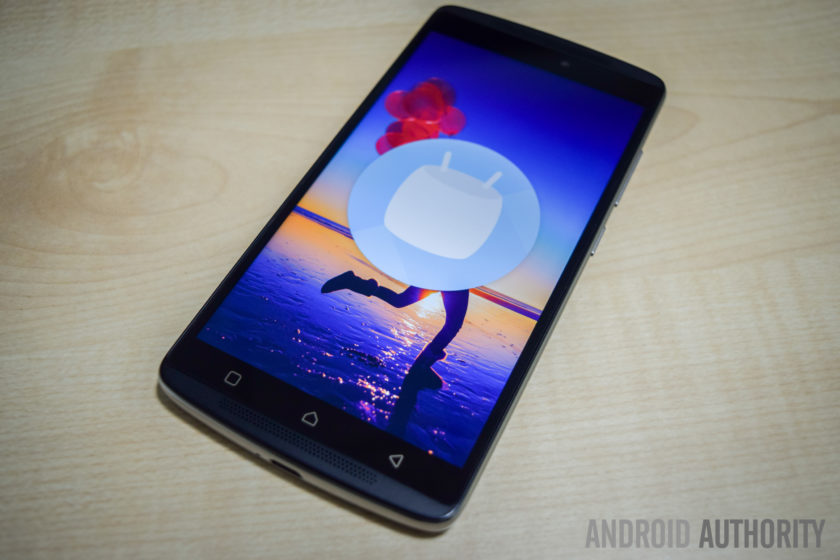
On the software side of things, the K4 Note is running Android 5.1 Lollipop out of the box, but – following the update’s release in India last month – there is now an official update to Android 6.0 Marshmallow immediately available after you first set up the phone.
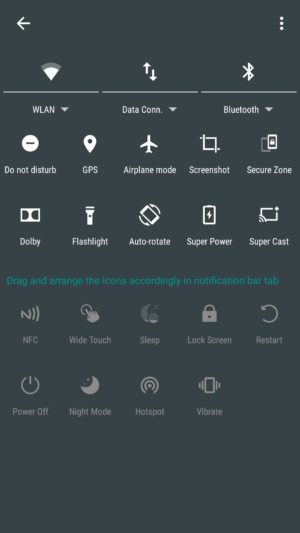
The software experience is very clean and minimalistic, at least on the surface, and while it does have significant differences, quite a lot of stock and Material Design elements are to be seen here. The Settings menu and Recent Apps screen are the same as stock, Chrome is the default web browser, and Google Keyboard is the preset keyboard of choice. The notification dropdown and Quick Settings menu are also similar in the look, but it is packed with a lot more options, with even more available when you dive deeper, allowing you to pick and choose which settings are more useful to you.
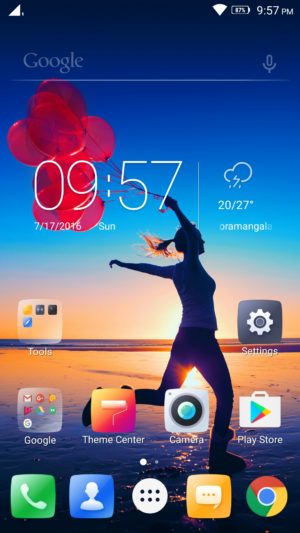
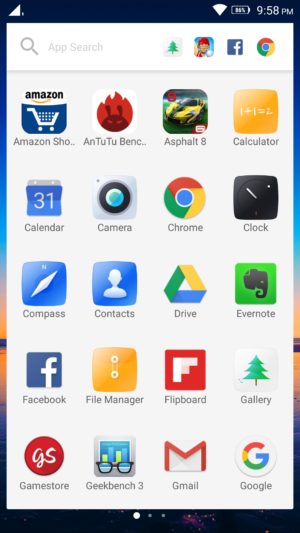
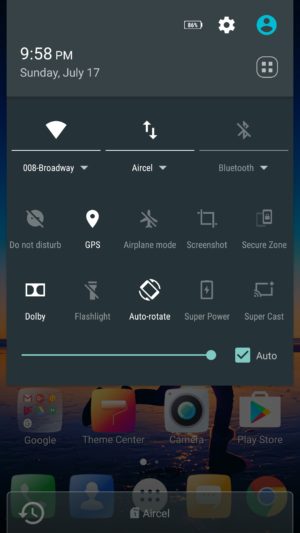
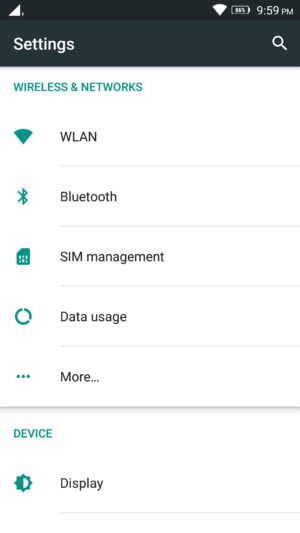
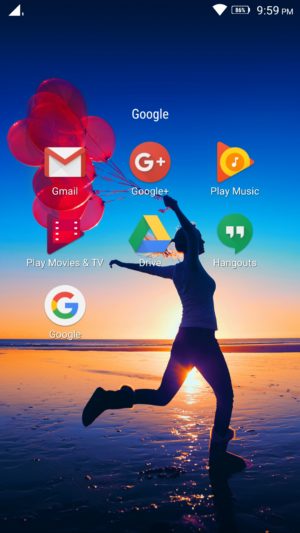
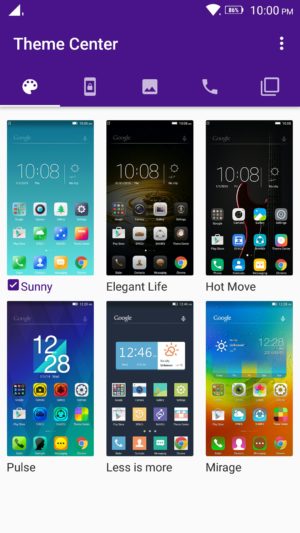
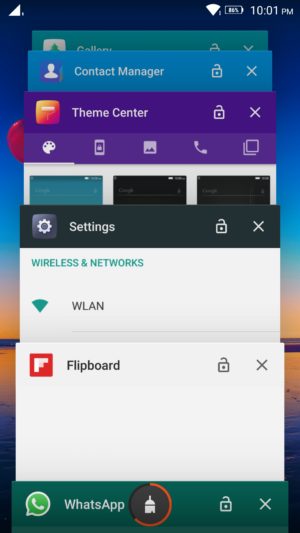
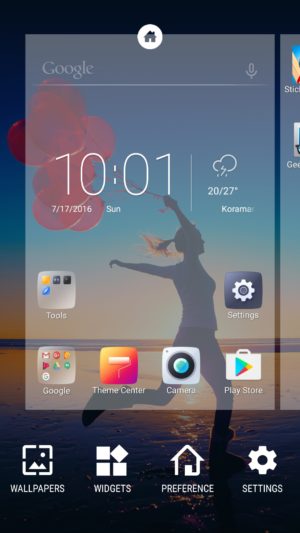
The app drawer retains the Material Design look, but is side swiping, instead of a top to bottom scroll. A nice addition here is that the app search menu up to also comes with a section that houses the most recent apps opened. There is a lot of bloatware to be seen however, with a slew of unnecessary, often redundant, apps pre-installed on the device.
Luckily you can uninstall most of these third-party applications, and the only ones that can’t be removed are Lenovo staples like ShareIT, SyncIT, and the Lenovo Companion app. There is also a Theme Center, but it isn’t particularly robust, and all you can really do is change the look of the lockscreen, icons, and wallpapers.
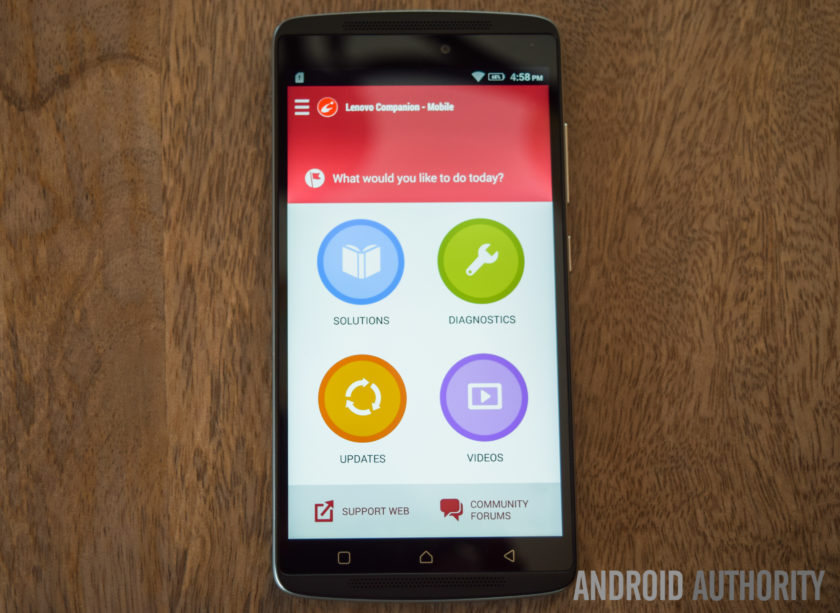
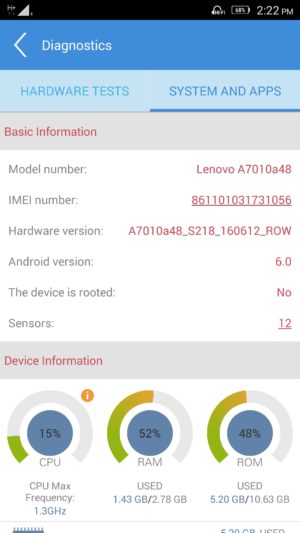
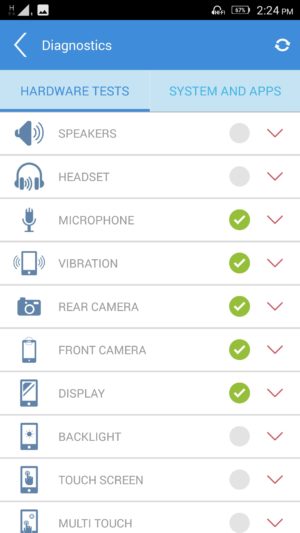
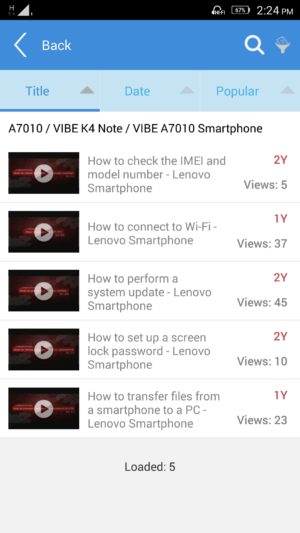
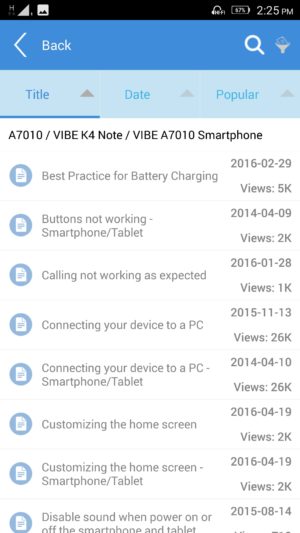
The Lenovo Companion app is a very useful tool to have, and provides a quick and easy way to set up service requests, or browse through the forums to find solutions to everyday problems you might come across. There are also video guides available, and also a robust diagnostics tool that lets you check whether all the device hardware is working the way it should be.
Finally, another feature that can be useful to some is Secure Zone; it can be toggled in the Quick Settings menu, and allows you to set up two virtual zones, that help keep your professional and personal lives separate. You can set up each zone to have their own accounts, passwords, and apps, and settings of one don’t carry over to the other.
If a notification arrives in one zone, you will know via a red dot that appears in the status bar, and you will then have to switch over to be able to check it. App data and documents are also kept apart, and if you are looking to share anything between the two, the way to do it is a via an OpenUserData shared folder. However, call logs and messages are shared between the zones.
Specifications
| Display | 5.5-inch IPS LCD display Full HD resolution, 401 ppi |
| Processor | 1.3 GHz octa-core MediaTek MT6753 processor Mali-T720MP3 GPU |
| RAM | 3 GB |
| Storage | 16 GB expandable via microSD card up to 256 GB |
| Connectivity | Wi-Fi 802.11 a/b/g/n/ac Bluetooth 4.0 GPS NFC FM Radio microUSB 2.0 |
| Camera | 13 MP rear camera, f/2.2 aperture, dual LED flash 5 MP front-facing camera |
| Battery | 3,300 mAh |
| Software | Android 6.0 Marshmallow |
| Dimensions | 153.6 x 76.5 x 9.2 mm 158 grams |
Gallery
Pricing and final thoughts
The Lenovo K4 Note is currently priced at Rs 10,999 (~$164), and the wooden back version isn’t that much more, priced at Rs 11,499 (~$171).
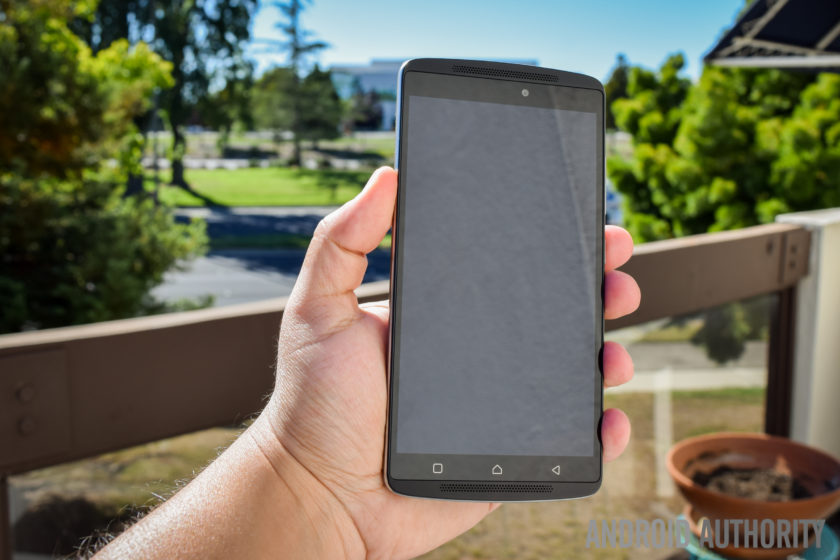
So, there you have it for this in-depth look at the Lenovo K4 Note! Lenovo has certainly done a fantastic job with this smartphone, and while using, it has been difficult for me to wrap my head around how affordable it is. With a solid design, decent performance, great audio, and good battery life, Lenovo checks all the right boxes.
The software package does have a lot of extras, but you always have the option to de-activate the various settings and enjoy a stock-like experience, and the only real caveat here is the camera performance, which isn’t poor by any means. There are a lot of great affordable smartphones out there, but Lenovo stands out with a great audio experience, and if that is a requirement, I would definitely recommend the K4 Note.
What do you think of the Lenovo K4 Note and do you plan to buy one? If not, what other affordable smartphone would you buy? Let us know your views down below guys!
Buy now from Amazon
ZTE Axon 7 review
It was merely a year ago when we found out that ZTE was behind the mysterious “Axon Phone,” a promising offering which aimed to keep the consumer in mind. With its Axon sub-brand, ZTE hoped to capture more of the U.S. market by striking a balance between affordability and premiumness.
Interested in ZTE?
- ZTE Axon 7 hands on
- ZTE VR announced
- ZTE ZMAX Pro hands on
- ZTE Grand X Max 2 review
After testing the original ZTE Axon extensively, we granted it our 2015 Editors’ Choice award for its incredible value. Although the original Axon wasn’t perfect by any stretch, it did incorporate unique features like a two-year premium warranty while still making only a few compromises.
On the surface, the succeeding Axon 7 appears to be a major step forward once again, considering the many improvements ZTE has made. It is evident that the ZTE Axon 7 is more than just a minor refinement to the ZTE Axon, but in an increasingly-competitive “flagship killer” market, has ZTE really done enough to make the Axon 7 worthy of your consideration? Let’s explore that question and more with our comprehensive ZTE Axon 7 review!
Buy the Axon 7 now!
Design

The Axon 7’s design could be viewed as a normalization of that of the first Axon, as ZTE has both literally and metaphorically smoothed the edges. Although the updated design is less likely to raise eyebrows, it certainly has character. Unlike many metal smartphones, the Axon 7 does not incorporate plastic caps in its design and instead embraces an aluminum unibody free of any edges.
Although the updated design is less likely to raise eyebrows, it certainly has character
The curved back, although similarly done before, is elegant and feels excellent in the hand. The build quality is great, and it’s very unlikely that you’ll be able to get the Axon 7 to bend, even if you try. The power and volume buttons, which are now both on the right side of the device, as well as the recessed fingerprint reader are very ergonomic. The latter may seem senseless, but it is actually very nice when trying to differentiate it from the camera module.

Some of our keen-eyed readers have likely already noticed and may have even already objected to the Axon 7’s camera hump. Thankfully, it’s not thick enough to cause the phone to wobble when typing on a table, except when typing with excessive force.
ZTE has implemented antenna lines in a such a way to compliment the design rather than blemishing it. The chamfer found where the aluminum meets with the front of the device is also quite nice and feels natural, next to the very slightly curved display.

The “Designed in the USA” tag located on the rear of the Axon 7 may prompt some questions, considering that ZTE is, after all, a Chinese smartphone manufacturer. However, ZTE tells us that they collaborated with Designworks, a US-based BMW Group subsidiary, when designing the Axon 7. This can definitely be seen in the Axon 7’s design, most noticeably with the phone’s curved shape.
I wish the phone wasn’t so slippery in the hand
Although I really like the Axon 7’s design overall, I do wish that the phone wasn’t so slippery in the hand. The Axon 7’s size, smooth metal, and curved side edges combined certainly do not help make the device easier to grip. Although I eventually became accustomed to the Axon 7’s slippery profile, its height is still somewhat problematic. Reaching for the top to access the notification panel can be very interesting at times, given that any adjustment in the hand must be done very carefully due to the phone’s lack of grip.

The three non-illuminated capacitive keys on the U.S. Axon 7 do the job, but could be spaced out a bit more. I am nearly sure that the current implementation was designed to cater to aesthetics, but it can be difficult, especially at first or in a dark environment, to locate the side keys, as they are curiously closer to the center than to the edges of the display.
For what it’s worth, however, I really enjoyed the ability to change the key layout. The indeterminate iconography may be a bit jarring for first-time users, but oftentimes becomes irrelevant after a day or so of use.
Display

ZTE has definitely exceeded my expectations with the Axon 7’s display. Whereas many similarly priced options compromise on either resolution or panel quality, the Axon 7 offers one of the very best displays I have seen on a smartphone. It’s a Quad HD 5.5″ AMOLED display with a pixel density of 538 PPI, which translates to excellent sharpness, punchy and saturated colors, deep blacks, great color reproduction, and excellent contrast and viewing angles. It’s most definitely worthy of competing with the highest-end of displays, like those found on phones such as the Samsung Galaxy S7.
The edges of the display glass taper down to meet with the chamfered aluminum
Sunlight readability is also good, and the display also seems to get dim enough in darker environments. The larger screen size is great for any type of content, without being too big to hold comfortably in many cases. The Corning Gorilla Glass 4 protection is also great to see, so users should not have to worry about scratching the display. The edges of the display glass taper down to meet with the chamfered aluminum, which gives the Axon 7 a consistent premium feel when swiping near the edges.
Performance

Under the hood, the Axon 7 is powered by a quad-core Qualcomm Snapdragon 820, with two of the cores running at 2.15GHz and the other two running at 1.6GHz. The Snapdragon 820 has been used in every major flagship smartphone this year, and for good reason, as it is an absolute beast of a processor, offering up some of the best performance to date. It’s a notable step forward from last year’s Snapdragon 810, which was plagued by overheating rumors.
The overall experience is remarkably smooth
In addition to a Snapdragon 820, however, the Axon 7 includes 4 GB of RAM, which is enough for even the heaviest of multitasking. Day-to-day performance was absolutely wonderful and the overall experience is remarkably smooth. The Adreno 530 GPU is also more than enough for mobile gaming.


Although benchmark scores aren’t everything, it is clear that ZTE’s software optimization and selective component choices have paid off. The ludicrous 140,393 score in Antutu is undoubtedly incredible as it reflects actual performance quite well.
Hardware

Last year, we were slightly disappointed that the Axon was only available with 32 GB of non-expandable storage. With the Axon 7, however, ZTE has included not only double the amount of storage (now 64 GB), but has also included a microSD card expansion slot, which accepts up to 256 GB.
Please do keep in mind, however, that you will need to give up one of the SIM card slots if you’d like to take advantage of microSD card expansion. Regardless, this is an invaluable inclusion for those needing lots of space, and may just give the Axon 7 a slight edge over much of the competition.

The ZTE Axon 7 is an unlocked dual-SIM device which works with all major carriers in the United States, so regardless of whether you’re on T-Mobile’s Band 12 or Verizon, you’ll be receiving full coverage. Since the Axon 7 isn’t officially supported by Verizon or Sprint, however, you will need to contact ZTE if any issues arise.
Even when plugging in a pair of $8 earbuds, the difference in audio quality is noticeable
Although ZTE did implement high-quality audio with the first-generation Axon, the Axon 7 takes it to the next level. With dual independent Hi-Fi audio chips, the AKM AK4961 and AKM AK4490, both recording and listening to audio on the Axon 7 is an excellent experience. Even when plugging in a pair of $8 earbuds, the difference in audio quality is noticeable, especially when streaming at higher bitrates. The audio sounds fuller and the volume isn’t as limited as it is on other devices.
If you’re interested in how the Hi-Fi audio recording sounds, you should have a listen of our video review found above, as the voice over was recorded using the Axon 7 and a Rode smartLav+ microphone. For informal recordings, ZTE states that the dual noise cancelling internal microphones are able to clearly capture voices up to eight meters away from the phone, which is quite impressive.

The listening experience with the Axon 7 is extraordinary
Unlike its predecessor, the ZTE Axon 7 features dual-front facing stereo speakers with Dolby Atmos surround sound technology. The listening experience with the Axon 7 is extraordinary; the sound is impressively clear, loud, and full. There’s very little distortion, even at full volume, and the audio is surprisingly immersive. The quality is nearly unmatched, and gives the speaker found on the HTC 10 a run for its money. Whether you choose to listen to music, play a mobile game, or watch a movie, the Axon 7’s speakers will impress you.

The fingerprint reader on the back of the Axon 7 is both fast and accurate, easily beating out comparable devices like the Huawei Nexus 6P. The reversible USB Type-C port is also great to see, and Quick Charge 3.0 (QC3.0) delivers on its promise of providing a 50% charge in just a half hour. Unlike some manufacturers, ZTE has included a QC3.0 complaint charger in the box, so you won’t have to worry about buying one yourself.
 Need an extra charger? Best USB Type-C Cables14
Battery Life


The Axon 7’s 3250mAh non-removable battery may seem somewhat small after factoring in the powerful processor and high resolution display, but it actually holds up quite well. Battery life with the Axon 7 is excellent; I was consistently able to achieve upwards of five hours of screen on time with a full day of heavy use. With moderate usage, six hours of screen on time was achievable.
I was consistently able to achieve upwards of five hours of screen on time with a full day of heavy use
Overall, battery life is very comparable to that of the Galaxy S7, which is excellent considering the phone’s price. It does lack wireless charging, unfortunately, but that’s because of the Axon’s metal body. Thankfully for ZTE, many users prefer the much faster QC 3.0 wired charging anyway.
Camera

ZTE has included a 20 MP f/1.8 rear camera with optical image stabilization and phase detection autofocus. In good lighting conditions, the camera does quite well. Images come out sharp and detailed with good contrast and accurate color reproduction. It doesn’t always set exposure correctly, however, and some images can look a bit washed out. Otherwise, the camera is a great performer in good lighting. The 8 MP front-facing camera also performed very well.
ZTE Axon 7 camera samples:

With its fast f/1.8 aperture and OIS, it seems that the Axon 7 would offer great low-light performance. Unfortunately, this is simply not the case; images taken in darker conditions were soft with muted colors. This seems to be more of a software issue as there is an excessive amount of noise reduction taking place in most images. The good news is that this may be able to be at least partially corrected with a software update as the hardware doesn’t seem to be the issue.
The camera performance is where the Axon 7 feels most compromised
It’s difficult to deny that the camera performance is where the Axon 7 feels most compromised. The camera is great, but it’s simply not as excellent as those found on the Galaxy S7 or even Xiaomi Mi 5.
With that said, ZTE’s camera app is very nice and easy to use. The automatic mode will automatically turn on HDR and night mode for you and the manual mode is very comprehensive. There’s also a bunch of filters and additional modes like Panorama and Timelapse. The simple “capture” and “cheese” voice commands to take a picture worked surprisingly well, and using the fingerprint reader on the back as a shutter button is ingenious.
Software

Although the Axon 7 runs ZTE’s MiFavor UI 4.0 over Android 6.0.1 Marshmallow, a “stock Android” theme is available and selected by default. When using the stock Android theme, the launcher is like the Google Now Launcher with a transparent app drawer and a few bonus features like the ability to change the home screen transitions. The multitasking menu is pretty much the same as well, but with a very handy “clear all” button.
ZTE’s software feels like stock Android with a very slight tasteful twist
Overall, ZTE’s software feels like stock Android with a very slight tasteful twist. I found myself really enjoying the full screen notification panel and editable quick toggles, and the “frequently used” settings page seems like a nice touch.

Many of the other changes made are either too subtle to mention or purely functional. The latter changes include, for example, a lock screen wallpaper which changes each time you unlock the device. We haven’t seen that feature here in the U.S. yet, but it works quite well and is a nice differentiation. There are also gestures like double tap to wake and shake for the flashlight which are always nice to have, and the power saving modes are comfortably advanced.
You can simply hold the phone up to your ear and the phone will ask who do you want to call?
My favorite addition, however, is the “My Voice” app, which allows you to use genuinely useful voice commands throughout the interface. For example, as long as the screen is on, you can simply hold the phone up to your ear and the phone will ask “who do you want to call?” You can say the phone number or a contact name and the dialer app will place the call. It’s a really cool and unique feature that I wish Google themselves would take note of.
While this is the best software we’ve seen from ZTE to date, there are still areas that could use some additional polish. For example, some translations are grammatically incorrect, the dialer app doesn’t work with third party services like Google Voice, and functional changes like My Voice could be better integrated within Android. With that said, the minor changes needed are just that: minor.
Gallery

Price
The ZTE Axon 7 is available in the United States for $399.99 from Amazon, Best Buy, B&H Photo, Newegg, and directly from ZTE. That’s a surprisingly low price for what the Axon 7 is, considering that it is unlocked and compatible with every major 4G LTE network within the United States.
There are two color options available: ion gold and quartz gray. The Ion Gold model ships on July 27th and the Quartz Gray model ships on August 17th. Both models are now available for pre-order.
Unlike virtually every other smartphone out there, the Axon 7 includes a two-year warranty. ZTE’s Axon Passport 2.0 program provides everything from upgrade, replacement, and setup assistance to unlimited out-of-warranty repairs for a deductible. Each repair, whether in or out of warranty, will include a free advanced exchange and free two-way shipping. There’s also a 30-day risk free trial period, during which you can return the phone to ZTE for a full refund if you’re unhappy with it.
Conclusion

ZTE’s Axon 7 blows past the competition by providing amazing hardware, great audio fidelity, an exceptional display at a price point that should worry the competition.
It is clear that ZTE has put a massive amount of time and effort into the Axon 7, making it one of the best smartphones we’ve encountered. It’s surprisingly similar to popular offerings like the Galaxy S7 and HTC 10, while costing much less. It’s one of the very few smartphones that feels largely uncompromised, even next to the very best. If you’re looking for a flagship smartphone and don’t need the absolute best of cameras, we cannot recommend the ZTE Axon 7 enough. Simply put… ZTE’s Axon 7 blows past the competition by providing amazing hardware, great audio fidelity, an exceptional display at a price point that should worry the competition.
Interested in ZTE?
- ZTE Axon 7 hands on
- ZTE VR announced
- ZTE ZMAX Pro hands on
- ZTE Grand X Max 2 review
So, what do you think of the ZTE Axon 7? It will certainly be interesting to see how ZTE’s strategy plays out. Are you considering purchasing the Axon 7? Do you already have one on pre-order or does another device take your fancy, and if so, which one? Please do let us know your thoughts in the comments below!
Buy the Axon 7 now!
Alcatel Idol 4s review
Alcatel made some noise last year with the release of the OneTouch Idol 3 as an affordable and attractive package that caught the eye of consumers. The OneTouch Idol 3 was very much a budget-friendly mid-range smartphone, but while its Alcatel may have dropped the OneTouch branding with its successor, the Idol 4S improves on it by offering better specs at an equally affordable price tag. On paper, the smartphone definitely looks the part, but does it deliver?
With a few tweaks since the version we saw at MWC, is the Idol 4S a smash hit or does it fail to live up to the hype of its predecessor? Let’s find out in this, our Alcatel Idol 4S review.
Design
After what can only be dubbed a successful 2015, Alcatel is attempting to progress with its smartphone offering, and the Idol 4S comes wrapped in a build that is beautifully designed and far more premium in nature when compared to last year’s product.
Thanks to its glass-meets-metal construction and the contours of the edges, the Idol 4S reminds us of recent Samsung flagships, yet it doesn’t have the refinement of the Galaxy S7. Instead, it has the same rough edges that the Galaxy S6 did, and it’s definitely very nice to hold in the phone.

What makes it a little rough are some of the design choices, in particular the boom key. One of the key features of the Idol 4S, this has some unique features – more on that below – but is designed like and placed where a power button normally would be, which is odd at best.
Where’s the power button we hear you ask? Well it’s in the upper left corner and this means you’re always having to use your index button to operate it. In fact, if Alcatel were to offer the ability to swap these two buttons around, the Idol 4S would be a more appealing smartphone.

As we mentioned at the top, the Idol 4S has had a few tweaks since Mobile World Congress, and the release version actually sports a fingerprint sensor on the back. The sensor works well enough – when you can find it that is – but as it’s not recessed, it can be very difficult to locate immediately. Alcatel is including free cases as part of the Idol 4S bundle and these help to differentiate the fingerprint sensor from the rest of the smartphone.
Without doubt, audio is becoming a very important part of today’s smartphone experience and the Idol 4S doesn’t skimp in this department, with two front-facing 3.6-watt JBL certified speakers. The audio is powerful and sounds clean, and considering the price, are definitely very impressive.
Overall, the Idol 4S is certainly an impressively-designed smartphone and the switch to a glass-meets-metal design by Alcatel has proven itself to be a worthy successor. It’s not perfect, and needs a little refinement, but the design is definitely a plus.
Display

Last year’s Idol 3 offered Full HD resolution but this year, Alcatel have gone one step further by procuring a 5.5-inch Quad HD Super AMOLED panel from Samsung that certainly looks the part at first glance.
The display definitely increases the appeal of the device and with a max brightness of over 600 nits, it’s one of the brightest on the market. However, the screen is on the cooler side with its 7500 K color temperature and tends to produce saturated, unrealistic colors.
It’s not necessarily a bad thing but it’s also not entirely accurate, but it’s a minor quibble with what is otherwise a rather impressive display. You get the standard vivid colors and deep, vibrant blacks offered by a Samsung Super AMOLED panel – likely from a couple of years ago – without having to pay a large amount for it.
Hardware & Performance

Under the hood is where the Idol 4S seems to have had cutbacks, at least on paper. Powered by a Snapdragon 652 processor with 3GB of RAM and an Adreno 510 GPU, the Idol 4S doesn’t quite appear to be on a par with devices like the Axon 7 and Xiaomi Mi 5 which all offer the newest Snapdragon 820 processor at a similar price point.
The Snapdragon 652 is comprised of a quad-core 1.8GHz Cortex-A72 chipset and a quad-core 1.4GHz Cortex-A3 chipset, both arranged in a big.LITTLE formation. The Snapdragon 652 SoC does hold up under most conditions but it certainly isn’t on the same level as the Snapdragon 820 and as such, you can expect to find a few glitches in performance during resource intensive tasks such as gaming. For day-to-day general usage, the Snapdragon 652 is more than capable and it definitely goes the full mile.

32GB storage also comes as standard on the Idol 4S and out of the box, you’ll have around 24GB available to use. Luckily, this can be expanded using the inclusive microSD card slot – which replaces the second SIM card slot – and lets you increase the storage by up to 256GB, although we don’t recommend using a card that’s full as read times can be particularly painful.
Call quality is surprisingly great with this smartphone. The volume output is pretty strong through the earpiece and also on speakerphone, but it’s made better with the clear tone of its quality. Voices have strong emphasis, which makes it even a breeze to chit chat when there’s some ambient noise around.
Elsewhere, other notable hardware features include Hi-Fi Audio through the excellent speakers, microUSB v2.0 (no USB-C here sadly), compatibility with Alcatel’s VR Googles and the usual plethora of connectivity options including dual-band Wi-Fi ac, Bluetooth 4.2, NFC and support for all US LTE bands (2, 4, 5, 7, 12, 17). If you need an affordable unlocked phone that works across GSM networks in the US, the Idol 4S certainly meets this requirement.
Battery

Under the hood, the Idol 4S is powered by a 3,000mAh non-removable battery that is quoted as offering up to two-days battery life. In general usage, the Idol 4S gets to 1.5 days with ease and with minimal usage, you can eek out two days with the device. For the most demanding users, it should be able to get through a full day’s usage.
For the times when your device is running low, the Idol 4S offers quick charging and can be charged to full in just under 90 minutes or to 60% in just 30 minutes. It’s not the fastest charging on the market but it is on par with most major current flagships. Overall, the battery isn’t the absolute best but firmly ranks as better-than-average and for the price point, is certainly impressive.
Camera

The improvements from Idol 3 to Idol 4S don’t end there as the camera also gets a welcome bump, with a new 16MP rear Sony sensor with f/2.0 aperture, phase detection autofocus and a dual-LED dual tone flash.


The camera produces details that are sufficient and colors tend to be rich in tone, but the Idol 4S struggles with dynamic range, as brighter areas tend to be overexposed. HDR does go someway to solving this problem which adjusts the exposure throughout the range but tends to make the photo appear a bit artificial.
For the most part, the camera is certainly capable and on par with others in this range but it’s not the greatest smartphone shooter and tends to be a little hit-and-miss. The lack of OIS proves to be a costly miss as shoots in both low light and day light can appear to be noisy.

In most low light conditions, the Idol 4S camera does struggle and pictures come out noisy and more susceptible to blurring. The auto-focus doesn’t quite nail exposure in low light photos but manually selecting the focal point can help find the right exposure for better low light images.
Overall, the camera certainly isn’t the best in an affordable flagship but it’s more than functional. While it mostly gets the job done, it’s worth noting that other devices do offer a better camera experience at a similar price point.
Software

The Idol 4S runs Android Marshmallow with a few of Alcatel’s UX flourishes on top and for the most part, it’s one of the more pleasant interfaces on the market. By trying to remain faithful to the stock experience, the Idol 4S UX endears itself to purists and customizers alike.
Basic users will appreciate the simplicity and straightforwardness it offers, but power users will find themselves wanting more as the Idol 4S doesn’t quite have the feature set of a power-user-friendly OEM interface like Samsung’s TouchWiz.


The simplest way to describe the Idol 4S software experience is that it is very much one-step-at-a-time; while other interfaces do offer robust multitasking and are optimised for doing multiple things at once, the Idol 4S takes a more simplistic approach. It gets the job done… for the average consumer.
On the team, both Nirave and I have the Idol 4S and neither of us finds the boom key particularly useful. In truthful honesty, if the Idol 4S didn’t have a boom key, we wouldn’t be too upset and hence Alcatel allowing users to swap the functions of the power and boom keys would help improve the overall experience.
Specifications
| Display | 5.5-inch AMOLED display 1440 x 2560 |
| Processor | Octa-core Qualcomm Snapdragon 652 processor |
| RAM | 3GB |
| Storage | 32GB of on-board storage |
| MicroSD expansion | Yes, up to 512GB |
| Cameras | 16MP rear camera 8MP front camera |
| Battery | 3000mAh |
| SIM type | Nano SIM |
| Connectivity | Wi-Fi 802.11 a/b/g/n/ac, Wi-Fi Direct, NFC, Micro USB 2.0, Bluetooth 4.2 |
| Software | Android 6.0 Marshmallow |
| Dimensions | 153.9 x 75.4 x 6.99mm |
Gallery

Price

The Idol 4S may not be the perfect smartphone but it does deliver in several departments and considering the price, it’s definitely a worth contender in the affordable flagship battle.
When launched stateside, the Idol 4S will come as part of a bundle that includes Virtual Reality Goggles, JBL headphones in the box (which are very, very good), a screen protector and a free case from Incipio and at a pre-order price of $349.99, the Idol 4S is definitely great value for money.
If you choose not to pre-order the handset and instead wait for it to go on sale, it’ll cost you $399.99 and at this price, it’s still a very good purchase but it is in the range of slightly better handsets such as the ZTE Axon 7. Overall though, the Idol 4S is definitely a purchase we recommend though.
Conclusion

So there you have it, our in-depth review of the Alcatel Idol 4S and it’s clear that Alcatel has certainly made some huge strides since the Idol 3. In a bid to create an excellent smartphone that is still affordable, Alcatel did have to cut a few corners but this is to be expected and for the most part, it doesn’t quite detract away from the experience.
It’s always worth remembering that Alcatel isn’t just selling a phone here and instead, they’re selling a bundled experience. At the price of $400, the Idol 4S goes head to head with the likes of the Axon 7 and the OnePlus 3 and for the most part, it very much splits these two devices.
Last year’s starting price of $250 for the Idol 3 was undeniably head turning but at $400, the Idol 4S is tougher to like. That’s not to say we don’t; the affordable flagship market is ever increasingly competitive and the Idol 4S is definitely a worthy contender for this title.
What do you think of the Idol 4S and do you plan to buy one? If not, which handset would you buy? Is a big bundle enough to make you part with your money? Let us know your views in the comments below!
Bluboo Maya review: Unlocked, nearly stock and under $100
We live in a wonderful era of smartphones. Rarely do we have to spend much more than a few hundred dollars to find something that satisfies the needs of the masses. Sure, there’s always going to be selection in that $500-$800 space, but we don’t necessarily have to shop from that rack. And, thanks to the slowly dying long-term contract, we’re now more free than ever to consider options.
Whereas one year ago we would have been cautious about spending less than $200 for an unlocked smartphone, that’s not really the case in mid-2016. Indeed, there are plenty of options to choose from in that range, with some diving into double digits. The Blu R1 HD, for instance is only $99 through Amazon, and costs half of that if you are an Amazon Prime customer.

Suffice it to say, a phone that costs $100 or less isn’t for everyone. The specs are often 2-3 generations behind what you’ll get from the current crop. But, just like we find in computers, not everyone wants to buy a high dollar replacement or upgrade.
Unlike PCs, sometimes we drop our phone and need an inexpensive model to tie us over until we’re ready for a new flagship. Heck, a lot of people only want to spend the least amount of money possible in order to get on Facebook or play Pokemon Go. That’s where the $75-$100 phones come into play. This is where you find a phone like the Bluboo Maya.
About
Powered by Android 6.0 Marshmallow, the Bluboo Maya is a perfect example of what we might term a band-aid phone. It other words, it’s enough to help fill a void left behind when you lose your current model or dunk it in the pool. It’s also enough to help someone get their feet wet in the world of smartphones.

The Bluboo Maya is an unlocked phone, which means you’ll be able to use with with a variety of GSM carriers in the United States. Not only that, but there’s a spot for two SIM cards. But, you’ll want to look closely as it’s not a 4G LTE smartphone; data speeds could be less than desirable. If you don’t care about streaming video or doing much multimedia, you might just fine with the 3G connection.
Bluboo is a Chinese phone maker whose offerings come in with a lower price tag than that of our typical US competitors. Similar to Blu, Nuu Mobile, and LeEco, you’ll find pretty reasonable bang for the buck. Moreover, you won’t be tied to a carrier or have to jump through any strange hoops. But, that doesn’t mean there are not compromises.
Specs
- Android 6.0 Marshmallow
- 5.5-inch 720p display
- 13-megapixel rear camera
- 8-megapixel front-facing camera
- 16GB storage
- Quad-core 1.3GHz processor
- 2GB RAM
- 3000mAh removable battery
- GSM: 850MHz, 900MHz, 1800MHz, 1900MHz
- WCDMA: 850MHz, 2100MHz
Design
Upon taking the Bluboo Maya out of the box we recognized almost immediately that this wasn’t going to compete with our current daily driver. Not that there was anything wrong with it, but the general feel and design of it gave us a sense of “budget”.
The screen was quick to pick up fingerprints and oils, something we battled with every day. The rear features a plastic, removable battery cover which reminded us of early generation Samsung Galaxy S models. Really, the phone reminded us an awful lot of the Blu Vivo XL, a phone we reviewed earlier this year.

Nothing in the design was extraordinary, but we didn’t expect that with this price tag. The volume rocker and power buttons are found on the right side of the display while the headphone jack is up top and justified to the left. Down below is the microUSB charging port, flanked by a pair of speaker grilles.
Where to Buy:
- AliExpress $69.99
- AliExpress $69.99 – $75.99
- Amazon $89.99
Display
With a pixel resolution of 1280×720, the Maya gives users an HD experience. No, it’s not the 1080p stuff you’ll find in those which run just a little more, but it’s decent. At 5.5-inches, though, we would have liked to see a higher image quality.
Keeping price in mind, however, it’s enough to get the job done. Text renders fine and pictures aren’t bad. We tend to say this a lot, but you don’t really notice shortcomings until you’ve spent time with something else to compare it with.

After years of handling flagships and high-end phones, we’ve come to appreciate finer details. But, handing this off to someone who only uses a smartphone to make calls and read emails, they “don’t see anything wrong it at all”. When we randomly asked friends and family for a quick reaction, the replies were largely positive and found no issues with quality.
When looking at the phone from various angles we found the picture to be washed out somewhat. It was almost as if there was a very thin, nearly transparent sheer material placed over the display. Text was perfectly legible and everything was balanced, but the picture simply appeared faded as compared to straight on.
Camera
We found that the 13-megapixel camera took perfectly usable photos, especially for sharing on social media. The shutter speed was much slower than we would have liked, but the end results were decent enough. Switching to HDR really slows the picture taking process down, but, if you don’t need to worry about the time, feel free to enjoy it.

There are a number of camera modes installed in the app, each of which speaks to a different user. Like to take a bunch of selfies? You’ll probably enjoy the “peace sign” option which takes photos when you throw up deuces. Aside from your standard pics, the phone lets you snap panoramic shots as well as manual editing and tweaking for more pro images.

Perhaps a testament to its target demographic or homeland user base, there’s a lot of vanity stuff at play in the Maya. Once you’ve taken a photo you can go back in and edit all sorts of things, including makeup (eyes, lips, cheeks, etc), breast enhancement, jawline trimming, and teeth whitening.
There are considerably better cameras available on the market but when you are spending less than $100 you can’t be mad at this one. You might not necessarily use all of the weird software stuff; however, a replacement app is all it takes to feel “normal” again.
Software
The Maya runs a really stripped down version of Android, but it’s not quite “stock”. Outside of the Google Play Store, though, there’s nothing else here that’s Google. You’ll have to resort to installing Gmail, YouTube, Calendar, Chrome, Drive, and anything else you might have become accustomed to using.
On the other hand, if you’re brand new to smartphones, there are apps to get you rolling. Present out of the box are app such as FM Radio, Music, Messaging, Email, Camera, Calendar, Calculator, SIM Toolkit, and more. We’re big proponents of Google apps and recommend those as soon as possible.

The icons and general interface reminds us of the older iPhone UI in that they are colorful gradients. First time smartphone adopters might be cool with it, but those of you replacing an existing model could grow restless. We’ve said it before and we’ll continue to do it, but there’s nothing like installing your own custom launcher. As much as we try to put up with the default stuff here, we were only too happy to install Nova. A quick import of a preset layout and we’re back in business.
Performance
As a daily driver, the Bluboo Maya gets the job done. That is, if your day-to-day requirements are minimal and don’t revolve around heavy multi-tasking. The quad-core 1.3GHz CPU and 2GB RAM aren’t designed with today’s top games in mind. But, your aunt and uncle who just want to get on Facebook, take a few calls, and reply to messages… they’ll be happy.
Installing a few work applications and utilities and relying on the phone for general business duties, the Maya performed as expected. Hopping in and out of apps was sometimes a little slower than we’d like, but closing down some of the more demanding apps brought the snap back.

You’ll want to get yourself into an octa-core processor with 2GB or 3GB of RAM if you plan to push your phone or hold onto it for the long term. As an interim device or something to get your feet wet, the Bluboo Maya is perfectly acceptable.
Battery life is pretty good thanks to the removable 3000mAh unit and Android 6.0 enhancements. Were this an internal battery we might not have been so keen on it. There’s no Quick Charge option so we’re at a wall longer than normal. But, on the plus side, at least we can purchase additional batteries to have on standby.
Sound is par for the course and falls right in line with the other features. Nothing here is going to overwhelm you, but it’s not bad. We’ve never been big on playing music on phones for extended periods of time and that’s definitely the case here.

There’s not a lot of range in the speakers, but they are clear and crisp. YouTube videos, Facebook clips, and other general media work nicely on the Maya as do podcasts and audiobooks. Want to listen to a full album or playlist? You’ll want to plug in headphones or pair to a Bluetooth speaker.
Conclusion
As easy as it is to point out shortcomings or quibbles about the Bluboo Maya, we have to keep the sub-$100 price tag in mind. But, even with that factored in, you’re still in an increasingly competitive space. As the US market finally acclimates to unlocked phones we find there are new brands and models worth considering.
We like the Maya, but we don’t exactly love it. Call us elitist or snobbish, but we prefer phones with more premium materials. Fingerprint readers aren’t really a “must-have” feature, but we’ve come to appreciate them for security purposes. Would we have liked to see one here? You bet. But, we’re cool with not having one, too. It might have actually been odd to see that newer tech among the otherwise aging hardware.

If there’s one thing we didn’t enjoy, it’s the 3G connectivity. We do too much with our phones to be content with the slower data speeds. But, what about you? That’s a question you’ll have to answer yourself. Spend a lot of time connected to WiFi? This topic is likely a non-starter. Replacing a device that you’ve come to use for YouTube and Netflix? Head in another direction.
For roughly $90 it’s hard for us not to recommend you consider the Bluboo Maya. Keep the data aspect in mind, though. A younger, more savvy and demanding user could grow anxious or irritated. On the flip side, there’s no reason for some you to plunk down hundreds of dollars to replace your two-year-old phone. The rub, though, is whether that person knows enough about getting the apps and experience they like.
The preset Maya experience takes some getting used to and the seasoned vet knows where to go. Your casual, older demographic might need some hand-holding in getting things just right. If you’re planning to get an elder family member something to go with an MVNO, this one is a good option.
Where to Buy:
- AliExpress $69.99
- AliExpress $69.99 – $75.99
- Amazon $89.99
Freetel Priori3: what does $100 get you in a smartphone? (Review)
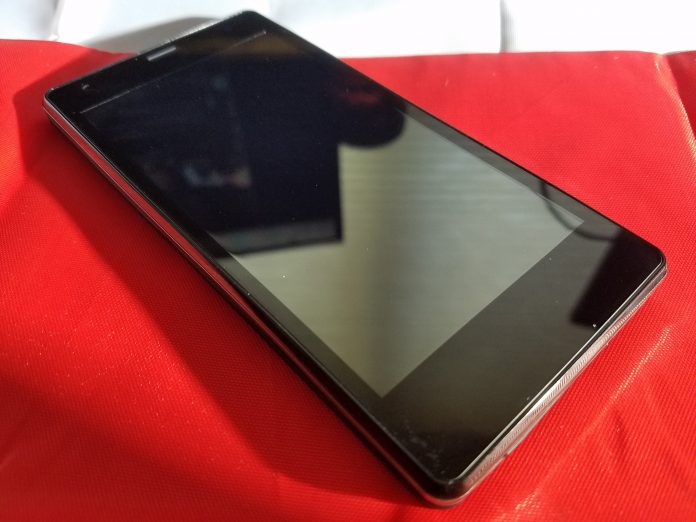
We’ve seen an influx of cheap, good, Asian smartphones here in the US. Gone are the days where the only phones you got to choose from were whatever Samsung, LG, Motorola, and HTC decided to put out. Now we have real choice. These choices come in the form of truly great phones like the Huawei P9 and OnePlus 3, all the way down to budget phones like the Freetel Priori3.
Freetel is targeting the “super-budget” area of $100 phones with the Priori3. The ridiculously low price of this phone does indicate that there will be compromises, though. You shouldn’t expect high-end features like a fingerprint read or water resistance, but that doesn’t mean you should immediately write the Priori3 off. Rarely do budget phones have those features anyway and if you’re buying this as a first phone for your teen or an elder family member, ask yourself if they really need those features to enjoy the experience of their first smartphone.
Let’s start out with some specs.
- Dimensions: 65 x 132 x 8.9mm
- Weight: 120g
- SoC: MediaTek MT6735M
- CPU: ARM Cortex-A53 1000 MHz Quad-core
- GPU: ARM Mali-T720 MP2, 500 MHZ Dual-core
- RAM: 1GB
- Storage: 8GB (expandable)
- Display: 4.5in TFT, 480 x 854p
- Battery: 2100 mAh (removable)
- Sim: Dual sim- Sim 1 is micro SIM, Sim 2 is standard SIM
- OS: Android 5.1
- Camera: 3264 x 2448, 8 MP
- Wifi: a, b, g, n, n 5GHz
- Bluetooth: 4.0
- Bands: 3G GSM 850, 900, 1800, 1900, LTE: 900, 1800, 2100, 800 (B19)
Software
The first pleasant surprise with the Freetel Priori3 was that it’s running a mostly unmolested version of Android 5.1 Lollipop. Sure, I’d love for it to have shipped with the most up-to-date version of Android 6.0 Marshmallow, but I doubt those interested in this phone really care that much about OS updates. Hopefully, Freetel will push an update in the future so users can take advantage of the security updates in recent versions of Android.
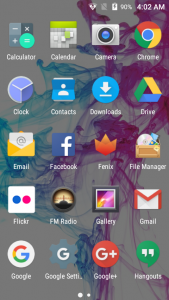
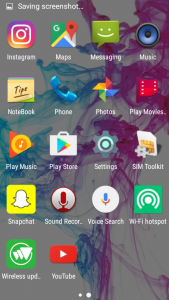
There are no fancy new icons or crapware loaded onto the phone like most manufacturers stain its phones with. There are a few common sense apps that Freetel added like FM Radio, Notebook, File Manager, SIM toolkit, WiFi Hotspot and Wireless Updates. The WiFi Hotspot app is little more than a shortcut to the WiFi Hotspot menu in the settings app, so nothing too fancy there.
What I really love is the FM Radio app. All phones have an FM chip already, but there is no software available to leverage them. While the chip is very weak, it does the job of pulling in some strong stations. I could very easily see a kid using this to listen to their own music while playing some games on long road trips.
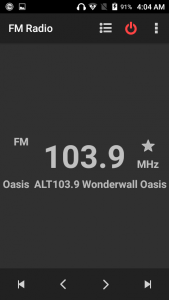
Freetel didn’t take the step of most OEMs and replace the standard Android apps with its own versions. If you were a big fan of the stock messaging app or gallery in 5.1 Lollipop, you’re in luck here because they’re all stock apps. OEMs regularly replace Google’s version of the apps with ugly or laggy versions so we love that Freetel skipped that.
Performance
We were very surprised at how well the Priori3 handled basic tasks. I’ve used some pretty crappy budget phones in the past that would lag simply from just swiping through the app tray (looking at you Samsung), but the OS is lag free. If you start bogging down the system with heavy CPU or GPU usage apps, it does slow down so those big games might be a no go, but for regular social media apps like Facebook or Instagram you’ll be fine once they’re loaded.
What you will notice, however, is how long apps take to load. The processor isn’t very powerful and since there isn’t an abundance of RAM apps regularly have to load fresh and that takes a bit of time.
Using the phone for my normal daily routine I noticed how many apps were knocked out of memory. If you’re able to keep more than four apps in memory at the same time, count yourself lucky. The FM radio app I mentioned earlier does play in the background so you can listen while you browse around on Imgur or Reddit, but it will regularly get knocked out of memory and require a fresh start. It’s not ideal but 1GB seems to be about the minimum phones can ship with these days to get by, and that’s exactly what the Priori3 does, it gets by.
Battery life is fine. You’ll get about 2.5 hours of screen on time and get through most of the day with light usage. You can thank the relatively power efficient processor and low-resolution screen for that. Again, it doesn’t sound like much stacked up against the flagships of the day but the Priori3 does its best to get every minute out of the 2100mAh battery. Since the battery is removable, in theory, you can pick up a secondary battery to pop if it gets low, but I was unable to find any for sale.
Hardware
Where you see major compromises with the Priori3 is in the hardware. The display is just bad. The colors are washed out, it doesn’t get bright enough to use in sunlight and the viewing angles are slim at best. The interface for your phone is the display and while we understand that you’re not going to get a 2560 x 1440 Super AOMLED current generation Samsung panel for $100, even what we have here is a disappointment. It’s been a long time since we could pick out pixels with the naked eye, but we can here.
Under the display sits three capacitive buttons that light up red when they’re touched, but stay off otherwise. They give off a cool effect, but you have to know where you’re pressing since they don’t light up any other time. If these buttons stayed lit while the display was active it would be an improvement.
 Low max brightness and hard to remove finger gunk is a difficult combo for outdoor use
The power button is on the right side of the device with the volume rocker just above it. While it’s not the ideal placement, it’s fine here and the buttons are clicky and give nice feedback when pressed. Nothing really to complain about other than their relative cheap feeling.
The body as a whole doesn’t feel great. Since the back is removable you don’t get that unibody, strong feel with the phone (Side note- the back and display pick up a TON of fingerprints and they’re really difficult to get rid of). The phone feels hollow like they didn’t use up the entirety of the body with components and when the vibration goes off, it only sees to compound the problem. If your kid drops this phone, they’re probably not going to break it due to how light it is but this won’t be a phone you keep long term due to durability sake.
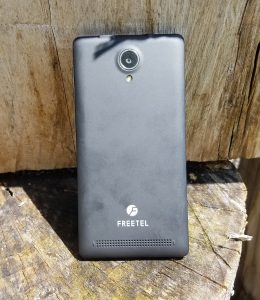
You also won’t be holding onto the Priori3 long term due to audio quality. The rear-firing speaker is very weak and distorts at higher volumes. It gives the appearance of a long speaker that stretches along the bottom of the battery cover, but when you remove the back you find a circular, half-inch sized speaker that doesn’t impress anyone. The 3.5mm headphone jack does fine to put out sound, although not the loudest. You won’t get the most out of your high-end headphones with this phone so stick with some cheapo Skullcandy earbuds.
Camera
The camera application is the stock camera app that comes with Android 5.1. It has enough features to get you by, but if you’re buying this phone for your kid you may want to research another app that will give them a little more functionality. It’s a pretty spartan app that lets you change the exposure, has a few color effects and scenes and has the ability to white balance. Not much there.
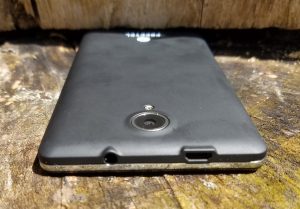
The 8MP camera is very modest by today’s standards. Pictures do some nice colors and decent exposure in good light. The story is different when you venture into very bright and dark situations. Over exposure is common where lots of light shines and the digital grain in low light photos can truly ruin any kind of scene you’re trying to pick up. Here is a gallery of some pictures we snapped with the Freetel Priori3.
1 of 8








Conclusion
So how much phone do you get for $100? Well, not too much. The Freetel Priori3 is a fine first phone for a family member, but there are certainly a lot of tradeoffs. With the rise in cheap phones, this is a decent option at the price point, but your options dramatically increase in numbers and quality when you raise your budget by another $100.
I hate some of the tradeoffs that Freetel had to make to stay at this price. There are almost no redeeming qualities about the phone aside from the battery benefits from it being such a low resolution. The camera did nothing to differentiate it from the pack and the speaker was flat out disappointing.
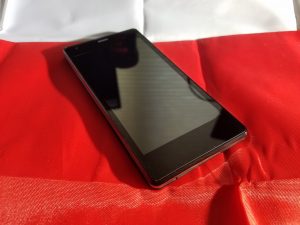
What did impress, however, is how well the software worked on such a meager CPU. The largely stock OS is lag free for most tasks and really didn’t get in the way of itself. The inclusion of the FM radio app was a great move from Freetel and we think it will be appreciated for those who are interested in the Priori3.
I’d recommend this to anyone looking for a first phone for their teen (or preteen!) or an elder family member that has been stuck to flip phones. If you’re in any way experienced with smartphones, I say pass and look to expand your budget a bit more to get something significantly better.
OnePlus 3 Video Review

OnePlus is back this year and stronger than ever with the release of the OnePlus 3, it’s high-end flagship quality phone that ships with all the hardware you need including 64GB of storage for almost half the price of similar ranged phones. After watching, check out our full review from Daniel Treccagnoli here.
 AIVAnet